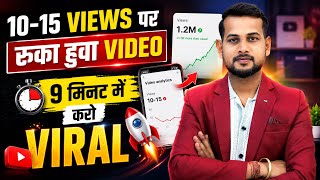

Boosted Video Went Viral Overnight!
31sThe dramatic before-and-after view graph instantly grabs attention with a promise of a quick fix.
▶ Play Clip"The title promises 'proven tips and tricks' but delivers a single, somewhat convoluted method that relies on the 'Boost' feature and competitor keyword copying, which may not be universally effective."
The video demonstrates a method to revive YouTube videos that have stopped receiving views by using YouTube's 'Boost' feature and optimizing the video's metadata based on performance data. The creator shows how to analyze video performance in YouTube Studio, identify top-performing sources (search and suggestions), and then adjust the title, description, and thumbnail to align with successful keywords and competitor videos. The method aims to trigger the algorithm to recommend the video again, potentially leading to a resurgence in views.
The video starts by showing a video that had stopped getting views after 26 hours. The creator claims that boosting the video overnight caused views to resume, illustrating the core problem the video addresses.
The method should only be applied to videos that are at least 5-10 hours old. The creator advises waiting 2-5 hours to assess initial performance before attempting to boost it.
The creator opens YouTube Studio and navigates to the video's performance page. Key metrics to check are 'Average View Duration' (should be trending upward) and 'Impression Click-Through Rate' (CTR).
If the CTR is below 6-7%, the creator recommends changing the video's thumbnail, as CTR is primarily influenced by the thumbnail and title.
In the video's performance data, the creator checks which sources (e.g., search, suggested videos) are driving the most views. The method focuses on amplifying performance in these already-successful sources.
The creator uses an analogy: it's easier to push a moving bike than a stationary one. Similarly, it's more effective to boost a video that is already getting some views from a particular source than to try to revive one with no traction.
In the 'Reach' section, the creator navigates to 'YouTube Search' to see the exact keywords that are bringing views. These keywords are then saved for later use.
The creator takes a screenshot of the keyword list and uses an OCR app (like 'Copy Text on Screen') to convert the image into text, which is then pasted into a notes app.
The creator also checks the 'Suggested videos' section to see which specific videos are recommending their content. They note the titles of these videos as they are key competitors for the same audience.
The creator copies the links of the top suggested videos and uses a tool (like 'Video to Text' or a similar app) to extract their titles. They recommend extracting titles from at least two such videos.
Back in YouTube Studio, the creator pastes the competitor titles into their own video's title and description, ensuring the keywords align with what is already performing well in search and suggestions.
After saving the changes, the creator advises waiting and monitoring the video's performance. The expectation is that views will gradually increase, and there is a chance the video could go viral again.
The creator emphasizes that all this optimization is useless if the video is not uploaded correctly, and points to other videos on their channel for guidance on proper upload methods.
The video presents a practical, data-driven method to revive underperforming YouTube videos by aligning their metadata with proven keywords and competitor titles, thereby signaling relevance to the algorithm. The key is to focus on sources that are already generating some views and to ensure the video's average view duration is healthy before applying the technique.
What is the minimum video age recommended before applying the boost method?
At least 5-10 hours old.
01:48
What are the two key metrics to check in YouTube Studio before boosting a video?
Average view duration and impression click-through rate (CTR).
03:06
What CTR threshold indicates a need to change the thumbnail?
Below 6-7%.
03:33
What is the 'push the moving bike' analogy used to explain?
It's more effective to boost a video that is already getting some views from a source than to try to revive one with no traction.
05:32
How does the creator extract keywords from a screenshot?
Using an OCR app like 'Copy Text on Screen' to convert the image to text.
07:27
What is the purpose of copying competitor titles from suggested videos?
To align your video's title and description with keywords that are already performing well in suggestions.
10:02
What is the final step after optimizing the title and description?
Save the changes and wait for views to gradually increase.
14:03
The 'Push the Moving Bike' Principle
This analogy effectively communicates a key strategic insight: focus on amplifying existing traction rather than trying to create it from scratch.
05:32CTR Threshold for Thumbnail Change
Provides a specific, actionable metric (6-7% CTR) that creators can use to decide when to change their thumbnail.
03:33Using OCR for Keyword Extraction
Demonstrates a practical, low-tech workaround for capturing keyword data from YouTube Studio, which is useful for creators without advanced analytics tools.
07:27Competitor Title Analysis
Shows a method for reverse-engineering successful content by analyzing the titles of videos that are already recommending your content.
10:02[00:02] I had uploaded this video 26 hours ago and at that time the views on this video had completely stopped coming. The views were not coming at all. But as soon as I boosted this video and left it, I boosted it last night and brother, since morning the video has started
[00:15] can also see its graph, the graph which was earlier going flat like this. But as I had left it boosted at night, when I woke up in the morning and saw it, the video suddenly went can see it here and I will go and show you its views in real time.
[00:30] Ok? Look here, their real time views will views graph has gone up a bit. I'll also show you the details by clicking on it a little bit. Look at this video here, although see, the video which has got maximum
[00:43] views is a search. And look how the graph has gone now. Ok? And here you can see very carefully where is its top source at the bottom? From search. And after coming in search, it is now getting views from the browse feature also. I mean, look brother, let me
[00:55] tell you in a simple way. This video was not getting any views at all. But what did I do? Boosted the video and left it. What happened after that? The video started playing automatically. Now there is not just one such video on my channel. There will be
[01:07] Now there is not just one such video on my channel. There will be which I boost and play again. I mean, look friends, if you made the video well, everything is correct but still the views are not coming due to some reason, then
[01:20] brother, you can boost the same video again and leave it. There is a high chance that the video will go viral again. Meaning, the ? So let me tell you how I did it and how you can do it too.
[01:35] on screen recording next to it. I am going to boost a video and show it to you and tell you everything about how I do it and what strategies I use. Total Cheese A to Z from Basic to Advanced. Ok? Now see
[01:48] what to do first? Let me tell you one more thing. Your video should be at least 5 6 hours 8 hours 10 hours long. Do it only after that. You wait first. Watch for two, four, five hours. How is the video performing? If it is working then it is fine. It is not playing, the
[02:01] video is also good, then brother, you can use this method. There is a high chance that the views on the video will gradually start increasing. Now look what I do first. Here I have opened the Yt Studio app. Now friends,
[02:14] 48,000 views. But only 13,000 views in 2 hours. So I want to boost this video so that my video plays faster. Now here instead of 13,000 views, your
[02:28] video may have fewer views. It is possible that you may have only 50 views here, only 100 views or suppose you have only 30 views , only 40 views, it can be any number of views. I'm telling you how to boost yours. Simply put, views are
[02:40] not going to make any difference. Ok? So what to do? First of all you have to ranking of the video is visible, let me click on it. Now let me show you from here. First click once on the video. Then here the performance of the video,
[02:53] how the performance of the video is, how everything is performing. So brother, everything is performing. So brother, n't care about that because this is what we are working for. Now we have to be concerned with two things,
[03:06] these two things. Ok? Look, these are two things. First of all, you have to see whether this average view duration is correct for you or not. If a tick mark is coming then it is fine. If the graph is moving upwards like the one I see, then brother,
[03:19] understand that it is absolutely perfect. Your video will definitely play. Ok? Now understand what method to use next. Now after that you have to see this imp impression click through rate which is visible, this is 8.6% for me. Ok? So brother, you have to check here, if yours is less than 6-7%
[03:33] then what should you do, you will have to increase it. Now the simple way to increase it is to get people to click more. Now how will people click more? people click after seeing it. Write something good in the title. So what do you do for that? If your
[03:47] return here falls below 6%. 6 is reduced by 7%. So you quickly change this thumbnail of your video. Change the thumbnail. Because this CTR percentage depends only on the thumbnail and title. If people click
[04:00] more then brother, this will be your high. So mine is clicking almost fine Ok? So look at this thing. What should you do if this is less for you? Simply change the thumbnail first. It is the most important thing. The most important thing is to
[04:14] change the thumbnail. If it is less then if your average wording is also fine then trick. What to do? You have to go to the video performance. Ok? Now after going to performance, friends, all the data of your video will be visible here.
[04:28] How many views does Total Things A to Z video have? How many impressions has YouTube sent, what is the percentage click through rate, how long has the video been performing, from which sources has it been viewed, all these things will come. Ok? So what do you have to do? You have to see the
[04:41] performance of your video, the top performance, as we see here, performance, as we see here, which has been its top performer? So, the source which has performed the most in this
[04:54] is search, then recommendation and then other features, so you have to see in which source your video is performing. Now look here, I have thousands of views, so there is no need for thousands. Suppose you have 50 views here, still this
[05:07] method will work. You just have to do it exactly as I am telling you. Look here I have 7.4 views. Now instead of this, suppose you have only five views. There is no problem, it will still happen. Ok? There should be some views. Whether it is 10 views,
[05:20] 20 views, 50 or 500, there should be some views. You have to apply the rest of the method like this. What to do now? Like look at my video, this video is performing from more than two sources. One is through search and the other is through recommendation. So now I have to get
[05:32] more videos performed in both of these sources. Whichever source you go to, you have to perform better in that source. Okay, right? Let me tell you an example. Suppose you have two bikes. One bike is moving slowly and one bike is standing.
[05:44] So brother, if you push the bike that is moving, it will move at a faster speed. But if we push the one who is standing, it will not work because he is already standing. You understand, right? It means supporting someone who is moving ahead, if you support him a little then he will
[05:56] move further ahead. But if someone is fallen, you cannot support him and lift him up. What will you have to do in the same way? We have to bring more views to the same source from which we are getting some views. Ok? Now what will you do for this? We will
[06:08] work on search and recommendations here. So for that we will go here to the reach section in a simple way. Look, we will click on reach. Will go to the reach of the video. our performance here is visible that the most viewed thing on our channel is
[06:22] browse feature or suggested, you can say whatever you want, okay, now what we have to do is scroll down a bit, look here at reach, we will scroll on reach here, now here we will get an option by doing YouTube search,
[06:35] okay, if we want to perform in search then we will go to search form, we will click on it, in search, okay, if you want to perform in other sources, if also tell you what to do. Ok ? I will tell you everything. Now look here,
[06:49] whatever number of views my video has received, whether it is 50, 100, 1000, or lakhs, all these keywords have come. You will get to know here. Like the views that this video has received on my channel have come from searching all these keywords.
[07:02] So what keywords have appeared on your video ? The show will take place here. Ok? In Search in the Your Reach section. Ok ? What to do now? Here you have to simple way. Let me take a screenshot of this here. Something like this. Look,
[07:15] I will just place the keywords like this. Ok? I have no business with the remaining percentage etc. It doesn't make any sense. Now I will save this screenshot. Now what to do after saving ? In simple terms, you will
[07:27] need an application. Ok? Let me show you. You have to go to Play Store. There you have to write copy text on screen. This is the application, you have to install this application. Now who knows what will happen with this?
[07:39] We can convert any written photo on the screen into text. Like the screenshot right now, let me show it to you. Look at this screenshot here, what can you do with this screenshot in a simple way ? This is in the photo right now, but you
[07:52] can convert it into text. Ok ? So what to do for that? You can do it people already have this feature in their phones. Like look, it is already given in my phone. We can select it from here just like this. Look, you can
[08:04] copy directly from here. So if this feature is not available in your phone then you can take the help of copy text on screen app. Now what will we do after this? In simple terms, everyone has notes in their phone, so you have to open the notes. Ok
[08:17] ? Let me open the pad here. Ok? Look, now I will take a new tab here and paste it here like this. Look at this. What have I done in this manner? I have added it here. Now
[08:31] go back to the YT Studio app. Now after coming here, friends, I have to go again. I will come to reach. Now see, the maximum views on this video of mine were
[08:43] I have removed the search keyword. Now where are our second views coming from brother? It's a simple thing. It was coming from a suggestion. Okay, right? I have already shown it to you. So call it suggestion or recommendation. Both are the same thing. So what will we do? We will
[08:56] come down a little further in a simple way. Now look here, content suggestion will come in this video. Meaning, whatever views our video has received are due to suggestions, all these do? Now I will
[09:10] what will you do for that? Simply click on it. Ok? Now friends, what do you have to do here after clicking ? You will see many videos here. Look, like look, this one is this one. That's what
[09:23] my video below shows. He is suggesting. Let me show you for example. I click on the video at the top. Here you first see this, due to the suggestion of this video my video has got 106 views. Now I have got 83 views because of his suggestion. Now
[09:36] I have got 39 views because of his suggestion. This is how it is being shown here. So let me just click the top one. Now after clicking, friends, look here, something like this has come to us. Ok? Look at this. Now
[09:49] if someone is watching this video of his, then look below it, just like his is showing here, similarly mine is showing here, in this below it, just like his is showing here, similarly mine is showing here, in this what is happening on my video, views are coming, okay, so views are coming from his suggestions, so what we will do is we will
[10:02] so views are coming from his suggestions, so what we will do is we will my video is visible somewhere in everyone's suggestions, okay, so for that what we will do is simply click here, see here on share, okay,
[10:15] above this we will click on share and from here we will copy its link. I will copy the link of the video. Now after copying, friends, you have to take the help of another app here, which will make your work much easier.
[10:30] Ok? Look, this is the app, you have to install this app in a simple way. Ok? It is a completely free app. You can use this also. Your work will become much easier. And you have to open the app. Ok ? After installing. What to do now
[10:42] ? Here you will find written Enter Video or Channel URL. Ok? Enter the URL of the video or channel. So let me paste the URL of the video here and click Go. Now as soon as I clicked on Go, look here,
[10:55] all the material of this video has appeared in front of me. Look at this video, the title has come, the description has come. The thumbnail is also here. I can also download thumbnails. The hashtag has arrived, the profile has arrived. Its keyword has also arrived. So we do
[11:08] n't care about all this. We mean only one thing, its title, so we will copy this title from here. Ok? Now after copying, friends, we will go to Notes again and what will we do here ? In a simple way, we will paste the
[11:20] search keyword just above where we had written it, like this. Ok? Now friends, what will you do after pasting? Let's take it simple, to the YT Studio app. Now look, I have taken out the title of the first video.
[11:34] what shall we do now? We will take out the second one. Click on it. Ok? Now after clicking, we will pause it and here I will simply click on share. What will we do here now? Here we will come again to
[11:46] where you can extract it. You have to extract material of at least two videos here. You can also take out three or four. But you have to extract the title of at least two videos. Ok? Due to which your suggestion is getting views. Ok? Let me
[11:59] paste this. I click on Go. Now I have copied its title from here also. Now look here, I have simply copied the titles of two videos. Let me paste this here. Ok? Look at this. Now look brother, I was
[12:11] Ok? Look at this. Now look brother, I was what these people have done? His title has been put there. So let's remove this, Look, let me remove it from here in a simple way. Because when both are entered the same
[12:25] Ok? If yours comes separately then you have to keep both. What to do now? In a simple way, you have to copy it completely. Ok? Let me copy it from here. Now friends, what should we do after copying? Simply go to your
[12:39] YT Studio app. Look, I have come to YT studio. From here I will back up and after backing up I will simply after tapping, friends, what do we have to do here ? You have to play around a little with the keywords etc. of your channel.
[12:54] I will tell you the first thing along with the title etc. If your CTR is low, less than 6-7%, what is the first thing you should do? You have to change your thumbnail in a simple way. Ok? Now
[13:08] this place in the description. Ok? Click on the description. And here you have to do one thing in a simple way. The one that is at the top is fine? You have to paste it here at the top of the top. The thing you copied.
[13:22] Look here, we have pasted this one here. Now there is one thing to do. Look, this is my topic, it is the same topic. Ok? It is the same topic. So what would I do simply? I will copy this title here. Ok? Look, the topic on which I have
[13:37] getting views from the same topic. Like see how to create a channel? This is my topic too, is n't it? So what should I do? I will take this title and make it the title of my video. Suppose you are getting some different topic here then what should you do? You have to
[13:50] pick up the keyword from here and put it in your title. Like, what am I going to do now? I will paste that title here. In this way. Ok? Now after pasting, friends, in a simple way, I will click on the save option here.
[14:03] Look at it this way. Ok? I have saved it. Now let's say I have optimized the thumbnail also. The title was also optimized. And I also optimized the description of my video. And from which sources I was getting more views, have I done
[14:15] all those sources properly here ? I have added it. Now I will get more views from that source. My video will go further in his suggestion. I have done all this. Well then? So if you also do this and leave it, then brother,
[14:27] definitely your video will start getting views. Even if you do video which has been stopped will start getting some views. Be it 10 your views will automatically start increasing gradually. But do you
[14:42] This average duration of your video should also be fine. If this is not right for you then brother, you will not get any views. If this is true then do everything I have told you. Definitely your video will
[14:54] slowly start getting views. It is possible that it may suddenly go viral. Ok? So these are some of the things. But friends, I want to tell you one most important thing. After all this, there is one more thing that matters a lot and that
[15:06] is uploading the video properly. Suppose you have done everything but have not uploaded the video properly then brother will not perform. Ok? So if then you should watch this video and if you do not know how to upload short videos then
[15:19] explained the method of uploading long videos. On this I have explained the method of uploading short videos. are important videos. Click and see. Rest friends, if you liked the video then like it, share it with your friends and if you are new to the channel then do subscribe.


⚡ Saved you 0h 15m reading this? Transcribe any YouTube video for free — no signup needed.