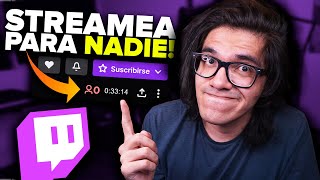

Start with Zero Viewers?
43sRelatable struggle of starting from zero viewers hooks beginner streamers.
▶ Play Clip"The title promises 10 tips and delivers exactly that, with personal advice and practical steps."
This video offers 10 tips for beginner streamers on how to grow their channel from zero viewers, covering everything from optimizing stream information to building a community and knowing when to stop.
Carefully edit your stream title, category, tags, and language to improve discoverability. Use keywords in the title to attract viewers searching for specific content.
Maintain a regular streaming schedule so your early viewers know when to tune in. Announce special streams on social media to build anticipation.
Treat streaming seriously: prepare your content, avoid looking disinterested, and ensure your stream looks professional to retain viewers.
Good audio is crucial. Even a cheap microphone with proper filters can significantly enhance stream quality.
Use proper lighting (e.g., two ring lights) to improve video quality regardless of camera type. Position lights to avoid glare.
Enable VOD saving in settings. Use highlights and clips from past streams to create content for other platforms.
Create a Discord server with specific channels for different topics. Use commands like !discord to invite viewers and foster engagement.
Build relationships with streamers of similar content and size. Use raids and hosts strategically to appear in recommended channels.
Start with what you have. Upgrade only when your community supports it. High-end gear isn't necessary for beginners.
Set a deadline for your streaming goals. If you no longer enjoy it after that time, it's okay to quit and invest time elsewhere.
The most important takeaway is to enjoy streaming and not force it. If you're not having fun, it's okay to stop and pursue something else.
What is the first tip for beginner streamers?
Carefully review and optimize stream information: title, category, tags, and language.
02:30
Why is a consistent schedule important for new streamers?
It helps early viewers know when to tune in, building a loyal community from scratch.
04:32
What is the recommended way to improve audio on a budget?
Use a cheap microphone with proper filters and dedication to enhance audio quality.
06:58
How can streamers repurpose their live content?
Enable VOD saving, then create highlights and clips from past streams to share on other platforms.
08:31
What tool is recommended for building a community outside of Twitch?
Discord, with specific channels for different topics and a command like !discord to invite viewers.
09:25
How can networking with other streamers help growth?
Raiding and hosting similar channels can lead to appearing in recommended sections, building a shared community.
11:11
What is the advice regarding equipment for beginners?
Start with what you have; don't invest in expensive gear until your community supports it.
13:11
What is the final tip about knowing when to stop?
Set a deadline for your goals; if you no longer enjoy streaming after that time, it's okay to quit.
14:18
Know When to Stop
Emphasizes mental health and the importance of enjoyment over persistence.
14:18Audio Over Video
Highlights that audio quality is more critical than video for viewer retention.
06:58Equipment Isn't Everything
Dispels the myth that expensive gear is necessary to start streaming successfully.
13:11Strategic Raiding
Explains how to use raids and hosts to appear in recommended channels, a key growth tactic.
11:11[00:01] tell you all: if you reach a point where you no longer enjoy it, then stop doing it. I a point where you no longer enjoy it, then stop doing it. I completely understand what it feels like to stream these days, even what it means to
[00:14] active in the chat or even watching me. But I've also been on the other side, consuming my stream, and that depends a lot on what we have to offer. But it doesn't always start there. We all start exactly the same, with zero
[00:29] Some of us go back to having zero people in chat, but we all start with zero people watching us because, obviously, the point of streaming is to start creating a community with no one watching, and
[00:43] we learn new techniques, for example, I've been off Beach for a week. I hope that when I learn new techniques again, those people will be there. Otherwise, this video would So, if you're in the sprint after this video, it means it
[00:56] works. You can mention it to help improve your channel. So, let's talk about 10 tips and personal advice for you from me. Part about how to stream in Paraná because if we're all going to be streaming, as I've
[01:10] said repeatedly, what are we going to do if nobody's watching the stream? What are we going to do nobody's watching the stream so we can eventually have different videos? That's what Estella's video is about, but before moving on, I have to talk
[01:22] about the sponsor, which is nexus script.com (nexus tips.com). It 's an online platform that provides a service to generate your clips vertically and share them on various platforms. You need two
[01:34] for tweets so you can generate clips from the page itself and automatically generate clips stream. If there are relevant moments, the platform will support for obtaining multiple clips, both League of Legends and other
[01:48] so you can schedule your posts without any problems. It's as easy as selecting the clip and starting to move it to our software so that it looks for this vertical video. You can save your template, use the default ones, or
[02:03] reuse those templates. Saving the clip takes seconds, and just like that, sharing it on your other platforms to get the most out of the content you're already streaming. This way, you have content for your other networks. So, you know, they
[02:16] use clips.com. I'll leave the link in the rating description; just check out the info, and you can probably create more content eventually. Now, starting with the video, we're going to talk about the 10
[02:30] types. So, let's begin. Tip number one: carefully review all the information related to know that it's extremely difficult for people to find you, but you're platform, which doesn't have a good discovery or search engine,
[02:45] your streams. For example, here in the control panel, we have a perfectly adaptable panel, which is the stream information. If you notice, words or, for example, the title. The title is very important for
[02:58] looking for something specific, the keyword. This will probably bring them within the The same title helps to draw more attention to what we do, interested. Using Molise will always be welcome to attract more
[03:12] sprint title. Now, live view notifications are very important because appear on people's mobile devices. There are top right corner when they're on a tweet. This is what will appear
[03:26] someone you're following is on Twitter and you turn on streams, probably won't grab their attention. But if there's some kind of activity or can probably help a lot. The category— well, this is very important and I don't
[03:39] right category. People who come in will most likely consume content because that's what they 're looking for. Seeing the audience here, I obviously suggest leaving it open to a very specific theme. And in tags, I think we can start
[03:53] adding many, many things here. For example, "We're playing first-person shooters." Here are the tags. By default, I'm from Mexico. There's also this " For example, if you're playing a battle royale game,
[04:06] to reach more people. For example, here, player versus player PvP. tags that people will search for and want to find. And important so that the people who watch it can
[04:20] enjoy it properly in the language they use. So, first tip: manage your information well. Don't just leave it blank. Seriously, edit it, and it might help a beginner who's starting
[04:32] literally from zero. Now, the second tip, and this is one you have to pay close attention to because it's very important, is to have a consistent schedule, or a pretty consistent one. You actually
[04:45] stick to your own schedule. Yes, I know I did n't stick to my schedule, but the point is, I've been on YouTube for a while, and you're just starting out. So, shut up. The point the community literally from scratch, and we have one or two Three or five people who
[04:58] consuming it at a certain time. So, if you respect that schedule at the beginning, at least these people, who are your potential followers and part of your community, can consume it exactly at that time. Therefore, you have to
[05:11] make it very clear from the beginning which days and times you're going to start being extreme, whenever we want— obviously, this is talking about people who want to do this a little more than usual—obviously,
[05:24] people aren't going to be with us. If we learn randomly on a Sunday at 5 in the morning, that's to say something very extreme. But if we say, "Okay, I'm going to do extreme. But if we say, "Okay, I'm going to do
[05:36] can complement this with Twitter and Instagram announcements, letting people know that there will be a special stream today, so go watch it," or things like that, so that the people who are when you're going to learn sprints. But the people who are going to consume your content regularly
[05:49] can even prepare their day to consume it at the time that suits them, schedule. And regarding consistency, let's move on to the next type, and I have to be upfront about this: you ca n't be a professional if you don't
[06:03] act like one. I'm speaking directly to people who want to know-it-all in the comments saying, "You should just do
[06:15] dedicated to the sprint. The tip is literally, learn. I don't care about reading York, because if you don't, it's going to be very noticeable. And create streams where we can see this, and
[06:29] honestly, it looks... I don't know, it really puts me off. It's on the live stream because you can tell the person is n't doing it 're doing, and they don't understand why they're doing what they're doing. Here on this channel, there are
[06:43] writing look professional. So, if you're not writing for anyone, and interested in seeing what you're doing, but they see this, obviously it's not going to work when they have many more high-quality options than you. Sprints and pay
[06:58] attention to the CB chat agreement, and I mention this in every free tips video: improve your audio, improve all audio, improve with audio. I know you don't have to invest in the most expensive microphone on the planet. I even made a video myself about
[07:10] a $12 microphone that, with a lot of filters and a lot of dedication, can excuse not to invest in at least one microphone that can eventually help us a lot to improve our sprint quality. So, better audio, 4.
[07:24] Improve all types. Hand in hand comes number 5, which is better for your camera. Better for your camera. Now, your camera—it doesn't matter if it's a webcam, it doesn't matter if it's a Sony Alpha 6400, it doesn't matter if it's a cell phone—you
[07:37] can always improve a camera. Now, I'm being asked in the community PC of my camera position and my current lighting so that it looks like this. No, I'm not going to do that, at least not in a dedicated way. What
[07:50] we can do is if I record at this moment, and this is how I have my lighting set up, okay? They are two ring lights of less than $15 each. Amazon, there's my little camera and that's it. Honestly, this is what I do. There's no great trick or
[08:05] science to it. This is how I have my camera and lighting I have my camera and lighting set up. It
[08:18] lighting for the camera, and I think this position is really great because it doesn't affect me. It's not like it dazzles me. I can be whatever, and the light doesn't bother me. So it's a good position for
[08:31] sweets, in my opinion. Sixth tip: save your streams and create content from them. I have to say this because there are many streams aren't being saved due to a setting they haven't configured
[08:45] quickly here in Stream settings, under the settings for saving previous broadcasts and always publishing. It's as easy as that. Now, when you've finished your stream, you can go to Content >
[09:00] Video Studio. Your streams will be there, and here you can highlight a regardless of its duration. I recommend using two clips to have a reference point and making a video from a
[09:12] certain section. From your stream, so you can send it to another platform, it's very simple: you download it and then, like any other video, you publish your like any other video, you publish your streams. It's not public, book 7, and this
[09:25] community that's starting to arrive on your channel. If you have viewers and commenting about the game you're playing, they're interested and want to be more in contact with you because they actually
[09:38] have that in common, and you didn't give them the chat, you didn't do it, I don't know why, but you didn't, what's going to happen? I recommend that you add a very specific command, which is the `dischord` command, and obviously have a disk server. I
[09:52] must say that to date I find it very cumbersome and complicated to use, own community. But if you know how, or if you've already seen some videos on how to generate content, the truth is, start there, and this can help you a lot to
[10:05] establish a new communication, a conversation, in relation to your followers, and this can translate into more viewers watching other streams, for example, adding specific roles depending on what... This person has done to
[10:17] belong to your community, for example, Twitch VIP subscribers, and I have online because they're inactive, I think, for more than 10 minutes, and the truth is, many creating different channels and points of conversation, kind of, for example, that
[10:31] example, here in the content keys area, I have a specific channel with your stream, and also here in Kaos Content, I have a room where you can talk about content creation, questions, tips, and everything related to how to
[10:45] That's speaking in terms of my theme, but in terms of yours, you can content has a theme or a specific video, it can be around that theme or this video game, your community on a disc, so number 7, even a disc
[10:59] or a guild, which is better and free. Now, something I don't quite agree with Twitter, to have contact with people because I'm a social person and I have problems relating
[11:11] to... People are too introverted and don't like having relationships with more people than they should, and for me, the host and the king of the channel have always But in the end, if you're going to dedicate yourself to this, you have to build relationships with
[11:24] similar content to yours, and that can eventually help you. The other day, we Twitch stream about how to get featured in the recommended section. And no, I'm not referring to this section because this is the homepage, this isn't the recommended section, okay? But
[11:38] this section here, these sections are the channels I recommend. There are viewers, and many of the things they consume because I've been given hosts are other channels that, as you can see, don't even have a similar number
[11:51] of viewers at that moment, and they also appear as recommended channels. How does this happen? Well, it has a lot to do with two very important things: the category and shared channels. Channels that the people
[12:03] who appear in my recommended channel have already promoted have also promoted Twitch understands that it's a community of primes who share common content and a common community. So, if you're already generating
[12:16] 2345 viewers through our Drive action, host a stream in the right category. Choose someone with similar viewership numbers and very similar content so that Twitch can eventually
[12:29] place you in recommended channels for viewers of the channel hosting your stream, a prior connection to another raid or host. So, while it's not that difficult to Twitch, you have to do it intelligently. This plays a huge role,
[12:44] since these primes and hosts might not translate into a larger community immediately, but in the medium or long term, it can help you similar content and share a community. Obviously,
[12:58] going back to the tip about scheduling, it's not about competition. If you have a can still do raids; there's no problem with people watching your streams during your broadcast and then watching the other streamer's stream the next day. So,
[13:11] Wright and hosts work, but you have to... Use them very intelligently. There are 19 of system, friends, you have to look in the mirror and say, "The equipment isn't important, the sector isn't important." Stop thinking you need the 30-90
[13:27] when you probably already have a very decent video card. Don't think about streaming in 4K because nobody uses it, and don't spend money on equipment you probably won't even use and only want to show off and
[13:39] demonstrate what you don't even need. So, if you need to see it as is probably an unnecessary expense. Eventually, if we're starting to stream for people, for nobody, it won't matter. So, you have to
[13:53] stream with what you have at the beginning, and eventually, if community support can translate into investment in a new sector, new equipment, then go for it. But that's not the point of all this. This top tier has been built over almost four
[14:06] years of creating content, okay? It doesn't happen overnight, and these are things you need. So eventually, when you say, " Okay, I need this," then you start investing in it, but until then, the equipment isn't important, believe me. Now, the
[14:18] most important of all, and you have to pay very close attention, okay? And it's tell you all. If you set a target time to achieve your goals—views, subscriptions, donations, whatever—
[14:32] tell me right now if you started with zero people and after that time it increases—I do n't know, two, three, four weeks, a couple of months, a year, whatever, depending on the specific case of the
[14:45] person watching me right now— if you reach a point where you no longer enjoy it, then stop doing it. If after that time you reach your target you still enjoy it, and not just anything that becomes a burden in the long run, it's going to be something you hate
[15:00] doing. And it's not wrong to say, "Well, maybe it's not for me," very probably it isn't. And it's not wrong to say this because I've seen cases of people who but I've also seen many people who insist too much when that time,
[15:13] them, they could have invested it in something that would enrich them more as a person. So, this is the last tip, and after you've set your deadline, whatever you want to call it, if you're not enjoying it, then stop doing it. It's okay. And that's
[15:27] the last tip for this video. I hope it helps. It's complicated if you've been doing this for five or seven years, and that's okay too. But if you enjoy it, keep going.
[15:39] I'm a firm believer that if it makes you feel good, if you enjoy it, or if you like it, keep doing it. Anyway, from my end, I just hope you liked it, found it helpful, and were entertained. I wanted to make this video specifically because many people think that I personally
[15:52] care a lot about why you don't have many followers or viewers truth is, I don't, but many of you do care. There's also the other side to it: we have to justify what we're
[16:05] doing. We're doing a stream and we don't have many viewers, which is very likely mentioned in this video. Now, also, what level do you want to reach? How many people do you want to consume your content? It's not very difficult. I tweeted it the other day:
[16:17] if you want to have hundreds or thousands of people, give things away, do more raffles, more tournaments, more... dynamics where people take away something tangible, not just something meaningful, if you put in your sprint title that you're going to give away a iPhone
[16:30] was finally going to be great, you probably have hundreds of people watching, but that's many people because your content is valuable, or to have many people because you 're giving them things. You have to keep that in mind, and of course, you can
[16:44] But don't let yourself be swayed by what people who don't express, do, or create with your content or your stream tell you. So, just a lot with its support. Sharing it with your friends who are starting out in
[16:59] help them. You can subscribe to the channel and activate the upload a new one. Comment below if you have any personal advice that amazing person, so that others can also read it. And well, I'll just share it
[17:14] on my social media. You already know me, and if not, I represent you. And well, if after, great, and we're both making a living, it's worth a lot. I'm going to keep drinking this paragraph, I'm not quoting pineapple water, and well, that's fine.


⚡ Saved you 0h 17m reading this? Transcribe any YouTube video for free — no signup needed.