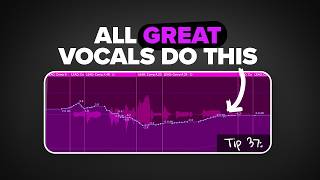
12 Years of Vocal Mixing in 30 Mins
45sPromises a huge time-saving payoff, hooking viewers who want fast, expert knowledge.
▶ Play ClipThis video condenses 12 years of vocal mixing experience into a 30-minute guide covering pitch correction, EQ, compression, de-essing, reverb, delay, doubles, background vocals, and creative effects. The creator emphasizes that performance and recording quality are far more important than plugins, and shares a clear hierarchy: performance > recording > microphone > plugins > mixing > mastering.
Manual pitch correction (e.g., Melodyne) gives better results but takes more time; automatic (e.g., Autotune Pro) is faster but less natural. Use depends on genre and singer's pitch accuracy.
EQ is the most important plugin. Common moves: cut below 100 Hz, add high shelf around 8 kHz, dip mud around 250–750 Hz. Subtractive EQ sounds more natural; additive EQ adds color. Analog emulations (Pultec, SSL) can add pleasant boosts.
FET compressors (e.g., 1176) add distinct flavor. Use fast attack, fast release, 4:1 ratio. Chain multiple compressors for natural results. Gain staging before compression helps tame peaks and preserve energy.
De-essers target sibilance. Place one before EQ and one after compression for best results. Subtle taming of harsh S sounds makes a big difference.
Reverb adds space; more reverb pushes vocal back. Use bus reverb for efficiency, automate reverb fills between phrases. Delay can replace reverb in busy mixes. Band-pass delay signal to avoid clashing with lead vocal.
Flanger for width, formant shifters for timbre changes, LFOs for rhythmic stutter, distortion for grit (especially high-end), reversed vocals for swells, and creative busing with distortion/amp.
Record actual doubles/triples for width. Pan hard left/right. Fake doubles by detuning +15/-15 cents. Sync doubles in time for tighter sound. Use a different mic (e.g., SM7B) for background vocals to keep them warm and in the background.
Mix into a limiter, mix in mono at low volume. Only snare, vocals, and kick should poke through. Use sidechain compression on instrument submix to let vocal sit in the mix rather than on top.
Remove pops, clicks, plosives. Gain stage before compression. Comp best takes together; prioritize energy and emotion over pitch (pitch can be fixed later).
Stand 4–6 inches from mic. Use large diaphragm condenser for sparkle. Record standing up, sing to a drum track instead of metronome. Keep mic ready on a desk arm to capture ideas instantly.
Performance > Recording > Microphone > Plugins > Mixing > Mastering. A great singer (like Adele) will sound good even through an iPhone. Focus on improving singing ability first.
"The title promises a condensed tutorial from 1000 hours of experience, and the video delivers a comprehensive, structured guide—though it's more than 30 minutes of dense content."
What is the recommended distance from the microphone for recording vocals?
4 to 6 inches.
25:51
What type of compressor is recommended for vocals and what are its typical settings?
FET compressor (e.g., 1176) with fast attack, fast release, and 4:1 ratio.
05:03
What is the difference between subtractive and additive EQ?
Subtractive EQ removes frequencies and sounds more natural; additive EQ boosts frequencies and adds color.
02:40
What is the hierarchy of importance for vocal quality according to the video?
Performance > Recording > Microphone > Plugins > Mixing > Mastering.
27:30
How can you fake double vocals if you didn't record actual doubles?
Duplicate the lead vocal track twice, detune one by +15 cents and the other by -15 cents, then pan one left and one right.
18:04
What is the purpose of gain staging before compression?
To reduce peaks so the compressor doesn't over-compress loud parts, preserving energy and natural dynamics.
06:35
What is the recommended way to use reverb to fill spaces between vocal phrases?
Automate the reverb send or plugin to increase during pauses, or use a sidechain compressor on the reverb bus triggered by the vocal.
10:28
What is the advantage of using delay instead of reverb in a busy mix?
Delay pushes the sound back without muddying the mix as much as reverb.
13:08
Subtractive vs Additive EQ
Explains a fundamental mixing principle: subtractive EQ sounds more natural, additive EQ adds color.
02:40Gain Staging for Compression
Reveals a pro technique to preserve vocal energy while achieving consistent compression.
06:35Delay as Reverb Replacement
Provides a practical solution for maintaining clarity in dense mixes.
13:08Hierarchy of Vocal Quality
Summarizes the most important lesson: performance trumps all technical tweaks.
27:30Adele Through an iPhone
Memorable analogy emphasizing that great singing overcomes poor gear.
29:00[00:00] It's been 12 years since my journey
[00:01] started of trying to get a better vocal
[00:04] sound. And in that time, I've probably
[00:05] mixed thousands of hours of vocals
[00:08] alone. In this video, I'm going to
[00:10] condense those thousand plus hours into
[00:12] 24 minutes of the most important things
[00:14] I've learned in getting a professional
[00:16] vocal sound. By the end of this video,
[00:17] you'll know more about mixing and
[00:19] recording vocals than 95% of artists out
[00:22] there, and you won't have to go through
[00:23] the years of frustration to get a good
[00:25] vocal sound like I did. Let's get
[00:27] started. We'll start off with what I
[00:28] assume most of you struggle with most,
[00:30] which is actually mixing vocals and
[00:32] putting plugins on them. Although this
[00:33] is far from the most important thing
[00:35] that you can do to get a better vocal
[00:36] sound. I'll get to that at the end of
[00:38] the video. It's probably one of the most
[00:40] confusing. Let's go over the plugins in
[00:41] the order I normally use to process my
[00:44] lead vocal in. Heads up, the vocals that
[00:45] we'll be working with today is a custom
[00:47] song that I made specifically for this
[00:49] video. First plugin we'll start with is
[00:50] pitch correction. For modern song
[00:52] production, pitch correction is make or
[00:54] break, and getting it right is
[00:56] essential. That being said, pitch
[00:57] correction is very genre and singer
[00:59] dependent. If your singer is mostly on
[01:01] pitch or you're working with a genre
[01:02] like folk or acoustic, you might not
[01:04] need it for this track. It feels more
[01:06] pop, so it makes sense to use it.
[01:11] There are two main types of pitch
[01:12] correction. Manual, which involves
[01:14] individually moving each note that was
[01:16] sung, and automatic, which automatically
[01:19] does it for you. In my opinion, manual
[01:20] gives better results than using the
[01:22] automatic counterpart, but it does take
[01:24] significantly more time to dial in a
[01:26] vocal. I normally use melodine for any
[01:28] manual pitch correction that I'm trying
[01:30] to do. On the other hand, automatic is
[01:32] way faster, but in my opinion, doesn't
[01:33] sound quite as good. For this
[01:35] performance, and the vocal was already
[01:36] sounding mostly on pitch, and for the
[01:38] sake of time, I'm going to be using
[01:39] automatic. In my opinion, the best
[01:41] automatic sounding tuner is Autotune
[01:43] Pro. Let's go on to the next plugin in
[01:45] my vocal chain, EQ. EQ, in my opinion,
[01:47] is the most important plugin that you're
[01:49] going to put on your vocal chain today.
[01:50] And most people have no idea what
[01:52] they're doing with it. Out of all the
[01:53] plugins we'll use today, it's one of the
[01:55] hardest to get right. That's probably
[01:56] because every vocal, every microphone,
[01:59] every different recording needs slightly
[02:01] different EQ settings. Even though
[02:02] that's the case, there are some EQ moves
[02:04] I find myself regularly doing regardless
[02:06] of the singer and microphone that's
[02:08] being used. Those moves are getting rid
[02:10] of the bass below 100 hertz,
[02:13] adding a high shelf around 8K and
[02:15] boosting the shine and then dipping some
[02:17] of the mud around 250 to 750 Hz.
[02:23] [Music]
[02:25] This is a good starting point for most
[02:26] vocals. You can do this same type of EQ
[02:28] move with any type of EQ that you
[02:30] choose. Some of my favorites to use are
[02:32] the ProQ4, like I'm using here, or
[02:34] Logic's stock EQ. I also want to point
[02:36] out that the majority of these are
[02:38] subtractive EQ, or in other words,
[02:40] taking away the sound. This cut and this
[02:42] dip here. This is the opposite of
[02:43] additive EQ, which would be adding or
[02:45] boosting frequencies. I find that
[02:47] subtractive EQ tends to sound more
[02:49] natural, whereas additive EQ can add
[02:51] some colors to the sound, which can be
[02:52] pleasant. When I want to add those
[02:54] colors to the sound, I often turn to
[02:56] analog emulations of EQ to get the job
[02:58] done. The first plugin that I'll use is
[03:00] a simulation of a Ptech EQ. I often use
[03:02] this to boost the highs of a vocal above
[03:04] 8k. I'll go up to 10k here. Turn up the
[03:07] bandwidth and boost up
[03:10] [Music]
[03:19] just more present overall. I'll also use
[03:20] the same technique to boost to low end.
[03:22] I find that both of the boosts just have
[03:24] a nice sound to them. The other analog
[03:26] EQ I find myself using a lot is the
[03:28] emulation of an SSL EQ. I used this
[03:30] exact EQ setting for years on my vocals
[03:33] and I stole it directly from a mixer
[03:34] called Leslie Braithweight from a video
[03:36] I watched about 8 years ago. Taking some
[03:38] of the filter up to get rid of the body.
[03:40] Taking more of that low end down.
[03:42] Dipping some of the mids around 500 htz.
[03:45] Dipping again at 4,000 htz and then
[03:48] boosting at around 9k with a high shelf.
[03:50] These settings I'm giving you are great
[03:52] starting points for vocals, but you're
[03:54] always going to get better results when
[03:55] you can train your ears to identify the
[03:57] frequencies that need help. Here's one
[03:59] concept that really helped me with EQing
[04:01] and just mixing in general. This tip has
[04:03] to do with the mid-range of any
[04:04] instrument. Think about 1K. It's one of
[04:06] the most important and most heard parts
[04:08] of any song or voice or instrument. And
[04:11] you can think of that mid-range like a
[04:13] rubber band. The more mid-range a voice
[04:15] has, the more it's going to band towards
[04:18] you and feel closer to you as a
[04:19] producer.
[04:20] [Music]
[04:26] The less mid-range a vocal has, the more
[04:28] it will start to blend in and dip back
[04:30] into the rest of the track.
[04:37] You can use this idea to help bring your
[04:39] vocals more forward in the mix. I think
[04:41] a lot of people would be really
[04:42] surprised to hear how much actual
[04:44] mid-range is on the vocals of some of
[04:46] their favorite tracks. Now, let's move
[04:47] on to the next plugin I'll put on the
[04:49] chain, the compressor. Compression can
[04:51] either glue your vocal perfectly or it
[04:53] can completely destroy it. And the
[04:55] difference is in understanding these
[04:56] tips I'm about to share. The first one
[04:58] is that different compressor types color
[05:00] the sound differently. My favorite type
[05:02] of compressor to use for vocals would be
[05:03] the FET type compressor, which most
[05:05] famously is the 1176. It adds a distinct
[05:08] flavor that I've come to love and expect
[05:10] when I hear my vocal tracks. I almost
[05:12] always use as fast of release as it can
[05:14] go, a pretty fast attack, and then a 4:1
[05:18] ratio.
[05:20] [Music]
[05:22] I also tend to chain multiple
[05:23] compressors together to get the best
[05:25] sound possible. Having multiple
[05:27] compressors in a row will reduce the
[05:29] workload of any one compressor and often
[05:31] leads to more natural sounding results.
[05:33] After adding compression, you might
[05:34] notice that you'll have some more lows
[05:36] and low mids that you might want to get
[05:37] rid of. You can always go back to the EQ
[05:39] from before and adjust accordingly.
[05:43] In this case, I think it sounds pretty
[05:44] good. The vocal is sounding way better
[05:45] in the mix, but there are still a couple
[05:47] peaks in the vocal that need to be
[05:48] tamed, that are being overcompressed,
[05:50] which brings me into my next point. Get
[05:52] out my iPad for this. With more
[05:53] compression, oftent times the voice will
[05:55] be more upfront and easily able to be
[05:58] heard. But it also comes at a cost of
[06:01] less energy. On the other hand, a vocal
[06:04] that's less compressed will be farther
[06:07] back and it will have more of that
[06:10] original energy of the recording. This
[06:12] is often an important trade-off to keep
[06:14] in mind. The more you compress
[06:15] something, the less of that original
[06:17] performance energy that will have, but
[06:19] the less you compress something, the
[06:21] less it will be able to be understood.
[06:23] For most modern mixes, you'll probably
[06:25] want to lean more towards more
[06:27] compression than anything. But there are
[06:28] ways to have the best of both worlds
[06:30] where you can get both energy and
[06:33] compression at the same time. And that
[06:35] has to do with gainstaging, which let me
[06:37] show you now. Notice these peaks in my
[06:38] vocal here. These parts are going to get
[06:40] compressed way more than the smaller
[06:42] parts of my vocal. To help fix that, all
[06:44] you have to do is highlight the selected
[06:46] vocal and then take it down in terms of
[06:48] gain. You can either do this in the
[06:49] region editor in Logic like this, or you
[06:52] can automate everything.
[06:54] I personally like to use the first
[06:56] method and create different parts for
[06:58] the regions because I can visually see
[06:59] how loud those vocal waves are getting.
[07:02] But actually, automating gain will
[07:03] probably give you more fine-tuned
[07:04] results. Let's move on to another
[07:06] specific type of compression that can
[07:08] really help save a badly recorded vocal.
[07:10] That would be the DSer. A DSER is
[07:13] basically a compressor that only targets
[07:15] a narrow range of high frequencies,
[07:17] specifically where S's and siblins live.
[07:19] Mics tend to exaggerate these siblance
[07:21] sounds while recording. They can make
[07:23] your vocals sound very sharp or painful.
[07:25] And if you're boosting the top end, like
[07:27] I recommended with my EQ, this can
[07:29] become even more of a problem. TSRs are
[07:31] super easy to set up and they're very
[07:32] easy to hear the difference between A
[07:34] and B. Notice when it says show that
[07:36] this DSER starts working, let's turn it
[07:38] off.
[07:41] [Music]
[07:43] It's really subtle, but that small
[07:45] taming can actually help a lot. This
[07:47] particular vocal recording doesn't have
[07:48] a lot of sibilent sounds, but others
[07:50] definitely might. Just like with normal
[07:52] compressors, you can chain DSERS for a
[07:54] more natural effect. You can also affect
[07:56] where they are in the vocal chain, which
[07:57] will give you slightly different
[07:59] results. My favorite thing to do for an
[08:01] especially sibilent vocal is to have one
[08:03] go before my EQ and then one sandwich my
[08:07] EQ and compression. That means before I
[08:09] boost anything, I'm dsing a little bit
[08:10] and then I'm also dsing after my
[08:12] compression to make sure that that S
[08:14] isn't so harsh. Let's go over the next
[08:16] types of plugins I'll put in my voice,
[08:17] reverb and delay. Let's start with
[08:19] reverb. Most people use reverb to add
[08:21] space, but if you want your voice to
[08:23] sound expensive, you'll need to
[08:25] understand its nuances. There are two
[08:27] main ways of putting reverb on a track,
[08:29] either directly on the track or using a
[08:31] bus track. Both have pros and cons.
[08:33] Putting it on the track itself uses more
[08:35] processing power, but it can be faster
[08:37] and it can be easier to dial in and
[08:39] automate. Busing reverb oftent times
[08:41] requires less processing power. You have
[08:43] more control over the reverb bus itself,
[08:46] but it does take a little bit longer to
[08:48] set up. I tend to use a combination of
[08:49] both techniques on my vocal. If I'm
[08:51] working with a lead vocal or an
[08:52] instrument track, I have no problem just
[08:54] throwing on a reverb track by itself on
[08:57] there. Oftentimes, I'm trying to work as
[08:58] creatively and as fast as possible so
[09:00] that my ideas don't slip down the drain.
[09:02] However, for background vocals or
[09:04] something with 50 plus tracks, I'm
[09:06] absolutely going to use bus reverb so I
[09:09] can save on processing power. Let me add
[09:10] one of my favorite reverbs here directly
[09:12] to the lead vocal, the Valhalla Vintage
[09:14] Verb.
[09:19] The more reverb a vocal has, the farther
[09:21] back it feels in the mix. Let me go back
[09:23] to my iPad to demonstrate this. If you
[09:25] are right here and you're in a hallway
[09:28] and you hear a sound really close to
[09:31] you, somebody's whispering into your
[09:33] ear, you probably won't hear any reverb.
[09:35] There's not going to be any extra room
[09:36] reflections that bounce around and then
[09:38] go back to your ear. However, on the
[09:40] opposite side of the spectrum, if
[09:41] somebody's yelling at you from across
[09:43] the room, that sound is going to travel
[09:45] forever until it hits your ears, which
[09:47] is also going to introduce a lot of
[09:49] extra noise reflections and a lot of
[09:51] reverb. That being said, this would be
[09:53] more reverb farther away, less reverb
[09:57] right up close. Hopefully that makes
[09:59] sense. Now, let me show you how I might
[10:01] add reverb with a bus track. What's cool
[10:02] about the bus track is it lets me add
[10:04] any number of effects after the reverb
[10:06] to further change the sound. For
[10:07] example, a common one is to use an EQ to
[10:10] really hone in what frequencies the
[10:12] reverb is happening on.
[10:13] [Music]
[10:20] But this also works for other effects
[10:21] like distortion, an amp, chorus,
[10:24] flanger. To make a reverb feel more like
[10:26] reverb without mudding up the vocal, I
[10:28] like to automate the parts in between
[10:30] when the vocal isn't singing. You can
[10:32] either do that by automating the amount
[10:33] of send you have on the bus track like
[10:35] up or down or you can automate the
[10:37] individual plugin itself which is why I
[10:39] think the individual plugin shines. You
[10:42] can see I'm just automating it so that
[10:43] every time there is an empty space the
[10:45] reverb comes in.
[10:47] [Music]
[10:54] You're just filling in that space to
[10:56] give it that much more polish. The best
[10:58] vocals in the world are doing this all
[11:00] manually. and manually is the best way,
[11:02] just like with pitch correction. But if
[11:03] you're feeling lazy, you can do an
[11:05] automatic version of this by adding a
[11:07] side chain compressor to your reverb
[11:08] bus. Make sure that lead is selected in
[11:10] side chain on the compressor.
[11:14] This compressor is set up in a way that
[11:16] when the voice stops, that reverb will
[11:18] come in. It's turning it down minus 10,
[11:20] and then when it stops singing, it
[11:22] won't, and you'll hear it better. In my
[11:24] opinion, it doesn't sound quite as good
[11:25] as the manual way, but it can really
[11:27] save you some time if you just throw
[11:28] this on. Let's move on to the next
[11:30] plugin, delay. Even though delay is a
[11:32] really popular effect, most people don't
[11:34] take advantage of some of the best ways
[11:35] of using it. Delay and reverb are very
[11:38] much cousins. You can do all of the same
[11:39] techniques that I just mentioned with
[11:40] reverb with delay. Anytime I'm using a
[11:42] delay, I almost always like to put it
[11:44] before a reverb so that my delay isn't
[11:46] dry. In this case, if I put delay
[11:48] directly on the track, I'll use h delay,
[11:50] which is one of my favorites. I'll put
[11:51] it before the vintage verb
[11:56] on a bus track. oftentimes that that
[11:58] means me making a completely new bus
[12:00] specifically for delay and then adding
[12:02] its own reverb plugin after the fact to
[12:04] make sure that it's not dry. The
[12:06] majority of time I use delays, I band
[12:07] pass the outcoming signal. Really easy
[12:09] to do on an H delay like this. You just
[12:11] take the highp pass, pull it up, and the
[12:13] low pass, pull it down. This helps gets
[12:14] it out of the way of the main lead vocal
[12:16] so that you can have both living in the
[12:18] same space but still be able to
[12:19] understand. teach you how to make better
[12:22] vocals. Just like reverb, probably to
[12:24] get the best results and fill in some of
[12:26] these spaces is to automate the delay to
[12:28] fill them in. And just like reverb, you
[12:29] can use that side chain compression
[12:31] method to do the same thing. If delay is
[12:33] a big part of the track sound, I'll
[12:35] often make its own track just for the
[12:37] delay itself. Sometimes what you hear as
[12:39] a delay is actually just multiple tracks
[12:41] stacked on top of each other with each
[12:43] vocal pasted exactly where I want it.
[12:45] This just gives me more control. For
[12:46] example, I might do that with this lead
[12:48] here. take the last part here and move
[12:50] it over.
[12:52] [Music]
[12:57] And sometimes I'll record a completely
[12:58] different part with background vocals
[13:00] that I'll sing on over that. I'll get
[13:01] more into background vocals in a little
[13:03] bit, but I thought I'd point that out.
[13:05] And here comes one of my most favorite
[13:06] tips when it comes to using delay.
[13:08] Delays are a fantastic replacement for
[13:11] reverbs when it comes to a busy mix. If
[13:13] you have a lot of elements going on
[13:14] already and your mids and your low mids
[13:17] are already very muddy and convoluted,
[13:19] then it's really a good idea to use
[13:21] delay instead of reverb. It will still
[13:23] push back the sound like you want it,
[13:25] but it won't muddy up the mix nearly as
[13:27] much. You can do that with an H delay
[13:28] right here. Instead of using the host
[13:30] and syncing up with your BPM, go into
[13:32] milliseconds, drop it down a little bit,
[13:34] turn up the feedback, and then use the
[13:36] dry wet knob to taste.
[13:39] [Music]
[13:45] that's got absolutely no reverb on it at
[13:47] all. The only thing that's driving it
[13:48] backwards in the mix is the delay
[13:50] itself. This is a really good idea if
[13:52] you have super busy mixes. It also goes
[13:54] right in hand with the next point of my
[13:55] delay. If you want to hear the delay of
[13:57] your vocal, take it off of syncing with
[14:00] your BPM. If you want your vocal delay
[14:02] to blend in with the rest of the track,
[14:03] then sync it to your BPM. 90% of the
[14:05] time I'm syncing it to the BPM, but that
[14:08] can be a really helpful hint. If you
[14:10] want to actually hear your delay better,
[14:11] then take it off and just use
[14:13] milliseconds and put it to some random
[14:15] value. Now, if all of these plugins and
[14:17] things I'm talking about still seem
[14:19] overwhelming, I've created a free vocal
[14:21] preset that you can download in the link
[14:22] below. If you download them, all you
[14:24] have to do is click on them and they
[14:25] will automatically load in. It will
[14:27] automatically change the sound for you,
[14:29] which is really cool. using some of
[14:30] these same concepts I mentioned. You
[14:32] don't have to worry about buying any of
[14:33] these plugins I have here because it
[14:34] only uses stock plugins. Go check them
[14:36] out in the description below. Now, let
[14:38] me do a quick fire round of some of the
[14:40] other cool vocal effects I like to use.
[14:42] First up, the flanger. Flanger is great
[14:44] for adding width, and it's also a good
[14:46] replacement if you didn't actually
[14:47] record doubles or triples.
[14:50] [Music]
[14:53] The next up would be format shifters,
[14:55] which I always put before any of my
[14:57] other plugins. Foreman shifters are
[14:59] great for changing the sound of a voice
[15:00] without actually changing the pitch.
[15:03] [Music]
[15:08] Next up would be sampled vocals. Take a
[15:09] portion of your lead vocal and drag it
[15:11] to an empty track and put it into a
[15:13] quick sampler. Turn on slice, take the
[15:15] sensitivity down of the transients, and
[15:17] all of a sudden you can play these chops
[15:18] on the piano.
[15:24] can be a super cool and creative way of
[15:26] finding some cool ideas for vocal chops.
[15:28] Next up would be LFOs. LFOs are really
[15:31] great for emulating side chains or
[15:33] rhythmic stutter effects like this.
[15:38] Next plugin I talk about is creative
[15:39] busing. Just like with our bust reverbs,
[15:41] we can add some different effects to
[15:43] them to get some interesting sounds. For
[15:44] example, we might be able to add a clip
[15:46] distortion or after that we could even
[15:48] add a guitar amp. Now any of the reverb
[15:50] that's going through this bus is going
[15:52] to go through Valhalla room. It's going
[15:53] to be side chained. Then it's going to
[15:55] be distorted and then gone through an
[15:56] amp.
[16:01] This allows for a lot of really creative
[16:02] effects and can give some cool results.
[16:04] Next up would be reversing vocals. Take
[16:06] the first part of your lead vocal, drag
[16:08] it to a new track, turn on reverb, and
[16:10] crank that thing up on the individual
[16:12] track itself. Bounce it in place. Extend
[16:14] the tail. Double click on it. Go to
[16:15] functions. Reverse. And now you have a
[16:17] vocal swell that you can put right
[16:19] before your drop, that's going to sound
[16:20] cool.
[16:21] And if you put it right before your
[16:23] actual drop, it's going to just hit even
[16:24] harder.
[16:27] [Music]
[16:28] This next tip has to do with distortion.
[16:30] Distortion is a heavier version of
[16:32] saturation and can add grittiness and
[16:35] energy to a vocal. Cranking it up is
[16:36] great for genres like rock, punk, or
[16:39] metal.
[16:42] But I do want to point out that it won't
[16:43] emulate the actual distortion that a
[16:45] singer needs to sing to get the best
[16:47] results. This is without Saturn, but me
[16:49] singing with a slightly distorted tone.
[16:53] You can hear that there. But sometimes
[16:55] what I'll do is I'll only distort the
[16:56] high end if I want some extra presence.
[16:58] So I'm just going to distort this part
[16:59] here. Take this part and turn it
[17:01] completely down.
[17:04] It's leaving that low and mid-range nice
[17:06] and untouched, but it's really
[17:07] distorting that high end. The lead vocal
[17:09] is maybe the most important thing to
[17:11] worry about when it comes to your vocal
[17:12] tracks. But there are some other things
[17:14] that really make a difference as well.
[17:15] Let's move on to the next important
[17:16] topic that can really transform your
[17:18] vocal sound. Doubles. Doubles and
[17:20] triples are when you have the singer
[17:21] record the same part multiple times. You
[17:23] can take these separate recordings and
[17:25] pan them one hard left and one hard
[17:27] right and they will create a new width
[17:29] to your vocal. It sounds so much better
[17:31] with doubles and triples if you're
[17:32] trying to have more energy. To get
[17:35] started with these doubles, I'll often
[17:36] copy and paste the same exact settings I
[17:38] have from my lead vocal onto my doubles.
[17:41] Then I'll tweak the processing slightly
[17:43] depending on what I want. The two most
[17:45] common things I'll do is tune the
[17:46] doubles and triples to be slightly more
[17:48] tuned than the actual vocal itself and
[17:50] then to take away some of the high-end
[17:52] information with a high shelf EQ. That
[17:55] just helps the lead vocal shine out even
[17:56] more.
[17:57] when you do what you're supposed to. If
[18:00] for some reason that you didn't record
[18:02] those doubles, you can fake them by
[18:04] duplicating the lead vocal track twice,
[18:06] duplicating it again twice, going to the
[18:08] track, going to fine-tune, and going up
[18:10] plus 15 on one track and minus5 on the
[18:13] other track, panning one right, and one
[18:15] left. And this is going to simulate that
[18:17] same effect.
[18:21] Notice it still sounds weird and that
[18:22] the actual double and triple recorded
[18:24] takes are always going to sound better.
[18:26] If you need even more energy, I'd
[18:27] recommend recording other vocal parts
[18:29] either an octave up or an octave down.
[18:32] Check out what this sounds like.
[18:36] If you want a more detailed high-end,
[18:38] you can do the same exact technique, but
[18:40] instead of singing normally, you can
[18:41] whisper into the microphone. Check out
[18:43] what this sounds like.
[18:47] It adds a nice presence to the mix
[18:49] without being overbearing. I don't do
[18:51] whisper vocals for every track, but for
[18:52] certain genres, I find it works really
[18:54] well, like pop. If you want your vocals
[18:56] to be less noticeable and overall
[18:58] tighter sounding with the actual lead
[19:00] vocal itself, I recommend syncing them
[19:02] up in time with the lead vocal. This can
[19:04] be a time- inensive process because
[19:05] you're going to take every single
[19:06] transient and move it to where it needs
[19:08] to be. But once you do, it's going to
[19:10] give you a good result. Let me show you
[19:11] what it sounds like with these timed up.
[19:14] [Music]
[19:16] And
[19:19] without those small differences in
[19:21] timing make the background doubles feel
[19:22] a lot beefier. So, if you're going for a
[19:24] tighter, more polished sound, you'll
[19:26] probably want to sync them all up. I
[19:27] also want to point out that I almost
[19:29] never touch my lead vocal in terms of
[19:31] rhythm. I just am looking for a good
[19:33] solid performance and recording to
[19:34] start. There's a decent chance that I'm
[19:36] not exactly on the grid, but I find that
[19:38] getting too close to the grid just can
[19:40] sound a little bit robotic and
[19:42] unnatural. And it can sound especially
[19:43] unnatural if I have to do that in
[19:45] post-production and move every single
[19:47] transient. Now that we have our lead
[19:48] vocals done and our doubles done, let's
[19:50] go over some background vocals.
[19:52] Background vocals often go unnoticed,
[19:54] but without them they completely change
[19:56] the feel of a mix. While recording
[19:58] background vocals, I often recommend
[20:00] using a different mic completely. In
[20:02] this case, I used a SH SM7B. Most of the
[20:04] time when you're recording lead vocals,
[20:06] you'll use a large diaphragm condenser,
[20:08] which has a nice sparkle to it. To make
[20:10] sure your background vocals stay in the
[20:11] background, it's important to use
[20:13] something that is a warmer sounding
[20:14] quality, like this dynamic microphone.
[20:18] [Music]
[20:23] If you're recording harmonies and you're
[20:24] ever in doubt of what to sing, just find
[20:26] the actual chords that are being played
[20:28] in the instrumental and then sing each
[20:30] triad or note of the chord itself on the
[20:33] lyrics. That's what I did for these
[20:34] harmonies. Check it out.
[20:41] Also, keep in mind the more background
[20:42] vocals that you actually record, the
[20:44] more options you'll have for things like
[20:46] panning and the beefier your sound will
[20:48] be. for the same exact reasons as I
[20:50] mentioned before when syncing up the
[20:52] vocals to the lead vocal. When dealing
[20:53] with a lot of background voices or
[20:55] harmonies like this, I'll often group
[20:56] them into one group and then process
[20:58] them together. In this case, the only
[21:00] thing that I put on them was an OTT,
[21:02] which stands for over-the-top
[21:03] compressor, which is a great free
[21:04] multiband compressor and a channel EQ
[21:09] already sounds pretty good, and I didn't
[21:10] have to throw a thing on any of these
[21:12] except autotune. My last tip for
[21:14] background vocals is that they can also
[21:16] just be there to help with the
[21:17] instrumental itself. You can use them to
[21:19] sing along with leads or other synths or
[21:21] even guitars to help give them extra
[21:23] texture or flavor. Or they can be the
[21:25] actual synth line themselves just like I
[21:27] did in this song. Check it out. pitch
[21:29] correction.
[21:32] [Music]
[21:43] You can feel free to get really creative
[21:44] with it, but the amount of times that I
[21:46] use my voice as an instrument itself is
[21:48] way higher than you might think. Okay,
[21:50] so we've got all of our vocal tracks
[21:51] done. Now, it's time to mix them. Let's
[21:53] talk about mixing your vocal track and
[21:55] balancing it volume-wise with the rest
[21:57] of the instruments going on. I used to
[21:58] think that vocals should just be on top
[22:01] of the mix. But then I learned some of
[22:03] these techniques and it really helped me
[22:05] out. First, I recommend mixing into a
[22:07] limiter. The limiter will affect the
[22:08] overall volume relationship between the
[22:10] vocal and the rest of the instruments.
[22:12] And if you're going to have it on the
[22:13] master in the end, you might as well
[22:14] throw it on here so you can hear what
[22:16] it's going to sound like.
[22:19] Dial in the right volume for your voice
[22:21] compared to the rest of the instruments.
[22:23] you should mix in mono. It really helps
[22:24] you understand how the rest of the track
[22:26] is helping to sit together. If you're
[22:27] mixing on headphones only, you can
[22:29] always add a gain plugin to the end of
[22:30] the stereo output and then turn it on
[22:32] and you'll mix in mono.
[22:35] [Music]
[22:40] Once you're in mono, you can turn down
[22:42] the volume of your monitors so that it's
[22:44] really, really quiet. You want to barely
[22:46] be able to hear anything. The only
[22:48] things that you should be able to hear
[22:49] poking its head through are the snare
[22:50] drum, the vocals, and the words
[22:52] themselves, and then maybe the kick
[22:54] drum. If that's the case, then you know
[22:55] that you're on to something good with
[22:56] your mix. This is just a good mixing tip
[22:58] in general is to listen to your mix at
[23:00] really low volumes. You can also use
[23:01] this same trick with reference tracks to
[23:04] see how theirs sounds at really low
[23:05] volumes. I find that to be one of the
[23:07] easiest ways to dial in my vocal volume.
[23:09] Another trick I can give is to stop
[23:11] soloing your vocals. Nobody cares if
[23:13] your vocal sounds really good by itself
[23:15] because they aren't listening to it by
[23:17] themselves. They're listening to it with
[23:19] the rest of the track.
[23:21] [Music]
[23:25] And the last tip that I'll do has to do
[23:27] with creating a submix of your
[23:28] instruments and then sidechaining your
[23:30] vocals to that bus. Let me explain what
[23:33] I mean. You can route every single
[23:34] instrument bus of your track into
[23:36] something called a submix except for
[23:38] your vocals. Then on that submix, you
[23:40] can add a side chain so that any time
[23:42] that that instruments hit and the vocal
[23:44] is singing, it's going to dip out some
[23:46] range right here in the mid-range here.
[23:50] [Music]
[23:51] This can just help that vocal sit in the
[23:53] mix rather than on top of the mix even
[23:55] more. Now, let's move on to maybe the
[23:57] least sexy part about getting a good
[23:59] vocal sound. Editing. A good vocal take
[24:01] still needs editing to sound great.
[24:04] Otherwise, it's just going to sound like
[24:06] a demo. When I'm talking about vocal
[24:07] editing, it means going through getting
[24:09] rid of any extra noises, any pops,
[24:12] clicks, taming any pllosives. I know I
[24:15] heard one here. And that's what the
[24:16] process is about. If I have a possive
[24:18] right here, I can just quickly get rid
[24:20] of it by adding a nice little fade
[24:22] there. Already sounding way better.
[24:24] Those small subtle changes like that are
[24:26] going to add up to a big end result. One
[24:27] of the biggest parts of editing I
[24:29] already mentioned before comes from
[24:30] gainstaging the track itself before it
[24:32] hits a compressor. I know I talked about
[24:34] this, but it it really is that
[24:35] important. If you're struggling with
[24:36] some noise in between your vocal takes,
[24:38] you can get rid of it pretty easily with
[24:40] something called a noise gate. But just
[24:42] like most things in production, the best
[24:44] results will come from manually going
[24:45] through and getting rid of any of those
[24:48] parts that might be problems. Another
[24:50] part of the editing process involves
[24:51] comping. Comping is short for compiling,
[24:54] and it means you're going to take your
[24:55] best vocal recorded takes and stitch
[24:57] them together to make one crazy good
[24:59] mega take. You can determine what part
[25:01] sounds best and then select it, and this
[25:02] will give you the best results. You can
[25:04] get really crazy with this, but I
[25:05] recommend trying to keep it simple.
[25:06] Comping say six different vocal takes is
[25:09] a lot easier than coping say 60 vocal
[25:11] takes. And while choosing the best vocal
[25:13] takes, the emotion and the energy of the
[25:15] takes themselves is way more important
[25:17] than the pitch. The pitch is oftentimes
[25:19] one of the easiest things that you can
[25:21] affect later. Whereas energy, there's
[25:24] not a plugin for that. And finally,
[25:25] let's go over the most important part
[25:27] about getting a good vocal sound, the
[25:29] recording itself. Now, I know a lot of
[25:31] you out there are expecting to fix your
[25:33] vocals with plugins and tricks and tips,
[25:35] which is why I started this video with
[25:37] them. But honestly, if you don't get the
[25:38] recording part right, none of what I've
[25:40] told you in this video so far is even
[25:42] going to matter at all. While you're
[25:43] recording, the closer you get to a
[25:45] microphone, the boomier the sound is.
[25:47] The farther you get from the microphone,
[25:49] the thinner the voice becomes. I like to
[25:51] stick somewhere between 4 to 6 in. to
[25:53] keep artists from actually eating the
[25:55] microphone while they record. You can
[25:56] set that up at four to six inches away
[25:58] as a shield and as a blocker. This will
[26:00] also have the added benefit of helping
[26:02] with sibilent sounds and pllosives. I've
[26:04] already mentioned this, but I'll say it
[26:06] again. My favorite type of mic to record
[26:08] vocals is a large diaphragm condenser
[26:10] mic. It has the most modern high-end
[26:12] sparkle out of any type of microphone,
[26:14] and especially for vocals, that is
[26:16] extremely important. I'd recommend
[26:17] buying the best one you can comfortably
[26:19] afford. This next tip might sound a bit
[26:21] strange, but if you record a lot of
[26:23] vocals and produce a lot of your own
[26:24] music, I highly recommend getting a desk
[26:27] arm like this. When I'm not using it, I
[26:29] can move my mic away. And when I am
[26:31] using it, it's plugged in, it's ready to
[26:33] go, and it's right at my mouth, ready to
[26:35] record. I'd also like to add that this
[26:37] desk arm or just having a microphone
[26:39] ready to go allows me to easily record
[26:41] any ideas I have that come out of my
[26:43] head with my voice. If I don't record
[26:45] those ideas, chances are very high that
[26:47] they will just be lost forever in the
[26:49] ether. I'd also recommend that if you're
[26:51] doing a lot of recording that you get a
[26:52] sitst stand desk like what I'm adjusting
[26:55] with right now. Ideally, all of the
[26:57] vocals that you record will be recorded
[26:59] while standing. Standing opens up your
[27:01] lungs more, your diaphragm more, and
[27:03] gives you a more supported sound. That
[27:04] brings me into my last tip that I'll
[27:06] mention while recording. While
[27:08] recording, I recommend actually singing
[27:10] to a drum track rather than a metronome.
[27:12] A metronome or a click track is okay,
[27:14] but actually recording to a live drum
[27:16] beat gets me way more in the pocket or
[27:19] way more on rhythm. This doesn't have to
[27:21] be a complicated drum pattern either.
[27:23] You can drag in a loop from Splice or
[27:25] you can just use Logic's session drummer
[27:27] to automatically generate you one
[27:28] immediately. Now, I know I've covered a
[27:30] ton of information in this video. If it
[27:32] seems overwhelming, that is completely
[27:34] normal. Don't worry. To make things more
[27:36] manageable, I'm going to hop back into
[27:37] my iPad and draw out a hierarchy of
[27:40] things you should be focusing on as an
[27:42] artist to get a better vocal sound
[27:43] because to be honest, most people focus
[27:46] on the wrong things. This is the exact
[27:48] order I think about things to get a good
[27:50] vocal sound in the mix. We're going to
[27:52] start actually first with the master. I
[27:54] think in terms of what affects the sound
[27:56] the least in terms of vocals, master is
[27:59] probably the least. It does compress
[28:00] things a little bit. It makes things
[28:01] louder, but everything else I'm going to
[28:03] talk about is going to affect things
[28:05] more. Second thing that I would put
[28:06] would be mixing. Yes, changing the
[28:07] volume and the relationship between all
[28:10] of the instruments can definitely help
[28:12] your vocals shine, but if you don't have
[28:13] the next three, then things aren't going
[28:15] to matter. Next one I would put would be
[28:17] plugins and effects. Your plugins are
[28:19] more important than the mix. If you have
[28:21] plugins that make your vocals sound bad
[28:24] or muddy, then mixing isn't going to
[28:25] matter at all, and then your master
[28:27] isn't going to change that either. Next
[28:29] up, I would say your mic. Your
[28:31] microphone does make that big of a
[28:33] difference. You can fix a lot of things
[28:35] that you might otherwise not in EQ with
[28:37] just the microphone and the actual
[28:38] recording of it yourself. I'll actually
[28:40] put slash recording cuz I think that
[28:42] kind of goes along with it, like the
[28:44] whole recording process. But the most
[28:46] important thing that you need to get
[28:47] right if you want good vocals is the
[28:50] performance. The performance itself, the
[28:53] singer. But if you don't have a good
[28:55] recording and you don't have a good
[28:57] singer, as much magic as I can pull from
[29:00] my ass, I'm not going to be able to fix
[29:01] it. I really am not. You really need to
[29:03] get this first. I've said this before on
[29:06] the channel, but if Adele were to sing
[29:08] through an iPhone, she would probably
[29:10] still sound great. I can do everything
[29:12] else and it would be fine because she's
[29:14] amazing at singing. And that's really
[29:16] what you need to hear. Sometimes the the
[29:19] truth hurts, but yes, if your vocal
[29:21] tracks aren't sounding like you want
[29:22] them to, maybe your rhythmic timing
[29:24] isn't there, maybe your falsetto sounds
[29:26] bad, maybe your chest voice sounds weak,
[29:29] maybe your tamber, your vocal tone isn't
[29:31] there. These are all things that you can
[29:33] learn about and get better at. The more
[29:35] you sing, the more you do, the better
[29:37] you get. Probably talked about plugins
[29:39] and all this jazz jazz and the other for
[29:42] so long, but I'm I'm telling you, if if
[29:44] you get the singer right, everything's
[29:45] going to change for you. There it is.
[29:46] everything I've learned about mixing
[29:48] vocals since I've started 12 years ago.
[29:50] Remember, you can grab that free vocal
[29:52] chain I mentioned in the video earlier
[29:54] in the description below. If you liked
[29:55] this comprehensive video on mixing
[29:57] vocals, I think you're really going to
[29:58] like this one I made on music
[29:59] production, which you can find right up
⚡ Saved you time reading this? Transcribe any YouTube video for free — no signup needed.