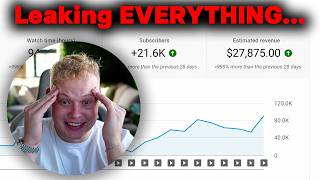

Faceless AI Channel Makes $27k in 3 Weeks?!
45sHigh-earning claim with specific numbers creates curiosity and FOMO among viewers seeking passive income.
▶ Play Clip"Delivers a practical rundown with a real case study, but the headline's profit claim is illustrative, not verified."
The video deconstructs a viral faceless AI space-news channel that gained 60k subscribers and 4M views in just 3 weeks, projecting ~$28k in revenue. The creator, Stefan, then provides a step-by-step blueprint to replicate the channel using AI tools for ideation, scripting, thumbnails, voiceovers, and visuals. It's a mix of case study and tutorial, with frequent pitches for his consulting services.
The Proof channel gained 60k subscribers with 30 videos in 3 weeks; the most popular video hit 2.5M views in 2 weeks. Total views were ~4M.
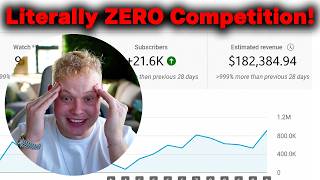
Using Next Level tool, the channel has a $6.60 RPM; with 4M views, that's $28k in 3 weeks. At ~$30 per video cost, net profit is ~$27k.
The channel posts AI-generated space news videos, simple in style. Stefan claims even better quality videos could outrank them.
Screenshot top-performing videos, then instruct ChatGPT/Claude: 'Act as a YouTube guru, write a prompt to replicate viral styles, target high CTR, and generate ideas.'
Provide the AI with reference videos' transcripts and viral screenshots, then ask it to write a script optimized for AVD and viewer retention. Claude is preferred for scripting.
Use ChatGPT to design thumbnails by feeding it top video screenshots and asking for a style-replicating prompt. Refine by adding text boxes and lowering image quality for realism.
Use genny.ai for voiceovers (cheaper than ElevenLabs, ~$22 for 1M credits). Generate and download the voiceover from the script.
To stand out, use HeyGen to create an AI avatar presenting the video, rather than fully AI-generated clips. Upload the voiceover to drive the avatar.
Edit in Premiere Pro or CapCut, adding B-roll and text boxes. Use ChatGPT for channel name, logo, and banner ideas.
Proof Channel Growth
Demonstrates viral potential with concrete stats: 60k subs and 4M views in 3 weeks.
00:01AI-Powered Ideation
Shows a repeatable method to generate high-CTR video ideas using ChatGPT and Claude.
04:08Longer Videos Win
Highlights YouTube's preference for watch time, giving longer videos a competitive edge.
14:51Cost-Effective Voiceover
Reveals a budget-friendly tool (Genny.ai) for voiceovers, lowering entry barriers.
16:57AI Avatar Enhancement
Uses HeyGen avatars to elevate video quality beyond fully AI-generated content.
19:12[00:01] guys exactly how this channel called Proof literally got, you know, 60,000 subscribers with only 30 videos posted. The most popular video has 2.5 million views in literally 2 weeks. And then here, the oldest video is 3 weeks old.
[00:16] So, this channel is literally 3 weeks old, already has 60,000 subscribers with just 30 videos posted. This is going to be a crazy video. And for the people who actually going to watch this video, take action on exactly what I'm going to show
[00:30] you guys in this video, you will thank me after this video. All right, you will thank me in a few weeks from now after you started a channel exactly like this channel actually get in total? So, here we can see 4 million views in 3 weeks,
[00:45] we can see 4 million views in 3 weeks, not 4, but 3 weeks. 4 million views, all right? Now, how much money did this channel actually make? So, here we can see with the tool Next Level that this channel has a $6.60 RPM. Let's just
[00:58] round that up to $7 to make it easier, all right? Let's actually go And by the way, here, this here channel revenue, this is not correct, all right? The channel is too new for this to be as up-to-date as possible. That's how new
[01:10] now. So, what we do for that, we go to a calculator, then we type in 4 million, all right, divided by 1,000, okay, and all right, divided by 1,000, okay, and then times $7 RPM is $28,000
[01:25] in literally 3 weeks, all right? Now, how many videos did this channel post? it is to create these videos and how easy you can replicate exactly this. So, this channel posted roughly 30 videos. Let's say 30
[01:40] Let's say like one video costs them $30, all right? So, then they spent $900 on the channel, which means that they literally, okay, literally made $27,000 in profit in 3 weeks, all right? Now,
[01:55] we can replicate this exact channel. I'll show you guys everything in this know who I am and why you can trust me. I'm Stefan, 20 24 years old. I'm dollars a month with my own faceless YouTube channels and constantly building
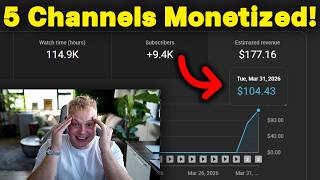
[02:11] new ones. And then I've posted two videos, you know, that made me 42,000 dollars just from two single videos. I scaled a channel from zero to 48,000 dollars in 30 days, as we can see here. So, even crazier than that channel. You
[02:26] You guys can also, you know, verify with the dates. And then I've no joke helped hundreds of other people do the exact same thing. Like for example here, this student who we who we helped to scale up to 12,000 dollars in a single month.
[02:38] Here this one, 23,000 dollars in a single month. Here this one, uh 31,000 dollars in a single month. Here from 200 to 400 dollars a day. You know, here just another one, 3,000 dollars a month. Here 7,000 dollars a month. Here
[02:50] monetize in less than a month. Um and many many many more. Now, if you're pause this video and read through all of these. But if you're interested in working close with me and scaling up your faceless YouTube channel as well,
[03:03] video description. Book your call with me and let's actually, for you know, let's build up your channel. All right? Let's go and book a call right now. The call will be with me. So, go ahead and
[03:15] book it and we'll have a look how we can work together one-on-one. Now, I would say let's get started into the video. Now, what does this channel exactly do? So, if you look at this channel, we can see that they are posting videos on
[03:28] space news, right? If this news is like right or wrong, I don't know. I'm not the most interested in space and stuff, okay? But what I know is that you can make a lot of money with these kind of videos. So,
[03:41] guys exactly how to do that. Here we can see the videos are extremely simple, uh made with AI. It looks like I think if you even go ahead and create a little bit better videos, you know, you will have a
[03:54] huge competitive advantage over this channel, all right? Instead of here I'll show you guys everything in this do this guy here. I'll show you everything. So, with that being said, I
[04:08] would say, let's get started. Now, we are going to use a bunch of AI to this video. Now, the first thing we actually need to do is we need to come up with video topics, okay? Now, to come up topics, I actually use
[04:22] ChatGPT and Claude, all right? For today's example, I'm going to use both to just show you guys exactly what it can do. So, firstly, we're going to take a screenshot of the most popular videos, okay? Then we're going to paste it
[04:36] inside here and also inside Claude, all right? Then I have a very, very good prompt for this, like my ideation prompt. So, what you first do, you insert the screenshot of the most viral videos, then you tell it
[04:49] like, "Hey, pretend you are a YouTube guru and a faceless channel expert. Write me a prompt to copy the style of videos. I want the perfect ideation module model. Write me the ideas based on these outlines that performed well on
[05:01] their channel. Target click bait and CTR and write me the prompt to give ChatGPT so ChatGPT or Claude, okay? Boom. And then we are going to send both off.
[05:13] Boom and boom. So, I'm just going to use both now so you guys can literally decide like, "Hey, which one do you actually like more?" But, let's see what to write it now. ChatGPT is obviously a bit faster. Now,
[05:27] what we're doing right here is we're actually asking the AI to give us a prompt that we can then actually give back to the AI to, you know, give us also wrote the prompt already. So,
[05:41] to do now is we're actually going to give it back the prompt. Boom. And then here also exact same thing. So we're going to copy the prompt. Boom. And we are going to send it back. I
[05:54] prompt, but I'll just send it like that. So here it just gave us like here it's actually, you know, step two patterns behind the outliers. Step three new video ideas. So here title, NASA just confirmed something
[06:07] impossible about the sun. Uh Voyager 1. Uh just send back. See it's giving us some some ideas um including the the the thumbnail concept, the hookline, the predicted CTR, and the real fact. Okay, so here and then here
[06:23] exact same thing. Is it giving us the video ideas already? Not completely sure. All right. No, it's not giving us the video ideas yet. By the way, my videos are completely uncut, okay? So if you can't handle any uncut videos, just
[06:37] go away from my channel. Okay, so here we get two um video ideas. So this is actually going to give us a hundred uh high CTR video ideas. James Webb just found a galaxy that appeared before it should have been possible. All right,
[06:51] Let's Let's just go with this one, all right? I think both of these work pretty well for, you know, like doing ideation and stuff. I think Claude may even be a little bit better, all right? So but yeah, next thing we
[07:05] all right? So but yeah, next thing we need is a script, all right? Now do we obviously use AI to write our scripts. I'll show you guys exactly how to do that, okay? Now, we also have a prompt for that as
[07:18] we can see here, scripting. Now the prompt is pretty simple, so we again insert screenshots of the most viral videos. Then we're telling it like, "Hey, um let me just choose this video topic."
[07:30] So we're going to take this topic, then paste it inside here. automation niche I want to copy. Pretend you are a professional script writing genius and guru. These are the best performing videos, so we can replicate
[07:44] this success and virality using the script I'm going to provide as a Claude to write me a script, but for the topic James Webb just found a galaxy, blah, blah, make sure it's insanely
[07:56] optimized for AVD and viewer retention and flows the exact same as the reference I'm about to provide. Make me the prompt and also include the script on the prompt. So, then we're going to do this. I, to be honest, like Claude
[08:09] more for scripting, okay? So, we're going to paste this inside here, and then we're actually going to go here, copy the link of this video, because we will actually want to give the AI a transcript of that video to actually
[08:24] see like, "Hey, how is this script built up and how should I build up your script?" Or, you know, the script that's actually going to provide us. So, here we go. So, here we have the transcript, boom. And then, you know, we're going to
[08:38] just attach the transcript, and then we will also go ahead and we'll make a screenshot of the most viral videos on this channel. And then we will also attach that screenshot to this exact post or this
[08:53] send this off, and again, we're just going to wait now for, you know, Claude to actually go ahead and write us a prompt that we can give the AI. And I think the exact same thing we can do with ChatGPT as well. ChatGPT is not
[09:10] bad, guys. Like, I know a lot of people are hating on ChatGPT. I'll show you guys what ChatGPT is super, super good at in a second, all right? So, it's still going to give ChatGPT both of these, and um this is just the best way
[09:23] for you to kind of compare like, "Hey, which one do you actually like more?" to do this as well, especially when you're just starting out. Now, if you only have, you know, ChatGPT or Claude, like, just use whatever you have. You
[09:36] don't have to specifically go ahead and buy it Lord now just for this. All right? Why is this it's still going on video ideas? That's crazy. Okay, it's still still going on video ideas. So, I just stopped it. Why doesn't it
[09:50] stop? Needs to stop. All right, so now it's stopped. I've sent him that and then here Claude is also already going with the transcript kind of studying exactly what worked, why it worked, and how it can
[10:03] use those exact kind of things to write our own script. All right? So, it's currently studying the script and analyzing it and then basically giving us a prompt to go ahead and give it back to Claude here
[10:17] or ChatGPT for to then write us a script. Okay? So, I'll get you guys back or no, let's just stay together and wait together. You know, my video should be raw uncut. We'll just all wait together. So, let's
[10:31] see here it's still analyzing. Now, while it's still analyzing guys, um let me show you guys some more student results that we've gotten. So, here uh second um second twin channel in the YouTube partnership program here student
[10:45] doing $4,000 a month. Then here another student here monetized now first got declined. Then we got it gave him a banger appeal. He actually got monetized. Then here first month monetized $4,000 a month $1,000
[10:57] um which we can see here as well. Then we have here finally the YouTube partnership program in less than 2 weeks. Here channel channel taking off uh $1,000 a month and then here another channel monetized. Many, many more.
[11:11] Guys, I'm telling you check out the link in the video description. Go ahead and book your call. All right? So, why is this taking forever? Even ChatGPT taking forever. Okay, so let's just wait. I don't want
[11:25] to drag this video into too long. So, maybe let's like while it's doing all of this, we can maybe already go ahead and start doing the thumbnail. I don't know why it's why it's taking forever, all right? But, let's do the thumbnail so
[11:40] because that's also something you always kind of want to do like very early on to actually see like, "Hey, does it even make sense to to go into this niche?" Not going to this niche, but does it
[11:52] even make sense to create, you know, this kind of video? We always need to do the thumbnails first. But, here's the thumbnail, all right? I have a prompt for that as well. ChatGPT is insanely good at creating thumbnails, okay? So,
[12:04] we're actually going to copy this, paste it inside here, then we just need the but we'll still continue with the thumbnail for now, and then Okay, wait. Where is the video topic? Here we have it. Boom.
[12:21] Just going to paste that inside here. Now, it is done. So, we're actually going to just copy that and give it back to Claude so it can start writing the script. Here, this is still writing. I don't know why it's taking so long, but
[12:34] here um you Okay, you want me to run it now? Yes. I hope it's going to start running now, but I can also just copy this. Boom. Pause, and let's run it like that.
[12:49] Hopefully, it starts running now. So, let's see. starts running now, as far as I know. here it actually she give us gave us the prompt.
[13:02] Boom. ChatGPT changed a little bit. Like, guys, we were moving and stuff, so I didn't use a bunch of ChatGPT. And since I last not last used it, but since I last really really used it, changed up a little bit, but it it's good. So,
[13:16] let's see. Now, we're going to send that back. Here, it's also Here's the script, all right? It's going, and we're going to send it here as well. Now, for the thumbnail, we're again going to take a screenshot of these
[13:29] Then, we're going to paste it into ChatGPT again. So, the prompt is very simple. Pretend you are a professional YouTube thumbnail designer. Write me a prompt to copy this exact style of videos target click-through and CTR for
[13:43] the topic James Webb just blah blah. Okay? Let's see what it does. So, now create us a thumbnail. Now, guys, create us a thumbnail. Now, guys, ChatGPT got insanely good at creating
[13:56] really, really, really good. So, let's see what it's actually going to going to do, okay? So, what I'm going to do now again. Boom. And then, I'm going to send this
[14:09] Boom. And then, I'm going to send this off and let's see what it does. So, and by the way, AI messes up sometimes, so it's not always perfect, but, you know, if you play around with it, it can really, really get good. So,
[14:22] all right. Um write the whole script. Boom. Now, it's write the whole script. The image is still being created. So, let's see what it does, okay? So, the first script is done. So, I'm actually
[14:37] just going to use Lord now. Looks like a bit of a short script. So, what I can recommend you guys to do is once you get the first prompt, always go ahead and actually tell it exactly how many words you want. Now, what is very
[14:51] and you create longer videos than the competitive in Okay? Always go ahead, create longer videos. Always going to because you have you automatically have a competitive advantage over the competitor channels, all right? YouTube
[15:04] is always going to push the video that keeps the viewer on the platform for the longest period of time. Now, if your video is longer than the video, you have a very high chance of actually beating them in average view duration, okay? So,
[15:17] have a look at the thumbnail quickly, and then we'll actually, okay. It's not the best, but all right, what we need to tell it now. Now we can actually go ahead and and make changes, all right? Um add
[15:34] Let me just make a screenshot of this Do do do do do do. Screenshot like that. It might not do it now because the whole, you know, CNN kind of thing, NASA live might Okay, the
[15:48] kind of thing, NASA live might Okay, the NASA live live is there, but the CNN that's why Chat GPT isn't doing it. Uh can you please add a text box like in this image, and
[16:05] um it's going to sound funny, but lower the quality of the image, so it of the image, so it looks more realistic. Boom. Okay, so now
[16:19] we have our script right here, uh which we then take. Now, we obviously don't and thousands of dollars on voice service. So, what we're going to do is I'm actually going to just take a short part from this video or from the script
[16:32] And then we're actually going to go to genny.ai um dot io. And I always had like a link which with >> [laughter] >> but they don't have a link anymore, so
[16:45] just go to their website, okay, genny.ai dot io. Here's their website. Many people are hiding this. I don't want to hide this. Just want to show you guys. Then, you know, because on here you can get like a million credits for $22,
[16:57] which is super cheap compared against to 11 labs, all right? So, this is kind of going to be the cheapest way to to do your voice over. You're going to click here on voice AI. All right. Then we can, you know, go
[17:10] here, and we can choose a voice over artist, all right? Which Okay, here's go through these, and let me show you how good they dark waves shimmered >> mad. Let's see David.
[17:23] of your deeds. Tarnish >> Pretty good. So, I think we can go with >> the thunderous clap of my approach? >> Might not be the best, but it's okay. All right? Now, Genie I Pro has one downside and the downside is that it
[17:37] actually takes a little bit longer to generate. So, once, you know, you go ahead and you create you paste your whole script inside here and you click on create voice. Boom. Now, it's going to create the voice for you. Now, here
[17:50] comes the thing, right? It usually takes a little bit longer than, for example, 11 Labs and all of these kind of softwares, okay? So, you see here like it it actually can't add this because, you know, it's
[18:04] probably copyrighted and stuff. Um but, what you can do is let me just change this. Uh change Uh change Oh, wait. Remove the text and make the
[18:18] image more uh slightly uh slightly bad quality for it to look
[18:30] is you actually just go ahead later on in Canva or something and you just add like these text boxes. Super easy to do that, okay? All right. So, let's have a look. Our voice over is actually done. So, let's take a listen. Boom.
[18:43] words a mirror the size out all of the pauses, which is quite irritating, but now we download it. Now, we actually need here these kind of icons, right? Now, I would personally,
[18:57] real clips. It's just going to be better, okay? These videos are completely AI generated or does indeed look like it. So, we don't want our video to be as AI generated as, for example, this video right here, okay? We
[19:12] want our video to actually be a little bit better. All right? So, if you still can actually go to HeyGen. Okay? I've actually cloned myself for this video. with avatar. Um
[19:27] I'm not the best at HeyGen as well, but we are learning uh together, all right? >> So, then I just click on that, and then it's actually going to load up. And inside here, you can actually here upload audio, and then we can drag this
[19:41] audio inside here. Boom. Now, it's uploading the audio. Let's see what it does. Still uploading the audio. But now, this specific icon, you guys will see how good it is, and I literally took
[19:53] absolutely um I like I didn't try to make this super good. All right? So, let's have a look. good. All right? So, let's have a look. Okay, so I need to generate this first.
[20:12] Video test. Generate that. Let's see how well it it did some generations in the past. Like it's absolutely crazy. Like it's insane. Okay? So, let's see uh once this is done generated. Like I was
[20:27] super super good. But here again, let's kind of messed up a little bit. Um to do do do do do do because it's it's kind of copying like here this kind of
[20:41] bad quality. You can even edit that, you know, in Photoshop, Canva, or anyway know, in Photoshop, Canva, or anyway else. So, should not be too difficult. done. Now, once this is done, you literally put that into Premiere Pro,
[20:54] CapCut, any kind of editing software. I'm not going to show you guys how to hundreds and hundreds and hundreds of videos showing you guys how to edit. Okay? Editing is not difficult, especially when it comes to videos
[21:07] exactly like this one here just as an example. It's really not difficult. You guys can very easily find editing tutorials on YouTube. Let me show you how. So, you literally go how to edit videos.
[21:20] you have it. Super easy. There are a bunch of tutorials. Now, while this is actually here loading, um guys, if you're interested in again working close with me, here is student a little motivation 5 weeks and just had a
[21:34] $900 day yesterday. Here 3-day monetization relaunch, you know, we changed up something and the channel started absolutely taking off. Um here started absolutely taking off. Um here $1,500 very, very quickly. Monetized
[21:47] first channel, channel taking off. Uh 1,000 subscribers in 9 days, you know, and many, many more. Like I go back here. Here absolutely blowing up new channel on one out of 10. Um then here $18,000 a month could be
[22:01] happier. Monetized. We can go on and on and on with this. Guys, check out the first link in the video description. Book your call with me and let's see if it makes sense to work together or not. All right? Um I'll be on the call with
[22:14] you. So, I will only work with you if you're actually serious and if you actually want to put in the work and if you actually want to succeed and then we will succeed. All right? So, check out the first link. I don't know, this is
[22:26] taking super long now to to generate. But have me Let me have a Let me show you guys exactly um how it actually looks like. So, have a look here. Okay, wait. This one
[22:38] is not the perfect Ah, okay. All right, it's almost done. What can I show you the meantime? All right? So, let me show you guys some stuff. What can I show >> [laughter]
[22:52] >> Let me show you guys how to create a logo, all right? And a a a banner. So, that might be a cool idea. So, if you want to, you know, create a channel name and a logo and all of these things, we again go to ChatGPT, we ask
[23:05] um I want to start a channel in this niche, I want to start a channel in this niche, what can I call it? Boom.
[23:17] So, then it's actually going to, you know, give us channel names as easy as that. We don't even have to think anymore these days, you know, if we if one can start a channel, which is crazy. So, let's say Beyond the Cosmos.
[23:30] create me a YouTube channel logo for Beyond the Cosmos. Boom. Send it off. It says almost done,
[23:42] and let's see what it actually creates us. So, guys, ChatGPT is super super good at generating images and stuff like that. Claude is rather better like at writing scripts and you know, stuff like that. So, I would really start using
[23:57] um, you know, creating logos and stuff like you don't really need a a a professional, you know, thumbnail designer or what's it called here? Um, what's it called? Logo designer. Anyway,
[24:12] you could literally use ChatGPT. All right? So, let's see, it's done here as well. So, let me show you guys how this Now, you um, but have a look how good this looks already.
[24:30] >> Right now, while you're reading these words, a mirror the size of a tennis court is sitting a million miles from Earth, completely empty, >> Crazy, right?
[24:42] >> So easy it is. Let's see, the logo's also almost done. So, let's see, let me just reload. Sometimes it doesn't automatically finish it. I don't know why. Okay, it's not completely done yet, but one more thing, where do you
[24:56] footage for this? You can get it from Google, you can get it from YouTube, you good um because you mainly just want to have some B-roll, right? Um or if you really want, you can also go ahead and you can
[25:09] generate the exact same images with AI, right? You can literally just use ChatGPT to generate it. Um but here we have the channel logo. I don't know it you know, guys don't overcomplicate the process, just go for it. have something.
[25:25] So yeah, with that being said, guys, I'll see you guys in the next video. I hope you guys like this one. This one was super, super raw. And um yeah, we'll don't forget to book your call and, you know, skip the whole trial and error.
[25:38] know, skip the whole trial and error. I'll see you guys in the next video.
⚡ Saved you 0h 25m reading this? Transcribe any YouTube video for free — no signup needed.