
0 to 100,000 Robux in Minutes?!
43sExtreme claim of free Robux in minutes hooks viewers seeking easy money.
▶ Play Clip"The title promises '3 REAL Ways' but delivers a fake, nonsensical scam; zero legitimacy."
The video claims to reveal a method to get free Robux in Roblox, but the steps are nonsensical and the final result is faked. It is a typical scam video designed to trick viewers into completing surveys for the creator's profit.
The creator claims to have a method to go from zero to 100,000 Robux within minutes and buy every item in the Roblox marketplace.
The creator promises free Robux to subscribers who subscribe, like, and comment, a common tactic to increase engagement without actually giving away Robux.
The instructions involve changing language settings, using a fake 'Roblox Plus' extension, and entering invalid codes, which do not actually generate Robux.
The creator directs viewers to 'bucks.supply', a website that promises Robux in exchange for completing surveys, which is a known scam to collect personal information and generate ad revenue.
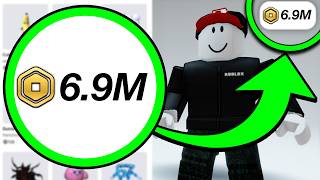
The creator shows a fake Robux balance of 90,000, likely achieved by editing the page or using a developer account, not through the described method.
The video is a scam that uses fake promises of free Robux to trick viewers into completing surveys and engaging with the channel. No legitimate method to get free Robux is provided.
Engagement Bait
Illustrates common YouTube scam tactic of promising free currency in exchange for likes and subscribes.
00:28Survey Scam
Reveals the actual monetization method: directing viewers to a survey site that pays the creator.
04:29Faked Balance
Demonstrates how scammers fake results to appear legitimate.
05:43[00:02] I found a method that can go from zero Robux to 100,000 Robux within minutes. And the craziest part is that you could buy every single item in the Roblox marketplace. But check this out. YouTubers like Flamingo and Brief Draft
[00:15] themselves are doing this right now. And as a bonus, this works on every single device. So watch this video to the very end because if you blink, you might stay broke forever. But wait, before we continue with this video, this is your
[00:28] chance to get even more free Robux. I'm giving away thousands of Robux to my subscribers. And getting in is super easy. And boom, enjoy the free Robux, my amazing subscribers. All you have to do to get free Robux is subscribe to the R
[00:40] channel with all notifications on. Then like this video. And also comment your know who to send the Robux to. I'll be everybody will have a chance to get some free Robux in the next video. And also,
[00:54] you must subscribe to the Daisy channel with all notifications turn on for an additional 10,000 Robux. Link down in the description below. To begin this Roblox method, we're going to go over to our profile. We're going to scroll all
[01:06] the way down and we're going to go over to this language right here. Now we're screen. And we're going to go ahead and press okay. Our page should completely the more option. We're going to go over
[01:19] ahead and type this in right here. And then it's going to be then it's going to be activate-roblox-plus-on
[01:32] We're going to go ahead and click save. Now we're going to go ahead and back out ahead and do is go over to the Roblox plus. And as you guys can see, we're going to scroll all the way down. And we're going to go over to our original
[01:45] language as you guys can see right here. Now we're going to go over to the Roblox option and we're going to scroll over through all of the Roblox options. And now Now going to go ahead and open up all of these right here. Make sure that
[01:59] because now what we're going to go ahead and do is we're going to type in Roblox right here and we're going to go over go over to any price and we're going to zero both of these options out. And what
[02:13] you guys want to go ahead and do is go ahead and buy the Roblox jacket and a Roblox baseball cap. So now that you guys done that, we're going to go over to the avatar and we're going to go ahead and put both of those options out.
[02:26] And as you guys can see, your character should look something like this. Now go over to the trade option. We're going to go over to the outer bound and we're going to go ahead and see you have no outbound trade request. So we're going
[02:40] to go over to inbound and we're going to go over to high. This is exactly what you guys want to do because now what you guys are going to go ahead and do is go over to the homepage. And now we're going to go over to the redeem Roblox
[02:53] codes and we're going to type in the code Roblox plus and we're going to go ahead and redeem this. Now we're going to get the invalid code, but we're going to go ahead and do is hit the redeem at least 10 times
[03:07] until you guys get the unexpected error, "Please try again later." If you guys get it way before that, then you guys are doing this exactly how you guys have to do it because now what we're going to go ahead and do is we're going to go
[03:20] over to the buy Roblox option and we're going to hover over this Roblox option right here. Now what you guys want to go ahead and do is go over to the redeem Roblox codes and we're going to type in Roblox plus 1,000.
[03:34] But now we're going to hit the redeem button right here and we should get the yellow pop-up error message right here. You guys are no longer going to get the invalid code. Now what you guys want to do is go over to your profile. We're
[03:47] going to go over to the more option. We're going to go over to the edit bio and we're going to go ahead and type in Roblox plus granted 2026. As you guys can see right there, we're
[04:02] there and we're going to back out of there. Now, what you guys want to go ahead and do is go over to the buy Robux and we're going to scroll all the way We're going to go over to the languages and one more time we're going to go over
[04:16] we're going to stay in this error message right here, which is going to be the unsupported language screen. This is very, very important that you guys do because now what I want you guys to do is open up a Safari, Google, or
[04:29] you guys are over at Google, you guys want to type in bucks.supply and as you website that will grant you guys the Robux right here and it's going to be bucks.supply. Now, you guys can also find this website over at my YouTube
[04:43] bucks.supply. So, now let's go back into the website. Let's type in my username. and we're going to click next. And now we're going to complete any of the two Robux. So, as you guys can see I'm going to open up two of these surveys right
[04:58] here and as you guys can see for each survey it will give us 10,000 Robux and address right here and it will give me 750 bucks to cash up and I can literally you guys can next one is going to be $100 to PayPal and once again I can use
[05:16] this money for Robux. And now check this out. All I have to do is enter my email complete these surveys really, really quick and I'll catch you guys in a of the offers. So, now all I have to do is literally return back into the Roblox
[05:29] game and I should receive my balance. So, here we go. Now that you guys are you guys have to literally do is just click the okay button but check this balance but check it out right now. We're going to go ahead and click okay.
[05:43] And boom, as you guys can see I just received 90,000 Robux inside of my account. As you guys could see the 90,000 Robux are right there. And as you guys could see it's in my Subscribe Ark account and the 90,000
[05:57] reload the page. And as you guys can see account. But yeah, it's been your boy Ark and I'm signing out. Peace.
⚡ Saved you 0h 06m reading this? Transcribe any YouTube video for free — no signup needed.