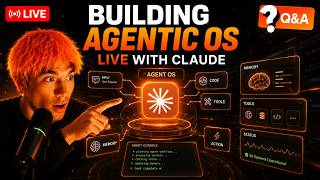

Agent OS controls your PC
50sShows a live demo of AI controlling a computer, which is visually impressive and sparks curiosity about AI autonomy.
▶ Play Clip"Title promises Q&A and delivers exactly that, with detailed answers and live demos."
This video is a live Q&A session where the creator answers community questions about the Agent OS, a custom system for managing AI agents, CLIs, and workflows in one place. The host demonstrates features like real-time voice control, SEO automation, video generation, and memory integration, while also discussing free AI models and hardware requirements.
The host kicks off the session, welcoming viewers and inviting questions about the Agent OS system.
GLM 5.2 is highlighted as the most powerful open-source model tested, with Gemma 4 and North Mini Code also mentioned as good free options.
For running local models, an RTX 590 or DGX Spark is recommended; Mac Studio is not ideal unless high-spec. For Agent OS itself, any lightweight PC or laptop works.
Native Windows setup is preferred over WSL to avoid complexity, as advised by community member Sheena.
Top three uses: video agent pipeline for marketing, SEO automation for content ranking, and organizing client projects via Obsidian memory.
Using MCP (Model Context Protocol) to connect NotebookLM, allowing chat, deep research, and generation of videos, slides, infographics, etc.
OpenRouter offers free APIs like N2, Neatron 3.5, North Mini Code, Hermes, etc. Type 'free' in OpenRouter to see them.
n8n is good for beginners to learn automation basics; Agent OS is for advanced users who want a more powerful, customizable system.
Avoid connecting personal email to Agent OS; use a sandbox email address to prevent accidental deletions or security issues.
Goldiebench.com ranks models based on the host's tests. Top models: Claude Opus 4.8 (8.46), GLM 5.2 (8.23), Grok, Qwen 3.7, Kimi 2.7.
Hermes Jarvis, a voice-activated agent, responds in real time, can control the computer (e.g., open Google), and logs conversations to Obsidian memory.
New setup option that boots with minimal tools (model, files, terminal). Users enable only needed capabilities, making agents faster and more secure.
Agent OS can generate and deploy SEO-optimized articles to websites via Netlify, using memory for information gain. Example: a site grew from 0 to 222 clicks/day.
One-prompt video generation: research, script, AI avatar, B-roll. Videos can rank on Google and other platforms.
GLM 5.2 is available for free on Z.AI with token limits. It outperforms GPT-5.5 and is competitive with Opus 4.8 on many tasks.
The Agent OS system centralizes AI tools, memory, and workflows, enabling powerful automation for SEO, video, and business processes. The host emphasizes that with free APIs and customizable setups, anyone can leverage these capabilities.
What is the recommended hardware for running local AI models according to the video?
RTX 590 or DGX Spark; Mac Studio is not ideal unless high-spec.
01:30
Which AI model is highlighted as the most powerful open-source model tested?
GLM 5.2.
00:15
What is the advantage of using native Windows over WSL for Agent OS?
Native Windows avoids complexity; WSL adds unnecessary complexity.
02:15
How can you get free APIs for AI models?
Go to OpenRouter and type 'free' in the search bar to see available free APIs.
06:00
What is the purpose of blank slate mode in Hermes?
It boots with minimal tools (model, files, terminal) so users can enable only needed capabilities, making agents faster and more secure.
12:00
What is the score of Claude Opus 4.8 on Goldiebench?
8.46 out of 10.
09:00
What is the recommended approach for connecting email to Agent OS?
Use a sandbox email address instead of personal email to avoid security risks.
08:00
What is the context window size of GLM 5.2?
1 million tokens.
18:00
Which model outperformed Fable 5 on Design Arena according to the video?
GLM 5.2.
19:00
What is the main difference between n8n and Agent OS?
n8n is for beginners to learn automation basics; Agent OS is for advanced users seeking more power and customization.
07:00
GLM 5.2 as Top Open-Source Model
Establishes GLM 5.2 as a frontier-level model that is free and open-source.
00:15Free APIs on OpenRouter
Highlights that cost is no longer a barrier to using powerful AI models.
06:00Real-Time Voice Agent Demo
Demonstrates a fast, voice-controlled agent that can control the computer and log memories.
10:30Blank Slate Mode for Efficiency
Introduces a new way to set up agents that is faster, more secure, and update-proof.
12:00SEO Automation with Memory Integration
Shows how AI can generate unique, ranking content by leveraging personal memory for information gain.
14:00[00:00] [music] What's popping, guys? Guys and girls, we're going to be covering some of the latest FAQs. See what we got here on the comments. If you got any questions, feel free to drop them in. Let's kick this off. Randall is here. Good to see you, sir. Sub quadratic claim condensed tokenization or up to 66%. Has anyone tried it? Subq local AI. I think I saw a video about it earlier today. Might take a look and set
[00:52] that up later today. See what we can build. Thank you so much. I appreciate that. Thanks for joining. Okay. soon. Can you prioritize your suggestions for models to connect to this agent OS? Yeah, so GLM 5.2. I would go straight with GLM 5.2. Like that's the most powerful test, most powerful model I've tested for a long time. Um, especially considering it's open source. I've seen people running it for free locally, which is pretty wild on uh
[01:45] Mac Studio. I don't know how they did that, but yeah. You can get um you can get, you know, the models that have been going down a bit. Free models on your PC. Recent the recent ones I've tested out are Gemma 4. It depends what setup you got. Gemma 4, North mini code. Yeah, for sure. The free models are catching up. I hope the the hat is not too orange today. Yeah, if you want the best
[02:37] of the best, you just need a good setup like an RTX, something like that. All right, I'm going to start doing some uh coding on the Agent OS. Feel free to post your questions if you got any. >> [music] >> Heat. Hey, heat. Hey, heat. [music] >> [music] [music] >> Heat. Heat. [music] Heat. Heat. Heat. Heat. [music] [music] Heat. Heat. Heat. [music] [music] Hey Heat. Yeah. So, just to recap, we're not going to be building the
[03:29] agent OS from scratch because we've already put, you know, so many hours into it and that sort of thing. Um, if you do want to get my system, it's inside the AR boarding or you could always build your own. If you have any questions about building it from scratch, feel free to ask. And what we're doing right now is we're looking into subq for local models. [music] We're improving Hermes Javis to make it even faster and
[04:22] better. And then uh we're going to be we're running the Substack engine in the background. We got Hermes blank slate mode getting set up and then we're doing a bit of SEO over here as well. But if you have any questions, feel free to post them. That's what I'm here for. Happy to help. Actually, [music] sub Q is uh not available yet. You can't get access to it yet. [music] We'll take that off the list. [music]
[05:14] >> [music] >> You already have the API key from the guide skill [music] where you generate images. >> [music] >> And can we also type whilst we're having a conversation? Also, we don't or shouldn't need to click a button to use the voice chat every time. It should just be ready to go once we click it. Hey hey hey. Have we gone for this keyword? If not, can you go for it? >> [music] [music] [music] >>
[06:06] Heat. Hey Heat. Okay. [music] >> [music] >> Hey, hey hey. Nobody's got access to Fable right now, sadly. But hopefully it comes back soon. I think we're looking at maybe July, early July when it comes back. But let's see. Let's see. Who knows? Heat. Heat. Can you Let's try this. Hello there. Are you working? test. Once we start using it, we still have to click a button for it to reply, but it should be like a
[06:59] real-time chat. use the real time API. That way we can talk and type to it in real time without clicking a button. It needs to be as fast as possible. Looks complicated. What are you referring to there? So I'll show you some examples. Like a lot of people who are using our agent OS system, they they can set it up in like a day, right? And these are people are nontechnical, not coders, not developers, but they
[07:51] can build this stuff pretty quickly. So, you know, I think at this point anyone could use an agent OS and it's super powerful plus easy. We got a question in Spanish. Feel free to post it in English and I'll try and help you as much as I can. Did you try Sapphire Agent? Never heard of it. Let's have a look. This is so many agents. Yeah, that looks a bit strange. [laughter] That looks super strange. Not
[08:43] my style. Why always Javvis people can imagine for not a Asia? I don't understand the question at all, but feel free to clarify it. Thanks. Yeah, we're going to make this a lot better. A lot better. What else we got here? We got a bit of SEO being done. Let's see how the websites are doing here. So, can it take what can the agent OS take over your PC and control? Yeah. I mean, like for example,
[09:36] if you look at the system, right? And so, if we say to Hermes Javvis here, open up Julianolder.com. And you see how it so you see how it just can control my computer with Hermes Javis. That's an example. So yeah, you can control your computer if you wanted to. Yeah, I think I was thinking about this recently. I was like, well, you know, with Google, they don't release a lot of stuff. So for example, if you
[10:28] look at Opus Claude, always releasing new things. If you look at, for example, Chat GPT, they're releasing new stuff every month. But if you look at Google, they don't release a lot of stuff, but when they do, it's a huge step up. So I'd expect that Gemini 3.5 will be a huge, huge step up. I I wouldn't count them out just yet. Is your agent OS open source? No, it's only available inside the AI profit boardroom.
[11:20] So it's it's only available for a prof members and I basically inside there inside that community I just shared like you know all the skills that we set up everything we do etc. Thanks so much. Yeah for the avatar videos if you're wondering how we do that. So we have this system over here this video agent and what we can do is just type in a prompt and then we can generate like a full video. So
[12:13] if we have a look at this for example, we'll click on see an example. This is literally just generated with one prompt. So all you do is you type in what you want. It can generate a video of the research, the script, the audio, etc. So you can see that is a fully AI generated video. that we created in one single prompt using this video agent inside the agent OS size. It's a really powerful system, custom
[13:05] workflow that we built just because we use that stuff so much. Yeah. So, you can get free APIs if you're worried about like APIs and that sort of thing. You can get loads of free ones. So, if you go over to open route here, you type in N2, that is one that will be available for a little while, but it's going away soon. Um, last time I checked Quen, if you just type in free here, you'll
[13:57] see all the free APIs you can get. So, for example, like Neatron 3.5, NEX N2 Pro, Neatron 3 Ultra, North Mini Code, Hermes, like there's loads of free APIs. So like not being able to run I mean not being able to use free APIs is is no longer excuse cuz you can just get free APIs offer literally by typing in free spark. Yeah, I've heard a lot of good things about it. Think it' be good. All
[14:50] right, let's see what we're up to on the on Hermes Jarvis. Okay, great. Can you create a separate profile for that as well? Hey, you listen. All right. So, this is replying in like 5 seconds. Let's see if if we switch on real time if it's going to be faster. Hey, how's it going? Test it out. But it runs in 3.6 seconds, not in 2 seconds. Can we make it even faster? Yeah, you can get it
[15:42] inside the AI profit boardroom. So, if you want to get the agent OS system with the video agent, just go to the AI profit boardroom community here and then if you go to the classroom agent OS, you can find the full setup with the video tutorial. the last update date and the zip file down there. So, if you want to get everything from me, it's all right there waiting for you. Honestly, it looks powerful, but I
[16:34] think you can professionalize it. Uh well, I mean, if you think you can do better, just, you know, feel free to customize it how you want. So for example, if we have a look at uh a lot of other stuff, you can see here, for example, you can see here that loads of people have taken it and like, you know, tweaked it and customized it exactly how they want. So if you're like, do you know what?
[17:27] I don't like that UI, I want to make my own. Then you can customize it as much as you want, which is pretty cool. And then also, I know you said I'm talking about the AI chat and stuff. So, you can just chat to to Gemini and everything right there. Right. It's all ready to go. Uh, and again, like if you want to improve the design or anything like that, you can do it yourself. Once I
[18:19] join the boardroom, once I set up Jarvis, will I be able to use it as my own? No. No. Yeah, you can use it. You if if you leave, of course, like you don't get the daily updates, but um yeah, you can still use it even if you leave. Thanks so much. All right, we're going to answer some questions here. One second. Uh, a lot. So, it depends like you can use CLIs or you can use
[19:11] APIs. So, it's up to you. Like, for example, if you look at Claude, we have Claude CLI plugged in for OpenCore and Hermes. You can choose whether you want a CLI uh sorry you can choose whether you want oorthth or whether you want an API. So for example, you can use something like GM coding plan with or you could use a free API or a normal API inside Hermes Gemini CLI, codec cla and then free claw
[20:03] code you can run on local models or a free API and obviously the local engine is running on local models. Awesome. We've got a lot of training on that inside the air profit boardroom. So, if you need some help with that, all inside the community. Let's see where we're up to on this. Hey, how's it going? Can you open up Google for me, please? That is a lot faster but not as agentic. Also, where's the history
[20:56] of that conversation cuz I can't see it inside the chat. Yeah. So, you can you I mean again we've already covered this today, but you can use free APIs, right? So if you go to open router, you type in free like not you you got so many free APIs, you know, if you just type in free here that like you know that I wouldn't say it's an excuse anymore. Um and then also when it comes to
[21:48] coding plans, yeah, if you have a coding plan with for example like Miniax, they they say use that like that's an official route to use Hermes with uh the coding plan. The same with for example GPT 5.5. So yeah, I wouldn't worry about that. All right, Hermes Jarvis looking way faster now. So today we're going to be answering some of the latest questions we've had on the agent OS. If you're not sure what the Agent OS
[22:40] is, basically this is a powerful system for generating So today we're going to be covering all the latest questions on the agent OS. You can see our mission control right here. And if you've built something like this or if you're interested in building something like this, you know, for example, we got a voice activated version of Hermes that we can speak with in real time. We have, for example, the Claude CLI built in here. We even
[23:33] have free Claude code and a local engine for building stuff out, plus a powerful memory system. This is basically a way to connect all your AI agents, tools, CLI. in one place, plug them into a memory and then have custom workflows like you see. For example, we have a agent cambban over here. We also have for example a setup for SEO over here. We can automate videos in one single click like you can see here and
[24:25] it's all ready to go. So, if you want a system like this or you're interested in building something like this, keep watching. I'm going to answer some of the latest questions inside the AI profit boredom community. I'm going to run through these step by step because I know if people inside the community have these questions, you probably have these questions, too. So, let's get straight into it. So question number one from Jose on the prerequisite on
[25:17] agent OS for an agent operating system to run locally. What are the hardware requirements and what kind of model should be used? Now I mean a lot of people think that you should be using a Mac Mini or a Mac Studio and I would say that is wrong cuz from my own test with a Mac Studio, it's not particularly good unless you got like the highest spec version for running local models. So, I would say, yeah,
[26:10] an RTX is pretty good. Uh, RTX 590 is one of the best setups I've seen. So, RTX 590 or a DGX Spark is powerful, too. And then for actual models to run, the one that I've seen that seems to be the most powerful is Quen 3.6. That seems to be the most useful to run. But it also depends what you want to generate. So for example, if you want to generate images locally, well then you could
[27:02] use something like Ernie. If you just want to generate text, then something like co 3.6. So it really depends what you're building with it as well. The main thing to note here though is like if you're just running an agent operating system, it's super lightweight. So you can run this on like a, you know, a nonpowerful PC, you can run this on a a laptop. If you're not running local models and you're just building agent OS
[27:54] with APIs or CLIs, then you don't need anything powerful for that. So Rit's asking like Windows setup WSL or native for agent operating systems. So if you're setting up agent OS on Windows, what should you be using? So I don't run Windows. cuz I have a Mac Studio. But Sheena here answered and she was saying go native Windows. And she's created some awesome operating systems from what I've seen. So go with the native Windows setup. WSL
[28:47] adds complexity. And if you're watching this and you're figuring, okay, which one should I go for for setting up Agent OS? Yeah, Windows native, not WSL. So Steve posted here as a welcome and he's working through the agent OS training as well taking some notes organizing some stuff etc. So he was asking about, you know, how to grow his service, his agency essentially with an agent OS system. And there's quite a few use cases for a
[29:39] service-based business that I think you would like with this. So number one is the video agent pipeline. And I think you would like that because it will help you market your business better, get more leads, and it's an easy way to automate videos. Number two is you can actually use this for SEO too. So for example, for us, for our agency website, we use the system inside the HOS for SEO. So, for example, if we scroll
[30:31] down to this section here, you can see that we can plug in a keyword, we can plug in a case study, and then we can deploy that to our websites. And so, that's pretty powerful way to quickly get SEO content ranking, and actually looks really good when we post it. You can see an example right here, like nicely formatted, SEO optimized, etc. So, that is method number two. Also, if you have separate clients and separate businesses
[31:24] that you're working with, you can organize them as separate project folders inside your Obsidian memory. So, you can see our Obsidian memory right here. This is our Obsidian Galaxy. And all of these different stars is a separate memory. So, this allows your agents and your CLI to understand all of your clients, all the projects you're working on. And then if you ask it a question or you ask it to generate some content for a client, it
[32:16] can pull out that information from your Obsidian memory. There's actually a lot more you can do with it, but those are the top three use cases for using agent OS. Marlon created their own agent OS system as you can see right here. So, they've sort of tweaked and customized ours and then built this, which looks pretty awesome. So, this is cool because, you know, you can build your own, you can customize your own, you can create
[33:08] it however you want it. You don't have to have the whole setup like this. So, if you don't like the UI or there's something you would tweak, you can easily change this. Here's a good one from Gabrielle. So Gabrielle was talking about how he's ranking inside AI as you can see right here for his keyword. So that's the keyword and then you can see him ranking right there. It's pretty cool. Awesome job. The agent OS is
[34:01] great for SEO as well because it can help you rank inside Google, inside chat GPT, and also inside AR overviews, too. If you like SEO, you'll probably like that. So for example, if we type in this keyword here, you can see from our SEO content, we are ranking inside the first sentence here. And then we're also ranking over here, right? And so we're ranking inside Google AI overviews and also on the first page of Google here
[34:53] and also here too. And so, you know, I think that it's never been more fun to do SEO and it's never been easier. And we've built out the systems inside the agent OS to do that because you can generate videos over here and you can also generate SEO content over here. And it's pretty powerful. This is an interesting question from Dan who's asking about how to use notebook LM and plug it into the agent OS. So
[35:45] what we actually did is we used an MCP and that allows us to connect notebookm inside our agent OS. So for example, if we go and check notebookm over here, you can see that we've got all of our notebooks inside this section. We can chat with them. We can do deep research on them. We can speak with them. We can see our previous conversations with these notebooks as well. And then also we can generate videos or
[36:38] audio views or slide decks or quizzes, data tables, my maps, infographics, flashcards and reports directly doing this process. And then once that's done, we can pull them into this section here where we've got everything saved in one place. So it's really easy to organize and then you can create like amazing research reports or infographics or podcasts or videos using this whole system. And it's super powerful. And we've got a full system and a guide on it
[37:30] right here as you can see inside the classroom. So if you go to the classroom new daily updates, you'll find the full tutorial right there. By the way, how fast do we answer these questions? It's crazy. Like Dan asked this two hours ago. We've already created a video tutorial for him and answered his question directly. So, if you want to get your questions answered from me, post inside the AR profitable community and I answer these questions
[38:22] every single day inside a video like this. [snorts] So Steve was asking about agent OS, you know, should you use Windows, Linux, Mac? What is everyone running? What operating system you running on your setup, etc. Are you using a VPS? what do you use? So, for me personally, I just prefer to use Mac in general simply because it's simpler, it's easier, and less things break. And also, I noticed a lot of the new releases in AI,
[39:15] they're usually on Mac, which means that if you already have Mac, you're going to get access to the new stuff fastest. Having said that, I think it runs on any setup. So, I've seen people inside the community use a VPS or use Linux or use Windows and they all get good results. So, I think there's no right or wrong way, but for me personally, the simplest and easiest way is Mac. There's a couple of good examples
[40:07] of using VPS and Windows below. This is a good question. So, Khaled is asking about how to use Hermes Workspace from host um from host of VPS. How do you get it set up? Honestly, for me, I've actually found that Hermes workspace could be quite buggy when you're setting up. That's why I created the Agent OS instead. for running your setup on a VPS with agent OS. We've got a full tutorial on it from John who's
[40:59] already set up his and he actually talks about how he set up and then he also gave his agent operating system access to mobile and desktop as well which is pretty cool. So you got a question from Edwin here is how does Julian run his agent OS? Where does he run it? Does he run it on Hostinger or is he using it on a computer that's running 24/7 etc. So, for me personally, I run it on
[41:52] Mac Studio. Let me get the settings for this. The reason that I set it up locally and I don't have it hosted is just to keep it safe and sandboxed away from everything else. This is a good question from Abashek who is asking about what AI models are we using. Is anyone using for example like subscriptions or local models etc. So I've tested many. So, for example, there's some good free APIs out there like N2 was
[42:44] pretty good. If you want a free API, you can also use news research portal with Hermes and then select step 3.7 flash or Neatron 3 ultra. Our alpha is another free API available on open router. So there's lots of choices. If you actually go to open routter and type in free, you'll see all the free models they have there too. For actual Frontier models, I think the top two right now are Claude Opus 4.8 and also
[43:36] GLM 5.2. do. I've tested them all and I've actually put them into a benchmark system called Goldiebench, which you can find at goldiebench.com. So, if we check this out, this is basically a website where, you know, just based on my own tests. So, it's not like an official benchmark for that, but based on my own tests, we grade all the models that we test and then we give them a score. We see how many models they've
[44:29] won. And then you can see, for example, we got over 4.8 a GLM 5.2 underneath Grock underneath that. Grock build was pretty good recently. Quen 3.7 Kum 2.7 and then you can compare size by side. So if you if you're like I'm not sure, well, you can actually just have a look side by side and see which one you like the most and which one creates the best outputs based on each of these tests, which is
[45:21] pretty cool because then you can see, okay, by model which one is performing the best, which one creates the best stuff, which is pretty amazing. So yeah, I think that's super useful. And then also you can see the overall scores here. And if you click on one of these pages, you can see the full details of each model, what we built, strengths, weaknesses, what it's best for, and then all the demos for everything that we've created
[46:13] for every model. And like every time I test a new model, this will be updated as a website. This is pretty cool. So basically what Abashek has done here is create a system where he's connected Google search console and then he can look at keyword research and he can run research and then he can actually use that for analyzing each of his competitors which is pretty insane. This is actually amazing. I'm inspired to create my own
[47:06] version now. So again, that's just another example of like if you've got any custom ideas or you want to change or tweak something inside your agent OS, you can see how Abashek has done it right there. It's so cool. He's also integrated deployment directly to WordPress and Shopify websites, which is pretty cool as well. Ah, this is amazing. So, Greg was asking, you know, why would you use N10 instead of a OS because we cover both
[47:58] inside the app for bordering. So, the reason that we cover NAN for a beginner is like it's really good for understanding the basics of how automation works and how to set up agents. But if you're more advanced or you have more experience, you can just skip straight to the agent OS system and you can grab that over here. As you can see, so here's another question from Greg. Greg was asking about, you know, with the agent
[48:50] OS, should you connect your personal email, etc. I personally wouldn't connect your personal email to a system like this. I think it's much better to have a sandbox email address that your agents get access to and that nobody else knows about because one of the problems I saw with OpenClaw particularly when it first came out is like people were connecting their personal emails and then stuff got accidentally deleted and it's not that secure if you do
[49:43] that. Whereas for example if you set up a separate email address and then you give access to only that for the agent it's still got access to emails. is still useful, but you don't have all the problems that come with connecting with it to your personal email. And I think that's much better. So, you can see from Jose, he's posted another example what he's building in. Let's take a look at this. Wow, this is cool. So,
[50:35] he's built his own version. I love the uh memorialia. Look at that. Whoa, this is so cool. Look at the way he's like customized it and built it exactly how he wants. This is This is what you want, right? Make it your own. Build what you want to build inside there. That's what I like. Add your own style. And there's so many people that have done this. So, that looks absolutely amazing. He was asking about the
[51:27] notebook alarm setup. So that's the MCB. This one here. Uh this is interesting. So you can build the agent OS and stuff like this as well, which is like a Yeah, it's like a a virtual machine or a VPS and then run your agent OS through that. But also, if you get a good setup with good memory, you could also run local models on that. If you actually type in local inside the community, you can see
[52:20] all the posts on the best local models, how to use them, etc. I think there's a lot of good stuff there. Let's see what we So R asking about Paperclip and Codeex agents. Should codeex desktop plug-in skills be inherited or use paperclipip skills? This is a good question. I'm actually going to ask the agent that built this to help you. Let's see what else we got here in the meantime. So, Amanda is building this out. Look
[53:12] at that. This is crazy. I'm so inspired to see all this crazy stuff people are building. Thanks for sharing Amanda. So, we got another question here from Newman, which is, you know, I travel a lot, always carry my MacBook Air M5 with me. Since it's lightweight, plan to use it. Should you use a VPS or should you use just a MacBook Air? I would honestly say like the MacBook Air is totally fine for Agent OS, it
[54:04] can run the system. The agent OS itself is pretty lightweight. So unless you're running local models, which 99% of people aren't, you're going to be fine. When I say 99% people, I mean like most people not running them effectively. Not a Frontier level. This is a good question. So Ritz is asking like what's the use case of free clawed code compared with Hermes, agent factory, claude, etc. So, so the reason that we set up free claw
[54:57] code inside there is like a lot of people want to use something like claude but they don't have the resources or the subscription to get the most out of it. So we set up free claw code inside there because it's in massive demand and it's quite useful. So if you already have claude, if you already have Hermes and you're good with that, you don't need to use free claude code. Personally, I don't use free claw code
[55:49] that much, but for some people who want a free version of it, that's available. You can always hide and delete parts from the setup as well. If you ask your agent who set it set up to fix Huh? And that is basically every question answered today. So we've been through the whole community. I do this every day. Answer every single question on a video tutorial to help you as much as I can. I know that if
[56:41] people watching this sort of stuff like agent operating systems, we probably all got the same questions. If you want to get my setup, you can get it inside the AI profit broom, just go to the classroom and then go to agent OS. The other cool thing as well, like you can ask questions and then I'll give you support and technical help like you've seen today. And I can also ask my AI agents that set up my
[57:34] agent OS any questions and then give you the feedback from them as well. So you get the zip file, you get the full guide, the video tutorial, we update it daily, too. You also get new trainings when we add new updates inside the system to help you as much as we can. We have four weekly coaching calls where you meet the community, share your screen, ask the coach any questions. Inside the community, you can post questions
[58:26] and I'll help you daily. And also so does the community. You see there's 91 people online right now. There's always people online ready to help you as well. Inside the map, you can meet people locally who are building with AI agents just like you. And this is all inside the AI profit boardroom link in the comments description or just go to the aprofit.com to get access. Thanks for watching. Let's see what questions we got here. Oh,
[59:18] we got a lot. This is going to be fun. I've heard uh I haven't heard of any of that, but that would be interesting to know. Thanks. So, is there an option to connect? Let's say Yeah, absolutely. Yeah. Yeah, I mean like for example, we don't use the API for claude inside the agent OS. Um, everything is set up with CLIs and inside the zip file to install it, there's a full like CLI section where you
[1:00:10] can use that to start using the agents day-to-day. Like if you want to connect claude CLI or for example you see codec CLI, Kim code, GLM. These are all CLI you can plug into the system and then you know you could just use your existing subscription. People can create their own clawed code with Fable 5. Today's Yeah, but Fable 5 is not not out anymore, right? Uh today's alternatives are promising. Yeah, that's it. I mean, let's
[1:01:03] be honest, like the the models, it doesn't really matter what models are agents are out. One sec. It doesn't really matter what agents or models come out because what you really want is the system, right? And then you can, you know, Fable 5 gets taken down, no problem. You can switch it, right? If for example there's a new agent that comes out that's better than Hermes, no problem. You can change that, right? And so whatever happens,
[1:01:55] you can switch it around and change it up and you have the system and that's the best thing. Can GLM 5.2 actually do a good job? Absolutely it can. Let me show you some examples. So we've got Goldiebench right here. This is a benchmark system we've got where we basically test all the latest models. So you know me, I test these new models every single day. GLM 5.2 is just below Opus, right? If you look at
[1:02:47] the score here, 8.46 versus 8.23. And if we look at what it built, it was absolutely insane, you know, how these performed. So, let's have a look at the full guide here. You can see how they perform side by side. So, if we have a look, for example, this is GLM 5.2 and we look at the game that it created. Pretty fun, pretty cool. Um, looks pretty awesome, right? If we have a look at what Opus
[1:03:40] 4.8 created, it's nowhere near the same level. So, GLM 5.2 too can create some awesome stuff. And if you actually have a look at the benchmarks here, so side by side, you can actually see on this website goldbench.com which models created what and how they perform. And so we're actually going to fill this whole thing out soon. But basically, you can test all the models, see which one you like the most, uh see which one gets
[1:04:32] the best outputs, etc. And then you can go from there. So this is, for example, Claude Opus 4.8. This is GLM 5.2. And GM 5.2's output has more detail inside it. So if you want to see more of that, it's all over here. Ah, thanks so much for joining. I really appreciate that. Welcome in. I think you're going to love it. Let me just check something here. Just uh having a technical problem here. I'll be back
[1:05:24] in a sec. Let's see what else we got here on the questions. Rick, I just joined the school 30 minutes ago and already built the agent OS using claw code uses superpowers which seems to work well too. Thank you so much. I appreciate that. That's actually amazing. So, congrats, Rick. What spec? Uh, I don't honestly I don't run local AI. Like I just I don't think it's very good unless you have like a DGX Spark or
[1:06:17] something like that. Yeah. So the way that I would do it is like use hyperframes but you train it up on how to do better. You can also use reotion. So if you don't like hyperframes you can test out Remotion too. Want to publish to WordPress automatically? Yeah. So I've got tutorials out there on how to do that. Um the there's there's two ways to do it. So I think the probably the easiest way is what
[1:07:09] you do is you set up uh login with an API key from WordPress and then you give that to your AI agents. That's what I did with Open Call when it was publishing to WordPress for me. Actually created some pretty nice articles actually ranked. Finesse, welcome here. Good to see you again sir. So this put everything in one place. Yes, that's it. Maybe a newbie question, but how did you make your mission control? Just went into
[1:08:01] Claude and started building it and then it just improved and improved from there. So, you know, if you're thinking about using this stuff, just start from where you are, you know, start building out the ideas that you have, you know, what's ask yourself, okay, what's the most important thing that you can set up today and then build from there. And then when it comes to uh our setup, if you want my setup, you can get it
[1:08:54] inside the AI profit boardroom. And as we saw before, uh Rick set it up in like 30 minutes, so it's pretty chill. Good evening. Thank you very much for joining. Yo, what software do you use? That's my agent OS. So I built it personally. So you can get that inside the AI prof if you want to get access. >> [music] >> Heat. Heat. >> [music] [music] >> Heat. Heat. N. >> [music] >> Heat. Heat. [music] >>
[1:09:46] [music] >> Heat. Heat. Heat. Heat. [music] [music] >> [music] >> Heat. Heat. N. [music] >> [music] [music] [music] >> Heat. Hey. Hey. Hey. Heat. Heat. baby. Hey [music] >> [music] >> Hey, [music] hey hey. Heat. Heat. >> [music] >> Heat. Heat. [music] Hey hey hey. [music] [music] [music] >> [music] [music] >> Heat. Heat. [music] Heat. [music] Heat. If you have any questions, by the way, [music] Hey hey hey. [music] [music] Heat. Heat. >> [music] >> Heat.
[1:10:38] Heat. [music] >> [music] >> Heat. Heat. [music] >> [music] [music] [music] >> Heat. Heat. >> [music] >> Hey, heat. Hey. >> [music] [music] >> Hey Fridays, Just fixing a couple of things in the background, mate. If you have any questions though, feel free to ask. I think we're back in. Should be fixed now. >> [snorts] >> It's a good question. So, what can agent OS actually do? What level of autonomy and persistence does actually have to
[1:11:31] models themselves? Like it could pretty One sec. All right. So, when it comes to levels autonomy, yeah, basically the agent OS can do anything, right? So, it's got like a loop system where you can essentially have your agents running autonomously with loops. And so this is something I call the self-improvement engine, which is basically you can give your agents a task and they run through a loop around until they're completed. And that means you can give
[1:12:23] it full autonomy. You can also, for example, run browser use, computer use, whatever you allow it to do. You don't have to give it access to everything, but you can if you want to. And that's basically how it works. Now, in terms of what it can do, anything you can imagine. So it can do video SEO, it can generate um teams of agents with the camban. Pretty much everything you can imagine is is ready to go
[1:13:15] inside systems like this. So whatever you need to automate, you can automate it with the system. If you're building multiple websites, could be a good idea to call. Yeah, you could have a command center for each. You just don't want to make it like too complicated. So, inside our SEO section, we just have our all our websites inside one tab and then we can come back to them later. Yeah, it's all sorted now, don't we? If
[1:14:08] you want me to take a look at anything, just post it inside the AR profit boarding community and I can take a look for you. Nice. Yeah, just go to the profit boardroom if you want to write to me or ask me any questions. Absolutely. Yeah. So, a lot of the stuff inside the agent OS we have running with local APIs and so you can plug it into open router or whatever you want. You don't have
[1:15:00] to just use um local models. In fact, I don't use local models at all. So, I don't think you need it. Yeah, if you, like I said, if you want me to take a look at like a specific project, just post inside the AI profit boardroom community and we can take a look for you. Just go to the aiprofitboardroom.com. Yeah. So if your English is bad, just use chat GBT or AI to help you translate and
[1:15:52] then you can go from there. That's what I use. Like for example, you know, if if I'm in Thailand or Japan or whatever, I just use chat GBT to to translate for me. >> [music] [music] [music] [music] >> Hey, hey, hey. [music] Let's [music] [music] [music] go. >> [music] [music] [music] >> Heat. Heat. [music] [music] >> [music] [music] [music] [music] [music] [music] >> Hey, hey hey. [music] >> [music] [music] [music] [music] >> Heat. Heat. [music] [music]
[1:16:45] >> [music] >> This is [music] hey [music] baby. [music] >> [music] [music] [music] [music] [music] [music] [music] >> Hey, [music] hey, hey. >> [music] [music] [music] [music] [music] [music] >> Are >> [music] [music] >> you feeling >> [music] [music] [music] [music] >> Yeah, any type of website that you want to rank with this stuff, you can, [music] right? So, for example, if you want to do SEO for, you know, what whatever website it could be, then
[1:17:37] you can do that. And I'll give you an example like SEO for all websites is is following a similar pattern, which is, you know, content, back links, and keywords. And so when you get that right, whatever website you're trying to rank, that usually works. So yeah, you can use it for any type of site. [music] honestly [music] for me it's all the same things. It's like if we take a look for example, we have a look
[1:18:29] at a keyword like this, right? You see it's ranking number one here and you can see it's ranking number one over here, right? [music] And so we rank inside Google, we rank inside AI, we rank inside AI overviews, it doesn't matter. It's all the same thing. Um, [music] yeah. Do you have to do it slightly differently? Yeah, absolutely. Of course. But does it is it the same principles of like, you know, [music] keywords, back links, and
[1:19:22] content? Absolutely. Let me show you another example. You know, here's an example of a website we've grown. Uh it's gone from literally [music] like one click a day all the way up to hundreds of clicks per day. Um you know, this works because we're using this system that we set up here. So whatever way you want to rank, [music] I it's all the same to me. It's all type. It's all SEO. I think you just got
[1:20:14] different marketing ways, you know, different ways of people marketing the same thing, [music] which is ranking inside AI, search engines, and everywhere else. [music] [music] Hey hey hey. [music] [music] [music] >> [music] [music] [music] [music] [music] [music] >> Yeah. I mean, the thing with an agent operating system is like it's constantly evolving anyway. So, I wouldn't worry about, you know, do you want do you need to understand every single part of it? Absolutely not. Right? Like
[1:21:06] you can just use the parts you actually enjoy and and find useful and then you can build out the rest later whenever you want to. That's the way that I look at it. Uh you don't need to, for example, like understand every single part of this. You don't need to install or use every single part of this. Just use the bits that you find useful. >> [music] >> Um, one thing that I find a lot of
[1:21:59] people do is like, you know, instead of going from point A to point B, which is [music] their goal, they do a bit of this and it makes everything super messy because they're trying to understand everything or do everything or get distracted along the way. So, the way that I look at it is like have absolute focus on whatever your biggest constraint is and go from point A to point B in a straight line and that
[1:22:51] will save you so much time. Happy Hermes Jarvis just went real time and it is absolutely wild. is so fast. This is going to be fun to play with. This is a great question. And do you find yourself working more directly on the Claude code desktop? Um, so I find myself like spending more time building and improving it. But I think that's just because I have so many members inside the community who are using this and
[1:23:43] have new ideas on how they want it to be used and then I build those in. Um, but for the actual stuff that I do dayto-day, you know, like SEO or videos, these workflows are so fast that you don't spend much time in them, but you do use them a lot. Okay? So, for example, if I'm creating music, it's just like [music] it's a quick 1 second prompt and then we're good to go. The same, for
[1:24:36] example, [music] for using the memory system. It's all set up and ready to go. So, like you won't what I find is like you spend less time doing the tasks that you were previously doing because they're all fully automated with the agent operating system. So, that's the way I look at it. It's like how much time am I saving dayto-day? And so far, it's a lot with this system. >> [music] [music] [music] [music] [music] [music] [music]
[1:25:28] [music] [music] [music] [music] [music] [music] [music] [music] [music] >> Yeah, you can absolutely. So what we have for example here is we have claw desktop and then that's the agent that set up our agent OS and then each time we need to have a conversation with it or set up something new we'll for [music] conversation and that way we and then I pin everything at the top here. So like if I'm working on her Jarvis I
[1:26:20] have a conversation for that. >> [music] >> If I'm working on for example the benchmark website got a conversation for that. So everything is set up inside one [music] place which I think is super easy and useful to use. [music] [music] [music] >> [music] [music] [music] [music] [music] [music] >> Heat. Heat. >> [music] [music] [music] [music] [music] >> Yeah. So if you want to make Obsidian central for everything, then [music] you can have Hermes, have Claude,
[1:27:13] etc. all set up to automatically use Obsidian [music] as a memory. And then also every time you have a conversation with them, they will log that conversation to the memory [music] any sort of notes. So if we have a look over here for example and then we go down to the memory section [music] when I'm using my agents like just now you can see that the memory is set up here right so every conversation I have
[1:28:05] with Hermes for example is plugged into [music] my Obsidian setup so I'd recommend for that that for you too [music] [music] and And every conversation adds a new memory into obsidian which makes it more powerful and useful. >> [music] [music] [music] >> Hey, [music] [music] [music] >> [music] [music] [music] [music] [music] [music] [music] [music] >> Yeah, there's the for inside the installation guide. There's a full guide and [music] then also it's all set up so your
[1:28:57] agents can easily install everything. You saw for example uh Rick before he set it up in 30 minutes and then there's a video tutorial as well. [music] So everything is good to go inside the air boardroom if you want to get that set up quickly. Uh it's literally designed to be as fast as [music] possible to install it quickly and get the most out of it. [music] >> [music] [music] >> Hey, hey, hey. [music] >> [music]
[1:29:50] [music] [music] [music] [music] [music] [music] >> Hey, hey, hey. [music] [music] [music] >> [music] >> Hey, [music] [music] hey hey. >> [music] [music] [music] [music] >> back in a sec. Give me a few minutes. [music] [music] Hey, hey, hey. [music] [music] [music] Heat. Heat. [music] [music] >> [music] [music] [music] [music] [music] [music] [music] [music] [music] [music] >> Hey, hey, hey, hey, hey, hey, hey, hey, hey. [music] [music] [music] [music] >> [music] [music] [music] [music] [music] [music]
[1:30:42] [music] [music] [music] [music] [music] [music] [music] [music] [music] [music] [music] [music] [music] >> Hey, [music] feel >> [music] [music] [music] [music] [music] [music] >> Hey. [music] [music] >> [music] [music] [music] [music] [music] [music] >> Heat. [music] [music] [music] Hey Heat. >> [music] [music] >> Hey. Hey. Hey. [music] [music] [music] >> [music] [music] [music] [music] >> Yeah, this is a great question. So, you know, what about for example ads? So, we um yeah, for Google, I don't
[1:31:34] really use Google ads for for meta. We use that a lot. We actually have a a full training on it inside here with a I think it might be like a 1hour training or something like that. Let's have a look. Yeah, we got a full training right here that guides you through like exactly how we use it, what we do. But like for example, the the creatives on Facebook you can easily automate and the copy too
[1:32:27] and then you could even like build a system around the API from Facebook ads and then track the analytics data as well. So, if you wanted to, you could, but I wouldn't, you know, I wouldn't start worrying about the data too much until you get to like a a good amount. But a big part of how we've grown our agency is through uh Facebook. So, it's pretty good. How are you today, sir? testing. Yeah. Anything that
[1:33:19] you want to find, just search for it in the search bar. So, like if you're interested in like something specific, we've got training on pretty much everything inside there. So, you can just type in the search bar and then you can find everything you need. How's it going? testing. Can you just check my obsidian for me? Open up Obsidian. What should we do today? >> [music] [music] [music] [music] [music] [music] >> Heat. Hey, Heat. [music] >>
[1:34:11] [music] [music] [music] [music] [music] >> Heat. [music] [music] [music] Hey. Hey. >> [music] >> Hermes Jarvis is blowing my mind. This is a voice activated version of Jarvis that is really really fast. So, let's just open this up. Hey, you there Jarvis mate? How's it going? Open up Obsidian for me. Open up Google for me. What do you think we should work on today? Stop. Carry on. Stop. Teach me some Japanese. >> Can you build a
[1:35:04] snake game for me? Can you build out a snake game in real time for me, please, mate? Actually, stop there. Give me a daily briefing. So, I'm just going to switch off real time there. But you can basically see that we can talk to Hermes agent. We can get it to open stuff up. It's It's the fastest I've ever seen computer use. And this is something that we've just built in and improved and, you know, worked
[1:35:56] on over and over again. And I just show you this to inspire you and also to show you like having a really powerful voice agent like you can see. It's really really cool. So you can see if we scroll down here, number one, we've got all the conversation history of everything we've done. Number two, it responds in real time. I can stop it any time and I can also ask it to open stuff up. Like if
[1:36:48] we say for example, open up Google, it just opens up like really really quickly. And then you can see everything that we've built over here as well. So we've got all this stuff that we've built with Hermes Javis. And we can see that we've created stuff with voice activation like so which is pretty wild. And we can also open that stuff up later too. So if we click on this for example, we can open it up
[1:37:40] just as a preview and then we can open it up in for as well. Like and the cool thing about this is you know usually when you're using voice agents, it's pretty hard to find like the history of what you've created and come back to it. Whereas inside this agent operating system that we've built, you can just get Hermes Jarvis ready to go. We've also kind of tried to give it that butler vibe as well when
[1:38:33] we're speaking to it. We used uh chat chibi real time which seems to be like the fastest for responding to us. And the great thing is like we can switch on real time on or off. We can have that inside wall mode as well. And also before I show you wall mode, look at this. So what we can see here is it basically has a look at my obsidian memory. It looks at the suggested focus, what's
[1:39:25] open and to-do, the notes that we've recently touched, what we've recently worked on. It tells me, it knows like the day and everything like that. Then also, it's got these open action items. Now, if we click on one of those, we can actually go straight to Obsidian to see the open action items. So, it's all plugged into my memory and my context. And if you're wondering how do we set up, we have a memory galaxy here.
[1:40:17] Now, the great thing about this is number one, it's got a lot of context on me. And that's one of the other issues with voice is like you either have a voice agent that doesn't know a lot about you or you have a voice agent that knows a lot about you but it's really really slow. And we've tried to create a really fast version of that. And this is by far the fastest I've ever seen. It's
[1:41:10] literally real time. And then any conversations that we have with Hermes as well, they get logged inside our Obsidian memory. So you can see those right here. 3 minutes ago, 23 minutes ago. I don't have to touch those. they just get automatically logged which is great because then the next time we use Hermes it's going to be smarter it's going to have more context it's going to understand us and also you can see here it uses
[1:42:02] a combination it understands like inside our memory system like here's my protein target here's how many steps I target each day uh here's what I'm working on so it blends personal and business together inside the system we can go straight through to any of these memories as you've seen already with Obsidian which is pretty cool then we've got the theme so in terms of like what we're working on, what we've recently worked on. So, it actually
[1:42:54] knows the projects we've worked on recently, which blows my mind. So, for example, if you see here, it's got like keywords agent OS guide. Why is it thing that? Because we've set up this website recently that we literally just updated today with all these guides on everything that I'm working on. And and so like it's creating this universe where it understands me and I I think this is the future of where everything's going because if you
[1:43:47] look at agents, the easier they can be. So, for example, if you can just talk to it kind of like Alexa or Siri, and you can just have a quick chat with it, and it responds faster. I mean, literally, this is faster than uh my Alexa that I have at home, which is kind of embarrassing. Um, but yeah, this is way faster, way easier to use, way more agentic, way more powerful, and we've built it ourselves.
[1:44:39] So, I show this just to inspire you, but also to show you like, okay, this stuff is really, really powerful. I mean, that's a fantastic use case. Now also what we can do here is we can plug it in W mode. What happens in wall mode as you can see here is that it has our daily briefing. We can also click on weekly. We can see the history of previous briefings as well like so. We can
[1:45:31] close that if we want to. And then we can see the full history. And also we can have this real time sat in the background. So what that means for example is like I could have like three monitors. This could be on one monitor just sitting on the wall listening to me and then whilst I'm doing something else I can speak to Hermes and get it working on different things and pulling in the context. So it
[1:46:24] absolutely blows my mind and and people say like what's the point of these agents? What's the use case? How do you actually use them in reality? What you can see here is it's a voice powered AI agent that can control your computer, that can do tasks for you, that can give you daily briefings, that can sit in the background kind of like Alexa, but it's way more powerful that you can build stuff with, as I showed
[1:47:16] you inside the preview, that responds in real time, that can even, for example, like teach you languages and that sort of thing. And also understands every single memory to use to the point that you've probably forgotten a lot of the me. I mean, personally, I've forgotten a lot of the memories inside here, but this system is fully set up so that it knows everything about me better than I know myself. I don't remember the conversation I
[1:48:08] had 5 minutes ago. Genuinely, I don't remember every single line, but my Obsidian memory system and Hermes Jarvis does. And so, that's the power of this stuff. It's like, you know, it's it's something where you can build a system. We I literally made this from scratch. And also some people say why don't you use Hermes desktop or Hermes terminal but you can't organize the interface like this right this is absolutely mind-blowing when you think about it
[1:49:01] this is way more customized and personalized and the way that I would look at this is like what are you spending your time on and then how can you automate that so like one of my next steps for this project is to basically automate my SEO so I'll be able to go into Hermes Jarvis and say hey here's the keywords that I'm focused on. Can you just look at my Obsidian memory, pull in my case studies
[1:49:53] and recent information, and then use that to publish this to my websites? And I think with that sort of system, like you could automate your SEO, you could automate um you could create videos with AI. You could build your memory and everything else. And you could make this way more powerful. So, this is something where if you saw like the previous tutorials a few months ago, this was super basic, but now it's just getting better and
[1:50:45] better and better. So I just say it to inspire you. We've also built inside the Hermes agent operating system like the chat, the talk, the Hermes Jarvis. Of course, the studio where we can generate images, videos, voice notes, etc. We got a workspace where everything would build with each individual model is inside the system too as you can see. So Grop build, GLM 5.2, Kim 217. And then we've also got like all the stuff that I
[1:51:38] work on dayto-day. So for example like uh loop engineering with Hermes we plugged in here SEO video agents music agents even fusion which fuses five different models together to get a better answer in frontier level technology. All of this is just built in one system. So I've got it live ready to go and I can just open it up and automate whatever I want whenever I want. So if you haven't already checked this out feel free
[1:52:30] to get it. I I mean you could build this yourself. It's taken me a lot of time and a lot of effort to build this out. You could make it yourself, you know, and that's kind of fun to do. But if you want to get my setup, you can get that inside the AR profit boardroom. So, if you go to the agent OS system right here, we update this daily. We'll add a new version today. We
[1:53:22] updated it yesterday already. You get video tutorial, the full guide, the zip file, and every new release that comes out, which we update daily. You'll get inside here. Now, you can also ask questions inside the community. I answer these personally with video tutorials very quickly. So, you can see, for example, here, uh, Dan asked a question 4 hours ago about nobook with the agent OS. we already replied to him and gave him the full details here.
[1:54:15] So if you want quick answers, if you want an amazing community, if you want the help and support um and also my personal advice, you can get that inside here. Also add new daily tutorials and new lessons. As you can see inside the calendar, you can jump on weekly coaching calls, get help and support real time, share your screen. Inside the map, you can meet people locally who are building with AI agents like Hermes and all
[1:55:07] this other stuff. And this is all inside the AI profit boardroom link in the comments description or go to the Aprofit.com. Thanks for watching. Let's see what questions we got here. Yeah, that's it. Um, we'll do a full full tutorial on it pretty soon. Anyway, the most difficult thing I have an issue with Hermes is syncing it to the desktop. That's why we created the agent OS system. So, it's like really easy to set up, really
[1:55:59] easy to sync everything, and it's all ready to go whenever you need it. And I think that's in some ways a better way to set this up, you know, as a system. Um, and I think like it's way easier to sync everything. So, for example, like we've got all our agent profiles ready to go here. We have the talk mode, Hermes, Jarvis, the studio, sessions, etc. It's way easier to use as a system. >> [laughter] >>
[1:56:52] Hermes is still Greek to me. Well, that makes sense. I think it's Greek to us all. Agent Abrahams, thanks for joining. But yeah, I know what you mean about um about that. I totally get it. But it's something you learn. You just improve over time. You get better and better, you know. What do you think? That's the question. What do you think it is? Red. Indeed, I'm a creative learning how to use AI. Been doing a
[1:57:44] lot of research and other people's methods. Yeah, that's it. Just keep moving forward step by step. It's a skill set. Managing agents is one of the most powerful skill sets in 2026. So, if you're learning this stuff, which you you obviously are, you're ahead of 99% of people. So, whatever you do from here on out, you're winning. That's the way that I would look at it. So, there's a brand new update from Hermes agent. It's called
[1:58:36] blank slate setup mode. And what this means essentially is that you can build your agent from the ground up using this blank slate setup. Now, why would you do that? Well, number one, you can basically change and tweak and customize everything about this particular agent. And then number two, you can create your own sort of version, which is pretty cool. Number three, as well, it's going to be a lot more efficient when you're using it because
[1:59:29] it's not using all the calls. So, it's it's much faster, as you can see right here. Um, and they actually guide you through like which setup you should use based on the individual um systems you're using and and what you actually want to do with it. But you can see here that you get three different ide uh three different setups now. So you can do quick setup, you can do full setup, and you can do blank
[2:00:21] slate, which means that everything starts off like literally all the skills start off apart from the bare minimum that you need to run it, which I think is pretty cool as well because then, you know, if you're running this, for example, on a mobile device or something less powerful, where then you could use Hermes agent with this blank slate mode, and then everything is disabled and you can just add what you want later. almost like creating
[2:01:13] your own agent from scratch, which is pretty cool as well. Now, we've already set it up. So, let me show you an example of what it looks like. If we go inside Hermes here, the way that I've done it, and this might be an interesting way for you to set up as well, is that what you can do is you can create a separate agent profile purely for blank slate mode. So, you can see it right
[2:02:06] here. This is blank slate set up as an agent. And then we have it as a separate agent profile we can talk to. So we can sort of compare it side by side. So if we just message it right now, you can see that it's online conversational. It's ready to go. And then we've got all our agent profiles ready to go here. Now also what I like about this setup is you can have multiple agent profiles.
[2:02:58] So you can have, for example, like GN 5.2, you can have uh separate agent profiles depending on the skill. And then you got blank slate mode ready to go. And I'll talk you through how it works, etc. But essentially what this means is like this is a new way to set up your AI agent. So instead of like booting every tool switched on, it boots with almost nothing and you only turn on what you actually need.
[2:03:50] So nothing you didn't pick ever loads, not even after an update. So way the way this works is like you got blank slate mode. It's just like the model, the files, the terminal, that's it. You pick only what job you want and then everything stays the same even after the new updates. And this is something interesting as well because if you saw the situation with openclaw and openclaw's usage really declined when Hermes came out because Hermes
[2:04:43] after every update was getting better. Openclaw was getting slower and slower after every update because it was loading more tools, more skills, more setups. And so when you have this blank slate mode, you basically get a update proof version where it doesn't matter what comes out. It's not going to slow your system down. And this is pretty interesting when you think about it. It's like it's a totally new way of using it. Also, I know a
[2:05:35] lot of people like to use stuff like Pi and customize your own version of PI coding agent simply because that is basically your full agent that you can build from scratch. And this is kind of similar where you can build your own kind of Hermes agent from scratch. And now they are not doing too much. So if you look at like before, every Hermes profile I set up booted with the whole toolbox switched on. The agent
[2:06:27] could browse the web, run code, touch my memory before I'd even asked it to do anything. The system prompts were stuffed with tool definitions you might not be using. And every time you run an update, new tools you didn't choose just show up. This is the old way. And then every time you run an update, new tools um get added. And you know, if you're trying to have something fast and lightweight, it's probably the last thing
[2:07:20] you want. Now with blank slate mode, your agents can start empty. So they just get a model, your files, a terminal, that's it. So you can basically have the minimal to make your Hermes agents as efficient as possible. So if you look at this, when you're doing the Hermes setup, you get three options. Quick setup, full setup, blank slate. If you're wondering how to run the setup, you just go and type in Hermy setup inside your
[2:08:12] terminal. That's it, right? Simple as that. If you're wondering, how do you run the blank slate mode? So, it's an option you can choose when you're using it on a fresh insole. Basically, Hermes setup will give you the option for blank slate. So, that's how you can pick it. And if you're creating a new profile, you could probably do the same thing. I think now you might be wondering, okay, what's the difference between each? So quick
[2:09:04] setup basically is like free oorthth login via news portal. So you don't use any API keys. You can set up a model plus the gateway tools. That is a very fast path. That's a quick setup. The full setup is you walk through every provider, every tool an option yourself with your own API keys. You get a lot more control and customization but more steps. With blank slate you get everything but the bare minimum to run an
[2:09:57] agent, the model, the file, the operations, the terminal and then you can switch on the rest by hand. Now, you might say, okay, why would you do this? Like a a stripped back agent sounds weaker. It's not actually weaker, it's just cleaner. So, the same power is just one command away. And you can add that whenever you want to. You just decide what's on instead of the setup deciding for you. That is the difference. And also,
[2:10:49] if you look at the capabilities when you boot it, you actually have 12 powerful capabilities switched off if you're using the blank slate. You might also say, "Well, this sounds technical to set up." It's just like you choose the option blank slate in the setup for Hermes. That's it. Simple as that. And then also, it writes your choices down and holds it. So, when you pick blank slate, Hermes writes a list of what's allowed plus a
[2:11:41] list of what's disabled. So, nothing you didn't choose ever loads, not by accident, and not even after you update. So most tools quietly add new features back in when they update. Blank slate doesn't. So your agent stays exactly the same shape you made it. And you might wonder, okay, why does that matter? Like why is that important? Well, number one, three things. So a smaller surface, a fewer tools and um fewer tools on means fewer ways
[2:12:34] for an agent to do something that you didn't want it to do. So it's a bit more secure in that way. Number two, you use less tokens. A lean agent carries a lean prompt. So less tool noise on every single call. And then number three is predictable behavior because the agent only has access to the tools you gave it. So there's no surprises each time you run it. Now you might say, okay, I already set up
[2:13:26] mine the loaded way, but you don't have to start over. Hermes tools lets you switch off capabilities on an agent you already run. So you can tidy up what you've got instead of doing a fresh install just using the Hermes tools command inside your terminal for this. So if you look at the old way, the old way is like 14 capabilities on every new agent with the full toolbox. It can browse, run code, hit the web,
[2:14:18] it can use memory before you ask it. The system prompt is stuffed with tool definitions you probably don't use. Every update can add new tools you didn't choose, and you're never quite sure what it might reach for. So the old way is like a powerful agent you don't fully control and nothing wrong with that. Nothing wrong with that. The new way though is that you have two tool sets and you choose the rest. So the agent
[2:15:11] boots with just a model, your files and the terminal. There's 12 big capabilities that start off until you switch them on. You enable what this agent actually needs. And your choices are written down so nothing else ever loads. It stays the exact way even after Hermes updates. And the result is a lean agent that does only what you told it to. Now you might say, "Will this work for my kind of work?" It works for anything.
[2:16:03] You can use a Hermes agent for anything. So for example, if you look at the way that we've set up ours, we can use it for SEO inside our agent operating system here. And we can also use it for video agents. We can actually run it with loop engineering. So we have a loop engineering system here. Um, we can also run it with an agent camban using local models as well. And then inside Hermes itself, we
[2:16:55] have different profiles. So, we have the blank slate ready to go. So, if we want like the fully loaded version, we've got it here. If we want the blank slate version, we've got it here. We can just test and see which one we like the most, which I think is a fantastic way to use it. We can also talk to our agent. We can operate it via voice here. So, if I go inside here and I'm
[2:17:47] like, Hermes Jarvis, open up Google for me. Boom. It opens up Google, right? It's so fast to use. We also got the studio here. the image, the video, the voice, the workspace, everything, you know, even the MCPs are pluggable and then we can manage all our settings inside this section. So, I think that's probably the best way to use Hermes. And then you can swap and change and compare, but it works for any business, any model,
[2:18:40] any setup because you customize it exactly how you want. And I think that's the most powerful part of this all. So, that's basically it. Now, if you're wondering how do you set this up, Julian? Hermy setup inside terminal. That's it. and then just choose blank slate. That's that's literally it. How do you add tools? You can just type in Hermes tools inside the terminal. So, for example, Hermes skill optin and then you can add skills when
[2:19:32] you want them too. If you change your mind later, you easily can. So, you just run Hermes setup agent inside your terminal and then you're good to go as well. And you know what? If you need a tool later and you're stuck, you're never stuck. One command turns any capability on with the Hermes tool section here, right? You just use Heromy's tools or Hermes skills. That's it. Simple as that. So, you can turn anything on whenever
[2:20:24] you need to. Now, if you're just using this for personal stuff, like the normal setup with Hermes is totally fine. Like I said, uh you know, you can turn everything on, you can explore it. However, if you are using like a client setup, so if you're setting up Hermes agent for a client or it's something client facing, you know, that could be an inbox, could be client data, could be your own business, probably control beats convenience
[2:21:17] most of the time. So blank slate is how you get more control over your AI agents because if you're running this in production, your agent can't do as much, which means that you can control it better. Now, some people say it's just a setup option, but a setup option here decides what your agent is allowed to do and it keeps it that way through every update. And that's, you know, a small may, but it it makes
[2:22:09] a big difference in the long run. And if you are doing, okay, like this sounds technical or Hermes agent, it's all Greek to me, whatever. We've got 186 pages of testimonials and wins from people who set up our Hermes agent operating system. And you can see how quick and easy people find it, right? A lot of people have set this up the first day they've come into the group. And so I know if I'm non technical
[2:23:01] and I can build it and these people are nontechnical and they can use it, then we can all use this AI agent. You don't need to be technical to use this stuff. So what do you walk away with? Well, you stopped guessing. Your agent only has the tools you gave it. No surprises. You shrank the surface. So 12 big capabilities start off. So there's far less for an agent to misuse. You locked in. So your choices
[2:23:54] survive every Hermes update. Nothing sneaks back in. You stay in lean because a clean agent carries a clean prompt which means fewer tokens on every call. You kept the power. So every tool is just one command away whenever you actually want it using the Hermes tools update inside your terminal. And you got control because for client work that is the whole game and now it's just a me menu choice. Now, if you want to get the
[2:24:46] full setup from me with the Hermes agent OS I've shown you, you can make every Hermes agent work harder for you. You know, updates like blank slate land every few weeks, sometimes every week, sometimes every day. The agent operating system inside the air buffer boardroom turns Hermes Claude, openclaw into one system with shared memory. So, every clean agent you build still knows your business. Every new feature makes the whole thing automatically stronger. And inside you get
[2:25:38] the full agent operating system zip file with Hermes wired into one dashboard you control the setup walkthrough done with you step by step four weekly coaching calls daily tutorials a 30-day road map and 3,600 builders all using AI agents like Hermes agent. We actually got 3,700 now. So you can get that link in the comments description or go to the proferborn.com. I personally answer the questions inside here with video tutorial plus you get the help and
[2:26:31] support of the whole community. There's always people online 24/7, so you can get help and support whenever you need to. Inside the classroom, you can get access to all of my best trainings. So, we have a complete beginner to expert course here. And if you'd like to learn stuff about Hermes, we have new daily training. So, for example, we recently put out one about loop engineering, Hermes V 0.17, the shopping assistant with Hermes, and you also
[2:27:23] get the Hermes agent operating system, which you can see here, and this is updated daily with video tutorial and a full zip file, so you can get the most of this stuff. You can also jump on weekly coaching calls. You get the map where you can find people locally near you who are building with AI agents like Hermes and AI automation. And I hope to see you inside. Link in the comments description or go to the
[2:28:15] aiprofitborn.com. Thanks for watching. Hey Julian, cheers Abby Dub. It's Joe from Ontario, Canada. I was just wondering what are you running your system on? So this agent operating system they have available inside the app of boardroom. I run it on a Mac studio. You can have a really lightweight setup. You don't need to worry too much about the setup or uh you know you don't need a powerful system to run this. You can run this on
[2:29:08] a MacBook Air. It's pretty chill. How do you connect Odyssey to Hermes? So Hermes isn't really designed to connect with Odyssey. Odyssey is its own AI agent. But what you can do is you can have all your agents and your CLIs plugged into one place, which is what we've got over here. So if you look at this agent operating system, we have the mission control, we have Claude, we have Hermes, we have Gemini, we have all
[2:30:00] of our CLIs plugged into one system. So they can all work together and build together. And then also that's all connected with one memory that's automatically updated by our AI agent. So you can see for example, this was just updated right now, 12 minutes ago, etc. every conversation, every time we use this system is all plugged into our agent operating system, right? And so that's the best way I think to use all of this >> [music]
[2:30:52] >> What is ICM? I don't know what ICM is. >> [music] [music] [music] [music] >> Hey, hey, hey. [music] [music] [music] [music] Heat. Heat. [music] [music] >> [music] [music] [music] [music] >> I would just use the MCPS personally. Usually the app builders as well, they have good options for that. [music] >> [music] [music] [music] [music] [music] >> Hey, hey, hey. >> [music] [music] [music] >> Yeah, Hermy's word space is pretty cool, too. It's a good [music]
[2:31:45] setup. Have you played the game yet? The uh the RPG they set up? That was a really [music] cool idea. [music] [music] >> [music] [music] >> Yeah. See, you can ask [music] Hermes like "Right here's what I want to set up. Here's the MCP. get it set up for me inside the app [music] and then it will go off and set it up for you. Uh I would actually I think if I had a choice between
[2:32:37] building [music] that with Hermes and building that with Claude, I'd probably go with Claude cuz it's going to be a lot smoother for setting stuff up like that. But you can use whatever you want [music] >> [music] [music] >> Thank you, mate. Happy to help. We got a good community here. >> [music] [music] [music] [music] [music] [music] [music] >> if anyone's got questions. By the way, feel [music] free to ask. [music] Today I want to show
[2:33:29] you some of the best things I've discovered recently about using AI for SEO. You can see an example of our website over here and this is growing from literally like zero to at this point we're getting like 222 clicks per day with AI SEO. You can see another example of a website here. Similar sort trajectory went from like one or two clicks a day maybe even zero at one point I think. Yeah, if we have a
[2:34:22] look here one zero clicks a day all the way up to like 62 clicks a day. two different case studies using exactly the same process and I'll cover exactly what we're doing today across all my websites using stuff like Claude and Hermes and APIs with AI and some people say well you know Google doesn't like AI but it actually if you type in for example a keyword like this what's going to happen is that it's actually
[2:35:14] number one it's going to rank us inside the answer so you can see us over here and also over here um but also like if we have a look it gives us the AI overview answer before it gives us the normal answers. So what does that mean? That means Google prefers to show AI answers, right? It thinks AI content is better than what people have actually written on their own websites. So at that point, you know
[2:36:06] that Google trusts AI content more than ever. And this is something I think we've seen the evolution of over the last sort of 12 months. And you can see, for example, if we have a look at this keyword as well, this is separate keyword. You can see us ranking over here for this particular keyword. And we are the number one ranking answer inside Google AI overviews. Not just that, but we're also ranking over here. You see
[2:36:59] it's ranking over here with the methods I'm about to show you. Um, this is a pretty powerful system. You see it's ranking again over there as well. If we actually go over to AI mode and again like some people say, well, you need to be thinking about SEO. No, no. And then some people say, well, no, no, no, you need to be thinking about AI. And then other people be saying, well, you need to be thinking
[2:37:51] about chat GPT or AIO or GEO, whatever. For me personally, I just look at it all as the same umbrella, which is how do you rank where people are searching for, right? So, if we have a look for example inside Google AI mode for this particular keyword, you can see us ranking again for this keyword, right? And so, wherever there is a place to be found, you want to be showing for that particular um answer. I
[2:38:43] mean, like for example, even on Twitter, you want to be ranking on Twitter. And you can see, for example, if we go onto Twitter, you can see it's ranking at the top here. Um, but also if we look for a keyword like this, we're also ranking inside Twitter directly. All right? And so like the way that I look at this is you don't want to rank inside Google. You don't want to rank inside AR mode. You
[2:39:36] want to rank everywhere that people are searching for. I mean, I'll give you another example. So this is a subreddit that we created recently, which you can see right here. So this is our subreddit. We post our content here. Um, we get a pretty good reach just from the platform itself. So, if we have a look here, I mean, the last 30 days, we got 244,000 views on this subreddit. And if we plug in, and I'll
[2:40:28] show you how we create this content in a second, but if we plug in this particular subreddit, you can see that we are ranking pretty well for this particular subreddit as well, right? It's ranking for a good amount of traffic. And this is a free platform that you can post AI content to, right? like you can rank your own subreddit like we're using right here. Now, one thing you're going to notice straight off the bat is
[2:41:20] that with referring domains, as we build more backlinks to this website, which is just votes and clickable text from one website to another, our traffic is growing. Why is that? It's because it's authority, right? Like at this point, it's very easy, very easy indeed to create AI content. It's harder to create great systems, which I'll show you in a second, that number one, have personalized content to you and information gain, aka adding new information that's not
[2:42:13] generic fluff. And then also, it's harder to build backlinks because that relies on a human, an actual person going into their website and linking to you to say, "Hey, this website is good. We like the look of that." And you can see us ranking for all sorts of keywords down here as I mean we're ranking for over a um you know 700 different keywords for this particular keyword and you see us rank what we're ranking for
[2:43:05] here even with for example uh if we take a look at this right you can see that even for stuff like link building agency we're ranking uh Google Gemini AI position number three like it's pretty crazy how fast and easily you can rank with stuff like Reddit so whether it's a website whether it's a video whether it's a Reddit post we are ranking and that's the system that I'd recommend for you too. Okay. Um, now if
[2:43:57] we go to our agent operating system, this is a system that I've built for all my agents and all my setups. And one thing that we've got here is an SEO system where we can plug in a keyword. We can plug in a case study. We can hit generate five articles and that will automatically deploy via Netleify and our Netify access token to our websites. You can see an example of one that we actually created earlier
[2:44:50] today. So this is a full blog post we just generated today and I can't I've never been able to log into this website. Like I can't because it's set up by Netlifier via code. So my AR agents just create everything that you're seeing right now and they create that across five different websites. Now if we go back to the performance of this website that is the one that you are looking at right here. Right? So if
[2:45:42] we go on here exactly the same, right? Same setup, completely unique content across every page. And one of the interesting things here as well is like it understands me and it looks through when we're generating this content to find information gain. It looks through my memory vault. It looks through my memory system. So it looks at what we've created recently, what I've built recently, what I've worked on recently and it uses that to create the article
[2:46:34] itself. So if we have a look for example here, how did it find this case study? It found this case study from our memory system. Okay. Well, how did it find the the stuff that it's writing about here where we say for example, we gave it one task, waited and hope the output was good. Well, that again is from our memory system. So, you can see here 3 minutes ago, 28 minutes ago, 3 hours ago, all
[2:47:27] of our memories, all the stuff that we do with AI is automatically logged into our memory galaxy and then that creates awesome content. So this is a system that's super powerful, helps you rank and helps you organize your AI agents so that they're actually creating useful content for you. And that is just one workflow. That's just one system. Now, we can also do the same thing for generating SEO content for, you know, for Reddit or LinkedIn
[2:48:19] or wherever else you post in here. So if you look at the articles that we're using on our Reddit posts, so let's go over here and we'll take a look at at this particular forum. If we take a look at this again, exactly the same process. It's just posted on Reddit instead of posting it directly on our blogs. So the way that you can do that is inside an agent operating system like this. And you can
[2:49:11] get ours inside the air profit boardroom. You could build your own if you wanted to, but if you have a look here, we plug in the keyword. We plug in the case study just like you would, but you would not select this. So you would not select the auto deploy because you're going to post it to Reddit and wherever else you need to as well. And so this is really really powerful. Now let's say for example
[2:50:04] you had a an e-commerce website or let's say for example you had a SAS website. It's exactly the same process. Let's say for example you had a SAS right? Well it's like okay you put in the keyword here. Let's say for example my SAS was the agent operating system. We could put agent OS over here. Let's say we want to rank for that or agentic operating systems that could be a good keyword. Then we plug in
[2:50:56] the case study and we can just deploy this to our websites. Right? So whatever niche you're in, whatever field you're in, whatever industry you're in, whatever, you know, whether you have a SAS or a community, whether you have an ecom business, whether you have an agency, this system works because you just take the system and you customize it to whatever you do. So if you have a SAS company, customize it to a SAS, right? add a
[2:51:48] unique case study for a SAS company here. Add the keyword for a SAS company which we've done like so right agent aentic operating system that's technically a SAS. So that's the way that I would look at it. And then you know you can post this on Reddit, you can post this on uh your websites as well. And one other thing I would say here and this is crazy powerful like crazy crazy powerful. So for example, if
[2:52:41] we type in over here this keyword, right? And you can see it's ranking straight away over there and also over here. Now how do we do that? How does that work? How have we set up this system? So the way that we have done this is that we have a video agent and the video agent with one single prompt can research a topic, create an awesome video like you can see, put it all together, use my
[2:53:33] AI avatar, assemble the B-roll as well. And then we have a video that can rank too using this video agent. And again, if you have a SAS company or if you have an agency or if you have an ecom store, it doesn't matter. You just tweak the prompt to whatever you want. So for example the video could be like okay create a video about the best AI school community and say it's the AI profitable border and
[2:54:25] then it creates it and then we can generate that. We can change the length over here. We can change whether it's presenter or just voice over. We can change whether we use Grock or Miniax for the B-roll and then we select the AI avatar we want to use and we change the brand over here and then it will just research put the B-roll together everything else right and also the cool thing about this is if you
[2:55:17] ever want to look back at what you've previously created you can see it inside this section so we actually have like a full 5 minute video over here fully generated with AI super high quality looks awesome edited better than most of my team can do and again that just put inside the workspace here. So, whatever you're trying to do, whatever you you're trying to create here, you can automate it with AI and it's probably going to
[2:56:10] be better quality and rank better than you can actually do yourself. I mean, when you think about it, right, how boring can it be writing a blog post, especially if you're doing that for hours every single day? And so, you're likely to get tired. You're likely to make mistakes. You're likely to take some shortcuts as we do sometimes as humans. and you're likely to not optimize it semantically as well as a large language model can. So
[2:57:02] what does that mean? That means that actually using AI if you have the right systems and the right skills in place means you're going to get better quality outputs. And that's what we've done with this system. So if we go to the skill section here, you can see that we've basically plugged in the full skill for using this whole system. And the beautiful thing about that is the step by step it follows the same process. Now,
[2:57:54] compare that to hiring a team. If you hire a team to do your SEO for you, well, quite often they skip over the SAP. They might take a Saturday or Sunday off. They might forget to publish a blog sometimes or they might, you know, their laptop might stop working and then they can't log in and publish a blog. With all of this, you skip that whole process and you take I mean, we used to have like
[2:58:47] I think we used to have a team of about five writers and researchers and everything else for our SEO content pipeline. Now we can deploy content to as many websites as we like and we don't I don't even log in. I don't even think about the you know having a team. That's not the first thing that comes to mind anymore. And I'll show you another example of a website that we set up recently. This again is
[2:59:39] using Aentic AI and this is something interesting too. So if you're working on something why not document it so that you can rank for those keywords as well. So if you have a look here for example what we've done is we have set up our benchmarks and this is a full website that will rank for benchmark related keywords and AI based on the stuff that I'm actually doing. And the way that I did this is I
[3:00:31] just went into Claude and I said hey can you create a blog or a website based on all the tests I'm doing recently so that we can rank for those keywords. So for example like Opus 4.8 versus GM 5.2 too. That would be a great keyword to rank for for us particularly. And we've already got the research and the data behind it because I'm testing these models all day with Claude and the agent operating system. And
[3:01:24] so we created this full website. Again, I didn't log into it, didn't format it. Claude just went off and built it. And it's it's absolutely awesome. The great thing about this is as well that it's got information gain because this is all stuff that I've created. No one else can replicate this. Like when you think about it, it's all firsthand data. It's all stuff that I've tested and experimented with and then this website just documents it
[3:02:16] in a way where we can actually rank for these keywords. So if we look for example every demo by Grock these are 13 demos that were built and these are all things that are unique to me. You know it's my my prompts the the creation that we used and I don't have to build the website. I don't have to write the content. All I do is I just keep doing what I'm doing and Claude documents it
[3:03:08] along the way. It's kind of like a journal, but for the tests I make. And I think that's a very interesting idea for SEO as well because then you don't have to think about the content. You don't even have to think about the keywords. You don't even have to think about how you can add information gain because the information gain is already inside the content that you're creating. And that is mind-blowing when you think about it.
[3:04:01] And you can see, for example, we can rank for like versus keywords here. So, for example, like Opus 4.8 versus GLM 5.2. It's created a full page optimized for that keyword and it actually shows the firsthand data that we have. So this is absolutely amazing when you think about it. Now if you're wondering okay how do you install the SEO pipeline? You know how do you set that up inside the agent OS? So inside the classroom
[3:04:53] here you'll get the full zip file for the agent OS system video tutorial the full guide you see when it was last updated and the zip file here. And the zip file actually includes update um installation guides on how to set that up. So if you go inside the zip file here, it has a full setup on how to use the SEO section as well. So, it's pretty cool. And then, for example, yeah, if you wanted
[3:05:45] to to generate videos with this system, well, you got the video section over here, right? Um, and that's basically what we've done. If you want to see a live example of that in action, you can see that over here, right? This is this is something that we've created using this system that I've shown you, and it's pretty powerful. Now, one final thing I just wanted to show you. I just want to document what I'm doing. Uh,
[3:06:38] so here's another example. So, what we're doing here is we're using loop engineering for SEO. And so, we can say, okay, we want to rank this particular piece of content for this keyword. And we'll have one agent that built it with Homie. It's using one of these models. Then, I have another judge that actually quality controls the content. And so like when it's creating SEO content, it will loop around until the judge says this is good
[3:07:30] enough and then it'll get published. And so you can automate the quality control of your content too and build something amazing there too. So I think this whole system is is absolutely awesome and we're just getting started. You know, this is something that we've built over the last few months and it it's improving rapidly every single day. Here's one final website that I would show you. So this is basically again documenting the frameworks and the systems
[3:08:22] that we come up with. Claude created all of this and just put it into a website where everything that I teach is plugged into a beautiful guide and then we can use that for SEO as well. And again, it's all information gain because this is all unique content and stuff that I've tested. It's not generic AI fluff. It's not bad content, right? It's all unique frameworks and all unique tests that we've done and I think that's
[3:09:15] a fantastic way to to do this too. So if you want to get my systems, they're all inside the arrit link in the comments description or go to the prof.com. Inside the community, you can get help, get support whenever you need to ask questions. I personally answer these questions as well every day with a video tutorial to help you as much as we can. And the cool thing about this is as well like people actually build
[3:10:07] on top of this. So if you're thinking, oh, this is too technical to set up, look at what Abashek has done. So he actually set up the agent OS system and then he actually customized it and proved it even more. So you can see for example here he set up his own MCP for Shopify running with our SEO content pipeline which is crazy when you think about it. So he literally joined and was like do you
[3:10:59] know what I'm going to make the system better. He built that and then he shared it with the community and you can see another thing that he set up here. So shout out to Abashek. For example, he set up a research tab here or he's plugged in Google search console and then he can research his competitors and based on that he can create the content later. So he's kind of taken the system that I've created and
[3:11:52] then expanded it because he's got the setup from the airoft boardroom and then he shared it with the community as well for inspiration. So if you're thinking this is too technical to set up, you can see that Abashek and myself have created it. We're both not coders or developers. We can build this stuff and we can create it together. You can also see inside the AR profitable boardroom you get the video tutorial, the last update date,
[3:12:44] the zip file for installing this. We add new daily tutorials like you can see as well to help you as much as we can. You can ask questions and there's people online 24/7 to help you inside here. Inside the calendar, you can share your screen, ask questions in real time, meet the coaches, etc. Inside the map, you can actually meet people in your local area who are building with AI agents like Hermes Claude and these SEO
[3:13:36] content pipelines. If you actually type in SEO, you can find all the members that are building with this stuff too, which is pretty cool as well. So, you can see everyone who's posted about SEO and you can see who's joined from SEO. So, there's a lot of cool SEOs inside there. And also, if you want a one-toone SEO strategy session, you can get that at goldie. Agency, and we can look at your website, you can ask
[3:14:29] questions, you can get help and support in real time. You get a free SEO domination plan. You'll discover the secrets to SEO link building or answer any questions you have onetoone on the call and you'll learn the best link building strategy for your website based on what's working for us as well. So if you want to book that that's available at goldie. Agency. Cheers for watching. See you on the next one. Bye-bye. If you're watching, you
[3:15:21] have any questions, by the way, feel free to ask. answer today. So, I'm always happy to [music] >> [music] [music] >> Heat. [music] [music] >> [music] [music] [music] >> Hey, hey, hey. [music] [music] [music] [music] >> [music] [music] [music] >> Hey, hey, hey, hey, hey, hey, hey, hey, hey hey hey. [music] [music] >> [music] [music] >> Hey. [music] Hey. Hey. >> [music] [music] [music] [music] [music] >> Heat. Hey, Heat. [music] [music] >> [music] [music] [music] [music]
[3:16:13] [music] [music] [music] >> Uh, Codeex is pretty good. It's getting better all the time, too. I [music] like it. Uh, the only thing I found was like it was just running out of tokens really fast. But apart from that, it was pretty good. [music] >> [music] [music] [music] >> fly. And [music] it's worth it though, isn't it? I mean, number one, if it saves you time, 100% worth it. [music] Sorry. It's because I'm uh [music] I
[3:17:06] was creating some stuff like tutorials and then I usually say that at the end out of habit. [music] It's not you, it's me. >> [music] [music] [music] >> What is agent OS and why do we need it? Great question right there. So basically agent OS is an operating system where you plug in all your agents, all your CLIs, everything that you use when it comes to AI and then you have it all ready to go in
[3:17:58] one single place. So instead of like going to your terminal and then cl messing around here, you've got everything in one single place where everything runs from one single memory. And so the power of this is everything's organized, easy to access and super fast. Now also you can customize your agents a lot better. So for example, if you look at this, we can orchestrate our teams of agents inside camb boards and we can see everything that
[3:18:50] we've created previously inside one place which you can't do inside for example like Hermes desktop. You can't visualize it in the same way. And then also you can build your own customizations. So if you have a look for example here we got Hermes Javis. We can speak to it in real time. You can control a computer and it speaks in real time like a a live voice call so that it's ready to go whenever we want.
[3:19:43] Again, you can't do that anywhere else. So, the main thing is that you can customize this. You save time. You got work in memory and it's way more powerful to use rather than having everything inside separate systems. So, that's the reason. Um, if you want to get my setup, you can get it inside the proper boardroom. Just go to the classroom and then from there go to agent OS and we add a new version of this
[3:20:35] every single day so you can save time. Actually going to create the new version now. Yeah. And then you also get support inside the community for using the agent OS system. Um, everyone just shares what they're building with this stuff. So, it's pretty cool. Today I'm going to show you how to use GLM 5.2 for free. Now bear in mind GLM 5.2 is basically frontier level at this point. It's on many tasks actually outperforms Opus 4.8.
[3:21:27] I'll show you some examples in a minute and you can get free access via ZAI. It's just been added recently. Now, there will be token limits on that. But if you want to use it for free, test it out, see if it's right for you, etc. Then you can go directly into Z.AI and then start using it. As you can see right here, just make sure that you select the model. It's GM 5.2. There's two different
[3:22:20] options. So, you can use the agent over here and then you can use the chat. Um, so if we test this out, for example, and we'll say, you know, are you working? And then what you can do inside here as well is you can add web search and you can also like attach images and that sort of thing. And then you can switch between high and max. Obviously like max would use more tokens and also deep
[3:23:12] think would use more tokens than non deep think right. So you can switch between thinking and non-thinking. And this is an open source model but you can also get access to it for free via uh this section as you can see. And if you don't have deep think on it's it's super fast to reply. If you go over to the agent section as well, we can start building with this too. So, we could say, okay, build
[3:24:04] out an SEO tool over here. Hit enter. It's going to be using GM 5.2 to start building that out. And that would just work in the background. Probably take about 10 15 minutes to work in the background, I think, when you're using the agent section here. Now, you might say, okay, why would you use GM 5.2? Well, it's a Chinese AI tool. It's open source. You can use it for free and it's right up there with
[3:24:57] the most powerful model in the world. Out of everything that I've tested and I test this stuff relentlessly every single day. Out of the tests I've seen so far, Opus 4.8 is winning, but GLM 5.2 is still up there. And if we actually look at the tests here, you can see how it performs. So it's a million token context windows, open source. I tested it on 21 different tasks. It scored 8.23 out of 10 on my
[3:25:49] own bench benchmarks. You can see it was just released last week and also it won quite a few medals on my test as well. So if you're wondering okay like how does this perform etc. What is it? Um so GM 5.2 Who is Z AI Frontier model for million token context window released on June the 14th is the tagline is the never forgets agent million token context window open weights which means it's available you can get
[3:26:41] the weights on hugging face for self-hosting or it's runnable for free on Z AI as well and so I actually use it inside our agent operating system but you can use it for free over here now if you're wondering okay what did you build with it let me show you an example so you can see this is quite slow to use by the way on ZAI when you use it for free. But if we go to
[3:27:34] GLM 5.2 over here, we can see everything that we've created with it. So you can see, for example, we created like, you know, the like full 3D games with this stuff, which was pretty fun. As you can see right here, we can also plug it into our Hermes agents as well using the CLI, and it creates some pretty awesome stuff. I this is pretty fun to build, pretty cool to create. Here's another example. So, this is
[3:28:26] called Neon Drift. It's kind of like a a racing car game, as you can see. Um, fully playable, actually works, quite fun to play, and we build that again. Now, if we have a look over here, we've got this full open world game as well, where we can just navigate this world fully created in one single prompt, just by asking GLM 5.2 to to build it. Here's another example. Here's another example. We even, for example, created
[3:29:18] like a landing page, a Voxil game runner as well. And the power of this stuff now is like, you know, at this point, I honestly think, oh, and if you look at the benchmarks as well, at this point, it has overtaken uh GP 5.5. It it gives better results than GP 5.5 and it's way ahead of something like Gemini 3.2 Pro. Now, if we actually have a look as well here, it created a full operating system.
[3:30:11] So you can see that we have an operating system with apps like it's got a notes app. It has a terminal. We have the music player inside here. And do you know what else blows me away is this is music we created inside our agent OS recently inside the music agent. And we can just play it through this operating system that we created with GM 5.2. You can see here it's fully fully works. Like this is
[3:31:03] a full operating system. We've got paint built in. We've got the notes section here. If we type something, then close it, then open it up. Again, it actually saves what we created. The music section is cool, terminal, etc. Um, it's unbelievable what you can do with this. And this is, you know, actual stuff that works. So, if you're wondering, okay, is GLM 5.2 actually good? Yes, as you've seen today, it's good. What's the best way to
[3:31:55] use it? I would say using it inside a CLI and you plug that into an agent operating system where you can have everything in one place. How do you get free access to it? You go to z.ai. And how does it perform on benchmarks versus other tools? Well, you can see that right here. Now, if you want to compare it against other models, let me show you some comparisons here. Right. So, if we have a look
[3:32:48] at Opus 4.8 versus GLM 5.2, what we've tested side by side. This is pretty wild. So, this is Opus 4.8. This is GM 5.2. Two totally different outputs, same props. So, this is Opus 4.8, which is it's not bad. It's a little bit a little bit boring, but not bad. Okay, now let's close that. So, that's from open. Let's open up G2. Isn't this fun? it can actually outperform on you outperformus 4.8. Now I think one
[3:33:40] of the best ways to get the most out of this stuff is just to use them all together to get you know to to look at the strengths of all of them and test them side by side. But on a lot of tests that we actually ran it creates better outputs. Here's another example of a website and I'm just going to show you the stuff where GM 5.2 actually outperformed Claude Opus 4.8. So this is Opus
[3:34:32] 4.8 Okay. And this is GLM 5.2. And I would say that GLM 5.2's output similar, but it it feels a little bit cleaner. It feels a little bit nicer design. And if you actually look at the benchmarks for Design Arena, uh GLM 5.2 beat not just open 4.8, it actually beat Fable 5 on Design Arena, which is outrageous when you think about it, cuz Fable 5 was so powerful that they literally had to take it away.
[3:35:24] So, you know, when you compare it like that, and I'm just telling you the good stuff. Like, obviously, it's not all amazing, like I said, like it's pretty slow if you use it inside ZAI, you know, it's super slow to load inside its own um sandboxed agent over here. And you can see how slow and long things take. But if you use it inside a system like Agent OS, and it's going to be way faster because
[3:36:17] you're using the CLI, way better. Now if you look at Opus 4.8 versus GM 5.2 one of the things that you might not like is like you know it is a Chinese model. Some people just like you know feel differently about that. So that's something to take into account. The context window is the same for both. Now GM 5.2 is free and open source to run. One thing I would say about that is you need a
[3:37:09] really good local setup. But I've seen honestly I've seen tutorials recently where people have run it with quantized versions on a Mac Studio. I don't know how they did that and I might look into it later, but that blew me away as well. Um, so yeah, it's up to you which one you think is best. Let me show you as well. There was one more comparable model which I would say is Kimmy K217 that recently came
[3:38:01] out. So they're both Chinese models. They're both open source. That's more of a comparable situation. And Gilm 5.2 who outperformed Kimik K2.7, I would say, by quite a long way. So, this is Kim K2.7's version of the same game we showed you a minute ago. GLM 5.2 wins by a long way. Uh, yeah, let's have a look here as well. So, this is GM 5.2. This is Kimmy K27. Here's another test. We did liquid in a
[3:38:54] bowl. So this is Kim K17. It's just kind of boring. Like kind of fizzles out quickly and the theme is not that interesting. So it fizzles out really quickly. It's not that fun to play with. If we have a look at GM 5.2 and this is just kind of to get a feel for how good is it at animations and making interesting stuff. And again like GM 5.2 created this. And then look at the themes. Like
[3:39:46] look how cool that is. And it follows my mouse around as you can see right here. Um it's just a lot more fun to play with. So, I think if you're doing like UI tasks in particular, then you would use GN 5.2 and not Kim K 2.7. But they're both powerful models. And the thing that shocks me is not just that it was so good, but that it is caught up so quickly with Opus 4.8. This
[3:40:38] Deep Seek when it came out, uh, was it last year? Deep Seek when it came out was nowhere near the same level as the top models, but it was just amazing that it was open source. Now you've got open source models like GLM 5.2 that are right up there with open 4.8. So they're open source, they're free to run, and they're right up there with closed models. And I think this is kind of like the deepsee
[3:41:31] moment for 2026, you know, particularly with the timing when Fable 5 got taken down as a as a closed model. Like once an open weight model is out there, it can't be taken down. So when you think about that, you're like, "Wow, okay. Well, there's something crazy going on here. There's something strange changing in the world when it comes to AI. But yeah, as I said, I've tested it personally myself. I've shown you how to use
[3:42:23] it free. I've shown you how fun and cool it is. I've shown you how we've plugged it into the agent operating system. If you want to get my full setup like this, as you can see with, for example, like, you know, all these amazing systems that we've built. You can get that inside the AI profit boardroom link in the comments description or go to the profitboard.com. This is my community for learning and scaling with AI inside
[3:43:15] the classroom. You can get the agent OS system. As you can see right here, we update this daily video tutorial, full guide, zip file for installing that. You can also find loads of new cool trainings. We actually have Glem 5.2 as a full video tutorial. The day that it came out, we released a tutorial and we're super fast on this stuff. Inside the community, you can ask questions, get help and support, and I actually answer these
[3:44:08] questions as well as the rest of the community, personally myself, in a video tutorial each day. Inside the calendar, you can jump on weekly coaching calls, get help and support in real time, and inside the map, you can meet people in your local area who are using AI agents just like you. So, if you want to meet cool people building with AI automation, if you want to connect with me personally, this is just an outstanding community
[3:45:00] to do that. And if you're thinking, oh, all this stuff too technical, I don't know how to use it. We actually have a beginner to expert course over here. So, you can just learn the basics from right from the start. And then also if you're thinking, okay, the the agent OS system, it looks great, but maybe it's too too technical to set up. Like Rick, he actually set this up in 30 minutes. So he joined the
[3:45:52] air profit boardroom, set up the OS with claw code in 30 minutes. Unbelievable, right? Jose built his own operating system. You can see here Amanda created her own operating system. Marlon, too. So you know, if you're thinking, "Oh, this stuff looks cool, but I don't know how to implement it." Don't worry. like we make it as easy as we possibly can to help you set that up. Cheers for watching. What about the MCP and skills in
[3:46:45] GitHub? So yeah, like if you go to the agent OS and then we go to Hermes, you can just add new MCPs here or you can go directly inside the chat and add new MCPS there. So anything related to like GitHub or open source projects, you can install them really quickly and when there's a new useful new project, so for example like open design, we just plug that into the system and we make it as easy
[3:47:37] as possible to set up. Vincent says great, happy to help. Thank you very much. All right, and I think that's pretty much it for today, folks. So, thanks very much for joining everyone. Fantastic questions. I answered every single question inside the comments. So I appreciate everyone asking and you know all the people who are here today you know thank you so much for showing up. If you want to join the next one please do. I do
[3:48:29] these daily. If you want help and support join the air profit boardroom and I will see you on the next one. I am off. Thank you very much. Bye-bye.
⚡ Saved you 3h 48m reading this? Transcribe any YouTube video for free — no signup needed.