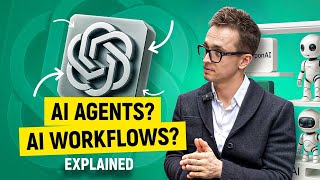

AI Explained Simply: From LLMs to Agents
45sThe creator promises to demystify complex AI terms in simple words, appealing to beginners overwhelmed by technical jargon.
▶ Play Clip"Title accurately reflects the content: clear, non-technical explanations of AI, workflows, and agents."
This video explains AI, AI workflows, and AI agents in simple terms for non-technical viewers. It starts with familiar concepts like ChatGPT, then builds up to workflows and agents, breaking down jargon like RAG and ReAct with real-life examples.
Large Language Models (LLMs) are the brains behind AI apps like ChatGPT, Gemini, and Claude. They take input and generate responses based on training data, but they are passive and don't know personal preferences or real-time info unless connected.
Workflows are step-by-step processes (control logic) that automate tasks, like checking past orders and suggesting food. They follow a fixed path and fail if the situation deviates from the programmed steps.
RAG (Retrieval-Augmented Generation) is just a fancy term for looking something up before answering, a common tool within workflows.
AI agents go beyond workflows by reasoning (e.g., considering weather), acting (checking restaurants and reviews), and iterating (critiquing and improving results). They use the ReAct framework (Reason + Act).
Landing AI's wildfire detection uses AI to monitor forest cameras, with adjustable confidence thresholds to balance sensitivity and accuracy.
AI agents represent a leap from passive LLMs and rigid workflows by adding reasoning, autonomous action, and self-improvement, making them capable of handling complex goals without step-by-step instructions.
What does LLM stand for?
Large Language Model
01:29
What is the main limitation of LLMs?
They are passive and don't know personal preferences or real-time info unless connected.
02:33
What is a workflow in AI?
A step-by-step process (control logic) that automates tasks following a fixed path.
04:12
What does RAG stand for?
Retrieval-Augmented Generation
04:48
What three things can AI agents do that workflows cannot?
Reason, act, and iterate.
05:53
What does ReAct stand for?
Reason and Act
07:22
How does an AI agent handle a bad recommendation?
It goes back, finds a better option, and only then sends the final result (iteration).
06:48
LLMs are passive
Clarifies a key limitation of LLMs: they don't act autonomously.
02:33Workflows are like recipes
Simple analogy that makes the concept of control logic accessible.
04:12Agents reason, act, iterate
Defines the core capabilities that distinguish agents from workflows.
05:53ReAct framework explained
Demystifies a technical term by breaking it into 'Reason' and 'Act'.
07:22[00:02] AI agents
[00:07] AI. Since the majority of videos on a
[00:10] YouTube about AI either too technical or
[00:13] too basic, I decided to record this one
[00:16] for all of our subscribers who either
[00:19] have just a little bit or no technical
[00:21] background at all. In this video, I will
[00:24] explain what AI, AI workflows and AI
[00:28] agents are. But don't worry, I will take
[00:31] it step by step and explain it in a
[00:34] simple words and we'll utilize our
[00:35] educational strategy we use in our boot
[00:38] camp starting with the things that you
[00:40] are already familiar with just like chat
[00:43] GBT rock or cloud apps. Then we're going
[00:46] to move forward to AI workflows and
[00:48] finally to the most popular hype words
[00:51] these days such as AI agents. And I
[00:54] promise those intimidating words such as
[00:57] rag, react or agents are going to become
[01:00] much simpler once we break them down
[01:03] using real life examples. But before we
[01:06] get started, let me quickly remind you
[01:08] who we are and then we will kick it off.
[01:10] My name is Sergio Kchenko. I'm a
[01:11] software QA engineer, lead manager, and
[01:13] a senior engine manager of ASD that in
[01:15] the past, but these days I'm helping
[01:18] people like you to become a QA from
[01:20] scratch or to improve your existing
[01:22] skills. Now, let's get
[01:25] [Music]
[01:29] started. Level one, large language
[01:32] models or LLMs. Every single app you
[01:36] have played with in terms of AI such as
[01:39] Chat GPT, Google's Gemony, Claude or
[01:42] Tesla's Oron Musk's Grog, those are just
[01:46] applications built on a top of LLMs. And
[01:50] LLMs are simply brains for every single
[01:53] AI app. Let me explain that in a simple
[01:56] words. Imagine using Google. You type
[01:58] something, Google looks it up, you get
[02:01] an answer. So that's pretty much how
[02:03] nowadays internet works, right? In a
[02:05] simple words. Now let's think about
[02:07] LLMs. You give a prompt or same input.
[02:10] You pretty much type something. Then it
[02:13] uses what it learned and it will get you
[02:15] the response just like in a Google but
[02:18] instead of the Google's server, we have
[02:20] LLMs or large language model which uses
[02:24] a lot of data behind it that was it was
[02:26] trained on. So far pretty
[02:28] straightforward, right? input LLM and
[02:31] your response. Easy peasy. But here's
[02:33] something to keep in mind. Every single
[02:36] LLM or large language model was trained,
[02:39] even though it was trained on a lot of
[02:41] data, it doesn't know your preferences.
[02:44] It doesn't know much information about
[02:46] you. It cannot access your files, your
[02:48] order history, or realtime info unless
[02:51] you specifically connected to it. And
[02:54] most importantly, LLMs are passive,
[02:56] which means they're simply sitting there
[02:58] and waiting for you to input some data
[03:01] to ask them questions. They don't go and
[03:04] do things on their own. And that's why
[03:07] we need
[03:09] workflows. Now, let's imagine familiar
[03:12] situation. You are hungry and you're
[03:15] telling your AI or chat GPD, next time
[03:19] I'm going to be talking about food.
[03:21] offer me something based on my previous
[03:23] order history from Uber Eats and it will
[03:26] definitely fail because it has no idea
[03:29] what Uber Eats are in terms of your
[03:31] orders cuz you did not give access to
[03:34] Uber Eats. But if you will build a
[03:37] workflow, then you could give access to
[03:41] chat GPT or the other LLM app. So it
[03:45] could access your orders previously,
[03:47] take a look at them, and then give you a
[03:49] recommendation based on your previous
[03:51] orders. And you could even specify such
[03:53] as tabs as check past orders, fix
[03:56] something with a five plus star rating,
[03:59] send a suggestion. And that works until
[04:02] you say this. Can you recommend
[04:04] something new and then you will fail?
[04:07] Why? Because the path you programmed
[04:10] doesn't include look for new options.
[04:12] Workflows are just like recipes. They
[04:15] only work the way they were written. And
[04:18] in technical terms, it's called control
[04:21] logic. Now, let's say you expand it a
[04:24] little bit. You add Yelp reviews, Google
[04:27] Maps, and make it read the
[04:29] recommendation out loud.
[04:32] Great. Based on your past preferences, I
[04:34] found a five-star vegan sushi place
[04:36] nearby. Want directions? Still just a
[04:39] workflow. Still not really thinking, but
[04:42] doing step by step what you told it to
[04:45] do. Quick myth or technical term
[04:48] breaker. You've heard about term rag,
[04:50] which is retrieval, augmented
[04:52] generation. Don't worry, it's just a
[04:54] fancy way of saying look something up
[04:57] before answering. Just the way we do
[05:00] with the workflows. That's it. It's just
[05:02] one of the tools inside of the workflow.
[05:05] And here is actually the main problem of
[05:07] workflows. If the output isn't right, if
[05:11] the recommendation doesn't sound tasty,
[05:14] you will have to go back, tweak the
[05:17] setup, and run it again. You are still
[05:19] doing thinking. You're still the one in
[05:22] control. And that's where AI agents come
[05:25] [Music]
[05:27] in. Let's stay with the same example.
[05:30] Right now you're the one making
[05:32] decision, what tools to connect, what
[05:34] steps to follow, when to make changes.
[05:37] But what if we replace you a human
[05:40] decision maker with actual AI itself?
[05:43] Then that's the time when workflow,
[05:46] fancy workflow becomes even fancier AI
[05:49] agent. And an agent can do three things
[05:53] that workflow cannot. Number one, reason
[05:57] or reasoning. It doesn't simply check
[06:00] the past orders. It thinks, "Oh, it's
[06:02] actually cold outside today. Maybe he
[06:04] wants something warm." Or, "Oh, he did
[06:08] order sushi 20 times within the last 10
[06:10] days. Probably we should offer him
[06:12] something else." It reasons through
[06:15] context just like you would. Number two,
[06:19] act. Now, AI says, "Let me check if
[06:22] there are any restaurants nearby." Then
[06:24] it will also check if they're actually
[06:27] open now. And finally, it will probably
[06:29] read some reviews before making
[06:31] decision. And it does that all on its
[06:34] own without you giving exact stepbystep
[06:38] instruction just like you did with the
[06:40] workflow. It figured it out on its own.
[06:43] Let's say the agent suggests a
[06:45] restaurant, but then realizes the
[06:48] reviews are meh. Maybe the curry was too
[06:51] spicy. It doesn't send you
[06:53] recommendation and simply call it a day.
[06:56] What it does, it goes back, finds a
[06:59] better option and only then sends you
[07:02] final and improved result. That's called
[07:05] iteration. And it can actually do
[07:06] something cooler. It can critique its
[07:09] own answer with another AI model before
[07:12] even sending it to you. That's what
[07:14] makes it different from regular
[07:16] automation or workflow. It can actually
[07:19] think. Second nerdy word of the day,
[07:22] react. You might have heard this word
[07:24] but probably got scared because it's
[07:26] something related to AI that you haven't
[07:28] heard of. But let's take it apart. It's
[07:30] very simple. Re stands for reason and
[07:34] act stands for acting just like the
[07:37] second difference with the workflow. And
[07:40] that's why React is one of the world's
[07:42] most popular frameworks for building AI
[07:46] agents. And that's what pretty much it
[07:48] does, right? aside of iterating. By the
[07:51] way, I've been mentoring people for 8
[07:53] years. And if you're interested to learn
[07:54] how to build AI workflow or AI agent or
[07:57] how to become a software QA engineer
[07:59] completely from scratch, you can follow
[08:01] the links right below this video. Let's
[08:05] continue. Let's take a look at the real
[08:07] life examples. And we have a lot of
[08:09] different ones, but I'm going to pick
[08:11] one of the most useful ones for our
[08:13] community. Detecting wildfires. I'm
[08:15] going to click right here. And by the
[08:16] way, we're using landing AI website. And
[08:20] I'm going to click on one of the
[08:22] pictures to see how exactly it will
[08:26] detect the wildfire because we cannot
[08:28] have people all over the world
[08:31] constantly monitoring all of the forest
[08:33] cameras simultaneously. But we can have
[08:35] AI and you can clearly see it right here
[08:38] that there is a fire. As the human you
[08:40] can see that but AI can also see that
[08:43] and you can even specify the threshold
[08:45] of how confident it should be. If we
[08:47] minimize the threshold it will specify
[08:50] more you will find more fires or more
[08:53] things that look like fire. If we
[08:56] increase it then it will be more
[08:58] challenging. Let's say that way it will
[09:00] be more sure before it say hey there is
[09:04] a wildfire. So if you if you go all the
[09:06] way to 100% it will say that there is
[09:08] none. But if you at least get it to 85
[09:11] or 90, you will still show you, hey,
[09:13] that there is a fire and the government
[09:16] or any companies that run this AI can
[09:19] simply specify this threshold. Now,
[09:22] quick recap. Level one, LLMs. It's just
[09:25] like human brains. You ask it a
[09:28] question, it gets you an answer, just
[09:30] like the thing that we have right here.
[09:32] Level two, AI workflows. You design a
[09:35] process and AI follows it step by step.
[09:38] And level three, AI agents. You give it
[09:42] a goal and AI will figure out how to get
[09:45] there on its own. If this video helped
[09:48] you to make sense out of AI, AI
[09:51] workflows and AI agents, and now you're
[09:53] thinking possibly to build one. Leave a
[09:56] comment right below this video and let
[09:57] me know what would you like me to show
[09:59] you how to build on the next video.
[10:01] either send a message create AI
[10:03] workflows or create AI agent and I will
[10:07] do it on the next video. Now, thank you
[10:09] for watching. Get some workout, get some
[10:11] rest, drink a lot of water and I'll see
[10:12] you next time.
⚡ Saved you 0h 10m reading this? Transcribe any YouTube video for free — no signup needed.