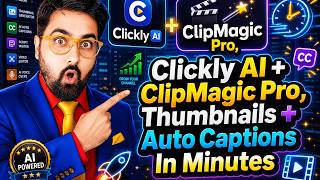

AI Tool Creates Viral Thumbnails!
45sOpens with a bold promise of creating high-CTR thumbnails that bring traction, immediately grabbing viewer attention.
▶ Play Clip"The title promises a tutorial but spends significant time on a sales pitch for a discounted deal, diluting the educational value."
This video is a tutorial on using Clickly AI, a tool for creating attention-grabbing YouTube thumbnails and captions, and Clickmagic AI, an AI-powered caption generator. The presenter, Shayan, demonstrates how to use these tools to enhance video content and offers a special one-time price deal for viewers.
Shayan introduces the video as a tutorial on creating high-CTR thumbnails and using an AI caption generator, promising a special deal.
The tool allows selection of different caption types, changing video styles, aspect ratios, adding emojis, editing captions, adding B-rolls, and including calls to action.
Clipmagic Pro can convert long-form videos into short-form content. A special deal is offered, including a coupon code and bonuses, with a one-time price of $247 instead of the regular subscription cost.
The presenter shows how to apply a coupon code to reduce the price from $297 to $247, emphasizing that this is a limited-time offer with additional bonuses.
The deal includes Clickly AI, Clickmagic Pro, and other bonuses. The presenter urges viewers to act quickly as the coupon and deal are time-sensitive.
The video concludes with a strong call to action, encouraging viewers to take advantage of the special one-time price and bonuses, and to engage with the content by liking and commenting.
AI-Powered Content Creation
Highlights the use of AI to automate thumbnail and caption creation, saving time for creators.
One-Time Deal
Emphasizes a rare one-time pricing model for subscription-based tools, offering significant savings.
10:59Urgency and Scarcity
Uses limited-time offers to drive immediate action, a common marketing tactic.
13:44[00:00] AI Thumbnail Maker and AI Caption Generator Clickly AI and Clickmagic AI Lifetime Deal that can be found nowhere else Hey guys, this is Shayan and in today's tutorial
[00:12] I'll show you how you can create attention-grabbing high CTR thumbnails that can bring a lot of traction to your YouTube videos Not only it works for long videos but also it can create short cover and real covers as well
[00:24] so that you can upload them on Instagram as well The best part over here is that I'll also uncover an AI caption generator where you can just upload your video, choose a caption size, and boom, it does all the headlifting for you
[00:37] with emojis, with B-rolls, all of that done for you with the leverage of AI. If that sounds interesting to you, then please stick on with me till the end of this tutorial. And this is a special deal because all the other tools,
[00:50] including the couple of tools that I'll show you in this tutorial, they are all monthly or yearly subscription-based tools. But if you are watching this video today and if you take action today, then these tools you can get at a one-time price because I have got you covered with a special deal with the vendor.
[01:07] Plus, I have got you covered with a coupon as well, which can give you $50 off as well. So, if that sounds interesting, again, then please come with me. You do get a ton of bonuses as well, additional, if you do pick up any of these tools.
[01:19] So, without further ado, let's jump over to my laptop and let me uncover the tools for you. And these are the tools that I too myself use on my videos. and if you go over to my channel you can find the exhibit of that as well. So without further ado
[01:31] let's jump over to my laptop and if this is the first time that you are into this channel please consider subscribing to this channel and liking and sharing this video. So let's jump on and start the tutorial. Hey guys welcome to this tutorial and the AI thumbnail maker or the AI thumbnail
[01:44] generator that I was talking about is none other than Clickly AI as you can see over here. Now this is a tool that I use regularly in my business and whatever thumbnails you see including the one that you are click to watch this video was created with Clickly AI that being said over here as you
[01:59] can see if you go over to clicklyapp.com and check out its pricing you would see that it's available either at monthly $49 or annually at $297 a year but then I'm going to give you Clickly app for
[02:12] lifetime deal at a much lower price than this plus alongside this you also get another app called clip magic in here as you can see this is the clip magic what it does is that it actually does a
[02:24] couple of things first of all it converts a long form video into short form videos just like opus clips right and secondly it adds dynamic captions via ai as you can see over here now these all captions they have different style of captions i'll show you all because i have got access to
[02:39] these tools and as you can see over here this is how it works but what i really want to show you is that this is available at a $12 per month price or if you go for annual then $129 a year price
[02:51] that is the one that they have on their official sales page but I have been able to stuff a deal with them for my subscribers only and within that deal you can get both of these software at less than $250 the best part you can have access to the lifetime no renewal required
[03:09] whatsoever so i'm going to uncover how you can get that but before that i want you to see the tools in action whether you like the tools or not i'm pretty sure you would so let's go ahead and start with the fourth tool which is clickly ai as you can see this is the dashboard of clickly now in
[03:24] here as you can see this is the home and in here you can see all of these are available over here like the tutorials face cloning now you need to do a face cloning i have already done it right it has my face over here so you can see over here i have got it covered with different expressions as you can see different postures different kind of uh affairs as you can see over here now what you can do is that you can simply upload your face as you can see over here
[03:46] i have uploaded you just need to select a new clone and then you need to select an expression use a prompt and boom it will create your face flow now this can be useful to create your personalized thumbnail that carries your of power in it right and then there are plenty of templates
[04:00] as you can see over here these are all high performing templates that you can readily order but these you can find on canva as well so what is the magic the magic is right here in the magic thumbnails so let's go ahead on magic thumbnails click on that and in here look at
[04:14] these i i'm sure you have seen these on my youtube channel all of these are youtube videos right so you can see over here i actually use this in my business this is short cover that i was talking about the green cover you can use that as well and there are plenty of things you see i regularly use
[04:29] it right now how to create the magic thumbnail so let's go ahead and click on create new thumbnails and in here what you need to do is you can just take inspiration from any youtube video that has
[04:41] a good thumbnail say you are researching on your topic and you find a great thumbnail now you want to actually take inspiration from that and create yours right so let's show you an example so suppose i am doing a video on 10 ai tools that are required and this is the thumbnail that i like
[04:56] right so in here as you can see so i have loved this thumbnail right so i'm going to actually replicate this thumbnail over here so what i can basically do is come over to this description right and from here i will be actually picking up this like what it all takes i'll just uh copy this
[05:12] description a little so that it has the idea of what the tool is what the video is about right so i'll go over to transcript and then i'll paste this transcript over here and then i'll tell it to analyze the script and edit it for me so now it has analyzed the script and now in here i can
[05:28] either use a reference or there are plenty of done for you thumbnails designs that is you can actually pick any one of them right so i'm going to use a reference and in here i am going to provide the youtube link so let me do that so i'm providing the same video link over here and this
[05:42] is the thumbnail as you can see so this looks quite good right so i'm going to use this so i'm telling use this image and now what it is going to do is that it will add my face clone over here as you can see it can add a my face or i can tell it to add no faces or maybe two faces if i want to
[05:57] and then like the podcast will have two faces right so that's how then i have this in-care academy ceo this is one of my looks and then there is another of my look over here on the red suit so both of them you can use then if you want to have any specific hook title you can actually click on
[06:12] this and from here you can generate the viral engine hook right now you can see this has a 95 code so this changes everything so this would be written on the thumbnail as well so i'm going to use this hook just for an example or you can tell the ai to create another hook as well and in here
[06:27] you can write a prompt as well if you want to add another specific prompt to it you can do that as well but then it's done right just click on here and let the ai do the stuff for you so let's wait and look at this it has created this one right so this changes everything this is the hook that we
[06:43] had actually talked about so it has done it right now if you wouldn't have given the hook it would have gone ahead and done this exactly so let me show you that as well if i select this and then i just remove the hook title from here right and if i click here to some brick some magic then as you
[06:59] can see it's getting another version of it so i'm going to show you both of them and in here as you can see this is more like the one that it had top 10 ai tools look at this top 10 ai tools 2026 so So if you want to overwrite this with your own thing you just need to use this hook title right So that how it actually happens Now nobody is going to tell you all this but I have a lot of experience in using this
[07:20] That's why I know a bit of it, right? Now, if you want to, say, edit a part of it, say, for example, I want to edit my dress over here. So I'll go with edit with AI, and then I will give it a prompt, or I can add a reference.
[07:33] So let me give it a prompt. So I'm getting like keeping everything else the same and white suit, blue shirt, red tie and red spectacle to my AI of thought. Just one example, right? And then I'm clicking on share it edits. And as you can see, it's generating the edited version right now. So let's wait and voila,
[07:47] look at this, right? White suit, blue shirt, red tie, red spectacle. Exactly what I said. It's like having a thousand dollars designer right beside you and telling him, hey guy, I want this and
[08:00] you are getting that right away right so that's how important this is so that's how you can do this stuff over here then you can generate the titles and descriptions as well for your own video depending on the transcription that you have provided and you can one click download this
[08:13] as well and you can use that anywhere that you wish to so this is how cool tricky ai is and apart from this you can use all of these as well there are plenty of done for you things as you can see on vertical you can see on different apps and design church type templates entertainment
[08:29] templates faceless ones right if you are running a faceless channel you can find this then you can find over here food gaming health and fitness all different niches are covered in here right so there are different templates you can use them or you can just use a reference as well you can feel
[08:43] free to do anything that you wish to so that's how cool it is and i really hope that you guys have enjoyed this now the thing over here is that if you want to buy quickly ai if you just go through their website you would see that this is priced at $49 a month or $297 a year now i can give you
[08:59] everything that clickly has at a much discounted price just hold on a few seconds i just want to show you the other tool that we have this tool is called clip magic as you can see over here so let me show you how this works okay as you can see now i'm within click magic and in there you
[09:12] can just come over to create new click on that or you can just come over and drag drop from here as well just click on this and in here i have just uploaded one of my videos as you can see it's been uploaded so let's wait and boom as you can see this has loaded over here now you can pay this
[09:27] imagine creating one video and turning it into unlimited presenters without filming again so this is uh this was created using asian ai right it's a star 5 setting so this can actually convert any uh image of yours into a talking video so that's how i created this now you can actually
[09:43] take the language but it's automatically detected as you can see if you want to trim it you can do it from here or if you want the whole video you can just go over to next and as you can see the ai is extracting the caption so let's wait and as we speak as you
[09:55] can see it has done it right now on the left hand side you can find all the different type of captions you can see there are plenty of different types that you can select so uh let's go ahead and let's select this one just for an example you can see over here and now you will play this
[10:08] look at this right outfit voices and even that's quite cool now apart from this you can change the video style as you can see you can have different aspect ratios you can change the captions from one click over here you can add magic emojis just click on that and emojis would be generated by
[10:23] AI again you don't need to do anything if you want to change any bit of captions you can change it from here as well if you want to make edits you can do that if you want to add b-rolls you can do that all of that is possible right from here right then if you want to add a call to action
[10:35] you can do that if you want to add a background music again everything is pretty much doable that being said once you are all done with it you can just go over and click on publish and in here you can select the resolution you can just go over to publish video now and you can give it a name like recast feature cc just for an example and click on save and as you can see these are the emojis that are being added so the magic emojis would be added
[10:59] all by itself the best part over here is that this is the clip magic front end but i'm going to show you an offer in which you can get clip magic pro as well the clip magic pro actually has the feature of converting a long form video into short form videos just like opus
[11:13] clip and if that sounds interesting and if you want to know how you can get that all that you need to do is go down on the description link of this video and click the link to my bonus page. The bonus page should look something like this. Let me show you like this,
[11:25] right? And in here, if you go through this at your own time, everything is written over here. There's a complete Clickly AI demo as well. If you want to check out, you can do that. And then if you scroll down over here, you can find I've given a ton of bonuses and many of them are
[11:37] related to YouTube. And then if you scroll down over here, as you can see, there are plenty of bonuses, right? Now you need to just scroll all the way down on this page. And in here, you have a thing called Clickly AI all access bundle. Now what it has is that if you click on
[11:50] this it will take you to this page over here. Now this coupon doesn't work. Just let me tell you this coupon doesn't work. I'll show you because the launch is gone you won't get this coupon but I'll give you a $50 coupon. I have done a special deal with the vendor. So in here as you can see
[12:03] you can find all the details over here. You can find this webinar video wherein you can get all the details and then all of these creators are using Clickly AI and as you can see over here you can see all the features that it has and if you scroll further down you are going to see exactly
[12:18] what you get you get clicking that is the front end then you get clicking pro then you get click magic pro as i have promised right and you also get creator business reseller rights all of this you get for a one-time price of 297 but wait there's a 50 coupon code let me show you that
[12:36] this coupon doesn't work if i click on copy and click on buy now and in here if you come over here and let me show you there is a coupon code option if you paste this and click on apply you can see the coupon has already expired right so there is no way you can get this coupon but
[12:50] i'm going to show you a coupon just type this guys you can find this on the description as well just click on apply and look at this it goes down to 247 so it's even less than what you need to pay for clicking for one year that also you get click three you get the complete version of clicky that
[13:05] is the click your front end and the pro and you get click magic pro which is going to cost you 129 a year that means 257 plus one nine 129 almost 400 a year that you need to spend instead of that
[13:18] i am giving you a deal where you can get it all at 247 one time lifetime price and to top of that you get all of my bonuses so it's a absolute no-brainer if you go back my recommendation
[13:30] so i would definitely recommend you to check this in but do this as early as possible because neither this coupon is going to stay there long because i have just got it for a few days and secondly this deal itself is not going to stay for long because it's already in a recurring monthly and
[13:44] yearly deal i have the special request to the vendor to get it on a lifetime deal just for my subscribers so if you are interested i would say just go for it and believe me this is a great tool both of them i do use them regularly in my business so you can do use them as well so that
[13:59] being said you also get my bonuses to apply for my bonuses just make sure you reach out to us on this whatsapp number and we will help you with the bonuses as well so that's it for this little tutorial i really hope that you guys have enjoyed it if you have help me with the like and let me
[14:12] know in the comment section if you have got any questions regarding any part of this tutorial we'll meet again pretty soon somewhere over the internet until then please take care of yourself and your families and don't forget to keep making money online signing off ishaya and take care bye
⚡ Saved you 0h 14m reading this? Transcribe any YouTube video for free — no signup needed.