
3 AI Tools That Automate Your Content Editing
30sCreators instantly see time-saving value, driving shares and saves for editing workflows.
▶ Play Clip"Delivers exactly what it promises: a quick rundown of essential AI tools, though it's surface-level by nature of a Short."
This YouTube Short offers a rapid-fire overview of five AI-powered tools that can streamline different parts of a content creation workflow. From generating niche-specific content ideas to automating video edits, captions, and email management, the video presents a practical toolkit for busy creators.
Stanley turns viral reels into content ideas tailored to your specific niche, helping you brainstorm more effectively.
Gling AI cleans up awkward pauses and mistakes, automatically creating the first rough cut of your video to speed up editing.
Templify uses AI to add closed captions automatically and offers templates for aesthetic short-form videos or carousels.
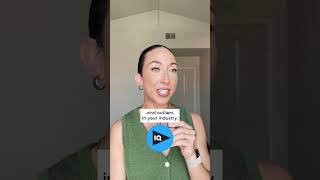
VidIQ performs content research and identifies viral outliers in your industry, helping you source winning YouTube ideas.
Storyblocks provides music, sound effects, and stock footage, plus an AI toolkit to customize footage and generate voice-overs.
Claude Co-work checks your emails and drafts responses, freeing you to focus on content creation.
The narrator learned about these tools from Milli, who regularly talks about AI for content creation; the video recommends following her.
The video quickly maps out a complete AI-powered content creation stack, covering idea generation, editing, visual polish, research, assets, and email productivity. The key takeaway is to integrate these tools to save time and focus on creativity.
Which AI tool can turn viral reels into content ideas for your niche?
Stanley
00:01
Which tool automatically cleans up pauses and mistakes to create a rough cut?
Gling AI
00:14
Which tool uses AI to automatically add closed captions to videos?
Templify
00:14
Which tool identifies viral outliers for YouTube content research?
VidIQ
00:27
Which service provides stock footage, music, and an AI toolkit for voice-overs?
Storyblocks
00:39
Which AI tool can check emails and draft responses?
Claude Co-work
00:53
Who does the narrator recommend following for learning about AI content tools?
Milli
01:05
AI streamlines content ideation
Shows that AI can transform viral trends into niche-specific content ideas, saving creators hours of brainstorming.
00:01Automated first cuts save editing time
Gling AI' ability to remove pauses and mistakes in one pass demonstrates how automation can drastically speed up post-production.
00:14Data-driven YouTube research
VidIQ's focus on viral outliers highlights the shift from gut feel to data-backed content decisions.
00:27AI offloads administrative work
Using Claude Co-work for email management shows that AI can free creators to focus on core creative tasks.
00:53[00:01] ideas? Use Stanley. It can turn viral reels into content ideas specifically for your niche. What about video editing? It takes me forever to just get the first cut done. Use Gling AI. It cleans up awkward pauses, mistakes, and
[00:14] automatically does your first rough cut. What about adding cool closed captions on my videos like this? Use Templify. Their AI automatically does that for you. What about making aesthetic short-form videos or carousels? That's
[00:27] also Templify. Their templates can make anyone's photos or videos look YouTube? How do you come up with viral ideas there? Use VidIQ. It does the content research for you and identifies
[00:39] viral outliers in your industry. Where would I get music, sound effects, stock need for post-production? That's 100% Storyblocks. They even have an AI toolkit where you can customize stock footage and generate voice-overs. Okay,
[00:53] but how am I supposed to keep up with all of my emails on top of all this? Use Claude Co-work to check your emails and draft responses for you. Where did you even learn all of this? Honestly, Milli talks about this stuff all the time. You
[01:05] talks about this stuff all the time. You should follow her, too.
⚡ Saved you 0h 01m reading this? Transcribe any YouTube video for free — no signup needed.