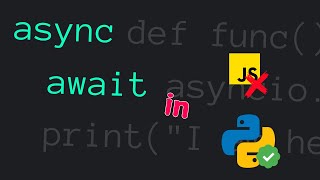

Async/Await in Python: What's the Deal?
45sMany developers are intimidated by async/await, so a clear, quick intro with a relatable 'oh no' hook grabs attention.
▶ Play ClipThis video explains how to use async and await in Python for asynchronous programming. It demonstrates how marking functions with the `async` keyword turns them into coroutines that can be paused and resumed, allowing concurrent execution of tasks.
The video introduces async/await in Python, noting that it is not exclusive to JavaScript.
Marking a function with `async` makes it a coroutine, which can be paused and resumed to let other tasks run.
To use `await`, Python requires the `asyncio` library.
Async/await enables non-blocking code that performs tasks concurrently, leading to faster and more responsive programs.
Two scenarios: synchronous function (left) and asynchronous function (right) doing the same task over 10 laps. The async function wins by a large margin.
Two functions: `load_data` (simulates heavy data loading) and `task` (normal task). The main function executes them concurrently. Output shows that while data loads, another task runs, and the program exits after data is fully loaded.
Async and await are essential for asynchronous programming in Python, allowing non-blocking concurrent code.
Async/await in Python, via the asyncio library, allows writing non-blocking concurrent code that improves program speed and responsiveness.
[00:00] async await oh no is this going
[00:03] somewhere off of python well it's not we
[00:06] can use async AWA in Python too let's
[00:08] see how consider this function the task
[00:12] is an asynchronous function because it's
[00:14] marked with the async keyword in Python
[00:17] when we Mark a function with the async
[00:19] it becomes a
[00:20] coroutine coroutines can be paused and
[00:23] resumed allowing other tasks to run in
[00:25] the meantime to use Ayn we in Python we
[00:29] need to use the async IO
[00:31] Library so what's the need to write
[00:34] asynchronous functions in Python by
[00:36] using async in a wait we can write
[00:39] non-blocking code that performs tasks
[00:41] concurrently resulting in faster and
[00:43] more responsive programs here we have
[00:46] two scenarios on the left we have a
[00:48] synchronous function and on the right we
[00:51] have an asynchronous function both
[00:53] functions do the same thing and we are
[00:55] checking who's going to take less time
[00:57] to complete over 10 laps here's the
[01:00] output and it clearly shows that the
[01:01] asynchronous function won by a big
[01:03] margin that was fast asynchronous
[01:06] functions don't wait for one task to
[01:08] complete they go all in executing tasks
[01:11] concurrently let's see another one here
[01:13] we have two functions load underscore
[01:16] data and task the load underscore data
[01:19] function simulates loading heavy data
[01:21] while the task function simulates a
[01:23] normal task the main function executes
[01:26] both functions in sequence concurrently
[01:28] upon running the code this output is
[01:30] generated this shows that while the
[01:32] program begins loading the data another
[01:34] task gets executed in the meantime and
[01:36] the program exits once the data is
[01:38] completely loaded to recap async and
[01:41] await are essential tools for
[01:43] asynchronous programming in Python by
[01:46] marking functions as async and using the
[01:48] await keyword we can write non-blocking
[01:50] code that performs tasks concurrently
[01:53] resulting in faster and more responsive
[01:55] programs thanks for watching don't
[01:58] forget to like share and subscribe for
[02:00] more python tutorials
⚡ Saved you 0h 02m reading this? Transcribe any YouTube video for free — no signup needed.