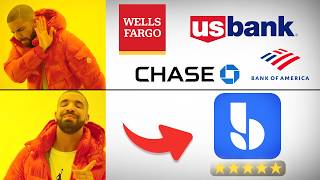

Stop Paying Bank Fees Every Month!
44sEntrepreneurs hate bank fees and slow approvals; this clip offers a solution and promises savings.
▶ Play Clip"Title promises best bank for TikTok Shop, but TikTok Shop is never mentioned in the video — pure bait and switch."
This video reviews BlueVine as a business bank account, highlighting six key benefits over traditional banks: 100% online setup, no monthly fees, unlimited transactions, interest on deposits, FDIC insurance up to $3M, and easy sub-account creation. The presenter also walks through the step-by-step application process.
Presenter recommends BlueVine based on personal experience, citing six reasons for choosing it over traditional banks.
Account can be opened entirely online without visiting a physical bank, saving time.
BlueVine has no monthly fees, unlike many traditional banks that charge fees unless minimum balance requirements are met.
Account offers unlimited transactions with no extra charges, beneficial for businesses with high volume.
BlueVine pays interest on funds in the account, which most business banks do not offer.
Funds are insured up to $3 million, significantly higher than the standard $250,000 limit.
Additional sub-accounts can be created online for purposes like taxes or payroll, without visiting a bank.
Steps to apply: click 'Open account', select business type (LLC or sole proprietor), enter personal and business details, verify identity, and wait for approval.
BlueVine offers a convenient, fee-free business banking solution with high FDIC insurance and flexibility through sub-accounts, making it a strong choice for online businesses.
What is the FDIC insurance limit for BlueVine business accounts?
$3 million, compared to the standard $250,000.
01:38
Does BlueVine charge monthly maintenance fees?
No, BlueVine has no monthly fees.
00:43
What makes BlueVine's online setup a timesaver?
The application is 100% online, no need to visit a physical bank, and approval can be same-day.
00:13
How can you organize funds for taxes or payroll with BlueVine?
By creating additional sub-accounts in the online portal.
01:51
What type of ID do sole proprietors use instead of an EIN?
Social Security Number (SSN).
03:42
BlueVine's core appeal
Concise summary of six reasons that make BlueVine stand out from traditional banks.
00:01High FDIC insurance
The $3M limit is 12 times the industry standard, providing significant peace of mind.
01:38Practical tutorial
Detailed step-by-step guide makes the application process accessible for beginners.
02:18[00:01] need a business bank account fast, this is the one that I personally use, Blue Vine. I've tried multiple business bank accounts over the past few years, and here are the six reasons why I stuck with Blue Vine instead of a traditional
[00:13] business bank. Plus, I'll show you how to apply for it step by step in just a few minutes. The first reason is that you can set up the account 100% online. bank location, schedule an appointment with the business banker, and then waste
[00:28] hours of your time sitting there. With BlueVine, the online application takes experience, I was approved on the same day. So it's a huge timesaver. Second maintenance fees. So a lot of traditional banks charge some form of
[00:43] monthly fees unless you meet a certain requirements. A common one is that you requirements. So you need to always maintain a certain amount of funds in your account. The fees may not seem like a lot in the beginning, but it
[00:57] definitely adds up over time. So paying hundreds of dollars extra a year just to have a bank account just doesn't make sense. So with Blue Vine, you never have to deal with that. So I think that's a huge benefit. Third reason is that you
[01:09] get unlimited transactions. This is important if you have a lot of transactions or process a lot of payouts. So you never have to worry getting charged extra as your business grows. Another big plus is that most
[01:23] business bank accounts doesn't pay you any interest at all, but Blue Vine does. So you can actually earn interest on the money sitting in your account. The fifth reason is that your funds are FDIC insured of up to $3 million, which is 12
[01:38] times more than the $250,000 limit that most other business banks provide. So, this gives you a piece of mind knowing that your money is safe. The last one is that you can set up additional sub accounts right inside of your online
[01:51] portal. So, that means you can set up additional bank account with a different want to set up a separate account for taxes, for example, or a separate account for payroll, you can easily do that in minutes without needing to go to
[02:05] a physical bank location like you would with a traditional bank. So, those are the reasons why I think BlueVine is a great choice for business banking. Now, let me walk you through the entire application process step by step. It
[02:18] direct link I've listed in the description below, you can follow along on the same page I'm on. And once you on this page, we can click on open account.
[02:31] entity type. So, in this example, let me go with LLC. name, then you can pick the sole proprietor option.
[02:46] your email address, your phone number. You would need to create a password. Click this check box and then just click Click this check box and then just click on get started.
[03:01] provide some details about your business. So we can enter our legal business name. So if you are a sole proprietor, so this would be just your first and last name, enter your business address,
[03:14] your work phone number, you can input your website if you have one. If not, you can leave it blank, enter your annual revenue. Now, if you don't have revenue yet because you are a new business, you can enter a projected
[03:26] annual revenue. So for this example, I would just go with 36,000. And here you would need to enter your tax ID or your EIN. And if you're operating as a sole proprietor and this will be your social security number
[03:42] and we are going to select the industry. The closest category that I find is retail trade. So let's go with that. And let's come to the subindustry and look for the most fitting category. So the most fitting one I find is
[03:56] general merchandise retailers. So let's go with that. And for number of employees, let's go with none for now. Click on next. And then this page, you would just need to verify information about yourself. So
[04:10] you can enter your first name, last name, and your home address, your date of birth, and your social security number. And enter the percentage of business owned by you. So I'll just go with 100.
[04:23] Then let's check this check box. And then click on continue. And then on this page, you would just need to verify your mobile number. So verification code here and you can click on verify and continue and then you'll
[04:38] you should hear from them pretty quickly. In my experience, I was some people, I've heard it's the next following day. Um, so I would pay contact you and that's how you can keep track of your progress of your
[04:54] walkthrough of the Blue Vine application process and the reasons why I choose Blue Vine as my main business banking. If you found this video helpful, consider subscribing and I hope to see you in the next video.
⚡ Saved you 0h 05m reading this? Transcribe any YouTube video for free — no signup needed.