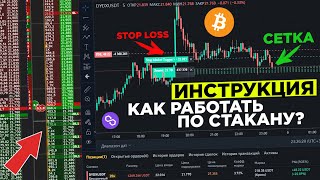

How to Open and Close a Trade on Binance
46sClear, step-by-step instructions for order book trading with keyboard shortcuts are highly educational and sought after by new traders.
▶ Play Clip"The title promises a full instruction on Binance futures order book trading and scalping, which the video delivers comprehensively."
This video is a comprehensive tutorial on trading cryptocurrency futures on Binance, focusing on order book (glass) trading and scalping strategies. The creator answers common questions from viewers, covering everything from opening and closing trades to setting stop losses and take profits.
To open a long trade via the order book, left-click on the desired price. To cancel, press the spacebar.
To open a short trade, right-click on the order book. To cancel, press spacebar.
Press 'T' to open a market order. Press 'D' to close a market order. Market commission is 0.04%, limit commission is 0.02%.
To see the dotted line for orders, open the 'Trading View' chart instead of the basic version.
To close a trade with a limit order, set a limit order at the desired price. For short trades, use right-click or 'Y' key.
Hold 'C' and click to set a stop loss (above for shorts) or take profit (below for shorts).
To flip a trade (reverse position), enable the 'R' button in hotkey settings. Hold 'R' on the order book to flip.
Click the gear icon to adjust volume display. Set 'Fill line with volume' to about 3x the largest visible volume for clarity.
In settings, under 'Trade', set stop loss placement to 'Server' to ensure it always triggers.
You can start with as little as $5. With 20x leverage, a $2.50 margin gives a $50 position.
Use 'Scalp Live' to see high-density orders. Copy the ticker to the order book to identify large orders.
To set a stop loss at breakeven, hold 'C' and left-click at the entry price.
Hold '+' to increase detail, '-' to decrease. Hover over the order book and scroll to zoom.
With 20x leverage, a $100 position controls $2,000. A 5% move results in a $100 gain or loss.
Go to CoinMarketCap, click 'Trade', select 'Classic', choose the coin, and buy on market.
The video provides a thorough guide to Binance futures trading, emphasizing order book mechanics, risk management, and practical tips for beginners. The creator encourages practice with small amounts and stresses the importance of stop losses.
How do you open a long trade on the Binance order book?
Left-click on the order book at the desired price.
00:29
What key cancels an order on the order book?
Spacebar.
00:42
How do you open a short trade on the order book?
Right-click on the order book.
01:07
What are the market and limit commission rates on Binance futures?
Market commission is 0.04%, limit commission is 0.02%.
02:02
How do you set a stop loss for a short trade?
Hold 'C' and click above the current price.
04:31
How do you flip a trade (reverse position) on Binance?
Enable the 'R' button in hotkey settings, then hold 'R' on the order book.
05:39
How do you ensure a stop loss always triggers?
Set stop loss placement to 'Server' in the trade settings.
07:45
What is the minimum amount you can start trading with according to the video?
$5.
08:38
With 20x leverage, if you invest $100, what is your actual position size?
$2,000.
15:33
What happens if the price moves 5% against your $100 position with 20x leverage?
You lose your entire $100.
15:49
Opening Long Trades
Fundamental skill for order book trading.
00:29Commission Rates
Important cost consideration for traders.
02:02Setting Stop Loss and Take Profit
Essential risk management technique.
04:31Server-Side Stop Loss
Prevents stop loss from failing due to client issues.
07:45Leverage Explained
Clear explanation of how leverage amplifies gains and losses.
15:33[00:03] this is already day 59 of the experiment where for 100 days, having invested cryptocurrency at $25, today's video I will answer all your questions the comments, so I hope after this video you will have no questions left,
[00:16] so let's immediately start how to open and close a deal. All sorrows, here we have this example, you have already become a glass and you do not understand how to open a deal here. First, to open a long deal specifically according to the order,
[00:29] we need to click on the glass with the left mouse button. Here is the usual one. With this mouse button, we open this very order. To remove this order from the glass, we need to press the space bar. You never know, you just changed your mind, so
[00:42] press the space bar and this order simply disappears. The next moment, for example, you want to open the first order here, the second order here, here you have placed these orders according to which you will open your position,
[00:54] again, you changed your mind, press the space bar, all these orders are removed from us. The second moment, how to open a short deal on the glass, this is already the right mouse button, so in this place I want to open a short trade. For example, here they
[01:07] place the same orders that I was already using. Guys, I opened a short trade, but again, I changed my mind, so I clicked the cancel button. Now, let's open the Solana chart here so that we can show you all this in more detail.
[01:20] Because I have Solana open here, so we'll also open the Salo chart for today on Benatti. I'll try to do everything as thoroughly as possible, so that lot of comments. I hope there really won't be any. Look at
[01:34] Because we were on startup. Some people might not be able to load the trading chart yet. You clear your cookies and everything should load for you, that is, delete the Benz history. Next, for example, to open, and here we have the
[01:49] market button. We have the English T button. We click the T button. The trade has already opened for three lots in Lund. To close this trade, right at this moment we need to click the D button. By market. Again, if you open
[02:02] trades by market like this, the market commission is 00.4 percent. If you open a trade with a limit commission like this and fix the limit commission, for example, then it will already be 0 0 trade with marks if you like to work on the order book. The next point,
[02:18] many people also asked me, for example, you are displayed, let's open a trade now, a dotted line is displayed if you have the basic version of the chart open, you will not see this, there is no
[02:31] display, so open trading Pyu and everything will already be displayed for you. The next point, for example, is already fixed here, you have an open position of 1, so we set 10 here and here we will already fix if we want to move this lot,
[02:45] press the space bar, go here, press one lot here, here we will already fix at this time we already see the profit if you want to see the profit in the order book, here is what it is at the
[02:57] here we are shown in percentages if you want to see in points, here in points if you want to see in money, here in money this is where the ps will be like this, at the top this is Roughly speaking, how much you already have in dollars is a
[03:12] profit or loss, again, to close this deal at the market, we can use the English button or just set a limit here, for example, q, and as soon as the price approaches this order, it will execute us and the deal will already be closed at our
[03:24] limit there in plus, and you yourself see how it closed in a small plus, we discussed with you, to open a long deal, you can open it with the left mouse button, this is an order or at the market, to close the
[03:37] deal at the market, the d button or this limit again, a short deal is for us the right mouse button or the y button on the keyboard with the English button, the next moment is just to throw a grid to fix the profit, a very common question, here it is customary,
[03:52] look, in this situation, we open directly at the market and from I want to go short here, for example, so I press the y button at the market until there were small problems with the Internet, so I did not open this deal right now, so we press the
[04:05] y button, the deal opened, look, the deal is opened in short, so we To close this position, we have an open trade for three lots, roughly speaking, for three coins, so we go lower and lock in a partial position. We opened a short trade, which means to
[04:19] close it, we need to place limit orders. Here's the first order, for example, in this place, there's a rai order, and in this place, there's a 3, so we can lock in open. Next, I
[04:31] was asked how to set a stop loss and how to set a take profit. To set a stop loss, we have an open trade for shorts, which means our stop loss will be somewhere higher, so we hold down the c button and set a stop loss, for example, in this place.
[04:44] If the price reaches this point, we'll close with a stop loss. If we want to set a take profit, we go a little lower, hold down the c button, and the same thing, we'll already have a take profit. Everything works out, even without these very orders, here
[04:58] we will either lose money or we will make money. Everything works out roughly like this. The next point is how to trade in Belarus. If you are from Belarus, choose another exchange or find someone from abroad. which will create an account for you
[05:11] that will be completely trusted and you can trade through their because a person can come in at any time, you never know, submit some kind of request and take away your sakan, so there are risks personally, I bought an account and
[05:26] trade through depend, so of course I don’t advise you to do this, how to turn over on the market, many guys asked me about this deal, for example, look at this deal, we are now open in short, as you remember, you need to go to the
[05:39] construction site in hot keys and here you will not have the default button r, this is to turn over on the market, we set it on the glass and this will not be checked, so we set this checkbox, the r button, go to the glass, hold down the r button and
[05:53] we have already turned over on the market, everything works out if the deal we had was opened in short now we have it already open wang, it turns out that to set take profit again, we hold down the c button, here is the take profit, here is the stop loss again,
[06:06] close on the market button yes, everything works out approximately like this, guys, the next point is how to set up the glass, it happens that you You open you'll see complete nonsense there, let me show you something like this, it will be something like this,
[06:22] unclear how to see any orders, so let me show you even more clearly how it all might look so you understand, so we open the glass and we have this situation, it's completely unclear where to go, no volume is
[06:36] visible, we press this gear and now we set it up, we look at the need to do is reduce thousands by volume so that we see everything in thousands, now we look at the largest volume and I see 1 and 3, 1 and 5, well, let's take
[06:50] three times more, that is, if 1 and 5, then we'll take approximately, multiply by 3, approximately 5,000, so in the first line, filling the line with the volume, we write 5 thousand, everything further on we have a purely visual, I have a large order, we take
[07:05] about half, this will be approximately 2,500 and immediately these orders are Multiply by two more times, it will be about 5000, this is so fast, how can this be set up now, we will look at all this with examples, in general, everything that we have
[07:20] for setting up, also you see that when I enter the order book, no percentage is displayed, that is, it is not clear what is happening, so we go, click, run the ruler, select percentages, now when we enter the
[07:32] order book, we see how much we have, here is 020 19 percent, this is very convenient for opening a position, immediately understand the risks, so when you enter a trade, how much you are ready to lose or how much you are ready to earn, the next moment, how to make the
[07:45] stop loss always trigger yes, there is such a moment that when you set a this you need to go again to this gear, click the trade tab, and if you have a stop loss placement here in the application, set it on the server and that’s all,
[08:01] your stop loss will always trigger, how to make the percentage display, we have already discussed how to make the order book more readable, we have also discussed because there are any in general
[08:14] The glasses can be all confusing, the main thing is to look at the maximum volume, multiply it by two by three, then here that 24 thousand coins, multiply by 3, you get about seven, you can even bet more here, of course, you can
[08:26] just visually see, you can sit and poke, I think you'll figure it out quickly. The next point is what amount you can start with, a very common point, you can even start with 5 dollars. Look, I'll take it right now
[08:38] and transfer, for example, there are 190 dollars already on the decline and we'll leave start with this amount, you will slowly sit and drive yourself, something
[08:50] Look, Shiba, we have generally cheap, cheap, yes, so we'll take and, for example, the Ibiza page, we want to open here, here we have the volume tab displayed, what volume will we enter since I have a
[09:03] volume will we enter since I have a leverage of 20, for example, I will enter here with a dollars, 50 divided by 20, we get two and a half real dollars by margin We set the entry bar in dollars and, for
[09:18] example, I want to open a long trade, I clicked and look, everyone opened it for two and a half dollars and the size turns out to be 50 bucks, that's how it works guys, because now you can even see yours, so you can sit and
[09:32] practice with the glass even with 10 dollars, even with 5 dollars, because the minimum lot there, as far as I remember, is about 10 dollars or something like that, well, in general, it doesn't matter, we want to close the trade, we just click on the market, so you
[09:44] sit and practice, so the next point is how to set stop loss and take figured out how to spread the grid, we also figured out this, if for example, in this situation, we enter right on the market there in long for the volume of 5,205,200, this is the
[10:02] can fix it in three parts, we can fix it in even smaller ones. Let's take, for fix it in even smaller ones. Let's take, for example, 200 coins and we will spread it like this, that is, like this we will gradually fixate, that is,
[10:15] it will grow, we will fix that part, we will fix it even higher, the main thing is for us to set such a volume, here is 200, we have already set 400, 600, 800, 1000, 1200, well, you understand, yes, set it at 5, 200 if we want to specifically fix the
[10:30] take profit, everything is here, we will fix it here, we do not want to lose the stop loss, that is, the price will reach everything, roughly speaking, we will lose there, so let this deal hang for now, the next moment, where to look for large volumes, also very often the question
[10:43] goes to the hour scalp life, you know, such a kind of screamer where you can go and fully see, here we have exactly the futures order book, this is the spod order book, high density is immediately displayed here, for example, for a
[10:57] coin, and there is a high density for 200 from 6000 dollars, so right let's make it more visual, for example, for the coin du dex, click here copy the ticker now we are moving to glass and in the terminal, we were
[11:14] on se and here we immediately insert for convenience, we also insert in the glass of futures and also in the glass and spot, so they set us up with such a decline, and as we saw, there is a
[11:26] large order for short, so we go and look, as you see, there is such a large order for 10,000 coins without a decline, if we have charges of one and a half 1200 here, that is, from this order, guys, you
[11:40] can already try to work short, but again, where is this probability that the price there, and this level has approached very few times, for example, in this situation, this level has approached few times, most likely there will be a rebound from this
[11:55] density. If the price approached the level very many times, most likely, this order will be taken apart and the price will fly further upward. Look, our Shiba coin has started to grow and we, you know, gradually
[12:07] see how much we are already pulling out from the percentage to put the deal at breakeven, again above With the glass, hold down the c button and with the left mouse button, set the stop-loss to breakeven, that is, even if the price falls to these marks, we will
[12:22] the price falls to these marks, we will not lose any more, we will only pull out a profit from this transaction of 11 percent already to our investments, so even with 10 dollars, guys, you can start trading calmly. Everything in this situation, we also seem to
[12:34] have figured out with you to look for large densities on scalp live and here is this very site and here you can find such large densities from these difficulties to trade, it already depends on you, your trading system. I personally trade from
[12:46] densities, but if there are strong levels, I also take a breakout of these same levels, how to understand that the application will be analyzed, you have already figured this out with you too, quickly, if the price approaches a certain level, for example, here
[12:59] we have a level up to many times and we see that the application is starting to be slowly pinched off in an hour 12 thousand coins would be 987 at this moment it is worth entering a breakout because most likely the price
[13:12] has approached this level many times and most likely there will already be a true A breakout if the price approaches this level there are 2 and I can't say about the third time. order approaches, it will most likely be out of boredom, how much can you
[13:25] earn on this? So, guys, this is the situation, how to decrease or increase the information in the order book. Look, for example, we have such a order book, we can hover the mouse over the order book and click here. Look, now there are 9 thousand coins. Most
[13:40] likely, this small level will be broken. Most likely, to decrease or increase the information in the order book, hold down the plus button and you will immediately more information is visible. To decrease, press the minus button for
[13:56] more detail, hover the mouse over the order book, hold down the English button and just start spinning the wheel. You see, now the order book is either smaller or larger, it all depends on what time frames you will be trading on.
[14:11] This is how the finance terminal is set up. I have everything configured exactly like this on the penalty. You can click on this gear and choose what you want here. If you want to see favorites, add them. If you want to see favorites, you can do so.
[14:24] Add trades, I personally set up a market chart, positions, open orders, and place an order so that I could choose a coin here, the chart was visible, the position I'm working on, and, let's say, the ability to open and close a
[14:39] position on the Shiba coin. We currently have this situation, that is, we can calmly sit and watch. Now, let's try to see on the chart how it all looks. So, we enter a thousand and
[14:52] open this chart so that we have this information. We are already at breakeven in this situation. If the price goes higher, we can again, we're running into a small level here now, and perhaps this
[15:06] level can be seen on the order book. Try it out here. I only have 1 order book open for futures because I trade some situations quietly on Li, but I my order book. It's better to pay more attention to the spot order book because
[15:19] the price moves from 5 on the futures order book. A huge order can be placed on this order. They can simply disassemble the shoulders in an instant. How it works. Look, let me try to explain to you in the simplest possible language. I personally trade almost always.
[15:33] With 20x leverage, for example, I open a trade for $100. We multiply these $100 by 20, which gives me an actual entry trade of $2,000. 100 times 20. If the price of a certain asset falls by 5 percent
[15:49] certain asset falls by 5 percent minus 5 percent, I will lose exactly this amount. $100. If, for example, the price of a certain asset rises by 5 percent, I will earn $100. So, guys,
[16:03] in this situation, if the price falls by 5 percent, I will lose my $100 that I invested. There is a fear of leverage because when you trade with high leverage, any price movement can completely
[16:17] liquidate your money. If you trade with small leverage, there is a fifth or third, it is already safer. But then again, I always trade with stop losses, so I don’t care how the price falls. My stop loss is usually 0.203
[16:29] percent, so I allow myself to lose a not so large amount. Sometimes, I lose five percent. Of course, there were moments when I had to sit there, there were liquidations. Guys, this also happens. Probably, many traders go through this.
[16:42] This is how leverage works. So, if the price drops by 5 percent, we will lose all our money if it rises. But in this case, if we had a long trade, it’s clear and we will earn $100 to our
[16:55] deposit on such a short movement. The truth is, it will grow by 5 percent. I think in detail, like I explained about the Shiba trade. As you can see, the price was already closed. More precisely, the price rolled in and was closed by stop loss. The next one, these
[17:08] cancel orders, just the space bar, it seems everything is clear. So, we’ve figured out what the fees are. If you open at the market, it’s 004. If you open with regular orders, it’s 002. And the last question for today, how to buy on spot? This is
[17:23] already day 59, guys. I invest every day in cryptocurrency today. We will add a coin. There was a protocol. Also, if you liked a certain coin, I won’t go into more detail so that you don’t overload us today. Let's
[17:36] go straight down and see where we can buy this coin. We have been on beat, how great. Click on the first link to benatti, so we are immediately transferred to where we can buy this coin. I want to personally buy on the market. We already have that very
[17:50] chart open, so I go, click on the market and click on $25 in the heat, everything paid off now this coin. Now we have a portfolio of 12,3876 coins, so we can track these coins beautifully.
[18:06] Pickup and add a transaction here. After that, you can download the application and there you can easily track in detail what statistics you have for your portfolio. Add this transaction. Guys, in total, I have already invested $1,475 in 59 days,
[18:20] in the plus by about $30 so far. Again, if you go to the non-coin markt cap, you have a toolbar here, you click on trade, select classic, and then select the coin you want to
[18:35] invest in. For example, it will be the BRDM coin. Click and here you You can do the same thing on the market, how to sell your coins. Here you will find the very same coin, for example, 12. You put it up for sale and
[18:49] just sell it immediately on the market. That's how it works, guys. If this it in the comments. Also, subscribe to the Telegram channel, where current information on investing comes out. I drank everything today, by the
[19:03] way. We have it all on our con list, so I recommend taking part there. Guys, there's all my free information on where I'm useful, be sure to leave your reaction and write new
[19:17] questions to which you want to know the answer. I hope I explained everything in more detail. I may have missed some points, so write about it in the comments. Good luck to everyone. Good luck to everyone. Bye.

⚡ Saved you 0h 19m reading this? Transcribe any YouTube video for free — no signup needed.