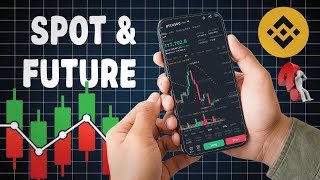

Spot vs Futures: The Key Difference
45sClearly explains the fundamental difference between spot and futures trading, which is a common confusion for beginners.
▶ Play Clip"The title promises a beginner-to-pro guide and delivers a clear, practical walkthrough of spot and futures trading."
This video provides a step-by-step guide to trading on Binance, covering both spot and futures trading. The presenter demonstrates live trades and explains key concepts like market orders, limit orders, leverage, and risk management.
Binance offers spot trading (buying and selling coins) and futures trading (betting on price direction).
The market page shows coins sorted by popularity (Hot), new listings (New), top gainers, and losers.
Charts can be viewed in different timeframes (15 min, 1 hour, 4 hour, 1 day, etc.) and include analysis tools like SR and Made.
A market order buys or sells at the current market price. Example: buying $50 worth of a coin instantly.
A limit order buys or sells only when the price reaches a specified level. Example: buying $20 worth of a coin at $950.
Futures trading uses 'Long' (betting price goes up) and 'Short' (betting price goes down) orders.
Leverage (e.g., 20x) multiplies both potential profit and loss. Cross mode uses entire wallet balance, while isolated mode limits risk to a set amount.
TP and SL orders automatically close a trade at predetermined profit or loss levels to manage risk.
The video successfully demonstrates both spot and futures trading on Binance, emphasizing the importance of risk management through limit orders and stop-loss settings. Beginners are encouraged to start with small amounts and use these tools to protect their capital.
What are the two types of trading available on Binance?
Spot trading and futures trading.
00:17
What is the difference between spot and futures trading?
In spot trading, you buy and own the coin; in futures trading, you bet on price direction without owning the asset.
00:30
What is a market order?
A market order buys or sells at the current market price instantly.
04:23
What is a limit order?
A limit order buys or sells only when the price reaches a specified level.
06:21
In futures trading, what do 'Long' and 'Short' mean?
Long means betting the price will go up; Short means betting the price will go down.
09:13
What is leverage in futures trading?
Leverage multiplies both potential profit and loss. For example, 20x leverage means a $2 investment controls $40.
11:04
What is the difference between cross and isolated margin mode?
Cross mode uses your entire wallet balance as margin; isolated mode limits risk to a specific amount.
10:36
Why is setting a Stop Loss (SL) important?
SL automatically closes a trade at a predetermined loss level to prevent larger losses.
14:41
Two Trading Types
Clearly distinguishes spot and futures trading for beginners.
00:17Limit Order Strategy
Demonstrates how to automate buying at a desired price.
06:21Leverage and Margin Modes
Explains the risk of leverage and the difference between cross and isolated margin.
10:36Risk Management with TP/SL
Emphasizes the necessity of setting take profit and stop loss orders.
12:59[00:02] video. Today in this video you will learn how to trade in Binance. I will be doing all the trading in front of you live on Binance. I will explain each and every thing to you so that everything becomes clear to you. How many types of trading are currently available on Binance
[00:17] ? It is very important for you to know this. There are two types of trading on Binance. One is spot trading, the other is futures trading. What is the difference between spot trading and futures trading? See, sports trading is such a trading in which
[00:30] you buy any coin from here and keep it in stock with you and when its rate increases in the market, then you sell it and the profit that you make is your earning. People buy and sell from here for 1 day. There is no
[00:45] time limit for 1 month to 1 year. Whatever you buy, it remains with you permanently. You can sell it whenever you want. But this does not happen in futures trading. You cannot buy anything in futures trading.
[01:00] You have to bet there whether the market will go up from here or down from here. If you placed an up bet on the market and it went down, you incurred a loss and if it actually went up, you made a profit. It is a kind of gambling. So here we will do
[01:15] both the trading and see how they are done. What things are taken care of in it? So let's start this video. This is the home page of binance. If you do not have a Binance account, then first go and
[01:29] create your account and then you have to make a deposit. For that you will find thousands of videos on YouTube. We're going to start here. How do you trade on Binance How do you trade on Binance ? So first of all you have to
[01:42] come down here. Here you can see some of your coins in favorites. If you click on Hot, these are the coins which are becoming very popular here. People are trading these the most. And here Alpha a new list has been added.
[01:55] New contains those coins which have been newly added here. You can also see the rest by clicking on More. Gainers include those coins which are currently at the top of the market. Pumping the most. And the losers include those coins that are incurring the most losses
[02:09] , going down. So here you can see this market. Right now, I will go straight to the market. There is a market here. Here you market here. Here you
[02:24] So, here we have selected USDT in the market as the sport. Here we will go to USDS M Pay for futures trading. Here you can see this future market. So let us first understand the support
[02:40] and then we will move into the future. After coming to the sport, you will find all these coins here in which you can trade. But among so many coins, can trade. But among so many coins,
[02:54] make a separate video on that too. You can pick up that coin and keep it in your favorite list here. Like the ones I have kept here. So let's say here I have to So let's say here I have to
[03:10] Here is its graph. When you come to the graph for the first time, you see the graph of time here like this. Here you can see 15 minute graph, 1 hour graph, 4 hour graph, 1 day graph, 1 month graph, 1 week graph. If you
[03:24] 1 month graph, 1 week graph. If you come down here, there are some options here to analyze the graph which you can select. Here I have selected SR and Made here. Now come down here and
[03:38] What is this thing ? See, this is the list in which people want to buy this coin and this is the list in which they want to sell it and their orders are placed. Right now I do n't want to waste your time on these things.
[03:54] Simply let us see here how we will buy the coin here. You are getting two options of buy and sell. You simply have to go to these. Tap on any one and click on Accept here and here if you want to invest in any coin for the first time then
[04:09] if you want to invest in any coin for the first time then So here I put yes on all and confirm it here. Now look, here we are seeing a page like this. Here this is buy and this
[04:23] is sell. The same two buttons that were shown to us below. So here also you can change it manually. You can see the prevailing rate in the market here. And here below you can see a limit button. Now what is this limit button
[04:36] ? I will tell you that later. First of all your market will be set here. So, we can buy as many coins as we want from here at the same rate prevailing in the market. Now let's say I want to invest $100 here
[04:52] or I want to buy this here for $50. I So here this coin will be purchased for $50. So let's say bye here. Here I clicked on Buy Prom. Order created here. This
[05:08] coin has been purchased for $50 now. How do I know where it was purchased from? So here you can see that it has a small B written below it. This means that from here we have bought this coin. And if you come back and go to your wallet here,
[05:24] you will see this coin here also that you have bought this coin for $50. And as soon as you click on this, the rest of its details will start showing to you whether you are making so much profit or loss, whichever way. Now this coin will remain with me forever
[05:38] until I sell it. And when I have to sell it, I simply have to come to the market here. Here you have to click on this coin and click on the sell button here. So here I have to make this strength full. So
[05:52] I have 557 coins here which I have bought using USD dollars. So if I simply click on the sell button then this sale will be done. So if I want to hold it now, I can do it for 1 year also. There will be no
[06:05] deductions. It is always permanently present with me. Now if this market goes up from here to here then I will get a lot of profit here. Now let me teach you how to buy it in a different way. Now
[06:21] you simply learned how you come to the market and buy it. Now here I go to the limit. Went to the limit. Look here, after setting the limit, click on Total USDT here and suppose I want to
[06:35] here and suppose I want to buy this coin for $20, then I will write $20 here and here at what price I want to buy it, its current rate is being shown here. I remove it from here and make it
[06:49] ₹950 as per my wish so that when its rate reaches $950, this coin should be automatically bought here for $20. Whether my internet is working during that time or I am
[07:01] busy in some work or watching it. So here I click on By Prom. So here you can see the order created. But it has not been purchased yet. When you come down, your order will be placed here. If this coin
[07:16] reaches 8950 then our coin will be automatically bought here for $20. So now look at this market, the market is currently running at 987. As soon as the market goes down, our order will be placed automatically. And in the same way you
[07:31] can place a sell order here that you will come here and click on sell and here right now I want click on sell and here right now I want that when this coin goes to nine here, that when this coin goes to nine here, 9.00 you can do it. If I go to Nine, then
[07:45] 9.00 you can do it. If I go to Nine, then sold here. So here I will place the order here. Now you see,
[07:57] this order has also been placed here and this is a sale order. This is a buy order. So now let me show you how the order is displayed on the chart here. When you come to this chart here, you can see that we have two orders placed here.
[08:11] If it touches the green line here. The market is currently running here. When it touches the green line. Here I am showing it to you in 15 minute chart so that you can see it easily. Look here, if the market goes up to the red line above, then
[08:27] market goes up to the red line above, then it will be sold at $30 and if it comes down and touches the green line here, then in such a situation, our second order of buy, this coin of ours will automatically be bought at $20,
[08:43] so this is the method by which you buy or sell the coin by placing an order, so we have placed both these orders here, now let us move on to future trading. You understood this. Now let us move on to futures trading.
[08:59] In futures trading you will come to the market here. After coming into the market, this is future trading. Now in future trading, you can see any coin in which you want to invest here. So here xrp to usdt is a coin here.
[09:13] Let's trade it. Its graph has opened here. Here you will see a change that instead of buy and sell, two options long and short are visible here. Here long means that
[09:27] you will place a trade when the market goes up and short means that you will place a trade when the market goes down. So here I feel that the market will go upwards from here. So here I take the long trade. So long
[09:41] click here and here you can see that there is money in your wallet. Let's transfer from sport. Here we will click here and here we have started transferring money from Sport Wallet to Future Wallet. Simply you have to
[09:56] tap here. You have to write the amount here. If you confirm the transfer of as many dollars as you want to keep here, those dollars will be shown to you here. So here it is now $2. Just to explain it to you, we will take a small trade here.
[10:09] So here this market and by clicking on it the limit option is there, here you can put a limit. If the market reaches here then my order should be placed here or if it reaches here then the sale should happen. The same scenario applies here as well. So
[10:22] here we simply market it first. After coming into the market, you still have to invest your dollars here. Let me show you one thing now. There
[10:36] is available here. It is very important to understand these. Only then can you manage your risk. First of all, look at the cross here. Your cross should be placed here. When you are at the beginner level or taking small trades then
[10:49] you have to come to the cross. Most people do not use this option below. And here the 20x is your leverage. Here you can increase it to 100% also. What is this basically? Look, if you put it here pay to pay, then
[11:04] if you invest $2 here, it will be a leverage of 2x, so you will get $4 in exchange of $2. And if you increase this to 10 here, then what will happen is that when you take a trade in the market, you will
[11:19] get $20 in exchange for $2. Meaning, the more you increase this x, the more it will multiply. So here we do it at 20. But remember one thing that the more you increase the leverage, the more profit you will get. If the market moves opposite, you will suffer the same loss.
[11:34] So let's confirm it here. There is an S option here. What is this basically? Single assist mode. If you trade by selecting this, then the $2 money lying here in our future wallet will be traded in this and even if you incur a
[11:48] loss, these two $2 of yours will be lost. But if you turn on multi-assess mode here. In such a situation, whatever amount is lying in your other wallets like our support wallet, funding wallet, in case of loss,
[12:04] keep the single assist mode on here. And now let's go down here. And now let's go down here. Look here we can trade up to $39 here because we have increased the leverage. It has been increased to 20x. So here I make it 35.
[12:18] Write the amount here. I added $35 here. So you can see it here right now. Here we have set our leverage here. Here
[12:30] we could have placed up to 39. We have simply put 35 here. In which the total cost here is coming to us at $1.78. So let me take this trade here by clicking on the long button. So here we will just
[12:44] click on the long button. If we confirm here then our trade has been placed here. Come down here now. Here your trade is running live. Look at this now, there is a profit of 0.01. And if there is a loss then the loss will come down here.
[12:59] So right now the main thing you have to do here is risk management. For that you have to place TP and SL. So here you are getting an option TP & SL. When you tap on this, a
[13:13] page like this will open for you. Here you are getting an option of Possession TP SL. By clicking on this you can place your take profit and stop loss here. Now look here, the rate of XRP when we bought it, the entry price
[13:30] when we bought it, the entry price was 3.06 and we want that when this rate was 3.06 and we want that when this rate six, it has been changed to eight. Meaning there is a difference of two digits. How much profit are we making in this
[13:44] ? Of 0.17. So let me set it up here. And if the market comes down, that is, if the market if the market comes down to 304 here, then I have reduced two points here. So
[13:59] this is our stop loss. This is going to cost us $.28 ours. So I have confirmed this and we will confirm this. Now
[14:11] and we will confirm this. Now look here, our TP and SL have been placed here. You can change this here later as Our SL and TP have been placed here. Now let me zoom in a little and show you here.
[14:26] Look at this. We bought it here. If the market goes up this far then we will make profit. If it touches this line then we will incur loss. So it is very important for you to apply this SL and this is
[14:41] your risk management in which you do not suffer much loss. But if you do not apply this then all the money in your wallet will be taken away. So let's keep it here and check what the market does after some time.
[14:54] If it touches this line then our trade will end and we will get the profit that we have placed. But if the market goes down and touches this line, then we will obviously incur a loss and our trade will be
[15:08] closed. But how much damage will it cause? This means we are making a profit of $.17 and incurring a loss of $.28 here. So in the meantime our trade is going on here.
[15:20] So let us look at spot trading here. So here it is, Prem. Here you can see that the market has gone up a lot now. Here the amount we placed on sell was $20 and the amount we placed on buy was $3. So let's
[15:36] go here and check in our wallet once. So here we have a total of $40 in our wallet right now. Out of $40, we are making a profit of $.29 here. We may want to sell it now. Meaning, if we come here to the market and
[15:54] go to sell it, then if we increase its price and sell it here, then we will make a profit. But I'll hold on for now. I will see what happens to the market in the future. Now let us go to the future and the 0.01 of the trade we placed in the future is becoming
[16:09] equal now and right now. So here we are making some profit here also. Now we can close this and finish it. But let us also check what all is made. So friends, you can see the market came here in a moment
[16:22] and we have taken profit. And here, whether the market goes up or down, it does n't make any difference to us. We bought from here and sold here, which gave us profit. Our trade has been successful. Here we have
[16:35] also received a notification that our coin has been sold automatically by Binance. Like we had placed our take profit line here. If you do not do risk management here then your entire account can be washed away. You should
[16:49] avoid this and by following the tips and tricks that I have given you, you can do this trading at a beginner level. Once you understand these things, you can play on your entire account. I hope you liked this video. If
[17:02] you want to ask something, you can ask in the comment section. See you in the next video. Till then, God bless you.
⚡ Saved you 0h 17m reading this? Transcribe any YouTube video for free — no signup needed.