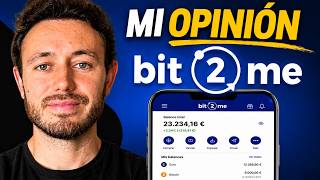

How Bit2Me's Ecosystem Works
45sQuick overview of a crypto platform's features, appealing to crypto enthusiasts looking for new tools.
▶ Play Clip"Delivers exactly what the title promises — a thorough walkthrough of the ecosystem's main features."
This video provides a comprehensive walkthrough of the Bit2Me cryptocurrency ecosystem, covering deposit methods, buying crypto, the Earn rewards program, the Bit2Me card, fee structures, Space Center levels, Pro trading, and crypto loans. The presenter uses their own account to demonstrate each feature and offers personal opinions on optimal usage strategies.
Bit2Me is a Spanish platform with over 1 million users, backed by industry leaders, and offers support in 7 languages including Spanish via phone, email, and chat without bots.
Deposit euros via bank transfer (instant, free) or card/Apple Pay (with fees). Bank transfer is recommended.
Users can place limit orders, recurring purchases (DCA), or instant buys. Over 400 crypto assets available.
Earn allows users to earn APY on held crypto assets. Flexible or locked terms (3, 6, 12 months) for higher rates. Rewards can be paid in the B2M token for an extra boost.
The Bit2Me card is a Mastercard debit card. It can be used to spend crypto assets from Earn or wallet, with cashback depending on Space Center level (up to 7%).
Standard buy/sell fee is 0.95%. Card virtual is free, physical costs €20 (levels 0-2). Pro fees are lower: 0.5% maker, 0.6% taker at level 0.
Space Center is a level system (0-6) that unlocks benefits like higher cashback, better Earn rates, and lower fees. Level up via missions or by holding B2M tokens.
Pro section offers TradingView charts, limit/market orders, and lower fees. Suitable for intermediate/advanced users.
Users can borrow EURR (stablecoin) by using crypto as collateral (up to 50% LTV). Interest ~18% APR, with flexible or monthly payment options. Risk of liquidation if collateral value drops.
What are the two main methods to deposit euros into Bit2Me?
Bank transfer (instant and free) or card/Apple Pay (with fees).
01:32
What is the strategy called that involves scheduling recurring purchases of Bitcoin?
DCA (Dollar Cost Averaging) — buying a fixed amount at regular intervals to accumulate over time.
03:17
How does the Earn section generate rewards for users?
You can earn rewards (APY) on held crypto assets, with flexible or locked terms for higher rates.
04:34
What are the cashback percentages for the Bit2Me card at the highest Space Center level?
Level 0 (no cashback) up to Level 6 (7% cashback).
10:40
Why might using the Bit2Me card with a stablecoin at low Space Center levels be disadvantageous?
Using a stablecoin like USDC at low levels may not be beneficial because the 0.95% purchase fee exceeds the 0.25% cashback.
14:08
How can users level up in the Space Center?
Two ways: completing missions (e.g., daily login, referrals) or directly buying the B2M token.
17:19
What are the Pro trading fees for a level 0 user?
Maker 0.5%, Taker 0.6% at level 0; lower than the standard 0.95% fee.
20:05
How do crypto loans work on Bit2Me?
Leave crypto as collateral and receive a loan (up to ~50% of collateral value) with interest; risk of liquidation if price drops.
22:03
DCA Strategy for Long-Term Accumulation
Explains the practical use of recurring buys to accumulate Bitcoin over time, a core strategy for beginners.
03:17Earn-Card Integration
Demonstrates how crypto assets in Earn can be used to pay with the card without manual transfers, highlighting ecosystem connectivity.
10:11Fee vs Cashback Trade-off at Low Levels
Provides a realistic cost-benefit analysis of using the card with stablecoins, advising users to consider their level before spending.
14:08Pro Trading Fees Are Lower
Reveals that Pro section fees (0.5%/0.6%) are significantly lower than the standard 0.95%, a key tip for active traders.
20:05Crypto Loans for Liquidity Without Selling
Explains how to use crypto as collateral to get loans, avoiding taxable events while retaining upside potential.
22:03[00:02] Pit to Me ecosystem, the cryptocurrency platform where, in addition to being able to very easy-to-use application, they also have a rewards program, a card to pay with
[00:14] their cashback, advanced trading, tax tools, and much more. And it's all connected in such a way that the more you use B2 Me [music], the more benefits it gives you. So in this video I'm going to show you how it all really works
[00:26] with my own account and add my personal opinion on what the best features or strategies are to use with Bite. Before showing you everything, as always, we need to verify that it is a
[00:38] safe application to use. Bit to me is a Spain and with over one million users. Founded by industry experts and backed by global leaders in crypto assets, banking, and technology. It has
[00:53] an intuitive interface, as I will show you below, competitive commissions and, importantly, support in seven languages, obviously including Spanish by phone, email and chat without bots. Now then
[01:07] , with that said, we can move on to my account to see how everything works. Remember that in the description you have my link where if you create an account and with Bitcoin. I'm recording my screen here, and one of
[01:20] the first things you might be interested in is how to deposit money. Here in the main menu you have a deposit button and you have two options. The option to receive cryptocurrencies if you already had them on another platform to send them
[01:32] through the blockchain, or if you are more of a beginner or it suits you better, to deposit euros, either with a bank transfer, card, Apple Pay, Pizom or other options. If you use a card or Apple Pay, it usually
[01:45] has fees. You can always review the transaction beforehand to check the fees, which I will discuss in a specific section of this video . A better option, at least in my opinion, is to
[01:57] bank transfer where it arrives instantly and without fees. In the end, it's a Spanish IBAN. Simply copy this information to your bank account, where you will make the transfer, and enter it. Don't forget to put whatever comes to mind in the
[02:11] concept. For me, in my case, it's this one. I will now to follow the entire flow of how BitMi works. I just made a transfer of €400 and while I wait for it to arrive, I'm going to show you a very
[02:24] simple example of how to buy cryptocurrencies. On the main screen, you'll find the "Buy" button, which makes apps look like an airplane cockpit, but this one
[02:38] simplifies things considerably. There's also an advanced mode, which I'll show you later in this video, where you can get commissions as low as 0% and the typical trading chart for those more advanced in
[02:51] cryptocurrency trading. In this case, I'm going to do the basic mode. You can place a buy order, that is, indicate the price at which you want to buy, for example, with Bitcoin. If it 's currently at $75,000
[03:04] 's currently at $75,000 or €70,000, when its price drops to €60,000 , then I want to make a purchase of the amount you specify. Or you can schedule a recurring purchase so that on any day of each month you make
[03:17] a Bitcoin purchase. And this is called DCA, and it's used to repeatedly accumulate Bitcoin with the goal of... It's a long-term strategy: in a few months or years, if the price of Bitcoin rises, to have accumulated enough
[03:30] to then sell it for a profit. In this simple example, I'm going to make an instant purchase. You can see a list of over 400 crypto assets or use the search engine to type in. I'm going to do it, as I've already said, with Bitcoin. A
[03:43] simple example: a small amount, such as €10, and you can select the method you use to buy these bitcoins, such as a bank transfer. I've created a euro wallet account to keep them on BitMe, and here I'll create one
[03:55] with a euro wallet. I'm going to make a purchase with the euros I have in my has options like Apple Pay or a bank card. I have already selected euro wallets. I can choose the amount, for example, €5,
[04:10] operation and always before confirming the purchase you will transparently see the fees to pay, which later in this video I will make a section where I will explain all the fees for this simple example and finish it. I click to
[04:22] confirm purchase and it's that easy. And notice that here they already give me the option to add them to ERM, which is one of the most interesting things, in my opinion, that we can do within the Bit to Me ecosystem, which allows certain
[04:35] digital assets such as Bitcoin, USC, the B2 token and several others that I will show you now, while you have them, for example, to example, to
[04:49] by having them within the ecosystem, that is, having them in your Pig to Me account, so that you can sell them in the future at a higher price. If I select this option, I click continue and just like that, they're already in section R. Or also if you already had crypto assets here or if you
[05:02] transfer them from another platform to your P2.me account. Here in the menu at the bottom right, we enter the AR section where we can see, in this case, the crypto assets that I already have in my account and that are generating these
[05:15] benefits for me, and also explore others in case there is one that is of interest to you. have in my account. We've already looked at Bitcoin, now I'll select USDC, which is a stablecoin, as it says here, where one
[05:30] USC stands for American. It is often used to maintain liquidity; for example, you wait for Bitcoin to experience a significant drop and then buy more Bitcoin. It's just one example. The good thing is
[05:42] that while you have this liquidity, so to speak, of this USDC crypto asset, you are also being given rewards for holding it. In this case, an API of for holding it. In this case, an API of 2%. API stands for annual percentage guild
[05:56] , but I receive these rewards daily. Notice the frequency; it's not 2% daily, but these percentages are always annual so you can easily compare them with other products. The proportional part is what
[06:10] I receive on a daily basis. In my case, because I am a level CER I receive 0.50% annually, which I will explain later in the Space Center section, which is all about the levels where the more you use the Biti ecosystem, the
[06:23] more benefits you get when you move up levels. I'll show you later, but in this case, since I can also choose whether or not to receive these rewards in Earn for having my crypto assets, instead of the crypto asset itself, for
[06:38] example, I have USDC, instead of receiving them as USDC, I can, if I want, select the option to receive them as the Bit to Me token, which is the B2M. It is a crypto asset of its own ecosystem. By selecting this option, you'll notice that I get
[06:53] selecting this option, you'll notice that I get rewarded more. increases by making a total of 2%. And if it also had a higher level, which I'll explain to you later, this would also increase. It should be mentioned that these APIs, the percentages, are
[07:07] variable, not fixed, and are not without risk. Nothing in investing is completely risk-free. You need to know that. And at any time I can add more USC to my Bit to Me account in this
[07:22] Earn section, or I can also withdraw them because, look, if I go back, I'm at the bottom right in the Earn section, but I can also go to the wallet to see my wallet, the crypto assets or euros I have here, which I can
[07:36] move between different sections like Earn, wallet, pro, loan, things that I will explain below. But going back to the Earn section, I was telling you that you can add or remove items at any time. Furthermore, according to the official BitMe website, you
[07:49] time. Furthermore, according to the official BitMe website, you with great flexibility because there are other options such as the B to Me token, which is B2M, which I also have here in earn. I can hold it for a flexible term,
[08:03] meaning that I can withdraw it at any time or I can also leave it locked for 3, 6 or 12 months so that these APIs are higher. In addition, we can opt for higher-level apps depending on your level
[08:17] in the Space Center, which, as I mentioned, I will explain and show you later in this same video . Let's now look at the Bit to Me Card. And this is where we really see how well their entire
[08:31] ecosystem integrates. At the top left we can open another menu to see the card section, although by the way here we can see more things like the pro section that I will show you later, tags to download your tax report and several other
[08:44] things. But going to the card section, I've already created one that has both the physical and the virtual card, which you can see here, the virtual and the physical card that I don't currently have. You can also add the virtual card to
[08:58] Apple Pay to easily pay at different establishments with your mobile phone. What's more, it works with Mastercard. It's a Mastercard and it's a debit card, not a credit card, in case anyone was wondering. And I currently, you see the
[09:12] card that says I pay with bitcoins that I have. And keep an eye on the Earm section. the ecosystem integrates very well, because while you have Bitcoin you can have it in m rewards, for example, you can use with the Bit to Me card.
[09:29] But cyclical, you have quite a bit of flexibility in choosing other crypto assets. For example, right now I have Bitcoin in Earn, as I told you, but I can select USDC, which I also have in the Earn section, or by clicking
[09:43] again I can go to the wallet and those crypto assets that I don't have in ERM, but have in the wallet, as we saw before, I can also select a list of all of these. For example, if you don't want to deal with
[09:56] select euros in your wallet, although euros, being fiat currency , don't offer cashback here, only cryptocurrencies do. It's good for me to know that too. So for that I'm going to change the option and instead of wallet
[10:11] I think it's more interesting to select it in Earn and I'm going to leave it in USDC. I'm going to click here on how it works so we can see that you pay with your B2MI card and automatically receive a percentage of what you spent. The higher your
[10:27] level in the Space Center, which we will see later in this video, the higher this percentage will be. And here you can see the levels of the Space Center. I am currently at level CER where unfortunately there is no cashback, but
[10:40] unfortunately there is no cashback, but at level 1 it is 0.25. in levels 2, 3, 4, 5, 6 and up to seven levels where it currently reaches up to 7% cashback. Another interesting option for which crypto asset to use, if I come back here and you
[10:56] swipe, is EURC, which is a crypto asset where 1 €C is equivalent to 1 € and if I add it, by the way, notice that I now have 400 available in my Euro wallet the transfer I made at the beginning of €400 has already arrived, so you can see that it
[11:13] only takes a few minutes and has no commission. It's my favorite method for depositing money into Bit to Me. And now I'm going to exchange €50 for €50 C. I'm checking the transaction, including the fees, which we'll look at later. And that's it, I
[11:28] now have EUC. Continue. If I go back to the menu, to the card section and click on the card, I can select EUR C, move the EUR C I have to the
[11:40] AR part, in this case to flexible where I currently have a 2.80% interest rate. I click add and they are now added to ERN. And that's even though I'm at level zero. I press continue. And as I was saying, for me the most interesting thing about
[11:53] all this is that it's well connected and I do n't have to manually change my crypto assets from moving them to generate these interest payments, but then moving them to use them on the card, right? Everything is automatically
[12:06] integrated here, so I don't have to make any manual movements beyond selecting which cryptocurrency I want to pay with using my B toi card. And don't worry, wherever you use the card, which I remind you is a Mastercard,
[12:19] you will pay in euros, but with your crypto assets. And obviously, when there's a change, there are fees; that's how all cryptocurrency platforms work. Therefore, let's now look at this important section on
[12:33] Bit to Me fees, both for the card and when we are buying, selling crypto assets for euros to Bitcoin or Bitcoin to USDC or any combination. Now, let's look at B2 Me's fees, which you can see on their website. I'll
[12:48] take this opportunity to show you this table that they themselves provide, where, depending on the level of the Space Center, which we'll see later, the costs can vary. I'm going to explain the ones I think you'll be most interested in. If you want a Bit to me
[13:01] card, the virtual card, that doesn't cost anything, regardless of the level. If you want the physics course, it costs €20 for levels 0, 1 and 2, and €10, €5 or €0 for the following levels. One important one is the fees involved in buying and selling
[13:16] cryptocurrencies. For example, you make a transfer of euros to Bit to Me, and what do you do with those euros once they are in? Bitcoin purchases. For example, you're making a cryptocurrency purchase, and just like a sale,
[13:29] that's a transaction cost. And in the case of Bitumi it is 0.95%. exchanging between euros and cryptocurrencies, that is, only things with
[13:41] euros, so to speak, then there are no costs. Here you have the topic of ATM withdrawals or if you pay in other countries that have other currencies, depending on whether you are inside the euro zone or outside the euro zone, you also have them
[13:55] here. And here's a summary of what was explained. So, here I want to give my opinion on using the card and the costs, because I see it as three different uses. One thing, and I think this is n't so convenient or depends on your level,
[14:09] is if you were thinking of using the card with a stablecoin like USDC and you're at a low level in the Space Center, then look at the fees because, for example, if you make a transfer of euros to your
[14:24] Bit to Me account. With these euros in your account you buy USDC. Here you have a commission of 0.95%. If you are at level one where you get If you are at level one where you get a 0.25% cashback with the card,
[14:38] if for example you have entered USDC, then you receive a 0.25% cashback. But since you have USDC to use the card, in this case, you are paying a commission of case, you are paying a commission of 0.95. 0.95 versus 0.25 doesn't add up
[14:54] , unless you're at higher levels of the Space Center, where the higher levels of the Space Center, where the cashback does exceed 0.95%. This has been one use of the card. Another scenario where it might be beneficial regardless of your
[15:08] Space Center level, even if you're level zero, is if you own cryptocurrencies, such as Ethereum or Bitcoin, and their prices have increased. If you want to use those benefits to pay with your Bit to Me Mastercard, it's a
[15:21] pay with your Bit to Me Mastercard, it's a because you've earned money and can use part of it towards the Bit to Me card to receive cashback. It's like putting those crypto assets that have
[15:33] increased in value to use, if that happens. And a third use of the card that I also see, regardless of your Space Center level, is to receive rewards for those crypto assets you have in Earn. You can use these rewards
[15:48] can use these rewards for your card; it's essentially for your card; it's essentially even if they charge you a fee, because you've still gotten those
[16:00] free crypto asset benefits. And another important part of the Bitumi ecosystem is the Space Center that I was telling you about. Look at my screen above, it says level zero. If I click there, the entire Space Center opens up.
[16:15] Basically, it's a kind of level system within the platform. Depending on your level, you can unlock different advantages within the ecosystem, such as more cashback with the card, extra benefits in ERM,
[16:29] advantages with the B to me token, and some additional improvements. For example, right now I'm level zero and without doing practically anything, I've earned enough points to almost reach level one. Although there are also ways to directly
[16:41] reach a level, which I'll show you, first let's click here on benefits where you can scroll down to see that you have benefits in the wallet in terms of the fees you pay, earn, which increase your earn
[16:54] depending on your level, and you can click to see it. Also, the card's cashback, as we have already seen by levels, the Pro section, which I will show you next, where the fees are already lower, but
[17:07] you still have more advantages. loan, which I'll explain to you later, albeit briefly, and you can scroll through the levels to see the different types of benefits you have. So, there are two ways to get points or level up
[17:20] . One is to click on missions and you can do these tasks such as, for example, access the Space Center for 7 consecutive days, earn points, block €20 in Bit to Me, request the physical Bit to Me card or get a
[17:35] friend to take advantage of your welcome promotion. Well, take advantage of the fact that you have my link in the description where, by creating an account with my link and making any purchase, you get €15 welcome bonus and you help me earn
[17:47] Center. Thank you so much. Or in fact there is another way. Look, here in benefits. For example, if I select level 3, where the card cashback is already 1%, I can simply click here; you see it says " upgrade to level 3 now." If I click, it gives me
[18:03] another option: to directly buy their B2 ME crypto asset token. Specifically, this amount, which I equate to euros, is €4,790. Obviously, you don't have to
[18:15] invest everything in cryptocurrencies, but depending on your portfolio, depending on your portfolio, While the token is volatile—its price can go up or down—
[18:29] strategy, it could be a very good choice. And I really like how they've approached it, because it makes perfect sense that the more people use benefits they can get out of it. Obviously, it's not mandatory, and you don't have to
[18:44] use everything, not by a long shot, but it does add that extra layer of benefits for those who want to use it more. Let's move on to another very useful section of Bit to Me, which is Bitto Me Pro, for those people who are already a bit more advanced in cryptocurrencies and
[18:59] trading chart. We have significantly lower fees here. On the one hand, we have it both in the mobile application and now I will record my computer screen where for that type of thing it is usually
[19:11] want it. one option. Look, you go here to the menu on my phone and you have Pro, where clicking on it opens the typical panel, a bit more professional, where you can buy, sell, and trade. But I prefer to
[19:25] show you from the computer, where you can also see your account with everything you have in your normal B to, so to speak, or you can go to the Pro section, where clicking on it also opens the typical trading panel, where you have
[19:38] TradingView charts with all the indicators you want. I really like this measuring tool for seeing percentages, and you can place market or limit orders, for example, you indicate the price at which
[19:52] you want to buy, and when that price is reached, the order is executed. One advantage of Pro, apart from the ease of use for intermediate and advanced users, charts, indicators, etc., is that the commissions are lower. Look, at my
[20:05] Space Center level zero they are 0.5% maker and 0.6% taker, which is what it means to place limit or market orders as it suits you. Now, if you want, I can give you an example, but currently I don't have any money in my B2B Pro account
[20:21] because I have it in my regular B2B account, where I can see what I have and simply click the transfer button. I do n't have any euros in Pro, but I do have these in regular Bitcoin. This button shows that I can add to Pro from
[20:37] my wallet, for example, 100 of my euros. Add to Pro. This is instant, there are no fees, obviously, you're just moving within your account from one section to another. Now I have my €100 in pro, so
[20:50] I can go back to where I was before and give an example of, hey, when the price of Bitcoin reaches 60,000, then I want to buy a certain amount of these bitcoins or in euros, for example, €30, I click the buy button and that's it, the order has been
[21:06] in case Bitcoin never reaches the price of 60,000 or I change my mind or anything. I can also place a market order where I will buy Bitcoin at the current price . For example, with €20 I click
[21:21] buy and boom, it's already executed. And I've paid significantly less in fees, so I've already given you a little trick to pay less, and you can see it's not that big of a deal, at least for the simpler things on Pit Pro. And one
[21:34] thing I'm really excited about and can't wait to try are their trading bots. They already have the typical DCA one available for repeatedly buying any cryptocurrency you want, but just look at all the ones they
[21:48] 're planning to release! I, for example, really like the grid released. And let's move on to the section in the menu that is the crypto loans section, where you can leave your crypto assets as
[22:04] collateral to obtain timely liquidity if you want or need it. The example is as follows. You can click on simulate and apply for your loan. Remember that the crypto asset you leave as collateral to obtain a loan
[22:19] must be in your Wallet account. I mean, don't have it on Earth. And the easiest example to understand here is with Bitcoin. And I'm going to use round numbers with one Bitcoin, which doesn't have to be that much, it can be part of
[22:31] Bitcoin, as you can see here in this example. If you have Bitcoin and need immediate liquidity, you can use your Bitcoin as collateral and in return receive a loan, for example, €30,000. This loan will obviously involve
[22:46] interest, and you can repay the €30,000 whenever you want. In the meantime, you'll have been paying interest, and we'll see some examples of this. Then, your Bitcoin will be returned to you. Obviously, it is not without risks either. If
[22:59] this is a good scenario for you, in your case, if you leave your Bitcoin as collateral, take out a loan of €30,000 and after a while you pay it back with interest and the price of Bitcoin when you left it was worth €65,000 and now that
[23:13] you pay back the loan it is worth €100,000, then good for you. You have to pay back the 30,000 plus interest. And now your Bitcoin is worth less, but the opposite can happen. You leave your Bitcoin, which is currently worth €65,000, they give you a
[23:27] loan of, for example, €30,000, and when you want to pay it back, maybe your Bitcoin back, which is what you left as collateral. It may be more, but if it's worth less, be careful because, as we'll
[23:42] see, if Bitcoin were to drop significantly, it could reach such a point that they might liquidate the transaction and keep your Bitcoin as collateral, leaving you with the money from that loan. For example, here I'm going to use
[23:55] the round number 0.97 as an example to make it easier to see, like a Bitcoin. Then you can withdraw 33,000 EUR R, which is a crypto asset where 1 € EUR R, which is a crypto asset where 1 € R is worth the same as 1 €. Note that the lo
[24:10] to is what I was telling you about, that you can't put in a Bitcoin and if it's now worth 65,000 you ca put in a Bitcoin and if it's now worth 65,000 you ca n't withdraw 65,000 €, but they give you a lo to value of 50%, that is, more or less half, or 33,000 €. And it's very
[24:24] good that if you click they tell you the risk, that if the price of Bitcoin drops a lot while you don't repay the loan, then your risk will increase. For example, if 78% of it is approaching the
[24:38] liquidation price, which is what I was telling you. Here you can see the details of how everything works. You can see the interest rate is 18% APR, that is, 18% annually. You can also see the interest payment options, where you have
[24:53] flexible payment, where you can pay it whenever you want or you can pay it each month, and then they reduce the interest a little, from 18% to 17%. And if you click the "Apply for your loan" button, you would continue the steps and that's it
[25:06] . I wanted to briefly explain that they have this option of Cryo loans. And having seen the entire Bit Me ecosystem, or rather almost, because there are many more features. I've explained the main ones to you. I think
[25:19] Bit Me's strength lies not in its specific functionality, but in its entire ecosystem, how it connects and makes it easy for the user to obtain those benefits, because you can both buy and sell crypto assets easily and
[25:32] simply, intuitively in its application, as well as the pro section with a bit more crypto assets, you can hold them in order to receive those rewards that start very well with the Bit Me Card, their Mastercard debit card,
[25:47] crypto loans and all within the same Bit to Me ecosystem platform . And also something that many people appreciate: their support in Spanish via email, chat and phone without bots. So if you were thinking about entering the
[26:02] crypto world or were already in it but were looking for an app with features like where they give you a welcome gift of €15 in Bitcoin if you create an account with my link and with your first purchase of
[26:14] crypto assets. If you have any questions or would like me to elaborate on any topic, please leave a comment below. I read them all and will reply to as many as I can. Smash that like button and we'll see you in the next
[26:26] like button and we'll see you in the next videos. Thank you so much. M.




⚡ Saved you 0h 26m reading this? Transcribe any YouTube video for free — no signup needed.