
Free Tool Reveals Your Blog Audience Demographics
42sViewers are always looking for free tools to understand their audience, making this a highly useful and shareable tip.
▶ Play Clip"Delivers exactly what the title promises — a practical walkthrough of finding blog audience demographics using Quantcast."
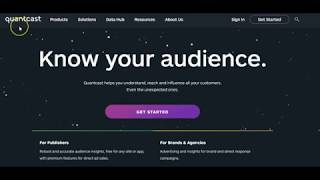
This video introduces Quantcast, a free tool that provides detailed demographic insights about a website's audience, including age, gender, education, income, and household composition. The presenter demonstrates how to install the tool on a WordPress blog or any website via a code snippet, and explains how this data can be used to optimize Facebook advertising and tailor content to better match the audience.
The video presents Quantcast as a free tool that reveals valuable information about a website's target audience, such as age groups, education levels, and income.
For WordPress blogs, a plugin can be installed that adds a Facebook pixel snippet. For other sites, a code snippet can be placed in the header or footer to record visitor data.
The service shows audience distribution by age group, gender, presence of children, household income, education level, and group affiliation, all for free.
Having demographic data allows users to narrow their Facebook ad targeting by age, income, and other factors, potentially lowering the cost per click by reaching the exact audience that visits the site.
The presenter strongly recommends using Quantcast and installing the free WordPress plugin or code snippet. Data begins to appear within one to two days.
What is the name of the free tool demonstrated in the video for finding blog audience demographics?
Quantcast
00:04
What are two methods to install Quantcast on a website?
A WordPress plugin or a code snippet placed in the header or footer of the site.
00:42
What types of demographic data does Quantcast provide?
Age groups, gender, presence of children, household income, education level, and group affiliation.
01:28
How can demographic data help lower the cost per click in Facebook advertising?
By allowing you to narrow your audience to specific age, income, and other demographics, ensuring you target the exact people who visit your site.
02:21
How long does it take for Quantcast data to start appearing?
One to two days.
03:02
Free Audience Insights
Introduces a free tool that provides deep demographic data, a valuable resource for content creators and marketers.
00:04Comprehensive Demographics
Lists the specific data points available (age, gender, income, education), showing the tool's depth.
01:28Cost-Effective Advertising
Explains a practical application of the data: reducing Facebook ad costs through precise targeting.
02:21[00:04] этом видео я хочу показать вам очень полезный инструмент — бесплатный инструмент, который вы можете использовать. Он расскажет вам много интересного о вашей целевой аудитории, о людях, которые посещают ваш сайт.
[00:17] Вы узнаете, например, возрастные группы, какая возрастная группа наиболее популярна, какой уровень образования у людей, их доходы и тому подобное. Таким образом, когда дело доходит до рекламы (что они рекламируют сейчас или что вы будете рекламировать в будущем),
[00:30] люди посещают ваш сайт и какие они ( мужчины, женщины и т.д.). Так что, если вы хотите
[00:42] узнать больше, я рекомендую вам зайти на Quoncast. Если у вас есть блог на WordPress, у них есть плагин, который вы можете установить, просто добавив небольшой фрагмент пиксель Facebook, он будет работать в фоновом режиме, и когда люди будут посещать ваш блог,
[00:57] он будет записывать их посещения. Опять же, если у вас нет блога на WordPress, На самом деле, мы предоставим вам код, который вы сможете установить, кажется, в заголовок или нижний колонтитул вашего сайта. Он разместит
[01:11] записывать необходимую информацию. В моем случае я установил его на сайте RightComp пару дней назад, я все еще вещи, которые вы можете записать.
[01:28] Например, вот здесь, хотя это и опять же — использование этого сервиса бесплатное. Вот, например, можете увидеть, как ваша аудитория распределяется по возрастным группам (мужчины/женщины), есть ли у них дети или нет. Сервис также покажет вам уровень
[01:43] дохода домохозяйства, образование, а также принадлежность к той или иной группе Это даст вам представление о том, какие
[01:55] сайт, и вы сможете лучше адаптировать свой контент под них. Это очень удобно, когда вы заходите в Facebook, например, во время
[02:08] перерыва, и определяете свою идеальную аудиторию, которая будет аудиторию, которая будет если бы у меня была такая информация, как у меня, например, при настройке рекламы в Facebook,
[02:21] информация, как у меня, например, при настройке рекламы в Facebook, я бы знал, я бы знал, какие посетители — возрастная группа. Таким образом, я мог бы сузить свою аудиторию до определенного возраста,
[02:34] дохода и так далее. Тогда стоимость клика, вероятно, была бы намного ниже, потому что я точно знал целевую аудиторию, которая посещает мой сайт. Если вы хотите узнать больше о людях или просто
[02:48] запустить рекламу в Facebook, но хотите тип людей посещает ваш сайт, вы сможете лучше доносить свой контент до этой аудитории. Я настоятельно рекомендую вам воспользоваться
[03:02] Quantcast и скачать бесплатный плагин для WordPress или просто установить фрагмент кода, а затем позволить ему записывать все данные. Думаю, данные начнут поступать через один-два дня,
[03:16] вы сможете увидеть, что actually know where before all right okay bye-bye
⚡ Saved you 0h 03m reading this? Transcribe any YouTube video for free — no signup needed.