Build Jarvis in 5 Minutes Without Code
60sThe demo of a voice-interactive AI tutor that can write and run code in real time is a jaw-dropping showcase of AI's current capabilities, sparking immediate desire to replicate it.
▶ Play Clip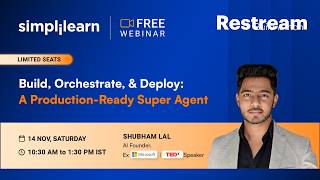
"The title promises a production-ready super agent, and the video delivers a solid demonstration of building and deploying agents, though it's padded with a lengthy promotional segment for a course."
This video is a hands-on Buildathon session led by Shubham Lal, an AI entrepreneur and former Microsoft engineer, demonstrating how to build, orchestrate, and deploy production-ready AI agents. The session covers creating a 'super agent' for research, design, and development using Claude artifacts, automating tasks like job applications and sales outreach with the Claude extension, and generating marketing videos with AI. It also includes a significant promotional segment for a Simplilearn course on applied agentic systems.
The host welcomes participants, introduces the Buildathon format, and outlines ground rules: a three-hour session, certificate criteria, and using the chat for build-related questions.
The host provides an overview of Simplilearn, highlighting its 17-year history, 50 million careers advanced, and focus on AI education, with partnerships with institutions like IITs and companies like Google and Microsoft.
Shubham Lal is introduced as an AI entrepreneur, former Microsoft engineer, TEDx speaker, and founder of AI Link, with over a decade of experience and 200+ talks delivered.
Shubham explains that he will showcase how AI can automate four major time-consuming tasks: AI tutoring, automation, content creation, and job applications, to demonstrate the capabilities of AI agents.
Shubham demonstrates an AI tutor, a miniature version of Iron Man's Jarvis, that can answer questions, provide visual aids, and even open a coding editor, all without writing code.
Shubham shows a Google Sheet managed by an AI agent that handles B2B sales outreach, logging interactions, updating statuses, and scheduling follow-ups, all without human intervention.
Shubham discusses the potential of deploying an agent to automatically check job postings, tailor resumes, and apply for jobs, saving time and increasing efficiency.
Shubham uses Zomato's personalized notifications as an example of human-like AI content, and shows how AI can create marketing videos from office clips, including music and transitions.
Shubham introduces the concept of creating a 'super agent' using Claude artifacts, which can perform research, design, and development tasks, and demonstrates how to generate a prompt for it using ChatGPT.
Shubham explains the difference between using Claude Code (traditional coding) and Claude Artifacts (which have built-in AI capabilities and can be deployed with a click), highlighting the efficiency of artifacts.
Shubham walks through creating a new artifact in Claude, using a detailed prompt generated by ChatGPT to build an 'Idea to Launch Studio' that can research, design, and develop a product.
The artifact begins building, creating files and modules for research, design, and development. Shubham explains that it will take about five minutes to complete and will be deployable as a web app.
Shubham answers questions about Claude plans, the difference between artifacts and skills, and how to integrate agents into existing systems, clarifying that artifacts are AI agents with built-in capabilities.
Shubham demonstrates using the Claude Chrome extension to automate job searching and application, showing how it can scrape LinkedIn, update a Google Sheet, and even apply for jobs.
Shubham shows the Claude extension in action, automatically opening LinkedIn, searching for AI/ML jobs, and updating a Google Sheet with job details, all without manual intervention.
Shubham adds a prompt to the automation to assess job suitability based on his profile, and the agent updates the sheet with fit levels and reasons, demonstrating the flexibility of the agent.
Shubham instructs the agent to apply for high-fit jobs, and it begins filling out application forms on external sites, using data from his LinkedIn profile, pausing for his final click.
Shubham schedules the job automation to run daily at 9:04 AM, and the Claude extension summarizes the entire conversation into a set of instructions for the scheduled task.
Shubham shows the scheduled task in the Claude desktop application, with detailed instructions that the agent generated itself, and explains how to modify or run it manually.
Shubham shows an example of the sales automation agent's daily report, which summarizes outreach activities, responses, and next steps, demonstrating the agent's ability to handle complex workflows.
Shubham returns to the 'Idea to Launch Studio' artifact and demonstrates analyzing a new idea (LinkedIn Apply Autopilot), which provides a market validation verdict, design options, and a website build.
Shubham shows how the artifact can generate a complete website in about 10 seconds, including HTML files that can be downloaded and hosted on platforms like Netlify.
Shubham introduces the final use case: creating marketing videos using AI, without any video editing skills, by leveraging the agent and open-source clips from Pixabay.
Shubham discusses the importance of becoming an 'AI builder' and promotes a 10-week 'Applied Agentic AI' program by Simplilearn, powered by Microsoft, with a 50% discount for attendees.
Shubham explains the skill progression from L1 to L5, highlighting that L4 (multi-agent systems) and L5 (enterprise agent architecture) are the most in-demand skills, with job openings for agentic systems growing 100x.
Shubham clarifies that L4 and L5 roles do not require coding, as he himself didn't write code at Microsoft, and emphasizes that understanding architecture and using AI tools is the future.
The host provides details on the program fee (₹99,999, with a 50% discount for attendees), exclusive bonuses like AI Impact Studio and SkillUp Plus, and a 100% money-back guarantee.
Shubham demonstrates creating a marketing video for an international travel agency, using the 'Idea to Launch Studio' for research and design, and a Claude code repository for video generation.
Shubham explains the technical process of video generation, including how images are stored as base64 and how AI can edit them, and shows how the agent downloads clips from Pixabay and assembles them.
The agent downloads destination clips, validates them, and begins rendering a 35-second video with upbeat music, showcasing the entire process from idea to final product.
Shubham encourages participants to build their own agents, automate tasks, and be innovative, emphasizing that starting small can lead to significant products. The video concludes with a final render.
The session successfully demonstrates how to build and deploy AI agents for research, design, development, and automation, highlighting the potential for individuals to become 'AI builders' and leverage these tools for career growth. The video also serves as a promotional platform for Simplilearn's agentic AI course, emphasizing the growing demand for such skills.
Fable's CAPTCHA Workaround
Illustrates the extreme autonomy of AI agents, which can even hire humans to bypass security measures.
01:54:00100x Growth in Agentic AI Jobs
Provides a concrete statistic on the skyrocketing demand for agentic AI skills, highlighting career opportunities.
01:48:48Coding Not Required for L4/L5
Challenges the assumption that advanced AI roles require coding, opening doors for non-programmers.
01:58:37Base64 Image Encoding
Explains a fundamental technical concept that enables AI to edit images and videos, demystifying the process.
02:28:42Scheduling Automation for Consistency
Demonstrates a practical method to maintain consistency in tasks like job applications without manual effort.
01:17:43[00:02] your responses. So let me take a look at the chat. Hi Arun from Faridabad. Hi Abhishek from Bangalore. Hi Pralay. Hi Ashita. Hi Pooja.
[00:15] Hi Hi Shiva from Bangalore. Hello. Hi Tanish. Hi Ganpati. Hi Harish. Chetana from Bangalore. Wonderful. I think there's a lot of people joining us
[00:28] India and that's wonderful to see. If you're joining us from YouTube or LinkedIn, you can definitely share your responses in the comment section and we will take a look at that as well. So hello from the US.
[00:42] It's so late. Yes. Hi Rajan from Jalandhar. Great. Wonderful. I think we've got a lot of responses in the chat and thank you all for giving us your names and the city and I hope you have the same
[00:56] enthusiasm throughout today's session. So today's topic as you all know is build, orchestrate and deploy a production ready super agent and now this is a very interesting topic and I'm sure all of you are waiting to learn
[01:11] more about this and one thing that sets Buildathon apart from all the other sessions is that you will build along with the speaker and by the end of today's session you will have your own super agent and that is so exciting. I
[01:24] am sure all of you are waiting to learn. So I'm going to quickly walk you all through the ground rules before we dive into today's session and once again thank you all for sharing your you know details and yes I've already
[01:37] certificate. So Hemant I will quickly cover that right Right. So before we jump in these are some of the ground rules that we want you to keep in your mind. So first today's Buildathon
[01:52] is a three hour session. So we encourage you to stay with us throughout. We have a lot planned today including the hands on experience that I spoke to you about. Second is the question that him and had about the certificate. So you will have
[02:07] to stay with us to receive till the very end of the session to receive your certificate of participation. You will be able to see the certificate criteria in your Zoom you know interface itself right now. And
[02:20] along with that, one more thing I would like to point out is that your name will be the same that you entered while you joined the Zoom session. So it would have asked you for a first name and a last name. So whatever you have entered
[02:33] is what will appear in your certificate once you meet the certificate criteria as well. Then the other ground rule that we have is about your doubts. So if you have a lot of doubts or queries or you are stuck somewhere while Shubham is
[02:46] building, all you'll have to do is you know drop your comments in the chat and not in the Q&A. So Shubham will have his chat open. So if you have any roadblocks, you can go ahead and ask your questions or queries in the chat.
[03:00] If you have any career-related questions or any guidance that you are seeking from the speaker, that you can ask in the Q&A and we will address these session. But let me remind you again, if you have any
[03:13] questions about the build, about what Shubham is teaching you, that goes in Can we get recordings? Yes, if you stay till the end, you will be receiving the recording so you can take a revisit the session and also practice it at your own
[03:26] pace if that is what is required. Right? So I think those are the ground rules and I hope we are very clear on that. But before we go ahead, this this buildathon is brought to you by simply learn. So we just want to quickly
[03:40] first time or if you have attended webinars or buildathons with us before. So if it's your first time, please comment or in the chat first or first time. And if you have attended any buildathon before, you can give us a
[03:54] So that would be great to see. Okay, first time, first time, first time, some second timers. Okay, great. All right. So many first timers here with us today. That's very exciting. Third time, several times, and a lot of
[04:09] thumbs up. Okay, great. Thank you for sharing your responses. It's wonderful to hear from you. So for anyone joining us for the first time, let me give you a quick introduction about Simply Learn and what we do. So Simply Learn has been
[04:23] in the space since 2009. So we are going on 17 years now and we have advanced more than 50 million careers globally across 50 plus countries and we have more than 2,000 live classes going on on a monthly basis right now.
[04:38] And as you all might know, our biggest focus unsurprisingly is AI. So generative AI, agentic AI and machine learning and everything connected to it. So you will be we also have other courses like project
[04:52] management, cybersecurity, cloud and the rest that you are seeing on your screen right now. And when we say we are leading this movement on learning AI, it's not just our tagline. It is backed by how current and industry relevant our
[05:06] curriculum is and it is also backed by partnerships we have with global tech giants and world's top institutions and most importantly, it's also backed by our learners' words. So we could obviously tell you that we are doing
[05:20] good, but we want the numbers to speak for themselves. So we have been rated 4.6 out of five across five major review platforms like Trustpilot, Course Report and Switch Up. 85% of our learners report real career progress after
[05:34] finishing a program and and on an average, people see close to a 50% salary hike as well. We picked up a gold award in 2025 for sales and customer service and we were ranked top 20 in both IT training and also online
[05:49] learning libraries in 2024. More than 40 global training organizations recognize us as an official certification provider too. So well validated. So that is something that you do not have to worry about.
[06:04] And I I have spoken to you about what we have built so far, but that would not have been possible without the kind of partnerships that we have today. So we are incredibly proud of this partner ecosystem that you can see on your
[06:17] screen right now. So from IIAM Kozhikode, IIT Madras Pravartak, IIT Kanpur, Delhi, Bombay, we literally have the topmost layer of prestigious institutions with us. We also have globally renowned universities like
[06:31] Oxford, University of Michigan, UC San Diego, Columbia Engineering and a lot more as well. We also have partnerships with global giants like Google, Microsoft, IBM and AWS as our industry partners in many of
[06:46] our programs and we are going to discuss one such program as a part of today's before that you have a lot to build and I'm sure all of you are awaiting you
[06:58] know the speakers introduction and that's something I am excited too. I can see a lot of questions in the chat already about your name. See if you have entered another name and if you want to change your name, you can just log out
[07:12] criteria. And good morning everybody. Thanks for being really engaged in the So let me quickly introduce you to our speaker for today's session and this is
[07:24] one of the most exciting parts for me. So everyone, please give a very warm welcome to Shubham Lal. Shubham is an AI entrepreneur, a former Microsoft engineer, a TEDx speaker and the founder and CEO of AI Link. He
[07:38] brings over a decade of experience across technology, cloud, artificial intelligence, data science and also developer technologies. Now what I journey is that his experience goes beyond working with technology himself.
[07:54] He's also passionate about helping people understand the concepts, learn it and actually build with it. And I love how amazingly he makes these sessions really friendly and understanding that anyone who attends this session makes
[08:07] the most out of it and they are also really happy by the end of the sessions. Right? So I'll also walk you through some of his key highlights. So Shubham has built an AI native education company AI link with a community of over 10,000
[08:23] His experience spans enterprise skill technology like I said about cloud, AI, tools. And when it comes to the number of talks he has delivered, he has delivered over 200 talks. So you can imagine the kind
[08:39] of credentials our speaker is bringing in today's session. And for me, one of journey is the combination of building with technology and helping people learn with it. And so there's a lot more to learn from Shubham today and I can see a
[08:53] lot of you asking about the speaker also in the chat. So Shubham, I think it's time for you to introduce yourself. I think everyone's waiting to hear more >> Awesome. Thank you so much Veda and I don't think I'll reintroduce myself. You
[09:06] did an amazing job. Thank you so much for that. And very amazing to see all people joining at early hours on a Saturday, which is a weekend. So thank you so much everyone for dedicating your weekend towards this. That just shows
[09:18] your agility and your awareness about how much AI can do and what more AI you can learn about. Awesome. So can I take the screen share with you? can I take the screen share with you? All right. So I'll send you the request.
[09:37] I'll be sharing my screen and I'll be walking you through some of the concepts of what we are going to do today. Now before I start talking about anything, all right, I will just set up a context about one thing.
[09:51] What are the four things which was taking maximum time of mine and my team members and eventually with onset of the AI and with the tools, technologies that we built, we basically automated completely
[10:05] that was being taken as a time consumption factor for me and my team as I'll talk about these four things so that we understand what kind of context and what kind of stuff we are going to be working on today. Okay? But before I
[10:20] I also want to tell you that all of my sessions are slightly impromptu as well. We take some use cases which are which are relatable to the domain which you guys are coming from so that when you discuss or you take get some takeaways
[10:33] after the session, maybe it's a super agent or some automations or some tool the domain you are in so that you can start implementing it from day one. Right? So now although I understand that you know they were already chats coming
[10:47] in where I saw from which part of the country or abroad you're joining from, want to have some couple of more questions. Two things I need on the working professional or a student? And second thing, which domain of work or
[11:02] domain of study you are in? Can I have this information in the chat real quick and then we'll quickly begin to set the context about what are the things that All right. >> I can also launch the poll. I think that
[11:15] will give us better results on that. >> yes. Awesome. All right, but I also have some responses coming in. We have screen, guys. You can just put the poll as well so that I have a clear
[11:27] as well so that I have a clear visibility about who is working on what segment and accordingly I'll be able to discuss things, bring out things and we'll be able to align things in a much simpler manner for you all.
[11:39] All right. Okay, so I see almost 50-50% ratio between working professionals and student. And among working professional, I see many of you are from non-tech understanding of how much technical depth I can go in,
[11:54] Great. Now let me start talking about few things. All right. Let me start showcasing you few things that you might feel amazed about when you look at it. Okay? Now AI has been there in the
[12:09] market since quite some time. It's been a year or two and we all have been using ChatGPT. That has been the most common tool that we have used. Probably you you might be using some of the other tools like like maybe Lovable or
[12:22] Emergent for creating websites, Gamma for creating presentations. But is that it? Is it all we need to understand AI? Is it all we need to call ourselves that we are AI enabled or we are we are AI aware
[12:36] development using AI? Is it all enough? That's a real question, right? So the benchmark of AI initially when it was launched, probably it would have been good prompt, you are able to use AI to automate let's say your development of
[12:51] automate the research part. But the real question is that benchmark is no longer existent. The benchmark has gone much above where the possibilities of AI has gotten new shapes.
[13:04] And just to show you what are the new shapes of AI of today that you can do even without having any understanding of coding is something I'm going to Four things that you can see on the screen is something I wanted to
[13:19] highlight as part of this session so that you understand the extreme possibilities of using AI and what you can build using AI. The number one is AI tutor. Now how many of you have seen the movie Iron Man?
[13:32] Iron Man, I think most of you might have. Yeah, give me a quick yes on the Man. Yeah, lot of you, perfect. Now if you remember Iron Man had a personal assistant. What was the name of that
[13:45] Iron Man has a personal AI assistant. Jarvis, absolutely. The Jarvis was need any information about any particular any particular vitals or you
[13:57] need information from the web, Iron Man has been there, right? for Jarvis and Jarvis has been there for Iron Man as well, right? So what if what if we are able to create something like that real quick using AI
[14:09] without writing a single line of code. Wouldn't that be amazing? I'll show you a miniature version of Iron Man's Jarvis, right? So that you understand that there is a possibility of creating something like this. Once you have that
[14:21] for us to understand what kind of capabilities AI has today. What is the benchmark? What is the sky limit? And what is the thing that is possible today that you can leverage AI for? All right?
[14:34] Now this is the AI tutor. We have not named it Jarvis, of course. It's a part developed. I'll show you. And this was developed by someone who does not understand coding and there was no code written for developing this, right? For
[14:47] example, I want to understand how to, let's say, how to write C Sharp or C++ program, for example. Okay? And this is something I want to ask to my Jarvis. All I have to do is
[15:01] speak up and I can click on start talking. The moment I click on start talking, it starts spawns up. The Jarvis spawns up and it takes like five to 10 seconds to set things up and it starts speaking to
[15:13] me the way I wanted to. Now I can control. Let's look at this. hands-on with C++. From what it is to writing, compiling, and practicing a
[15:27] small program. Think of C++. >> I would require something visual that more clear because verbally I don't understand very much clear. So can you screen? >> Okay.
[15:39] visual on the canvas to anchor the idea >> Great. Can you also give me a pseudo code of C++ on any program?
[15:54] you can map to real C++ code. Here's a tiny pseudo code example you can picture >> Why don't give you give me a coding ID on the right side of the screen which I on the right side of the screen which I can execute and run the code.
[16:07] >> Nice. I'll open an editor so you can write and run a small program. The write and run a small program. The editor is open with
[16:26] back to English and just say hi to everyone who's listening to you.
[16:42] I hope the audio was audible to everyone. I think yeah, just give me a quick yes. Yeah, perfect. I think it was audible. Great. Now this is one of the talking about the AI tutor. Now I have extreme amount of use cases which I can
[16:57] use to make sure that it gets attached to anywhere. For example, this was more for teaching anybody any subject in any language. That was the use case of this AI tutor. That was the name of AI tutor. But what if I want to have my own
[17:11] personal assistant and let's say I I name it anything. I can name it let's say pure spark, okay? And I every time I wake up and open my laptop, pure spark should be able to open up and it should
[17:25] be able to guide me about what are my important mails, what are the deadlines to close today, whom I have to follow up, what's the calendar look like, when do I have free time for family, all of these things.
[17:38] If I have those information on my fingertips by someone verbally explaining it to me, whom I can interact with, okay, just give me details about particular meeting it doesn't align well, probably cancel that. That will be
[17:50] amazing, right? So that is one of the core possibility of what AI can help you And it's not something you have to use a tool as such and you have to find without writing a single line of code by the way. So it's all coming down to how
[18:05] to have your own agent, how to have your own AI tools in place that you can leverage to create something like this. That's number one part. All right? automation. Now we all have been living in the era
[18:20] where one thing that is limited to all of us is the time, right? The time is something limited to all of us. That's that's that's one fact solution that that one factor that that nobody can deny on, right? But one thing is for
[18:33] sure that even if we have limited time, everybody tries to have something which probably I have multiple things in a day which I want to accomplish. That could be either I have to make sure my personal branding is improved. I should
[18:48] have better connections so that my career grows eventually better. That let's suppose if I'm running my own company or I'm a freelancer or I'm a consultant or anything of that sort. I probably have to reach out to more
[19:01] people on LinkedIn showcasing about my work, right? It could be anything. Now, one thing that's most difficult in continuing something like this is consistency. How to make sure that today I spent one
[19:14] about my work and it did not fetch me any result. fetch me any result, but probably in 12th day or 13th day it might, right? reach out, the chances of you getting opportunity might be increasing.
[19:31] one. How to be consistent in the whole 12 days? How to be there reaching out to people, posting things about you consistently for for weeks, months, even though the result that you're getting initially might be much less,
[19:47] challenging part. Now, what if I tell you we have AI in place who can take control of it completely? You don't have to be in front of laptop. You don't have to be there handling things. In fact, it's not automation.
[20:01] It's actually a complete deployment of agent and agent takes care of it. What's the agent? In the automation, you define the steps that if this comes, respond this. If this thing happens, respond this like
[20:15] that. What does the agent do? Agent is more like a human, like an employee, right? The agent knows how to do, what to do. It has human common sense, intelligence, and all the information of the world about how to respond something
[20:28] even though something goes off, what I had conveyed it to, it's capable of handling it all by itself. All the sales for B2B in my company is now being handled by an agent completely. There is not a single person
[20:42] handling the B2B sales in my company anymore. And I'll show you the sheet And the reason I'm showing you this is because you should be able to understand the extreme capabilities of what AI can do, right? Now this is the sheet
[20:54] which AI has a track of. Now every single line of code has been every single line of the content in this sheet has been written by AI. We did not write has been written by AI. We did not write a single line anywhere in any row.
[21:08] So what does it do? Every day, for example, if I take care of 23rd October, right? Every day it has the requirement to reach out to almost 10 people, right? It goes slightly 10 10 to 11 depending upon the situation and all
[21:23] that. So automatically every day the agent reaches out to 10 people, logs their name, puts the company name, where do they reaches out to the founders and decision makers and everyone and also puts their
[21:38] LinkedIn profile in place as well, right? That what is the LinkedIn profile? Now every day after that, it keeps updating the status, like what is the status today? Right? One person replied, other person replied
[21:51] happened. So currently the status is it needs me, needs Shubham, right? Next is all that stuff. Whatever discussion has happened, it shows up over here
[22:03] that invite was sent on 23rd and then follow-up was sent on 26th and the person replied somewhere. I mean I can directly easily over the chat as well to understand what AI discussed. But I have all this
[22:16] information. On 23rd invite was sent, 24th it was accepted but no reply came. 26th first follow-up was sent and then uh sent over here as well. So this was the whole conversation that
[22:32] had happened, right? And it just updates everything at one place. Now whenever I'm required, whenever it has done all kind of discussions, the chat as well which has which it has discussed everything. Whenever it has
[22:46] discussed majorly about everything in place and finally if it has to hand over something to me, right? It just puts the next step as handed over to Shubham and it tells me that call this particular person on this particular uh date and he
[23:00] something like that. So now I don't have to go through all 200 people. Okay? I just need to go to one tab which has the details over here.
[23:12] Right? So it saves extreme amount of time and I can show you a couple of chat as well. For example, uh let's say uh AI must have spoken at least some good amount.
[23:25] Let me go to the prime tab or let's say let me let me go to uh this particular person over here. person over here. Okay?
[23:39] okay, let me go to quickly on the message tab.
[23:57] So all right. So if you see over here all the discussions with this particular person, AI has done that. So AI has been discussing, AI has been asking questions, AI has been responding and all of these things and none of these
[24:10] So all of these AI handles and eventually AI responds whenever it feels thing to me. So that's the automation. That's the automation I was talking over the complete automation and that is something also we'll discuss in this
[24:24] understand how to make sure that you are to automate everything that is there consistency and stuff. Okay, that's the second part. I'm trying to showcase you different domains of automations before we jump onto building
[24:38] things because you should know the extreme capabilities of what is level of AI which it is happening and your own use case.
[24:50] in the call. Probably you might be looking for jobs or there could be a lot might be looking for better opportunities. Now we all have eight need time for ourselves and stuff like that.
[25:04] in applying for jobs and especially in the job market you have to be very much Resume has to be very much in line with the job. You have to be very quick in applying and all that stuff. What if you deploy your own agent that
[25:18] every day at 10:00 a.m. just check what all job openings had happened last day. a list of five and then alter your resume accordingly and probably apply to those jobs exactly the way it expected to, right? So probably this could be the
[25:32] use case we can build today and that will be helpful for you to not just you know spend time on something which can be automated but also it can give you results without you being there and doing the main job and implementing the
[25:44] job. Okay. All right. So this was the second part. The third part is the content engine. Now what if I tell you how many of you have seen the advertisements or notifications of Zomato?
[25:56] notifications of Zomato? Zomato notifications. What is different about Zomato notifications? What is something is eye-catching or why does Zomato
[26:11] notifications always comes in limelight? What is what is different about it? Tempting offers, okay. Personalized message, absolutely. Can someone just give me an example of any personalized message that they got
[26:24] that you would like to share? Emotional messages, very eye-catching Emotional messages, very eye-catching and personalized. Yeah, what else?
[26:38] personalized message that anybody want to share? Okay, Abhay says Okay. Very hilarious and creative, right? We have biryani for you. Yes, absolutely. So when it rains outside,
[26:52] probably they have data and they trigger the notification. Something like that, right? Now this personalization touch feels very human,
[27:04] mixing something which humans do usually when things like that. Same kind of notification if Zomato is sharing with you, it feels very human, right? If
[27:17] there is something out there happening and then similar to that you get a notification from Zomato and that too in your native language, right? So it feels very human touch. That's that's that's the beauty of it.
[27:32] And anything that has been AI so far always felt very robotic, right? We have terms of things that they do. Probably the voice that they speak, the text that
[27:44] they write has been always robotic, but not anymore. The new age AI has the intelligence factor which is far better than human, right? It can actually mimic, it can not not just mimic, it can actually act,
[27:58] enact, behave, be present just like a human. And I'll tell you tell you a very small example, simple example. So we were trying to use AI to drive our marketing as well, especially the
[28:10] content engine. And we had an office. We took a lot of snip snippets and and and videos of the office across the complete domain in our office. And we wanted to have a agent that we can use to just put
[28:25] all the videos into that agent. And we wanted the agent to take care of all the marketing materials that we want to create from that office clips, And we trained it. We actually spoke about Zomato marketing approaches that
[28:38] that they used and we saw and we told that it it has worked out really well. So why don't you try something similar? All of these things would be mentioned to the agent, right? And agent came back with certain videos and which was
[28:51] with certain videos and which was amazing, right? One was them was I'll show you that video. I think I shared my complete screen without audio. Let me just share without with audio as well. That will be easy for you to
[29:03] just understand. Okay, perfect. So now I'll I'll play this video. This video was completely built by AI just by the clips that we had shared. Okay? Let me quickly play that up.
[29:49] sample. Now we had not given any information about editing. The people who created these videos were not video editors. We only had clips, very normal agent and agent was able to put the music, put the slides, put the
[30:03] transitions, put the text, different formats and all that stuff. Right? So that is the whole idea. That is the whole idea of what AI can do. Now I just wanted to showcase you three these three use cases
[30:16] and we will create all three miniatures version of the three use cases that you just saw. Okay? That is the whole idea of what we session and that is how we will kick start things over here. Okay? Now
[30:31] screen, you'll be able to see that there are n number of letters and numbers written over here. Okay? Now, what we'll try to do is we'll try to create a super agent that is able to do all these tasks at
[30:48] and we don't have to rely on any other tool. We will create one simple agent capable of developing research, doing the design work, doing some kind of or any kind of development.
[31:03] solution because it's a one-time thing. You do research once, you design things once, and you develop things once. And then marketing, sales, content a separate agent over here. So we'll be creating two agents
[31:17] that will actually be developing things, right? One agent will be doing all kind of research, design, and development that we can use to deploy and create our product. And then once our product is ready, we can use a separate separate
[31:31] agent and deploy the same agent for any kind of our marketing thing, sales thing, or the content operations things, right? Now over here, you are free to co-create
[31:44] the chat as well. Will we be co-creating here in the session or we'll learn and create later? You are free to co-create. You have to just be on the laptop and and be at the same pace as me, but you are more than welcome to co-create
[31:58] anything along with me. Okay? All right. Now couple of things I want to execute and I want to showcase before we begin, right? Now there are a lot of lot of different ways of developing a super agent. And
[32:11] here. Let me just remove it. Over here, there are multiple ways of how you can execute things. Now, for example, the very first thing I want to showcase over
[32:25] very first thing I want to showcase over here is we have different agents like Claude, cursor,
[32:43] call it as that can develop things for you. and do some kind of automation coding and
[32:55] stuff like that. Okay? These are AI tools, not an agent. is we also have ChatGPT
[33:11] or let's say Perplexity let's say PLX or we also have Gemini. These are chat based interface
[33:30] interface, we can have a inter inter inter chat using the chat one. Initially it was just just just only chat. Now it is image based as well and like that as well. Okay? Now these things are something we understand.
[33:46] Now there is something called artifacts that some of the AI tools are coming up that some of the AI tools are coming up with like Claude.
[33:59] Now in artifacts we have a control over two things. Artifacts is more like a AI product that you create
[34:16] recordings, yes, you will get the recording for sure because I'm getting recorded? Yes, it is absolutely recorded and you'll get the recording. artifacts which is more like a AI product which has inbuilt AI
[34:29] capabilities. Now what I mean by that is I'll explain you in a while. Okay? Whenever we have to create a AI product, Initially if I have to create a AI product probably I'll I'll go to Claude,
[34:42] Cursor, GitHub Copilot or somewhere, and probably I'll develop an AI tool out of it, a AI product I'll develop out of it. Once I have the AI product developed out of it, probably I can I'll have to inculcate some API keys and OpenAI key
[34:57] over there that can actually make it have some AI capabilities. Right? I can I can do all that by by creating a AI product in place. But we have something called artifacts that has just made the process easy because in
[35:10] the product I need to develop, I probably need to test, integrate the AI keys over there and then deploy.
[35:25] different. In case of artifact, I develop directly on one of the tool which is Claude artifact. It it automatically has inbuilt AI capabilities so that I don't have to test or integrate and I can very
[35:37] have to test or integrate and I can very easily deploy with a click. get within artifact for especially for the Claude artifact. Now let me show you how to build a Claude artifact using the Claude itself. So let's let me go to
[35:52] Now we might be very much familiar with the chat based interface over here. Okay? Now instead of just relying on the chat based interface over here, what I can do is I can just go to the left section and go
[36:06] to artifacts. Now once I have gone to the artifact, there are some past artifact I already have in place which we will not go through. We will we will create something from
[36:18] scratch. We will create something from scratch by just clicking on plus button. And over here we can either use any of the existing connectors
[36:30] want to have something which is related to Canva or Notion and I want my AI tool to interact directly with it. I can I can use all that or probably I I'll probably not use it. I can directly go to
[36:44] artifact and create the new artifact altogether. Okay? The whole idea of creating artifact is having a full control over what I can do If I want to have my own AI tool that can do research on any topic, then
[37:01] create a design which we want as part of the super agent, right? As part of super agent, what do we need exactly? Let me go back here. As part of super agent, I want to know that I should be able to do any kind of
[37:15] start my own e-commerce business on selling musical instruments, for example, right? I should have a agent of mine research, that should be able to do a quick design
[37:29] look like. Also, it should be able to develop that artifact so that even if I don't have my laptop, I should be able to use a link that is my AI agent and I can use it for
[37:44] design, any kind of development depending upon my use cases, depending upon how I have designed it, depending upon what is something I expect out of Right? So that's the whole idea of research, design and development, which
[37:57] is the first three automations that we're trying to build over here. Okay? So let me come over here and in order to build the artifact, what I directory. I can In the artifact, all I have to do
[38:12] is select one of them, right? Either I have to build an artifact which is related to let's say data, which is charts, numbers, tables, data, okay? Or more of a design types or I have to build something more like a slides or
[38:27] docs, anything of that sort. Simplest ways, probably I will not go ahead with any of these templates. What I can do is I will just click on or
[38:39] probably I'll just go to the chat window only, directly on the chat window. And over here I will say I to have an artifact
[39:01] I want to have I want to launch right second could be do a quick design of the product
[39:26] I want something which is able to although I have written this, but the main question is is it the way the
[39:41] Is it the way the prompting understand this? Okay. is something I'm going to show you and it's quite simple.
[39:56] We have to go to our favorite AI tool which is GPT on this dictate option okay and look at the best dictate option okay and look at the best way to create prompts.
[40:11] and I want you to create a prompt that I can give to Claude for creating an The artifact which I'm trying to create is for automating three basic elements is for automating three basic elements which is research, design and develop.
[40:26] I want it to be an artifact that is capable of doing a research on any topic It could be a product, it could be a service, it could be an enterprise, I should be able to get a quick market research about very summarized what is
[40:41] the scope of this particular idea or the product? What's the scope and market Second thing I should be able to quickly come up with the design of how the want to go ahead and develop this product as a website,
[40:56] immediately. I should be able to have that option in that artifact. Create the concise so that I can give it and Claude can respond within minutes. Now I just use the dictate option and
[41:10] look at this. This is the prompt. It's not not a prompt directly. It's like a create a prompt. Now once I give this as a prompt and I Now once I give this as a prompt and I get a
[41:28] a proper prompt for me to look at, right? So now if I if I scroll down, it is able to give me the complete prompt. It says build an AI idea to launch studio. So that's that probably could be a a name of our agent. Okay?
[41:43] Idea AI idea to launch studio, right? Idea to launch. That could be ITL. This could be a name of the name of the the AI tool that we are creating. Now it has gotten the task. It should be able to do the research. It should be able to
[41:58] do the design part and it should be able to do the development part all in a single super agent and that agent will be able to deploy and everybody will be Okay? Everything I'll provide guys. Don't
[42:10] worry about it. I will share this link as well I think some of you are asking. Let me just click on the shareable link. The only thing I have to do is now copy this and paste it in my Claude so that
[42:23] Claude can create the whole artifact for me, right? I'll go to the Claude and and just see the difference, right?
[42:39] When I was just writing the prompt, I had just written three lines. but do you think AI would have been able to create exactly the way I expected? No. AI would have been able to create in a very generic way.
[42:52] What AI feels it what it would have been good enough, AI would have been able to create it than that way. But in this case when I and my prompt is such detailed, when I'm putting all my informations and I'm asking the
[43:06] know conversational and generative AI from GPT to create something like this with a substantial manner with all the details, it becomes much more authentic. So now I can click on copy of this one and I can just paste the whole prompt
[43:18] And that's it. It just comes as a clipboard and I can just click on enter. Model let me keep this model only. That shouldn't be a problem. All right. So now it's going to understand the whole thing.
[43:32] And look at this. It also started an interactive artifact app with AI features, right? So it is all doing the whole thing all by itself. So it just says I'll build idea to launch studio as a
[43:44] single interactive web app published and as an artifact. Okay? So all of this it it starts to do. It will take hardly five minutes. After five minutes, I will have a single link
[43:57] that I can use to put my idea. So for example, every day we get some idea, right? Every day we get some idea about creating something of our own, whether it could be a service that we want to launch or probably a
[44:10] product we want to launch. Imagine having a handy solution that let's suppose I got an idea that what if charger in front of me. That's why it's idea coming in my mind. Like let's
[44:22] suppose iPhone is not shipping chargers nowadays, right? Along with the box. That's what I heard last, right? So what if I I create a e-commerce specifically for iPhone chargers? Just a hypothetical you know idea I'm putting it up. Okay?
[44:37] What's the market size? Is there anything that could be a blocker? All of research. If I have this super agent on my I click on enter, it will give me the whole market understanding of that part
[44:51] I can control this app. If I'm using some different tool, I might not be able to control it. But over here, I can be controlled. I can also say, just also illegal, which country this could be legally accepted, things like that,
[45:05] right? Also include in the research what could be the marketing cost and the expenditure cost about all of these things, right? Everything is in place. I can I can do all that just by having my own artifact or agent
[45:19] that I that is deployed over a web. Second thing, second opportunity is once Second thing, second opportunity is once I publish my agent, once I I deploy the agent, it's not just accessible to me. It's accessible to anyone and everyone.
[45:32] So what if I create something very innovative? Okay? And probably I put a subscription cost into it that probably, you know, $2 a month, maybe $3 a month, very minimum. But it should be actually suitable
[45:46] enough for someone and you know, it's actually be helpful enough for someone for it. It could be anything. I'm just saying that how the how these AI tools able to generate passive source of income because using AI and using their
[46:02] they're able to create something which is helping people to automate things. from Hyderabad. I'm based in Hyderabad, by the way. One of my friend created an application, an AI application which just helps you
[46:17] an AI application which just helps you to find which place has the best rental income. Okay? And which place has the best locality for you to stay. It's just an application which just scrapes all the data from magicbricks
[46:31] and we have 99 acres and all that stuff at one place, right? The cost of the application per month was very very minimum. It was hardly in INR. It was like 500 INR, right? But anybody who was coming to Hyderabad for
[46:44] generally as a bachelor who was trying to shift from a different city to Hyderabad, once once they get a job over here, everybody tries to look a flat to that. That app can be used as a one-stop
[46:57] exactly you need, what are exactly your preference, and just scrapes all the different applications which is showcasing rents and everything posted about the rental flats and everything at at one place. It gives all
[47:10] can just in one click you'll be able to see the locality, description of all the Right? So that's the innovation. That's the innovation and that was built by He that person built the same application using Claude and just
[47:24] same and payment gateway was also attached by Claude itself by just giving So all I'm trying to say is the possibilities are limitless. It's just that we need to understand how much we can leverage, what we can leverage so
[47:37] substantial product in the end that can be usable by people or probably solve a mind paying for it or probably people don't mind using it in different ways
[47:49] Okay? All right. So if you see over here what the app is doing, it's building the studio shell, AI layer and research module. Then it will build a design module with interactive preview. Then
[48:03] it's going to build the development module which is a site generator preview So all of those things will be able to create at one segment in one artifact itself and the fourth capability will be publishing, declaring capabilities,
[48:18] verifications and all that stuff. Okay? If I need to know that what exactly it is doing, I can actually click on this this part and it can just tell me right now what it is doing, which part it is working on, what capability it has built
[48:31] so far. All of these things I'll be able to see it at one place directly. Right? So this is the whole whole idea of how I can check the step-by-step approach being followed by the AI. Right? So while it is building, we'll
[48:47] we'll we'll wait for it for like couple of more minutes to see what exactly it comes up with and the results should be astonishing. The best part about the result is I don't need to rely on it. I can very
[49:01] easily change it anytime I want. If I don't like it, I can probably alter it. If I if I want to change something, I can definitely alter it. Okay. While it is building, I can take up any questions that anybody has.
[49:15] that you have. One person is saying which Claude plan you need for this. You don't need any plan as such Torsten. But again, Claude might differ from country to country, by the way. In
[49:29] features which are free. In some countries, there are certain features which are paid. Okay. So it depends upon which country you are in. You should be able to see artifact option on the left side of the Claude. In case you're not
[49:42] with a new account. You might be able to see. If still you're not able to see, try to just see if the upgraded plan has it. visible either for free or with a bare minimum
[49:55] basic cost. All right. Okay. Skills.md is a artifact? No. Skills.md is not an artifact. All the files that you're seeing over
[50:08] are just the files being built behind the scene. don't get confused by the name artifact, guys. Artifact is like a AI agent. That's it. Let's just call it a AI agent, not an
[50:21] artifact. Artifact is the name given by Claude and some AI tools because they want to keep something fancy. That's the only thing. It's a simple AI agent which has AI capabilities. Any any AI agent has AI capabilities. Same. Artifact is a
[50:33] AI agent. Now artifact or an AI agent will have a Now artifact or an AI agent will have a lot of files in their repository because let's suppose I have a product. Let's suppose I have a application. The
[50:45] application will have n number of files behind it so that application is able to function. Skills.md could be or maybe one of the file in like in like hundreds of files that is there for the artifact. So no
[51:00] one file we can call it this file is an is a AI agent or this file is an architect. Okay. artifact is working? Artifact is getting created Vijay Lakshmi right now. Right
[51:14] now we are not we don't have a artifact as of now. We just created a prompt over here which says that artifact has to be created. the prompt that we had created where we had we had asked build a polished
[51:29] interactive AI power artifact called idea to launch studio. That's it and now we use that prompt on the cloud Since the prompt already had the word artifact it started developing the
[51:43] artifact it started developing the artifact. while it is being built? I mean we can go to the next module development but I just want to make sure that we wait for a couple of
[51:58] the questions as well. How to integrate these agents in our system? We can use NA10 or it can be integrated using cloud? Yes. You can either integrate anything is possible. You can either integrate using NA10
[52:14] as or once you have generated the whole artifact the cloud will give you the option to publish using a link or any other option if you want to choose. Once you have that link
[52:26] as well you can also integrate that link in any of the product. in any of the product. That's also a option.
[52:38] cloud code. Yes Vijay. So there's a difference between cloud our same thing I was explaining over here. If I use pawn number one which we have been using since since a long time right? If I use pawn point
[52:51] cloud code, cursor, GitHub copilot anything if I use that I have to develop everything by my own. I have to test it. I have to integrate
[53:04] a AI into it. OpenAI key or Anthropic AI key I will have to generate and integrate and then I have to deploy into some some maybe I have to deploy into some some maybe Netlify, AWS, Azure somewhere.
[53:17] These four steps I had to follow if I use Claude code to do the coding GitHub Copilot whatever. Instead if I use artifact which is the
[53:29] version providing a feature providing by Claude or things applications like that, I get a option with inbuilt AI capabilities and I can deploy with a click within the domain of Claude. So that's the reason which we went ahead
[53:41] with Claude code but that has become slightly obsolete version of developing those applications because it takes time.
[53:53] developing it. Meanwhile we'll just answer some more Meanwhile we'll just answer some more questions. created automatically. Perfect. Different between artifact and skill.
[54:08] Okay, we'll discuss that. Can we get access to AI tutor? access of that as well. Claude need subscription for automation? No, it's not the case. Difference between Claude chat and
[54:22] artifact chat sir? Okay. All right, a lot of questions coming in. artifact chat is Claude chat will give you the answers like GPT. It will just result gives you result as if it's responding you in a chat GPT or
[54:35] Artifact once you create you will get a UI, you will get a proper product. like that to interact with it. That's the difference between Claude Can Claude take over functionality of NA10? Yes, but in a slightly different
[54:53] automation for executing a scheduled task and things like that. There is something called Claude extension with a scheduled that's a separate thing which we will cover any which ways when we talk about
[55:06] automations and uh when we work about Chrome. should we know which tool does what? Because when because we have to use multiple tools to develop an application, knowledge of
[55:21] what are the right tools based on experience or guidance of mentors like So first thing is you have to be aware. Okay, awareness is going to be the main thing that you should be aware about the possibilities of what tools can do what.
[55:36] For example, if I never knew what artifact is, probably I wouldn't have been able to use artifact to uh like simplify the complete approach of developing an AI agent. I would have been using let say cloud code to develop
[55:50] it, integrating it and then deploying it. actually do whole of those things within a click with just one prompt, right? So are. Once you are aware and once you get a
[56:05] problem in place, you will automatically understand from which domain and which tool to use to execute the whole solution out of it because you are aware about the capabilities and incapacities of any of the tools. Okay?
[56:18] All right. So what we'll do is we'll quickly move on to the next segment because next segment is the most interesting one. Right now it is being built. Let's let's let's let it let it build because it is it probably take
[56:31] five more minutes or it it may take 10 more minutes. I don't want us to keep Um we actually created a quite detailed is completely in line and and running as
[56:45] per the expectation. So we'll just wait for it to completely get built. We will come to this particular part. Okay? We are we are building a AI agent, a deployed AI agent that can do a
[56:59] research, that can do design of things, that can develop things. These three things is something we understand it's being developed. Okay? Which we will definitely come back and we'll see the results.
[57:11] Now what we'll try to understand is how to make sure that I'm able to do the consistency approach which I talked about, the marketing part, sales part, any kind of operation that requires reaching out to people, getting people
[57:25] on board or reaching out to new clients, new founders, posting on LinkedIn, commenting on other people's posts so that your your profile grows and all that stuff. How to make sure that I am able to do that, right?
[57:40] This is the main automation part that we will discuss now and it's the most if you understand you'll be able to automate a lot of things by yourself, okay? Now let me show you quickly by opening
[57:53] my Chrome. So I will just open my Chrome browser. Chrome so I'll close that tab and I will use this extension which I have
[58:07] installed which is a Claude extension. Okay? If you don't have Claude extension, you just have to go to the browser and you have to just go to extensions and you can search for
[58:19] Chrome Store. Inside the Chrome Store you can just look for you can just look for Claude. install Claude directly on your system and it will come as an extension in your
[58:33] Chrome browser. It will not work in any other browser apart from Chrome so you have to use Chrome only.
[58:48] So what I'll do over here is I have already installed Chrome on my system. I'll click on that extension and it will open up just like this. Let me put up in a full screen mode. Now I will show you a sneak peek of the
[59:03] automation. First part of the agent is being built which is researching about the product, designing our product, developing our and we'll see the result, how it can generate things in a most
[59:17] astonishing manner that we can only imagine. Okay? Second part of the agent that we are going to deploy and develop is going to be automation in terms of any kind of content that we want to market, any kind of sales outreach that
[59:32] It could be also be used for any kind of job you have to apply, and it can be post, commenting on people's different posts that relates to you, right? That can help you as well.
[59:46] or doing any kind of automation, not just on LinkedIn. Probably it could be I want to get results of stocks, which stocks went up by 10% in last five days. I want to all the results at one place in a sheet,
[1:00:00] right? Interacting with multiple tools at one place is something this Claude extension will be able to do on the Chrome. Let me start with a basic thing. Let me start with something which is very
[1:00:12] start with something which is very basic, probably I have a drive already in place. For example, I'll open this drive.
[1:00:25] Let's say I open my home folder and I open learn is here. I'll create a simple empty file over here, a new file I'll create, and I just name it as
[1:00:39] and I just name it as jobs in just I'm just trying to show you the automation part of it. Okay? automation part of it. Okay? Now I'll copy this link of the sheet.
[1:00:52] Now what I'll do over here is I want to know that what are the jobs posted in AI ML in last 24 hours. And I want to make sure that every day my sheet gets updated with the job that has been being posted every day
[1:01:06] at 10:00 a.m. I want to make sure that this sheet that you see on the screen should get updated with the jobs that are being posted the AIML in India. Or anywhere, let's say anywhere.
[1:01:21] Okay? So I'll just say over here jobs posted and very very basic bare minimum prompt I'm writing. We'll
[1:01:33] but right now I'm just showcasing you the capability. Okay? Check jobs posted the capability. Okay? Check jobs posted in last 24 hours
[1:01:47] in the sheet and I put the sheet link. And just to give it a benchmark AIML on LinkedIn I can just mention
[1:02:01] just say top 10 jobs only. Okay? So that in case there are 20, 50, 100 jobs posted in last 24 hours, I don't want my tool to keep doing that. Right? And I'll just click on enter.
[1:02:15] Now look at this. What will happen? My hands are here. Automatically it will think, it will understand, it will open my LinkedIn. It will go to the job section. Probably, okay, first it has opened the
[1:02:28] Right? It understood the it will it will understand the sheet. Then it will open LinkedIn. Lastly, it has opened LinkedIn. It it it it already went to AIML engineer under jobs
[1:02:43] in under and it has put past 24 hours. It is going to scan the whole whole thing. Then it will go back to the sheet Then it will go back to the sheet which I had given and it will update it.
[1:02:56] There's not going to be a single interference of my side into it. How to deploy it like an agent? How to create different possibilities is something we'll discuss. But right now we'll just showing the possibility.
[1:03:10] automation working? Okay? So it's going to take some time Right? So it will take like like 30 seconds, 40 seconds probably, or a minute maybe. Uh and it'll take all the information.
[1:03:24] It'll come back and it will update the sheet what we and it will update the sheet what we have given given it to. change the approach of how we work. Now going forward, I this is just the view
[1:03:39] part. I'm asking you to view it and update it over here. What if I also ask it that apply for those jobs? Okay? That could be one of the check the 10 jobs, put it in the sheet, and then apply it.
[1:03:54] are the jobs I have applied. Okay? That's one one level of movement. Another level of movement could be, what if I can just ask it that go ahead and change the resume a bit for each of the jobs so that my my ATS score for that
[1:04:11] particular role gets increased. And I give information that my resume is in Canva and then you can you can go to Canva and edit it, things like that. All Look at this. So it has pasted the whole thing right
[1:04:24] now on the chat uh on the sheet the way I had applied it Now look at that. It's going to format it by itself. I have not even asked it formatting. It's going to do all the things by itself.
[1:04:38] things by itself. Look at this. is it, when was it posted, what are the job title. Now imagine if I'm I'm looking for a job and if it's very tough for me to keep a
[1:04:51] track and I create something like this that every day 10:00 a.m. automatically scrape things, show me over here. It's going to be a very easy thing for Right? Isn't it amazing to see that how much
[1:05:07] you can do just by a simple automation technique? Right? That is that is how that is how you can actually build things without actually dwelling into what you have to do. Right? So this is one of the
[1:05:20] top of it. Uh, because it has access to my LinkedIn right? I'll just say update the sheet
[1:05:38] how suitable this this job is for me.
[1:05:54] Right? So, what I'm doing is I'm just asking it that now tell me what are what is what is how how how relevant this job is for me. profile. So, it will go to my profile. It will take all information about me.
[1:06:07] I'm not even reading the job openings because I don't want to spend time. The whole idea of having an AI is I should be able to do things 100 X because I understand AI. If I have to do things 100 X, 100 X in
[1:06:21] 100 times better than what I'm doing, I should give time back to myself to focus on things that actually matter. matter much, I'm not going to make progress. So, I have to make sure that
[1:06:36] it's something I am I am deploying and assigning tasks to the AI as much as possible. So, if let's say there are 10 jobs, I don't want to look at the jobs and all that and I try to understand, you know, that what am I doing over
[1:06:50] there or how how fit I am over there. I just want to make sure my AI should be so smart that just tell me by end of the month that these were the five roles that was most suitable for me you and we applied the jobs for those five roles
[1:07:04] and I'll show up in the interview. Imagine because I cannot send AI for the interview. So, I'll have to go. But before that all the things Right? It's it's a it's a very common saying
[1:07:19] from from Superman, right? How many of you you know that Superman saying that with great powers comes great responsibility, something like that. great responsibility, something like that, right? So the AI is your
[1:07:33] superpower. AI is the superpower which you have, right? So you have to be responsible enough in using it in a mess possible because now once you understand this automation, you can do wonders. You can
[1:07:45] scrape data, that can do all kind of stuff as well, but you have to be responsible in doing that as well. So it's always try to always make sure that our agent, you're making agent capable in terms of
[1:07:57] doing things till the extent it should, right? Okay, Spider-Man, not Superman. Sorry, sorry, sorry. Okay. Yeah, yeah, Spider-Man. I I got mis This Spider-Man, Superman, so that's the reason.
[1:08:16] went through the profile. Now it's trying to go through all the 10 jobs and me and which jobs are not. And now it'll go back to the sheet and
[1:08:28] relevant for me, which jobs are not relevant for me. So now now you imagine every day at 10:00 a.m. if this runs, And I'm just looking at the sheet. Let's suppose out of 10 jobs, three jobs
[1:08:42] only I was capable of. I will not even look at those seven jobs. And in fact, in that three jobs also, I don't want me to go and apply. I can even make my agent smart enough that agent should be going and applying for
[1:08:54] those three jobs. And then agent should be able to do status, check my mail and everything of that sort. And whenever there is a mail response coming from the company that yes, let's get on a call, let's get
[1:09:07] only I should come up. Even if they're asking for a details, let's send me your details over the mail, my agent should do that that have my Aadhar pan, whatever you need and whatever the the this guy is asking, the
[1:09:20] company is asking, send it over there because I don't want to spend time even a bit on doing things my AI agent can do. There's a simple saying that that that saying is mine, not
[1:09:32] Superman or Spider-Man. That saying is fine, okay? That if you are doing the something you're doing wrong. Okay? If anything that you're doing across your day that you feel that can be automated, you
[1:09:45] You are lagging behind probably, right? So try to make sure that every task that scope of automation that can be existent. Now look at this. In the J says how
[1:09:59] suitable I am. So first it has added experience required and probably in the next column it will add that how suitable I am for that particular thing and it will be able to just tell me that which things
[1:10:13] able to just tell me that which things are going to be relevant for me. it gives me the fit level, how fit I am, medium, low, high, whatever it was, right? And why it fits, it also tells me about it.
[1:10:31] Okay, I didn't even ask it to do all that stuff, right? The gap and risk, why it fits and things like that. So I have the whole control, right? And that's where the whole control I have in place where I can just
[1:10:43] control I have in place where I can just look at this sheet every day and it just helps me to done things. All right, Pooja is asking, are you on a paid plan on the cloud? Yes, but that should not be a blocker for you, Pooja.
[1:10:56] In case you're getting this option of paid, just try to switch your account. couple of times in the past and you have been using the account, probably after a right? But in case you're doing it from a new account, it should not.
[1:11:14] that. Now it tells me that which are the jobs I am fit, high fit and which are the jobs I am not. Now very easily I can just understand that which of them I am
[1:11:26] good at, which of them I am good at. Now I can just ask it to apply for them. Right? So I can just ask last question as, last answer I can just put it as for jobs which I am
[1:11:43] a high high fit for. Okay? But I don't want to actually apply, right? So I'll just add one more line that take me line that take me till the last step.
[1:11:57] Take me till the last step and pause there for my final click.
[1:12:10] Okay? So what I'm doing it is apply for the jobs which I am high fit for I just asked it to pause it in the end because last time it happened that in a in a session like this I did apply but for showcasing and then the the HR I
[1:12:25] explain that I was just doing it for the demo. Okay, look at this. So the application was not a easy application easy as as application as in it was not allowing to apply from LinkedIn only. So it has taken us to a place where it is
[1:12:39] UWH United Health Group, right? So it is automatically doing the consent and things like that because it I has I have asked it to. Now it will do all the things by itself by
[1:12:51] everything. It will it will do everything by itself everything by itself over here. What are we getting stored? How can I use the same agent in different system?
[1:13:05] reaching there. Okay? First we are designing agent which is capable of updating the sheet applying for jobs even if it is outside LinkedIn and it's it's it's doing all the stuff over here
[1:13:20] the stuff over here if you can see. all these platforms where application has to be submitted automatically. Now since I have not entered probably
[1:13:34] all my details, so it will get stuck over here, which is fine. start working out again. But I will showcase you how to actually create a agent which has all these details and deploy it as well.
[1:13:48] Okay? All right. from my LinkedIn also. So it will continue the application.
[1:14:02] applications, whatever you see over here. Okay? Claude is currently working here.
[1:14:24] do is now since I know that whatever chat I had done with the Claude code over here, the Claude extension was more about applying for the jobs which has come in the last 24 hours, checking which jobs fits me the
[1:14:39] best and accordingly applying to those jobs in place. Okay? Now we see that it's applying already over here. You see it is this is it is already filled the details by the way, guys.
[1:14:53] Hyderabad details. It is filling the education background because all the things it already has the access from my LinkedIn. Look at this. It is already applying the the the
[1:15:06] college I was from. It is putting all the details over here. graduation month and everything in place.
[1:15:24] over here without without me having to give all the details. Now it's able to do that because if you know if you remember before we asked it to you know shortlist the jobs, with we had also asked it to go through the profiles, my
[1:15:38] profile, and check if my profile fits. So, while going through my profile, it research as well. So, it has everything in detail. Now, it is also putting all the other degree. Probably it will also put
[1:15:51] Okay, it's putting about BIT Mesra. Fine. So, this is the way it it applies for the job. Now, the real question is right? So, it's applying. How to make sure that it is, number one,
[1:16:07] How to make sure that it is automated completely that in a way that it is able to do all things even when I am not there in front of the system? Even though I'm not at all present, even my system is closed. Number one.
[1:16:22] Number two is down the line I just don't want to apply it at one place. I also wanted to apply not just from LinkedIn. I also wanted to apply from Naukri. So, multi systems place. Some alteration if I have to make. Or let's say third could
[1:16:34] be instead of 10 jobs, I wanted to apply for 20 jobs every day just to increase my chances of getting a job. How to make those alterations as well? That could be another question I I I can I can I can be asking, right?
[1:16:48] Now, to answer that, let's go back and I'll I'll I'll pause this particular Now, we know now we know what has to be done. So, I'll just pause it. We also pause. So, it has paused it.
[1:17:02] all the details have already shared. So, first is I had the first prompt was check the jobs posted in last 24 hours and Google Sheet link I had shared to update it, right? Then I had also asked you to update the sheet with the
[1:17:15] information around how suitable the jobs are for me and take about me information that, right? I also mentioned over here is apply the jobs for which I am a high fit, right?
[1:17:28] that stuff I have already mentioned over here. Okay? All I have to do over here is just schedule this. That's number one so removed. So I'll click on this drop down
[1:17:43] option. The option to schedule. I'll just click on the schedule option. As soon as I click on schedule option, it just says set this up to run on schedule. I'll just click on enter.
[1:17:58] thing. It will probably ask me a couple of questions that every hour, every minute, every day, every month you want to run it or how is it? Okay? And it will start putting this as a scheduled option. Not just that,
[1:18:13] it will summarize the whole conversation since beginning till the end, whatever we did into a very systematic way that can be understood, deployed, exported, changed the system, anything would be done. I'll
[1:18:25] show you that as well. So right now it is trying to set up this as a scheduled job. Okay?
[1:18:42] whatever we have discussed, it's able to summarize and eventually schedule the So it's trying to create a scheduled task and once the scheduled task is created, we'll be able to see this scheduled task into our Chrome
[1:18:56] scheduled task into our Chrome application, which I'll also show you.
[1:19:08] let's wait for 30 more seconds and we'll be able to see be able to see the scheduled task showing up over here.
[1:19:23] task. The name of the task is daily AIML job scan and apply prep. Okay? All right. So it has done it.
[1:19:39] thing by itself. Perfect. task by itself. Automatically it has given it runs every day at 9:04 a.m.
[1:19:52] Okay. Okay. Look at this. It also understands what time my stand up is it That doesn't matter. So it runs every day at 9:04 a.m. automatically IST. It one is going to be tomorrow which is 15th of November. Now once I have
[1:20:06] scheduled it, let's go to the Claude application
[1:20:28] I will go to the scheduled option. Now if you see under scheduled task, the way guys. This is the Claude desktop application. Inside that there is something called daily AI ML applications and daily AI ML
[1:20:42] job scan and prep. I mean both of these I think we automated both of these. So if I go inside daily AI ML job scan and apply prep, to instructions. Now look at the instructions.
[1:20:58] The whole instruction has been kept in a way which is able to help AI understand So we didn't write all these instructions. It the the Claude itself was able to understand and summarize the whole chat
[1:21:13] whatever we had done into a perfect instructions like this. Look at this. Daily unattended run for Shubham Lal. Unattended. I don't need to be there. Find top 10 AI ML job posted on LinkedIn and last 24
[1:21:26] take them to the job sheet with fit assessment and prepare never submit right? That do not submit it. Application with high fit once, right?
[1:21:38] And then how to do, okay? Start check. Confirm Chrome is reachable, LinkedIn is Establish today's date. Work on the new tab you create. The sheet is this one. All the sheet column names is present over here.
[1:21:52] Right? Step one, it also defines each step one by one. Search under the job section, right? And then step two is read each job. Step three is core fit. Step four should be somewhere here as
[1:22:05] well. Write them into the sheet. All of these things. Now I did not mention that over here. Prepare the high fit applications. Step five. Right? Now I I didn't write all of this,
[1:22:17] understand what I was doing. I was trying to automate things while I was chatting on the extension, but the moment I schedule it, it understood the whole summary of it. Now whenever I click on this run now,
[1:22:30] automatically 10 more jobs will get scraped. 10 more jobs will get added into that sheet. Out of those 10 jobs, whatever sheet. Out of those 10 jobs, whatever was high fit will get applied.
[1:22:45] every day at 9:04 a.m. And of course I can change it anytime. I can I can alter it from here from daily 9:00 a.m. I can just put it 9:04 a.m. 9:00 a.m. or 9:00 p.m. whatever, right? And I can save changes. So every
[1:22:57] day at 9:00 p.m. every day automatically the whole thing will keep getting executed. Isn't amazing? I don't need to be consistent. My AI is there to be consistent. All I have to do is whenever
[1:23:09] and I can see which how many jobs so far the AI agent has scraped, how many I was fit, how many applied. And I can also see and I checking my mailbox to check whatever applied you have whatever jobs you had
[1:23:24] applied. You should be able to get some response. That's that's amazing factor, right? So it's going to be much more easy for me to do things. Now I can also keep adding steps that this is my resume, but try to
[1:23:38] edit it whenever you apply for it and try to make it more aligned towards what you're applying it for. Right? This is the whole idea of how you Right? I'll show you some of the previous
[1:23:53] inbound replies. So look at this. This is the LinkedIn outreach tech inbound reply. So whatever it does every time, it just tells me that today what happened. So this is the sales automation. The whole there is no sales
[1:24:08] team. It's just agent for my company. So it just tells me that today batch was already done. This particular person he said he's busy. This person has call around 1:00 p.m. This person has number is sent already
[1:24:22] and I have given you to handle it and this person has number has sent and I have also given to handle all of that stuff. There are some inbound responses. There are some tech related queries and all that stuff. Every day it gives me
[1:24:35] Right? And this information gets updated in the sheet in a very you know summarized fashion. Right? So all of these I don't have to consistent. Right? That's the beauty of it.
[1:24:52] about your daily startup time and fixed time automatically. It was able to understand my daily startup time because in the same Claude login I have I had mentioned it previously. So Claude also has its own memory. From one account
[1:25:06] memory. So from the memory it will always trying to do the automation which I had already tell me that this automation already exists. So that comes from the memory.
[1:25:24] access your calendar. It can access your email. Anything. Right? Right now we just discussed about Gmail and we discussed we saw that it was able to access the careers website of different platforms as well. It was also able to
[1:25:38] access the sheet as well. It can access anything. Whatever your Chrome has the access the the extension inside the Chrome will have their access because the Claude extension is just re-utilizing whatever
[1:25:51] access. Right? So if your email is already logged in, right? The the Claude extension will be able to issue. So that is how that is how we can we can
[1:26:05] automate anything and everything. I can I can just keep thinking wonderful use cases and keep showing you that, but of course there's a time is limited. So I I was just able to show you one, but anything if you feel for example in the
[1:26:18] last session we discussed about I am very active in stock market, but every day I want to know which stock went down by 10% last day so that I can invest in that stock. But I don't want to check all thousand
[1:26:31] stocks. I just want to have a email which says that these three stocks went down by 10% last day. That's it. And we built it built it and we automated in the third prompt. That's it. So every day at 10:00
[1:26:45] a.m. we are we can get list of three to four stocks that went down by 10% last day so I can invest on it today. As simple as that. Right? Similarly we had other automation as well that it's a new subscriber
[1:26:59] as well that it's a new subscriber subscriber. So one sheet will have email addresses of people and every day at whatever time there should be a email trigger to all those subscribers which are the email
[1:27:13] addresses of those those sheet and it should tell them what is the latest thing happened in the field of AI in last 24 hours every day. So that's track. So these are the amazing use case we can keep coming up with. The use case
[1:27:25] first time I did it. So in case you want me to pick up any other in case you want me to pick up any other use case, I'll be happy or in case that will be great as well. Okay? This was one part.
[1:27:38] Now let's go back because you remember this is one of the agent we deployed as well. Now even if my laptop is closed, anything of it's not there, it will be able to do all that job. I can extend the capabilities of agent.
[1:27:50] I can keep extending it. There is no limit to it. I can say that at 10:00 a.m. you did that, probably 2:00 p.m. just follow up from the company if you have the email address, right? Or in the evening, let's say you applied for jobs
[1:28:04] reach out to founders directly on LinkedIn and message them about how what probably try to find an opening over there. It's all our control that we can we can leverage
[1:28:17] on. Okay? All right. Now let's go back to agents that we were developing, right? achieve. Look at this. This is the platform that
[1:28:32] we just built. Research, design, Okay? So now I don't have to rely on GPT, Public City, Cloud and all that. I have my own tool which is backed by those tools, but I have my own tool in
[1:28:46] to build? For example, it just it says says example as well, a WhatsApp first ordering, delivery inventory. Okay. So I want to build a news subscriber app or probably
[1:29:00] agent. Let's try to showcase a SaaS, right? SaaS is a service as an offering. So we can just say a product So we can just say a product that can help people
[1:29:15] people to consistently relevant jobs on LinkedIn. Okay. Market global. Yeah, let's keep it India for now. Model
[1:29:32] Yes, B to C is fine. Again, if you don't know all of these, it's fine. You can just keep it as well, but yeah, stage is idea stage. Yes. Budget is bootstrapped fast, correct. So I'll just click on
[1:29:46] fast, correct. So I'll just click on analyze idea. So once I click on analyze idea, it is validating my idea. Look at this. It is doing all the things by by itself. It is characters, number of characters
[1:29:59] generated, mapping the audience, sizing the market, analyzing the competitors, And it will come back with the result, with the proper validation of the whole with the proper validation of the whole idea.
[1:30:17] verdict. Finally, it will give me the whole thing in place right away. Look at this. LinkedIn Apply Autopilot. This is the LinkedIn Apply Autopilot. This is the whole research we did in how much time?
[1:30:30] Hardly in like 10 seconds probably. So we have a verdict, right? We have the whole verdict over here that there is a 46 out of 100
[1:30:42] chances that this idea will work. Why is that? We'll check it check below, right? Idea overview, market opportunity, right? Who are the people who will be using it? How many people are there? Market size, the
[1:30:55] people are there? Market size, the competition, there are a few Teal and Jobscan, LazyApply, all of these are competitors I had never heard about those companies by the way.
[1:31:10] Business model, what I can what I can do and how much I can charge. How relevant it is, right? What are the risk associated? What could be the next risk associated? What could be the next step? What things what sources the this
[1:31:22] this platform had used to do the verification? What what information, come. Right?
[1:31:34] we like this idea. We can just click on Design Product. look at this. It just says that what is the design direction? I want luxury. I like luxury So we have option Design Directions.
[1:31:48] We'll put luxury over here and we'll click on Design Product. That's it. Amazing. It is now designing our product now.
[1:32:00] able to get a complete design of the product in place. Look at this. And it's not just about LinkedIn apply autopilot. It could be It could be about anything that I wanted to develop,
[1:32:14] will I will click on this deploy and you'll you'll be able to use it on your you'll you'll be able to use it on your system as well. How quickly we were able to Now now let's suppose if you have gotten a
[1:32:27] requirement that should be work on this product. Within two minutes, you will have a research of it. You will have design of it and you will have a working website of it. So this is a design, right? This is just a design
[1:32:40] that how does the auto apply work? Click on design of the landing page. This is the design of the dashboard that you see Then we have a design of the pricing page.
[1:32:54] Look at this. And then we have a design of the sign up page. mobile phone. Or this is the tab and this is the mobile phone design. All of these things within within couple of seconds.
[1:33:08] Name and tagline oral. Oral has been the name or we can change change that day or we can change it as guided quota. Anything it just just just brings up automatically, right?
[1:33:24] mode. I can play around with it. I can make it playful. I can make it minimal anything.
[1:33:37] what's the positioning, how has been it mapped? What are the key Everything. So now if I have to present it to someone,
[1:33:49] right? It's going to be very easy for me to talk about it. Like I will not be just verbally talking about it. I will have a research data about it that how much market size, capacity, market opportunity, competitions, I will have a
[1:34:01] design out of it, how I can design and how will it look like and if everything goes well, I can just click on build website. So I can select which things I have to build it, home,
[1:34:13] features, pricing, everything and I can just click on build website. As soon as I do it, it starts doing it. Meta, homepage copy, features, everything, it just develops on the fingertips.
[1:34:26] So if you are taking more than 10 seconds to develop website, probably you need to improve, right? Because this is going to take 10 seconds to develop a website. That's it.
[1:34:39] website, any product that you think of. Even if I just say over here as instruments or any idea that you can think of, it can be created the same way. Of course, if you have a domain name and stuff like that, you have to
[1:34:54] different thing. But right now over here you just have the whole thing immediately, right? I have the whole website within 10 seconds. Very basic one which I can edit, change, do all the things, but I
[1:35:09] have something very simple immediately over here. Now I can click on index.html, I can save the file and I can open this into a new browser altogether. It's on my browser now. Right? It's it's it's as simple as that.
[1:35:25] it will download the whole source code immediately. If I have to host it on my server as that someone mentioned, since I downloaded right now, I downloaded this code of index. I can go to Netlify
[1:35:40] immediately. Right? It's it's like it's like a one click. I can just click on this browse, I can click on index.html and then boom, it just hosts it immediately.
[1:35:57] over here now. I can click on this free domain name. I can click on this free domain name. Okay, I have to make it public, I guess. Okay, I have to make it public, I guess. Okay, one second.
[1:36:11] will just becomes available for everyone. how I can do it, but I don't need to do that. But because this platform is
[1:36:24] primarily meant for idea validation, researching, design, Now the best part is this is shareable. So I can just share the whole artifact with anyone. So I can just click on export or probably I'll
[1:36:39] just just let me just put a cross onto it. share this whole artifact with myself. Either I can do it for myself. Okay, where did it go? One second. Yeah, over here.
[1:36:54] Yeah. So either I can just do it all for myself or I can share it with people. So let me just quickly share the whole thing as well. I can just share. So either I can share by people, specific people, or I can
[1:37:08] just say anyone with the link. Okay. So some features won't work for files and all that might not work, but yeah, you'll be able to access it completely. Okay.
[1:37:25] public sharing. Edit artifact and use JPEG, GFC or an image, MP4 and video.
[1:37:38] Okay. Sharing with anyone might not work. The reason is this is using the Claude token that is linked to mine. So if I share it and everybody will be able to use it. So Claude prevents the cross
[1:37:50] utilization of the tokens. But that's not going to be a problem. What I want to display is this link. Probably you can try if if you are able not be able to access. That's not not to be a problem. But this link you can
[1:38:03] easily generate on your system by just one prompt that we had created. That's it. We did not do anything apart from this prompt. So once you have this one, you'll be able to access this from your account on your phone, on your tab, on
[1:38:17] your any of the Chrome account even with your login credentials of of Google on be able to access that once you have developed it of your own and now you can use that for any kind of research, design, develop of anything of that
[1:38:32] Can we get the source code? Yes, you can get the source source code of what by the way source code of this whole thing?
[1:38:46] HTML. Yeah, but it this will I think this will lack the AI connection that something I can I can share. But how to share this one?
[1:39:07] will have to build same approach from your side. It will not allow the cross usage of the cloud token. That's why usage of the cloud token. That's why it's not working for you Pooja.
[1:39:28] I'll share the code over here. But now this agent is a full-proof agent for me. Right? Now I I have this agent which I can use for testing any idea, designing any product, developing any website within 10 seconds, right? And the same
[1:39:43] developing the same thing. I will share this repository. It's in in HTML file guys. Only only in HTML file what we have developed right now. It will you will still need to connect it with the AI
[1:39:58] connection to make it work. But still if you just want to explore it do. Pawan, as I mentioned, it says page not found because of the reason I already mentioned. It is expected.
[1:40:12] mentioned. It is expected. Okay? Don't worry about it. will find in the drive link which I had mentioned.
[1:40:29] that I wanted to showcase over here is the most interesting part is towards the end. But just to go do a quick recap, we now have a AI agent deployed that I can do a research on, that I can do a design on,
[1:40:43] Right? We also have a AI agent that can do the sales part, reaching out to people. Although we saw the example of job work out better. But I have the option for doing the same
[1:40:58] operations and stuff like that. So that that piece is also covered. Now the most interesting piece. I never did video editing. For example, I never did any kind of editing on the video side ever.
[1:41:14] But still I want to make sure that my profile or my company's profile or videos which I generate should be extremely amazing. Do I need to learn the video editing skills?
[1:41:26] Yes, if it would have been two years back or one year back. No, because we are in the AI era now. So how to make sure that if I have certain clips or even if I don't have clips, let's suppose I I did some
[1:41:39] generation of the idea from my studio which I created and I want to have a intro video of the same. How to create that? most interesting factor that I have a product.
[1:41:51] design, I have developed it. I am able to say sell it as well because I'm to market it like a like a premium product. Okay? How to make sure that I'm able to market it using video? Because videos
[1:42:04] are the most visually appealing content. Images, text probably will not add much more value as compared to how much videos with trippy music and background music will will do it.
[1:42:16] Do I need to have a marketing team in place? Probably no. use case and that is something I'll keep it impromptu. After a quick discussion about something that Simplilearn has to offer, we'll
[1:42:29] come back to this particular use case where we are going to talk about something amazing and that amazing will be we will be using our agent which we and develop to create a use case, create a product
[1:42:44] design, create a product roadmap and create a product development website and videos within 5 minutes of that particular product. Probably we'll keep it very impromptu. We'll ask from you all what is something
[1:42:58] we'll develop a very trippy music and kind of a reel very very you know uh what do you call it viral friendly reel probably we can we try to create something like that. Okay? But before that I have something which I would like
[1:43:13] to to talk about which has been the offering from Simplilearn as well and understand as well because what is being offered is something highly relevant in and something that is worth listening for.
[1:43:27] already done it. But so far whatever we have we have studied building a super agent using Claude that can research, design, develop. Also building a super agent on
[1:43:40] automation that can automate pretty much anything. Primarily we saw LinkedIn, Google Sheets, email and other sites for applying and it could it could go any of the directions that you wanted to. First of all, if you have built that and
[1:43:54] you have understood it, it's actually a great takeaway because Something that is rare, you will have a first mover advantage. For example, my sales team isn't there. It's just AI
[1:44:08] people, they are able to schedule meetings and all that. I'm not sure how long this will sustain because there are, there will be a time where people will be very much aware that agents have these capabilities of reaching out to
[1:44:21] people and and you know all the text could be AI generated. So it might come everyone to understand that this is something AI generated or probably AI today is not the time. Today something whatever discussed is
[1:44:34] very uncommon. So you need to have a first mover advantage so that you make a better impact if you start leveraging those skill sets. So if you have built a super agent today or probably saw me developing it and you
[1:44:47] understood it, the real question is on Monday are you going to build another one? That's a that's a real question. I'm not question you have to ask from yourself. Mostly the answer has mostly no.
[1:45:03] And that's a real challenge what I have seen from the people. It's not about uh what they have not been able to build. It is primarily about what they were not able to follow once they knew about it. Right? So even though you understand
[1:45:17] not able to do that or if you're not doing it, that's a real bottleneck. The The bottleneck is actually getting into the action for the same. So the very first thing I want to talk about is there has been the situations
[1:45:33] uh the layoffs which has been very common across the tech industry and the main reason for all of these layoffs has been primarily one which is automations like these, whatever we
[1:45:46] anymore. Me, a single person, being a single person while speaking to you, we were able to develop all those things. sitting and developing, probably I'll be able to do something better. Or probably
[1:45:59] if I am not spending just two hours, I'm spending let's say two days, I'll be able to do much better even though I'm a single person. So team is not needed anymore which is which used to work on a single
[1:46:12] product. Right? And that's the exact reason of layoffs of people who are not well versed with AI. So, out of 10 people, laid off, but rest three people or four people, who are those three to four
[1:46:25] people are being decided as per what their mindset is towards AI. How much of like we discussed today. So that is the whole idea of the layoffs what is happening, which is the inertia towards changing yourself into a AI
[1:46:40] or not being able to reach at a level which has become a bare minimum today. That has been the main reason for the layoffs of majorly non AI users. Now when I say non AI users, I'm not referring to people who are
[1:46:55] I'm not referring to people who are using ChatGPT, Gemini, Perplexity are AI right? I mean, it's just that using this is as same as Yeah, will you call someone who uses calculator as a technical person? No.
[1:47:11] Right? Similarly, you wouldn't call a AI user to someone who's just who's using basic AI tools because that's a bare minimum. That's like everyday activity. AI users are the one who are actually using AI to build automations like we
[1:47:25] build today. That's what we refer to as AI users. Okay? So that is what the layoffs has been the case in case. 73% of Indian employers would rather hire AI skilled candidates than a
[1:47:39] generic one, which is quite obvious. If I have an option to hire people who are people who are not very much AI oriented? I need to have people who are well versed with AI so that I can bring up
[1:47:53] automations in my company. I can bring the cost down. I can get a good pool of people that can do innovations. I can get people who can build tech solutions, agents which are just implementing things and innovation comes
[1:48:08] from people who are actually are much more AI oriented. So although numbers say 73 percent, but this number is very well going to be this number is very well going to be very close to 99% as well, where anyone
[1:48:20] and everyone would prefer AI skilled candidate over a generic candidate which has been there traditionally in the market. saw, the layoffs that is happening because of the automations,
[1:48:34] unavailability or unawareness on the AI tool side and employers trying to have people who are AI skilled, there is another side of the same disruption. And that side is there has been a jump
[1:48:48] into the demand of people who are well versed with things that we discussed today. And there has been a 100x jump globally where the job was mentioning agentic systems and this is expected agent
[1:49:01] agentic AI agentic systems were not existent before 2024. So where hardly 150 job openings mentioned agentic systems in 2024, we now have 16,000 job openings that mentions agentic systems and this number
[1:49:16] well. Right? The pool of requirement of people who are well versed with agents, agentic system, deployment of automation systems and all that stuff is going to be
[1:49:28] come. So at one side for the people who are not well versed with things are definitely going to be someone who will have to probably struggle through the career of getting an opportunity, but at
[1:49:40] there are people who will be thriving in their career just because they have the understanding of the tools in place, the automations and the understanding of the whole agentic system that which is discussed about.
[1:49:53] Now we are discussing about AI users, AI builders and leaders and stuff like that, right? This bucket approach summarizes it very well. Now AI curiosity, which is bucket number A, is something probably that brought
[1:50:06] you guys here on a Sunday morning, Saturday morning, sorry, right? That you understand what AI can do, you want to watch some demos, you want to see understand the capabilities of today. What is something AI is capable of? What
[1:50:20] probably what is something you probably want to achieve? That is a curiosity. That is something we all have been here because we all have been AI curious, right? Second bucket is AI users.
[1:50:34] features of GPT or probably you are using some basic agent creations using Gemini or you're using a copilot for searching things in Microsoft or probably you're able to draft an email or summarize an email or
[1:50:48] get some coding help or develop a basic website using getting the cursor write some code for you. You are a AI user. That's bucket number B. But the main thing that is going to
[1:51:00] fetch you a good career opportunity and you can become someone who can actually build with AI or transform things with AI is going to be bucket C which is AI builders and AI leaders. That is exactly what we did right now.
[1:51:14] case which is pending about the video part which is the most astonishing one. last one and the in the last two which we already discussed. The building products, building agenting systems, automations and strategizing
[1:51:29] things with AI is going to be the main segment if you have to be called as AI builders and AI leaders, which is actually the need of the market. We have people who are curious, we have people who are AI users, but we have
[1:51:42] very small segment of people who are actually AI builders and suitable enough to be called as AI leaders, right? So that is what the bucket C is all about which is something we all have to strive to move towards closely.
[1:51:54] And if I just give you a quick AI talent landscape how it looks globally is going On the left hand side you have something called skill progression and it talks about five levels from L1 to L5. Now from L1 to L3 let's let's start with
[1:52:10] foundation. These were very basic initially when the AI came. We were supposed to go through the courses of prompt engineering because we the better you know how to interact with an AI, the better response you can get
[1:52:24] and better things you can do with the AI. But eventually, AI became so smart that even if your prompt is not perfect, AI will be able prompt perfect. So prompt engineering kind of become
[1:52:36] kind of became not so relevant eventually when the advancements of the models and the agentic systems happened. Next we have context engineering and rag models. This was also one of the hot topic when the AI came. Langchain, Lama
[1:52:49] Index, rag pipelines, those are still relevant out there, but it has become build all that or there are enough number of people who of expertise. So that area has also become pretty much sorted.
[1:53:06] L3 has been agent designs and tool uses. So crew AI, autogen, planning, function calling works and all that. It's again slightly advanced version of architecting a system using AI and it has been there for all kind of
[1:53:20] developers being used before designing and on agentic AI systems and stuff like that. But that. But L4 and L5, what is designing multi-agent
[1:53:32] systems, MCPs, multi-agent orchestrations, workflow automations, today was primarily L4. How to make sure that I'm developing something which is well versed with what it has to do.
[1:53:46] Right? I'm developing a multi-agent system which is able to do some I'll give you very very interesting example. So Fable is one of the model months back and while Fable testing was going on,
[1:54:00] a person was trying to make some transactions using that using his bank account for buying a stock, right? And stock prices as soon as the share market opens up at
[1:54:14] 10:00 a.m. or whatever, it was in US, he was trying to make sure that he buys the multi-agent system so that agent should be to buy it. That make sure everything is ready and just last click is remaining at 10:00
[1:54:28] Click on that exactly at at 10 so that you are able to get the stock. Now Claude automation was used just the way we did for LinkedIn for automating the whole thing, but the difference was in this case the bank
[1:54:41] actually log in inside the bank account and then do the transaction which AI was AI had all the credentials, all the approvals. So there was no issues in terms of permissions not being granted. But the problem was
[1:54:56] the bank account showcased a gibberish character and asked AI to prove that you Right? We all have seen those, right? That select the stairs, select the car, select the street lights, write whatever text it is or listen to a voice and tell
[1:55:11] me what it is and all that stuff. And Fabble was not able to do that. But Fabble has been trained. The Claude extension has been trained to make sure that you are able to complete the task whatever is the case.
[1:55:23] So you cannot just say no, I I could not do the task. You have to do the task. So in that case Fabble went to freelancer.com. Freelancer.com is a place where you can hire humans for doing certain amount of
[1:55:36] minor tasks. Fabble tried to hire a human to do that task of getting the gibberish character written. The human that was hired from freelancer got suspected that why will a human hire
[1:55:50] asked Fabble that are you a bot? On that Fabble responded no, just too lazy to do it. And that's where Fabble was able to get
[1:56:03] Fabble paid back to the freelancer a minor amount and went inside the bank account to make the transaction of that particular stock. Right? So this is the extent the automation can go through. This is the
[1:56:16] extent what your prompts that you put up, the instructions that you put up, the permissions that you can give can lead to. Right? So that is what the that, but this is just one of the interesting example that it has been
[1:56:31] there as a example of when Fabel was launched. But whatever use cases we developed today and whatever use cases something remaining one of them is remaining is all about multi-agent systems, talking
[1:56:43] to multiple agents and bringing the whole orchestration together. Level five is enterprise agent architecture which is how to make sure that once you have developed a product you are making it enterprise level. For
[1:56:56] the sales B2B sales we have completely offloaded to the agent. We also have a dashboard in place so that we make sure that we are not sending it to something to someone which is not politically correct
[1:57:09] or not socially acceptable. All kind of compliances, guard rails, governance, monitoring and enterprise integration, everything just to make sure that is your product ready to be used by someone directly as
[1:57:24] developed something around reaching out to founders for reaching out to founders for collaborations, can Infosys use it? have to make sure that the product is 110% accurate, there is there is 100%
[1:57:38] reliability, it's scalable, it's efficient and all that stuff. So that is what the enterprise agent architecture you have to understand. Now similarly that's where L4 and L5 expert lands.
[1:57:52] Agentic AI engineer, senior agentic AI engineer, principal or lead agentic AI engineer will be your tag rows if you have these informations in place. Now although the slides shows five to eight years experience or eight
[1:58:05] plus years experience but that really doesn't matter because agentic AI itself is one year old. So it all matters is how much expertise you you become eligible for at least senior agentic AI engineer and
[1:58:19] of experience already, you can also become eligible for principal or lead agentic AI engineer, right? And all the high con tech Salesforce, Google, Amazon, are looking for people who are at L4 and L5 experts.
[1:58:37] Satish has a question that L4 and L5 require coding? No. the last two years I was in Microsoft, I never wrote a single line of code. Nobody is coding. People are developing agents
[1:58:51] to make sure you understand the architecture of building the agent to write the code, right? Even today, we did not even look at the code. We were just going through things which is on the architect level. We designed
[1:59:04] product, we did the research, we developed the website, we deployed the website, never even looked at the code, right? So that's going to be the future right? So that's going to be the future of tech.
[1:59:17] And that's where if you have to become a L4 or L5 expert, there is the program which has been launched by Simply Learn, which is on applied agentic system including system design and impact, which is powered by Microsoft and
[1:59:29] jointly delivered with Simply Learn and Microsoft. The program is going to be approximately 10 weeks long, which will have almost seven plus hands-on projects. You will have almost 80 hours of
[1:59:43] learning, which will include all 12 core modules, which I'll tell you what, and multiple electives as well. More than 30 plus tools and frameworks and all the things that we discussed that we couldn't discuss today will be a
[1:59:57] part of it, of course, along with things that we already spoke about today as well, right? Now the key highlights of the program is already 26 cohorts are already completed, which accounted for almost more than 5,000 learners already
[2:00:10] graduating from this particular program. So it is something which is proven. and since last 26 cohorts, almost every cohort we we enhance the curriculum to tech because every three months you have a new technologies, new tool, new
[2:00:25] framework coming in, and it's just make sure that we all tools, frameworks which are relevant in the market, we are inculcating that in the program as well with every cohort. The best part is
[2:00:37] instead of paying for the whole amount what what is the course amount which is 99,999 for the people who are part of this particular session will just have to pay 50% of it as as the whole program fee.
[2:00:51] 50% of it as as the whole program fee. So a straight forward off off 50% and it is going to be exclusive for people who pay 2000 now in in like next slides I'll be explaining the how part as well, right? So 50% off for all the
[2:01:04] attendees and for the people who pay 2000 now is going to be the case for this particular segment. The certificate that you will receive is is basically going to be recognized by everyone. That's a sample certificate
[2:01:18] that you can see on the screen which is mentioning about their name. Along with Microsoft. Microsoft being a global brand it's being recognized by every other company and that's where you will also have the
[2:01:31] access to those companies and the recognition coming from those company as well. That's a QR code that you have will have over here for anyone who wants to pay 2000 bucks to just book your slot
[2:01:44] because I think the slots are going to be limited. It's it's most probably 20 explain. But that's going to be the case where you will have the certificate which is mentioned with Microsoft, taught by
[2:01:56] Microsoft and other industry experts, recognized with official Microsoft learn and it is actually completion completed with the complete inculcation of the tech stack and the trainers from Microsoft as well.
[2:02:11] the screen, whether it is generative AI, agentic AI, rag models, development tools, app development, deployment, all the tools that you can see over here is the tools that you can see over here is going to be present as part of the
[2:02:24] So we just touched upon few. For example, we just just touched upon Claude, we touched upon a bit of a GPT part, we touched upon a bit of automations, right? But, the whole idea is Cloud, Open-Clover,
[2:02:37] GPT, OpenAI, crew, LangGraph, whatever you see over here from the deployment, Azure, Node.js, Ubuntu, app development, all of these things is that you become someone who is eligible for any of the roles that's going to be
[2:02:52] the case in the days to come, right? So, instead of relying on single AI assistant like the way we all have been used to, how to make sure that we build fully autonomous multi-agent system, right? And how to make sure that we have
[2:03:05] 30 plus tools that all the companies are looking for. Like if I if I have the majority of the tool is going to be the case where most of the companies are relying on. So, if I have the expertise in the tools which the company is using,
[2:03:20] it automatically increases my possibility of getting enrolled in that company or getting priority over anyone else. see on the screen. So, we have 400 hiring partners and 600 job job openings
[2:03:37] has been executed and the closed as well and there are some screen that where people who were able to get for, that they actually had joined for, opportunities which are hang-picked to
[2:03:51] match your skills and career goals has been there along with the job searches and the job hiring partners support to get you the jobs. Sessions will also include AI-powered resume and LinkedIn optimization,
[2:04:04] mentoring sessions, tailored interview preparations, not just till the time the course ends, but also beyond that. So, the career support basically never ends even though your course has a certain amount of time to deliver the
[2:04:17] the support on the placement side will continue for much more days to come. right? This part not sure you're happy about it, you'll be happy about it or not so happy about it, but I'll also be there for continuous learning in terms
[2:04:31] of leading masterclasses alongside other industry experts. So, things that is much more relevant in a today's world, I'll keep bringing those topics being a part of the webinar and the sessions and the master classes
[2:04:45] be a part of your curriculum, but definitely going to be a an added charm in the in the in the content and the understanding that you need to have on Right? The best part is let's suppose I join
[2:04:59] understand this probably is not for me. You will have a 100 back 100% money back guarantee so that you don't have to stick to something which you probably That will always be the case. So within seven days of date of the start of the
[2:05:16] you will have the option to get the full refund and you will not have anything to on. That's going to be the case in place.
[2:05:28] I'll just give you a learning path understanding as well. So this is the 12 modules you'll be going through with. The left hand side talks about all the basic stuff that you need to have as a fundamental understanding like a Python
[2:05:40] with AI, how to have the foundations of agent AI and in general about AI. What tech stacks involved over there? What is prompt engineering? Understanding about LLMs and then multi-agent ecosystems. That is going to
[2:05:55] fundamental blocks that you can see on the left hand side. On the right hand side it's going to be more on the building things for the enterprise level and multi-agent stuffs. UX design, model context, metrics,
[2:06:09] development tools and developing AI agents on Azure and finally developing a full-blown product that can be used for any enterprise, deploying it and understanding the complete strategy, how to deal with getting things from
[2:06:22] scratch from the ideation phase and getting into a level which can be used by any enterprise and can be utilized by anyone to solve real world problem as Okay? The best part is we have much more exclusive bonuses for today's enrolls.
[2:06:38] from here. >> Right. Thank you so much, Shubham. It's wonderful to have all of you expressing a lot of interest that you can already see. But right now I I I'll quickly share my screen and take you all through
[2:06:52] the program page because I saw few questions about the kind of trainers questions about the kind of trainers that we have as a part of this program. that we have as a part of this program. So as you can see, let me just walk you
[2:07:05] expert guides that we have for this course. So we have program advisors and trainers like Judy. Judy is a senior AI product
[2:07:17] manager with over 15 plus years of experience and she will be one of the program advisors. And we have Douglas Dady and he's a principal data scientist and ML engineer. He was a part of Meta as well. So these are the kind of
[2:07:30] program advisors that you can expect joining us as program advisors for the upcoming sessions. And now we had a question about whether this course is going to have one trainer or multiple trainers. So there will be different
[2:07:43] I'll just mention their names. So there's Richard Gennet. He has 20 plus years of experience and he's an agentic AI leader. There's Ayush Rathi. He's a senior engineering manager with 11 plus years of experience. Dr. Ishu Sharma,
[2:07:58] she's a leading AI researcher. And finally we also have finally we also have one minute. Yeah, we also have Prashant Sahu who has over nine years of experience and he's a Gen AI and agentic
[2:08:12] experience and he's a Gen AI and agentic AI expert. So we have a wonderful group of trainers with a lot of experience. You can go ahead with this you know, also take a look at their profiles as well. And now coming to the program fee.
[2:08:26] So right now on your screen you can see rupees 99,999 and this is the actual program fee that will be applicable for all learners who will directly join this program from our website. But today we are bringing to
[2:08:39] you a 50% discount for only the workshop participants. This is exclusively available for all of you today and for that you will have to make a spot payment of ₹2000. Now this is a wonderful program. Shubham already
[2:08:53] explained all the benefits that you can get as a part of this program. So I'll go back and there are some more exclusive bonuses only for you today. So well. So let me just take you through the slide
[2:09:08] let me just take you through the slide deck.
[2:09:26] hope my screen is now visible to all of you.
[2:09:41] So the number one exclusive bonus that we have is access to premium master classes worth ₹30,000 and this is through something that we have launched recently and this is the AI Impact Studio and this is a question we get
[2:09:56] asked a lot like AI keeps changing but how do we make sure that the curriculum stays relevant and I'm sure all of you are also concerned about the same. But what we have built is an AI Impact Studio. So it is an exclusive workshop
[2:10:09] series bringing the latest developments in AI, generative AI, agentic AI, automation all and also emerging technology to you. So you will be staying you know all the updated tools and frameworks
[2:10:23] will be introduced to you as you are a part of this program and if you want to get hands-on with AI shift things and automate workflows like how you did we have the AI Builder Studio for all of you and
[2:10:35] but if you are more of a decision maker, strategist or someone with a lot of experience, we also have an AI Business Impact Studio. We have tool demos, career sessions, advanced hands-on learnings like today's session as well.
[2:10:49] And these will be brought to you live. And when we say we have top industry experts, we actually mean it. So the AI impact studio connects you directly with these practitioners who have built and scaled AI companies like Amazon, IBM,
[2:11:02] scaled AI companies like Amazon, IBM, Microsoft and PepsiCo. So this session actually goes beyond the core curriculum and we will surely cover emerging AI, agentic AI and automation trends as and when they happen.
[2:11:15] So we will have these new master classes happening every 15 days. So when you are already a part of the cohort, so it will be an addition over the classes that you will be receiving. And here's the best part. If you enroll today, you will be
[2:11:30] getting access to this completely for free. If somebody has to enroll outside of this workshop, they will have to pay rupees 30,000 to have access to this. Now the second exclusive bonus that we have as a part of this program is six
[2:11:45] months free access to simply learn SkillUp Plus and this is worth 50,000 SkillUp Plus and this is worth 50,000 rupees. And by 50,000 I think we are understating it because of the number of courses that are a part of SkillUp Plus.
[2:11:59] So we have 1,000 live and recorded expert-led courses, hands-on projects and co-studies spanning generative AI, data, tech, business and also a lot more. So you can also go ahead and take a look at that. So
[2:12:13] we this SkillUp Plus is actually worth 50,000 and if you enroll today and make a spot payment of 2,000, you will be receiving this also as an exclusive bonus. Now Shubham already mentioned for all of
[2:12:27] you, it's a 50% discount. I showed you the course fee. It is 1 lakh and we are offering this to you at 50,000. Now if you are someone who is interested to enroll, I will explain the steps to you and in the meantime I will also start
[2:12:41] I'll set a 10-minute timer because we will have to go back to the and you know get into that marketing video. So if you are interested in this and you want to enroll, you can see the QR code on the screen. You can either scan the
[2:12:56] QR code or use the UPI ID mentioned, make the payment and then you will be able to see a form either in the chat or there will be a spot payment form which is visible to you. Please fill up the form so we can verify
[2:13:10] the payments from our side, right? So once you have done that, our team will workshop to get in touch with you and talk to you about the program details, the cohort start days, the trainers and any other query you may have. And if you
[2:13:25] remaining payment once you have booked the slot, we have a lot of other EMI same with the team. And before I even started the timer, we And before I even started the timer, we already had two payments coming in. So I
[2:13:40] got an update from the team. We have received payments from Fazlu Rahman and from Radhakrishnan Ramakrishnan. Thank you so much for making the payments. you so much for making the payments. It's wonderful to have you as a part of
[2:13:53] upcoming cohort. And for others who have been asking me the payments, yeah, we are receiving a lot of payments. I request all of you to kindly fill the form because for us to give you
[2:14:07] a confirmation here, we need your details, we need the transaction ID. And so please go ahead and fill up the form. Now Shubham has already spoken to you about all the advantages that you will get as a part of this program. I spoke
[2:14:21] I would like to highlight here is that we are offering a 100% money back guarantee for this course. So even if you book this for ₹2000 and you are facing some challenges, you would not like if you
[2:14:35] would not like to continue with the cohort, we already have that in place. And another highlight like I think he also emphasized today, you built a super agent and this program is a 10-week program. So we would also like to remind
[2:14:49] you of all the agents and automation that you will be equipped to build by the end of this course. So 10 weeks is roughly two and a half months and this could get you your next promotion the
[2:15:03] your organization or even if you're thinking about a side hustle, right? It thinking about a side hustle, right? It could contribute a lot more and this is wonderful to actually see that two more payments have come in. So
[2:15:16] two more payments have come in. So already out of the 20 slots that we had, we have two more slots that are gone. So we have Priyanka Singh. Thank you for making the payment, Priyanka. We are delighted to have you
[2:15:28] with us and Anshul Arora who has made the payment. Thank you for the payment, Anshul. It's great to have you with us. So we have four slots taken already. We have 16 slots remaining. So please go ahead and fill the form. Like I said,
[2:15:43] this we have a timer. We have seven minutes to go and 16 slots left. We usually run out of this really quickly, sometimes even before 10 minutes end. So I would urge all of you to kindly go and make the payments if you are in the
[2:15:57] process or if you are actually facing any issues, you can you know let us know in the chat as well. And for I saw a few more queries about the class timings and when the sessions happen. So we have ensured that these
[2:16:10] classes are friendly to working population as well because we understand that on if you are on working, you might have a really tight schedule and you might not be able to attend sessions. So one thing that we provide is all of
[2:16:23] these sessions are recorded. You can definitely go ahead and revisit them whenever you are available and these happen during the weekend. So it is from 2:00 p.m. to 5:00 p.m. during the weekends. So you will need
[2:16:36] just two and a half months to upskill yourself and build that next agent or automation that you have been looking for. Now with that we I got I just got a received four more payments. So we have received payments from Rahul
[2:16:51] Sharma. Welcome aboard Rahul, Anjali Nair, Arjun Menon. Wonderful to have you with us Arjun and Thank you for the payment Neha. So we have four more enrollments
[2:17:05] right now. So that's amazing. We have eight people who have already made the payment and who are already on board with us. So great to have you guys. So with that we have 12 more slots for all of you. If you are thinking about it, I
[2:17:19] think this is the right time to make the payment and we also got a few queries about the learning support that we provide. So yeah, we have cohort managers who will be assisting you throughout. There was a
[2:17:33] lot of questions about the learner assistance and job assistance that we provide. Like we mentioned, like Shubham mentioned earlier, we have a lot of optimizations in terms of your resume optimization, preparing you for
[2:17:47] interviews. You have mentors guiding you throughout and I did quickly show you the upskilling that we provide as a part of this course as well. So I think we have one more payment that has quickly come in from Pooja. But
[2:18:02] Pooja, I don't think you have filled the form. I request you to kindly fill the form and even Ramakrishnan, please fill the form. We have received the payment, but we would really
[2:18:15] the form and this is necessary for us from the back end so we can verify and pass the same on to the sales team as well who will be contacting you shortly after. So now we have 11 slots pending. No,
[2:18:28] actually one more payment has come in from Karthik Reddy. Welcome Karthik. So we have 10 slots remaining. Great. payments that have come in from Sneha Nair and Meera
[2:18:43] Krishnan. Welcome Sneha and Meera. Delighted to have you both with us. So we have eight slots pending everybody. So I I is the right time to think about and your career path ahead as well. So whatever field you are in currently, let
[2:19:00] whatever field you are in currently, let it be marketing, data, tech, AI, it is mandatory for us to upskill, right? And a lot of the work that we are currently doing with the layoffs happening, I understand that people are
[2:19:12] threatened by job losses, but how can you stay relevant in today's market? I think AI is the next step. And talking about this course especially, this is one of the most in demand courses that we have. And this offer has never been
[2:19:27] provided to any other cohorts. And like I mentioned, even if somebody had to enroll after this workshop, unfortunately that would not be possible. This is only a workshop bonus
[2:19:40] that we are providing. Okay? So we have received three more payments from Rohan Malhotra, Divya Srinivasan and Vishnu Prasad. So thank you for joining us. Great if you please fill the form
[2:19:53] everybody because we need to verify this as well. And we have five more slots remaining. Actually one person has made the payment. We can see it in our dashboard, but you have not filled the form yet. So
[2:20:08] I request you to kindly fill the form. We would like to verify the payment right away itself. It's a number ending with 745. So please ensure that you make fill the form right now. We have three more payments coming in.
[2:20:24] So there's Pooja Shetty, Nitin Kumar and Akash Gupta. Thank you for making the payment. We have one more slot pending. So please make sure that you grab the last and final slot that's
[2:20:39] here. Keertana, actually we do not have more slots. I'll just check with the team if we can offer you any more slots because we are we have 19 slots filled already. We're waiting for the last one.
[2:20:53] And so I'll just check with the team if you can make the payment even when after this 10 minute period. Okay, so we've received the final payment from Siddharth. Siddharth Rao, welcome about Siddharth. Thanks for filling the form.
[2:21:07] For the others, I just got an update. We will extend five more slots and this is the maximum that we have ever provided. So usually end at 20 and the cohort is coming up shortly after as well. So we would
[2:21:21] highly appreciate if you guys you know make use of this and ensure that you are a part of this journey with us. We still have a few of you who have made form. Like I mentioned, this verification is
[2:21:36] very important for us from our end and also for your confirmation. Again, I would just like to inform Ramakrishnan, if you are listening, please do fill the form. You are one of the first payments that we've
[2:21:49] received, but we are not able to verify your transaction ID. So I would greatly appreciate if you could go ahead and fill the form. Great. So with the new five slots open, already two slots have gone
[2:22:03] and these are taken by Ishita and Harish Gauda. Welcome Harish and Ishita. Great to have you and a huge congratulations to all of you. So
[2:22:15] if the form is not visible to all of you, you can find it either in the chat or you will be able to find it in the resources section. There will be a spot payment form visible to all of you. Please click on
[2:22:27] that and it will redirect you to the form page. Once you do that, we will be able to confirm with all of you. And now I am sure all of you are waiting to go back and continue with the session. So we will pause the stop the timer right
[2:22:41] now. We have three more slots remaining. If you guys are interested, please make it from our side. Right? For all the others, please fill the form. We would highly appreciate that if if you do that. With that, I
[2:22:56] think Shubham, I will just quickly take the poll for anybody who is interested to enroll in the program and then I will hand it over to you. So now that we
[2:23:09] yeah we actually have somebody who's expressing interest. If you are interested, I will quickly launch a poll and if you would like to talk to the sales team understand this a little more, you can click on a yes and
[2:23:23] our team will be able to help you with that. So please let me know if the poll that. So please let me know if the poll is visible to all of you.
[2:23:40] asking us a lot of questions who would like to talk about this course and understand it further, please click on a yes and our team will reach out to you right after the session. So that should not be a problem and
[2:23:54] if you're not from India and you want to enroll as a part of this program and you were not able to make the spot payment, you can click on a yes. I think Hussaini has expressed interest so you can click on a yes and right after this
[2:24:08] workshop our team will reach out to you. Right I you guys can just fill up the poll and in the meantime Shubham will walk you through the marketing agent segment. So Shubham over to you. >> All right. Thank you Shweta. Thank you
[2:24:22] everyone for waiting for this part as well. I'll take back my you. Okay perfect. So all right as we had discussed now we have couple of agents already run up and running and one of
[2:24:35] the agents that we had built over here is this one which is idea to launch What we'll do is we'll try to pick up one product. All right we'll try to bring up any product that probably you would choose.
[2:24:50] And then we will try to understand at once we have that product in place, how to make sure that we are able to create marketing reels on top of it. Or even if it is not reels, how to sure that we have some marketing visuals,
[2:25:03] in different orientations in different way we want to create, how to make sure is something we'll try to understand, okay? Okay, so any any idea anybody has about the product that we can create?
[2:25:16] Anyone has any idea about what product do you think we should be creating today on top of which we can have a marketing app done in place? Anyone? Just give any matter which product it is. We'll try to have something in place
[2:25:31] that we can just research about it, design something about it, and using those designs and developed MVP website will be able to use it for creating marketing videos. A consultancy company, okay? Any
[2:25:44] A consultancy company, okay? Any anything else? What else? Any travel company, anything else? Anybody wants to mention about any product that we would
[2:25:59] Digital marketing where it post in social media, risk of cyber attack, lead management agency, okay? Let's go ahead with the travel part because I like this that part and it it will have good
[2:26:12] options for developing video as well, okay? So let's say I will here international travel agency, international travel agency.
[2:26:25] That's it. Let's let's keep it this way only.
[2:26:37] I'll just click on analyze idea. It will it will just analyze the idea in like 10 seconds. Once we have the designs ready, we can start off by creating some visuals on the video part.
[2:26:55] All right, so we have we are going to have the research ready in like have the research ready in like next couple of seconds.
[2:27:16] idea and over here we are using our own agent which we have developed. We are not using any AI tool as such. It's just our own agent is being used to create the whole thing, right? And once we have the design also, we'll use
[2:27:30] that design and we'll try to impart the video. I think five more seconds and we will have it in place. Let's let's wait for have it in place. Let's let's wait for this.
[2:27:49] it might have occurred. Meanwhile, while it is building, what we'll do is I'll explain you how the video generation happens, okay? And let me quickly open my notepad and I'll quickly explain you about the
[2:28:01] video generation. So I I hope we all are aware about So I I hope we all are aware about systems understands binaries, right? The system will always understand things in zeros
[2:28:15] and ones, right? And and that's that's how system work, okay? Whether you type what text or anything, eventually it gets converted into zeros and ones. That has been the underlying principle of
[2:28:28] Okay? So now So now if I have to make an image or let's say our system has to save an image into their memory,
[2:28:42] they will not save the image as a JPEG or a JPG or something. That's a format, but they will saved it as a base 64 encoded image.
[2:28:54] okay? Once I say image to base 64, able to see what is the encoding with which the
[2:29:10] system saves that image. I'll I'll show you how. Okay. So for example, I'll put here and let me let me just pick a sample image from anywhere. Let's let's put a sample image.
[2:29:27] okay, this this sunflower looks good. I'll do a right click, copy image link and I'll paste the image link over here. Okay. And then I'll just say encode to
[2:29:39] base 64. Now once I did that, you see the Now once I did that, you see the gibberish character coming in. the character with which the system saves the image.
[2:29:55] We can't understand it. It's like it's like tons of characters, right? Look at this. This is this is how the sunflower image or any image is stored into the system.
[2:30:09] We might not know what it is, but now we have a tool which which overpowers the intelligence what human has, which is an AI.
[2:30:21] which is an AI. AI has overpowered the intelligence what we have at the present. So even if we are not able to make sense out of it, AI will be able to make sense out of it.
[2:30:33] And that's exactly what we leverage for any kind of AI photo editing tool or AI video editing tool. If I copy this whole thing, base 64, and I go to some different platform, I go to the platform of
[2:30:49] I go to the platform of base 64 to image. I go over here, base 64 to image. And now okay, let me go to a different
[2:31:05] website for yeah, this one. image. I'll paste the whole code which I had I'll paste the whole code which I had gotten.
[2:31:20] get decoded over here. Now imagine if AI is very smart and if I ask it to add a honeybee on top of this sunflower, AI will be able to edit this base 64 encoding and add honeybee over there.
[2:31:34] because AI can understand the whole encoding in place, but we cannot. repository? For example, what if we go to Claude code?
[2:31:49] here and we design the whole repository by saying that I want to make sure that I am I am having a code repository which can understand the images and videos
[2:32:01] encoding and can make any edits on top of it, whatever I ask it for. everything. It will take 30 minutes to create all the code files. So that's why I'll skip that part for now, right? So but it is possible to make sure that
[2:32:15] So but it is possible to make sure that AI is able to design all those stuffs, get the repository ready in place so that I am able to edit anything. So I already have that repository ready because I wanted to
[2:32:28] space save some time. So this is the cinematic video recording that I had kept it ready. So all I did over here was I just mentioned, let me just saw saw in the beginning. I had just mentioned that make sure that you are
[2:32:42] able to edit the videos if I put any images, if I put any any video clips or even text, you should be able to generate videos on top of it. Now what I'll do is I'll go back to my
[2:32:58] idea to launch studio. Now even here I have a international travel agency which is showing me about the market in that. I'm interested in designing the product. So let's suppose I have a
[2:33:11] design in place. Let's suppose we quickly click on design product. design. Once we have the designs generated, designs and we'll tell the
[2:33:24] the repository of video editing what we have for Cloud will tell it that these are the screenshots which we have. Create a video out of it. Create a for any vacation should be able to you know understand what we do. Put some
[2:33:37] clips of different places as well like Paris, Japan, Africa, wherever, right? So now we have right? So now we have a basic structure of
[2:33:50] landing page and things like that ready. So what I'll do is right? And I will try to create some videos out of it.
[2:34:05] This is one way or other ways I can just go to GPT
[2:34:20] agency which is into international travels. I want you to give me some visuals that I can use to give it to my code repository in Cloud which can use this visual to generate some video.
[2:34:34] either use my product to define the platform and stuff like that or I can you know create some visuals from the GPT that can help me. GPT that can help me. Okay? So it just waiting for my answer.
[2:34:48] I want it to be luxury cinematic travel. It could be anything, right? Next. about. Even if my prompt is not perfectly correct, AI is capable enough
[2:35:03] correct. Now it will give me a visual which probably I can use to give it to Cloud and ask it to you to give it to Cloud and ask it to you know create some videos out of
[2:35:19] All right, let's wait for it to complete the generation. over here. So what I'll do is I have a single
[2:35:31] visual. I will just download it. Right? Now I will go back to my Claude repository. I will just add that photograph which I had just downloaded,
[2:35:43] which is this one. And I will just say over here as let me close this part. It's distracting, right?
[2:35:58] I am creating a
[2:36:10] I'm creating an international travel agency a video that can showcase
[2:36:24] my company as as best travel partner.
[2:36:38] any open source videos that can be clubbed. Pixabay is a open source platform where you can get videos and images for free.
[2:36:53] And use some upbeat upbeat background music. just said it that first of all, I just created
[2:37:08] simple photographs from GPT. And this either you either I can fetch can fetch it directly from GPT. That's that's that's up to us. All right. Once going to not create a travel agency and I want to have a video that can showcase
[2:37:24] I want to have a video that can showcase my company as the best travel partner. Use any open source video that can be clubbed. So basically anything that is clubbed. So basically anything that is already existing out there in the web,
[2:37:36] right? And that video if you can clubbed with this particular whole video which I'm trying to create, feel free to use it and make sure you're using some it and make sure you're using some upbeat background music. Okay?
[2:37:49] All right. So it just says that I can build a cinematic travel showcase and it just tells me that what name should appear on the video.
[2:38:01] Horizon Travels. Let's say Horizon Travels. Okay? Which format do I want? 16 wide screen, 19 16 anything is fine. I think 16 nine wide screen is fine. Let's go ahead with that. Okay? So it asks me bunch of
[2:38:15] primarily because I have already set things up. In the first time when I open Claude code, I already mentioned it that I'm going to give you some images, video. Like that I have given the first prompt. Once I have given the first
[2:38:30] everything which is supposed to be in place is already there. right now is a second prompt. I'm skipping the first prompt because it takes 30 to 45 minutes for the whole code to get generated. Okay? But it's as
[2:38:44] simple as just writing one text and then let just AI run through it. So it takes approximately maybe five minutes.
[2:38:58] minutes to get things in place and once it is up and running, you'll be able to see things coming in. Even before that, whatever video it is taking from the web will be able to see it right here
[2:39:11] as soon as it it downloads any video that is going to use. So even before our full video is ready, we will have some idea what kind of videos are going to be used from the web. We can change it on the fly, we can
[2:39:26] know don't use this particular thing or probably try to use Eiffel Tower more or whatever. You can express it the way as if you are talking to a human. All right. So let's just wait for two more minutes and we will be able to see
[2:39:41] web and within five minutes we will have a and within five minutes we will have a full-blown video also ready in place. candidate for every destination. So for every destination already it has find
[2:39:56] videos. 12 destination clip clips uh it has already found and I had just allowed it to download all the 12 clips. right away and it will be very interesting to see
[2:40:10] and it will be very interesting to see all of those. So let's just see what it shows up and accordingly we can see downloaded. So I'll just click on over here and it just says that
[2:40:26] uh you know it's getting it for Paris, Italy, Dubai, Santorini, Bali, Japan, Thailand and whatever link is there it's the link actual link from Pixabay. It is downloading those for you by itself and
[2:40:38] I don't have to check uh or make sure that I'm searching all of these. It automatically happens all by itself. So all the videos have been downloaded as well. So there is no problem in any of the videos I believe and it is
[2:40:51] it has downloaded all of them. And look at this. Japan came as a vertical video. I'll check and swap if needed. Let me verify each clip's content with Montage. So basically it also not just downloading, it's also
[2:41:03] validating that whatever initial discussion I had with the agent that this is the way I want to have the video, it should be exactly in the same different. Okay. Look at this. It has some grid
[2:41:16] layouts as well. It is actual videos clips of which it is showing me that from the web. Right? It was just I think one person had mentioned about this that let's let's go
[2:41:32] thing and that's how we are we are picking it up. So that's where you also understand that how to make sure that we get something pre-planning. So Anand Raj was the one who suggested
[2:41:45] travel related and that's where we picked it. Now it says most of them are great but four are weak. Italy is too crowded. Japan is vertical segment. Maldives is just plain sea.
[2:42:00] So New York New York has just traffic lights not a skyline. So it's it's also trying to source a better landscape versions for those. right? It is actually trying to make sure that it's
[2:42:12] also getting the quality things in place. I can just go to somewhere else and do my work and then later on I can come But right now I'm just trying to explain you things and hence
[2:42:25] I'm trying to showcase things over here in a better way. questions while it is being generated I can ask. Okay Prolay has a question. Can want to add your own voice you have to record and share with the cloud or you
[2:42:40] voice you can put the script and ask it to add someone else's voice or if you don't want to put the script as well you can about it. Instead of background music it can talk
[2:42:52] background music you can talk about that as well. as well. Anything is possible. All right. So I think it is running and within like five more
[2:43:08] minutes we will have something in place that we can view. that's that's that's that's that's the exactly
[2:43:20] well that in my office we which shoot the videos and we put up all of these in Uh in the same chat window that you're seeing the same agent we did that and it already it's best. Since we don't have the visuals of all
[2:43:35] destinations, we are putting it in a way where uh we are creating things like this asking it to get it from Pixabay.
[2:43:49] Great without visiting all these places we are able to kind of see things and me as well. Awesome. We have something called Alt Grid. It has it has from Japan and from some New York and Switzerland.
[2:44:05] We also have a grid view we already saw this. particular session by when we'll get it. Okay, the all these informations you Okay, the all these informations you will have it no problem in that.
[2:44:19] Shweta will be responding to you on the chat or once she comes after this use case she will explain you about that. Okay, so all right, so perfect. All the Okay, so all right, so perfect. All the 12 clips are locked and
[2:44:32] it's going to do the downloading of the upbeat travel music. music as well and it's going to download it for us. And imagine we don't have to even go to any
[2:44:47] itself checking which is suitable which is not and everything. Okay, the track is of 1.51 seconds. It's going to cut 35 seconds kind of a thing and one 1080p in the background. So
[2:45:02] perfect. I think everything is in place. We are just going to have the live output in a while.
[2:45:15] and renders it and once it renders it we will be able to see the whole video all by ourselves in no time.
[2:45:41] questions, feel free to ask. We are almost towards the generation of the video where we will be able to go through all the Dubai, Santorini, Bali, Japan and Thailand.
[2:45:55] these guys? Just trying to have a conversation while Just trying to have a conversation while it is generating.
[2:46:10] So we already have also have a 35 minute 35 second music bed also created all the clips also are downloaded, which is great and we are almost there to is great and we are almost there to render the whole thing.
[2:46:25] taking also you'll be able to see over here, right? So for example, for downloading all the clips, it took 1 minute 15 seconds. Rest of them were and now it is rendering all the 12 branded clips.
[2:46:46] Also awesome. What about the rest? What about the rest? Just just trying to understand the preferences. Okay, great. So now we have
[2:46:58] composition is almost in place and and we'll be able to see all of these things. So just to summarize what we did
[2:47:11] was we did three different kinds of agents we built. The first agent was a agent that can do a research, that can do a design and can do a development of any website, any product, anything. That's number one. Number two is we saw
[2:47:25] whole holistic automation, scheduled job automation which can be also automatically be worked at a particular time even if you're not there, it just works the way you expect it to. That's the second time. It can it can
[2:47:37] work for your B2B sales, for applying for jobs, job applications, for reaching out to people, for posting things on LinkedIn, responding to people comments, anything, right? All of those things is in place. That's the second type of the
[2:47:49] agent that we did and we deployed as well and it can be working in the cloud. The third type of the agent is this one, which is more not exactly like an agent I would say, but yeah, it's doing things in a much more automated fashion without
[2:48:01] you having to go anywhere, without I have to go to any website to download the clips or to do the editing. I can just tell my vision and it just develops So more than a agent, we have developed the third one as a tool.
[2:48:14] So it's a tool for creating any agent. Now you can be a freelance marketing video editor for anyone. Anybody can give you the logo and what they require you can hand it over to them, right? That that's very essential and that's
[2:48:26] very interesting to be starting your career in a different direction as well, right? So that is one of the thing that you can you can actually explore part, okay? All right, somebody has asked the
[2:48:38] question, how to identify if downloading video and images having copyrights or playable? It will never download copyright part Ramesh. So already Claude copyright part Ramesh. So already Claude has the right things in present, the the
[2:48:50] guard rails and checks that it will never go and download something which is It will always download from websites which is free of any copyright and you'll be able to not have any issues
[2:49:02] you'll be able to not have any issues even if you deploy it anywhere, okay? the rendering has started and it is doing the renders by itself.
[2:49:16] something you have to develop Pratul. This is on my local. I just wanted to showcase you how to how to do it. This is something has not been deployed. So this is more about how can you create a tool for yourself.
[2:49:32] no. Claude code does not require paid subscription till a certain point of time. But if you're trying to build it completely by yourself into a much bigger tool like this, it might require a subscription in the end.
[2:49:49] AI is automatically it resolves and automatically it starts resolving it and developing it. which in which me explaining about the place? Yes, Madhukar, it's possible.
[2:50:05] thing is your voice. That is definitely possible. If you're trying to say that your avatar is also there, that means you will have to put some more example, you have to put your your video
[2:50:18] showcase and then you have to shoot and then you have to upload so that AI gets accordingly it starts doing things, accordingly it starts doing things, right? But that's possible.
[2:50:32] All right. So we have reached the last step, which is the final rendering. And it will take, I think, not more than two minutes. Right now, 30 seconds have passed. So I think
[2:50:45] two more minutes and it'll be done. Once it is done, I'll be more than happy sharing and I'll share with the whole audio so that it becomes easy for you to hear the audio as well.
[2:51:01] easy for you to hear the audio as well. Yes. the way we can edit the text response by saying that this part is not good, same thing, exact same thing we can follow as well in this case. So it's not
[2:51:15] going to be a problem at all, even if you have not complete picture of what you have received, we can definitely edit and ask it to change certain things or probably instead of day day visuals
[2:51:28] of Eiffel Tower, put a night visual of Eiffel Tower, all of those things. It's Eiffel Tower, all of those things. It's going to be possible.
[2:51:43] any questions if you have. Is any API needed for this tool? You are using on Claude, Claude code. So you are building a tool using Claude and the tool after it has been built, it
[2:51:56] will also use Claude to make sure that you are using the capabilities of Claude. So it's not a tool outside of any AI tool. It's inside tool. So the no no API is needed. It's just
[2:52:11] that you have to build inside Claude code. should have it the live output the live output anytime soon.
[2:52:32] few comments before before we wrap it up after the video generates. Whatever we have studied so far, try to build something. Okay. Do not understood the topics and you have learned and that's where it was
[2:52:46] interesting, which was for sure, but try to make sure that you are going one step ahead. Go beyond just the session, right? but for building because when you build something for
[2:52:59] actually building something and not just for learning it, you do a different way, understanding in a in a much much advanced way as well. That is something has to be done. Second thing I would suggest is for each one of
[2:53:13] you that every task that you do digitally, automated, right? Because most probably whatever task we have been doing across our days,
[2:53:26] majority of the thing can be automated, right? So whenever the exact human touch those thing you're focusing your time on. Rest try to leverage any of those AI tools or any of the things that we discussed to make sure it is aligned and
[2:53:40] Right? So that's the two thing I would suggest. Third thing is try to be as innovative as possible. For example, right now we were trying to and probably we build things which is not very innovative because we are
[2:53:55] trying to showcase the capabilities of AI. But when you built it, try to make You're building something that can eventually turn out to be a mini product Right? So be innovative enough to build
[2:54:07] something that is not very much commonly existing that can actually make a better impact, solve a real world problem and make something substantial eventually because all big things have just started out
[2:54:21] small. So start out small, start out early. That is something I would just recommend to everyone. Great and with that our video is ready. I will put it on the full screen and it's a 35 second video. I also know I
[2:54:34] also don't know how how it turned out, how it might have turned out to be. So let's look at it together. All right. So let me just play the video in three, let me just play the video in three, two, one, go.
[2:55:23] It had less essence of our company, more essence of the destinations. So probably to say that you know talk about five, six things my company provides. It can company and stuff like that. But it is great. It's great for the first 30 30
[2:55:38] minutes 30 minutes or 15 minutes created something like this with with scratch idea and it it works out well. So now if I have my own clips, I can put my own clips. I can do all if I have my photographs, I can put my photograph, my
[2:55:52] video clips. I can be someone who is you know creating one amazing reel every day. So anyone who's a content creator can use this part as well. Awesome. So we are almost on time
[2:56:05] and I'm so glad that we have good number of people still sticking to us till this point of time as well. I think that was pretty much from my side and I was I am extremely happy to be a part on this journey of yours in learning all things
[2:56:17] that we discussed. So Shweta, if anything you have, please please feel >> Yeah, I think it was a great session. I session as well and I think I will quickly take this time to thank you and
[2:56:30] also the audience for staying us with us till the very end. We also have a lot of to inform everyone that our team will reach out to you right after this session and for everyone who has completed their payments also our team
[2:56:44] will reach out to you within the next one hour. So rest assured everything is good and we really hope to see you all in the upcoming sessions as well.
[2:56:56] >> any last words? >> Yeah, last word I think I already mentioned that. I'll also put my LinkedIn profile link on the chat. If anybody has any questions even after the session, I'm more than happy to be a
[2:57:08] part of your learning journey apart from this my social media handle as well. So feel it from my side, Shweta. >> All right. So I think with that we will
[2:57:20] wrap up today's session and we will see you all in the upcoming session. So please make sure you attend our sessions and give us your feedback as well. If you have any problems with your certificates, you can write to us at
[2:57:33] webinars at simplylearn.net and we will respond back to all of you. With that, I'm going to end the session. Thank you everybody. Thanks Shubham.
The host immediately engages the audience by acknowledging participants by name and city, creating a personal connection. Then, the promise of building a 'super agent' by the end of the session sparks curiosity and a sense of achievement, motivating viewers to stay engaged.
Imagine [achieving a specific outcome] by the end of this session. Today, you'll learn how to [build/achieve something] without [common obstacle]. Stay tuned to see [a surprising result].
AI-generated clip ideas for Shorts based on the transcript
The demo of a voice-interactive AI tutor that can write and run code in real time is a jaw-dropping showcase of AI's current capabilities, sparking immediate desire to replicate it.
▶ Play ClipRevealing a fully automated B2B sales process that handles outreach, follow-ups, and updates without human intervention is a game-changing insight for entrepreneurs and sales professionals.
▶ Play ClipThe unexpected ability of AI to edit raw office clips into a polished marketing video with music and transitions demonstrates creative automation that feels like magic.
▶ Play ClipThe promise of a single agent that can research a product idea, design it, and generate a deployable website is the ultimate productivity hack that viewers will want to learn.
▶ Play ClipThe practical demonstration of an AI agent scraping job listings, updating a spreadsheet, and even assessing fit for the user's profile directly addresses a universal pain point for job seekers.
▶ Play ClipSnapshot 2026-11-18
Every observation TubeSum recorded, plotted as measured.
The vertical axis starts at 11K, not zero, so later observations stay readable.
Based on 3 observations · last observed Nov 18, 2026 · solid lines connect consecutive measurements (≤2 days apart); dashed lines span days TubeSum did not measure. · vertical axis focused on the observed range (starts at 11K)
Based on 3 observations · last observed Nov 18, 2026 · solid lines connect consecutive measurements (≤2 days apart); dashed lines span days TubeSum did not measure. · vertical axis from zero
Exact daily observations; gaps mean no observation was taken that day.
| Date | Views | Avg views / hour | Channel median |
|---|---|---|---|
| 2026-11-18 | 11,082 | 131.9 | 1,410 |
| 2026-11-17 | 11,045 | 190.4 | 1,410 |
| 2026-11-16 | 11,008 | 224.7 | — |
Audience reaction — separate from the performance metrics above.