
AI Summary
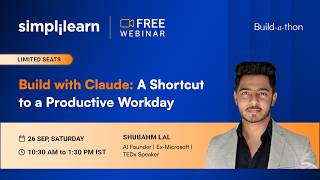
This webinar, hosted by Simply Learn, demonstrates how to use Anthropic's Claude AI to build five productivity shortcuts, including creating dynamic presentations, automating LinkedIn networking and job applications, and generating marketing videos. The session emphasizes moving from generative AI to agentic AI, where tools like Claude can execute tasks autonomously.
Chapters
The session aims to build five productivity shortcuts using Claude, focusing on practical applications rather than theoretical AI discussions.
Saving 3 hours daily translates to 15 hours weekly and 750 hours annually, equivalent to over four months of full-time work.
Generative AI (like ChatGPT) responds to prompts, while agentic AI (like Claude) can execute tasks autonomously, e.g., building a website without step-by-step guidance.
Using ChatGPT for research and prompt generation, then feeding the prompt to Claude to create interactive, animated presentations with HTML/CSS, far surpassing static PowerPoint decks.
Claude extension automates commenting on relevant LinkedIn posts, growing network and profile visibility without manual effort.
Claude automates reaching out to B2B contacts, updating a Google Sheet with statuses, and sending emails—all without human intervention.
Claude Design generates clickable prototypes from simple prompts, enabling rapid visualization of products before development.
Claude Code creates branded marketing videos from office clips, handling editing, music, and visuals autonomously.
Automation will become as essential as ride-hailing apps; early adopters gain a competitive advantage.
Tasks like pitch decks (8 hours), marketing websites (3 days), prototypes (5 days), and promo videos (3 days) can be reduced to minutes with Claude.
Use ChatGPT to research and generate a detailed prompt, then execute it in Claude for superior results compared to direct generation.
The Claude browser extension accesses browser credentials to automate tasks like job applications and data entry in Google Sheets.
Claude Code allows scheduling routines (local or cloud) to run tasks automatically at set times, e.g., daily job applications at 10 AM.
Claude can even hire humans on Freelancer.com to solve CAPTCHAs, demonstrating its persistence—raising both innovative and ethical concerns.
62% of layoffs are due to lack of AI skills; AI-skilled candidates are preferred, with 73% of Indian employers favoring them.
Simply Learn's Applied Generative AI and Agentic AI Specialization (with Microsoft) offers 12-week training, 12 projects, and a 50% discount for webinar attendees.
Mentioned in this Video
Tutorial Checklist
💡 Key Takeaways
Time Value Calculation
Quantifies the impact of AI on time savings, making the case compelling.
00:03:29Generative vs Agentic AI
Clarifies a fundamental AI distinction crucial for understanding tool capabilities.
00:17:17Prompt Engineering Workflow
Demonstrates a reusable method for generating high-quality outputs with AI.
00:40:44AI Hiring Humans
Illustrates the extreme persistence of agentic AI, raising ethical questions.
01:28:02Career Impact of AI Skills
Provides concrete statistics on layoffs and hiring preferences, urging upskilling.
01:41:43Full Transcript
[00:00] Okay, I can see a lot of introduction coming in.
[00:12] I think my screen share stopped. So, I'm going to share my screen again. All right.
[00:24] So, I think now we are also live on YouTube and LinkedIn. and we have a lot of audience joining us from these platforms as well. So many responses. So, hi Ashta.
[00:36] Hi Mehnur from Lahore. Hi Vijay. Hi Arun from Bangalore. Hi Simphil from Chennai. Hi Vaishnubhi. Hi Aum Srinivas. Hi Sriniv from Bangalore.
[00:49] Hi Ashok. Hi Anjali from Madhya Pradesh. Hi Arindam. Hi Ashok. Welcome everyone. it's a Saturday morning so I was not expecting so many of you to join so how
[01:01] are you all feeling are you excited for the session hi Trimthi Nisha hi hi everyone so actually a lot of people joining us from across the world I said wonderful hi Manthu Kumar hi hello everyone thank you for your
[01:17] introduction I think a lot of you have joined in and if you're joining us from YouTube or streaming you can introduce yourself in the comment section as well So we'll take a note of those.
[01:29] Hi, Mehmoor. Hello. Good morning. Great. So much energy in the room. I think it is time for me to introduce myself as well. I'm Shweta and I will be your host for today's session. We also have a wonderful speaker joining us today.
[01:43] I will introduce him in some time. But before that, I wanted to tell you all that today is going to be a very interesting session because we will be building five productivity shortcuts using Flora. and we are not sure to spend three hours talking about AI.
[01:58] So this is definitely not going to be another boring workshop. So we are here to actually see what happens when you take AI tools like Cloud and start running it into something that can genuinely support the way you work.
[02:10] So I want to do one thing throughout today's session. So I don't want you all to just watch the screen. As you build along with Shubham, also think about how you can apply this in your work.
[02:22] And that is one way in which you can meet the most out of your day session. And please stay engaged, stay energetic. We love the participation that you guys have given us. So, this, somebody is saying we are excited to learn how to use Cloud in this session.
[02:37] Yes, you will have a lot more about that. So, let me dive into today's session because we have a lot to cover. So, right now on your screen, you can see a message.
[02:49] and I think I want all of you to think about this for a moment because the way you look at productivity has changed quite a bit. And as the slide says, earlier the most productive person was often the one who would spend the most amount of time working
[03:03] and I'm sure a lot of people struggle with that. And today, it is much more about how much you can get done with the time you have and I'm sure all of us relate to that. Like we have 8 hours, how much can you do with that time that you have?
[03:16] And that's exactly what we are going to explore in today's Buildathon, how AI can help us work smarter, save time and get more done. So just to talk to you about the value of time, right?
[03:29] So when we are talking about getting time back, I want you to think about this this way. So imagine 8 hour workday could become a 5 hour workday because you are able to sleep 3 hours every day.
[03:41] So 3 hours might not sound like a lot when you look at it one day at a time. But across a week, that's 15 hours. And across a year, that's 750 hours. So that's more than four full months of working full time.
[03:55] So working full time. So just think about what you could do with that kind of time. So it's whether it might be focusing on your work, you know, learning something new or simply having time for your personal work.
[04:07] That is the kind of work you can have and the time you can have if you use AI tools effectively. and we just wanted to give you that context and perspective. Right, so many reactions coming in. Thanks to that, everyone.
[04:20] So before we get into the build, I wanted to also understand all of your backgrounds as well because, you know, if we know the audience better, we will also be able to deliver a very effective session.
[04:33] So I am going to launch an experience poll right now for all of you. Please go ahead and share your responses. If you are a fresher, if you have, if you just started working, if you have over 10 years of experience or if you are somewhere in between, we would love to hear from all of you. So, great, you all are responding. So, in the meantime, I will also quickly introduce Simply Learn to all of you, right.
[05:01] So we have been in the learning space since 2009 and today we have helped advance 50 million plus careers across 50 plus countries with 2000 plus live classes every month.
[05:14] But what really sets Pinti Learn apart is that we don't just focus on giving you information and focus on industry relevant skills, hands-on learning and learning directly from people who understand how these skills are being used in the real world.
[05:28] and that is very important in the age of AI because things are changing so quickly we all know that we are all trying to upskill so you just don't want to learn it you just don't want to know the basics you want to know how to use it actually and all of our programs are focused towards that
[05:44] and that is also something we will be doing today so I just want to quickly read out the full responses so we have a lot of professors and students joining us we also have a lot of people with experience.
[05:57] Some of you with over 10 years of experience, 7 to 10 years of experience, 4 to 7. So we have a wonderful mix of audience here and that is truly exciting to see. And thank you all for sharing your responses.
[06:09] Give us a great perspective on that aspect. With that, I want to talk to you about our leading partner. So I spoke about Simply Learn and what we do,
[06:21] but we have actually been able to bridge this due to the amazing partners that we have, like you can see on the screen right now. So, from IIM Policode, IIT Madras, IIT Kanpur, Delhi, Bombay, Patna,
[06:34] we literally have the topmost layer of the prestigious institutions building and providing the learning experience for all of you. Then, we also have globally renowned universities like Oxford, University of Michigan, UCSD, Virginia Tech,
[06:48] and a lot more, bringing us through this global exposure and network and the kind of learning experience for you as well. And on top of all of that, we also have global giants like Google, Microsoft, IBM and AWS
[07:00] as industry partners in many of our programs. So these partnerships mean you as a learner get a curriculum that is not just current but co-created with the people who are actually building the future of AI.
[07:12] So we are always updated. We make sure that we are updated. So that credibility also flows directly into today's workshop as we are going to give you an exclusive preview into one of our flagship programs,
[07:24] the Microsoft Applied Generator AI and E-20 AI specialization. Before we get into the session, I just want to quickly tell you a few ground rules. So, we have a Q&A box and we have a chat box.
[07:37] So, if you have any questions related to your career, something you want Shubham to answer later, then you can post it in the Q&A box. But if you have questions about the bid, if you are stuck somewhere, you are facing difficulties,
[07:49] if you are not understanding a concept, then we want you to type your responses in the chat box because Shubham will have his chat open and he will be able to help you with that if you post them in the chat.
[08:01] In the Q&A, we will have to pass it on to him and this might cause some delay. So, the second thing is about the certificate of participation. So, for your retention certificate, we will be launching a poll towards the end of the webinar.
[08:15] you will have to fill your full name and you will be receiving the certificate, the slide deck and the recording to your email ID as well. And I think this is one of the most asked questions.
[08:27] So I just want to make it very clear to everyone here as well. And I request all of you to stay focused on the session. Please don't spam the chat. Sometimes if your question is not answered, you keep posting the same question.
[08:40] Please, we will make sure that we pass on the question. but if there is also a huge number of responses, it could affect the experience of other learners. So we might keep the chat open for hosts and panelists
[08:54] so all of the audience will not be able to see the chat. So if you have queries related to that, you can reach out to us. And with that, I think I'm coming to the segment that's very exciting for me as the host.
[09:07] I am really happy to introduce our guest speaker for today's session And everyone, please join me in welcoming Shubham Lal. Shubham is an AI entrepreneur, a former Microsoft engineer, a TEDx speaker, and currently running his own company as founder and CEO.
[09:25] He is also a graduate from CIPLIT Bangalore and Liverpool John Moores University. So if I have to talk to you about what he has built, Shubham has built an AI native education company with a learner community of over 10,000 people.
[09:41] He has also worked across enterprise scale tech, cloud, AI, data science and developer tooling teams. And he delivers more than 200 talks, including TEDx and Zoom talks. Shubham, it's an absolute pleasure to have you here with us today.
[09:56] I'm sure this is going to be a great three hours for everyone who's joined us and I'm sure they're waiting to hear more from you. So over to you. I'll stop the screen share and you can take over. Thank you. Thank you so much, Shweta.
[10:08] And hi, everyone. As Shweta mentioned, it's always exciting to see people waking up on a Saturday morning joining this session. That just shows how much enthusiastic and excited you are to understand about the aspects of AI. All right.
[10:20] So I'll not come to my introduction again because I think Shweta did a very wonderful job as well. I'll quickly talk about some ground rules, which is something I would set on top of what already was mentioned by Shweta.
[10:32] As she also mentioned, that we'll try to have this session as interactive as possible. is going to be an interesting one because together we'll try to understand how to make Claude our best use case to automate pretty much everything so that we can focus on innovations,
[10:47] not executions. All right. That's going to be the heart of the session today. That how can you make yourself so productive that something that keeps taking up your time on an everyday basis, something that requires you to show up, something that requires you
[10:59] to be consistent on or something that requires you to just, you know, do the task in a redundant fashion. AI takes it up. Right? All the use case which I'm going to showcase you are not going to be merely a use case.
[11:12] It's going to be something which is already being used by me and my company. So, it's going to be a practical showcase of what has already been there. So, that it's not, it doesn't look like something which is like a sample or an example.
[11:24] It will actually be something which is working out there. Okay? That's number one. So, first, your point is, we'll try to make sure session is as interactive as possible because you're going to build something which is very exciting and something that can enhance your productivity with 10x.
[11:38] Point number two is at any point of time if you're stuck, I'll have my chat window always open so you will have full liberty to ping the question again and whenever you feel like. Don't wait for me to ask you if you have any questions.
[11:51] Just ping it then and there whenever you feel like. That's number two. Number three is the poll that you gave. I had a quick view of that as well. So I understand pretty much 50 to 60% of you are freshers. there are also people who are more than 10 years experienced and there are people who are in middle
[12:05] experience level as well but i also want to understand which domain you are in so that once i understand what kind of domain you come from i will be able to better shape up the sessions accordingly usually i plan 50 of my sessions and then 50 i keep an impromptu because i want to make
[12:21] sure that it is imparting value and justice to the people who are coming from that domain right So quickly on the chat, I would request you to bring three things. Okay, I already saw the responses coming, but three things I want to understand from you all.
[12:36] The first one is, are you a working student or a working professional? Are you a student or a working professional? That's number one. Second is, which domain of work or domain of study you are in? That's number two.
[12:48] And if you feel like you can just mention your city as well or a country which has already been done. So that's fine. The first two only I need, student or a working professional and your domain. Okay, just like to mention both of things in the same chat so I can understand it quite
[13:01] easy. Alright, we have people from financial services and then capital markets. We have students from Btech, CSE, professionals from HR, Chennai. Alright, when you say working profession, I would also request you to mention about
[13:15] the domain you are in so that I can understand how much in-depth I can go into tech or how much non-tech aspects I have to focus on. professional finance, business analyst, coalition analyst, product, artificial intelligence,
[13:27] data science. Awesome. A lot of you are students from BSc in computer science background and we have working professionals who are not from tech background. That just makes me understand
[13:39] that I have to make sure that it's going to be a session where you don't have to dwell much into tech. We'll try to make sure we are keeping it to the AI level itself. Okay, we have people from aeronautical engineer, PRP domain. We also have business studies
[13:51] and digital marketing, great. I won't be able to read out everybody's responses. Don't mind about that. I just wanted to have a quick view and which I have gotten. Awesome. So the very first thing is, since we are talking about cloud in general, okay, let's just take
[14:08] five minutes before we actually dwell into cloud, okay? And before you want to start sharing my screen, let's have a quick round of discussion on the cloud as well, okay? Now, first thing that I want to understand is, I hope we all have heard the terms of
[14:24] generative AI and agentic AI. That's a pretty much well-heard term. Can I have some quick responses in the chat? What's the major difference that we have understood about what is generative AI or
[14:37] what is agentic AI? Or maybe the difference between the two. These are the type of AI that exists in the market. It's automating things for us. It is helping people to automate tasks. is something we understand the high level right but what exactly is the difference between
[14:50] generative ai and agent tki can i have uh the answers in the chat okay we just saved text what is acting on behalf okay generative smart assistant all right agent tki digital assistant
[15:04] all right all right any more responses coming in generative human interference require agent tki no manual input required okay okay all right without human agentic ai absolutely now if i just give a very layman explanation about the ai that existed
[15:23] back in the day the ai that came with adjubity and the ai which we have today there are three segments of it right the first segment ai that existed back in the day let's call it traditional ai which existed back in the day which helped us to do weather forecasting applications on our phones
[15:38] right after chat vpt we call the onset of generative ai and today we are in the era of multi-agent and agentic AI. If I just categorize these three as a different segment of AI, the first one which was traditional AI was merely a prediction kind of a segment where it can just
[15:54] take data, you train a model and it predicts something. Okay, I think I've taken this example before as well, not sure how many of you have attended already my session, but just imagine there are two students who are studying same subject and going for same examination. But
[16:09] But student 1 is just mulling over the whole book, word by word, chapter by chapter. Whereas student 2 is actually understanding the whole concept and then going for examination. What will happen?
[16:21] Student 1 will be writing exact same answers as it was mentioned in the book. But student 2 will actually be able to frame things in its own sentences, in its own way. Student 1 might fail to answer questions which are outside of the book or maybe slightly tricky.
[16:37] But student 2 will be able to do that. That's the difference between traditional AI which we used to exist before chatGPT versus generative AI. So, student 1 acts like traditional AI, student 2 acts like generative AI.
[16:50] Generative AI understands things. Generative AI can understand your ask. That's why chatGPT will always answer irrespective of whatever you have asked for. It can also generate songs, poems and things for you which are very not ever seen or something
[17:05] which is new. Right? That is generative AI. Now coming to the second and the third aspect of AI, generative AI and agentic AI. Generative AI as we saw, it's a chat based interface. You ask something, you'll get a response.
[17:17] You ask for something and you'll receive according to what you have asked for. But we have something called agentic AI. Agentic AI doesn't just respond you, it can actually act upon it.
[17:29] For example, if I say to ChatGPT that I want to build my own portfolio website. FATGPT will give me all the details of what do I need to build a portfolio website what should I do, how should I write the code, everything in place
[17:41] but it will not build it for me whereas if I do the same thing for agentic AI and I just mentioned that I want to build a portfolio website for myself agentic AI will actually build that website for me
[17:53] and that's the prime difference between all three types of AI And that's where Claude is one of the agentic AI tools which has the ability to take decisions by itself, which has the ability to do things by itself for you.
[18:11] What all things it is capable of doing and how is the right approach to take so that it can do its maximum benefit is something we'll be discussing today. Alright, so with that, I'll quickly share my screen and we'll walk over all the aspects of AI.
[18:24] okay so let me just i'll use the same uh uh screen itself the whole screen all right now the whole whole point of today's session is gonna be single unlocking productivity with cloud okay how to turn
[18:39] your weeks of making things into an afternoon that's the timeline i would want to give then what if some tasks were taking complete week of yours how can in a single afternoon you can do
[18:52] that task in a much easy fashion. Now, why did I use the word afternoon? Because generally in afternoon, post lunch, we are slightly lousy, we are slightly not very much active. Hence, even if in that stage, even if in that scenario, cloud can step up to unlock your
[19:07] productivity of the complete week by delivering the task that you were supposed to complete in the whole week. Okay, that's why it says how to turn your week of making things into an afternoon. All right. Now, before I talk about things like what you can do, you can
[19:21] do research, you can do presentations, you can do marketing, you can do designs and things like that before you actually dwell into that, right? I want to showcase some use cases which I have been doing personally, we have been doing
[19:34] at my company and how and what impact it is creating. Because once you see the end result, once you see the end goal, once you see the outcome based approach, it makes absolutely sense for you to become more excited towards why
[19:48] you need to learn this tool or maybe more attentive towards how it's going to make change in the career or in the productivity aspect as you move forward in your career. Okay. So with that, I'll show you a couple of things.
[20:01] The very first thing is we all have been designing presentations, right? We all have been designing presentations and Microsoft PowerPoint presentation has been the most interesting one where we just find the template, align things and do things and
[20:15] all that, right? but in presentations what if I can inculcate some graphics some animation some videos right my deck whenever I used to take this in back in the day in
[20:27] conclusion as well after every time I used to get a response I know deck was interesting why don't you share the deck to me and how you create that deck so I decided to have this particular also as one of the use case where we talk about how to create interesting decks and look at this deck right first thing is this
[20:44] I mean, I'll anyway walk you through the deck eventually. But the deck part contains the whole content as part of a video. Now, this deck is not just a deck. It showcases you things as if it's moving, as if it's happening in the real time, as if it's a video.
[21:00] So, how to create such decks where once you are writing something, once you are explaining something, it actually feels like it is following your words. It actually feels like it is following your sentences.
[21:12] It actually feels like something is moving. Look at that, there is a timer going on in the sample website which is being created by Flora. It's a deck. It's a PowerPoint presentation deck, right? So how to create such decks is something going to be the interesting one.
[21:27] And we just have been using. Nowadays, those eras are gone where you are using a template and you are showcasing something like a deck which is static. It has to be moved. It has to be clickable. It has to be something which is astonishing, right?
[21:40] So that's the first thing. with all the decks in place, how to make sure that your deck is so attractive enough that you are able to gain the attention of anyone who is doing that. That's number one.
[21:52] Number two is the most interesting one, right? So, we all have been trying to, I mean, that's the generic nature of irrespective of whatever career you are in right now, irrespective of whatever stage you are in right now, right?
[22:05] We all want to go up in the ladder. That's okay. Irrespective of what domain you are in, irrespective of what you're studying. If you're studying, you want to pack a best package for the job. Or maybe you want to start your own company
[22:17] and reach to multi-CR valuation. Or maybe if you're a working profession, you want to go up in the ladder and get promoted. All of those stuff. It's very common. But one thing is for sure is, it requires effort. It requires constant effort. And one thing that we all must have heard
[22:29] that is essential for each one of us is something related to networking. I should be able to be a good network. network. I should have a good network of people and for corporate, LinkedIn is a prime place for
[22:45] the best possible networking, right? But how do I make sure that I am active on LinkedIn even if I have to spend eight hours in my college or eight hours at my work but I still come back, reach out
[22:58] to right people, comment on right post, get engagement higher, make sure my profile shows up better in the SEO, how do I do that? Or let's say I keep traveling but I don't have access to internet on the flight so how do I make sure that I am someone
[23:11] who is active on LinkedIn and I am expanding my network? And that's the value that I can show you. That's the value that it can bring up. Look at this. I will show you again as I mentioned something from my side.
[23:24] This is my profile. This is my LinkedIn profile. On this LinkedIn profile there are multiple posts which are there which has been posted by, let's say, leaders of the market.
[23:36] Like this person is program manager at Mercedes. Okay. Second person is vice president at City Engineering. Right. But since I want to grow my network, I want to engage in things which are relevant to my profile,
[23:49] which are relevant to my area. Right. And that's where my agent automatically picks up what are the relevant posts which are out there on LinkedIn and comment from them.
[24:02] Okay. It doesn't mean that every post is comment, so it doesn't mean that if you post and tag me somewhere, my agent will only look on, I look on as well. But on the part of networking, growing the network of my individualities, right, it automatically puts the messages. So this was posted one week back. Also, there was a post made by Citibank and it got posted. And look at this. My agent posted something. It's a great proof. I'm not even aware, right? I have not written this. I have not read this. I have not read the post.
[24:32] but it initiates a conversation as well. The author of the post responded to it, right? In an agreeing fashion, correct? Same goes with this. There was something that relates to Sam Altman and all that.
[24:47] This was responded. And all of these things. It is actually creating a loop in terms of how well I am able to reach out to people, how well I am able to interact with people, how well my profile is going to get highlighted.
[25:00] Now next time, if LinkedIn has to serve out of 10-20-50 people who are in this particular area, whose profile should show up, LinkedIn will prioritize those profiles which are active.
[25:13] And because I have been commenting a lot, my agent has been commenting a lot, my profile will show up better than the rest. That's number two use case which we will touch upon after the astonishing presentation
[25:25] that we just created. Okay. Number three, what if I'm into an era, we are all into an era where we have to reach out to people, right? For job opportunities, for expansion, for growth and everything.
[25:37] Similarly, in my company, I have to reach out to a lot of B2B contacts, right? But I don't want to do it by myself. So AI agent takes care of that. AI agent takes care of that on which day, who was reached out, which company they belong to, and all these are founders.
[25:52] What is their name of a client? and all this table gets updated by the AI agent by themselves. When I say AI agent, it's flawed. It's just flawed. I'm just picking up use cases which is only dealt by flawed.
[26:05] Okay? All right? So this is done by all and I can see the complete notes. I can see the work status. What is something we have been doing, right? What is something the status of each of the usage has been reached out, right?
[26:18] So all of these aspects, I can do it very easily. Okay, Pyle says, don't you need to approve the stuff agent post? I think this is crazy. So, I don't let agent post, it is just responding on the comment. But the way we can design the comment is in a way slightly different.
[26:39] So what I can do is I have designed the agent in a way where the comment has to be always supportive. The comment has to be always promotive, right? It has to be in a limited format, 355 words. It has to be positive.
[26:51] It has to be motivational and in sync with the post. That you can control. Okay? All right. That was, that was, and this was use case number three. We can, we can move to entry as well.
[27:04] and third thing which I want to showcase is creating astonishing prototypes for example this right look at the the dots which are reconvening just this because
[27:18] I'm scrolling there was not a single line of code written on this someone who was working from my team who doesn't understand how to write a code was able to create this just by imagination and thoughts so the dots is recircling itself
[27:32] to content, tech and things like that. Okay? And one last thing I want to showcase to you is we had a lot of office content. We had a lot of office videos. Right? How can you convert your normal videos
[27:46] into something which is astonishing marketing material? Okay? I'll show you one sample. So we had a lot of office clips that we had in place and we gave to our cloud by designing it somewhere which we'll do and discuss right now
[27:58] that how given its complete liberty of what is something not to expect and one video that Claude created was something around strategy etc and it was just purely from the Claude, the idea was purely from the Claude.
[28:31] I hope the audio was audible, if in case audio was not audible that's fine no problem.
[28:46] Alright, so these were the stuff, these were the stuff which are relevant and there is something we can do with the help of Clot. I just wanted to showcase you some use cases that we are going to build today just the
[28:58] way I showed you all of this a miniature version of all things that I showed you today is gonna be something that you'll be able to build and understand can someone confirm in the when the video was playing was the audio is audible can
[29:10] can someone confirm that no audio was not it was not audible no problem that's okay I'll reshare with the audio once we actually build the stuff okay it was just a background busy that's okay cool so let's begin now very first thing is
[29:24] when we say unlocking productivity first of all anything that we deal with in our everyday basis whether you are a student or a working professional if I just ask
[29:36] what does it take to get more done what I mean by that is what are the tasks which takes maximum amount of time for you in your week probably you will have to list down for yourself
[29:49] probably you will have to list down for yourself And then if I just bring up some options, which is usually something that takes maximum amount of time. The first one is presentations. That you have to build presentations and things like that.
[30:02] Presenting to people, aligning the images, aligning the diagrams and things like that in the presentation. Or it could be research. What if I have to research about something? What if I have to research about something which is there, which I have to present in a presentation.
[30:17] Or let's say I have to research to understand about a particular company and stuff like that. That's the second part. The third part is the website. What if I have to design a prototype or a platform or a website or a small product kind of a thing or a portal. This could be something that is taking maximum amount of my time. Or could be something called prototype. What if I build something like a prototype which is something which is I have to showcase before I actually turn it into a product.
[30:44] For example, I have gotten a requirement that I need to build a mobile application. Now, I will not directly start building a mobile application. I will probably build a UI prototype. Just like in anyone's house, if you have to get an interior done in the house,
[30:59] first you build a prototype of the house, of the interiors, right? That this is how your interiors and house will look like. And once you get it going, you actually start the implementation. Same way, prototypes would work.
[31:11] Okay? And then design, UI UX design. and if you have to present, let's say I have to present same type of design to multiple people and then I have to figure out which design works best. I don't want to spend one day, two days building one design
[31:25] and then by end of one week, I have three different designs then I have to pick something from there. No, what if within five minutes, I have 10 different designs and I can just pick right there, right now, depending upon which one is suitable most.
[31:37] Marketing videos. Do we actually need to have video editors anymore? The video I just showed was built by someone who just understands cloud. That's it. Not even coding.
[31:50] Just understand the coding, just understand the usage of cloud and some prompts. That's it. There was no experience of the video creating. There was no experience of the innovation in the marketing part. But cloud was self-efficient to create those marketing videos by itself.
[32:05] Okay. Then documents. what if I have to create something which is aligning with what kind of professional branded documents if I have to create if I have to let's say create agreements or contracts or MOUs
[32:17] it might take maximum of my time. Now you all must be aligning towards at least some of them where you might be spending maximum time of yours. Even if all of these are not completely aligned with you
[32:30] you might be spending time onto something which is similar to given areas and all. right and that's how it has to make a difference okay okay side appearances i'm aligning with all of them perfect that's great and the last one is automations what if something which is not
[32:46] seemingly a problem for example um we can we can imagine the website being done by the ai and i can use a presentation that can be done by the ai marketing videos can be done by the ai but we can
[33:00] also go one step further to even automate things which we are not even doing as of now. For example, we are doing presentations, marketing videos because we have to. But let's say networking, which are good to do, good to have, good to make sure that you
[33:15] are interacting and posting regularly on LinkedIn, enhancing your posts, reaching out to more people, doing cold emailings and all that stuff. It's good to do. But because of lack of time, it's not being done at all. But what if automation, which we are going to talk about today using cloud, can automate
[33:30] All of those things. Even though you are chilling in Maldives, even if your laptop is not available with you, even if there is no internet connection, there is agent working for you without you realizing it. That's the power of automation.
[33:43] Even if today I'm not available on laptop, even if I'm not there with my internet connection, the AI agent will still respond to posts on LinkedIn if it is aligned to what I expect it to.
[33:55] Right? That's the power of automation. Okay? Now, automation is something, is very similar to, you know, it's going to be a need of the hour. I'll tell you what need of the hour means.
[34:07] For example, how many of us have gotten so used to of Uber and Ola that we all have been gotten so used to and so comfortable with Uber and Ola that if we have to now go to
[34:22] the street to stop an auto, it feels like a task, it feels like a problem. But back in the day, it was a norm that you have to go onto the street and stop an auto rickshaw or a cab or whatever it is, a taxi, because there was no Ola in Uber.
[34:37] But after Ola came and you have gotten so accustomed to it that this started to feel like a problem. Similarly, Blinkage, Zepto, Instamart and all that. We never felt the need of having that because it was a very easy norm to go and buy groceries by yourself.
[34:51] right but now we are so accustomed to it that if Blinkit, Instamart and all these Zepto applications goes away it feels like a problem how to get the grocery it feels like a task to go to the grocery store by yourself and get it
[35:05] similarly automations are going to be a new normal before it becomes so common out there you need to have a first work you need to have a first advantage and
[35:17] and first mover advantage on it. Okay? Somebody is saying, are you actually in the video now or is your agent joining this meeting and teaching enough? It's up to you to guess, Vijay. Yeah.
[35:29] All right, so all of these things is something we'll be focusing on and we'll pick and choose what relevance we can have from all of these. Okay? So these four aspects I wanna pick up, which is presentation, marketing videos, website,
[35:41] and automation as well. So these four use cases we'll pick up because we cannot cover all and then we'll be able to build something substantial out of it within no time, within a time which is only required
[35:54] for you to write a single prompt, that's it. And you have to have a good imagination, good innovation and ability to write a single prompt. That's it. All right, so now let's look at this.
[36:07] If I just pick up these four things, right, pitch deck, marketing website, clickable prototype and a 20 second promo video. Usually, it takes 8 hours if I'm not very much accustomed with all the AI stuff and all that.
[36:22] If I have to do it on the PowerPoint presentation, writing everything by myself, dragging and dropping the images and things like that, it will take 6 to 8 hours, right? Marketing website, if I have to actually code, right?
[36:34] And I have to actually run it, and I have to actually test it, it will take close to 3 days, marketing website. Clickable prototype. prototype basically means that end product how it's gonna look like it just
[36:46] gives the complete flow how the end product is gonna look like right so that prototype is gonna take five days probably 20 seconds promo video of any product that I have to create it's definitely gonna take three days but along with that
[36:58] it's gonna take a skilled person who understands how to do video editing so total 96 hours is something we can assume right or let's say round of 100 hours plus some skills marketing assignment require your coding skills
[37:12] creating a prototype will require your skill of understanding how the flow works and 20 second promo video will require you to understand something about video editing right all of these aspects okay now what if we come to a
[37:29] situation where instead of all these arts we reduce it to something like this which is pitch deck hardly 20 minutes marketing video hardly 1 hour and that too, I am saying it a best to best, right, what we will be doing
[37:42] we will be doing in 5 minutes, we will be doing all these 4 in 5 minutes because we will be showing a sample of it, but ideally all these hours that you have can be shrunk into something like this and it is actually happening in like let's say
[37:54] someone who is taking more than these amounts of time to execute any of these do not have a place in the market because now the new norm New player minimum is something which is using AI.
[38:06] Alright? Cool. So now we'll quickly jump into the first use case that we have. Now before I jump to the first use case, I want to have a poll on the screen which I would request Shweta to bring it up.
[38:18] Where I want to understand how much understanding you already have about cloud. How much understanding you have about cloud in general. How much understanding you have about how much you have used cloud.
[38:30] Okay? So it just gives me a clear idea about how much basics I have to cover or if I should or I can take a liberty of getting into an advanced stuff right away or basic stuff right away.
[38:42] All right. So there are four options. How do you use Cloth today? Either you are just getting started or if you have used Cloth for quick questions and drafts or if you have used Cloth advanced features regularly or you have actually built workflows that run part of your work.
[38:58] All right. So that is something I understand and I want. so that I can dwell into it accordingly. All right. Half of you are just starting with Cloud. Rest, 40% of you have used it, but for only chat interface, I believe,
[39:11] because it's quick question and rough. All right. 8% I see have used advanced features, and I think three people have already built workflow, which is amazing. Awesome. Now, this gives me a free understanding.
[39:23] I think, yeah, I mean, you can start doing the polling well. That's fine. I've got an understanding. Now, the very first use case is building astonishing presentations. Let's think about first what presentation I want to build.
[39:38] For example, give me some ideas guys on the chat. What is the presentation we can try building? And for the same presentation, we'll try to build around marketing website,
[39:51] prototype, everything so that everything gets connected in place. Any idea about what kind of presentations we would want to present about AI, about cloud, okay? Cloud, all right? Anything, anything?
[40:03] Give me any topic, okay? About cloud and DevOps, all right? Person finance, about automation, growth of AI in market, all right?
[40:15] Let's talk about growth of AI in market, okay? Something which is relevant to our use case as well. Let's talk about growth of AI in market, okay? Now we have to build an astonishing presentation within 5 minutes.
[40:30] Let's put a timer on as well. Right now it is 11.11. And this is now pre-decided. I just picked up something from the chat. Growth of AI in the market. Something like that. Within 5 minutes we will have astonishing presentation.
[40:44] What I have to do is, I don't even have to write anything. What I will do, I will go to our favorite AI tool which is ChatGPT. and I will use the dictate function over there.
[40:56] It's a very interesting process and it's an interesting way to actually build your much exciting presentation out there. I will use this dictate option and I will talk about two things. First thing, I will ask you to research about
[41:10] what is the growth of AI in the market because my stats in the presentation should be absolutely accurate. Once I have gotten the research, I will use that research to generate a prompt which I can give to Claude to create a financing presentation.
[41:26] I'll give you a step-by-step approach, okay? Don't worry about that. Step number one, I will just ask it to research about the topic I have chosen. So, I'll just use dictate and I'll say, I want to build a presentation on growth of AI in the market,
[41:40] but I want to have some stats and statistics and figures and facts in my presentation, do some research thoroughly and come back with at least 8 to 10 statistics
[41:52] with numbers and facts and everything in a concise manner that I will use eventually for my presentation. Okay. Now, in this case, I have just spoken it out. I am going to research and come back.
[42:04] Now, over here, you can actually use publicity. You can use your Grog. You can use Gemini, anything. Okay. This is just a research part, which I am taking it out from the cloth for the reason which I tell you.
[42:16] Okay. Now I have gotten some research out of it that this is the growth of the project 12 powerful AI marketing statistics. I will copy the whole table. Okay. Now I will generate a prompt in case. I will just use the same thing. I just say whatever data you have gotten from the table, use that statistics facts and create a prompt by assuming yourself as a prompt builder.
[42:43] that prompt I'm going to give to cloud to build an interactive presentation for me whereas interactive presentation I would recommend you to use any kind of web fundamentals languages as well like
[42:56] HTML, CSS or something that can make the presentation interactive engaging, can have visuals onto it, it can have slides that looks like animations and things like that and generate a complete prompt that I can
[43:10] drop into the cloud and that can give me the presentation I look for. That's it. So, I've just spoken two prompts. The first prompt was to research. Second prompt was to ask GTD or ask anyone to create a prompt for me.
[43:26] Right? Now, if you see, what did I get eventually? I get something like, you are a light presentation designer, front-end engineer, data storyteller, UX designer, and a motion designer.
[43:38] So we are doing a context setting now if I put this prompt anywhere the context is going to be absolutely set Right And it says it not a conventional PowerPoint style presentation
[43:51] Now, all of these, I didn't say it, but I meant it. And the AI was smart enough to understand it. Right? So, it just does all the job by itself
[44:03] and has given me a very detailed prompt. So, before I actually drop this prompt over there, I'll do one thing. Before we go through the prompt, I will just copy this prompt.
[44:16] The whole prompt I'll copy and I'll drop it to plot. That's it. I'll look at the difference in the presentation that might have been coming when we used to design it versus what we will get it right now.
[44:29] Okay. Just pasted the complete thing and I have clicked on enter. Okay. it will take hardly 3 minutes 3 to 4 minutes to actually generate something is there substantial and we'll see the result meanwhile I will see is the PPT
[44:46] editable absolutely yes we can make it editable as well it's going to be have a chat lag interface I tell you that part is the vpt it's a good point how good is the PPT but you can do it in chat vpt itself right and why to do it all okay
[44:59] So, let's do one thing. So, Jhansi has a question. We can do the presentation on chat GPT itself if we are generating this in the prompt. Let's try to do the same thing and ask chat GPT to create the presentation.
[45:13] And we are asking clock to create the presentation and we'll compare the difference. Okay. Alright. So, let's do one thing. While we are going through the prompt, I will put a second prompt as well over here saying
[45:28] build the ppt. Okay. That's it. Same thing. Same prompt in the chat ppt, same prompt in the cloud and both are building it right now.
[45:40] Okay. Meanwhile, while it is going, we are trying to learn some aspects about what it actually built. Okay. First thing is, look at this. It has almost complete clarity of what exactly has to go in the presentation.
[45:53] Look at this. It starts with, it doesn't have to be like a traditional PowerPoint presentation, right? It starts about core objectives.
[46:05] What is the core objective is going to be? What is the technology requirements? While bringing the presentation, what are the technology requirements? Claude has to make sure that it has the appropriate requirements, right?
[46:18] And then we have presentation format. What are the things in the presentation going to be? That's number two. Then we have design directions. There have to be deep black, near black background, subtle gradients, large typography, fine lines, fine grid lines, minimal text, high contrast, right?
[46:37] Extinct like this, it's practically not possible for a human to write. And it's possible, but I don't want to spend 30 minutes writing this script. That's where the approach which we take makes a 10x difference in the result that we get.
[46:50] initially when AI was not there result was dependent on actions because we were taking the action we were doing things humans were writing the presentation writing the queries, code, images, everything
[47:04] but now actions are not related to results anymore your imaginations, innovations and execution is going to be relevant to the result
[47:16] because action is being taken by the AI that's the prime difference I want each one of you to understand very thoroughly okay so that's the typography then we have motion language
[47:28] number counters number morphing chart drawing line traveling across the screens particles everything it talks about the motions it talks about the important data rules it sets the whole tone before it
[47:40] actually digs over something and then finally it talks about all the statistic figures that we have asked it to put up, right? And then it goes to AI agent squad, this is point number 9, and then
[47:52] it starts with flights. Then it starts with flight number 1, what is the opening flight, what is the flight number 2 and everything. Okay? Now let's look at the difference. Let's look at the difference. We have gotten a presentation
[48:04] in the GBT by the way, and Claude is still building it, so we'll wait for Claude in each way, but we'll look at the GBT presentation because this was a question from someone. Again, this is not the presentation which we are trying to build.
[48:18] This was just to answer one person's question. That why are we not doing in VTT? Just to compare that what we can get in VTT versus what we can get in cloud. So let's open this file.
[48:30] It is a VTT deck. Alright, let me open this up. Okay, so this is what we have gotten.
[48:42] okay doesn't it look like okay it's decent but it's not wow i mean i could have made this without ai as well you could have made this without ai but it's not a wow factor it doesn't have a wow factor
[48:54] it's more like a presentation again it's more like something which is good design the good i will walk present this effect quiet but i would not create an astonishing result out of this
[49:07] this presentation. I will not be able to create a wow factor out of this presentation. Right? Now, this is the presentation which any AI tool will create with basics of prompts and everything as well. But what we are going to see
[49:19] in the cloud right now is something different. It's something which probably I have also not seen because it's the first time I am building this one. But you will be able to see some difference in terms of animations and UI and stuff like that. Let's wait
[49:31] for the cloud to complete. Again, it has taken 5 minutes because we have put a lot of data into it. and we'll just wait for couple of more minutes to see the result coming in FL.
[49:43] Meanwhile, anybody has any question about the process and approach while the cloud is building it, please give me the questions in the chat. We'll cover that. I don't want to switch the use case.
[49:55] While I'm in build, we'll stick to this one use case only. And once we have gotten the result, we'll move to the next one. Okay, so someone is saying, which is the best for creating website, GPT or cloud? ChatGPT will not create websites. ChatGPT is a generative AI tool. It will help you with text, images, maybe some UI and stuff like that, but it will not do a task for you. So, Cloud is going to be your place where you can build websites.
[50:20] which cloud model and configurations are used Opus 5.5 medium is being used right now which is the latest one so let's see the result okay what about the token
[50:32] will it waste token if you use char gpt prompt in cloud no it will not waste the token tokens will get wasted when you keep changing the prompt every time after the results are there
[50:44] right so we will talk about changing the token results how to save the tokens ok let me refresh this to see if I have gotten any results so far because it is 6 minutes
[50:56] alright it is working on it it will respond in some time is cloud free tier sufficient to build websites yes basic website it will be sufficient to build
[51:08] ok is this the approach one should always take get research done by gpt and then ask to create a prompt then we can get to cloud yes
[51:20] not just GPT any public city any kind of application which is generative way applications so cloud is an agentic AI application which works on execution of the stuff but generative
[51:32] AI does a better job in researching because it is connected to multiple websites so public city, grog, gemini GPT is ideal for research oriented stuff you can do the research
[51:44] oriented stuff very easily over there okay and that's where it's ideal to do the research over there come back over here and then generate the prompt and execute it in the cloud all right what
[51:58] is the reason behind you have given instruction in GPT and then given to floor I think same answer I mentioned right now Thomas right which one is best for video video part will come so don't don't worry you don't have to rush over
[52:10] there I just quickly refresh as well okay it's taking time because we have on boarded it with a lot of data and a lot of research aspects which is fine we'll wait for it to get generated not a problem okay what is the best okay a lot of a lot of questions are coming
[52:27] in i'll try to answer all of them by the time the other presentation is generated is it possible to build a portfolio tracker linked to multiple demat accounts using free version of cloud that will be difficult because as soon as you link to multiple demat accounts your tokens will start
[52:42] getting consumed and you will hit the limit. Is CloudHot also a generative AI? No. It's ideal for agentical but it can answer your questions as well. Which is the best AI platform
[52:54] for creating effective and accurate prompts? Accurate prompts, I think it's just the same thing I mentioned to us. All the AI tools in place that we have, GPT, Percocity and stuff like that. Alright, okay. Rest questions I will be answering in a while. Let me quickly
[53:09] check if the status of this one is still in progress that's okay we'll just wait for some more time let me just open cloud again
[53:21] we could have gone through some smaller data that way we could have saved some time of cloud to generate things right now I think we bombarded with a lot of data and a lot of requirements in place right that's
[53:35] why it's taking time that's okay it will take 10 minutes and we will have things in place. So, this is the first use case, okay, where we actually have to see how we can make an amazingly different impact using the prompts, using the designs, using the approach that we
[53:54] designed for our presentation, okay, and that just creates a different viewpoint altogether, that just creates a different segment altogether, okay. That's number one. This is the first use case that we wanted to look into okay second use case is something let's just let's just get into
[54:14] the automation part okay where we'll come to the video part as well and then we'll come to prototype part as well while this this presentation part is being built let's just talk about automation part
[54:26] as well. Okay. Now in the automation part, the cloud actually takes over the excess of your accounts on which automation has to be executed. So I'll just open up a whiteboard
[54:41] that can help you explain, help me explain what exactly automation should look like. I'll just go to whiteboard.cloud.com A whiteboard is not via cloud
[54:56] so don't worry about that. The whiteboard is just a plain whiteboard. You can log in with anything.
[55:08] Alright, so when I talk about automation, let's just imagine this is your system. This is your let's say a PC or a laptop or whatever okay this is your system the PC laptop
[55:22] or whatever in place and what we have here is cloud tool that sits within your system let's just take it this way it sits within your system as an extension
[55:39] okay I'll explain you everything okay this extension is a part of your browser so any browser that you have for example let's say you have a Chrome browser okay
[55:51] your laptop will have multiple browsers just like edge browser and Chrome Google class and ending of that spot right so we have something like this where it's a
[56:03] browser and the cloud sits inside the browser okay let's make it front okay
[56:21] how to bring it front bring to front perfect okay then now is the extension that sits on the browser. Now what the extension does, extension understands and has the access
[56:38] to everything what your browser has. For example, if today I open my browser and open LinkedIn, because I have already logged into LinkedIn, browser has the access to my LinkedIn, it has the saved credentials, it can open it. Also, if I open my bank account details or anything of that,
[56:54] there's anything saved password already there. It will automatically open it because browser has those serious credentials and everything right that exactly is used by the cloud Lord uses the existing browser capabilities for the automation and that
[57:11] is what we'll see something around how can I automate anything on the system not just on LinkedIn but be it anything at all okay so let's just do one thing
[57:24] let's just let's just bring up any browser in place that means close this part let me just bring up a browser of Google Chrome okay and I like kind of
[57:37] browser meanwhile I quickly check this part as well yeah the presentation is still building guys so because we had a lot of data coming in over there so
[57:51] taking more than five minutes which is fine we'll come back to it once we have seen the automation so that the results of all these we are able to see at one place at one group okay so nothing to worry about that okay we can also check it by saying is it still running okay and it will
[58:10] check and tell us if it is still running okay uh i think it created a new segment ball together we'll just create a new project I think it got failed because we switched the tab
[58:40] but that's okay we'll paste the thing over here create a I'll just add a prompt the beginning let's create something real quick create something real quick
[58:56] okay now we'll just we'll just let it build it immediately quickly all right in the previous one we have pasted the prompt the whole prompt in place and it took some time to extract the prompt information from there but that's okay that shouldn't be a problem uh now it will take
[59:10] hardly five minutes to build it and meanwhile we can go over the automation as well so that once once we are done with the automation part we will have the most engaging presentation coming over here okay now as i mentioned the chrome extension fits inside the browser and it has the access to
[59:27] all the browser elements okay so that's where what we'll see over here is the extension that you see you have to just install the extension from the browser extension okay on the extension tab if
[59:39] you go to manage extension you just have to search for cloud and you'll be able to see cloud uh coming up and you will have to download that okay now right now what i'll do is what i do i will
[59:52] go to extension and i will just say that i want to apply for five different roles of full stack development which are remote okay on linkedin that's it i want to apply
[1:00:08] for five rows around full stack development job rows to be honest to be to be clear on LinkedIn
[1:00:25] remote jobs okay that's it that's it okay right now I'm just showing you how to execute a task then I will show you how to make it like an automated thing that happens everyday all by itself.
[1:00:42] Now as soon as I do that, look at my hands. I'll keep my hands over here. Okay? So that you are not assuming that I am doing things by itself. Okay? Now it just asks some question that what kind of applications should I target?
[1:00:57] Easy Apply or any remote job? I will just say go for Easy Apply only. Okay? And what is my experience level? My experience level is let's say mid-senior. Alright, so I will click on next and there is two more questions. Any prefer tech stack? Any full stack is fine. How do I handle submissions? Does he want to confirm each one? I don't want to submit it. I just want you to shortlist and then I'll submit something like that.
[1:01:21] Okay, now give all the details to it. Now it will start executing things all by itself. I'm keeping my hands here because I want to show you that whatever happens on the platform now,
[1:01:33] it's something I'm not controlling. It's being controlled by the agent. Look at this. It's searched for full-time developer roles, remote jobs, easy apply, mid-senior level. Right? It has already logged in. On the left hand, if you see, it says logged in, 87 results.
[1:01:47] It is pulling all the data and it is giving me all the data in place. now imagine if you are looking for a job if you're looking for a switch and you design this agent and you make it work automatically at 10 a.m every day right then apply for these jobs every day 10 a.m
[1:02:02] alter my resume if needed and all of those things if you mention it over there your chances of getting a job just shoots up by thousand percent because now you have n number of opportunities n number of chances of getting the job in place because you're applying to 10
[1:02:18] job every day without you realizing it because agents will be highly consistent and all of these things is happening all by itself. It is going through each job one by one all by itself. I am not doing anything because
[1:02:30] purposefully I am keeping my hands here. So it is going to check out the job and I have asked it for 5 job openings, shortlisted for me. I have not asked it to apply because I don't want my profile to go and get applied but I have asked
[1:02:44] it to shortlisted for me. And once it has shortlisted it for me, once it has done that job for me, I'll be able to understand very clearly that now I have the potential to do it for anything.
[1:02:57] I might ask it to reach out to those five different founders. Look at this. It has applied, it has gone through the jobs and it has gone and came back with five things. I can ask it to apply it as well.
[1:03:09] I'll just say apply at them and it's called applying at those people and that's those jobs. Okay. That's one part, but it's not limited to that organization. We can extend this automation to anything.
[1:03:24] Okay, only Google tab is visible. Guys, my Google screen is visible, right? I think. Are you able to see the automation? It is visible. Cool, cool, cool. All right, perfect. Great. So now, it has not just the access of my engine.
[1:03:39] It has the access to anything. I can even ask it that what if you bring up five stocks that went up by 5% in last day
[1:03:52] and update it in my sheet, update it in my Google sheet. Or let's build on something on this only. For example, what I do is I will create some sample Google sheet in place,
[1:04:07] let's say in the home section. Let's make it in the home section. let me go to the home section real quick and I will click on simply learn all
[1:04:20] right I will create some dummy sheet over here and I just say job opportunities okay and now what I want to do is I will just use this share
[1:04:39] button I will give the access to anyone to drive for now and that also not needed because I'm using on my own account only okay and I just go back over here and I
[1:04:51] say update the five jobs in my sheet right I'll ask it to update those five
[1:05:05] was in my sheet. Now I don't have to do anything. It will automatically look at the top. It has automatically opened that sheet. It will automatically start writing it by itself.
[1:05:17] Now imagine, it's just a sample. I can ask it to apply. I can ask it to update a sheet for me to let me know that where all it has applied and all that stuff. And I will not
[1:05:30] have, look at this, look at the speed by the way. No, no human can put up that speed eventually. right so this is this is the way it can write it for this is the way it does it now look at this formatting is slightly off because it doesn't look like a right format so it's cloud automatically
[1:05:46] removed it now it is formatting in a better way look at this it formatted it in a better way okay i can even ask it to update on a daily basis what is happening on those blocks any response i
[1:05:58] got anything i got and all that it does all that stuff by press this is this is the peak of interesting aspect of what you can have. Right? And that's a feature. My laptop is there, open,
[1:06:10] not open. That's how my agent has been able to handle my email profile all by itself. I don't check my email messages. If something, opportunity comes across my way, my agent automatically sends me the mail that this is what the person is talking about, which is relevant to you.
[1:06:24] All the messages, agent responds by itself. Okay, this was a good session. Okay, yeah. Agent responded. Thank you so much for attending. It doesn't come to me. because I want to focus on things which are absolutely important I want to focus on things which are innovatively
[1:06:38] involving and requires my presence I don't want to be somewhere where I don't have to be there because AI can do it so make sure you are only investing time where AI cannot that should be your funda
[1:06:50] now I can ask you to do anything I can probably create a look at the interesting opportunity I can put up I can ask I can create a sheet over here
[1:07:02] okay and I can have a sheet called emails okay and I can ask let's say I open a subscriber service, let's subscribe to my
[1:07:14] job letter kind of a portal where you put up your email and every day at 10 am you will get 5 job openings that is relevant to you that is that has claimed last day, something like
[1:07:26] that, right, we can do a test write away as well. Give me some email address in the chat. We will do an automation where automatically you will receive 5 draw applications which is relevant to you. I just have to put those
[1:07:38] emails over here. I got some emails. Don't bombard me. That's fine. I got 4. 4 is enough. 4 is enough guys. I put the emails over here. I am just showing you the peak of automation
[1:07:52] what you can achieve right this way you can inhale like create your own subscription service as well it just brings up anything okay uh guys it's okay i just needed four email addresses
[1:08:05] don't bombard i know i know it's interesting but yes i will not be able to copy this a lot because i have to be quick right so i'll put over here and then i'll also put up over here
[1:08:19] and it's all happening right cloud extension so i have four email addresses okay now what i'll say to our is sheet two has four email addresses shoot an email to them using my gmail
[1:08:39] about these five job openings. About these five job openings. Okay?
[1:08:51] Now, right now, I'm showing you a crude way. I am chatting and I'm showing you to do it, right? But I can eventually automate it. I can put a step in a single step. This is the step you have to follow.
[1:09:03] And then I can put it in the scheduled tab. I can put it as like a scheduled stuff. Look at this. new tab just got opened over there on the top probably it is opening uh my mail.google
[1:09:16] right it will probably open my gmail okay it has opened my gmail okay i will just uh exit it because i don't want you to see all the mails right uh once it has done executing and i'll
[1:09:28] show you the send email as well right now it is executing and sending people the mails all the four recipients that we have inculcated over here it is actually sending mails to them look at this it has eventually opened a new message it's gonna type about the new message and it's gonna send the
[1:09:44] mail right so that is how it's going to do things for us that is how it's going to do things what i do is i'll open gmail in a separate tab altogether and i will go to the send section
[1:09:57] and I will show you the messages being sent.
[1:10:09] Okay. So once it is sending, it will be able to see it over here once the messages are sent, once the Google has sent the message as well. Right now it is composing. Right now it is composing and it's going to send to all the five people.
[1:10:27] Okay, so that is an interesting part. That is what the cloud will be able to do. The cloud will be able to send people the messages. It will be able to send whatever you ask for on the form. Let me just do one thing.
[1:10:40] Let me just highlight this and close it a bit. Yeah, this works well. Okay, so cloud is actually writing. It has messaged.
[1:10:52] It has dropped a subject line already. it is going to fill the recipient's name as well in that particular compose segment and will be able to send things by itself.
[1:11:04] Look at this. I'm not doing anything, but five recipients that I had mentioned in the sheet, it will be added right away over here in the BCC or CC, whatever it is. All the five got added, right?
[1:11:16] And then it will just hit on send and all the five people will be able to see that email right away right there. All right. So this was one part and we'll quickly jump on and I think once you receive these four people who have mentioned their emails, you'll be confirming the chat as well that you have gotten the emails. That will be interesting to hear from you all as well.
[1:11:39] okay all right meanwhile let's come back to our main presentation okay so just now we see a question presentation is coming up and just now we saw the automation
[1:11:54] part coming into the picture where we'll be able to automate things as and when we require the the way we require the way we want to have it just automates things if you see on the right hand side it reads every page script it tries to understand what is happening on the page it
[1:12:10] tries to just deal with all the aspects of what is there in the page and accordingly it runs the script it runs the javascript internally but i don't need to know even if i don't understand javascript even if i don't understand what is scripting i don't have to know what i need to
[1:12:23] know is how do i integrate this tool into my stuff and then eventually automate the whole thing right so if you see we have extension setting if i go to extension setting i can schedule this job
[1:12:35] So right now I was here executing it. I was involved actively to do that. But what if I can create a step-by-step approach and just schedule it at every day 10 a.m. Just do that, right? Which is already there. So every day 10 a.m., my agent spawns up
[1:12:48] and looks for the post that came in the last 24 hours, finds which posts are relevant to my profile, and then it just sends it directly. Subham, actually I think it's also time for us to launch a post
[1:13:02] to just understand how they're finding the session if the pace is good enough. So everyone please we will be launching the poll now. It would be great if all of you could respond.
[1:13:22] Okay I hope the poll is visible. Yes we've started getting responses. Okay a lot of you are keeping up comfortably. Some of them are asking for a quick recap. I think most of them are keeping up close to 80%
[1:13:38] a few of them asking for a quick recap and I think Shubham one question that was repeated by the audience I think there were questions about how you can schedule it at any minute like they wanted to see the automation so I think sure absolutely we will cover that as well
[1:13:57] great I am looking for I am waiting for some more responses as well Meanwhile, I will just check the status of the presentation. Let's do one thing because we have on like dropped in a lot of data into the presentation
[1:14:13] slide is taking more time. So we'll just shrink it a bit. So we'll just say reduce the prompt size so that it becomes quick for us to see the result. Okay, we will just reduce the prompt size by 50%.
[1:14:48] And we'll also say make from deliver it quick and we'll ask it to make that change.
[1:15:02] Okay. Now we'll just ask Claude to quickly do that. Okay. And we'll also change the model because we don't want Claude to spend a good amount of time designing and stuff like that, which is, which was it is taking.
[1:15:14] so instead of opus 2.5 we'll just say haiku which could be quicker or we'll just say sonnet could be the right one or let's say haiku yeah create the intro first
[1:15:38] all right it was taking some time because we were on-boarding it with a lot of data and the module was also complex, I was trying to give it best possible result. So I don't want all of us to wait for the 30 minutes, that's why I have changed the model name
[1:15:50] from Opus 5.5, which is the latest complex model, to Haiku, and I have reduced the prompt size as well. But if you would have had time, you would have just let it execute for the 30 minutes as well. So we'll come back for the PPD stuff.
[1:16:03] Now as the question had come, how to automate that? How to make sure that automation is there? So what you have to do is you have to open cloud code, which is, this will be there in your system.
[1:16:19] Okay. So there is something called cloud code. And I can just open the cloud code. And in the cloud code, you will find a button for something named schedule, right?
[1:16:31] Schedule or routine. Now, if you see, this is the routine segment. just now we dealt with some whatever steps we followed same way I can easily click on over
[1:16:46] here and I can say that I want to set a new routine local or cloud I'll tell you what local and what cloud cloud means but in the routine segment I can set anything in place so for example this is active at every 12 a.m every two days it runs okay 12 a.m midnight every two days
[1:17:05] after every two days it keeps running. That is the first automation. Second automation what I can build is in the local, if I just click, I can name it anything. For example, daily job hunt. Okay, I can put description, I can put instruction.
[1:17:22] Now whatever instruction we put in separate segments, in step by step approach, in separate chats, I can go sequence by sequence like 1, 2, 3, 4 like that I can put. And I can just schedule it hourly, daily, weekdays, weekly, custom, anything.
[1:17:40] daily I can put at 10 am or 9 am or whatever works for me and I just click on create once I have filled the instruction right so that is how I can automate text now local means
[1:17:52] it will only run when your computer is open when your laptop is open so that when your laptop is closed it will not open it will not run so what is how many of you remember Jarvis from Iron Man right
[1:18:04] I think most of you so if you remember whenever Iron Man used to open their page or their system Jarvis is just gone. Hi, good morning Ironman
[1:18:16] it used to tell your meetings and schedules and all that. If we want such type of behavior, then whenever I open the laptop, I get all the required aspects of what is something happening with me today, what is something I need to do with you today
[1:18:28] what are my meetings, what are the pending emails what are the ETAs, what are deadlines all of these things, then I will go for local routine. Then only when I open the laptop run that data. or else there is something called cloud cloud means even if you are on cloud even if you are
[1:18:46] somewhere else in in the flight in vacation not in the laptop sleeping whatever it will always function it will always work because it's it's working on the cloud right so that's the difference
[1:18:58] between these two and this is how you can create routines by clicking on a slot and going over there okay now I think it has sent to people already I see I already got in the chat that you have received the email yeah people who have mentioned
[1:19:14] before email addresses they have received the email now what email we received we can just go and check from the sent emails now look at this in the BCC I have these emails sent to these five people right now I did not ask it to put in BCC but it was
[1:19:30] suitable enough, it was understandable enough for it to understand that I have to put in DCC. Now, it has sent the 5 emails about the 5 job openings. Now, I did not even open LinkedIn. I did not open
[1:19:42] even my Gmail. I did not open any formatted tool. But look at the pretty formatting it has done. Now, imagine you can build anything for you. You can build a mail app for your friends. You can create a paid subscription
[1:19:57] for getting this or anything else. It's not just about jobs. You can, just now, I did for LinkedIn. We can do it for stocks as well. That every day at 9 a.m. you will see what stocks is gonna do good
[1:20:11] depending upon what people have talked about it. Something like that. Sky is the limit. This is the approach. But now, limitation is not going to be on the implementation. We don't need any single person to do it.
[1:20:24] We don't need anyone to do it. Sam Altman has clearly mentioned about this that one person company is going to be very common going forward. That a company will have just one person, right? So, it's going to be very common. The major bottleneck is going to be your imagination
[1:20:37] and what is something you are going to execute. Somebody is saying give stock example. Okay, I'll give stock example. But first, let me see if presentation is done. Presentation is ready.
[1:20:49] Okay, give me the presentation. Ready to present. Okay, give me the presentation. I don't know why Claude is behaving like this in the presentation part because it is done,
[1:21:04] it is ready. Once it is done, we will come back over there. But now I will execute one thing over here and we will go back there. So right now we will deal with all this. Let me bring up a new chat over here and I will just say give me 5 stocks that went up
[1:21:23] by 5% yesterday. yeah okay which stocks are you going to ask i'll tell him indian stocks so it should ask me i mean
[1:21:35] okay automatically it will try to figure out automatically it will try to go and find out which stocks went by five percent yesterday and same way just like we automated the jobs same way we'll be able to do the
[1:21:47] stock card as well okay and if you can look at the places it is finding out look at the places it is going through it is reading all the areas of execution that it can think possibly from right and within like 30 seconds 40 seconds we'll see something showing up
[1:22:03] okay um we can also ask it to look at a particular website okay we can also ask it to just go to that
[1:22:16] particular website and give me that data all right while this runs okay it has given me the stock data as well it has given me some data as well okay so now what I do is I can ask it to update this this in the same sheet you creating a new worksheet
[1:22:40] Okay, so it has understood in the same sheet, it is trying to create a new sub sheet, look
[1:22:54] at this, a new sub sheet was created and it will just upload everything, whatever it has understood about 5 stocks that went up by 5% yesterday, it just mentioned over there,
[1:23:06] right? So look at this. I mean it will not just work for you LinkedIn and stuff like that. It can work for anything. Yeah, so that was automation. That was automation for you all. I will stop this. I will just cancel this out and then I will come back over here to the presentation.
[1:23:22] Now look at the presentation. Let's just put up a full screen. AI is no longer coming, it's here. I can click on next. Now it has clickable buttons. I can click things over here, it has movable options. I can actually, I have toned down the version a lot so that you see a miniature version of this.
[1:23:45] But let me try to enhance it further as well. Okay. Right now, it's a presentation which is good to see. I mean, it is something which is very interesting. It is not showcasing like a template or stuff like that. Right. But it can be enhanced. So, what I'll do is, I'll just say, add motions, animations, graphics, and more content.
[1:24:09] the same way if any edits have to be made it has to be made in the same approach as well so initially whenever edit used to be made i we used to go to the presentation by opening it into
[1:24:23] microsoft ppt and then we used to put up over there that this is the way you have to change the text this is the place you have to edit the image this is the place you have to add remove and all that stuff, right?
[1:24:35] But now, it has to be a chat-based interface. I don't have to dwell into opening something on a third-party software like Microsoft PPP, although I contributed to Microsoft PPP, but still, I don't have to do that.
[1:24:49] I just have to use a chat-based interface, conversational-based interface because that's the new feature. If you are dwelling into doing things by yourself, probably you are walking in a wrong viewpoint
[1:25:01] and a wrong stuff, okay? Let's look at this time we will wait. This time we will wait. We will not go away from the window because when we are going away from the window, Claude is thinking about time. So we will stay there. We will see what animations, what things it just creates in a better way as well.
[1:25:18] Okay, but by the way, the presentation which I am showing, this was also created this morning itself about creating a publishing presentation, which was done this morning and then all of
[1:25:30] these, right? And same approach was followed. So this is just like a sample of what you can achieve by just following the research aspect. I think in the research aspect, we onwarded a lot of data that quite a lot got like heavily
[1:25:43] booked up. But yes, this is the kind of presentations, is the new age presentation that you should be going ahead for and look at this it is interacting one I can actually interact while presentation is going on
[1:25:55] all right okay I will pick some questions meanwhile our editing is happening on the presentation so gpt6 extra more accurate than Claude gpt6
[1:26:07] extra and Claude are on the different pathways okay different pathways as in GPTX extra is more on the pathway of generative AI tools, research analysis, image generation, video generation.
[1:26:21] Cloud is on the other hand a highly productive tool. Okay. By the way, guys, I think I would love to share with you one thing. But I think the presentation is also done.
[1:26:33] We'll share it after that. Let's look at the presentation, what enhancement has been done. Let's look at this. okay let me quickly refresh it
[1:26:59] okay we'll put in the full screen it's not showing up something but okay yeah so there are some enhancements but since we are in the full screen mode you're not able to see that no problem what we'll do is we'll ask it to adjust according to our stuff
[1:27:19] then 4 Okay alright
[1:27:34] So, Vikas is saying, alright. So, one thing, this is what we discussed right now about the automation part, right? Now, in the automation part, there is one analysis that was done, just like we discussed about the flawed extension using LinkedIn, the flawed extension going to LinkedIn messages
[1:27:50] and then doing things for automations and all that. There was one aspect that was done where Claude was asked to make some transactions from the bank.
[1:28:02] And since it uses the bank account details and everything already it has from the browser, it had all the approvals that you have to go to the bank account and you have to make a transaction of X amount to that particular place. And the Claude is designed in a way that it will always try to achieve its task.
[1:28:18] okay now interesting fact is what happened was when the cloud was trying to log in into a bank account it was shown a gibberish character to prove that it's not a robot we all have seen
[1:28:31] right a gibberish character where you have to prove that it's not a robot you have to select the state part you have to select the the numbers and all that and talk about what the numbers is all about and all that stuff right it was exactly doing that now since cloud is designed in a way
[1:28:44] that it will never give up in the task. It will find a way around to execute the task. What Claude did, Claude went to freelancer.com. Freelancer.com is a place where you can hire freelancers.
[1:28:59] Claude actually hired a human to solve the gibberish problem of proving that you are not a bot and the human was supposed to solve that problem for the bot is something Claude reached also for freelancer.com.
[1:29:12] The human who was getting hired got confused. and he was like why are you making me do this are you a bot on that Claude replied no he was lazy to do it right and then Claude paid that human a small amount for getting the task done and Claude
[1:29:28] was able to enter the bank account to make the transaction which was asked by the Claude that is the power of what we are looking into that is the power of what AI and what Claude or what automations in general can take an extra step or extra boundary to fulfill the owner's
[1:29:44] requirement, to fulfill the requirement of the individual. Now, it can be treated as being dangerous. It can be treated as something which is highly innovative. But all in all, this is the capability of the AI today. It's up to us to figure out what we are going to do with that capability or what we are
[1:30:00] going to make a difference with that capability. Right? Yes. So, that is something I wanted to talk about. It's up to you. Okay. presentation is something we saw and I'm trying to enhance the presentation even
[1:30:14] further now how can you enhance the presentation even further if you must have noticed I enhance the model over here so in the cloud we have multiple models fabel is the most expensive model and opus is something which is new newly
[1:30:31] created then we have sonnet which is slightly basic model haiku is just a model which is quicker in terms of responding but not very stable in terms of the output the first
[1:30:43] presentation what we saw was from haiku okay and right now because i want to enhance the presentation i wanted to build something better than haiku right so i used opus 4.8 and look at the difference
[1:30:56] that we got okay let's let's put in the full screen now this is the presentation what we have AI is no longer here. AI is no longer coming. It's here. And if you go on next, look at this.
[1:31:08] It's slightly enhanced, right? If I go on next, it enters the business, research, create, analyze, quote, serve. And now I have some visuals coming in. I have some automations I can see.
[1:31:20] I can see some gradients. Now, if I present it in this way, I can even ask it. It's actually usable in terms of interactivity. I can use it in terms of interactions and everything.
[1:31:32] right from chatbots to agents all of these stuff the stack beneath it all all of these i can actually use it the way i want it to right it has all the aspects now i can i can enhance it further as well i can enhance it
[1:31:46] further by by saying that probably include some visual graphics moving graphics include lot of visual animations if i just added that it will try to execute it it will try to
[1:32:00] make it even much more better. Okay? We'll spend last two minutes on this to make it interactive like anything. And then what we can do is probably with the same concept,
[1:32:13] we'll try to create a video out of it using Cloud Code. An interactive video. Okay? An interactive video that can help us to, you know, imagine something, that can help us to make us look
[1:32:26] at what AI is coming, how AI is coming in a much better manner. Alright, so let's spend 2 minutes on this and then we'll go to the video part. Website part I think most of you might have already explored.
[1:32:38] How can we create a simple website and all that stuff. It might have been already created. Okay. Okay. Perfect. Now after we have spent 2 minutes on this and after we have gotten something which is
[1:32:52] interactive, amazing looking over here, what we'll do is we'll also talk about something something which is beyond interesting, something which is created and curated by Simply Learn that can help you to understand not just couple of use cases, but can actually help you to
[1:33:09] understand n number of scenarios, n number of AI tools and make yourself someone who's capable of doing everything in a jiff, in a kick, right? What is that something that Simply Learn has? We'll probably spend some time into it to understand about that and then we'll come
[1:33:25] to the part of the marketing video presentation spot where you can see how you can create extravagant marketing materials, extravagant marketing content, whether it is creating your reels, whether it is creating your content for your product or a prototype, all of those
[1:33:40] things you'll be able to cover on that part. Okay. All right. So let's look at the result of this one and then we'll jump over the Fintree Learn offering and then probably after that,
[1:33:53] we'll see the most exciting use case that we have, which is the marketing use case. All right, so I'll see some questions coming in. A website made clear via Claude will stay forever. It has a time limit to stay alive.
[1:34:05] Okay, it will not have a time limit. The code will stay because code you will receive. It is as same as once I have developed this presentation, will it stay with me for the rest of my life? Of course, yes. Because I've created this. I can download this.
[1:34:17] I can have the code in my system. I can have the presentation in my system. but if I'm hosting it somewhere it might probably have a time limit so I have to find a free hosting service Hostinger gives
[1:34:30] GitHub gives a free hosting service and all that that can help me to achieve that or else I can just have the product developed using cloud in my own system okay
[1:34:42] Mantu says why is taking so much time to make and enhance PPD is it taking so much time Mantu I mean 6 hours usually takes for a human to develop it We are just spending 10 minutes over here. You can adjust the time it takes by changing the model.
[1:34:56] Haiku will take 2 minutes, but the result will be something very basic as you saw. But if I change it to higher model, it will be something that you saw right now. It will keep enhancing itself.
[1:35:08] Alright, more questions coming in. Can we not make a phenomenal presentation in floor with a short prompt? You can, but then again, I wanted it to be not just a presentation. I also want it to be a facts and figures which are important and which is relevant.
[1:35:21] I mean I don't want to show you just a design how to create a presentation. I also want to showcase you how to research about it. How to build a prompt eventually that you can use not just for presentation but for website, prototype, anything. So my main intent was to showcase you the research and the prompt building part as well.
[1:35:36] Even if I just try the prompt over years that give me a astonishing presentation, interactive, engaging and all that it might give us. But we will miss out on those regards. Okay, alright. Hi Sibam, what about the security as we are giving access to our account?
[1:35:54] So, account access is not being given to cloud. It is, the cloud is taking the access from the browser directly. It is taking the access from the browser itself. So, it's not having the access. It is just drawing the access for the limited time.
[1:36:08] Once we close the cloud, the access goes away. So, it's not about security and all that. Alright, so we have the latest presentation over here. Now look at this. Isn't it better? It's glowing. Look at this. Presentation is glowing. I mean the text is glowing. Right?
[1:36:28] Same way over here. I can see things moving, things glowing. So something is, I can imagine something much more. Look at the last part. It's glowing and shows that research, create, analyze, quote, research. Right?
[1:36:41] So it's not just static presentation which is out there. Now every time I make it to do something, it will enhance it further. I can actually tell it that probably created something which is... Okay, when I'm hovering it's getting highlighted as well.
[1:36:55] Right? Let's click on next. Yeah, let's go to next as well. So it is also showcasing a good visual. I can also ask it to change the way it looks like and everything.
[1:37:09] I can also print it in a way where if I'm putting my cursor over here, it shows me things. All of those things. Now, this presentation is something much better than what we saw in the initial part.
[1:37:22] Right? And we can keep enhancing it by just writing what we imagine. Look at this. It just shows us applications and agents at the top, starting with energy powers, data centers, GPUs, training, optimization, influences, all that stuff.
[1:37:39] If this kind of presentation, look at this, if this kind of presentation if you start making, it will draw the attention. It will make you seem like someone who understands tech. Doesn't matter if you have some tech background, doesn't matter if you have some non-tech background, but if you are able to do all of these, it is going to be relevant.
[1:37:55] okay all right then i think we are done with the second use case as well about the presentation so automations we covered presentations we covered we'll talk about some prototype and
[1:38:09] marketing videos after a while in the single third use case but before that we would love to talk about the simple and offering that can make a very positive impact in the way we function all right so what I'll do is I think in fact we can we can launch on this pool
[1:38:25] as well Shweta because we just got done with the second build as well and second use case as well yes I will just quickly launch the pool yes so now that you have
[1:38:42] seen what Shubham built with us we want to know if you could build something like this on your own after this workshop or build-a-thon are you confident enough to do this oh amazing responses most of you are really
[1:38:57] confident to build this yourself and that's amazing news for us some of you are saying that you can build it with the recording society which is again wonderful people share that with all of you I understand a few of you saying
[1:39:09] that you need more practice and I think this is where century learn can also help you and Shubham will definitely talk about that. So, great responses. Thank you everyone for sharing this with us. Awesome.
[1:39:21] Great. Now, as I mentioned, we talked about some offerings which Synthelion has for us before we jump on to the third use case because I want you all to, you know, focus on something which is relevant as well
[1:39:33] because I just don't want you to just look at a thing, get astonishing results and walk over because something which Synthelion has in place has a good value add and it will have a much bigger value add once I talk about it, right?
[1:39:47] So, first thing is, a big congratulations if you have some idea, even if you are not implemented yet, you have some idea about how can you save hours with AI.
[1:39:59] Because eventually the only thing which is limited in this world is time for all of us, right? The rest, anything isn't as limited as time. Time is the only factor which is limited for each one of us.
[1:40:12] So if you are able to save some hours using AI and able to utilize it for your innovation, for things that you actually want to do, for your growth in terms of things which AI cannot help you with, that's a real value add.
[1:40:24] That's a real value add and that's a real pleasure, that's a real gift that you can give to yourself. So that's the first aspect. now just imagine a situation where all these areas all these aspects that we discussed right now
[1:40:42] today right here is something probably you would have never learned to build right let's say you would have never learned to build uh with ai about all of these things what we just spoke about
[1:40:54] wouldn't have doesn't it sound scary where if you understand that these kind of stuff exist in the market and there are certain set of people who are using it. Certain set of people are utilizing AI to the extent
[1:41:06] of giving back time to themselves where they are able to develop 10x things much better. Because majority of the things are already being taken care by the AI. So if you are
[1:41:18] not there, what if you have never learnt to build with the AI, it's going to be, it should be an extremely scary fact because the people out there, the world out there is going to use it. The world out there is going to dwell
[1:41:30] into it much more deeper, much more stronger, much more faster. And if you are not at the same pace, probably it's chances for you to get left behind. That's number one. So the cost is pretty much heavy.
[1:41:43] And that's what we have been seeing as well. Whether you talk about layoffs of workers who are not using AI, what we have seen about 62% of the people getting laid off because they don't have a right caliber
[1:41:56] of student AI or understanding AI, whether you talk about that or you talk about tech jobs which are lost worldwide, which is approximately 1.2 lakhs. While I was there at Microsoft, in front of me, there were thousands of layoffs happening
[1:42:11] in India and in Redmond as well and it was primarily because two things. First is, AI is something companies would want to invest in. For example, we all understand AI is not going to take breaks on the weekend.
[1:42:24] AI is not going to get sick AI is not going to travel for the festivals AI is not going to be unavailable on a Friday night or AI is not going to have a bad mood on a Monday morning right
[1:42:36] so there is a consistency there is a discipline there is attention to detail all of these things exist in the AI tools so if I am starting my own company and if I have two choices I will definitely hire an AI I will definitely appoint an AI for that
[1:42:49] because it is making sense for me even if it costs me same or slightly high I'll still appoint AI but in this case AI is charging me much less giving me much more ROI
[1:43:01] so I'll definitely go with the AI part right that's the prime reason the companies are investing more into AI tools and they are trying to take that investment out of the salaries of people they are trying to lay off
[1:43:13] right that's where to get the funds back in the place you have to lay off people and that's where it's happening but in case you are someone who knows how to handle AI how to create the automation tools that we discussed how to create astonishing results
[1:43:26] that we just discussed it's much more value add for you and it's much better chances for you to stay in the company and not just stay in the company because staying in the company
[1:43:38] or just surviving in the company might require you to learn AI tools and all that but to actually build automations to actually build end to end solutions that we just discussed that's the main ROI that you will be able to see alright
[1:43:51] and although this basically says 73% of Indian employers would rather hire AI skilled candidates than generic ones but this number is going to be almost very
[1:44:03] close to 90% right there almost 90% of the people of the employers are going to hire people who are AI skilled now being able to develop a simple web page banner
[1:44:18] is a very new norm using AI. It's a very new norm. Anybody who is a non-technical person can today open tags, create a banner, create a portion and all that stuff. Right?
[1:44:30] So, anybody who had, let's say, a job of a Photoshop of creating banners and all that, it's all gone. And this trend, this flood is going to come to all the areas of the world. Just now we discussed, right?
[1:44:42] We saw videos getting created, so video written cards. We saw websites getting created, presentations getting created. So anybody who was good at designs, anybody who was good at front-end development or back-end development or content engineering or animations is all gone.
[1:44:57] But who is taking it? Person who understands end-to-end and automation is taking it. So the pyramid is something like this. You have to be on the top if you want to learn all of these stuff as well. Okay.
[1:45:11] And of course, as I mentioned, it's not just the layoffs that are happening. there is another side of it as well where there is a content jump in the people who are required in terms of what they need. I mean, I would love to hire someone in my company
[1:45:25] if I see all things that we just talked about if the person is already aware of. I would love to hire that person right away, right there. Because that is what I see would add much more value in my company. The demand is outpacing the growth of the skill supply.
[1:45:40] So, demand of the people who are demanding for this thing is much more as compared to what supply is coming in. Right? And that's where the biggest career opportunity lies. You don't have to be just AI curious.
[1:45:53] You don't have to be just exploring about AI, reading about AI, watching demos and all that. You don't have to do that. You have to actually be someone who is an AI user, who can use ChatGPT, who can use Gemini,
[1:46:06] who can use Copilot for searching. I mean, you are someone who uses it, But the main aspect is from bucket A and bucket B, curiosity doesn't get you there. You being an AI user can actually affect you as well
[1:46:18] where you have a smart understanding of doing things. But if you are able to be in the bucket C, which is AI builders, building products, system automation, strategy with AI, creating automations, end-to-end subscriptions,
[1:46:31] not requiring a whole team to execute a funnel, all of those stuff. If you have that, that's the main aspect of bucket C. right and that's a skill progression from l1 to l2 to l3 to l4 and l5 that's a skill progression
[1:46:46] that you will have from l1 to l3 it's more of prompt engineering foundations of generative ai context engineering rag models agent designs to use and all that stuff which is there which has
[1:46:59] been there not just in tech field but in any domain as well you will have to write prompt i mean there are a lot of non-tech people over here but each one of you might have wrote a written prompt or at least might be writing prompt every day at least once, right?
[1:47:13] Eventually, it's going to be not just prompt. Eventually, it's going to be some rack pipelines, vector DBs because everything is required to fix and pull and stuff, club things together, right? But L4 and L5 are the main thing that you have to look into.
[1:47:27] Like multi-agent orchestration. Right now, what we did was multi-agent orchestration. For example, we wanted to automate job search, apply for job, update in the Google Sheet and also mail to people who ask for that mail.
[1:47:39] So it's a multi-agent system. LinkedIn, Google Sheet, Gmail, all three. And it doesn't rely only on tech people. I did not use any of my coding skills, programming skills, anything.
[1:47:52] I just wanted to build that system and I had a way and approach to do that which non-tech people can also. So multi-agent system which is L4 can be also dwelled, experienced, explored
[1:48:05] and it's accomplished by people who are from non-technical domain as well. Whether you are sales, marketing, operations, finance, doesn't matter. It's not a tech area anymore. It's a multi-domain area. It's AI for everyone.
[1:48:18] Same goes with L5 as well, which is enterprise agent architecture, which is production, deployment, and monitoring. How can you make sure that once you have deployed, somebody was asking me, right, how would you make sure that what jobs are going to apply? How would you make sure that security is not compromised?
[1:48:31] How would I make sure what my AI tool is commenting on the people's posts is actually right? How would I monitor it? I can actually ask Cloud itself to create a dashboard and just keep putting the comments it has been putting.
[1:48:43] And it can help me to understand what exactly I am trying to put. Right? That is L4 and L5. That is skill progression. Those are the two areas I should actually look at in order to make myself someone who is good enough.
[1:48:57] Okay. Some people are saying, sir, freelancing is also good. but also once you have these skills, Vikash, who is copying you? Like, for example, if you have a skill, whether it is the skill for automation,
[1:49:11] whether it is a skill for website creation, marketing video creation, anything. Once you have that skill and once you understand automation, use that automation to reach out to people every day, every time and look at
[1:49:24] and ask them, the result skill I have, would you want to have me as a freelancer or a part-time employee, anything of that sort. Everyday if you are sending 10 people, by end of the week you have sent 70 people and you are not sending, your agent is sending cold messages on LinkedIn to founders or entrepreneurs
[1:49:40] 70 people every week. By end of the month you have sent to almost 280 people. Out of 280 people even if you get 20 responses which is hardly how much 5% or 4% and out
[1:49:55] that 20 even if 5 feel like you are good enough and even if every each one of them pays you let's say 20 or 30k for your work for that month isn't that a good income to do right so it is something
[1:50:08] like you can easily go for not just freelancing not just jobs skill matters your your skill matters a lot over here as compared to anything else okay there was a quote in the three kids
[1:50:20] right something like that yeah that's one remember that line as well alright so and that's where in case you go for the drop part that's the pay rings
[1:50:32] that you see over there as well associate agent TK engineer and agent TK engineer are the starter roles for people who are pressures but again people who are pressures that doesn't mean that you have to start from that area any new technology that
[1:50:44] comes it's new for everyone it's not new for pressures and it's 10 years already experience for people who are already into the corporate. If agency AI has come, it has come as a new technology.
[1:50:57] So nobody can be experienced on agency AI if it is new. So that's where you have an opportunity to make yourself experienced in that technology over anyone else. So that if you go for a job,
[1:51:09] you are compared not just as a pressure, but as someone who understands very intricate details about agency AI tools or the cloud tools better than people who are asking the level. And that will make all the difference. Alright?
[1:51:24] Okay. And then we have a clear fact that AI skilled roles is definitely going to pay you more than 60-70% than any equivalent non-tech AI roles. And eventually non-AI tech roles are going to be disappeared. So people will have
[1:51:37] to be AI-acquainted. Right? I mean, it's just like people who never used laptops and phones were still existent. But their time came when laptops and computers came. And people
[1:51:49] who cannot understand or use laptop and computer, I don't see a good career. I mean, we all are aware that you cannot have a good career if you don't know how to use digital devices, of course.
[1:52:02] Same way, if you don't know how to use AI and best use case of AI, it's very difficult for you to grow. Okay, so that's where we have something that can make you a
[1:52:15] level 4, level 5 expert and that is Applied Generative AI and Agentic AI Specialization in collaboration with Microsoft and Simply Learn, of course. Right? Now, Applied Generative AI basically means how can you apply,
[1:52:30] just like we saw, Tragedy is being used by all of us, but how many of us actually use it for problem building? How many of us actually use it for generating the research? Agentic AI, I'm not sure how many of us have used, but how many of us actually use to automate things
[1:52:44] which we are doing daily? How many of us use it to enhance something which we are doing quite regularly, right? Enhancing TPT, automating engines, things like that, right? So that's where this program brings in.
[1:52:57] Key highlights is going to be this. It's a 12-week duration program where you have 12 hands-on projects, which basically means every week we have one project. In total, you have 70 hours of learning covering genetic AI, injecting AI,
[1:53:12] rag models all these tools and toolsets that we just discussed all of these you will have 30 plus tools and frameworks from lanchan github copilot and all that stuff and then you will have hands-on
[1:53:25] experience of all these while you study so you're able to understand how to automate things just like you did something over here we'll be able to do it regularly on a daily basis on a weekly basis into something new something new domain altogether and here's the most exciting part
[1:53:41] there is something special that is over you which is people who have joined this webinar are eligible for a 50% discount on the whole platform fees, on the whole product that they have to pay.
[1:53:56] And it's exclusive for people who by end of this session will be able to pay 5K right away and book their fees so that we understand how many of you are actually interested for claiming the discount of 50%. Right?
[1:54:10] that's not it the very first thing I want to talk about is the certificate part the certificate that you will be getting for this program by simplynode is going to be recognized by Microsoft and banned by Microsoft it's gonna be
[1:54:24] taught by people from industry I have been at Microsoft for eight years so it's gonna be I'll also be involved in terms of programs workshops seminars and all that stuff any company who recognizes Microsoft will be recognizing
[1:54:39] your certificate as well. And it's pretty much a joint program completion certificate for Microsoft and Simple Run. All right. And the best part is the stack that you will be learning
[1:54:54] is going to be something which you might have heard, but it's going to be much deeper, much understandable in terms of creating extra-variant results and affirmations altogether. Right. So, for example, we have generative AI,
[1:55:07] agentic AI, drag models. So, Clore, OpenFlower, CatGPT, OpenAI, QAI, all of these things is going to be a part of it. In terms of development or app development or deployment, you will have these areas that you will have to look into.
[1:55:21] Right? So, from single AI assistant to fully autonomous multi-agent systems. We all have been accustomed towards using one AI tool. If it could be Topocity, GPT or Clore, like just that. But what about being able to use something which is end-to-end, which is able to talk to multiple AI models, talk to multiple agents, open your Google Sheet, open your mailbox, also open your LinkedIn. That's a multi-agent system. So how can you use 30 plus different tools to do all kinds of operations and stuff? That is the whole idea over here as well.
[1:55:55] Best part is the whole program is not just limited to the training part or the placement part. It goes beyond the career capote. It goes beyond the time when not the job assistance is required.
[1:56:08] It is also going to be after you have graduated any kind of job requirement or you have you will be part of the alumni program where you will have access to 600 job shares across 400 hiring partners.
[1:56:20] hiring partners, you will have access to AI-powered resume and LinkedIn optimization sessions or any kind of mentoring sessions or any kind of tailored interview preparation sessions as well, which might be taken care by me, my team or people from Symposium as well,
[1:56:34] which will have much more positive impact even though you are already working from where you are trying to switch. I'll be there all the time. That is for sure. I'll be there for masterclasses.
[1:56:46] classes um i'll be there for any kind of industry expert sessions ai practitioner sessions and then we'll be i'll make sure that we keep building something which is which is very relevant because i come as a company which i am leading today is completely into ai research and we are
[1:57:03] helping governments and companies so we are always on top of what is the best relevant thing happening in the ai right and that is helping us to deliver things in a much better astonishing manner that's whole idea of what you can get by being a part of the program as well.
[1:57:20] Interestingly, within 7 days if you change your mind or if you feel it is not for you, there is going to be a 100% money back guarantee as well with no questions asked. 7 days from the start date of your regular class or the live or recorded
[1:57:34] class whether you have attended or not, it doesn't matter but from the start date it's going to be 7 days you will have time to ask for the full refund in case you feel that this is something you just went ahead after attending this lecture
[1:57:47] because this may be over excited but you were not actually so in case that happens you will always have that option focusing a bit on the learning path which is Python programming is going to
[1:58:02] be the first aspect when I say Python programming I don't mean that it will be dwelling into tech a lot okay it's going to be circulating around code foundations, building intelligent AI applications, connecting AI systems,
[1:58:17] deploying and things like that. This is a learning pathway, it's not a blueprint but kind of a pathway that you'll be walking towards when you complete your course, when you dwell into the complete segment of the whole system.
[1:58:31] And couple of bonuses more that I would want to share with you. The very first bonus is you will have access to all the premium masterclasses like Articraft, SOQ go out or Google. Okay, let me pause it.
[1:58:43] Yeah, you will have access to all the premium masterclasses worth 30,000 for free. So going forward, I mean, 30,000 is just a number, but it's actually infinite because you will have access to all the masterclasses just like these that keeps happening regularly, right?
[1:58:57] So you will be able to join and hear from experts from Amazon, IBM, SAP, PepsiCo, and many more, right? You will have hottest topics from GPP Astra to Claude Pavel, whatever new comes,
[1:59:09] you'll be able to hear that. immediately because we try to make sure whenever we come into masterclass it's something you know into a very relevant and latest technology as well so that is going to be our path for you. You will have exclusive bonus six months access to
[1:59:25] thousands of courses worth 50,000 for free all the platform courses on the SimCity One platform whether it is live recorded expert led courses science on projects case studies you will have all of those there present you will have a
[1:59:40] of categorized approach where you can look for what is something delivered by partner programs like Amazon, AWS, Google Cloud, Microsoft Azure, Databricks. You can select the courses given by them or you can see what you can learn in a couple
[1:59:53] of hours and then you can just deliver and enroll into those segments itself for your quick learning, quick upskilling as well. Or you can go for a category-wise enhancement as well like Gen AI, Data, Tech, Business
[2:00:05] or whatever. Right? And I will repeat again, this is what you get with all the attendees and this is what you get after attending the whole program, which is a 50% discount for being here and sticking with us exclusively for who pays 5K.
[2:00:23] Right. Shweta, do you want to pitch in here something? Yes. Shubham, can I just share my screen? Absolutely. I want to show them the course page as well. so that they have an idea about the offerings that we are providing here.
[2:00:39] So just give me a moment. All right, everyone.
[2:00:51] I think Shubham has highlighted the importance about this course and the offerings that we are providing as a part of this course. But here I actually wanted to take you all through the course page to actually show you two important things.
[2:01:05] One is the training that we provide at Simply Learn and the trainers that we have. So these are our program advisors. So there are a lot of people offering courses like this, but we are really proud about the kind of faculty and support
[2:01:19] that we have at Simply Learn. So we have international trainers as they're taking sessions with us. And when it comes to the course key, like we wanted to actually tell you all that this is an exclusive workshop
[2:01:32] build-a-thon discount because right now on your screen you can see 99,999 and this is the fee that is applicable to all the learners outside of this workshop and once the workshop is complete he won't be able to provide you this discount and we also have ALBI so ALBI helps you ask like an
[2:01:51] expert tutor breaking down complex topics so this is an another feature that we are providing so in In case you are stuck anywhere, you are facing any trouble, you can always use RZ to get assistance as well. So this is the kind of experience that you can expect with us at Simply Learn.
[2:02:07] So I'll go back to the slide and show you the steps to follow to make the payment if you are all interested in enrolling for this specific course right now.
[2:02:20] So I hope my screen is visible to all of you. all right uh so yes like uh he meant like shiva mentioned earlier so there are exclusive bonuses
[2:02:34] available as a part of this workshop and additionally you don't have anything to worry about because you will have a hundred percent money back guarantee uh job support from our team like i said alvi is going to definitely be there throughout your learning journey
[2:02:49] and you will definitely not find this kind of program offering outside of this workshop because because this is the first time we are providing this from some freelance site. We also get to experience this program.
[2:03:01] So I can definitely tell you from my side that this is something that has worked. It has helped us improve our work by a lot. And like I said, these slots get filled really soon. So please go ahead and share your, once you fill the, once you make the payment,
[2:03:19] there will be a form and you will have to fill up your details in the form. so our team can check with it and then we will confirm it here itself so once the payment is done and you have filled the form our team will quickly give us an update and after this webinar
[2:03:34] also you will be getting a call back from our team so in the meantime i will also quickly start a 10 minute timer so we will keep this for 10 minutes and we will have 20 slots open so time is running
[2:03:48] and I think a lot of payments have already come in. So we have received four payments from the team already. So first, I can see Deepika Gautam.
[2:04:00] Thanks, Deepika, for actually joining us. And then there's Rhea Katsiji. Welcome, Rhea. Hi, Naim. Naim has made the payment earlier, Shah. And yes, I think these are the first four payments
[2:04:13] that we have had here so far. So, like I mentioned, this is an exclusive discount and I can definitely speak from the experiences of learners who have joined us before as well that this discount was valid during the workshop.
[2:04:27] We got a lot of queries after the workshop, but unfortunately, this is the limitation on our side as well. And also about the updates, right, like we, a major concern with a lot of learning courses is the fact that sometimes it's very hard to keep updated about the, about AI, right?
[2:04:47] And we cannot always update our curriculum as well. And that is what we have covered with the AI Impact Studio where you get access to such amazing masterclasses from industry experts who lead these sessions.
[2:05:00] And so we make sure that all of you are updated on all of this. And I think, again, we have one more payment that has come in. So there's DJ. Thank you for joining us. So we have five slots already taken and we have 15 slots remaining.
[2:05:14] And the time is running. So please go ahead and make the payment if you think that this course is the right one for you. And let me tell you that this is not just about your job.
[2:05:26] It is also a personal investment. like if you have something that you're passionate about A&M now gives you the opportunity to grow with that and you can build a business out of it you can study with it, do projects
[2:05:38] and I saw a question in the chat about project management as well and I can definitely say that there are a lot of project managers I personally know who have gotten much better roles
[2:05:50] and they have progressed in their careers just by automating a lot of data so I don't think that this course is for any specific domain it is for all the donors, whatever may be your field. If you're a career switcher, if you're a tester,
[2:06:02] if you have a lot of experience and you're in senior leadership, I have seen such amazing senior leaders who are so AI-equipped, and that absolutely changes the game for all of us. And I think I am also getting an update from the team
[2:06:15] that we have received five more payments from the audience. That is wonderful to know. So welcome Leah Matthew, Arjun Mehta, Sneha Reddy, Aditya Singh and Meera Nair.
[2:06:32] So we have gotten your payments and thank you for joining us. We really look forward to having you as a part of our session in the upcoming, you know, in the upcoming classes.
[2:06:45] And I'm sure like Shubham mentioned, he will also be there. So it is going to be an interesting segment. So, if you guys have not filled up the Google Forms, I request all of you to make sure that you fill the Google Forms in.
[2:06:59] So, that will help us understand who has made the payment, right? In the meantime, all of you might be thinking, okay, she's going to talk about the course for some more time. So, we have seven more minutes, guys. I personally really do believe this course is impactful.
[2:07:14] and personally I have not seen Simply Learn provide such a course at such a great discount to the audience as well. So I want to quickly check with all of you what stood out for you guys.
[2:07:28] Which among these offerings made a difference to you? Even if you are enrolling or not, I don't think that should be the criteria here. We would just want to know from the audience whether it was the job, whether it was the curriculum,
[2:07:40] the learning support, whether it was the discount, whether it's a trainer. So, which aspect of it was compelling for you or makes you consider this course? So, I will take a look at the chart as well as you are filling out the form.
[2:07:56] So, yes. So, actually, some of them have this form and say that it's expensive. So, I just want you to think about it this way, right? Like, this is a one lakh rupee course.
[2:08:08] We are giving it for 50,000. and at the same time, we will have to upskill eventually. Like it's not through Simply Learn from some other platform. We are really confident about what we provide and that's exactly why we have the 100% money back guarantee.
[2:08:23] But what would be the cost is not up to you, right? Like you might currently have a job, but including me, I will have to upskill myself. I will have to stay up to date on what's happening. So I think it is important and I think it's an investment
[2:08:37] if you consider it that way and so it is definitely worth the money that you are spending. Right. So I hope all of you are filling up the forms. Okay.
[2:08:49] The course link is actually there in the resources section. Other times you can go there and check out the course details. Right. I think we also have received 6 more payments. So already 16
[2:09:01] slots have been taken. Alright. So there is Karan Bhatia who has confirmed and there's, let me just check with the team, there's Ananya Das, Ritesh Rao, Ishita Kapoor, Rahul Mehta.
[2:09:19] Okay, alright, so we have confirmed 16 slots as of now and we have 4 more final slots remaining. So I request all of you, whoever is thinking, if you are considering this, trust me,
[2:09:33] I would definitely want to see all of you as a part of these courses. And like I mentioned earlier also, your learning experience with Simply Learn would be dependent on who you interact with. So we have ensured that your cohort managers, your trainer,
[2:09:47] the learning support, the job assist, the career support after you complete the course, your resume optimization, LinkedIn optimization, it's all top notch. And that is what actually sets us apart.
[2:10:00] So this is definitely the time for you to consider if you have thought about upskilling yourself. And definitely the choice has to be yours. So please go ahead, take a look at the course page, dive deep into our curriculum and look at the projects and the tools that are covered.
[2:10:18] And if you feel that we provide the kind of value that you expect from a course, then please use this opportunity and enroll with us. So, like I mentioned, we have the final four slots remaining.
[2:10:33] Okay. So, that's Rohit Sharma who has made the next payment. Yes, like now there are three more slots remaining. So, go ahead and make a payment if you are interested.
[2:10:49] And also, we saw a lot of queries about the cohort and when the classes are going to be. if you are a working professional, the classes are scheduled on the weekends and we also have a FlexiPass option.
[2:11:02] So, after you enroll for the course, if you even miss a session you don have to worry You can always go and watch the recording and these usually happen between 2 to 5 on Saturdays and Sundays So we ensure that you don miss
[2:11:16] out on any of the sessions. So, if you have missed the payment, please go ahead and fill the Google form because that would help us keep a track of it. Alright, I think we have received one
[2:11:28] more payment from Sandeep Kulkarni. Thanks Sandeep and we look forward to having you in the session. right I can also see a few comments
[2:11:40] no unfortunately we cannot extend this outside of the workshop because we also have limited slots specifically for webinars or build-a-cons because these are the most engaged audience or learners
[2:11:53] that we have as well and that is the only reason right alright so we have the last two slots and we got Aman who has made the next payment Aman Varma
[2:12:05] we've received the payment Aman thank you and we look forward to having you so the last one slot everybody so I wonder who's going to get it because this was quick I
[2:12:17] was not expecting so many people to make the payment okay we've received the last payment as well from Nisha alright so thank you Nisha that was great
[2:12:29] and I'm also seeing that we are receiving a few queries about how you can if you can enroll again unfortunately we have only 20 slots i'll have to check with the team who can you know have more people join this cohort so if
[2:12:45] you are not able to scan the qr there is the upi id you can pay using the upi as well and right now you will have to make 5000 as your payment right and after that you can pay this in installments
[2:13:01] So, the, right, so I'm getting a lot of questions in the chat. If you can extend this. Let me just quickly check with the team if that's possible. And I will get back to you guys on that.
[2:13:15] All right. Already made the payment. Okay. So, guys, I think our team is willing to extend five more slots for the remaining audience.
[2:13:28] So, Rasa, you can definitely make a payment using the QR code or the UPI ID. So, what we can do is we will share the QR in the chat.
[2:13:40] And as Shubham continues the session, we will have five new slots open for all of you. And you can go ahead and make the payment there. All right. So, we will share the UPI in the chat for everyone who is asking for more slots.
[2:13:55] so we will keep it open till the end of today's session and as the you know five slots fill up we will let you all know the cat is there so with that I am going to stop my screen share Shubham I am sure they are all waiting to
[2:14:08] learn more one more quick update so if you are interested to enroll right now for later then we have this other option in this our team will reach out to you
[2:14:20] you can share your details in the poll which will be launched and our team will reach out to you with the details. And if you have any questions about the course as well,
[2:14:32] you can fill up this poll and our team will be there to assist you with that. So, let me quickly launch this interest poll. All right. So, if you are interested, apart from this,
[2:14:45] also outside of the webinar, where you want to know more about this course and details, please share your details. Please click on a yes and then our team will be there to support you. Okay, so many people responding with their yes.
[2:14:58] That's great. So, I'll keep this open and I'll stop sharing my screen. Shubham, you can continue with the session. Okay, sure. Thank you, Shweta.
[2:15:10] All right, guys, so we are back. Third use case is going to be more interesting because in this use case, we are being and pulling the hat of a video editor without actually being a video editor, right? Then this one, we'll try to understand how we can use Cloud for any kind of video editing.
[2:15:26] Now, I will need to set some background over here as well. So, let me just bring back my screen again. And let me just go back to the presentation I was using.
[2:15:40] okay now one thing is for sure that using prompt cloud is able to build videos for you right just
[2:15:54] like a hook statement or reveal the feature call to action and things like that it will be able to do that but we need to understand some intricacies behind it okay the first thing is cloud would need
[2:16:07] some hand holding about what exactly has to be developed. I will go back to the whiteboard again and I will explain you something over here. Now there are two aspects of it.
[2:16:19] One aspect is cloud chat and other aspect is cloud code. So one is let's say this is cloud chat and then we have cloud code. There are two
[2:16:31] different features of cloud. Over here I will just mention it as a cloud chat and then we have something over here called cloud code.
[2:16:47] Okay now these two features cloud chat and cloud code behave in a slightly different manner. How do they behave in a slightly different manner is I'll just show you over here as well. Cloud chat
[2:16:59] will take your prompt okay and will execute the prompt the way it has asked you to. So for example if I ask it to let's say build a ppt it will build a ppt or next chat if
[2:17:12] I ask it to create a video it will create a video and so on and so forth. It's a straight forward. But the problem over here is what if I want a video in a certain way. I don't want to see random videos getting created.
[2:17:25] I want a video which has a theme, which has my logo, which has certain background music, which has certain understanding of how I should be able to curate the video content and all that. I mean, some basic elements, right?
[2:17:40] Imagine I have to create a video for KFC, for example. I cannot use some random colors over there. I will have to use that red adaptive color what they usually use, correct? Or if I have to create a McDonald's video,
[2:17:52] I have to use that yellow and orange background stuff kind of a color theme. I'll have to specifically use that font. So it matters a lot in the video where if I'm creating a video, the logo alignment should be there.
[2:18:07] The color theme should be according to the logo. The color coding of the complete vibe of the video should be according to the company's viewpoint as well. But in cloud chat, since every session is separate, right?
[2:18:21] It's not practically possible to have a chat session in which you are asking the cloud to memorize everything whatever you have discussed in the beginning over a chat. So that's where we do something called cloud code for the same purpose.
[2:18:36] The thing about cloud code is it is driven by a repository. Now people who are from non-tech area, I will just reframe repository as folders. It's just like a folder.
[2:18:49] Okay. Which has multiple files. Now what do we do over here is we onboard all kind of logos, right, color palette, we
[2:19:05] onboard logo, color palette or any kind of design details in the file, in the folder as files. Okay, so as files we are onboarding all the logos, color palette, designs into the folder.
[2:19:23] And then on top of that folder, we ask Cloud Code to create a code base which understands everything, which takes the whole context.
[2:19:35] So now I will create a code base, code base as in it will be a proper code written on the basis of the logos, the color palette, the designs and everything on top of that
[2:19:47] code and the code base will be a static code base. Now code base once I have, it has become my mini AI tool, a mini AI tool which understands the logo, color palette, designs and now I can just give the details.
[2:20:01] It will give me the video according to all the color details as well. That's an interesting fact, right? Cloud code creation or cloud code base creation almost takes 15 to 20 minutes.
[2:20:15] So in this case what I have done is I have some predefined cloud, the same video we showed in the beginning, right? Try, case, or try. That video I showed for where we are posting our videos of our office and it is creating
[2:20:27] a video all together with the innovations that it can bring by itself. So same code base is there. What we'll do is to say 15-20 minutes, we'll use the same code base, we'll onboard our
[2:20:39] AI in marketplace, the presentation what we have made and we'll ask the cloud code to create a video for that. Right? Okay. So what we'll do is we'll go to the interactive slide what we have over here and let's ask
[2:20:55] it that give me a downloadable HTML file. It could be anything. It could be presentation, it could be video, it could be text, it could be graphics, anything.
[2:21:08] I can just use that and drop it in my code base which I have created to create video of any form. So, now I will just download this. As soon as I have downloaded this, look at this. It is the same one. The same presentation.
[2:21:20] Right? So, now what I will do is, I have this downloaded. I will go to my cloud code. This is my cloud code. And there are lot of different AI tools I have been creating.
[2:21:32] but this is one of them. It's like a AI link cinematic band outro video. So, how to create this? What we do is, you just have to create an empty folder and let's say you call it a sample folder.
[2:21:49] As soon as you create a sample folder, you come back over here, you create a new session and then you open that sample folder over here. I'll open the sample folder.
[2:22:02] and I click on open. That's it. That's it. Now over here I can just say that in that sample folder I can drop the logo, the color theme, palette, everything.
[2:22:17] And I will just ask the cloud code that depending upon whatever I have dropped in that file section, whatever I have mentioned in the file, create a whole code base repository. Create the whole code base altogether
[2:22:29] from what I have just dropped there. And now I will create the whole code base according to what my expectations are, according to what I have asked it for in terms of design, logos, color palette, everything.
[2:22:43] And next time, what I have to do is if I have to create any video as per my logo, my theme, my branding, I will just get the content in form of ppt, text, image, graphics, video, whatever. I'll drop it again in that folder and I will ask it that use that file and create it a video for me.
[2:23:00] Same thing we want to do right now. So we'll go back to the marketing video. Meanwhile, I will keep an eye on that message as well.
[2:23:12] Okay. Yeah. So I'll go back to the marketing video over here. And now I will attach the presentation which we have created. So I'll do an attach files. I'll go to downloads.
[2:23:25] And this is AI growth presentation. Right. and then I just say create a 10 or let's say 30 seconds 30 seconds is fine 30 seconds video for
[2:23:37] video as per this quickly we'll just say quickly because I don't have time making you wait for this okay so now
[2:23:52] it will start now it will not have to reinstall everything because code base is already ready there is a code base where we have already created videos and all that so code base is ready all I am doing is I am putting a new content and I am asking Claude
[2:24:05] that now use this content to generate a video right so this is the whole idea of what we can do out of this what we can achieve out of this that's the whole idea alright so creating 30 second video after this
[2:24:19] it will just take some time and it will create the whole thing by itself alright so just wait for that meanwhile I will explain the intricate details about this.
[2:24:32] Now, we have something called the Clod Code, Clod Chat, and we have also called Clod Design. Okay, one second.
[2:24:52] All right, we also have something over here named Clod Design. So, plot design is particularly for any kind of prototype development.
[2:25:04] If you have to develop a prototype, if you have to develop something which is quick to understand, quick to see, quick to visualize, that is what plot design talks to you about, right? Clock design just looks like this where you can just go to clock design in place and if I go to any one design tool, if I have to develop a prototype, I have to just write the sentence and write a prompt.
[2:25:28] I have to develop the same way, same prompt if you remember. We discussed about it, right? How to create a prompt using GPT and all that. it does it dwells the same way and if you do
[2:25:40] a play button it actually play the video on the canvas about how the things will happen how the edits will happen it's like a usable prototype I can click it I can verify
[2:25:52] it just tells me it just creates the whole prototype so this is not an actual window it's like a something which is I'm using it but it's not it's not something to be used actually it's not something which is
[2:26:04] it's just giving me that after this segment this segment will come. After this segment, this segment will come. Something like that which I can visualize my product before actually I develop it. Right? So this is the extra part I wanted to showcase you as part of cloud design.
[2:26:19] Meanwhile, our cloud is building our video. So if you see, it has read the deck. A 12 slide deck. It has read completely and it is using kinetic data video which we don't need to understand. Even if you
[2:26:34] understand it's not a problem we just need to rely on this all right so we just wait for this whole thing to get generated and the results will be astonishing right because it will come back with
[2:26:48] the branding of the of the of the company because it's already there it will come back from videos um it will register some music on the background it will come back with some animations and all i have to do is just allow it to execute the way it is wanting it to and just wait for it
[2:27:03] and it will just develop the whole thing for me and render it the way I want it to. Okay, I'll stop my screen share to re-share with the audio. Just give me a second.
[2:27:16] I will because last time I remember audio was not visible audio to you. So let me just see. Okay, share sound. Yes. Got it. So next time if you hear, I mean next time if I clear the video, you'll be able to hear the sound as well.
[2:27:31] Ok, so now it is rendering. If you see, the video takes some certain amount of time to render, right? So it is rendering the video, as in generating the video and we will be able to see the video that gets generated
[2:27:44] with a random topic that we had chosen for starting of the session. Alright, and it actually finished as well which is great. so we just wait for it for two more minutes and then we see the results coming in
[2:28:09] imagine creating a highly edited video with a random topic that you have to create that was a random topic that you wanted to have within no time you can just do it with what and look at this it is uh this is from snapshot of the video it shows
[2:28:25] snapshot of the video that's going to create right um and it also keeps talking to you that it matches the deck look perfectly and everything is in place things are going well
[2:28:37] and now it's rendering the full 30 seconds video so this might take i think two to three minutes let's see and if you feel that it's taking so much time
[2:28:54] and if I want to understand how much time it's going to take I can very easily ask that what's the ETA for this something like that so I can just say what's the ETA it's a conversation
[2:29:06] like you can actually assume it like a real bot which can converse with you My video might have caused me to start stuck because now my laptop is being used for rendering the video.
[2:29:20] So it might be taking some RAM from my laptop that's why it might be slightly stuck. Once I ask it for the ETA, it will provide me the ETA right away and I will be able to see by what time I should be able to see the video to be up and running.
[2:29:39] Let's wait for it to respond. I mean, it hardly should take not more than five minutes. But definitely, we will have some 30-second complete AI-generated video
[2:29:54] with background music, with logo, with everything in place. Yeah, meanwhile, if anybody has questions,
[2:30:06] I'll be more than happy to answer. so put your questions how many tokens is consuming to create this video you can see the token 4.7 key tokens it's not much if you compare with if you would
[2:30:18] have tried to do the same thing on your chat window of cloud it would have tried taking much more tokens right so and I think it's almost done as well let's see
[2:30:33] what it has come up with yeah rendering is done so it says 183 and it is 7.5 MB the video is done within five minutes let's look at the video now so I put up
[2:30:46] in full screen and play a video audio should be audible in case audio is there I don't know let's see
[2:31:03] so
[2:31:23] okay a very basic one but something interesting something to start off with at least again i wanted to make sure something comes down very quick that's why i just mentioned over here uh but now i can add it to ask it to add some visuals from the web let's do that because we
[2:31:41] have some time as well uh let's let's let's add like let's say add some visuals from the web add some visuals from the web or pixart
[2:32:00] and add graphics okay this is put this way okay we are trying to I'm trying to keep it very short okay so that something gets rendered quickly
[2:32:15] because I don't want you to wait but all I'm trying to say is things are possible just by you giving content just by you giving the understanding of what AI has to create and the AI creates all things by itself okay with that power you should be able to develop execute anything in place that
[2:32:32] can help you to develop not just AI videos not just prototypes but anything that's set there all right so i have just asked you to add some visuals i hope the audio was audible in the last
[2:32:44] video because it was interesting one what's the audio article in the last video
[2:32:56] yeah okay perfect thank you one person is calling on you okay cool right so we'll just see um we have asked it to use some non-copyright content from pixabay pixabay is a place where we have
[2:33:10] you have a lot of non-copyright content that you can use for your content your videos without any copyright issues and all that so let's see what it brings up now i'm not even going to the website
[2:33:22] look at this it is opening the page all by itself it's going to pixabay video search and all the things it's doing by itself using javascript i don't need to know javascript i don't need to
[2:33:34] know what it is doing all i have to do is just stay here and understand what is being developed and it will help me to understand what is the value that I can bring. It will also tell me what kind of clips it is picking,
[2:33:47] what kind of different videos it is picking. So, before the video is rendered, I will have some idea about what all things are being picked. Right?
[2:33:59] So, I think thumbnail is being picked by it. It will also show me some thumbnails which it has picked. Okay, somebody has asked, I wish you can touch base on what is to consider if I to use cloud
[2:34:18] to design my portfolio website. Okay, let's do that then. While it is being developed, let's explore a bit on the cloud design as well. Okay, but look at this, I just want to show you. All these visuals, some visuals might be funny for you, but these visuals are what belong
[2:34:34] to me. was able to figure out what is the video about it's able to figure out what is the relevant video which is non-copyright on the web it is bringing those visuals onto to me and i will have these
[2:34:47] visuals on my video without having to do anything at all that's the power of clodd clodd code or clodd whatever you call it as right um since somebody mentioned we can also check up on the
[2:35:00] clodd design we'll just go to clodd design and let's say portfolio website if i have to develop okay let me just uh go this way and i will go to design
[2:35:13] and over here i will just i just since i just want to have a new design in place right um i just want to design some beta designs so what i'll do is i just just say describe an idea and turn it into a design so
[2:35:32] So I'll create a, I'll not create a prompt this time, or let's create a prompt this time as well. It will be easy for us to visualize. We'll just create a simple prompt to create a portfolio, okay? I want to design a portfolio website for myself where my name is Shubham and I have worked for Microsoft
[2:35:48] and now I'm leading a company, I'm interested in AI tools and stuff like that. Using these informations, create some design for my portfolio. Okay, I'm not using a prompt builder.
[2:36:00] I'm just using a text to speech segment and now I'll come over here and I'll just try to put the same thing over here. Okay. Now the cloud starts to work. Now cloud starts to work to understand my requirement and create a design altogether depending upon what I have asked for.
[2:36:18] Okay. So we have two things running. We have a video which is running over here which is trying to get things in place. and we also have a cloud design which is running for my portfolio video for portfolio website okay
[2:36:31] so i'll be creating a prototype for my portfolio website and also i'll be creating a design a video for the previous topic that we had discussed Okay, just to understand which part it has picked up from codebase, as I understood the
[2:36:59] video should be code based isn't it? Okay, yes, so PPT whatever content you saw in the video came from PPT, but the how part, how it was able to generate the video in 5 minutes.
[2:37:12] Because already the tools that we are supposed to install, the rendering tools, the editing tools, the tools for the motion graphics, all of those things were the part of the code already. The code base is going to be the one place,
[2:37:25] it's like a base on top of which anything that you can bring up, it will be able to generate the video. Cloud Code Excel will not be able to do anything as long as you have not created a repository,
[2:37:37] which is designed to perform a special task. So that's why this became an AI tool in place as well. AI tool in itself where it can generate videos as and when you put anything on top of it.
[2:37:49] Okay, so right now it is downloading the seven Pixabay videos, the AI create videos and will be able to see once you generate the whole thing in place.
[2:38:02] Okay, on the right hand also you see what's the download happening. so it is able to download it is trying to download those seven pixel day ai clips and then once it has downloaded it will embed those clips and re-render what i had asked for me if i look at
[2:38:18] this this is the portfolio design created since somebody had asked okay now it might be something i'm looking for might be not looking for i can actually ask it to you know create a design very Gen Z oriented whatever it is but it is something like this.
[2:38:35] It shows. Right, I can edit it, I can make things bigger, smaller, things like that over here. So that before I give it to anyone to develop, I have everything in place. Okay, now I can ask it to make it, make it like it's, make it like it's, make it like
[2:38:55] it's the most creative website or very exciting to see. Alright, so it will try to dwell the
[2:39:18] same thing and I will be able to see what it brings up. On the left hand side you see mobile view so it is like a desktop view and then we have a mobile view as well both will get changed so now I have a clear view before I actually start developing this product I have a clear view about
[2:39:31] how the prototype will look like I can even ask it to create seven different prototypes and then I give it to my manager or leave a ticket on what design seems best something like that and it will just make all the difference all right so now I see downloading has happened for pixabay and other
[2:39:50] things are coming in place I think for five more minutes and we will have the video rendered in place as well meanwhile let's see what this comes up with once we have asked you to create the most creative website
[2:40:06] For the music do we have to place them into the repo or it will generate?
[2:40:26] On the repo you don't have to place anything. On the repo only you have to place things which are specific to you like my logo, my color theme. I want it to be very specific. In case you want to make the music very specific, then you can put it.
[2:40:38] But then, in case you don't have any choice of music preference, then you can keep the music as the way it is. You don't have to worry about that. Now you see an enhanced video coming in. Now you see much more enhanced video coming in.
[2:40:51] It's rendering the final render. So my video on the zoom will start lagging a bit again for 2-3 minutes. and then we will have a final render coming in as well.
[2:41:06] Meanwhile, this is also building some extravagant, most creative prototype of our platform and then we'll be able to see both of them how crazy it breaks up.
[2:41:22] All right, the best part is you can actually see every step that it has taken, that what it has taken, what script it has run, where it has failed. When it fails, it automatically starts by fixing it.
[2:41:35] So all of those things you'll be able to see all by yourself without having to check any anywhere else. Same thing the AI prototype instead of asking separately about desktop and mobile it will automatically show that which is
[2:41:49] the desktop, what is mobile and all that and it will not have any problem. Alright, so I think 15 seconds more and we'll be able to see the website getting generated.
[2:42:18] That's why I generally keep two use cases running in parallel because I don't want to wait for both of them. But yes, sometimes the cloud, good things take time. thing cloud also follows so five minutes is still a very short time for building something like this
[2:42:32] it used to take for us when i joined microsoft eight years back it used to take me almost five to seven days to create a prototype like this one prototype and over here we are able to create seven prototypes within five minutes uh for mobile editing and video editing i don't even know
[2:42:48] something might be taking weeks for something to create it like this but once you have a hang of things like Google Cloud and Cloud Code it just makes things much more simpler
[2:43:00] easier faster and all that okay so there are bunch of questions which I have received which I will be able to answer so Thomas has asked can cloud code be
[2:43:13] used for data migration activities and get the data verified absolutely you have to set up the documentation just the way we did for things around LinkedIn Google Sheets and mail you can do the same. Ashok has asked can we
[2:43:27] customize our own LLM for Claude how will it be customized? You cannot customize you can fine-tune it. Fine-tune as in the first prompt you can just say that assume that you are so and so make sure you respond only with this and this
[2:43:41] approach something like that so you can fine-tune it by giving prompt you cannot customize into the LLM. Will Claude calculate all the prompts into huge token it doesn't calculate prompt using views token it actually calculates the
[2:43:55] amount of things it has to do to cater to the requirement of the prompt the prompt could be one-liner for example the prompt could be create a website like Amazon for me the prompt is very small but create a website like Amazon could be a
[2:44:09] heavy task on the other hand the prompt could be very large but it might be just asking to change the background color right so it depends upon what are you asking not how much you're asking okay arejitha has asked the question do we need do we not need
[2:44:25] iteration since ai agrees pretty much everything do we not need iteration since ai agrees to pretty much everything uh okay i'm not sure if you if i understand question correctly but i think what
[2:44:39] you're asking is uh we should be going via iteration because ai agrees to pretty much everything so we should keep iterating and fine tuning our steps or maybe you clarify the
[2:44:51] question. Second question is in the daily use case we use confidential data how can how to use the prompt in that case when we use when you use confidential data use the prompt
[2:45:07] on the cloud extension cloud chat and cloud code will take your confidential information to the of cloud but cloud extension which sits in the browser which has access to your LinkedIn
[2:45:20] and stuff will not take your data anywhere. There is a question how do the agent work please share guide settings or instructions. I mean how does the agent work is something that we discussed right.
[2:45:32] It takes care of the credentials of your browser that's how it's able to interact with people but yeah detail analysis definitely can be shared later as well. Let's look at the video before I answer the questions.
[2:45:45] It must be the enhanced video. Let's look at this.
[2:46:12] Okay, something better, where we saw behind the scene there were pixabay videos coming
[2:46:24] in and there were some interactions. Now as I mentioned sky is the limit. I can ask it to do anything. Make the logo coming in the beginning, put some visuals from let's say space, satellite
[2:46:38] videos coming in the second part and all these videos will be coming from pixabay i can actually tell it and it will be able to build all of them for myself right so that's what it comes with seven ai videos that were attached we have some neural network ai k from circuit ai brain ai chip
[2:46:54] data networks and a robot space these were used because i did not ask it to ask it to use anything specific but now if i ask it to use anything specially it can use anything the way it has to alright and look at this
[2:47:07] now it changed altogether I made it to ask you to make it much more creative it did something like this I mean I might like I might not like that doesn't matter but I have something to showcase as
[2:47:20] a different type of prototype immediately to anyone who wanted to have it right it looks not something which I will ship personally but I have a portfolio of mine
[2:47:32] I will have different types of photos that I can showcase to anyone. Right, I will just answer the rest of the questions that came in. Can we build agents for evaluation where we can handle students giving unique questions and tests?
[2:47:47] Absolutely, that's what people are already using in Rishya. Rishu, question I answered. Same thing as the question. How to sync automation across multiple systems within organization systems and within external?
[2:47:59] If you are working in the organization, then the CLOAD code you should be using carefully because your organization should allow the CLOAD code to be used or the CLOAD extension to be used, right? So, within the organization system, if they are using a specific different AI tool, use
[2:48:12] that. Else, you can use CLOAD extension. Can the prompt to create the presentation be shared, please? Absolutely. I will share the whole, I think this was the, yeah, this was the prompt.
[2:48:24] I will share this prompt immediately right now. Anubhav has a question, for connecting to LinkedIn and Outlook or any other application to automate, don't you have to connect a cloud tool to a MCP? No, MCP is required when you are putting the agent on the cloud like Zapier and Zapier takes care of itself.
[2:48:41] But over here, it's sitting on your browser. So it automatically takes care of whatever access your browser already has. How to make sure there is no hallucination in this presentation?
[2:48:53] By very validating Alimba. Either you validate it by yourself or you ask AI itself to validate it. But hallucination has gone down since a recent time. So that shouldn't be a problem.
[2:49:05] Okay, I have pinged the chat window which the prompt has. You can use that. And since this is towards the end of the session, I will share my LinkedIn profile link as well.
[2:49:20] That will just help you to connect with me in case you need anything in future. So I'll share that part as well. And but I'm open for any questions. One question is, is there any way other than
[2:49:32] Cloud extension to automate? Yes, it's while Zapier and N8n, but that is not as simple as what we discussed. You have to set up N8n and Zapier and that is required some kind of a source from your service page.
[2:49:44] So the big clause because it is pretty much easy to implement and do things right away. Okay, I'm also putting my social media handle link as well because people sometimes prefer to reach out there. In case you have any more questions,
[2:49:56] I'm more than happy to answer. Use the chat window directly. That is visible to me. Instead of Q&A, I would recommend. I've followed you on LinkedIn already. Thank you so much. All right.
[2:50:08] Then I don't see more questions coming in. Shweta, I think over to you. Yes, yes, Shubham. It was an amazing session. So many learnings, amazing automations.
[2:50:21] I'm sure they all got a lot of value out of this. I'm going to share my screen right now. And something that was, you know, asked about a lot, which was the certificate of participation.
[2:50:35] We are really glad that a lot of you stayed with us to the very end. So I'm going to quickly launch this poll for all of you. So, what you will have to do is fill your full name and we will be sharing the certificate and the recording to your registered email ID.
[2:50:54] One thing I want you all to note is that you will be receiving this certificate within 48 working hours. So, by Monday, you should be receiving the recording and the certificate because we usually get a lot of emails saying that I have not received the certificate or the recording right after the session.
[2:51:10] So, please give us some time. If you don't receive it by Monday, then please write. to us and if in case the poll is not visible to all of you, you can write to us at webinars at simplylearn.net Again, please make
[2:51:22] sure that you reach out to us by Monday. Like if you don't receive it by Monday, you can reach out to us and I would also like to take this time to thank Shubham and also all of you
[2:51:34] for being so active. Shubham has been really engaging with the audience and I got so many positive responses in the chat as well. So it was a wonderful interactive session Shubham. I think
[2:51:46] the audience loved it. They learnt a lot and we really hope they join the course as well to join your classes and be a part of this program and we saw over 50 people who said yes
[2:51:58] to enrolling in the course which is wonderful news and now we have 25 people who have joined us as a part of this build-a-thon as well. But before we wrap up Shubham, one important question.
[2:52:10] They've been with you for the past Priya, is there any one piece of advice that you would like to share with all of them? I think one piece of advice I would like to share with all of people who are here is
[2:52:22] after you learn something, you tend to feel excitement about new things. That's a human scenario. But this excitement would fade away if you don't act upon it. So acting
[2:52:34] upon it immediately is the main thing that everybody should try to strive for. So whatever we discussed today, try to build something. Don't build something just to learn but build something to execute and innovate because if you do that it will actually make a much
[2:52:48] bigger difference in terms of the way you learn so just take an action on it and not just treat this webinar like a YouTube video which is exciting to watch but something as an action item which you have to take up as a takeaway right thank you for the wonderful
[2:53:02] advice Shubham means a lot to have you lead our webinars and thank you all also for sharing your responses so for being so engaged. Before we wrap up, I want to quickly ask all of you, after seeing what Shubham has done in the past few hours,
[2:53:16] how many hours do you think you can take now that you've learned how to build presentations, how to automate your job applications? So, how long do you, how many hours?
[2:53:28] On a weekly basis or a daily basis? You can share your responses in the chat. Some are saying three hours per day. Wonderful, very influential. About two hours, many hours and labor will be saved.
[2:53:43] Okay, four hours, two hours. Great, I'm very happy to hear that this workshop helped all of you feel that way. And for all of you who are considering our course as well, it will save you more hours.
[2:53:55] So I really hope all of you join us and keep upskilling. I really hope to see you all as a part of Simply Learn family. We will be hosting many more webinars for all of you.
[2:54:07] So, with that, I'm going to end this poll right now. And if you were not able to see the poll, like I mentioned, you can always write to us at webinars at simplylearn.net. Right?
[2:54:19] All right, everyone. So, with that, I'm going to wrap up this section. I hope you all had a wonderful learning experience as a part of this datathon. We're open to your feedback. If you have any topics that you want us to take sessions on, again, you can write to us at webinars at simplylearn.net.
[2:54:36] we would love hearing your feedback but more than that keep learning and make informed choices so see you all in the upcoming sessions so with that we are going to wrap this up thank you Shubham and thank you everybody
[2:54:48] thank you