
AI Agents: Your Virtual Employee Without Salary
54sHigh demand and futuristic concept that resonates with viewers wanting to automate work.
▶ Play Clip"Delivers exactly what the title promises: a full course on building AI agents in about 59 minutes."
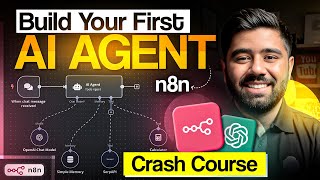
This tutorial from Badar Munir teaches how to build AI agents using the n8n automation platform. It covers the fundamental difference between automation and AI agents, step-by-step setup of n8n, and construction of two practical agents: an inventory management system for a book store and a website status checker. The video emphasizes no-code development and real-world application.
AI agents are virtual employees that can automate tasks like email replies and report generation. They are in high demand and can be built without coding.
Platforms like n8n and make.com enable automation and agent creation. n8n is preferred for its flexibility and custom code support.
Automation follows fixed logic (e.g., always taking the bus), while AI agents analyze situations dynamically and make decisions (e.g., choosing bus, rickshaw, or car based on context).
The first agent is an inventory management system for a book store. It will use n8n and Air Table to update stocks and answer queries.
Essential nodes include trigger (starting point), action (perform tasks), filter (conditional logic), code (custom JavaScript), HTTP request (external APIs), and AI agent (the brain).
This section demonstrates setting up a chat trigger, connecting an AI model (Grok or ChatGPT), adding memory, and integrating Air Table for data access.
The agent accesses Air Table to read and update inventory records. It can query quantities, add new items, and update existing ones via chat commands.
A second agent monitors website uptime using a schedule trigger, HTTP request to check status, and conditional logic to send alerts if the site is down.
By the end, viewers can build their own AI agents using n8n, starting with a basic inventory system and a website monitor. The tutorial encourages practice and offers advanced resources for those who want to monetize these skills.
What is the key difference between automation and an AI agent?
Automation follows fixed logic (always does the same thing), while an AI agent analyzes situations dynamically and makes decisions on its own.
02:25
Name two platforms mentioned for building AI agents.
n8n and make.com.
01:11
What is the purpose of the 'Simple Memory' node in n8n?
It stores conversation history so the AI agent can remember context across messages.
23:35
How do you connect an external API (like Air Table) to an n8n workflow?
By generating an API token from the external service and pasting it into the n8n credential field.
32:54
What does a status code of 200 indicate in the website checker agent?
The website is up and running correctly.
53:07
What type of node is used to perform conditional logic in n8n?
The 'Filter' or 'IF' node (utility node).
53:49
What is the default context window length set in the tutorial for memory?
5 messages.
25:38
Automation vs AI Agents Explained
Provides a clear analogy (bus vs rickshaw/car) that makes the abstract concept easy to grasp.
02:25Essential n8n Nodes Breakdown
Categorizes all key node types (trigger, action, filter, code, HTTP, AI agent) essential for building workflows.
13:02Adding Memory to Agent
Demonstrates how to give an AI agent memory using n8n's built-in Simple Memory, enabling context-aware conversations.
23:35Using Air Table as a Data Source
Shows how to integrate a cloud database (Air Table) into an agent for real-time inventory management.
34:31HTTP Request for Website Monitoring
Illustrates how to use HTTP requests to check website status and trigger alerts based on response codes.
53:07[00:04] Has been. In today's video, we We're going to learn how A.I. You can make an agent and Inshallah this After watching the video, you can first We will create AI agents. You can use it for your work Can also be used for. Second you
[00:17] Its demand is very high at this time. What are AI agents basically? So this You have a virtual employee. like you An employee is given a task and he does it. This is how it happens. But inside you A system has to be created which automatically
[00:31] Will keep working for you daily. None of this Don't give him salary but give him very good The options are that AI has come a long way and These are things that we used to think that It is happening today. So the AI agent is Whatever you have, you can reply.
[00:43] of emails. You need to create a report He can do it. Whatever you think of I have been supported by Badar Muni who He is an expert in this field and he Propper has taught us how to create AI agents Can make. I have seen their social links.
[00:56] I personally like his channel. Was. So you must visit and you You will see that he also makes similar videos. Are. So you should follow them also. Let go How can we create our own agent? In today's session you will make an agent with your own hands.
[01:11] There are makers. Automating together There are. Literally people are small agents Making thousands of dollars by creating automation. Even if you do a little research You will find out that some smart people He developed his own system on the basis of automation.
[01:26] Companies worth millions of dollars have been established. Entire agencies have been created. So today In this video I will show you all the fundamentals I will tell you. from start to finish if you If you follow this properly then today you will The first AI agent can share with people
[01:41] Platforms are available where we Automations can be done. Can create agents Automations can be done. Can create agents Are. The first one is n8, then m.com and so on. There are many platforms. But we are in it I am going to use N10. And its purpose is
[01:56] Why use it? Because it's a little bit It is more flexible. The rest of mc.com is a little It is easy but n10 is a little more flexible Is. You can also do custom code in it. This means you can create a detailed framework. Due to which you can also charge a good amount from the client.
[02:11] You can do it. Now let's talk about the N10 at last. What is it? It's actually a work flow Automation tools where you can create agents Yes, and you can implement them further. In systems. And yes, the funny thing is that you need to create automation and agents
[02:25] I don't have a computer science degree, bro. Needed You don't need any coding skills. You with very basic knowledge which I I am going to give you the opportunity to create your own agents. Are. Many people ask me questions Are automation and agents the same? Its answer
[02:39] That is, no, there are no beans at all. First let's talk about what is automation? Automation is equal to fixed logic. That means that Automation is something that we have not done before. I have told you and it will continue in the same way. that change It will not happen. If I said that I
[02:54] I have defined the process. tell me the way Given that I will catch the bus from this square. Bus I will sit in it and go straight to school. So It won't happen that next time I take a rickshaw. I will take it or next time I will get the car I will always take the bus. That means it is fixed
[03:10] The logic is that once I've made it in the clear way I told you to follow these instructions brother. Will you do it? You can see its flow in front. will be. There is a trigger, there is an action. is, output. What is the trigger now? Trigger One There is something that starts your system.
[03:24] She does. Your automation to your agent It starts. Or you could say like It starts. This is the first step. Or Then you press the button and something starts. She goes. When you press the button, the bell rings. Of the house. So consider this as the first step. trigger
[03:40] This is what will get things started. Now trigger Connected with action. What is the action now? Is? Now when the button is pressed, After that some action will be performed. That means that
[03:52] I clicked and the automation started. Will happen. Now when will the action be performed? it The trigger can be anything. let's suppose that If you get an email, that triggers Is. You have created some automation based on that trigger. Has been installed. As soon as I get an email
[04:05] Will my agent run or will my automation run Will go. Now the scenario is that brother, I Automation is running and installed on email. My trigger will run as soon as I receive an email And then there will be an action performance. Now the action What have I put on? Now I have this
[04:20] I've set it up to be an email. An email will be sent back to him. Automatically saying that brother, I am on vacation right now. I can't reply to your email right now. I will find it. I will return your email after 30 days. I will reply. What was the trigger? Email
[04:34] An action is performed after the eye and trigger Which I had set manually, brother Send him an email, even an email message. I had set that this same message The message will not change every time it goes, okay. So this is actually automation. Now the action
[04:51] So this is actually automation. Now the action After that the result comes. What is the result now? Now when the action is performed When the action is performed After this, the email that we send will be I am on vacation. when she leaves next The user who first emailed you
[05:04] Then you will get the result that whether your Automation is complete. he sent an email The email flow you set up The message went away. Now where does the difference come in? In automation and AI agents. This is the second The picture you see in front of you is this
[05:21] of AI agents. What are agents? The agents who exist are suitable. This is a unique situation. That means you You did not tell me clearly that brother you had stale Have to catch it. He gets it of his own free will Can take action. He will also take a rickshaw next time.
[05:34] Can catch. He will also get a car next time. Can. Ok? He stays at home instead of school May go. She goes to a restaurant instead of school. Can also go. That means he can handle the situation himself. Annalise does. uses his mind Is. according to the situation
[05:48] Performs action. No fixed logic It would have been. now in front of this also in this also There are those three steps. is triggered, There is action, there is result. Now one thing about this It is different. If you look at the previous one So here it was simple action and here it was AI.
[06:03] There is action. A Yahan Pe AI Action Main Role playing what differentiates it From automation to AI agents. Now AI What does the action do here? Let's Take An What does the action do here? Let's Take An Example. Run an e-commerce store on your own
[06:17] You are selling the product. You can also put watches on it. You are selling it. You're also selling shirts on it. You are selling it. You're also selling shirts on it. yes. You have now set up the Brother agent. Now Let me tell you what will happen in case of automation. You set up the automation. The case for automation
[06:30] This will happen whenever you get the order, right? Your order will be sent to the department. Your order will be sent to the department. He will say that brother, the order has just arrived. So doesn't The matter may be related to that watch. Doesn't matter that shirt Have you come? Just send a message to the order department.
[06:42] Will go away. And what next, the order department? Will he? Through the automation that is in place The message will go to the customer that brother, so many You will receive your order within the day. But If we install AI agent here, then see The watch and shirt are totally different. Two of these
[06:57] There are different departments in our company. Ok? Sales Team Order Team of this watch She is sitting separately. Shirts order team separate She is sitting. This is what should have happened now, brother. If there is an order for a watch, then the watch department Go to. If there is an order for a shirt, then the shirt
[07:10] It is difficult in case of automation. so therefore We replaced it with an agent. Now an agent So he analyzes the order. To describe what type of order it is, friend Is? If the order is of watch type then Brother, if you have ordered a watch then the watch seller
[07:25] department, don't you just email him? Brother, someone has ordered a watch. now now What does it do? watch department ahead He further messages the person saying, brother You will receive your watch within 10 days. If there is an order for a shirt, then analyze the shirt.
[07:40] Will give. Now he is not with a fixed department I am giving. He is analyzing on his own. and performing action on its base Is. So this is the core difference between AI agents and
[07:52] In automation that we have in AI agents There is an AI that uses its brain Is. analyzes it at run time and She takes decisions as per her wish at run time. Now let's move on to NA's account set. The first agent you will create is Inventory.
[08:07] Whose management system? Of the book store. But if you learn how to build a bookstore Neither can you apply it to anything. You can do it. Medical stores, phone shops, You can pay for anything from different shop owners. You can contact them and sell it to them.
[08:21] Brother, we are your inventory management system. Let's make it. Let's automate it. And then we'll create another system. In which we will actually see that we How to connect to the website and We will check the website to see when it is down.
[08:35] It happens, when does it go live? Then we have another Agents are going to make and pay. and which The last thing we're going to make is that we We will create a system of cricket so that we Run time score, don't look at us again and again Fell. What are you doing at run time brother? Email
[08:49] Come or send a WhatsApp message What's the score, brother? how many out It's done. The match is going on at run time. We are getting repeated notifications at run time. That's it, friend, this time the score is so much. Or it's out. So his
[09:02] We will get the results. So this is great fun The system is going to be there. So especially those people Let's go and create an account for it. To all First you come to Google. Write Na10 here And after writing N10, the first thing that The second link is coming, this is N10 below.
[09:17] Work Flow Automation Platform On this you Have to click. As soon as you click You have to click on Get Started. As soon as you click on Get Started. Here you brother will fill out your data. This is being verified. Check out the verification.
[09:32] This yup was successful. Here you can find your Enter email. Enter any email. Company Email is not necessary. and confirm it Email is written here below. Password Set your And write the account name here. account name
[09:46] Badar Munir, I write anything of mine You can write, friend. And here I have 14 Click on Day Trial. As Brought to the page. And it told me
[09:58] Will ask questions. I will ask questions like I am answering this anything brother, anything You can select it, it doesn't matter. If it were to happen, it would just be taking its information. If it were to happen, it would just be taking its information. Okay Google, keep submitting. Just submit.
[10:13] This message is saying choose yourself in this Choose anything from this, I have these four or five I chose the beginning on Continue. I have clicked, brother is saying skip it. If you want to add a team member, brother. In this you enter email then team member add on
[10:27] In this you enter email then team member add on It will be done, I have done the escape here. After skipping it will be about 10 seconds long. The loader will take it. If you want to see this video Take a look, rather skip this and this Start automation. By clicking on this you
[10:42] As soon as you click on Start Automation So this actually tells us their real So this actually tells us their real It will take you to the dashboard. So your This kind of dashboard will be shown in front. Now I Let me tell you a little bit about its basics.
[10:54] is the icon of. This is on this side, on the left side You have to be seen. on the plus icon Will write. This is the work flow. So you are here You can create your own work flow brother. Brother, what is the work flow that whatever project you He can start his project here.
[11:07] You can. In which you actually work You can start doing it. Look at this I Create Pay did it so it brought me in Is. From here I can now implement my automation. Let me start making agents. But First, let me go back to the overview. it
[11:19] You will see the project below. Add If you click on the project, you will see a Will be able to create proper projects. Meaning You will be able to create a folder in which you Will be able to work. Like I say this I tell you that friend, this Badar Munir has got you covered.
[11:31] If you are doing a project then the client The name of the project will be whatever you want. are also making it for him so that you can Share access later too. it Project member. You can email here If you put them then the client will get access
[11:43] If you put them then the client will get access This thing will go or any of your team members Who needs it. This brother project is now here It has started. I clicked on the name It is in the name of the project. It's coming up Create work flow. Create Work Flow Pay
[11:55] Create work flow. Create Work Flow Pay If I click on it, this workflow will start there. But before that, one important thing for you She is going to tell. You don't need to do this on the left side The templates button is visible here. If you go to templates then here
[12:08] This automation of many agents You will get readymade templates. whom You can use it. But right now you are a beginner yes. You did not become an expert. I this Does not recommend. only you can see How they have given templates below
[12:21] Yes, topics are given. you that You can use templates. it Marketing you any sales template You need it brother. So this is under the cells. The templates will appear. I click on this I do. I click on any
[12:33] So there is a button to use for free. Use for free If you click on the button then it will be yours will come into the project and you will be able to handle it well You can use it in any way. But right now I I will not recommend you. Please because Right now you are basic. You are your foundation
[12:47] We have to work together, right? one one one Don't make a project. When the client's must be strong so that any kind of If there is a requirement, you can make it. so this is This was a little basic overview of it. Now Let's talk about its main function. To all
[13:02] If you haven't created your project yet Done, here click on the Create Workflow button Click on it. As soon as you clicked, The layout appeared. Add on first step If you clicked then you will see on the side Options are visible. This is actually
[13:16] There are Nads. This node is super important brother Is. If you don't know this, you can Is. If you don't know this, you can Agents can never be created. So to do this Before creating a workflow, I would like to tell you I want to explain that in actual
[13:29] What is the concept? What are their fundamentals? Is? After that we start creating our work flow. Easy to set up for you guys So that we can explain it to you in a better way
[13:41] I can do it. The first concept is the trigger. of the node that I just told you about Brother starting starting point is that Brother, it will work. It comes with a manual trigger Is. This is the first one which is a manual trigger. The form is triggered. Please fill out some form.
[13:53] You get an email, a chat, or If you get a WhatsApp message, should you act on it or If any data is entered in the Excel sheet Let your automation run. So what is the trigger node? They say? The starting point that you Automation starts your agent.
[14:06] Then after that there is a concept called action node Of. What does an action node do? Perform N Action. Have I even told you? action performs that brother as soon as email me
[14:18] It came and it got triggered. Now because of that next An email should be sent to the guy saying, brother, I Or it's our data. Place your order Or it will be processed in three days. Anything The email you have set. Get a Message Ad
[14:32] The email you have set. Get a Message Ad Email Label Send Email Message You Notion Notion It is a platform where you can submit your tasks Can manage. insert data into it Take. Enter the data into Google Sheets. Google Remove the data in the sheet and update it.
[14:46] All this work that has to be performed, right? The action to be performed. for example I have to take this forward with my hand. So this The action will be through the node. Now let's talk He goes away. It comes with filters. Limits come into play. Its example is
[15:00] I will give you, for example, one of our shops There is a waist store. We have said that when 1000 Let our order of 1000 orders be completed. There is capacity. So let us use this limit. There is a limit of 1000 orders. But when 1000 After the order is placed, all brother sales
[15:14] The team has all the operational teams A message will appear saying, "Brother, our limit is reached." A message will appear saying, "Brother, our limit is reached." It has happened. but after even one Automation and will hit that order Pressing the order button will stop the processing.
[15:27] This will disable the ability for another customer to place an order. Couldn't do it. And you could also say that for For example, we have filter of filter Filters have been put in place to prevent emails from coming in. Have been. We are getting a lot of emails. Customer places order, we get emails
[15:41] Are. But we have a filter. That brother, if the order value is above $5000 If yes, then I should get the message personally or If you are heading then you will get the message or Personally message my sales guy. I realized that this was a big number of high ticket sales.
[15:56] Is. That means a very big order has come. This Personally, we have to look at it with great focus. So These are the kind of amendments, amendments This utility node is actually installed comes in use. Then comes the code node. That is, it goes so far ahead that
[16:11] You are writing custom code brother. This is what you The first option visible is this code. or you Write custom code. You write JavaScript Take. But we don't need it right now Who has an idea? This is an http request. i.e
[16:24] That you have to use some external API. So, I will give you an example that Brother, we are using the payment methods Like if the payment method is cash or any It is attached to the Each country has its own There are payment methods, right? here at our place
[16:40] JZ Cash is running in Pakistan. India Different methods may be running in it. So that What is it that look, that is not ours. They The thing is not ours. The website is ours. But that payment method belongs to someone else. They js is of cash. That's from Stripe. So
[16:55] With their API, if we did any automation If we want to play it, we will use http request. If we want to play it, we will use http request. Let's do it. Then the most main role is AI agent. I told you this is the essence of our entire system. It's brain. It has to do the main work which is
[17:09] Differentiates automation to agents. You can see its picture in front of you. Further on in this, its notes are being made. About whom we will talk deeply, on which this What does he basically do brother? These agents AI The agent analyzes. Looks at the situation.
[17:24] Analyze your mind based on the situation Runs and takes action on its base. I have given him instructions, this Only he doesn't follow. This is its own It also uses the brain. ok brother order If it is about watches, then I am from the watch department.
[17:38] I will contact him only. So, these are some triggers. These were some notes which were actually very It is useful and this will be of major use. So It was important to understand them. Now we will start our work Will move towards creating flow. The first work We are starting to make it. So let's go now
[17:51] Onto creating your first agent. So work You must have come into the flow and created work. By clicking on the flow. So here add first You will click on the step. We Add First You see the triggers. So first of all We'll scroll it. Below is a list of on-chat
[18:05] We will trigger it. I clicked on chat. and wrote it back from here on out is back to canvas. Back to Canv pe cam. I moved it. by moving it What should we do in this? trigger means that
[18:18] Am I doing it? What am I running automation on? As soon as there is a chat message, as soon as someone If we get a message or talk about something, we can chat. It will trigger if there is activity. Now its We will also deploy our AI agent. i.e
[18:32] I will use my brain. Now AI first, AI first Click. This is the first option that After clicking on it, it will appear on the AI agent. Click. Clicked on A Agent. of now So we're going to go back to canvas here. Clicked on this. Look at this. Now the system
[18:46] What is? First up is the chat. Then the AI agent Is. What is an agent now? the agent himself Not there. LLM system is implemented with this. LLM systems are any systems that Like chat is gpt, kludge, grok, There are Geminis who have come into the market.
[19:03] There is Deep Seek. So, I model the chat with it We will have to apply it. Otherwise it itself There's nothing. First of all I did Plus Clicked on the icon. like the plus icon Clicked on it, all the tools are here He has given it himself brother. or you
[19:15] You will see the chat model of Open AI coming down. You can use any one. You can use Deep Sea You can use any one. You can use Deep Sea Take. You can use this chat model of G. So, What are we using? I use G I take it. because a lot of people
[19:28] The issue will arise that brother, Open AI's chat model is paid Is. I used this GK chat model. clicked it's telling me bro Credentials to connect with that credential Two. Now look at the chat model like chat GPT You create an account on Chat GPT.
[19:43] Ok? No one else can see you or If you take its paid subscription then that data You only get what you paid for. Only he has access to the account. some other There is no access to the account. That means that someone The lock is on. No one can access it
[19:57] Can. Now this is the issue here. We have now Want to connect Grow or Chat GPT? So we need its key to connect with it. To do because that's a different tool. These Automation is what we're building into N10. This is different It's a tool. So, if you want to connect both of them,
[20:11] We will need the keys of both of them. We will need the key to which we can connect Will give it with this. What to do now? Now this Which is create new credential on this Click. Now it is demanding API. API's. Ok? The API has the same key.
[20:25] Which brings this to our Grok in our chat Will connect GPT with it. Now Whoever wants to do chat GPT, it is simple Chat GPT search out. who grok I am searching for Grok on Google. Gok API. Gok API because it is free.
[20:40] Gave. As soon as I clicked it Said okay brother let's log in. With Google has also logged in. And this is some It will take a second and ask me to choose an account. Used to be. I have chosen the account.
[20:53] As chosen, I clicked on continue. After clicking on continue, now this This brings me to a dashboard like this. But what should we do now? We need an API This button will be visible. You click on this
[21:06] Click on the API key and click on Create API here Click on the key. No one here can Give me the name. I say it like this This is from the inventory. This API is available anywhere Then you can use it. But this You haven't shared the API with anyone.
[21:20] To do. Especially if you have a paid account. It has happened. Otherwise, if anyone wants to know about this API Your agent can use it using . That means if you can use it then you will not have to pay the bill. It will keep falling. But in this case, we now If you want to use it for free then there will be no bill.
[21:33] From. I copied it here. You this Save it somewhere so it doesn't get lost. Because I will have to see you later. delete you A new API will have to be created. I Copied this. After copying, you can Get into the work flow. Ours came back. Here
[21:46] I pasted it inside the API key. I gave it and saved it. Now as soon as I saved it and he said, brother. Connection tested successful. This cut of There is a mark. I cut it and it I am cancelling. Brother, here myself
[21:59] Grok account came up automatically. I No, I told him that it is a grow account. Here Pay Grok account arrived. And here are the models He has arrived. These are the models of Bhai You can. For now I'm keeping this Because I'm using it for free.
[22:13] And I went back to canvas and now we're going to Let's test it and see if it's working Is it or not, let's open chat, the button is coming down I clicked on open chat here I Where is this, just like we chatted Connected GPT if it is running
[22:27] So the answer will be hey how is it going i.e. It's connected, now we need to test it. Does it remember our ination that Not like Chat Jeepity or anyone else. Not like Chat Jeepity or anyone else. I say it like this. My
[22:42] hobby is building building AI apps. Ok. I entered it. So this Now he is saying to me that's fascinating. Very It's a good thing. This is your hobby. But
[22:55] Now I will ask him a question. what is my Hobby? Now if I had done the same thing with Chat GPT So Chat GPT should know my hobby Should have. Because chat is saved in GPT data. He does what we tell him to do. For him
[23:09] I know in what context this is being said. doing. how is it talking Is. What did he say before and now the next What are you talking about? Now it is saying that Bhai I am happy to discover your hobby. However I need a bit more information. If here
[23:22] Pe chattipati hota or someone with it memory If it was connected then he should have told me brother What is your hobby? Creating these agents. But now it's not working that way. Its What do we need for this? For this we have to You will have to give your brain. give a memory
[23:35] It will have to be given a place where it Can store data. You are watching this together Yes, memory is written here. This tab It is made. Click on its plus icon like If you click, there will be many here Memories will come. MongoDB PostGuess
[23:48] When you are working for a client You will choose from these. Choose MongoDB Will you take it or choose post gas? This is someone It is not difficult. But you will choose them. Then options will come accordingly. in that You will fill in the data. But for now we
[24:01] What to choose? We use the N10's own memory Do it. Because this is your first agent. I don't want to complicate it. So As soon as I clicked on Simple Memory So it's telling me it's automatically connected to the chat. It is connected itself. json dot session id this
[24:16] Give you a little, not a little, word You might see 'Old' written. Now what is this? What does it mean? This means that the one who There must be some chat going on behind the scenes, right? I will bring it. That will store the chat. Memory I have to store it, right? I don't know this one
[24:31] Where to get the chat from? where am I from Should I bring the chat? So we have json dot here I have given the session ID that brother, in this session Go. Our chat is available in this session. There
[24:43] Get chat from. If we were here right now It is written automatically. It is doing this automatically. Because we are using the memory of NA 10 Are. If here we talk about post grace or any Ba would use some external memory. That Use MongoDB as I showed you.
[24:56] You had to write code which Chatputi gives you If he writes like this then you don't have to worry. If I get further, I will also be at an advanced level. There will also be a much more advanced level one later. I will bring the course. If you needed it So you will say in the comment that brother, advance
[25:11] If we want a course then we will discuss it further. I will do a workout for you guys. Balance If you are looking for an advanced level course right now If you want, make my own personal channel. It is placed on the first million. Two of NA 10 The coursers are engaged. So from there you
[25:25] There is a lot to learn. My Channels The link of the YouTube channel will be placed in the bio Of. So from there you can go and see it easily. Are. Now there's another variable here. Another one Word is context window length. And this is Five. There are five sets here. I myself
[25:38] There are five sets. Automatic also five sets Are there. You can also do this 10 times. But we have to set it to five cost To save. Why that? Now this means What is? This means how many messages Do we want to save it in DB? Now we
[25:52] If I am doing a personal project then I I am doing five. If I pay the client's tax If it had been there, I would have set it on accordingly. Does. So brother, five messages are enough. Five There are enough chats to save. That is, the one who Context address of the last five messages
[26:05] It must be so, friend, what all has he said? So this Everything is set up automatically. I just gave you Told so that your core is clear. Now I Going back to canvas. Now I from this I will talk. I say my hobby I entered it. Now you look at the side
[26:18] But we can also see things moving. He is seen moving around above also. like he First I turned to Agent, then I turned to Grok, then Wandered through memory. This is like a roundabout. now here He says it is a very good thing. your hobby There is an app. Now I will ask what is my hobby?
[26:34] Now this will answer 100% that brother hobby This is yours. I remember your hobbies Building AI Apps. what did we do here I told you my hobby is building apps. Now he remembers it. That means now we have I have given you the memory. space has been given in which
[26:48] Our old data is being saved in it. He knows what we should talk about. So This is a super important concept. You have this Don't forget. Now comes the main thing that we I actually want to do it. This is what we Basic setup done. Now the main thing is that
[27:01] We want to build an inventory management system. We're going to the book store. So Book Store What is an inventory management system for? It will happen that as soon as new stock of books arrives We can update it. We look at stocks Can you tell me which items are available and how many?
[27:14] Are? How many books are there? How many pencils Is it lying there? How many sharpeners are there? How many copies are there? We stock their so that we can update the . We have everything There should be complete access. Pay Plus here for that You will click on the button and here you can
[27:29] So write down a Google Sheet. Google Sheets If you write to Google, your data will still be We do? Or he would be writing on a copy. Or they would have created an Excel sheet People have come to Excel and are saving on it. There are. So you can view their Excel sheet for this.
[27:45] If there is any software then it is directly connected with it Can be connected. All the famous ones here You can use Google Ads tool, Google Chat tool, Google DC tool everything is available here.
[27:57] You don't have to do anything. You just need to get inside it Have to choose. So I'll just Google it for now. I am not using the sheet. Google Sheets only Another tool of its kind is the air table. Air Table I searched and selected Air Table. Took. For now I'm going back. Now!
[28:11] If I click on the air table, then Back to the table. So you can see it here Pay is also asking for credentials. Jo Jo Tool You will connect with it, it is its actual I will ask you for credentials brother Connect and give me the key. So now we are
[28:25] The way is that you come to Google and click here. Search air table. e.g. air table search Will go down a little bit. This one link You will see the Air Table AI Building App For Enterprise. It's basically similar Like Google Sheets. It also stores data
[28:39] It happens. But a little bit of a plus in this The point is that it has AI. You now I will tell him that it is a book store, so book Put your own dummy data into the store. Will give. Will create the entire system. Now I this What do I do? Build Sign Up For Free.
[28:54] And this will setup my account right now for you. Sam. You also have to follow the same steps. There is no issue in that either. Continue with Google it. Like Kia Select Email Do it and I continued on Is. That means he is creating more accounts now.
[29:11] It just brought me to my layout. I am omni your ad table co builder i.e. It has Omni AI. I told you today Everyone is shifting to AI. Brother, say I give. I will give my own name. I entered it. What is the industry
[29:26] Brother? I will tell him brother, it is a book store. Write anything. The industry is such that At tech industry or finance In the industry. What Team Are You On? Buddy They are just taking data from us. none of its work Not there. Now there is work. They are saying brother
[29:42] An App to Manage and Track Book Lunch Events Insuring Effective Promotion. I am all this I will remove some. I say develop An App to Manage and Track
[29:54] Book Inventory. You can write anything you want in a manner. If you are making a medical Write the medical certificate. Book Shop Mobile Shop If you are making it then write about mobile shop. If you are making it then write about mobile shop. The entire process will be the same for everyone.
[30:07] The entire process will be the same for everyone. So he started pretending to be my brother. should I? So it creates the entire system. Actually saving you a lot of time Gives. Quantity has been added. photo also I have added it. Stock in stock was also written
[30:21] Is. So I have put the names of many books or The names of the items have been entered. So look at this Are. Let's wait. This is being done Things. Sales data is also being entered. Quantity sold is also being put. everything He is creating it himself. So a great fun
[30:35] It is a thing of. So you mean it is complete The created system is available. Ok. So you see You can make this app in front of me. Is. So this is the close omni button up top. it I clicked on this. So brother here Proper it has put data shutter.
[30:48] There is inventory. Book Inventory Management There is a system. He put a book list inside it. It has happened. He is telling me brother, I have used the money I said, no brother, I will take the free trial only. So there is no such system right now. trial My trial has started. Which is 14
[31:01] It is free for 14 days. Now you See this on the book list. Title here Are given. The names of the books are given This. I'll call it a story. to book. I will give you the story book. And this I Let me say Founder Book. Founder Book
[31:19] Let me say Founder Book. Founder Book like this Also there. Tell me the quantity brother The quantity is still within it. Another field
[31:31] Let's add to it. Of minimum quantity. I scrolled to the side of this plus. Scrolled. This is the plus button. Plus K I clicked on the button. I am saying this I am creating a field. I went. create a I went to the field and found a new field
[31:44] Said I will create it. a field type He is asking me. What type of field Brother? The field type is number. Look at these numbers. Isn't it a number? Because It is three or four, right? So I chose the number I did it from below. So what was the field name given?
[31:59] Main quantity. Quantity min quantity has arrived and very I give it and I created the field. Now In minimum quantity I put that
[32:11] Brother, the minimum quantity is two. If from two If it is down then some issue has gone bad. Alerts should come automatically. I have this It has been published for now. You can also share it. But I still have no There is no need. You can add more stock to it
[32:27] You can add on. Now I go back. I need an account before I go back. It is visible, you must be seeing it above. Either brother, it is visible on the bottom left. Is. I have clicked on the profile. After clicking on your profile, you will go to
[32:40] On account. Go to Account and here we We will take its API. go down a little bit So coming down here is the API's will be Depreciated. And went to the Go Developer Hub. Go After visiting the Developer Hub I came down.
[32:54] Clicked on the button. As soon as the button is clicked When I did it, it is telling me brother, give me your token Create it. Clicked on Create Token. Name it anything, I have given it some name. You can say that I have given the inventory. give anything You. It is very important to do Adscope Adscope.
[33:08] You. It is very important to do Adscope Adscope. That is, how much access does my agent have? of its fields. I'm in the Edoscope right now For now, I'm putting everything away. Am. Everything can be selected in this. I have been. For the time being I
[33:21] So that we do not face any problem. Because Making it personal now. Add a base below Is. Clicked on Add a Base and it has this Book Inventory Management System Select the one you just created. Is. Anything can happen to you. I created
[33:34] Clicked on the token. Click on Create Token After doing this it must gave me the API. These You have to save it. You did not go through this To do. Well, you can come back and create a new one here. Then you can't see. So back here I am I will go in my flow. to go here
[33:47] Here I created the credential. Clicked on credentials and here I installed the API and hopefully now its working fine. He got access to the pass. Now the first set Automatically converts this tool description to Set it manually, that we are manually
[34:01] You have to set it with great focus because it This is the very thing on whose base all the action is. Have to perform. Now look at the inventory What is the first step in a management system? We will know the inventory. his access Will happen. Access to a Google Sheet or a table
[34:16] It will happen, only then will we be able to find out, friend. how many books are there in it, how many do. The first step is to look at it Can. We can find out in that brother How much stuff do we have lying around? Now I I am telling you that you have to write here. So
[34:31] Here you have to write Get a record in air Table and In Air Table. If you have a Google Sheet You'll write a Google Sheet. Here is the air table The place was my air table so I Record. Here in Resources you can find the record You just choose the record and there is the gate. here
[34:43] You will select search because we search Have been. What is the first step? To search. Here in the Pay From list choose Pay like I clicked here and booked Inventory management system comes into its own Will go. This was selected and when the table
[34:56] If you want to select then here is the book. And the sales table is coming. Now this table can also be. In your case, there may be five. Can. If one happens in your case then well and Good. If there are more, then you have chosen the same table. You have to do it in which your data is stored.
[35:10] I chose books because in books The data is lying there. Let me show you. it If I go back, this is my place here. The project was about book inventory. Its I went inside. As soon as I get to the project If you come, look here, there are two tables.
[35:23] They are still there. First books and then sales. He is completely useless in sales. The sale date is fixed. But ours The data that is related to us is the book Is. It can have multiple tables. These Look, there is a table in front of you, right? There is a title.
[35:36] If there is author, quantity, then whom should we link to? Have to do it? From us book. So I booked it I have selected only this. So look at this here I selected the book. Now Filter By formula any formula formula Do you want? I said brother, we have some formula.
[35:50] I don't want to install it and this execute step And I execute on this. If you look, you will see the result on the side. Must have been. Our agent got access to this
[36:03] has got access to the air table i.e. that you need to do with your Air Table of Google Sheets Access was granted. Taking all this data from inside It is coming that brother, the title in this is The Great. The Gets By book is lying there. author of his it is. This is its quantity. a little
[36:16] If you go down, you will see all the data of every book. Used to be. Ok? Now the next book is Ye Pride The one is lying there. Then go down a little further The books that we have put in are also included in this. Are included. This book is lying there. Founder book this is what I had posted. this title
[36:31] Look, this founder book is lying there. So of all the books, that is, all the He got access to the fields. To all This is the first step. Now we have access I can also get through chat from here. We check the quantity of specific items
[36:45] Do you have access to an air table? tell me the Quantity of Founder Book. I continued Have done. So, this processing starts running its course. Has gone. And let's see what it says. It is taking a lot of time. But, air tables There is no movement right now. That means right now
[36:59] Air Table Key Is According to Data Access not granted. please check your Partridges. What is it doing now? Grok I have had this error a couple of times before. Is. So maybe we're using a free API. Are. Because of that the issue is arising. I am here
[37:11] Pay you this I have above it above GCK I brought my cursor and put the dustbin here. There is an option. I clicked here Gave. Now here instead of G we will open Ai I have started using the API. That means chat GPT is smarter because
[37:25] We are using his models chat GPT. I clicked this plus button Did. The option came here. down in the options Went. Scrolled. Open AI Chat here Searched the model. Open AI Chat Model Search When I did, my brother went back to canvas and here I am
[37:38] Connected it. Now open a chat model pay double When I clicked, it asked me, bro. Create a new credential. This again from me Will ask. My account is already connected to it So that's why he did it. I create I go to a new causal. so the same
[37:50] This is the funda. You will go to Google here. This is the funda. You will go to Google here. Here you will write Open AI API. As soon as you search, this will be the first thing you will see. The option will appear. This API's pay click
[38:03] If you do, it will ask you to sign up. You You have to sign up because you have to chat first. If you have created an account then login, otherwise Sign up. As soon as you sign up So it takes you to a layout like this Will come. If I had not brought it then this
[38:17] There is a dashboard button here, you can find it here You must be seeing it. This is above the dashboard It will bring you to the dashboard. side on left side The price of API is coming. Come in API Key Click on Create New API Key here. Give. When you initially create your account,
[38:31] You'll get $5 free. So you are free You can utilize this also. So if Will not meet. I would give it to anyone Am. Test new I named it. Default project. All for now Did it. All access to the Create Secret Key.
[38:46] As soon as the secret was told, brother, this secret that you should not give it to anyone because of its Connect your bank account later Will get it done with you or is it initially rather If you get it for free, it's not free right now. I will connect it but I will connect it later.
[38:58] Do not share, copy and you can directly share it on your Come to the work flow here in the work flow Come brother, paste the API key here and Save it here, as soon as you save it Cut it and put it here in front of you. An option will appear in front of you that which one?
[39:12] Model Select is 4 in 1 Mini Selected Is. Four is the latest. All models are coming Are. So, let's use 41 mini for now. Because it's a little less costly. So much It doesn't cost much money. Now I from this I ask you brother, do you have
[39:27] access to Air table? also tell me the quantity Off Founder Book.
[39:40] If I search, you will find it in front of me. Movement is taking place. Also on the air table Movement has started. and yes I Have access to air tables. the quantity of Founder Book is at. That means what is it now? with our We Chat on your Google Sheet or
[39:54] Access the air table. its quantity Can see. Tell me the whole quantity. The Can see. Tell me the whole quantity. The All Items Quantity. I said to him, brother, tell me about all the items. The quantity of any items lying
[40:07] Is. Now whenever we buy any new item We will come and send him a voice message brother. Please update our items, our new item has arrived. Or if you type it, it will update it. Now He is saying that brother, so much quantity Everyone has it lying around, which is really there.
[40:20] Let's check it. The Great Gates by Key 12 Quantity is telling me. we go inside Are. Let's check here. Grade Gates If the left side is 12 then only 12 is lying there. So Our journey has started. Now the last
[40:32] Step main work that we have to do. Now this Plus it is a tool. Click on it again. Here again select Air Table. Search Use the Air Table tool. A few things this time There will be differences. set it automatically Do it manually. And what do we want to do this time?
[40:46] I want to. Because last time we got the gate Had done it. I had searched it. Now the new us If you buy a stock for something. We have to update it now. Find a I told my brother that he will find the record and Will update it. Only records will come.
[41:01] Now this time there is no search for gate, this time update will come because we will request updates Are sending. Same from the list we Select Book Inventory Management. Our table was booked here. And now some options should pop up here.
[41:17] Have been. Now you know what to do Brother? First of all, these extra options These are the ones you are not going to update. Remove it. I am not updating them bro. remained. You can keep them if you want to Can. What I'm playing right now
[41:29] I am just playing with it. With quantity and minimum quantity with. I'm just going to update this. If you want, you can update the title also. in that If you want, you can update the title also. in that There is no roll. Simple, now you have to process
[41:41] I will show you. You will understand. Now the ID column Match on. Ok? Now I'm going to give you a big one I have started explaining important concepts. This Listen carefully. Now what are we doing here? Are? Why are we creating this table? Can update the quantity. Now look at this
[41:54] Can update the quantity. Now look at this What does the air table know about this point? I know what we are talking about in chat. Are? What quantity do we need to give me? Have to update. I'll tell you there, brother. Now you update the quantity of pencils.
[42:07] Go and update the quantity of books. I Should I tell you brother, please update the quantity? Go and get that eraser shop done. So For that we have to find out the ID. Will have to. See also when data is in Google Sheets If it had been put in, the numbers would have been moving on the side.
[42:20] If it had been put in, the numbers would have been moving on the side. Are. 1 2 3 4 Every data has an ID. That means a number is assigned to it. So We match the same number with the number So that's what we want to update. If yes then the same thing should be updated. anything else
[42:34] So that the quantity is not updated. So this is super It's simple. We will write the code in this small A little bit of a line. This is what's coming down No ID. Now in the ID you have these brackets Have to put it in. two brackets inside it too As soon as you put the brackets and
[42:50] Yes, this is the fix, you can fix it Do the expression. It's written here fix You added the brackets. As soon as you Inserted brackets. Write dollars here. dollar Inserted brackets. Write dollars here. dollar sign and here you have already written dollar
[43:03] And write from here. Dollar F is written. The option automatically appeared at the top. From I selected AI.i from AI Took. Now it is telling inside also that from What will come inside AI? Look, it will come Description will come, type will come and default
[43:15] The value will come. Don't be afraid after seeing this. It is absolutely easy. What happens now? of A There is such a thing, give it any name, which We want to get the work done. What are we in this Are you doing it? We can find the ID of the record. I am saying that brother, only the exact record is updated.
[43:28] yes. I'll give it the record ID. I will give you the name. record I gave the record ID name. Then Comma. Now define its description. Description of the work we need to get done. Work What needs to be done? I have to find the ID. Same
[43:43] I will put two commas. I will say in this brother find The ID of the exact item that brother exact The ID of the exact item that brother exact Find out the item's ID and update it
[43:55] Find out the item's ID and update it If needed. Should I put a comma? It is also asking for further typing. Is. Also asking for default value. But You have to copy it. This is what you The expression is written, you have to copy it.
[44:11] I have copied it. Now whatever you You need to update it if you have updated your title. Have to get it done. All you have to do is update the quantity I have to paste this in. keep pasting I have done the expression. Here I Removed it and pasted it. but this
[44:24] Now I will enter new data in this place. Now what Need to update? In this the quantity Have to get it done. I write new Quantity. You can write any name. New Quantity. You can write any name. New Quantity. Now I'm saying what brother
[44:36] Do you want to do it? What task to perform Is? [Music] update in description Is? [Music] update in description Update the New Quantity
[44:51] Will you put a comma here or inside the brackets? Yes. Now you will define the type here. Type What happens? What kind of data do we type? Want to update. what is the quantity it occurs? It is in numbers. in 1 2 3 4 it occurs. So if there are alphabets A B
[45:05] CD guys. Ok? So in which brother If the alphabet comes then its type string it occurs. So this would normally be the string used Is there or number is used. Majorly this use If you want, you can chat on GPT. One You will know in seconds. So here
[45:19] I did it. Update the new quantity in Air table. I typed it. Copied the number. Now the minimum quantity. Now here it is Pasted it. What are you updating now? Are? Min Quantity. I named it Min Quantity Something
[45:34] You can give it too. And now I'm saying update. The New Quantity. Update the min quantity. Now By removing the new quantity, I am writing the quantity that brother what is the update
[45:48] Have to do it. Min Quantity in Air Table. his Type is also number because minimum quantity It is also in numbers. 1 2 3 4 If this If it were an alphabet, I would have written it as string. S I would have written T R I N G String. Now Brother, there is nothing. Now we do it
[46:02] Execute. As soon as you execute Brother is saying record ID and asking for it. Record ID two brothers. I record ID For example, let me write one. So Execution has started. So all this After filling the information, go back. back
[46:16] Click on To Canvas and now we'll check Let's see what kind of system this is brother. things Is it accessible or not? I say That brother, make it 100 quantity. and went And brother brother brother it's working the quantity of found berg has found vault founder book
[46:32] Has Been Successfully Updated To 100 If Any need further assistant please let me know now Let's go and check if it's brother's too. He is telling me things that I have just been here. So how much is there here, refresh it Let's refresh the page again
[46:48] To The mean has reached 100, now let us take the data. Getting more updates on the inventory system You can also do this through just one message.
[47:00] Now we don't have to open sheets and get the data inside it. You will have to input it. I tell you brother I can also add new products to it. Am. Update the all quantity 500 5000
[47:12] Please update accordingly. Curie has given. To all First the agent then open a model with memory And now the update is happening. Update Record Pay All the movements are right in front of you. And Bhaijaan, he said I have updated it. After updating he also gave the information. Now we
[47:27] To verify, go here. Here Look at him, he is taking time. And this when It has been happening. Look at this, you can see the quantity. He added Rs 55,000 to everything. Founder book was 100 will be 5 70100. Minimum Let's go and see the quantity. Minimum
[47:40] The quantity of everyone was set at 100 each. i.e How much time was saved by one command. Now you Will you take inventory? Will you do a voice over, brother? That I bought these 1000 books. 1000 these If you want to chat, do it immediately from your mobile. Will remain. You are chatting on your WhatsApp
[47:56] You will be. Back to your inventory system Updates will continue. So this is like super Helpful guys. What did you just have to do? You still have to work on this more. This I want to go into more detail so that you can You can actually sell to clients.
[48:09] According to their needs. You this system You can make it for anyone. This same work It will happen if you make it for medical purposes. This will work the same if you drive it in a car. Make it for manufacturing. Now let's go On to our next agent. So we are final
[48:23] We will tell you that brother, whatever is the status of our website May we not know that our friend The website is not down. our website Pay orders are coming in. Brother, don't lose Us. As soon as our website is closed If it is down, we get notifications. Email
[48:37] But brother, I got a message that brother, your website It is down. Report this to your developer quickly. Work on this. Check its status all the time Let it happen brother, whether it is working fine or bad Has occurred. Now the process is simple, You can also implement it on your e-commerce store.
[48:50] Can do. So now we click on the plus button Let's click. Here we see Let's click. Here we see Which trigger do we want to run? So on chat Is on form submission on a sizzle. on a We have to drive the Szeel one because we
[49:02] It is later. So on a casual basis I clicked Did. Instead of day, I will do that brother I will do it for minutes for now brother, every 1 a minute later you check [music] and it
[49:14] I came back to canvas and we have it here If you pay, now look at our real website. in terms of the connection that had to be made with We need things related to it here. Here the core comes in the core, you http requests will go into core
[49:30] You have to connect with the real website External External to a website Meaning connection with the buyer's website If you have to, you will use this. gate here You can use this method. Whatever you gave him The job is to perform. What do we have to do?
[49:44] Have to gate it. Have to access it. So I I am getting it here. Here you can find your You will upload the URL of the website here. I search here for founder Vaults. This is a platform where A complete business road map is provided which you can
[49:57] Run your business one by one by following Can. And from here we go to our own Paste the website link in the URL Is. You can link to any website here. You can paste it here. And now Scenario This is what you are doing with your website.
[50:13] I am pasting the link, right? If your You don't have a website, you want to create one. If yes, then the process is very simple. For NA You will need self-hosting. So What do you simply have to do? For that you You will find a link in the description box.
[50:25] Have to give. As soon as you click on the link If yes, then this kind of screen will open in front of you. Will happen. Here you have self hosted Na10 Click and here it is You will come across that self hosting NA10 You can claim this. basically
[50:39] Their Blessed Friday deals are ongoing In which you will get a lot of discount and This is the right time for you if this is who you are. Want to get hosting. So this is basically You have to come down and here If you see, the best VPS is
[50:52] Their time plan is KVM2, inside which What benefits will you get? One you two V CPU courses will be available. There will be 8GB RAM. It will have 100GB of NVMe disk space. And there will also be 8GB bandwidth. And all of this All these options are detailed in this
[51:07] It must be so. So what you have to do is simply You can click on Choose Plan from here. Have to give. Then I am telling you this blast There are Friday deals. So this is a limited Will meet. So if you want to avail You can do it timely. So here you are
[51:20] As soon as you come to the next page It will appear before you like this. 24 months old The option you are getting is ₹40,000 Inside. Basically, within this you will get one year The domain that is there is also free. Will get it. And if you guys have a coupon from here
[51:34] code and here you write Kashif Are. Ok? Simply write your Kashif If you apply, you will not get this Rs 40,000. Rather now it will fall below Rs 32,000. You get 20% You will get the offer after visiting my link. On using coupon code. So this is for you
[51:47] It will be very beneficial. So you have its Have to use it. What do you have to do after that? Malaysia is close to us. enters Asia Is. This is also selected. So you here Click on continue. After that, if If your account is created in hosting then you
[52:01] Log in from here and complete your login. Please take it. Otherwise, if you want to register Enter any email address. your password Do whatever you want to choose. And click on register. Last The step is that you have done your billing from here
[52:14] Add your address and details. And then click on continue. Then You have to use your card for the payment. You can also use it and you can also use J Cash Can do. So both payment options are best. Are. By making any payment you wish to make
[52:27] You simply click on submit payment And your hosting is VPS. You will get your plan. Come back to the process, here's the link. I will put it. You can link your website here I will put it in and everything is fine. Authentication
[52:41] I will put it in and everything is fine. Authentication Just say no. Ok sir. So you can choose this nun And click on the add option below. Do it. Is there a response here or a response? Choose. Will go to the response. Response After going there, you brother will auto detect it.
[52:53] Text from. Text to here Only data will remain below. Include Response Headers and Status. You do this. Turn it on Do it and execute it and see Are. If any error occurs then it will start working brother. Correct Is. It's quiet working. Status code is
[53:07] What we need is status code 200. Status code 200 means every Errors in the website that is live There are codes of . Now if it is 200 then its Meaning your website is running fine. if anyone If you get another error, it means your
[53:21] If any other code comes into the website If 504 comes then it means your There is an error in the website. Now go back to canvas If yes, then this is it brother. We take this with Let's connect. If it gets triggered now It will check its website. Now we have
[53:35] What should I put next here? status checker The node we're going to connect here is this who is checking its status it is up Or it is down. The one who is coming forward from behind Response Check that on. Here you What you have to do is that you have paid here on the flow.
[53:49] Have to go. I told you that we Majeed, when filtration has to be applied then What utility node do we use then? Filter and If do this if thing. Now I want to say, brother, now we know what Are you saying this? If the status is this, this is if
[54:03] Why are you applying it? This is why they are putting If the status is 200, it means the website is running. Then again the email will not go then different Typed email will be sent if the website is not working As for the different types of emails that will be sent, this We have to implement the entire process.
[54:16] For that I have selected this and this asking me for some things Value One and Value to what you have to do now In value one, write what to do. If you want value one, which value one In value one we code what we need
[54:30] In value one we code what we need I want what status is coming from behind 200 If it is there then we have to compare that brother 200 is matching with . status from behind If 504 is coming from behind, that's 200 If it is equal to then it means the website is down. If
[54:43] 200 is coming from behind, let's compare it from the front. With 200. If it matches 200 then Meaning the website is running. Now from behind How to find out the status? This is you You can see the data on this side. Things that are visible in the schema here
[54:55] The status message is displayed and the status code is displayed. It is visible. Now this is value one, right? What do you have to do here? This one You have to write the expression. brackets Dollar json status code dot to string. Now This status code, if you are on the left side
[55:08] If you look at it, you will see this status code here. Used to be. Equal to 200, what do we want to do now? Are you? What do you want to do? from behind The code that is coming is whatever you want, 200, The code that is coming is whatever you want, 200, 300, 500, we have to compare it with the real
[55:21] If the website is up, there will be a 200 code. And If the website is not up then there will be no 200 code. Now here we have written the state status code. The real variable is the one shown on the left side. Why are you guys getting dot to string did dot to string so that 200
[55:36] The number that is there is 200, so it is a number will you convert 200 into a string That should come in brackets above or that Come into coma. Now is equal to doing Here we made it 200. Wrote 200. How is it going now? I will tell you
[55:49] Am. For example, 200 has come from behind. it 200 = 200 means the website is up. If behind 500 comes from it and here it compares 500 = 200 means no, it means website It is down. So I execute it Am. As soon as I executed this
[56:04] Am. As soon as I executed this So it said that node executed Successfully. Brother node is executed In a successful manner. Now, next we will do something will add on utility node so that we So that the status can be known. These plus icons
[56:18] Clicked on it. Data Transformation Pay Went and selected the edit field here. I have taken it. Click on Add Field. to click After this we give the name here. Bhai Status After this we give the name here. Bhai Status Is. Check Status Hum Stas.
[56:31] And gave the value here. Website It's up. And executed it. ok sir. And here click on the plus icon Another click. And here again he is
[56:45] Same data transformations went into it. audit Go to Fields and click on Add Field here Clicked the same status but in this case What will happen? Website down in case of false And I'll tell you right now. just upset You don't have to be. ok website down this too
[57:01] I executed it. Why did this extra status come? Ok. Website down. Done. Now I'll give you the flow Let me explain. The flow is that from here
[57:14] Request goes via http from here trigger on It happens. The request is then sent from the trigger. On the website. Checked from the website What is the status? status if whatever status He knows it, after that we did an if together It is attached. if brother status is 200
[57:28] It is attached. if brother status is 200 So he will go towards A True. If If the status is not 200 then it will go to false. Towards. Why did we do that? Because if The condition inside is equal to 200. If the status is equal to 200 then it means that
[57:40] If it is true then in the case of true we said Said the website is down. Simple. Now I clicked on Execute Workflow. Did. It has started to execute. And message me, see the status below. So
[57:53] The status of the website is up. Now what have we Have to do it? Now we have done both with this Have to do it? Now we have done both with this We have to install Gmail on the falls as well and further. Brother, I want to install Gmail. Why put Is? That brother, whatever your status is, please mail it to us.
[58:08] So that we know what's up brother or down and the automatic trigger will continue And we will keep it coming. But this step If you click on this plus icon If you go to Actions in AI app then here you will see Gmail You can search send. This will come to Gmail.
[58:23] But from here I give you the task that This is your homework, bro. You have to do this. I will get it done right now. Only 2 minutes The work remained. Just attach it to your Gmail account. You have to authenticate and it will be done easily. But I'm giving it to you so you can
[58:37] Practice because obviously you did it yesterday has to work with big clients. You must have liked it. You can watch the video safely Please like it. If you have any questions So you can go and ask in the comment section. Inshallah I will respond there. And
[58:50] We offer different courses like Are. This is our website coming.com here Numbers are also given. Contact here also Can. Thank you so much for watching. Can. Thank you so much for watching. Allah Hafiz.




⚡ Saved you 0h 59m reading this? Transcribe any YouTube video for free — no signup needed.