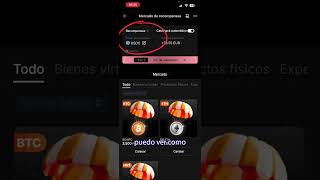

Bybit Card: 2% Cashback Explained
43sClearly explains the core value proposition (2% cashback) with a tangible example (€78.55 earned), which is highly appealing to crypto enthusiasts.
▶ Play Clip"Exactly as advertised – a straightforward, no-tricks walkthrough of the Bybit card's cashback and conversion features."
This video provides a clear, no-nonsense walkthrough of the Bybit card, which offers 2% cashback (up to 10%) on purchases. The presenter shows how to set up the virtual card, convert cashback rewards from USDC to euros, and fund the card using SEPA transfers.
The Bybit card gives 2% cashback, which can go up to 10%. The presenter has accumulated €78.55 in cashback.
The card is virtual and free. It can be added to a wallet as the main card.
Cashback refunds are issued in USDC (or Bitcoin). The presenter prefers USDC stablecoin.
To convert USDC to euros, go to assets, click convert, select USDC to euros. Example: 89 USDC (≈€75) costs only 15 cents commission.
To add euros to the card, use the recharge button and choose to deposit via SEPA transfer. It is instant and free.
What is the base cashback percentage offered by the Bybit card?
2% cashback, going up to 10%.
00:02
Is the Bybit card free or does it have a monthly fee?
The card is virtual and free.
00:17
In which token is the cashback refund issued?
USDC (or Bitcoin).
00:32
How can you convert the cashback (USDC) into euros?
Use the convert button in the assets section to exchange USDC to euros for a small commission (e.g., 15 cents).
00:47
What is the most convenient way to add euros to the Bybit card according to the video?
A regular SEPA transfer, which is instant and has no fees.
01:20
Bybit Card Cashback Activation
Demonstrates how to view and use the 2% cashback feature directly from the app.
00:02Low-Cost Conversion of USDC to Euros
Shows the exact conversion fee (15 cents) and steps to convert cashback into spendable euros.
00:42Free SEPA Transfers for Card Funding
Reveals that SEPA transfers are instant and fee-free, making it easy to top up the card.
01:20[00:02] use the Bybit card for 2% cashback. If I go to the homepage and click on card, I can see how they are giving me a 2% cashback and it goes up to 10%. I a 2% cashback and it goes up to 10%. I have already accumulated €78.55. If I click on
[00:17] my cards, you can click on card details and add it and pay whenever and wherever you want. It's a virtual card, so it's free . What's more, I have it as my main card in the wallet. If I
[00:29] go back and click on these euros to see the details, I can see that the refund token is USDC or I could choose Bitcoin. I leave it in the choose Bitcoin. I leave it in the stablecoin USDC which is always worth the same.
[00:42] Don't worry about this because you can instantly exchange it for euros. And I'm going to show you how if I scroll back, go to the bottom right to my assets and click on the convert button to choose from USDC to euros. What is the
[00:56] amount I want? For example, 89 USC, which is more or less the €75 I got. I can see that it's only 15 cents commission, which is very good. Plus, it's cashback money. Get a quote. I click
[01:11] confirm and that's it. I have the euros back in my account so I can, for example, spend them with my card. And how do I add euros to my Bybit card? Click on the recharge button, choose to deposit euros. The best option, for
[01:25] me, the most convenient, is to make a regular SEBA transfer, which is instant and has no fees. This is my information. Just put in the ones that come to mind and that's it. It's that easy. Yeah.




⚡ Saved you 0h 01m reading this? Transcribe any YouTube video for free — no signup needed.