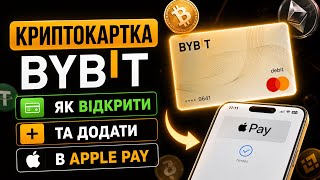

Banks block crypto P2P? Use Bybit card
43sHighlights a common frustration of crypto users facing bank freezes for P2P transactions, offering a practical alternative.
▶ Play Clip
[00:08] video, I will show you how to easily open a cryptocurrency card from BGBIT and finally add it to Apple Pay or Google Pay. Just a few steps away. And I'll say right away that this card is really convenient for everyday expenses. After all,
[00:22] withdrawing crypto to a card via P2P is still a quest. Because they are increasingly writing in chat, and in general, I hear from acquaintances about cases where the bank blocks your card for strange P2P transfers and many other reasons. Therefore, the option is this: if
[00:37] you need a large amount, it is better to use physical exchangers, which are available in every city. And for coffee and burgers you can use a Bybit card. And in general, every crypto user should have a crypto card, especially from a top exchange, because in fact you are
[00:51] simply paying with crypto, for example USDT or USDC, or even Bitcoin. Conversion is taking place at the exchange rate. Also, for opening a card, you will have cashback of up to 100% on the specified platforms and a total cashback for spending of 2 to 10%, which, in
[01:05] principle, almost equals the same rate if you simply withdrew via P2P. To open a card, you must already have an account on Bybit and have passed KYC verification. If you don't have an account yet, I'll leave the link in the description. There will also be a way to open
[01:19] a card with bonuses, that is, to register on the Bybit exchange with bonuses and separately, if you already have an account, to open a card with a bonus. As I said, payment is made using your stablecoins on the USDT or USDC exchange, the
[01:33] exchange rate of which is approximately one to the dollar. You can even pay with Bitcoin, but it's not very convenient due to volatility. And the most interesting thing is, if your funds are in staking or pools, you don't need to manually withdraw them, the payment will still
[01:46] go through, and the crypto will continue to work and bring you passive the card. It's very simple. We go to the bybit application. Next, open the assets section and click apply for a card. Next, we select the country Ukraine.
[02:01] Next, the USDT base card option will appear . Click Continue. After that, we enter our residential address and simply fill out the form. What do you use the exchange for, for example, for investing, employment status, then source of income,
[02:15] crypto trading, and so on and so forth. An important point, this data has practically no effect on anything now, but may affect limits in the future. Next, confirm your phone number, email and enter the referral code to
[02:27] get another $10 for use. Enter the code 8233. After that, confirm the application and the card will be opened in just a few minutes. Once it is active, you will have a separate section where you can
[02:41] view all transactions, cashback, and manage your card. The interface is as simple as possible, you'll figure it out without any problems. Now how to pay? You can either enter your how to pay? You can either enter your card details manually on the website, or add
[02:54] it to Apple Pay or Google Pay and pay with your phone. Bybit only recently added Apple Pay to all users, so some may say add to Apple Pay here, while others, like me, don't support it. Because what are we doing?
[03:07] We go to our phone's settings and look for GMets, that is, where all your cards are, Monobank, Privat, and others. Here we add a card. You can either add it manually, i.e. specify the number, CV, and action code. In short, everything is standard. Or there will be a
[03:22] hint in the Bybit app. Here. Next comes synchronization. We accept the conditions, check it and it already works. You can pay at any store that has a terminal. Let me remind you that the exchange gives cashback from two to 10% on each spend, and with a
[03:37] referral you will receive another $10 per spot when you spend the first $100. Now, maybe someone already had a card, but wasn't able to add it to Apple Pay. Look here, there is one way out. You need to close the old card. That is, go to my
[03:53] Internet cards and close and open a new one using the same scheme. If necessary, documents must be attached. Currently, I only accept ID cards or passports. And so on. When you use it, for example,
[04:07] you pay, the funds are usually blocked and debited a little later. All operations will be visible in history. You can also order a physical card and withdraw cash at ATMs. By the way, they write that BYbit will compensate you for the first $150 withdrawal
[04:21] fee. And to sum up, such a card will definitely not be superfluous, because it works in any corner of the world, especially in situations when all the money is tight, and you need to pay for something quickly. Plus, fewer questions
[04:34] from banks and fewer risks of blocking. That is, you will have this kind of diversification of your funds. When the cards are blocked, you have a crypto card that no one can block. If the video was useful, be sure to like it and
[04:48] subscribe to the channel. And that's all I have . Thank you for watching and see you in the . Thank you for watching and see you in the next videos.



⚡ Saved you 0h 04m reading this? Transcribe any YouTube video for free — no signup needed.