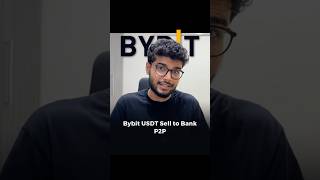

Sell USDT on Bybit in 5 Steps
50sClear, step-by-step tutorial with real account demo, appealing to crypto beginners.
▶ Play Clip"The title is accurate and the video delivers exactly what it promises, though it could be shorter."
This video provides a step-by-step guide on how to sell USDT on Bybit and withdraw the proceeds to a bank account via Paytm. The presenter demonstrates the entire process on their own account, from setting up a payment method to releasing the USDT after payment confirmation.
The presenter has USDT in their Bybit account and is ready to sell it.
To receive funds in INR, you must add a payment method in Bybit by clicking on the relevant option and selecting 'sell'.
Choose a buyer from the list and click the sell icon to initiate the trade.
Enter the amount of USDT to sell (e.g., 5.07 USDT for ₹500) or use the maximum option to sell all available USDT.
After clicking sell, you must provide your passkey for verification. The order is then placed and payment is pending.
Wait for the buyer to make the payment. The money will arrive in your bank account via Paytm.
Once payment is received, click 'Release Now' after verifying the payment. Confirm receipt and provide your passkey to complete the order.
After releasing, the order is completed. The USDT balance goes to zero, and the funds are in your bank account.
There is a $20 USDT reward for new users on Bybit, explained in a linked video. The reward is first-come, first-served.
The video clearly demonstrates how to sell USDT on Bybit and withdraw funds to a bank account via Paytm, emphasizing the importance of verifying payment before releasing the crypto. It also highlights a $20 reward for new users.
What is the first step to sell USDT on Bybit?
Add a payment method in Bybit by selecting 'sell'.
00:16
How do you receive funds after selling USDT?
The buyer pays via Paytm, and the money arrives in your bank account.
01:37
What must you do after receiving payment?
Click 'Release Now', confirm receipt, and provide your passkey.
01:49
What is the reward mentioned for new users?
A $20 USDT reward, first-come, first-served.
02:16
Payment Method Setup
Essential first step for any P2P trade on Bybit.
00:16Release After Payment
Critical safety step to avoid scams.
01:49Bonus Reward
Incentive for new users to join Bybit.
02:16[00:02] You have USDT on ByPit and you complete the step by step procedure? Let's take a look inside this video. Here is my Bybit account and here are my USDT. These are the ones I have to sell. So
[00:16] You have to click on it and inside Bybit you have to add the payment method because the USDT that I will sell, after being sold,
[00:28] how will it come to my bank account in the form of IAR, to set that payment method here, I have to click on this and here you get the option of payment method. Now if you are going to sell USDT then you have to select sell here. So I
[00:43] choose this guy and do my selling of USDT to this guy. Now click on the sell icon here and here I want to sell only ₹500, for which I will sell 5.07 USDT here, which will be priced
[00:59] sell 5.07 USDT here, which will be priced Now, I have some here for ₹605. So I am doing the whole thing here. There are USDTs worth ₹65. I am clicking on all the maximums here.
[01:11] Ok? I have to click on the cell and here verification will be asked for pass keys etc. So I have to give my pass keys here safely. As soon as I give the pass keys, there will be some loading here and my order will be placed here. Payment
[01:25] is still pending. As soon as this guy makes the payment , the money will come into my bank account through Paytm. Only after that I have to release my USDT here.
[01:37] Ok? Now I just have to wait for the payment to arrive. So let's wait. So the payment has reached me. I have received a notification on my Paytm phone.
[01:49] You have to click on Release Now here. I have verified the payment. sending the money. Sending USDT here. You also have to take care of this thing. Ok? I confirm that I received it. You have to click on this. Click on Release Now.
[02:04] And then you will have to give your pass keys. After giving the pass keys, your order gets completed here. If you click on View Assets, my balance here has gone to zero because I sold all my USDT to this guy and there is
[02:16] also a USDT reward gift of $20 for you inside Bybit, how can you claim it, I have explained it step by step in this video, I have plugged that video in this short, you must watch it too, there is a reward system here of first come first serve.
[02:30] must watch it too, there is a reward system here of first come first serve.


⚡ Saved you 0h 02m reading this? Transcribe any YouTube video for free — no signup needed.