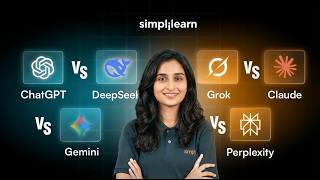
AI adoption in 2026: 1 in 6 people
45sStarts with a shocking statistic about AI adoption, grabbing attention immediately.
▶ Play Clip
[00:01] [music]
[00:05] >> In 2026, AI is no longer something
[00:07] people are just testing for fun. It has
[00:10] become a part of our daily work,
[00:11] learning, research, content creation,
[00:13] and even decision-making. Microsoft
[00:16] reported that in January 2026, the
[00:18] global generative AI adoption reached
[00:20] 16.3% of the world's population, which
[00:23] means roughly one in six people is
[00:25] already using AI tools to learn, work,
[00:27] or solve problems. And Stanford's 2025
[00:30] AI Index reported that 78% of
[00:33] organizations said that they were using
[00:35] AI in 2024, showing how fast the shift
[00:38] is happening. And now the real confusion
[00:40] starts because today it's not just about
[00:42] using AI, it's about choosing the right
[00:45] AI tool. Some tools are better for
[00:46] writing, some tools are better for
[00:48] research, and some tools are better for
[00:50] live information, file reading,
[00:51] long-form explanations, and
[00:53] productivity. And with names like
[00:55] ChatGPT, Deep Seek, Gemini, Grok,
[00:57] Claude, and Perplexity everywhere, a lot
[01:00] of people are asking the same question,
[01:02] "Which one should I actually use?" So
[01:03] this is exactly what this topic is
[01:05] about. In this session, we are going to
[01:07] understand these six popular AI tools in
[01:09] a simple and practical way. We will not
[01:12] look at them only as trending names, we
[01:14] will look at them based on the real use
[01:16] cases. Which tool helps you write
[01:18] better, which one is better for
[01:19] research, and which one feels stronger
[01:21] for technical tasks. We will also know
[01:23] which one works well with files,
[01:25] documents, and long content. And most
[01:27] importantly, which one makes the most
[01:29] sense for the kind of work that you
[01:30] actually do. Here is what we will cover
[01:32] in today's course. First, we will
[01:34] understand why ChatGPT is often seen as
[01:36] a strong all-rounder AI tool. Then we
[01:38] will look at Deep Seek and where it
[01:40] stands out for structured thinking and
[01:41] technical support. After that, we will
[01:43] explore Gemini and see how it fits into
[01:45] the productivity and Google ecosystem.
[01:48] Then we will talk about Grok and why
[01:49] people discuss it so much for trending
[01:51] and real-time style use. Next, we will
[01:53] look at Claude and understand why it's
[01:55] often preferred for long content and
[01:57] polished responses. Then we will cover
[01:59] Perplexity and why it's useful for
[02:00] research and source-based answers. And
[02:03] finally, we will compare them all
[02:04] together and understand which tool is
[02:06] best for each type of user. Before we
[02:08] move on, here is something really
[02:09] exciting. If you're someone who wants to
[02:11] build real job-relevant skills in
[02:13] generative AI, machine learning, and
[02:15] intelligent automation, this program can
[02:17] be genuinely helpful. It is designed to
[02:19] take you from the fundamentals to
[02:21] practical applications, so you just
[02:22] don't learn the concepts, you also work
[02:24] on hands-on projects, guided exercises,
[02:27] and industry tools that help you build
[02:28] confidence. You will also get to learn
[02:30] from industry and gain exposure to
[02:32] advanced topics like GenAI, agentic AI,
[02:35] deep learning, NLP, MLOps, and
[02:37] intelligent systems. What makes it even
[02:39] more valuable is that it focuses on
[02:41] helping you apply AI in real businesses,
[02:44] workplace scenarios, and not just
[02:45] theory. So whether you want to grow in
[02:47] your current role or move into an
[02:48] AI-driven work or build a strong
[02:51] future-ready profile, this program gives
[02:53] you the skills, practice, and
[02:54] professional credibility to move in that
[02:56] direction. So before we start off,
[02:58] here's a quick quiz question. Which AI
[03:00] tool is usually the better choice when
[03:01] you want fast research answers with
[03:03] sources? Is it A, Claude, B, Perplexity,
[03:07] C, Grok, or is it D, Deep Seek? Let us
[03:09] know your answers in the comments below.
[03:10] Hello everyone and welcome back. Right
[03:12] now, one of the biggest questions people
[03:14] have is very simple. There are so many
[03:16] AI tools everywhere, but which one
[03:18] actually helps the most in real life?
[03:20] Well, every few weeks a new name starts
[03:22] trending. One tool is called the best
[03:24] for writing, another is called the best
[03:26] for research, another is said to be
[03:28] fast, and another is said to be smart.
[03:30] And because of that, a lot of people
[03:31] feel confused. They don't know which
[03:33] tool is actually useful for their work,
[03:35] their studies, or their daily tasks.
[03:37] This is exactly why comparison matters
[03:39] most right now. This is not just about
[03:41] famous names, it's about practical
[03:43] value. Which one helps you write better,
[03:45] search faster, solve problems clearly,
[03:47] and understand files properly, save your
[03:49] time in running daily routines. So that
[03:51] is what makes this topic so relevant.
[03:53] Whether you're a student, a creator, a
[03:55] working professional, a business owner,
[03:57] or someone who simply wants a better
[03:58] assistant for everyday use, this
[04:00] comparison can help you understand what
[04:02] each tool really brings to the table. So
[04:04] instead of getting lost in hype, we are
[04:06] going to keep this simple, practical,
[04:07] and easy to understand. We will look at
[04:09] what each tool does, where each one
[04:11] feels limited, and where each one makes
[04:13] more sense depending on what kind of
[04:15] work you do. So let's now get familiar
[04:17] with the six tools in a simple and easy
[04:19] way. First, we have ChatGPT. So this is
[04:22] the tool that many people already know
[04:23] and use it for writing, brainstorming,
[04:25] learning, planning, and general
[04:26] day-to-day help. Next, we have Gemini.
[04:29] Gemini is closely connected to Google's
[04:31] world, so it becomes especially useful
[04:33] for people who work a lot with Docs,
[04:35] Gmail, Drive, Sheets, and other Google
[04:37] products. Then we have Claude. Claude is
[04:40] often known for giving calm,
[04:41] well-structured, and detailed responses,
[04:43] especially when the task involves long
[04:45] reading or careful writing. After that
[04:47] comes Perplexity. Perplexity is commonly
[04:50] used more in smart research helper
[04:51] because it helps focus strongly on
[04:53] finding answers with sources and current
[04:55] information. Deep Seek has become
[04:57] popular because many people see it as
[04:59] strong for structured problem-solving
[05:01] and technical tasks. It's also being
[05:03] talked about for a lot of value and
[05:05] performance. And finally, we have Grok.
[05:07] Grok often comes into the conversation
[05:09] when people want faster access to
[05:11] trending topics, real-time updates, and
[05:13] a more live internet feel. So even at a
[05:15] quick glance, these tools are not all
[05:17] trying to win in the same way. Some are
[05:19] stronger for writing, some feel better
[05:21] for research, and some work better for
[05:22] long documents. Some also feel useful
[05:25] for technical tasks. So that is why
[05:26] comparing them properly matters. So now
[05:29] that we know who the six players are,
[05:30] let us move on and understand how this
[05:32] comparison will be done fairly. So
[05:34] before comparing anything, there has to
[05:36] be a fair method, otherwise the whole
[05:37] comparison becomes opinion instead of
[05:39] something useful. So this comparison
[05:41] will be based on the things people
[05:43] actually care about in real life. First
[05:45] is writing and everyday work. Can the
[05:47] tool really help with emails, captions,
[05:49] scripts, notes, summaries, and daily
[05:51] tasks in a way that feels natural and
[05:53] usable? Second, we have research and
[05:55] current information. Can this help find
[05:57] updated answers, compare things clearly,
[05:59] and make research easier? Third is
[06:01] reasoning and problem-solving. Can it
[06:02] handle tasks that need step-by-step
[06:04] thinking instead of just giving a quick
[06:06] reply? Fourth is coding and technical
[06:08] help. Even for beginners, can it help
[06:10] explain things clearly, fix errors, or
[06:12] make technical tasks feel less
[06:13] confusing? Fifth, we have understanding
[06:15] documents, images, and longer content.
[06:18] Can it handle PDFs, screenshots,
[06:19] reports, charts, and long inputs
[06:21] properly? And then finally, we have
[06:23] speed, usability, and practical fit.
[06:26] Because even if a tool is powerful, it
[06:27] also need to feel easy and useful in the
[06:29] real world. So this method matters
[06:31] because the best writing tool may not be
[06:33] the best research tool. The best tool
[06:35] for long documents may not be the best
[06:37] one for quick answers. And the best tool
[06:39] for daily use may not be the strongest
[06:41] one for technical work. So instead of
[06:42] forcing one answer into another, it
[06:45] makes more sense to look at each
[06:46] category one by one. So now that this
[06:48] method is clear, let's move on to the
[06:49] first category that most people care
[06:51] about, and which is writing and everyday
[06:53] work. So this is where most people
[06:55] begin. They open one of the tools and
[06:57] ask it to write something. It could be
[06:59] an email or social media caption or a
[07:01] blog outline. It could also be a
[07:03] LinkedIn post, a script, meeting notes,
[07:04] resume point, or even a simple
[07:06] explanation. So the first thing that
[07:08] really matters is this, how natural and
[07:10] useful does the response feel? A good
[07:12] tool in this category should not give a
[07:14] long answer, it should give a clear
[07:16] answer. It should understand tone, keep
[07:18] the responses organized, and make the
[07:19] output feel ready to use. In this area,
[07:21] ChatGPT feels like a strong all-round
[07:24] option because it's flexible across
[07:25] different styles and tasks. Claude often
[07:28] stands out when writing needs to feel
[07:30] polished, calm, thoughtful, and a little
[07:32] more refined. Gemini can feel especially
[07:34] useful when the work connects with daily
[07:36] office tasks and Google ecosystem.
[07:38] Perplexity is less about stylish writing
[07:40] and more about helping gather
[07:42] information quickly, which can still be
[07:44] useful while building written content.
[07:46] Grok may feel fast and current,
[07:47] especially for prompts related to trends
[07:49] and ongoing conversations. Deep Seek can
[07:52] do well with the writing. Deep Seek can
[07:54] do well when the writing is more
[07:55] structured and logic-focused. So the key
[07:57] difference here is not who writes the
[07:59] longest answer. The real question is
[08:01] which tool gives the most usable answer
[08:03] for the kind of work that people
[08:04] actually do everyday. So now that the
[08:06] writing and everyday use is clear, let's
[08:08] move on to a category that matters even
[08:10] more when the people want facts,
[08:11] updates, and quick learning, research,
[08:13] and current information. So this is
[08:15] where the comparison becomes even more
[08:17] interesting because today people are not
[08:19] only using the tools to write, they are
[08:21] using them to search, compare, learn,
[08:23] understand trends, and check facts to
[08:25] get quick summaries. And this is done
[08:27] without opening too many tabs. And this
[08:30] is where the tools start feeling very
[08:31] different from one another. Perplexity
[08:33] is often the first name people mention
[08:35] in research conversations because it's
[08:37] focused on giving answers with sources
[08:39] and making information gathering very
[08:41] fast and direct. Grok also becomes
[08:43] relevant here because it's often linked
[08:45] with trending topics, ongoing
[08:46] discussions, and faster access to what
[08:48] is actually happening right now. Then we
[08:50] have Gemini. Gemini feels useful for
[08:52] people who are already working with
[08:54] Google tools and want research help in
[08:56] the same environment. ChatGPT has also
[08:58] become a part of this conversation
[09:00] because many people now use it not only
[09:01] for writing, but also for exploring
[09:03] topics, understanding concepts, and
[09:05] organizing information clearly. Claude
[09:07] can be helpful when it comes to research
[09:09] and it needs to be turned into a more
[09:10] thoughtful and deeper explanation.
[09:13] Deep Seek also enters the picture when
[09:14] users want structured responses and
[09:16] cleaner breakdowns. So in this section,
[09:18] the difference becomes very clear. Some
[09:20] tools feel more like answer generators
[09:22] and some feel more like research
[09:23] assistants. And some feel stronger at
[09:26] gathering, while others feel stronger at
[09:27] explaining. So that is why this category
[09:29] matters so much in daily life. So now
[09:32] that the research and the current
[09:33] information are clear, let's move on to
[09:34] the next category, which is on reasoning
[09:36] and problem-solving, where the real
[09:38] depth of a tool starts to show. So this
[09:40] is the point where the comparison starts
[09:41] to get really serious because a tool can
[09:43] sound impressive in the first few
[09:45] seconds and still not be really helpful.
[09:47] So reasoning is not about giving the
[09:48] fastest reply, it's about understanding
[09:50] the situation properly, breaking it down
[09:52] step by step, and then giving an answer
[09:54] which actually makes sense. So whether
[09:56] it's solving a tricky question,
[09:58] comparing options, planning something
[10:00] clearly, or handling a prompt with
[10:01] multiple layers, this is where the real
[10:03] quality of a tool starts to show. A
[10:05] strong tool in this area doesn't rush.
[10:08] It stays organized, keeps the response
[10:10] clear, and helps move from confusion to
[10:12] clarity. So, instead of throwing out
[10:14] some random points, it builds the answer
[10:16] in a way that feels dependable. So, that
[10:18] matters because in real life, people are
[10:19] not only using these tools for fun
[10:21] questions, they are using them to make
[10:23] decisions, understand concepts, solve
[10:25] work problems, and save time on tasks
[10:27] that really matter. So, the real
[10:28] difference here is simple. One tool may
[10:30] give a fast answer, but another gives an
[10:32] answer which feels more reliable, more
[10:34] structured, and easier to trust. And
[10:36] when the task becomes more complex, that
[10:38] difference becomes much more important.
[10:40] So, this is exactly why reasoning and
[10:42] problem-solving is one of the most
[10:43] strongest ways to judge which tool is
[10:45] genuinely useful and which one just
[10:47] sounds good at the first glance. So, now
[10:49] that this part is clear, let's move on
[10:51] to another important category that a lot
[10:53] of viewers are curious about today,
[10:55] coding and technical task support. So,
[10:57] even people who are not fully full-time
[10:59] developers are now using these tools for
[11:01] technical help. So, they are using them
[11:03] to understand code, fix errors, write
[11:05] formulas, help explain commands, build
[11:07] small projects, and simplify tasks that
[11:09] could otherwise feel really difficult.
[11:11] So, this part is not only for coders,
[11:12] it's also for learners, beginners,
[11:14] students, and working professionals who
[11:16] want support with technical work. So,
[11:17] the most important tool here is not just
[11:19] the one that writes code quickly. The
[11:21] better tool is the one that explains
[11:23] clearly, reduces confusion, and makes
[11:25] the task easier to understand. ChatGPT
[11:27] is widely used in this area because many
[11:29] people find it flexible for explaining,
[11:31] generating, correcting, and breaking
[11:33] technical things into simpler steps.
[11:35] Claude also enters this conversation
[11:37] because it often handles longer context
[11:39] well and can stay clear while explaining
[11:41] bigger tasks. Deep Seek gets a lot of
[11:44] attention because many users talk about
[11:46] it for structured technical work and
[11:48] value-focused use. Gemini can be useful
[11:51] when the task connects with wider
[11:52] Google-based work. Perplexity can still
[11:55] help when the goal is to search for
[11:56] technical information and compare
[11:58] reliable answers. Grok can feel useful
[12:00] when the task connects to current
[12:02] discussions or quicker online
[12:03] exploration. So, the key point here is
[12:05] simple. A strong technical assistant
[12:07] should not make things more complicated.
[12:09] It should make them clearer. It should
[12:11] help people feel less stuck and more
[12:13] confident. So, now that coding and
[12:14] technical help are clear, let's move on
[12:16] to a category that has become very
[12:18] important in modern use, understanding
[12:20] documents, images, and long content. So,
[12:22] this category matters because people no
[12:24] longer use these tools only for short
[12:26] questions. Today, people are uploading
[12:28] files screenshots reports resumes
[12:30] charts, slides, and PDFs, and expecting
[12:33] the tool to understand them properly.
[12:34] That changes everything. A tool that can
[12:37] handle uploaded content well becomes
[12:39] much more useful in everyday work, and
[12:41] it's no longer just a chatting tool. It
[12:43] starts becoming a work assistant. In
[12:45] this area, Gemini becomes especially
[12:47] relevant for people who are already
[12:48] working with files inside Google tools.
[12:50] Claude is often talked about for how
[12:52] well it handles long reading and
[12:54] detailed content. ChatGPT is commonly
[12:56] used for document-based talks, file
[12:58] summaries, and learning support. Grok
[13:00] enters the discussion when people want a
[13:02] more current and connected experience
[13:04] across different kinds of inputs. Deep
[13:06] Seek can also be useful when the task
[13:08] depends on structured handling and
[13:10] careful breakdowns. Perplexity can be
[13:12] helpful when the uploaded content needs
[13:14] to be connected back to source research
[13:16] or broader information. So, the real
[13:18] question in this category is not just
[13:20] whether the tool can read the file. The
[13:21] real question is whether it can
[13:23] understand the context, return something
[13:24] organized, and save real time. So, that
[13:27] is why this category matters so much in
[13:29] office work, study routines, content
[13:31] creation, or day-to-day productivity.
[13:33] So, now that the documents, images, and
[13:34] the long content is covered, let's move
[13:36] on to the final section where everything
[13:38] comes together, practical fit, ease of
[13:40] use, and final verdict. So, after
[13:42] looking at all these categories, the
[13:44] biggest takeaway becomes very clear.
[13:46] There is no single perfect tool for
[13:47] every person, and that is actually the
[13:49] smartest conclusion because a better
[13:51] question is not which tool is best
[13:53] overall. The better question is which
[13:54] tool is best for all kinds of work that
[13:56] someone actually does. If someone wants
[13:58] a strong all-round tool for daily
[14:00] writing, planning, learning, and general
[14:02] tasks, one option may feel like the
[14:04] right fit. So, if someone wants a
[14:06] stronger research and faster
[14:07] source-based answer, another may stand
[14:09] out more clearly. And if someone wants a
[14:11] strong long-form reading and detailed
[14:13] understanding, another may feel more
[14:15] dependable. So, if someone lives inside
[14:17] the Google ecosystem, one tool may
[14:18] naturally feel useful. And if someone
[14:20] wants a quick trend-based exploration,
[14:22] another may seem very appealing.
[14:24] And if someone is looking for strong
[14:25] structure with the help of better value,
[14:27] so the smartest way to end this
[14:29] comparison is not by forcing one winner
[14:30] for everyone. The smartest ending is to
[14:32] match the tool to the use case. And that
[14:35] feels more honest, useful, and more
[14:37] practical. So, the final message is
[14:38] simple. Do not choose based on the hype,
[14:40] trends, or the loudest option online.
[14:42] Choose based on what is actually helping
[14:44] you save time, improve work, and make
[14:46] daily tasks easier. So, now that the
[14:48] overall picture is fully clear, the live
[14:50] demo section will make it even more
[14:51] sense because the real outputs can now
[14:54] be judged against the strengths and the
[14:55] use cases we have just understood. So,
[14:57] let's move on to that.
[15:00] Hello, everyone, and welcome back. I
[15:02] have all the six tools open here, which
[15:04] is ChatGPT, Grok, Perplexity, Deep Seek,
[15:06] Claude, and Gemini. And instead of
[15:08] talking about all of them in a general
[15:09] way, I'm going to open them all one by
[15:11] one and use them in a way that most
[15:12] people actually do. I want to see how it
[15:14] feels when the page opens, how quickly
[15:16] they get to the point, and how clearly
[15:18] they answer, along with which which one
[15:20] feels most useful for the kind of work
[15:22] that people are actually doing on an
[15:23] everyday basis. So, I'm starting with
[15:25] ChatGPT here first because it works well
[15:27] with the baseline for this whole
[15:28] comparison. And then I will move on to
[15:30] the tools that feel stronger with the
[15:31] current information, structured
[15:33] thinking, file work, and polished
[15:34] output. So, as you can see, I've opened
[15:36] ChatGPT here first because it's one of
[15:38] the most easiest place to start when the
[15:40] goal is everyday writing, planning, and
[15:42] general productivity. And OpenAI's
[15:44] current ChatGPT help pages show that the
[15:46] uploaded files can be reused later
[15:48] through the library on web. So, the
[15:50] first thing I'm typing here is this,
[15:52] write a
[15:54] short for
[15:56] a beginner who just completed completed
[16:01] a
[16:02] course. So, now while this loads, what
[16:04] I'm looking for here is balance. A
[16:06] strong ChatGPT answer will usually feel
[16:08] polished, clear, and ready to use
[16:10] without sounding too stiff. So, I want
[16:12] it to stay inside the word limit,
[16:14] keeping the tone warm, and avoid
[16:15] sounding like a template. And if the
[16:17] answer feels like something that a real
[16:19] person could post one after a small
[16:21] edit, that is a very good start. So, now
[16:23] that the writing side is clear, I'm
[16:25] staying inside the same chat and pushing
[16:27] it one step further with a very natural
[16:29] follow-up. Make it sound slightly
[16:33] more more personal.
[16:37] So, the second line matters because it
[16:39] shows whether the tool can actually
[16:40] listen to the style correction instead
[16:42] of starting from scratch. So, if the
[16:43] next version becomes more natural
[16:45] without losing the original meaning,
[16:46] that tells us that the flow is smooth
[16:48] and usable. So, now that the basic flow
[16:50] is clear, I'm going to come back to the
[16:52] ChatGPT a little later for file work
[16:54] because that is also one of the most
[16:55] stronger areas. But before that, I want
[16:58] to move to a tool that is much more
[16:59] associated with what is happening right
[17:01] now. So, as you can see, I've opened
[17:03] Grok over here. So, I'm opening Grok
[17:05] next because xAI's current product
[17:07] materials lean heavily into real-time
[17:09] research, voice, and vision. So, it
[17:11] makes sense to test it on something
[17:12] that's fresh and fast-moving rather than
[17:15] on a quiet writing task alone. So, here
[17:17] is a prompt that I'm typing into Grok.
[17:19] Why are the AI agents trending? So, now
[17:26] while this loads, what I'm expecting
[17:27] from Grok is freshness. I want the
[17:29] answer to feel current, faster, and
[17:31] connected to live conversations. So, if
[17:33] it brings in recent developments keenly
[17:36] and makes the explanation feels more
[17:37] simple instead of heavy, that is where
[17:39] Grok starts to feel looking useful. So,
[17:41] if the tone feels a little more direct
[17:43] and internet-aware, that also fits for
[17:45] this kind of position. So, here's what
[17:47] Grok is aiming for. Now, I'll be adding
[17:49] an extra line to the same chat. Now,
[17:53] give me a more beginner-friendly.
[17:57] So, this follow-up matters because a lot
[17:59] of tools can answer quickly, but not all
[18:01] of them can soften the tone properly for
[18:03] a beginner. So, if Grok keeps the answer
[18:05] current while making it easier to
[18:07] understand, that is a good sign. So, now
[18:09] that we've checked the real-time angle,
[18:11] I'm moving from the tool that people
[18:12] often open when they want sources and a
[18:14] research-style answer right away. So, as
[18:17] you can see here, I've opened Perplexity
[18:19] next because its help center explicitly
[18:21] supports file attachment and follow-up
[18:23] context inside the same thread, and the
[18:25] product is widely centered around
[18:26] search-style answer. So, I'm typing this
[18:28] into Perplexity. Why are the agents
[18:33] trending in 2026? So, now as this opens
[18:37] up, what I'm expecting here is not just
[18:40] a neat answer. I'm expecting a more
[18:41] research-like result. I want to see
[18:44] whether the answer feels grounded,
[18:45] whether it points to sources naturally,
[18:47] or whether it sounds like something I
[18:48] could use to understand a topic quickly
[18:50] without hunting down it. I want to see
[18:52] whether the answers feel grounded,
[18:54] whether it points to sources naturally,
[18:56] and whether it feels like something I
[18:58] could use to understand a topic quickly
[18:59] without hunting around on. So, as you
[19:01] can see, this is the result we have
[19:03] obtained, and it's more research-like.
[19:05] So, now I'm following that with this,
[19:07] compare ChatGPT, Grok, and Perplexity
[19:09] for someone who mainly wants fast
[19:11] research and trustworthy references. So,
[19:13] keep it a short table. This is a very
[19:15] good second step because it shows
[19:17] whether the tool can stay organized
[19:18] after the first answer and turn that
[19:20] information into something more
[19:22] unstable. So, if the table is clean,
[19:24] practical, and easy to scan, Perplexity
[19:26] immediately starts with feeling valuable
[19:28] for research-heavy work. So, now that
[19:30] the search and sources side is clear,
[19:31] I'm moving to the tool I want to use for
[19:33] structured thinking and technical
[19:35] clarity. So, as you can see here, I've
[19:37] used Deep Seek for the same. I've opened
[19:39] Deep Seek here because its current chat
[19:41] page describes it as an assistant for
[19:43] coding, content creation, file reading,
[19:45] and long context work. And Deep Seek's
[19:47] own docs also note web search on
[19:49] chat.deepseek.com.
[19:51] So, the first thing I'm typing here is
[19:53] this. I have 2 hours every weekday. So,
[19:57] now what I'm looking for here in Deep
[19:59] Seek is structure. I want the answer to
[20:01] feel well organized, sensible, and
[20:02] step-by-step. A strong result should not
[20:04] just throw subjects into a calendar. It
[20:06] should divide time properly, keep the
[20:08] schedule realistic, and explain the
[20:10] logic in a way that feels useful. So,
[20:12] now that the planning side is visible,
[20:14] I'm staying in Deep Seek and asking
[20:15] something very small but practical.
[20:17] Explain this Python code for for
[20:22] beginners. So, now I'll go and add the
[20:24] code. So, now this is where clarity
[20:26] matters. More than flashy language, the
[20:29] best answer here is the one that calmly
[20:31] explains that numbers is a list and max
[20:33] numbers finds the biggest number and
[20:35] that the output is nine because nine is
[20:37] the largest value in the list. So, if
[20:39] Deep Seek handles that in a very clean
[20:40] and non-confusing way, it starts looking
[20:43] very strong for learners and technical
[20:44] explanation. So, now that the reasoning
[20:46] and coding side is clear, I'm moving
[20:48] into the part that feels much more
[20:50] closer to real office work, which is
[20:51] uploading a file and seeing what the
[20:53] tool actually does with it. I'm opening
[20:55] Claude for the file-heavy part because
[20:57] Claude support pages show artifacts for
[20:59] substantial stand-alone content and
[21:01] documents that Claude can create and
[21:03] edit files directly. That makes it a
[21:05] very natural place to test long content
[21:07] understanding and turning that content
[21:09] into something very usable. So, I'm
[21:11] uploading the same file here that I will
[21:13] also use in the next few tools once it's
[21:15] attached. So, I'm typing the following.
[21:17] Read this file and do three things. So,
[21:24] when I've uploaded the file, I'm
[21:25] expecting that Claude is calm, polished,
[21:28] and understanding. I want a one-line
[21:30] summary to be accurate and the three key
[21:32] points to feel more important and the
[21:34] week section to be specific, along with
[21:36] which the simpler rewrite to still
[21:38] preserve the meaning. And if Claude
[21:40] handles the file carefully and the
[21:42] response feels thoughtful rather than
[21:43] rushed, that is exactly where it starts
[21:46] standing out. So, now I'm taking this
[21:47] file one step further. Turn this file
[21:50] into a five-slide presentation.
[21:55] So, this is a strong check because
[21:57] Claude's artifact-style workflow is
[21:58] supposed to be good at producing larger
[22:00] reusable outputs. So, if the outline
[22:03] feels clean, presentation ready, and
[22:05] easy to speak from, that tells me that
[22:07] the file has not just been read, it has
[22:09] been transformed properly. So, now that
[22:11] the polished long content side is clear,
[22:13] I'm moving on to the tool that should
[22:14] feel especially comfortable when the
[22:16] work starts looking like documents,
[22:17] study material, and workspace-style
[22:19] productive. For the same reason we have
[22:21] Gemini. So, I've opened Gemini here
[22:23] because Google's help pages show that
[22:25] Gemini app support file uploads that can
[22:27] handle up to 10 files in one prompt and
[22:29] can create things like charts and
[22:30] uploaded data. So, the Gemini Help
[22:33] Center also currently points people to
[22:35] features like Canvas and Deep Research,
[22:37] which makes Gemini a good fit for
[22:39] structured productivity-style tasks. So,
[22:41] I am uploading the same file here and
[22:43] typing, read this file and give me a
[22:49] simple explanation.
[22:52] So, now what I'm expecting from Gemini
[22:54] is a clean, study-friendly response. I
[22:56] want it to feel organized, clear, and
[22:58] practical. So, if the explanation is
[23:00] simple, the bullet points are neat, and
[23:02] the revision questions are actually
[23:04] helping someone remember the content,
[23:06] Gemini starts looking very useful for
[23:07] learning and everyday office use. So,
[23:09] now I'm adding one more follow-up here.
[23:11] So, like I said, here are the bullet
[23:14] points which were needed. So, coming
[23:16] back to the prompt, now turn the same
[23:20] content into So, the second pass here
[23:23] matters because it checks whether the
[23:25] tool can shift the format without losing
[23:27] the original meaning. So, if it moves
[23:29] from study mode to an email mobile mode
[23:31] smoothly, that tells me that it's
[23:32] flexible in every practical way. So,
[23:34] [snorts] now that Gemini's handled the
[23:36] learning and productivity angle, I'm
[23:38] moving back to the file workflow in a
[23:39] more research-focused environment, which
[23:41] is Perplexity. So, I have returned here
[23:43] to Perplexity and attaching the same
[23:45] file here because Perplexity explicitly
[23:47] supports file uploads from the attach
[23:49] button and keeps the context for
[23:51] follow-up questions in the same thread.
[23:53] So, I'll go ahead and type, read the
[23:56] following file. So, what I'm expecting
[23:59] here is a sharper research-style read on
[24:02] the file. So, I want to see whether
[24:03] Perplexity treats the file a little more
[24:05] like evidence, notices that there's
[24:07] something feeling unsupported, and gives
[24:09] a more verification-focused answer
[24:11] instead of just rewriting the text
[24:12] nicely. Then I will be adding the
[24:14] following. Give me three follow-up
[24:18] questions.
[24:20] So, as you can see, I have not really
[24:21] attached a file yet. So, this is where
[24:24] Perplexity can feel especially useful
[24:26] because a strong answer here should not
[24:27] just summarize. It would help push
[24:29] thinking forward. So, now I'm going back
[24:31] to ChatGPT for the same uploaded file.
[24:33] Yeah.
[24:34] So, for your information, ChatGPT's
[24:36] current web experience includes file
[24:38] reuse through the library, which makes
[24:40] it more useful for the same material and
[24:42] it needs to be worked on again and
[24:43] again. So, I'll be typing the following.
[24:46] Read the
[24:48] following file and turn it into So, what
[24:52] I'm looking for here is flow. I want the
[24:55] script to sound usable out loud, not
[24:57] like a report pasted into a chat. So, if
[24:59] ChatGPT keeps the meaning but makes the
[25:01] language smoother and easier to present,
[25:03] that becomes very helpful for content
[25:05] creation and presentation work. So, now
[25:07] I will be following it up with this.
[25:09] Make the same script shorter and more
[25:14] energetic.
[25:16] So, this is an important final check
[25:17] because it shows whether ChatGPT can
[25:19] reshape the same content for a different
[25:21] speaking style without losing its core
[25:23] message. So, now let's move on to the
[25:25] website feel while everything is open.
[25:27] So, at this point the differences start
[25:28] becoming very visible even without
[25:30] saying much. ChatGPT feels like a
[25:32] flexible all-rounder for writing and
[25:34] reusable content. Grok feels more useful
[25:37] when the topic is fresh and moving fast.
[25:39] Perplexity feels the strongest when the
[25:41] sources are research-style and clarity
[25:43] matters. Deep Seek feels very solid when
[25:45] the structure thinking and technical
[25:46] explanations are needed. Claude feels
[25:49] strong when the content is long and
[25:50] needs to be turned into something
[25:51] polished. And Gemini feels comfortable
[25:54] when the work starts looking more like
[25:55] learning material, office material, or
[25:57] structured productivity.
[25:59] All of that lines up with what the
[26:00] companies are currently surfacing in
[26:01] their product materials and their help
[26:03] pages. So, after opening each one
[26:05] properly, typing real prompts, pushing
[26:07] them through writing, current
[26:08] information, structure planning, and
[26:10] small code explanation, file
[26:12] understanding, as well as follow-up
[26:13] work, the answer becomes very clear. The
[26:15] better choice is not always the most
[26:17] talked upon one. The better choice is
[26:19] the one that feels most useful for the
[26:21] kind of work that someone actually does.
[26:23] So, that is the foundation of this
[26:24] comparison. So, by the end of this
[26:26] session, you may have had a clearer idea
[26:28] of what AI tool actually fits your work,
[26:30] your learning, and your daily needs.
[26:32] Follow Simply Learn.
⚡ Saved you time reading this? Transcribe any YouTube video for free — no signup needed.