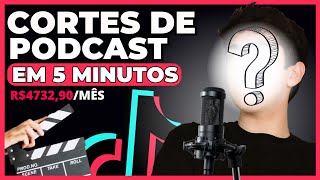

Ganhe R$10.000 com Cortes de Podcast
45sPromessa de alta renda sem aparecer na câmera gera curiosidade e desejo imediato.
▶ Play Clip"Title promises a method to earn money without showing face, and the video delivers a detailed tutorial."
This video provides a step-by-step guide on creating a podcast editing account on TikTok without showing your face, focusing on niche selection, content sourcing, editing techniques, and monetization strategies.
Earn income by selling info-products or affiliate products, or through TikTok's creator fund, which pays up to R$10,000 monthly per account.
Choose a defined niche for your podcast account. Best niches: weight loss, fitness, relationships/money, or motivation.
Study successful podcast edits by searching keywords like 'weight loss podcast editing' and identifying patterns in captions, titles, and music.
Find motivational podcast clips on YouTube, preferably already cut clips. Download using screen recording or a YouTube downloader.
Use Clipchamp (free) to edit: change aspect ratio to 9:16, resize video, add a satisfying video below for engagement, and cut to desired length.
Upload edited video to TikTok, add captions (dynamic or static), and add background music using TikTok's built-in tools to boost algorithm performance.
By following this guide, you can create engaging podcast edits without showing your face, grow your audience, and monetize through multiple streams.
What are the four best niches for podcast editing accounts?
Weight loss, fitness, relationships/money, and motivation.
01:39
How can you monetize a podcast editing account without showing your face?
Sell info-products or affiliate products, or earn from TikTok's creator fund.
00:15
What aspect ratio should you use for TikTok videos?
9:16 (vertical video).
07:46
Why should you add background music using TikTok's own tools?
It helps the algorithm deliver the video better.
13:44
What is the purpose of adding a satisfying video below the main clip?
To grab attention and increase engagement.
09:39
Monetization Without Face
Reveals two concrete ways to earn income without showing your face, a key concern for many creators.
00:15Niche Importance
Emphasizes that a defined niche is critical for success, providing specific examples.
01:13Market Research Method
Provides a practical, actionable step for beginners to study successful content.
02:07TikTok Algorithm Tip
Using TikTok's own tools for captions and music can improve video delivery, a valuable insider tip.
13:44[00:01] have a podcast editing account, an account where you don't need to show your face to post on TikTok, Kwaii, Shortcuts, Instagram, Rios, and create these edits and post them to grow your audience and
[00:15] earn income every month with your account. How First, and then, when you have a info-product, monetize it by selling something, whether as an affiliate on Amazon, selling a
[00:31] product on Amazon, or an info-product. The second way you can monetize, this year, is with the TikTok is paying well. There are people making R$2,000, R$3,000, R$5,000, even R$
[00:45] 10,000 every month with just one account from views, without needing to appear on camera, making video and podcast edits. So, those who are taking advantage of this lot of money. Okay, and if you want to know how I grew several podcast account profiles
[00:59] started making money in a short period of time, stay with me in this video, leave a like if you enjoy this type of content, and subscribe to the channel. Now, without further ado, let's get to the content.
[01:13] thing you need to know to create a podcast account is a niche. Yes, a podcast account needs to have a defined niche. You need to know what kind of content you want to post. It's not good to post a segment
[01:26] about weight loss, then another about money, and another about a random topic, a story. So you need to define that. The best niches for me for podcasts, where you can
[01:39] monetize and even more easily sell related information products, are weight loss, fitness (which talks about relationships, money), or motivation. These four are the
[01:54] best for podcasts; they're the ones where you can get the most viral videos and, views, sell some information product or something. So now that you know these four niches, I'll show you here. On my computer screen,
[02:07] what I would do is the first step. Well, folks, the first step is to study the market, study what people are posting about podcast editing. Since I've been doing this for quite some time, I already have a general idea of how it
[02:19] start, it's good to search here, let's say, "weight loss podcast editing," as I put it, and go to " best of." You'll watch these videos save them in your account so you can watch them later. This is
[02:34] basically to get a feel for how it works, what 's working in the videos. You'll identify patterns, for example, captions, titles they put at the beginning, you know?
[02:46] are working best and identify patterns they're using in the videos so for your type of content, for your podcast editing, and make it work. Okay, I'm here, "weight loss search for "weight loss podcast editing," you can put in several keywords, and
[03:02] related podcast editing will appear. And if you want to make a podcast editing related to motivation, you'll put in " motivational podcast editing," "motivation podcast editing," these kinds of things. Keywords to
[03:15] search for videos related to this, and also do the same thing, you'll identify patterns. You want to know a pattern here that I've already seen: a motivational podcast clip has inspiring music in the background. So basically,
[03:28] watched what the market is producing. Another form is relationship podcast clips, also the same thing. You'll watch... and the other is money, right? But related to money, there are many accounts. I even made an account where I
[03:42] posted motivation and money together, but you can subdivide that and talk only about money or only about motivation separately, right? Okay, so now that you know these four, these four forms, these
[03:54] four niches, and more work in podcast clips for you to define there in your choose motivation, which I think is the simplest to give as an example here for you, and I'm going to talk about how I create a video, a video that works, how
[04:08] I receive these videos, the right way to structure them, and how possible results. So now let's go to the step-by- step. Well, folks, the first thing I would do is put motivational podcast clips like this... I would put "
[04:21] motivational clips," I would put those keywords to try to find clips related to motivation, right? Remember, it's never good to just go straight to ready-made clips. You
[04:37] need to create your own because the TipTop algorithm can tell if you're reposting something already created or if you're making it from scratch. instead of "clip," I can just put "motivational podcast,"
[04:59] An important tip: you don't need to get the complete podcast. People already cut videos like that on YouTube. For example, this one with Paulo Muse, which is five minutes long, isn't the complete video; it's a clip. For YouTube,
[05:11] you can cut a clip that makes it much simpler and cut these videos. So I'll take this one and video. The first thing you have to do when you're looking for
[05:27] content is watch the clip to see which part you want to cut. Sometimes you download the video and it has nothing to cut, first and see which point you... If you want to cut the note, you can put, for example, one
[05:40] cut the note, you can put, for example, one minute, one point 37, one minute 1:37, up to one I can make, you know? It's good to is downloading the video. How do I download the video, Henrique? Next, if you're on your
[05:53] cell phone, you can very well use the screen recording tool on your cell phone, and record up to one minute that you want to record the cut. Recording the screen will give you that cut to edit later. Or if you're on a computer,
[06:07] you go down here, share, copy your link, and then you go to the website here to download this video. So I'm going to download the YouTube video, I'm going to go to video. So I'm going to download the YouTube video, I'm going to go to
[06:23] and then you're going to paste this link to download it. Done. After you download the video, edit it, right? We're going to have to edit this video, cut it all up properly. And now there are some ways you can edit. The first one you can
[06:38] edit using clipboard, right? Which is one of the most famous, you must have heard of it, and this clipboard, right? This one here, which is also very easy to edit, and to give an example here... On the computer it's easier for me to use it. So in this video
[06:53] I'm going to use it as an example, okay? It's also free, you ClipChamp, so I believe you'll be able to follow along with what I'm doing here. You
[07:05] ClipChamp too, okay? Or you can also use ClipChamp. Okay, I'm here inside ClipChamp, I'm going to create a new template, click on Create new template, I'm going to upload the video I downloaded here, just drag the video. If you're on your
[07:20] phone, in ClipChamp you click on import media. And then you select the video you media. And then you select the video you recorded, then you're going to drag the video here to the editing section and that's it, the video is already here to be edited.
[07:33] Now what are you going to do? You see that here in the corner below see that here in the corner below export there's a little window of 16 by 9 which is the size of the video on YouTube, we want vertical video. So we're
[07:46] going to go here to 9 by 16 so that it's the right size for TikTok, and you saw that the video is way back there, so I'm going to take my mouse here and stretch it to fit the screen size perfectly. If you If you're not on your
[08:01] phone, you can do this by dragging and zooming with your finger to get it to the size you want. I'm not going to show the whole screen, okay? I'm not going to show the whole screen like many people usually do because I'm going to do
[08:14] something here to try to get the audience's attention, which many people are already doing. So, continue, because in this video, so you can see, I'm only going to put it in the middle. I'm going to leave a space down there, okay? So I'm going to leave it
[08:27] here just right to show the face of the person speaking in the podcast, down there because I'm going to add something else later. But for now, let's cut here. I'm going to cut the minute I want and I'll be right back. But for
[08:43] now, let's focus on this video above. Now that I've organized this, I want to cut a minute where I want him to speak, right? From the beginning to the end. If you're editing on your phone, you've already recorded the screen directly from the video.
[08:57] you did is already correct; you don't need to cut anymore. But if you want to make any adjustments here, it's very simple. Look, you 'll see where you want to cut; you have the scissors here. You click and that's it, it'll be separated, right? So
[09:11] I'm going to cut it here to make a nice cut. So I'm going to watch this video because I haven't watched it yet and see which part I can cut, and then I'll be right back with you. Okay, folks, I've already cut what I want here, okay? I'm just going to
[09:25] delete this part here. It's very simple: you select it, go here to delete, and then just drag it to the beginning, and that's it. My cut here is about beginning, and that's it. My cut here is about 52 seconds long, right? About
[09:39] 52 seconds. And now what am I going to do? I'm going to take a video here below that I called a hypnotic video, right? The video is usually a now I'm going to show you basically how I do this. First thing, you come
[09:54] satisfying videos, you can put shorts or just satisfying videos, and you look for a You can also take normal videos like this, okay? It's even better to take them like this because it 's easier to fit them into the
[10:10] video later. So I'm going to take one here, this one, and that's it. These videos, you know, I'll put them below for you to download. It's the same thing if you 're downloading on the computer. Copy here, go to this site, paste the
[10:25] phone, you can also record the screen of just the part you want, up to a minute until your cut is finished, right? But okay, I downloaded the video here, now I'm going back here, now I'm going to play the video again,
[10:43] drag it here, put it down here, put it down to overlap, right?
[10:55] same size down here to get the right size, and now I'm going to watch this video, see a part that I want to keep and cut because this video is very long, so I'm just going to take a piece of it, I think I'll
[11:07] take it here. Cut here, put it at the beginning, come here to the end, cut again to make it the same size, and then let's see how it turned out, you
[11:19] let's see how it turned out, you can make it smaller too.
[11:31] okay? So the cut on top, saying there, and this video is satisfactory, below I didn't better ones. But then you'll look and put one that you think is good, okay? There aren't only like this, there are also, I don't know if you've seen
[11:47] those guys cleaning the sidewalk, there are also videos of games, right, of cars? Running videos have various forms of satisfying videos, videos that grab attention, that satisfying videos, videos that grab attention, that you can put below.
[12:03] do: put a title at the beginning. Sometimes I like to, sometimes I don't. Sometimes I do. Putting a title like this about the content so that when someone glances at your video, they already know what the video is about, right? So I'm going to go
[12:16] the video is about, right? So I'm going to go here to this title, I'll look at this one here. click here to edit, come here to text, I'm going to put the video is about motivation. So, how to
[12:33] So, how to have
[12:48] big, I can make it smaller, right? Take a look at
[13:04] put it there, or you can not put it and just put the video starting, right? I'm not going to put it there, I'm going to delete it to just leave the video talking because
[13:16] later I'm going to put a caption in the middle, then the caption starts. Okay, now I'm going to show you how you can put the caption for the video. I'm not going to use this clip shape and I'm not going to use the caput, I don't like to use them for captions, of course,
[13:29] those... Dynamic captions that only show one word, so you have to use the capt, but for normal captions, I prefer to use TikTok to add captions, both for adding captions and background music, because I've already tested it. It seems the more
[13:44] more tools within TikTok itself, the better it seems to deliver the videos. So I like to use it to finalize my video, to add background music, as I said, I like to finalize it there. So I'm
[13:57] going to download this video here, I'm going to show you how I finalize this video on my phone, okay? I'll be right back, okay, so guys, I'm going to ask the editor to put my phone here to
[14:09] finalize this video. Okay, the video uploaded here, now I'm going to look down here, click on captions, and it will
[14:22] edit the captions here, put them here, in other ways? I'm going to put this one like this, other ways? I'm going to put this one like this, red, I like to put it in the middle, okay? Captions. After all, why do you put
[14:43] such sacrifice? And the video is ready, so I made the cut there. Okay, I've put the video here below. I've now added the final version on TikTok itself, I've added the subtitles in the middle, and I've also added music with TikTok's own sound,
[14:57] which helps the algorithm deliver it. Now, before you see how the final version of this video turned out, I also invite you to go to my WhatsApp. Click interested in learning how to make R$ 700 to R$4,000 every day with these
[15:12] profiles without showing your face, with these TikTok accounts, how you an account much faster, and earn money, right? From R$700 to R$4,000 every month with this type of profile, this type
[15:25] contact me on WhatsApp by clicking on the first link in the description or the there. I'll explain everything about how you can get started, everything, how it works. Also, don't forget to like this video so YouTube
[15:38] channel. And now I'm going to ask the editor to put this finished video up for you to take a look at how it turned out. Thanks and see you in the next video. Bye. Why do you all put so much effort into everything? Why such sacrifice?
[16:00] Remember I told you something that impresses medicine? Actually, it's how much you perceive the nature of death. And you know what's curious? The Egyptians believed that we died twice: once when our body
[16:16] lost its function, and twice the last time our name was spoken on the face of the earth. That's powerful. So when we have a perception that this finitude truly exists, you will try to do everything to be able to
[16:33] handle all the things that are dear, important, or that have some value dear, important, or that have some value to you.
⚡ Saved you 0h 16m reading this? Transcribe any YouTube video for free — no signup needed.