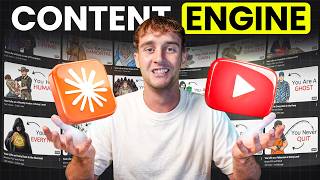

No Face, No Crew, $10,000 Channel
42sOpens with a shocking claim that challenges the traditional content creation model, instantly grabbing attention.
▶ Play Clip"Title suggests a $10,000 channel, but the video focuses on automation methods, not monetization or revenue generation."
This video demonstrates how to build a fully automated faceless YouTube channel using AI tools, specifically Claude and Higgsfield. The presenter shows two methods: using the Higgsfield Explainer directly and using Claude Code with Higgsfield on autopilot. The goal is to create a channel that produces videos with no human intervention beyond initial prompts.
Building an automated faceless channel used to require a team and budget, but now it can be done with a few prompts. The presenter aims to show how to build one from zero in minutes.
The video covers two methods: using the Higgsfield Explainer directly (simpler) and using Claude Code with Higgsfield MCP (more automated). Both eliminate the need for manual writing, voicing, sourcing footage, and editing.
To connect Higgsfield to Claude, copy the MCP connection link from Higgsfield, then in Claude add a connector and paste the link. This allows Claude to control Higgsfield for generating video assets.
Claude studies an existing channel, identifies top-performing videos and patterns, then writes an original script on a fresh topic. This ensures uniqueness.
Claude takes the script and produces a complete 5-minute video in 1080p, including scene breakdown, visuals, voiceover, music, and consistent style. It fact-checks and fills gaps autonomously.
Claude generates the entire upload package: thumbnails (multiple options), title, description, and tags. Everything is saved to a folder.
The system can generate multiple videos with unique scripts and looks by researching different topics. No templates are reused.
Higgsfield Explainer offers presets like clay motion, pixel art, whiteboard, etc. Users just input a topic and style to get a finished video instantly.
The same pipeline can create product explainers, onboarding walkthroughs, and educational content. Videos can be translated into multiple languages with one prompt.
1) Don't publish without reviewing. 2) Don't chase viral trends; pick a lane. 3) Don't upload many videos at once then disappear; consistency is key.
With AI tools like Claude and Higgsfield, anyone can create a fully automated faceless YouTube channel. The presenter encourages picking a niche and launching the first video within a week.
What is the main purpose of the MCP option in Higgsfield?
It provides a connection link that allows Claude to control Higgsfield for generating video assets.
01:13
What does Claude do after you provide a reference channel link?
Claude studies the channel's best videos, hooks, and script patterns, then writes an original script on a new topic.
01:42
How does Claude turn a script into a video?
It breaks the script into scenes, times them, generates each shot, adds voiceover and music, and maintains a consistent style automatically.
02:28
What are the three mistakes to avoid when using this system?
1) Publishing without reviewing. 2) Chasing viral trends instead of picking a lane. 3) Dumping many videos at once and then disappearing.
06:53
Can this pipeline be used for non-YouTube content?
Yes, it can create product explainers, onboarding walkthroughs, and educational videos. It can also translate videos into other languages.
05:24
No crew needed
Highlights how AI has drastically reduced the barrier to entry for video production.
00:02One prompt video generation
Demonstrates the most time-saving feature: turning a script into a complete video automatically.
02:28Volume scaling without templates
Each video gets a unique script and look, avoiding cookie-cutter content.
03:44Consistency over volume
Emphasizes that steady output beats dumping many videos at once for algorithm success.
06:53[00:02] channel like this one. No face, no crew, no filming. Just AI videos going up on a schedule while they sleep. A while ago, building something like that meant a team, a budget, and months of work. Right now, it's a couple of prompts. The
[00:18] bottleneck of writing, voicing, sourcing footage, editing, over and over every single upload, that's over. And I'm going to show you exactly how. I'm
[00:30] building a channel like this from zero to a fully automated faceless YouTube pipeline in minutes. The research, the script, the visuals, the voice, all of it handled by Claude. And I'll show you
[00:44] two ways to do it. First, with the freshly launched Higgsfield Explainer, and second with Claude Code and Higgsfield working on autopilot. So, to get started, you'll need Higgsfield. The link's in the description. Click that
[00:58] and sign up to build along with me. Let me get Higgsfield connected first. Just hit the link to Higgsfield in the description and sign up once you're in. You're looking for the MCP option. Higgsfield gives you a connection link
[01:13] right here. I'm going to copy that. Now, over to Claude. I open up the connector settings, hit add a connector, and paste that Higgsfield link straight in. Give it a name, connect, and sign in with the Higgsfield account I just
[01:27] created. And that's the whole setup. Claude Code handles the brains, the research, the writing, the decisions. Higgsfield's engine handles everything you can see and hear. Image, video, voice, one
[01:42] system end-to-end. Step one, I point it at the channel I want to replicate. I type, "Study this channel, its best videos, its hooks, how the scripts are built, then write me an original script in that style." And I drop in the link,
[01:58] and it digs in, pulls the top-performing videos, maps out the hooks, spots the patterns they repeat, picks a fresh topic, and writes a complete script from scratch. And that's the important part. This is a brand new script on a brand
[02:13] new topic. [music] Now, here's the part that used to be a nightmare. Turning a script into a finished video normally means chopping it into dozens of separate shots. Then prompting and generating and syncing every one of them
[02:28] to the audio by hand. It's the single most tedious day in this whole process, but I'm skipping all of it. One prompt. Turn this into a 5-minute video for a faceless channel, 1080p, and it just does it. Breaks the script into scenes,
[02:44] times them out, generates every shot, lays in the voice-over and the music, and holds the same visual style the whole way through. It's even fact-checking and filling gaps on its own off one line.
[02:58] night filling out a form. 18,000 people fill out the same one 18,000 people fill out the same one tonight. 11 spots. You've wanted this since you were six, watching a satellite crawl across the sky.
[03:11] >> That's a full video, start to finish, and Claude could already save the entire project, every asset, into a folder on my machine. That's ridiculous. Then we package it. I type build the full upload package, thumbnails, title, description,
[03:28] tags. It gives us all of it, including thumbnail options so you can test which one wins the click. Everything's in the folder without me asking twice. One video is a demo, a channel needs volume. So, let's scale. Make two more, pick
[03:44] >> [music] >> Because it researches each topic on its own, every video gets a unique script and a unique look. No template. Now, all that's left to do is to post the videos on YouTube. And here's the thing, none
[04:00] of this is locked to YouTube. That same engine works just as hard the second you point it at something else. Now, let's use the Higgs field explainer directly in the web for those who are looking for a simpler version. Higgs field also has
[04:14] some presets, so you can just name them and get a video in your preferred style. instruction. Make me a clay motion explainer on why
[04:26] Make me a clay motion explainer on why we dream. Style, topic, done. Hitting enter. And there it is. Narrated, animated, styled, finished. One prompt in, one ready video out. You have pixel art, whiteboard, 3D mix,
[04:41] isometric, [music] more. So, your channel lands on a look that's yours instead of the same recycled stock footage in everyone >> Every night, your brain switches on a private theater.
[04:54] dream. [music] Whether you remember it or not. REM. Dreams mostly happen during REM sleep, when you're awake. Your eyes dart behind [music] closed
[05:09] lids. One leading theory says dreams help sort your memories. >> If you run a business, the same setup is a video department. A clean product explainer on what your tool does, the kind agencies bill four figures for.
[05:24] Done in an afternoon. A walk-through of your app's onboarding, investor's attention, and with one prompt translate, that same video is in Spanish, German, Japanese. A whole new market of one build.
[05:40] And it's not just business owners who win here. >> [music] >> It makes calls, sends messages, snaps photos, and connects you to the entire internet in
[05:52] It navigates you through cities, tracks your health, manages your money, and keeps your [music] memories safe. >> Every lesson you'd normally screen record and edit becomes a clean narrated video from a single prompt. A whiteboard
[06:08] explainer for the core concept, then the same lesson in a softer style for a younger group just by swapping the preset. Change voice keeps one narrator across your entire course. Your whole curriculum turns into a styled video
[06:24] library with no studio and no editing while you outline the next module. >> Every time you yawn, your brain is cooling itself down. That deep inhale sends fresh air [music] rushing past
[06:37] blood vessels inside your skull. And here's the [music] strange part. Yawning is wildly contagious, wired to empathy, a silent [music] signal that of years. >> So, whether it's a channel, a business,
[06:53] or even a course, it's the same handful of prompts doing all of the work. Now, there are a few things to be careful about. First, the big one. Don't publish without watching it back. You're the editor now. Check the voice over matches
[07:07] the visuals and cut anything off. That review is the difference between growing and getting buried. Second, don't chase whatever's viral this week. Pick a lane and let the channel build an identity. And last,
[07:22] don't dump 10 videos out day one and then vanish. The algorithm rewards consistency, and this system makes steady output very easy. So, use it that way. Avoid these three mistakes and you're ahead of most people trying this.
[07:37] So, that's the build, a real channel rebuilt from scratch with AI. Two different ways in one sitting. Script, visuals, voice, thumbnails, scheduling off a handful of prompts. Now, pick a niche, spin up a channel, and get your
[07:52] first AI video live this week. Everything's linked below. Iggy Field, the engine doing all the heavy lifting, is in my description. Click now, sign up, and build away. Hit subscribe, and I'll see you in the next video. Goodbye.
⚡ Saved you 0h 08m reading this? Transcribe any YouTube video for free — no signup needed.