
Spot vs Futures: The Tax Hack
55sReveals a tax loophole for crypto traders in India by comparing spot and futures trading, offering a practical financial advantage.
▶ Play Clip"Title accurately promises a step-by-step beginner tutorial and delivers exactly that."
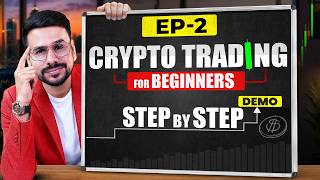
This video is the second part of a beginner's course on crypto trading, focusing on futures trading. It explains basic concepts like order types, maker vs taker, leverage, and perpetual contracts, and provides a practical demonstration on the Delta Exchange platform. The video emphasizes the tax advantages of futures trading over spot trading in India.
Crypto is a digital currency secured by cryptography, operating on blockchain with peer-to-peer transactions.
Crypto trading is not illegal in India, but profits are taxed at 30% with no loss offset. Futures trading avoids this tax.
Spot trading involves buying actual crypto; futures trading involves buying contracts with leverage, which is recommended.
Market order executes immediately at current price; limit order sets a specific price for execution.
Maker adds liquidity via limit orders; taker removes liquidity via market orders.
Unlike traditional futures, perpetual contracts have no expiry, allowing indefinite holding.
The platform offers perpetual contracts for Bitcoin, Ethereum, gold token, Solana, and real-world asset tokens.
Long: buy low, sell high. Short: sell high, buy low. Both are demonstrated on the platform.
Leverage allows trading larger positions with less capital. Beginners should not exceed 25x leverage.
Stop loss limits losses; take profit locks in gains. Both can be set manually or via drag on chart.
The video provides a step-by-step practical guide to crypto futures trading on Delta Exchange, covering essential concepts and platform navigation. Beginners are advised to start with major coins and use moderate leverage.
What is the tax rate on crypto profits in India?
30%
01:26
Can crypto losses be offset against profits in India?
No
01:42
What is the difference between spot and futures trading?
Spot involves buying actual crypto; futures involves buying contracts with leverage.
02:07
What is a market order?
An order that executes immediately at the current market price.
02:47
What is a limit order?
An order to buy or sell at a specific price or better.
03:01
Who is a maker in trading?
A trader who adds liquidity by placing limit orders.
03:26
What is a perpetual contract?
A futures contract with no expiry date.
04:19
What is the recommended maximum leverage for beginners?
25x
08:38
What is a stop loss?
An order to automatically exit a trade at a predetermined price to limit losses.
10:35
What does TP stand for?
Take Profit
11:29
Crypto Legality in India
Clarifies that crypto trading is not illegal, addressing a common misconception.
01:12Tax Advantage of Futures
Explains how futures trading avoids the 30% crypto tax, a key practical insight for Indian traders.
01:55Perpetual Contracts
Introduces a unique feature of crypto futures that allows indefinite holding, unlike traditional futures.
04:19Leverage Demonstration
Shows how leverage enables trading larger positions with small capital, a core concept in futures.
07:46Stop Loss and Take Profit
Emphasizes risk management by setting automatic exit points, crucial for beginners.
10:22[00:03] In the previous video I told you about the basics of trading. Which how many types of trading are there, we discussed all these things in the previous video. In today's video I will also show you how to do crypto trading practically
[00:17] so that you get some idea. I am going to explain every other thing in detail so that you can understand everything easily. If you we already have a course on it.
[00:33] we are going to go very slowly in detail. what is crypto? If you are thinking about trading in crypto,
[00:46] So what is crypto? Crypto is a digital currency which is Crypto is a digital currency which is secured through cryptography, a technology, and it works on the blockchain and whatever
[00:58] transactions take place here are P to P. That means if you want to send any crypto from one person to another, there is means if you want to send any crypto from one person to another, there is that exchange authorizes it there. But she doesn't go to him first
[01:12] and he's not selling to her. So this is its biggest feature. Now banned or illegal in India. So let me tell you that there is no law in India which says that trading in crypto is illegal in India. That
[01:26] means you can trade in crypto. But the biggest problem is that if you trade directly in crypto, if you earn ₹1 lakh then you will have to pay tax of ₹00. [MUSIC] Now that's
[01:42] okay too. But the biggest problem here is that if you incur a loss, it is not set off against your profit. This is a rule made by the government. So there is a solution for this too. If you trade in futures instead of trading in crypto directly,
[01:55] i.e., instead of trading in spot, then this tax is not applicable in futures. You will have to pay the normal tax. Therefore, our focus will remain on futures trading. So let me
[02:07] what is the difference between spot trading vs futures trading? Spot means you actually bought Bitcoin. Held it with me and sold it. Whereas in futures you have not bought Bitcoin. You bought his contract. Basically I have
[02:22] traded in it. Where you get leverage. Therefore futures trading is better. So now if you are basic concepts you should know. Such as order type, maker vs
[02:35] staker, leverage, liquidation, perpetual contract. So let's talk about it. First, let's talk about order types. That is, how many types of orders are there in the market? When you are going to place a trade, what are the different ways you
[02:47] One is market order, the other is limit order. Market order means that if you place a market order. I will show you this practically now. The second is limit order.
[03:01] Limit order means suppose there is a crypto whose price is ₹100. But if you feel that I want to buy it when its price reaches ₹95, then you can set the price there by investing ₹95 in advance. If the price reaches ₹95,
[03:14] your trade will be executed. If she doesn't come then it won't happen. So these are two types of orders. I am going to show you this practically also. Now after this the second concept you have to understand is maker versus stacker. It also plays a significant role
[03:26] in crypto trading. First of all, the maker. Who is the maker? A maker is someone who adds liquidity to the market. That means whenever you place a trade through a limit order, you are a maker. I just told you two orders. Market order, limit order.
[03:40] Whenever you place a trade through a limit order, you are considered a maker because one of your orders is currently pending in the market. That means there is an order lying there right now. You have added a liquidity. But if you directly
[03:53] execute your trade in a market order here, then you are considered a taker. Because there was some order pending there which got matched as soon as you placed the trade here. You brought that too. That means you took away liquidity. So that's why
[04:06] you're called a taker. Now after this the next concept is perpetual contract. See, if you have ever traded in the stock market, traded in options , traded in futures in the stock market, then the
[04:19] contracts there have an expiry. And if you want to hold that contract for longer than that , it is not possible. You will have to in crypto futures, there is a very good option of perpetual
[04:31] contract. This means you can hold that trade for as long as you want. The only condition is that the price should not go too much against you if you have taken leverage. If you have not taken leverage, you can hold that trade for as long as you want. No
[04:45] one can stop you. So you have understood some basic concepts how to do crypto trading? I teach you this practically. So for this Now when you come to the Delta Exchange platform, if you do
[04:59] given in the description. You can open your account through our link and on opening the account through our link you analyze any chart with just one click. So if you open a direct account
[05:13] then you will not get this benefit. this is the best in the field of crypto if you want to trade while living in India. So as soon as link is given in the description. Now you can trade through mobile or
[05:28] you can also trade through your laptop or desktop. So after opening the account, first of all you will have to add funds here. Then the option of add fund comes. You will be able to add funds as much as you want. But the condition is that when you open the account,
[05:42] you will not get the option to enter your bank account there. So, if you have opened a bank account in your name, then This has been done for your security. This has been done as per the government rules.
[05:56] So keep in mind that while adding funds to Delta Exchange, you will be able to add your funds only from the same bank which you have after this you want to trade, then look here,
[06:10] see many things here in the market options. Like if you want to trade in Bitcoin, perpetual is placed in front of it. I told you that perpetual means that the contract here is permanent. You can hold it as long as you want. So here
[06:23] Similarly, you can trade in Ethereum. Peggi Peggi means if you want to trade in gold then its crypto token is also available here. Whose price goes up and down just like gold. Similarly, you can trade in Solana
[06:36] or there are tokens of real world assets as well. For example, there are some shares like Tesla shares, its crypto token has been created, so you can trade on that also. So there are a lot of options. As a beginner, I would tell you that apart from Bitcoin,
[06:49] Ethereum, PG and Solana, it would be better if you do not trade in anything else in the beginning. show you Bitcoin for example. So for this I have I clicked on Bitcoin, now look here we can see that I have
[07:03] going to be? What has been the change in its price in the last 24 hours? see all this here. Apart from this, if you want to do long, we can see all this here. Apart from this, you can see the chart of its price here.
[07:17] you can see the chart of its price here. in the upcoming lectures. Right now I am telling you is a long and short option here. If you want to buy, that means you want to
[07:31] buy first and then sell it at a higher price and earn profit. That is, if click on long. But if you think that the price will fall then you can also go short in So first let me show you by doing long. Now this account which I am
[07:46] showing you right now, we have first concept I am showing you here is that of leverage. See if you don't take any lovage. So I do n't have much money invested in it. So
[07:59] if I invest 10% capital. Suppose I want to buy just one lot. We go to the lot. Even if I want to buy one lot, I cannot buy it. If I am not taking any leverage. But if I set the leverage to 10 times, then
[08:11] you will see that I can buy not just one but four trades i.e. four lots. Now suppose if I set a moving average of 100 times instead, then I can buy not only four but even 40 lots because they will cost me only $34. If I
[08:25] set the leverage here to 200 times, then now I can buy 40 or even 80 lots because that will also cost me only $38. That means if I want to buy more quantity with less money then take more leverage. But I would
[08:38] tell you that as a beginner you should not take leverage more than 25 times. So now let's see if I can buy 11 lots. If I invest all the money then 11 can I do 10 lots here. And after that if I want to place a trade then there are
[08:50] market. In the market, I had told you that as soon as you select the market, select limit then here you can set the price as per your wish. For example,
[09:04] suppose the current price is Rs 77,000. You think that brother, when the price reaches 76,000, I will take the trade, then what can you do? You is also the option of best bud here. I selected Best Bud Pay. The best bud that is currently
[09:17] available, the current price, will be selected here. So you have you want to place your trade. So what did you do after this here? You want to take 10 lots here. So we selected 10 quantity here
[09:32] As soon as I clicked on long, my order got submitted because I went to limit order. Now my trade has been filled. You can see that I have received 10 lots. Now suppose if the price increases from here then
[09:45] I will make profit. If the price falls from here, I will incur a loss. It is such a simple thing. But how do I know whether the price will increase or decrease? This is the most important thing. Now, on the contrary, suppose you want to short.
[09:58] What can you do if you think the price will fall brother ? You click on the short. Now to click on short, you may also want to place a market order. So you will not get the option to set the price here. How many lots do you want to buy?
[10:10] Suppose you want to buy 10 lots, then you click on 10. Clicked on the short. Now you will make profit when the price falls. That means if the price increases then you will incur loss. If the price decreases, you will make a profit. So now you understand how to take a trade.
[10:22] Now see, whenever you take a trade, you should also place stop loss and how will you place that stop loss and target? So there is an option here for this. You can also manually enter the pay price here for target here and for stop loss here.
[10:35] Now what is this stop loss and target? First of all, this should also be known. So stop loss means see if you have invested ₹1 lakh and suddenly the price comes down. It is possible that your ₹1 lakh may fly away. But who would risk ₹1 lakh on a train
[10:47] take so much risk. Suppose we want to take a risk of only ₹5,000, then we will keep our stop loss in such a way that if the price falls so low that I lose ₹5,000, then my trade gets exited automatically. So that's why we
[11:01] suppose I set a target because I feel that once the price increases by ₹10,000, my trade should be exited there also. So even if the price increases, your trade will be exited. You will get profit. Even if the price falls,
[11:14] You will not suffer much loss. That's why it is called stop loss. So here I have shorted, so if the price increases I will incur loss, so I will keep the stop loss higher. place my stop loss here and when will I make a profit ? I can also set my TP from here when the price falls.
[11:29] What do I have to do for this? TP means take profit. First of all we have to go to our After going to this we can see TP. We'll bring it down a little bit. So in this way we can set our stop loss and target.
[11:43] If you want to remove the stop loss target, then suppose you want to remove the stop loss. Clicking on this will remove your stop loss. If you click on this, your target will be removed. or view the chart in full screen you click on this.
[11:56] place a stop loss, then nothing like this will be visible. When you move the mouse over it or click on it from your phone, you will see that the stop loss is visible here. So you go to stop loss from here itself. You placed your stop loss a little above and if
[12:10] you come back from here then nothing will be visible but if you go above it then the TP is visible. If you click on it and drag it downwards, in this way you can set your target or take profit. So how to take the trade? How to place a stop loss
[12:23] Now suppose you want to exit your trade manually, then you can also exit your trade by clicking here. Your stop loss and target will be removed automatically. You have understood this. Now here I will
[12:37] You set up 10 lots. Here your trade has been executed. Now I took a buy trade. Meaning there will be profit if the price increases. So here my stop loss will have to be
[12:50] kept a little lower. Whatever the target will be, I can set my stop loss and target. And when you you can see whether you are making profit or incurring loss.
[13:04] And if suppose you have taken three or four trades, then here you can see your total profit and loss. So in this way you can take your buy or short I want to exit this trade. I
[13:17] can also do this by closing the position here or we can see the option here also. Let's say I click on this. So after that I can close my position from here also. Look, my trade has been exited. So in this way we
[13:29] can plan our buy and sell trade. You have understood this. Now the most important thing for you to understand is leverage and liquidation. Now what this is, If you like this course and the video,
[13:42] If you have not opened an account in Delta Exchange then the link is link to the Google form is given below in the description. Please fill that also. If you want to see the entire playlist, you can do so by clicking here.
⚡ Saved you 0h 13m reading this? Transcribe any YouTube video for free — no signup needed.