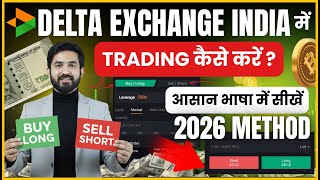

How to Start Trading on Delta Exchange India
45sDirectly answers a common question with a step-by-step visual guide, appealing to beginners.
▶ Play Clip"The title promises a trading demo and delivers exactly that, but the content is padded with repeated advice and a lengthy example, making it slightly longer than necessary."
This video provides a step-by-step tutorial on how to trade on Delta Exchange India, a cryptocurrency futures trading platform. The presenter demonstrates the entire process live, from navigating the interface to placing a trade, setting up stop-loss and take-profit orders, and closing a position.
The video is for users who have already created an account on Delta Exchange India. A link to a previous video on account creation is provided in the description.
The home page shows account value in both rupees and dollars. Users can add funds via UPI or bank account. The market section offers watchlist, options, and futures. The presenter advises against options trading.
The tutorial focuses on Bitcoin futures. Users can choose to 'Buy Long' if they expect the price to rise or 'Sell Short' if they expect it to fall. A chart option is available for technical analysis.
Leverage is explained as a loan from the platform. The presenter recommends a maximum of 50x for beginners, and 25x for absolute beginners. Leverage amplifies both profits and losses; a 10% adverse move with 10x leverage can liquidate the entire position.
A market order executes at the current price, while a limit order executes only when the price reaches a specified level. The presenter notes that limit orders may have lower fees.
The presenter sets the lot size to 75% of the balance, buys three lots, and reviews the estimated fee (0.16 USD) and liquidation price before confirming the order.
Using a bracket order, the presenter sets a 25% take-profit and a 25% stop-loss. This automates exit points to manage risk.
To exit a trade, the user clicks 'Close' and selects the percentage of lots to sell. The presenter closes 100% of the position, and the bracket orders are automatically cancelled.
The video concludes with a summary of the trading process and a call to subscribe. The presenter emphasizes the importance of understanding leverage and using risk management tools like stop-loss orders.
What is the recommended maximum leverage for beginners on Delta Exchange India?
50x, but 25x is recommended for absolute beginners.
04:35
What is the difference between a market order and a limit order?
A market order executes at the current price, while a limit order executes only when the price reaches a specified level.
04:49
What happens if the price of Bitcoin drops by 10% when you have taken 10x leverage?
Your entire invested amount becomes zero (liquidation).
07:46
What is the purpose of a bracket order?
It sets a take-profit and stop-loss automatically to manage risk.
08:27
What is the liquidation price?
The price at which your entire invested amount becomes zero due to adverse price movement.
07:32
Leverage Explained
Clear explanation of leverage as a loan, with a practical example of how it amplifies both gains and losses.
03:49Liquidation Risk
Concrete example of how a 10% adverse move can wipe out the entire investment with 10x leverage.
07:46Bracket Orders for Risk Management
Demonstrates a practical technique to automate profit-taking and loss-cutting.
08:27[00:03] it means that you have created your account in Delta Exchange India and now you want to trade in Delta Exchange India, then today's video is going to be very important for you because in today's video
[00:16] I will explain to you step by step the entire process in simple language as to not yet created your account in Delta Exchange India, then I will
[00:28] give you the link of that video in the description of the video in which I have explained to you in simple language how to create an account in Delta Exchange India. Ok so now I am going to teach you Ok so now I am going to teach you
[00:42] how to trade on Delta Exchange India. So first of all you have to So here you can see that in this way you get to see some interface. That is, this is the home page of our Delta Exchange India application. So here
[00:56] above you can see the account value. So here it is written ₹1000 which I had added. If you want to do trading then you can go to Add Fund and add money through UPI or through bank account. So here my money which
[01:12] is ₹1000 is showing on the side that ₹1000 = ₹11, ok here it is written 11.80. So on the left side you can see the amount of money you have added in rupees and on the right side you can see the amount of money you have added in dollars. Okay, so if
[01:28] you want to do trading here, then I want to give you another suggestion in simple language that if you click on the market here, then you will get to see many options here. The first option is watch list, the second is options. The
[01:41] third is future. Ok? So, here I want to tell you that you should not do option trading here. This is my suggestion. The rest is up to you because tell you about future trading and how we can do future trading
[01:56] in Bitcoin. Ok? So, here as soon as you come to the future option, you can see below that I clicked on Market and above I clicked on Future. Ok? So below you can see Bitcoin. Below that is Ethereum, below that is Solana, okay, you have to
[02:10] is Ethereum, below that is Solana, okay, you have to so here I will simply show you trading on Bitcoin, okay, so here you have to click on the trade option, here you can see Bitcoin,
[02:24] okay, so if you click here, you can select your favorite from here, but I will show you trading in Bitcoin only, okay, so here we have ₹1000, so I am going to show you trading live here.
[02:37] You can see that Bitcoin has been opened here and what is its price. What is the volume of OK 24 Hour ? All this has been written here. And if you want to buy Bitcoin but you are confused whether you should buy long
[02:53] or sell short. So it is similar to our Indian stock market. If you think the price of Bitcoin will go up, what should you do? You have to buy long and you feel that the price of Bitcoin will
[03:06] go downwards i.e. it will decrease, then you have to sell short, so how will you know this, then below you will see the chart option, so you have to click on the chart option. click on the chart option, the candle chart will open in front of you in this manner.
[03:22] So here we can do it for 30 minutes or we can do it for 5 minutes. Ok. So in this way you will come to know that by doing just 4 hours here we can find out how much the market has fallen. Ok? So after that you have to
[03:35] guess whether you have to buy long here or sell short. is written below: Left side short. Long is written on the right side. to the option trade again. I have much more to teach you. You can see this.
[03:49] Leverage is written below it. So here the leverage is given as 200x. So what does leverage mean? So I had taught it in the previous video and even now if you are new to my video then I will teach you that leverage means a kind of loan. This
[04:04] application is giving you a kind of loan. That means I have ₹1000 right now. So I can take a trade of ₹2 lakh. These guys are giving me 200x leverage. That means my ₹1000 will become ₹lakh because there is a leverage of 200x here. So there are
[04:19] advantages as well as disadvantages here. Okay, I will tell you what the disadvantages are later and before I tell you whether there is any advantage here or not, let me tell you that you have to keep only up to 50x here. The maximum you can keep is 50x and if you are a beginner then
[04:35] keep it at 25x. I will pay 50x here and set it to 50x. That means my set it to 50x. That means my ₹1000 will become ₹500 here, okay, because I took a leverage of 50x here, so below it is written market and limit, so
[04:49] what does market mean, so here the current price of Bitcoin is 952, okay, buy Bitcoin, then I will get Bitcoin at this price, but if you
[05:02] put a limit, it means that right now it is running at 95190, so into pending. When it reaches that price, your order will be executed. Ok? So here I will go to the market and show it to you and
[05:19] I would like to tell you that if you buy any share by placing a limit. Ok? So here your charges seem to be less. If you buy from the market then the charges are what is the leverage scene here? So I told you to take 50x, maximum 50x
[05:34] if you are a beginner. Ok? I will tell you the reason for that later. You can see that lot is written here. so what does that mean ? So how many lots do you want to take? So below you can see 10% 25% 50%, so you have to make it 100 here. That is,
[05:50] how many lots total can I buy with the balance I have? So here you can see I can buy five lots. Ok? So what to do here now? So let me make it 75 here. Ok? That means my balance is ₹1000 * 50x ok? So I will
[06:05] take three lots from him. I will save the remaining balance. If I want to take 100% I can take five lots. But I will buy only three lots here at 75. Ok. After that, you can see below that a buy option is given. As soon as you
[06:19] click on the buy option, you can see here that it is written how much your fee will be deducted. So you can see my fee will be deducted is 0.16 USD. You can see that the fee will be deducted is 0.16 USD. You can see that the current price is 95327,
[06:32] we will buy our Bitcoin here and the liquidation price, so what does it mean here? So let me give you an example that whatever balance you have here, you took a leverage of 10x from it, that is,
[06:48] you took a leverage of 10x for 1000, that is, it became ₹10,000, okay and you became ₹10,000, okay and you bought shares here, then if the price of your Bitcoin that you have bought increases by 10% and you have taken a leverage of 10x, then your
[07:02] amount will double, that is, 1000 will become 2000, but the main thing here is that the disadvantage of taking leverage is that if the
[07:17] money will increase by 100%, it will double, but it will decrease by 10%, the price of Bitcoin will decrease, so your money will be liquidated, that is, here you can see the here you can see the estimation liquidation price ₹93734,
[07:32] that is, I am buying it at ₹954. But if the price of my Bitcoin goes up to this level, then the money that I have invested here will become money that I have invested here will become zero. Do you understand?
[07:46] you an example. If you have taken leverage of 10X and it increases by 10% then your profit will be 100%. But if Bitcoin goes down by only 10% then whatever money you have invested here will become zero. Ok? So let me place the
[08:01] order here. So you can see here that your order has been submitted. The order has also been filled. So what will I do now? Now I will go to the portfolio here. I will go and will I do now? Now I will go to the portfolio here. I will go and
[08:13] how much profit I am making, how much loss I am incurring, it is shown here. Ok? You can see this. So, now how can we place stop loss and limit here? So, you have to click here. Below you here you will see the option Bracket
[08:27] Order. So, you have to click on bracket order. If you click on Bracket Order, here you can see that it is written Take Profit. Ok? So, here I will do 25%. Profit. Ok? So, here I will do 25%. That means if it goes to 95638 now,
[08:40] I will exit after taking profit and you can see the stop loss below, how much loss can you bear, so I will do it at 25, you can see this, 95157 and 25% is the loss and 25% or 5% is what
[08:56] confirm it from here. So here placed. That means we have also placed a stop loss limit here. Ok. So here you can see now – 0.14 USD is moving here right now. So we will
[09:11] profit. After that, here I will teach you how we should exit with profit. So we were sitting here waiting for profit. But the market is going down and my loss is increasing. So now let me teach you
[09:25] how to sell it. So below you will see two options Add and Close. Ok? The two options below are add close. So you have to click on the close on the right side. After that, you will see the interface in this manner, which shows
[09:40] What is the market price right now and you had taken three lots. So how many lots of this do you want to sell? So now I want to make it 100% here. That means I want to make it 100% here. That means
[09:53] you can see here that it is written below that this is your loss. Do you agree? Yes yes, So you can see that our order has been submitted and the two bracket orders that we had placed have been cancelled because we have already closed the entire position
[10:06] here. Okay, so in this easy way you have to trade in Delta Exchange India. So I explained you a very simple process. If you have come to know about it then do not forget to subscribe to brother's channel.
[10:19] n't forget to like the video and if you understand it then don't in the next video. Till then take care. Bye. Hail India.

⚡ Saved you 0h 10m reading this? Transcribe any YouTube video for free — no signup needed.