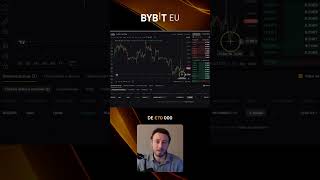

Buy Bitcoin at Your Target Price
45sTeaches a practical trading skill that saves money and is highly shareable among crypto beginners.
▶ Play Clip"No title to compare, but the content is a focused, no-fluff walkthrough of limit orders."
This tutorial explains how to buy Bitcoin using a limit order instead of a market order. It walks through setting a target price, specifying the amount, confirming the order, and letting it execute automatically when the market reaches your price. The video also shows how to cancel an active order if you change your mind.
Instead of buying at the current market price of €74,300, you can place a limit order to buy Bitcoin only when it drops to €73,000.
You can enter the exact amount of Bitcoin (e.g., 0.007 BTC) or specify a fiat amount like €50 and let the platform automatically calculate how much Bitcoin you can buy.
After reviewing the summary, you press the buy button. This does not execute a purchase immediately — it creates an active order waiting for the price to reach your limit.
When Bitcoin falls to your target price, the order buys automatically — even at 3 a.m. while you are sleeping. No need to watch the market.
If the price never reaches your target or you change your mind, you can simply press cancel and remove the active order.
Limit orders let you automate Bitcoin purchases at a price you choose, removing the need to watch the market constantly. They are a simple but more advanced step for buyers who want better control over their entry price.
What is the difference between a market order and a limit order?
A market order buys at the current price; a limit order buys only when the price reaches a specified target.
In the example, what was the current Bitcoin price and the target limit price?
The current price was €74,300 and the target limit price was €73,000.
How can you specify the amount to buy if you don't know the BTC amount?
You can enter a fiat amount, such as €50, and the platform automatically calculates the Bitcoin you can buy.
00:13
After confirming a limit order, is the Bitcoin purchased immediately?
No, it becomes an active order that waits until the market price reaches your limit.
00:27
What happens when the market price reaches your limit while you are asleep?
The order executes automatically, so the Bitcoin is bought without you needing to be awake.
00:42
What can you do if the limit price is never reached or you change your mind?
You can press the cancel button to remove the active order.
00:58
Limit orders decouple execution from current price
This is the core technique that lets buyers avoid impulsive market-price purchases.
Fiat-based order sizing simplifies buying
Allowing users to enter a euro amount removes the need to calculate BTC quantities manually.
00:13Automation enables passive accumulation
The order executes on its own at the target price, making disciplined investing possible without constant monitoring.
00:42Active orders are cancellable
Knowing you can cancel at any time reduces the risk of committing to a trade you no longer want.
00:58[00:00] En vez de hacer una orden de mercado, puedes hacer una orden límite. Que esto sirve para decir, oye, yo quiero comprar Bitcoin, pero no al precio actual, que es 74.300 euros,
[00:13] sino que quiero comprar cuando baje a 73.000. Pones la cantidad de Bitcoin que quieras comprar, 0,007. O si no sabes cuánto es, lo pones aquí abajo. Oye, mira, yo es que quiero con 50 de mis euros comprar el Bitcoin que me alcance.
[00:27] Se te pone automáticamente. ahora sí le doy al botón de comprar ahora me hace un resumen le doy al botón de comprar y fíjate que esto no es que ya lo haya comprado sino que tengo una orden activada porque claro bitcoin todavía
[00:42] no ha llegado el precio de 70 mil euros hacia abajo yo estoy esperando a que baje para comprarlo más barato es sólo un ejemplo así que está aquí me puedo esperar y cuando llegue a 70 mil automáticamente se comprará aunque sean las 3 de la mañana yo estoy durmiendo para eso sirve o si al final
[00:58] nunca llega ese precio o he cambiado de opinión simplemente le das al botón de cancelar vale así que esto ya es un pasito más avanzado




⚡ Saved you 0h 01m reading this? Transcribe any YouTube video for free — no signup needed.