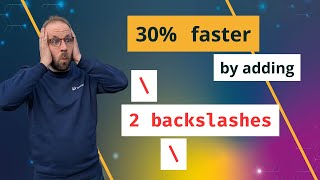

2 Backslashes = 30% Faster PHP?
44sThe promise of a tiny code change yielding massive performance gains sparks curiosity and immediate click-through.
▶ Play Clip"Delivers exactly what the title promises: a clear, benchmarked demonstration of the performance impact of importing global symbols."
This video demonstrates a real-world PHP performance optimization by importing global symbols (functions and constants) to leverage opcache's native engine-level implementations. The presenter benchmarks the Paragonie constant-time encoding library, showing a 30% performance improvement from a simple code change.
The video discusses an optimization that leverages PHP engine optimizations, referencing previous videos on hidden speed tricks and the empty vs identical operator.
The library encodes strings in constant time to prevent timing attacks, abstracting over the sodium extension or a PHP-based implementation.
Using a backslash before string functions (e.g., \strlen) triggers an opcache optimization that avoids a function call, using a native engine-level implementation instead.
The extension_loaded call is not imported from the global namespace, missing a similar shortcut. Importing it can save time.
Tim's change prefixes extension_loaded and sodium_bin2hex with backslashes and imports constants directly, avoiding unnecessary lookups.
The optimized version runs 1.76 times faster in a simple script.
The presenter recreates the change using Hyperfine, comparing library versions 3.1.1 and 3.1.2, with opcache enabled on CLI and sodium extension available.
The benchmark shows 534 ms for the unfixed version vs 375 ms for the fixed version, a 1.42x speedup.
The maintainer used 'use function' imports at the top of the script instead of backslashes, achieving the same effect.
Importing global symbols is a simple, effective optimization for hot paths, especially for functions with opcode optimizations.
Importing global symbols (functions and constants) in PHP can significantly improve performance in hot code paths by leveraging opcache's native implementations, as demonstrated by a 30% improvement in the Paragonie library.
What is the purpose of the Paragonie constant-time encoding library?
It encodes strings in constant time to prevent timing attacks, making it impossible to guess secret values based on encoding/decoding time.
00:30
What does adding a backslash before a function name do in PHP?
It imports the function from the global namespace, allowing opcache to use a native engine-level implementation instead of a function call, which is faster.
02:41
What is the performance improvement Tim recorded for the Paragonie library?
30% improvement.
08:35
What is the alternative to using backslashes for importing global symbols?
Using 'use function' statements at the top of the script to import the functions from the global namespace.
08:20
What precondition is required for this optimization to work?
Opcache must be enabled on the CLI, and the sodium extension must be available.
05:28
Backslash optimization
Explains a concrete PHP engine optimization that can be applied to hot code paths.
02:411.76x speedup in simple script
Demonstrates the potential impact of the optimization in a minimal example.
04:45Real-world benchmark: 1.42x faster
Shows the actual performance gain in a real library, validating the technique.
07:52Maintainer's use function approach
Provides an alternative, equally effective way to achieve the same optimization.
08:20[00:02] optimization that works by leveraging the PHP engine optimizations and it's on an open source library that you probably use yourself. I talked about this engine optimization before in these two videos when we looked at the hidden speed
[00:16] tricks and empty versus identical operator. This time we have a real world use case of this optimization where my colleague Tim improved the performance of the Paragoni constant time encoding library by 30% by adding just two
[00:30] backslashes to the code. Let's dive in. The Paragoni constant time encoding library serves a special purpose in security and um what it does is it allows you to encode a string at a constant time. So it's not uh possible
[00:46] constant time. So it's not uh possible to um guess like which values have been or which secret values have been encoded to a base 32 string for example. Um the
[00:58] time for uh encoding decoding various strings is the same. You can find more information about constant time attacks and uh cache timing attacks in this blog post by Anthony Ferrara. Um it's all about time and um he does it based on an
[01:15] about time and um he does it based on an example for comparing passwords which um uh PHP internally has the function hash equals for now and constant time encoding is in the same space uh a little bit different there's a blog post
[01:28] on the paragon initiative blog about this library as well explaining the background and what it's used for and its origins so where does performance come into play when do uh looking at This first this library constant time um
[01:43] This first this library constant time um encoding is an abstraction on top of either the sodium extension that is part of PHP core since version 8.2 or a PHP based implementation. So if we look at the code, we can see the encode
[02:01] look at the code, we can see the encode function checks for lip sodium or sodium function checks for lip sodium or sodium extension and uses a function of sodium um to convert a string into a hexadigm
[02:14] representation and if it's not available then it runs this PHPbased implementation of the same conversion and uh the PHP based
[02:26] implementation is obviously much slower than the um sodium based extension. Um however that is not the uh thing that we want to look at. uh instead what we want want to look at. uh instead what we want to look at here is that we see the code
[02:41] is using a backslash string length function to address an opcache optimization where it avoids running the string length function um as a sort of PHP function implementation
[02:58] and it has an native engine level implementation of this function that is much faster. um it's done using a backslash to prepare. So the function is imported from the global namespace and this makes
[03:14] these functions calling these functions uh quite fast because um it converts it into an op code and it's not running a function. However, if we look at the case on top here, we see uh that the extension loaded call is not um imported
[03:31] from the global name space and uh that is actually a problem because extension loaded also has a shortcut where you can avoid calling this function and it can directly check for that and the same is true for the sodium bin 2 hex. it
[03:47] doesn't have a direct op code to check but at least uh by avoiding the lookup but at least uh by avoiding the lookup we can save some time as well. So what is the change that we want to test here? Um let's go back to what Tim provided as
[04:03] a change. So what does Tim's performance optimization with regard to um importing global symbols uh do for this library? We look at the files changed. Um he
[04:16] changed two files. We looked specifically at the hex php because we saw that in Visual Studio Code before. U prefixing extension loaded and sudium bin to hex in uh two different places and doing the same also importing
[04:31] constants directly instead of doing the lookup. So avoiding sort of um one lookup. So avoiding sort of um one lookup that is unnecessary here. And we lookup that is unnecessary here. And we can see for this very simple script here
[04:45] uh that he has a performance difference between those two approaches uh where the optimized version is running um one uh much faster. So 1.76
[04:58] times faster than the one without this optimization. Let's look at the code ourself and recreate this change. So you can see the script here um adapted from the pull request. Uh we load
[05:14] uh a different variant of the library with so version 3.1.1 and 3.1.2 where the optimization is included. You will we will see in a second how this will we will see in a second how this works. We have preconditions. So this
[05:28] only works if we have opcache enabled on the CLI. uh because this is an opachebas based optimization without opcash enabled on the CLI it's not opt the code is not optimized and we also need the sodium extension
[05:43] and we also need the sodium extension available so I generate a 16 length random string and then I encode the string 10 million times and I also um uh
[05:56] output something so that the opcache engine doesn't optimize this code away because it's uh not used. Opening the terminal, we will run Hyperfine uh a benchmarking tool that allows us to compare two different uh command
[06:12] executions uh and run it in a way that uh allows statistical um comparisons. We have a video about Hyperfine as well uh that I link in the description.
[06:25] So we uh call hyperfine and we want to make it make it um a parameterized test with minus l. So um a parameterized test with minus l. So I want to have the version 3.1.1 and
[06:38] I want to have the version 3.1.1 and 3.1.2 two and uh running each of them I 3.1.2 two and uh running each of them I want to
[06:54] fulfill the precondition I also have to set uh opach enable cli then run this so it now runs uh both commands uh 10 times
[07:09] and uh then compares the performance against each other. against each other. So you can see in the output here um the first benchmarking run for each command was much slower. Um so this is a
[07:24] warning. However, since it's the case with both scripts, I'm going to ignore this. But generally you want to make sure this warning doesn't appear because it could mean that there is some noise on the system that skews the result of
[07:37] the benchmark. However, we can see quite well here the performance difference for the Paragoni constant time library without the fix 3.1.1 534 milliseconds.
[07:52] Um and uh with the fix we see 375 uh milliseconds. So uh we see that the script is 1.4 script is 1.4 54 42 times faster with um this
[08:04] performance optimization. I mentioned this is possible by only adding two backslashes and that's what's in the pull request. However, if we compare the fixed version, we can see that the maintainer changed the code uh to um not
[08:20] use the backslashes in front of the functions, but instead uh for string functions, but instead uh for string lang extension loaded, they used uh the symbols um at the top of the script. So, you can do use function to import it
[08:35] from the global namespace. And this has the same effect um of avoiding this um expensive lookup. Tim recorded a 30% performance improvement by doing this changes the constant time encoding. And um my change was a little bit less than
[08:50] 30% but it also showed like there's a big improvement by doing this. And if you have internal functions um that have this op code optimization in the engine
[09:03] then it uh and it's called in the hot pass of your application then it's a really great optimization to get a u like a lot of milliseconds out there at a very reasonable simple change just importing or adding the backslash and
[09:18] it's good to know about this optimization if you have code that is um yeah very hot it's run quite quite a lot of times um algorithms over loops that are called thousands or hundred thousands of times
[09:33] in our previous videos. You can also see a list of all these optimized functions. We also have a blog post links are in the description and uh I would be really happy if you to subscribe to our channel to learn more about PHP performance and
[09:49] there's also a newsletter where you can get uh information about new new videos and blog posts link is in the description. Thank you.
⚡ Saved you 0h 09m reading this? Transcribe any YouTube video for free — no signup needed.