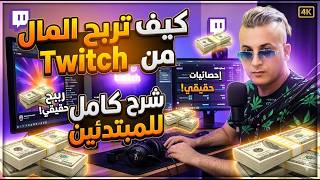

Earn Money on Twitch: Simple Requirements
60sReveals surprisingly easy monetization conditions, sparking curiosity and hope for new streamers.
▶ Play Clip"Title promises a guide to earning on Twitch, and the video delivers step-by-step requirements and registration, though it lacks advanced tips."
This video provides a beginner-friendly guide to monetizing on Twitch, covering the requirements to become a partner, the monetization features (ads, subscriptions, bits, and chat), and a step-by-step registration process. The creator emphasizes simple conditions like 50 followers, 8 hours of live streaming, and an average of 3 viewers, and offers tips on ad placement.
The video introduces Twitch as a platform for earning money through content creation, similar to YouTube, Facebook, and Instagram.
To become a Twitch partner and start earning, you need 50 followers, 8 hours of live streaming (can be split across multiple days), and streams on at least 7 different days.
You must maintain an average of 3 viewers during your live streams. This means at least three people should be watching your stream concurrently.
Twitch offers four monetization tools: ads, subscriptions, bits (encouragement during streams), and chat. Ads are highlighted as the most important revenue source.
Twitch recommends starting with 1 minute of ads per hour, then gradually increasing to 3 minutes per hour. Running multiple short ad breaks (1-2 minutes) is advised.
To register, go to Twitch.tv, click 'Sign Up', enter username, password, birth date, and phone number or email. Verify via code sent to phone or email.
After registration, the dashboard shows your profile, videos, viewer statistics, and earnings once accepted into the partner program.
For live streaming, use OBS (Open Broadcaster Software) or StreamLabs on PC, or mobile apps for phone streaming. The creator offers to make a separate video on setting up a live stream.
Twitch monetization is achievable with consistent effort: reach 50 followers, stream for 8 hours across 7 days, and maintain an average of 3 viewers. Focus on ad revenue and gradually increase ad time for better earnings.
What are the three main requirements to become a Twitch partner?
50 followers, 8 hours of live streaming, and streams on at least 7 different days.
01:02
What is the minimum average number of viewers required during live streams?
An average of 3 viewers.
02:42
Name the four monetization tools on Twitch.
Ads, subscriptions, bits (encouragement), and chat.
03:41
What is the recommended starting ad length per hour?
1 minute of ads per hour.
04:55
How can you verify your Twitch account during registration?
By entering a code sent to your phone or email.
07:24
Simple Partnership Requirements
Clearly outlines the achievable conditions for monetization, making it accessible for beginners.
01:02Average Viewer Threshold
Emphasizes the need for consistent viewership, a key metric for success on Twitch.
02:42Ad Placement Strategy
Provides a practical tip to gradually increase ad time without alienating viewers.
04:55[00:03] your content on Twitch. Okay, let's see how to register on the Twitch platform and what the very simple conditions are that will surprise you. You'll earn money from Twitch by creating content, just like YouTube, Facebook, Snapchat, and
[00:19] Instagram. This is a brief introduction for those who are new to Twitch. Okay, we'll see how to meet the conditions, what they are, and they're simple, God willing. We'll also see the rules for ads, how they appear in videos
[00:33] and live streams, and what Twitch has told us to increase our earnings. We'll also cover how to place ads and how to register on the Twitch platform. Okay, thank you for your interest in Ayoub Ramida's channel. It's an honor for me if you subscribe. If you have
[00:47] n't subscribed yet, I'd be honored to have you with me on the channel. We wish you on the channel. We wish you continued success, God willing, and may He always honor us with you. Let's look at the simple requirements, the number of channels and ads, and then we'll
[01:02] see how to register on Twitch. Okay, great. Notice how to become a partner. That means you're a partner with Twitch, and they'll start displaying ads and you'll earn dollars. Okay, look at the
[01:15] ads and you'll earn dollars. Okay, look at the requirements for reaching 50 followers. This is the easiest thing. Okay, especially for people who are live streamers of games. They know Twitch is bit by bit for eight hours. So, you need to have a Twitch platform and have already streamed
[01:31] live for eight hours. It's not continuous, meaning you can't stream for eight hours at a time. It's meaning you can't stream for eight hours at a time. It's hour today, another hour tomorrow, or half an hour today. You can stream for eight hours in one day, no
[01:47] problem. There are people who They can reach up to 24 hours live. Some people reach 12 hours live during the day, no problem. The important thing is that you want to hurry and start monetizing Twitch. For those who are still struggling and don't know how to make money
[02:00] online, here's how to reach 50 followers. Notice on the on the left side, "reach 50 followers." These are the conditions appear on your live streams. Okay, and you must have already done a live stream
[02:14] streams. Okay, and you must have already done a live stream for eight hours, whether it's one video, for eight hours, whether it's one video, one live stream, or separate streams. Okay, and the streams must be on seven different days. So, you must pay attention to these things: seven consecutive days or
[02:28] different days. For people, I urge those who want to earn and intend to earn, you must do a live stream, even if they don't actually broadcast for seven days. If you have the intention to earn, you must do it daily. Live streaming is essential, and those who will
[02:42] advertise for you will place ads in your videos. If you don't stream live, you won't earn anything, even if you have monetization enabled. So, you have to put in some effort and work to reach an average of three viewers. Now, imagine these conditions: where will you find three
[02:57] viewers? Reaching an average of three viewers means that you shouldn't be the one streaming live; at least three people should be with you. That's the point of this message. Reaching an average of three viewers means that when you're
[03:13] streaming live, even if you're playing a game (for those who don't want to show their face, it's okay), you should be playing and have an average of three viewers. For example, it
[03:26] not zero. The three are obvious; how do you get them? It's easy, no need to worry. And the zero. The three are obvious; how do you get them? It's easy, no need to worry. And the live stream is for seven or eight days. You have live stream hours and 50 followers, okay, great.
[03:41] What are the monetization tools you can use? What types are there? First, the features. First, the features of monetization on Twitch are through ads. As we mentioned, they are important and the best thing everyone wants. Ads will boost your videos; the more
[03:57] viewers you get, the more revenue you earn, similar to YouTube. Okay, subscriptions. Subscriptions are when people subscribe to your channel, like the button you see under "Subscribe" on YouTube. Under my video, there's a "Subscribe" button, and
[04:12] next to it, there's another button for subscriptions. These are where you contribute money. Okay, you support the content creator. You click and you contribute money. Okay, you support the content creator. You click and enter the amount you want to send to that content creator. There's also encouragement during the stream, where people support you through the stream by sending
[04:26] you gifts. Okay, and there's chat. We'll learn about chat now, God willing. We'll go in, register, create an account. I'll go into the details, God willing, and you'll see these things. These are the monetization features. There are four: Twitch, encouragement with
[04:40] streaming, subscriptions, revenue from ads, and chat. Okay, there are four, but the most important, the most important, the most important, the Okay, there are four, but the most important, the most important, the most important, the best, is revenue from ads. It's like YouTube, the ad appears at the beginning of the video. Okay, good.
[04:55] Now we'll see how to place ads. And we'll go in and see how to register. Okay, let's see the most important thing: this article. Okay, how to increase this? This is what reduces the number of ads displayed beforehand. Let's see. I'll give you the
[05:15] one minute of ads per hour. I recommend starting with one minute of ads per hour. Allocating a short break between gaming sessions will help you gradually increase the number of your ads per hour. Okay, and make it easier for your audience, eventually reaching the
[05:32] per hour. Ads will appear every three minutes per hour, okay? And here it says to run multiple ad breaks, or shorter ones, as soon as
[05:44] you feel more comfortable. It recommends running multiple ad breaks of one to two minutes each gives you how to place the ads and ad breaks after you meet the requirements and are accepted, and the
[05:59] ads start appearing. Okay, now, so we do n't make the explanation too long, we'll go and see how to register on the Twitch platform, the correct way to do it, and see everything in more detail. This, God willing, is Twitch. Go to Google and type Twitch. Twitch TV will appear.
[06:14] Here it is, the first one. It's a famous American platform worldwide. This means it's the same as Facebook and YouTube, it's well-known. Okay, good. This
[06:26] interface will appear. This will appear. The interface... Notice with me on the right side at the top of the page, there's a "Sancrig" option. Okay, register an account. When you click on "Register an Account," this interface appears. Okay, good. Here's the username, or your real name,
[06:40] or a username (a nickname). Always use your name and a letter. It's necessary. When you write your name, it tells you that this name already exists, for example, and there are others. You choose, for example, like now. For example, now. For example, write "Ayoub," for example, I'll write "Ayoub RM." Okay, now
[06:55] this is the username. This one doesn't have one, but it accepts it. Okay, it doesn't accept the username; it tells you to change it. Okay, here's the password, and here's the plus sign, and here's the month you were born in and the year. Here's the phone number. If you don't want to register with your phone number, there are options. What option should I choose? You'll
[07:11] click on this symbol. Here it is under one with the mouse button. Okay, you tell me, "I'm going to register with my email." Here, it will remove the phone number and register it. Okay, so I'll continue and put my information. I'll put my Gmail address and
[07:24] then we'll see the next steps. Okay, after we entered our information, Gmail and everything, they'll send you a code. You'll register with your phone number. You'll receive a code. This code, the one that appears, is your phone number. We
[07:37] registered with Gmail. Copy this code and use it to activate our account. code and use it to activate our account. Okay, let's see the next steps. After we gave them the code, we activated our Gmail account. This is the interface. It says "By phone,"
[07:51] meaning welcome to the Twitch platform. Here it says, "Sir, if you want to follow, or what your likes or interests are, you or other people..." If you don't want to, there's a checkmark at the top. We'll remove it. Okay, that's it.
[08:06] In this place, you'll go directly to the Twitch interface. Okay, good, good. Here Here's the profile, here's the screen. Did you notice it? Here again, there's the control panel. Notice
[08:18] with me on the right side at the top of the page. Okay, on the right side at the top of the page, there's a screen. You'll click on it. This is it. Now, a new account, okay? Activate it Now, a new account, okay? Activate it properly. Bravo! This gives you this information. This is
[08:32] where they appear. Here are your videos. Here's the program. Okay, here's how many people viewed you. Here are the months. And here, sir, are the videos. Okay, the ones you make, God willing. Okay, good. And
[08:49] there's an application for it on the phone for people who want to work on the phone. Good, good. Here's the important thing. Here's the dashboard. Okay, it's for the content creator. Okay, here you see all your things and see your earnings
[09:03] after you're accepted. After you're accepted, okay. After that, we said the conditions: 50 followers, right? And you have After that, we said the conditions: 50 followers, right? And you have 8 hours of live streams, either multiple or one live stream, or you have to be working on it yourself, meaning active for seven days. Okay? And always in the
[09:21] live stream, it's necessary to be on At least one live stream per person means that on average, there should be at least three people watching the live stream. Okay? Twitch's algorithm will help you with these things, so don't worry, you understand? YouTube, Facebook, look, all
[09:38] platforms help beginners. You just need to be active. That's all there is to it. Now, let's get to the point where we first started. Okay, here's how to do a live stream. We've already
[09:51] explained everything and the requirements. The important thing is that you start streaming from this place. For stream from it, we've already explained the OPS and how to play games or do
[10:04] live streams on all platforms. It's all done with the OPS. We've explained the OPS to you; it's OPS. We've explained the OPS to you; it's easy. I explained it to you professionally. Okay, for those who use phones, there are phone apps that let you stream a game live from your
[10:16] phone. It's not necessary to have a computer. If you do have a computer, it's better to use a bot. Directly via OS or StreamLabs, and there are many live streaming programs for games that you can connect to Twitch. We've already shown you how to get a K-
[10:31] Stream from any platform and put it in OS. Okay, for those who want to know how to create a live booth on Twitch, write to me in the comments and I'll make a video on how to launch a live stream on Twitch. Okay, great, great. First, we'll do it, God willing,
[10:46] after this video. Okay, here you get the requirements. This is the dashboard interface. Here you'll find everything. You can see all your things, your dashboard. your things, your dashboard. Okay, and you can learn more about everything here.
[11:01] But the important thing is that you start doing live streams. Okay, here you go. There's a channel. Okay, go back to Twitch. Okay, Twitch. Okay, always at the top, and here you'll find everything. For
[11:16] those who want to understand more about what Twitch is and how to create a live booth, write to me in the comments and I'll make it for you. Live stream via OBS and we'll show you how to get K-stream and everything else. Take care of yourselves and bye-bye. That's
[11:29] today's explanation, God willing. There are still surprises, God willing. If you think I deserve your subscription, I wish you all the best, God willing. Bye-bye. Yeah.
⚡ Saved you 0h 11m reading this? Transcribe any YouTube video for free — no signup needed.