
AI Summary
This video is a comprehensive guide to understanding stock footage and Creative Commons licenses, aiming to prevent copyright claims. The creator, Paxel, explains the differences between terms like 'free', 'royalty-free', and 'Creative Commons', and provides a detailed breakdown of copyright law, public domain, CC licenses, and safe usage practices. It includes a broad overview of how licenses work, the importance of attribution, and the specifics of using content on YouTube.
Chapters
Copyright is automatic for original works fixed in a permanent medium. Registration is not required for protection to exist (though needed to sue for US works).
Fair use is a legal exception with four factors: purpose, nature, amount used, and market effect. There's no fixed percentage or duration rule.
Giving credit is not permission. The YouTube dispute page and US Copyright Office do not recognize it as a valid reason. 'No copyright intended' also grants no rights.
Public domain allows use without permission. Works can enter it by copyright expiry (life + 70 years for post-1978 works, 95 for work-for-hire), dedication, or being a federal government work. Status is country-specific.
CC0 is a tool for creators to give up all rights, with a fallback to a broad license if waiver is invalid. The Public Domain Mark is a label for works already free globally.
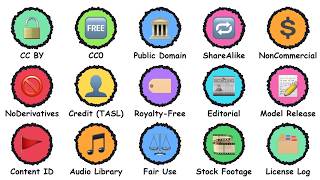
CC licenses are non-revocable once granted. They're built from two to four elements: Attribution (BY), Share Alike (SA), Non-Commercial (NC), No Derivatives (ND).
CC0 is the most flexible CC license, allowing any use with credit. It is one of six licenses.
NC is defined as not primarily intended for commercial advantage. Treat a monetized channel as commercial and skip NC material unless the creator agrees in writing.
ND prohibits sharing adaptations. In 4.0, a song used with a moving image is always an adaptation. Cropping might be mechanical, but creative edits are adaptations. Avoid ND for edited videos.
Credit using TASL: Title, Author, Source, License. Put it in the video and description, hyperlink everything.
Under 4.0, your rights terminate if you fail to comply, but they are reinstated if you fix the issue. This argues for fixing credits quickly.
A CC license covers copyright, not publicity, privacy, or moral rights. People and trademarks in footage may require a release.
Set the CC license in YouTube Studio via Show More. Eligible content is original, CC BY, or public domain. A video with a Content ID claim can't use it.
The term 'royalty-free' means you pay once or subscribe, then reuse, not that it's free of charge. Rights-managed is more restrictive, with use tied to a defined scope.
Editorial use only is for newsworthy topics, requires a credit line, and prohibits ads, promotions, and endorsements.
Keep a record for every clip: date, source link, creator, license, version, and the video it went into. Save screenshots as proof.
Public domain and CC0 require no credit. CC BY is fine with credit. CC BY-SA is fine but check the share-alike gray area. CC BY-NC requires written permission for monetized videos. CC BY-ND should be avoided if you edit.
Mentioned in this Video
Tutorial Checklist
💡 Key Takeaways
Copyright is automatic
This is a foundational fact that many creators misunderstand, thinking registration is required.
01:12Credit is not permission
This is a critical distinction that prevents creators from making a common and costly mistake.
02:24Monetized = Commercial
This provides a clear and actionable rule for creators deciding whether to use NC material.
07:09The Safe Log System
This practical workflow empowers creators to protect themselves against claims and disputes.
18:40Royalty-free doesn't mean free
This is a major misconception that causes creators to get into trouble when they assume.
11:13Cheat sheet for monetized videos
The cheat sheet is an invaluable summary that creators can reference quickly.
19:55Full Transcript
[00:02] says free or creative commons or royalty free. You drop it into a monetized video and a week later there is a claim or an email asking where the credit is. Those three labels mean three very
[00:15] different things. This is every stock footage and creative commons license you'll meet explained one by one. It's a long video, so here's how to use it. Every term gets its own heading at the top of the screen and the chapters
[00:29] are in the description. Tap step or drag the progress bar to jump straight to the one you need. Important. This is not legal advice. I'm a creator reading official documents, not a lawyer and I can't tell you what
[00:43] is safe for your situation. Rules differ by country and change, so read the live Facts here come from Creative Commons, the United States Copyright Office, YouTube help and each site's own license page checked in October 2026.
[00:59] Any number not from a named source is an example. Chapter 1, copyright basics. Copyright is automatic. The United States Copyright Office says it protects original works of authorship once they
[01:12] are fixed in a sufficiently permanent medium. For example, written down or recorded. You don't have to register for the protection to exist. For United States works, registration is needed before you can sue.
[01:25] By default, the person who made the work holds the rights unless they transferred them or made it as an employee, which is called work made for hire. So a clip online isn't ownerless. Someone owns it and the license tells you what you may
[01:39] Copyright has limits. The Copyright Office lists things it doesn't protect. Titles, names, short phrases and slogans, familiar symbols and ideas, methods and systems. So you can make your own video about the same idea, but
[01:55] you can't copy someone's actual footage. Fair use is a legal exception, not a license. The Copyright Office lists four factors: the purpose and character of the use, the nature of the work, how much was
[02:08] used, and the effect on the market. And it says there's no formula giving a fixed percentage or number of words or seconds you can always use. Only a federal court can finally decide. Now, the myths. Giving credit is not
[02:24] permission. YouTube's own dispute page lists it as an invalid reason. So is monetize. A note saying no copyright intended grants nothing. And the Copyright Office finds no rule allowing a set number of
[02:39] seconds. Permission comes from the owner, a license, public domain status, or a legal exception. Chapter two, public domain. Public domain means a work isn't under copyright. So you can use it without
[02:52] asking. Creative Commons says its licenses don't apply to public domain material at all because you simply don't need one. But a work can be public domain in one country and still protected in another.
[03:05] A work gets there in a few ways. Its copyright can expire. For United States works created after 1978, that's the life of the author plus 70 years or 95 years from publication for anonymous and work-for-hire pieces.
[03:19] The owner can dedicate it. Or it can be a federal government work. Older works follow more complicated rules. Government sites look like easy sources. The United States government describes a government work as something created by
[03:32] an officer or employee as part of their official duties. But not everything on a federal site is one. Pages can include logos, trademarks, or images used with permission, and state publicity rights may apply to people shown. Check with
[03:46] the managing agency. CC0 is a tool for giving up your rights. A creator who applies it waves copyright and related rights to the greatest And if that waiver isn't valid in a country, it falls back to a very broad
[04:00] It does not waive trademark or patent rights. And the creator disclaims responsibility for other people's rights, such as a person's likeness. The public domain mark is different.
[04:13] It's a label for a work already free of known copyright worldwide. Mostly used by museums, libraries, and other cultural institutions. Creative Commons doesn't recommend it for works that are public domain in some
[04:27] countries, but not others. A creator giving up rights uses CC0, not Public domain has catches. The status belongs to a specific work. So, a new edition, recording, or
[04:40] restoration could carry its own rights. And that's a general copyright principle, rather than something I can quote from one page. People pictured may have likeness rights, and uploaders sometimes get a
[04:52] status wrong. So, trace it to a reliable source before you rely on it. Creative Commons licenses. Creative Commons licenses let a creator give the public permission in advance,
[05:06] while keeping the copyright. Once granted, they are not revocable unless you breach them. A creator can stop sharing the work, but license. Always note the version because the
[05:20] version. All the licenses are built from four elements. Attribution means you must give credit. Share alike means adapted material must be shared under the same terms.
[05:34] Non-commercial limits use to non-commercial purposes. And no derivatives means only unadapted copies may be shared. Combine them and you get six licenses, listed by Creative Commons from most to
[05:47] least permissive. CC BY CC BY SA CC BY ND CC BY NC CC BY NC CC BY NC SA and CC BY NC ND.
[06:01] Every one of them requires attribution. CC BY is the most flexible. You can share and adapt the material for any purpose, even commercially. As long as you give appropriate credit, link to the license, and indicate if you made
[06:15] You also can't suggest the creator endorses you. Share alike adds a condition. If you remix, transform, or build on the material, you must share your contribution under the same license or a
[06:28] And you can't add terms or technology that stop others doing what it allows. Whether a whole video counts as an adaptation can be a gray area. So, read the Creative Commons FAQ first. In my view, plan for it before choosing share
[06:43] alike footage. Noncommercial is the element that trips creators up. The legal code defines it as not primarily intended for or directed towards commercial advantage or monetary compensation.
[06:56] Creative Commons admits there are gray areas, and its 2009 study found people generally rated uses tied to online advertising as commercial. So, here's my Treat a monetized channel as commercial,
[07:09] and skip NC material unless the creator agrees in writing. No derivatives means you may not share adapted material. In the 4.0 legal code, a song used with a moving image is always adapted material. And Creative Commons says background
[07:25] adaptation. Cropping might only be a mechanical change, but a creative edit is an adaptation. Sharing the file unchanged is fine. In my view, avoid ND for anything you
[07:39] edit. Now, how to credit correctly? Creative Commons suggests four pieces, T A S L. Title, the name of the work. Author, the creator by the name they chose.
[07:53] Source, a link to where it lives, ideally the original page. And license, the specific license with a link to its deed. For video, Creative Commons says to put the credit in the recording itself where
[08:05] reasonable and in the description. And to hyperlink the author, source, and license. Don't credit only in metadata. Don't credit the website or Creative Commons instead of the creator.
[08:18] Mention changes like crop from original. If the creator asks, remove the credit What if you mess up? Under 4.0, your rights terminate automatically if you fail to comply. They are reinstated if you fix the
[08:32] it. That's an argument for fixing missing credits quickly, though it isn't a guarantee of how a creator will respond. One more warning. A Creative Commons license covers copyright. The legal code
[08:47] says publicity, privacy, and moral rights are not licensed. And the deed warns they may limit your use. So, a CC clip with a recognizable person or a famous trademark may still need a release or other permission. Chapter
[09:00] four, YouTube's own rules. YouTube has its own Creative Commons attribution option. In YouTube Studio, you open details, choose show more, and set the license from a computer.
[09:12] YouTube's help page says eligible content is your own original content, content already under CC BY, and public domain content. A video with a Content ID claim can't use it. To find CC videos, use YouTube's search
[09:26] filter for Creative Commons, and read the description. To reuse one, credit the creator with the title, author, source link, and license. In the video all the description has text or a voiceover.
[09:40] The help page says you can monetize CC content only if the license grants commercial rights. A caution, the help page doesn't say the label covers every part of a video, such as music inside it, and it doesn't cover
[09:54] remixing in studio. YouTube also says it doesn't mediate copyright disputes. The old CC video library in YouTube's editor was retired in 2017, according to news reports. So, treat the label as a
[10:07] starting point and trace the footage to its source. For music, YouTube's audio library lives in studio. Some tracks need credit in the description, and the library can generate that text.
[10:19] credit. YouTube says partner program members can monetize videos with those tracks, and that downloaded tracks aren't claimed It won't answer for music from other libraries.
[10:33] Here's a separate trap. YouTube's reused content policy targets channels that repurpose existing content without significant original commentary. And it applies even if you have permission. Its inauthentic content
[10:45] policy covers mass-produced, repetitive material. A license clip is a copyright question. Whether the channel earns money is another one, and the page says copyright policies apply separately.
[10:58] Stock and free sites. Royalty free is the most misunderstood According to several stock industry explainers, it usually means you pay for a license once or through a subscription, and then you can use the
[11:13] clip in many projects without paying again for each use. It doesn't mean free of cost, and it doesn't mean free of rules. Rights managed is the other model. The use is limited to a defined scope, and
[11:27] the price depends on things like duration, geography, audience size, placement, and exclusivity. If the scope changes later, you usually need a new license. It's more common for high-end commercial
[11:40] work than for everyday creators. Editorial versus commercial matters. Adobe's license terms say editorial use only assets may be used only for newsworthy or public interest topics. Only minor edits are allowed. A credit
[11:55] line is required, and uses like ads, promotions, endorsements, and the owner. Check which category the clip is in or a product. Even a paid license has edges. Adobe's
[12:11] standard license, for example, allows posting to websites and social media with no view limit and up to 500,000 print copies. It forbids distributing the standalone file and selling products where the
[12:23] asset is the main value, like a poster. Sites differ, so read that site's own terms. A copyright license isn't a release. A model release is a person's written permission to use their likeness, and a
[12:36] property release does the same for private property or artwork. The CC0 text, the Creative Commons deeds, and Pixabay's page all leave third-party rights to you. If a clip shows a recognizable face or
[12:49] exists. Music is separate from footage. A song usually involves two kinds of rights, the composition and the practice rather than a quote from one page. A footage license doesn't
[13:04] automatically cover music in a clip, and music claims are the kind YouTube's claims page highlights, with monetize as the most common policy for them. Use clear tracks, like the audio library
[13:17] you've read. Subscription libraries, such as Envato or Storyblocks, are convenient. I couldn't load their license pages, so I won't state their terms. Before you subscribe, look for four things.
[13:32] Whether monetize YouTube is allowed, whether finished videos stay covered if whether each download must be registered, and what the music rules Now, free sites. I won't recommend any. I'll just describe what each license
[13:46] Free usually means no payment, not no rules. And every site has its own license. The common ones are Pexels, Pixabay, Unsplash, and Wikimedia. Pexels says its photos and videos are
[13:59] free to use and modify, and credit isn't required. It doesn't allow selling unaltered copies, implying endorsement by people or brands shown, using content in a trademark or business name, or reselling it on other stock
[14:12] Identifiable people may not appear in a bad light. The page shows no last updated date, so check it yourself. Pixabay's summary says, you can use content for free and modify it, and
[14:24] credit isn't required. It restricts selling unaltered content on a standalone basis, and using brands, logos, or trademarks commercially. Recognizable people can't be shown in immoral or illegal ways,
[14:36] responsibility. The full terms are the legally binding Unsplash describes an irrevocable, non-exclusive, worldwide copyright You can use images for free, commercially or not, with no permission
[14:51] suggests one. It doesn't allow selling images without significant modification, or compiling them to build a competing service. The page doesn't address model or property releases. Wikimedia's guidance
[15:04] says each media file has its own licensing statement, which must be verified on its information page. Some Wikipedia images are non-free items used over to you. The Internet Archive, according to its
[15:21] help pages, doesn't guarantee an item's copyright status. And uploaders often supply the rights information, so check each item. each item. Chapter six, AI-generated content. A
[15:34] question many creators ask. The Copyright Office's copyrightability Copyright Office's copyrightability report, published January 29th, 2025, enough human control to claim
[15:46] authorship. Using AI as a tool doesn't disqualify a work. And human authored material, creative arrangements, and creative modifications can be protected. law. What about the data models work trained
[16:01] The Copyright Office released a pre-publication part three of its report pre-publication part three of its report on training on May 9th, 2025, and says a final version will follow. I haven't covered its findings here, and the legal
[16:13] picture is still developing, so I won't guess. YouTube asks creators to disclose realistic content that was generated or meaningfully altered, like a real person doing something they didn't, or a realistic scene that never happened. It
[16:28] doesn't require disclosure for animation, minor edits, AI-assisted scripts, or cloning your own voice for a voiceover. And it says disclosure alone doesn't affect monetization eligibility. Chapter seven, claims and disputes.
[16:43] A Content ID claim usually appears automatically when an uploaded video matches something in YouTube's system. The owner settings decide whether it blocks the video, monetizes it, or just tracks it. YouTube says claims affect
[16:57] videos, but usually don't affect your channel or account. A claim isn't a strike. Why would a licensed clip get claimed? A match only shows similarity, not who has the rights. So, errors can happen, which is why YouTube lists
[17:12] reason. Music inside a clip or a clip someone else registered are possible causes. Your license records are what let you answer. You have four options. Leave the claim in place, remove the claimed
[17:27] content by muting, trimming, or replacing the audio, share revenue if you are in the partner program and it's music, or dispute it. YouTube says to dispute only if you are confident you have all the necessary rights.
[17:42] To dispute, open content in YouTube Studio, find the claim under restrictions, choose see details, then take action and dispute. The claimant has 30 days to respond. They can release it, reinstate it, or send a copyright
[17:57] removal request. If they do nothing, the claim expires after 30 days. You can't cancel a dispute once submitted. Valid reasons are holding the rights, a legal exception such as fair use, or a misidentified claim.
[18:12] Invalid ones are giving credit, owning a copy, or choosing not to monetize. After a rejected dispute, you can appeal and the claimant has 7 days. A removal request that holds up becomes a strike and repeated bad disputes can
[18:27] be penalized. Chapter 8, a safe workflow. Keep a record for every clip. Write down the date, the source link, the creator, the license and its version, and the video it went into. Save a screenshot or
[18:40] PDF of the license page that day, plus any receipt. Free sites don't always show an update date and pages can change. When a claim arrives, this log like this. One, decide your use, monetized,
[18:56] commercial, edited. Two, find the original source. summary. Four, check people, brands, and music. Five, log it and credit it. Six, keep the records as long as the video is up.
[19:13] Know the red flags. Non-commercial material in a monetized video, no derivatives material you plan to edit, a clip labeled free with no named source, a claim that something is no copyright,
[19:27] a re-upload instead of the original, recognizable people or brands, and any music inside the clip. Put a credit section in your description with each credit in TASL form, and links plus any notes a license requires. If
[19:42] you use an AI voice, say so, too. I do that for Paxel, and this video's A description credit plus a spoken or on-screen credit is the safest combination I can suggest. Chapter nine, the cheat sheet.
[19:56] Here's the cheat sheet with my advice for a monetized edited video. Public domain and CC0, no credit required. CCBY, fine with credit. fine, but check the share-alike green area.
[20:11] written permission. CCBY-ND, avoid if you edit. Five mistakes to avoid, treating credit as permission, using non-commercial clips in a monetized video, editing no derivatives material, trusting a free or
[20:28] source, and keeping no records at all. And that's every stock footage and Creative Commons license you'll meet. Remember, this is not legal advice, so read the five license page and ask a
[20:41] case. The chapters are in the description. If this helped, subscribe to Paxel, and tell me in the comments which license confused you most. Now, open your last video and check that every clip has a
[20:54] video and check that every clip has a source and a license on record.