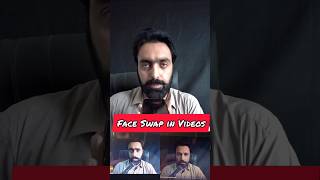

Swap ANY Face in Videos with AI!
45sDemonstrates a shocking AI capability that sparks curiosity and desire to try it.
▶ Play Clip"The title likely promises a tutorial but delivers a brief, low-effort demo with no real instructions or value."
The video demonstrates how to use a web-based AI tool called 'Unboring' to swap faces in videos. The presenter uploads a video, selects a photo of a Hollywood actor, and the tool processes the video to replace the face with the actor's face. The final result can be downloaded.
The presenter explains that you can put any photo on any video and create a video. They introduce the tool 'Unboring', an AI web-based service.
The presenter uploads a video to the tool. They then select a photo of a Hollywood actor to replace the face in the video.
After uploading, the tool processes the video. The presenter shows the final result where the face has been replaced with the actor's face, and mentions the video can be downloaded.
The presenter encourages viewers to subscribe to their channels and follow their page for more videos and tips.
The video provides a simple demonstration of using the AI tool 'Unboring' for face swapping in videos, showing the entire process from upload to download.
What is the name of the AI tool demonstrated in the video?
Unboring
What can you do with the Unboring tool?
Swap faces in videos by uploading a video and selecting a photo.
What type of service is Unboring?
It is a web-based AI (artificial intelligence) service.
What is the first step to use Unboring?
Upload a video to the tool.
00:13
What is the second step to use Unboring?
Select a photo of the person whose face you want to swap in.
00:13
What happens after uploading the video and photo?
The tool processes the video to replace the face.
00:27
Can the final video be downloaded?
Yes, the final video can be downloaded.
00:27
AI Face Swapping Tool
Introduces a practical AI tool for face swapping, which is a trending application of AI.
Simple Process
Demonstrates that face swapping can be done with just two steps: upload video and select photo.
00:13Downloadable Result
Shows that the output is a downloadable video, making the tool useful for content creation.
00:27[00:00] کسی کے بھی ویڈیو پر آپ کسی کا فوٹو لگا سکتے ہیں اور اسے ویڈیو بنا سکتے ہیں ادھر میں لیتا ہوں اپنا ویڈیو اور یہ ایک ہالی ووڈ ایکٹر ہے اس کا فوٹو میں اپنی ویڈیو میں لگاؤں گا تو ایک ویب سیڈ اس کا نام ہے انبورنگ یہ ایک اے آئی آرٹیفیشل انڈیلیجن ویب سیڈ
[00:13] اس میں یہ اپلوڈ کروں گا میں ویڈیو اس میں آپ لوگ ویڈیو بھی اوٹرم کر سکتے ہیں یہ میری ویڈیو آگئی اور اس پہ میں جو ہے اپلوڈ فیس کروں گا فیس آپ کسی کا بھی فوٹو لگا سکتے ہیں اور اگزمپل یہ ہالی ووڈ ایکٹر کا میں فوٹو لگاتا ہوں تو یہ میری ویڈیو پہ آئے گی
[00:27] کچھ دیر بعد یہ اپلوڈ ہو جائے گا اب یہ پروسسنگ ہو جائے گا پروسسنگ تھوڑا سا ٹائم لیتا ہے یہ دیکھیں میری ویڈیو بالکل تیار ہے آپ لوگ دیکھ سکتے ہیں کہ یہ میرے نہیں لگ رہا بلکہ وہ ہالیوڈ ایکٹر لگ رہا ہے تو اس ویڈیو کو آپ لوگ ڈاؤنوڈ بھی کر سکتے ہیں
[00:40] اسی طرح ہماری دیداری ویڈیو اور ٹیپس اینڈ ٹیکس کے لیے میری چینلوں پر سبسکرائب کریں اور پیج کو فالو کریں




⚡ Saved you 0h 00m reading this? Transcribe any YouTube video for free — no signup needed.