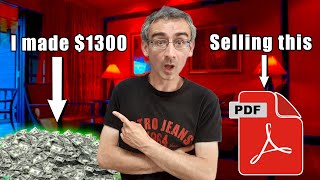

Why I Chose a Dog Niche to Make $1,300
42sReveals a low-competition high-demand strategy that viewers can replicate.
▶ Play Clip"Delivers a legitimate method but exaggerates the ease; $1,300 result may not be typical for beginners."
The video presents a step-by-step method for making money online by selling a single PDF file—a 30-day dog training calendar. The creator shares their niche selection, product creation using ChatGPT, quiz-based promotion, and sales via Gumroad, backed by a $1,300 earnings claim.
The video promises to reveal an exact method for making money online by selling one PDF file, covering niche, product creation, selling platform, and traffic source.
The creator chose the dog niche because they own two dogs and understood common problems. They identified a demand for fast dog training solutions with low competition for calendars.
The product is a 30-day dog training calendar, chosen due to high demand and low competition. It addresses the problem of training dogs quickly.
Quizzes are used because they are fun, engaging, and educational. The creator used ChatGPT to create an interactive quiz to promote the calendar.
Instructed ChatGPT to create an interactive quiz with eye-catching images, then requested an HTML/CSS interactive version for embedding on a blog or website.
Added prompts to show correct answers with explanations and a green 'next question' button. After the last question, a button leads to the product link.
Used ChatGPT to generate a printable 30-day dog training calendar with daily tasks for obedience, leash training, and bonding. Customized to a calendar layout with colors and icons.
For beginners without a website, the HTML quiz code can be embedded on a free Google Sites page. Demonstrated the embedding process.
Set up a free Gumroad account, created a digital product listing for the calendar at $1, added a description and cover image (created with Ideogram), and published.
Used an Instagram page with 200k followers and paid influencers/dog pages to promote the quiz. Sent 30,000 people to the quiz and earned $1,300.
The video demonstrates a complete system: create a simple digital product, use a quiz to generate leads, and leverage social media traffic to drive sales. The key is low pricing and high volume.
What was the niche chosen for the PDF product?
Dog training (30-day dog training calendar).
00:15
Which AI tool was used to create the interactive quiz?
ChatGPT.
01:43
What platform was used to sell the PDF?
Gumroad.
06:49
What was the price of the digital product?
$1.
07:05
How many followers did the creator's Instagram page have?
200,000 followers.
09:19
How many people were sent to the quiz?
More than 30,000 people.
10:05
How much money was made from selling the PDF?
$1,300.
10:05
What free platform was used to embed the quiz for beginners?
Google Sites.
05:51
Low Competition Product Selection
Demonstrates identifying a niche with high demand and low competition using personal experience.
00:44Quiz as Lead Magnet
Using an interactive quiz to engage users and funnel them to a product is a clever marketing tactic.
01:14Free Website Alternative
Offers a zero-cost solution for beginners by using Google Sites, lowering the barrier to entry.
05:37Low Price Point Strategy
Pricing at $1 encourages impulse buys and high volume, a common strategy for digital products.
06:49Leveraging Influencers for Traffic
Using paid influencer promotions on Instagram to drive traffic to the quiz, not directly to the store.
09:19[00:02] an exact method that I used to make money online by selling just one PDF file. And I'm going to show you everything. I'm going to show you a niche. I'm going to show you how I made that product. I'm going to show you
[00:15] where I was selling that product. And I'm also going to show you a traffic source that I used to promote that PDF file. Now, first niche. Now, I was actually in a dog niche. Why? because I have two dogs and that helped me to
[00:31] understand actually that is why I knew what kind of problems people who have what kind of problems people who have dogs have and I offer them solution for that problem because like I said I have two dogs and I had the same problem and
[00:44] I knew that people actually wish to train their dogs as fast as possible. So train their dogs as fast as possible. So what I did I actually made 30 days dog training calendar. Now you will find all kind of products related to related to
[00:58] dog training but you will not find that many dog training calendars and that means that product had a good potential because there is a big demand but competition was very low and that means I can make a good money. So second thing
[01:14] I did I actually needed to decide how do I wish to promote that product. Now I know that quizzes are one of the best ways to promote any product. Why? Because people like quizzes. They are
[01:28] fun. They are entertaining and you learn some things. That is why people like some things. That is why people like quizzes. So I actually made a quiz. If you are a beginner don't worry. I used chat GPT to make that quiz. So simply I
[01:43] came here on chat GPT and I said this create an interactive quiz on how to train a dog in 30 days. Include eye catchy images. Now I said interactive
[01:56] quiz. That is really really important. You need to say interactive quiz because you wish to create interactive quiz because those are the quizzes that get most attention that get most engagement and that is why you wish to create
[02:10] interactive quizzes. Now here you can see Jet GPT created this quiz for me but I actually can't use this. I need to make an interactive quiz. These are just questions nothing more. Now here you can see would you like this turned into an
[02:26] HTML CSS interactive version or printable version and here I simply said so I said I would like this in HTML interactive version and then press enter
[02:38] interactive version and then press enter and now chatg will create a HTML code as you can see it is creating HTML code so I can embed this on my blog on my website or wherever I want. So just give it a few seconds to finish this. Okay,
[02:53] as you can see it finished. So when I click here on preview, I can see how this quiz looks. This is how it looks. So let's say for example, click. Okay, but this is not exactly what I want. So I can say something else here. So here I
[03:10] said something like this. When someone answers a question, tell them a correct answer and a short explanation in the green button that says go to next question and then press enter. And now chat GPT will do exactly that. So just
[03:25] give it a few seconds to fix this HTML code. Okay, chat GPT finished. So let's just check it now. Click here on preview. This is the question. Let's say for example fetch. Here you can see incorrect. The correct answer is sit. It
[03:40] is one of the foundation foundational commands to build discipline and focus. Okay. And here you can see go to the next question. Click here. Now that is next question. Click here. Now that is exactly what I want. So I gave it a next
[03:53] prompt. I said this. When someone answers the last question, show a big green button that says get 30-day dog training calendar. And I added a link to my store and simply press enter. And now
[04:08] chat GPT will do exactly that. So when I click here on stop here, you can see that chat GPT is replacing this code. So next thing I did, I gave it a new prompt that says create printable 30-day dog training calendar includes daily tasks
[04:25] or obedience leash training and bound bonding. Okay. And then press enter. And now chat GPT will do exactly that. Here you can see it is actually creating a table. But that is not exactly what I want. I actually wanted this to look
[04:41] like a real calendar. So I can give it or you can if you wish you can leave it like this. But I wanted to look like a real calendar. So I gave it a new prompt. I said I would like it as a calendar layout format and then press
[04:56] enter. And now Chad GPT will do exactly that. Now here you can see how this looks. Okay. It looks actually really really good. So what I can do here can see would you like me to turn this into a styled downloadable PDF with colors
[05:12] and icons? Actually yes I would like that. So I will simply copy this. Okay Ctrl C and then here I will say yes. Then comma and paste this and press
[05:24] enter. Okay. So let me just turn this. And now check GPT will do exactly this. Just give it a few seconds. So this is how it looks. I can simply said give me
[05:37] a download link for this calendar. So now I actually need to embed the quiz the HTML code of that quiz somewhere. It is best if you can embed it on your own blog or website. But if you're a beginner and you don't have money to pay
[05:51] for your own web hosting or your own domain, what you can do is you can domain, what you can do is you can simply go here on chat GPT and just get simply go here on chat GPT and just get this copy this code this HTML code and
[06:03] you can go on Google sites click on blank site give it a few seconds and then click here on embed click here embed code and paste that code. Click here on next give it a few seconds here you can see how it looks. Click on
[06:18] insert and that's it. You inserted this quiz. Okay. Of course, you will change the header image and the title and you have your own quiz. Okay. Here you can see they added the image. You can fix that. Okay. If it doesn't work, you can
[06:33] add a new image. So, where did I actually sell this 30-day calendar? I was selling it on Gumroad. Simply click here on simply register. Registration is free. Go on your dashboard and then go here on products and then go here on new
[06:49] product and here you need to give it a title. Title is 30-day dog training calendar. What kind of product is this is digital product because it is a PDF file. Price I will leave it in US dollars. Price is $1. Now for these kind
[07:05] of products you don't want to add some crazy price $50, $100, $200. You will not sell anything. you wish to add one or maybe $2 because these kind of
[07:17] products are not that expensive. Then simply scroll here, click on next, customize. Now here I need to give it a description. Again you can go here on chat GPT and you can ask it to give you
[07:30] a description. Now I already did that and this is the description that they gave me. So I will simply copy this, go back here and I will paste the description here. Okay, here I need to add a URL. So, I will simply add 30-day
[07:45] add a URL. So, I will simply add 30-day dog training calendar. Ctrl C. Paste it here. Remove all of this. Okay, I will leave it like this. Cover image. I need a cover image. For that, I actually used ideoggram. Now, here I can simply say
[08:01] create a cover image for a 30-day dog training calendar. And I will and ide will do exactly that. And this is the result here. You can see how this looks. They actually gave me four versions of this. So I can choose for example this
[08:17] one here. Simply click here on download and I will download this to my desktop. And then go back here. Click here on upload image or video from computer file and I will find that image. This is the image. Give it a few seconds to actually
[08:32] upload this. This is how it looks here. Thumbnail. This is how it looks. Product info. Now, call to action. I will leave it like this. Summary. You can add summary. Additional details. This stuff. Price is $1. This I didn't do anything.
[08:48] Price is $1. This I didn't do anything. Okay. Click here on save and continue. Now, here I need to add that product. I need to add that file. You can simply write that if you want or you can click here and you can click here computer
[09:03] files and you will upload that. Click here on publish and continue. And that's it. I published my onepage store where I was selling this calendar. So now what I need to do, I needed to promote this store. What I did, I was actually using
[09:19] Instagram. This is my Instagram page. And here you can see I have 200,000 followers. And what I was doing, I was actually promoting my quiz. I was promoting my quiz that I created in can that I created in chat GPT. I was using
[09:35] that I created in chat GPT. I was using Instagram stories on this page to send traffic to that quiz. But I didn't send traffic only from my page. I also paid influencers and other dog related pages to promote my quiz, not my store, to
[09:51] promote my quiz. And people actually went there. People took that quiz. And I actually send more than 30,000 people on that quiz. and I made $1,300
[10:05] people on that quiz. and I made $1,300 by selling dog training calendars. Okay guys, now here you saw exact method that I used to make money online by selling I used to make money online by selling just one PDF file. That's it for today
[10:19] make money online, make sure to subscribe to my channel and also don't your right side, you can see more videos that you can watch on YouTube that may that you can watch on YouTube that may help you to make money online.



⚡ Saved you 0h 10m reading this? Transcribe any YouTube video for free — no signup needed.