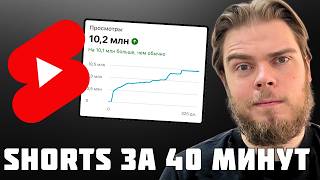

4 Ways to Make Money on YouTube Shorts
55sDirectly addresses the core interest of viewers by listing actionable monetization methods, promising high engagement from aspiring creators.
▶ Play Clip"Delivers a solid, practical guide with real strategies, though some sections are padded with personal anecdotes."
This video is a comprehensive guide to making money on YouTube Shorts in 2026, covering registration, algorithms, and monetization strategies. The creator shares personal experience and practical advice on account setup, content creation, and traffic generation, with a focus on methods like monetization, traffic transfer, advertising, and referral programs.
The video outlines four primary monetization methods: monetization via AdSense, traffic transfer to Telegram or affiliate programs, advertising placements, and referral programs. Each method has different requirements and revenue potential.
German-speaking (Austria, Germany, Switzerland) and English-speaking (England, USA, Canada, Australia) audiences are the most solvent, leading to higher CPM rates. Niche also affects earnings, with finance and auto topics paying more than memes.
Traffic transfer and referral programs are considered the least problematic because monetization can be disabled frequently, and advertising purchases are unstable. The exception is film clips, which are more reliable for ad revenue.
YouTube is blocked in Russia, requiring a VPN. Google services are not blocked, so creating a Google account doesn't need a VPN, but accessing YouTube does. Recommended VPNs include VPN People and Neo VPN, with links in the description.
Google does not support Russian phone numbers for verification. Solutions include using an Android phone to create an account without a phone number, or using the official Google app with disposable numbers from services like SMS Man.
After creating a channel, there are limits on daily uploads and features. To unlock advanced features, users must verify identity via a video selfie, which takes minutes to hours. One person can register infinite Google accounts.
For three days, watch videos on a specific topic to generate interest. This helps the algorithm understand your preferences, but the interest should not match the geo or topic you plan to upload to.
YouTube understands video content via transcription and subtitles, so SEO tags are not necessary for Shorts. Distribution is mostly random, but search traffic can be targeted, though it's a small fraction of total views.
Narrow niches have smaller audiences, leading to fewer views. Tools like VidiQ help analyze search volume and competition. Advanced search on YouTube can reveal popular formats in a niche.
Reach-based ads target wide audiences for account promotion or CPM, thematic ads are for personal brands, and conversion ads redirect traffic to affiliate programs or Telegram. It's important to choose the right format based on goals.
Conversion videos consist of a hook and a magnet, driving traffic to Telegram. To avoid duplicate content, make videos unique by slowing/speeding and changing color correction, or changing the first 3 seconds (hook).
YouTube allows multiple accounts, with no official limit on channels per Google account, but practical limits exist. Up to 9 Google accounts per browser, and each can have multiple channels. Anti-detection browsers are not needed and can cause issues.
YouTube Shorts get views faster than TikTok or Reels. First videos may take time to gain traction, but often see spikes after a few days. Views come in waves, and the algorithm needs time to adjust.
YouTube updated view counting to include any interaction, not just watching 3 seconds. This increased reported views, but advertiser rates didn't drop, so creators earn more from ads.
New channels have lower reach initially, but with regular posting, impressions and reach increase over time. Patience is key; competitors with established channels get more views.
Customize channel with avatar, description, and links to Telegram. Use invitation links to track traffic. Upload videos with proper format (MOV/MP4, vertical, up to 3 minutes). Add tags for SEO if needed.
Publish one video per day for the first three days, then increase to three per day. After 50 videos, can increase further. Conversion channels promote quickly, while reach channels take 2-3 months to see significant views.
Shorts can be uploaded from phone or PC. Add covers from phone only. Use tags for SEO if selling products, but they're not crucial for traffic. Monitor stats; views may appear after 12 hours.
The video provides a thorough, actionable guide to monetizing YouTube Shorts, emphasizing the importance of choosing the right monetization method, understanding the algorithm, and scaling through multi-accounting. It offers practical tips for registration, content uniqueness, and promotion, making it a valuable resource for aspiring creators.
What are the four main ways to make money on YouTube Shorts?
Monetization via AdSense, traffic transfer, advertising, and referral programs.
00:14
Which language groups are most profitable for monetization?
German-speaking (Austria, Germany, Switzerland) and English-speaking (England, USA, Canada, Australia).
01:07
How can you create a Google account without a Russian phone number?
Use an Android phone to create an account without a phone number, or use the official Google app with a disposable number from services like SMS Man.
05:16
What is the purpose of warming up a YouTube account?
To generate interest and help the algorithm understand your preferences, but it should not match the geo or topic you plan to upload to.
09:26
Why is SEO not necessary for YouTube Shorts?
YouTube understands video content via transcription and subtitles, so distribution is mostly random, and search traffic is a small fraction of total views.
10:08
What are the three formats of YouTube Shorts?
Reach-based ads, thematic ads, and conversion ads.
15:03
How can you make a video unique for re-uploading?
Slow down or speed up the video and change color correction, or change the first 3 seconds (hook).
19:20
What is the limit on Google accounts per browser?
Up to nine Google accounts per browser.
20:49
How does YouTube's new view counting work?
Any interaction with a video counts as a view, not just watching the first 3 seconds.
26:27
What is the staircase effect in YouTube Shorts?
New channels have lower reach initially, but with regular posting, impressions and reach increase over time.
28:05
Solvent audiences
Identifies the most profitable language groups for monetization, a key insight for targeting.
01:07Least problematic methods
Recommends traffic transfer and referral programs as more stable than monetization or ads.
03:25Workaround for Russian numbers
Provides a practical solution for a common problem for Russian users.
05:16SEO not needed
Challenges common belief, saving time for creators.
10:08New view counting
Explains a recent YouTube update that affects earnings.
26:27[00:01] source of income. I upload dozens of shorts a day and redirect traffic to Telegram channels and affiliate programs. Let's take a closer look at how All information in this video is provided for
[00:14] financial transactions or other actions shown in the video. Let 's start with the most interesting part: ways to make money on YouTube Shorts. This is why we have gathered here. No income, no interest. There are four main
[00:27] ways to make money on YouTube Shorts . And the first is monetization, when we publish YouTube videos, collect views from them, and receive program. To do this, we need to connect to Adsense and
[00:42] also follow the community guidelines to receive payments. That is, the content must be original, must not consist of neurospeak, must be authorial, and so on. The easiest way to make money using this method is in two
[00:55] language groups. It is German-speaking and English-speaking. That is, German-speaking is Austria, Germany, Switzerland. English-speaking means England, the USA, Canada,
[01:07] Australia, and so on. That's where the most solvent audience is. YouTube makes the most money from it and, accordingly, pays more generously for it . And the second factor is the subject matter. If we publish memes, the cost per
[01:20] view will be lower than if we publish, for example, finance or auto topics. The second way is traffic transfer, which is what I do. We publish creatives and forward them via the link in the profile header. I upload money
[01:36] to both Telegram channels and affiliate programs, namely Gamбlu. And in the case of this method of viewing it doesn’t mean much. Here you need to publish creatives that effectively direct the audience to the link in the
[01:49] profile header. That is, they must have a high conversion rate. The third way is advertising. And here, again, views are important, because the more views, the more we earn from advertising. It might look like this, for example.
[02:01] It might look like this, for example. We are publishing a film clip, and in the frame we have an advertisement for an online store. And the more views we got, the more we earned. As a rule, people
[02:14] earn 70-90 dollars per million views on banners like these. He spoke in detail about the film editing niche and how people make money from it. If you're interested, watch this video. Well, advertising can be more classic, like that of mass
[02:27] bloggers on YouTube, Instagram, and TikTok. Well, you saw. And it can be paid either at a fixed price or per view, as I film cuts. And the fourth way is referral programs - this is what I
[02:42] also do. Here is an example of creative work on gameb. It's extremely standard. At the top we gameb. It's extremely standard. At the top we see the streamers' reactions, and at the bottom we see the slots. The audience sees the streamer's reaction, wants to experience the same feelings, and also wants to
[02:57] play this game. The person goes to the profile, then follows the link in the header and enters the game, registers using our referral link, and we start earning from the referral. In general,
[03:10] choose what you like best for monetization. Personally, I'd say that traffic flow and referral programs are the least problematic ways to make money on YouTube Shorts, because with monetization, it will often be
[03:25] disabled, and there's nothing you can do about it. And advertising purchases are quite unstable. The exception is film clips. How to access YouTube from Russia? Let's start with a rather sore subject. As we know, YouTube is blocked in Russia
[03:40] and can only be accessed with a VPN. Moreover, Google services themselves are not blocked, only YouTube [music] is blocked. Therefore, to register a Google account to create it, we do not need a VPN. All you need is
[03:54] create it, we do not need a VPN. All you need is Google or your phone. We'll talk about this a little later. Look carefully. And to access YouTube [music] we need a VPN. This VPN's business is irrelevant. The most important thing is
[04:08] . We'll talk more about GEOVPN a little later. Watch the video carefully. I can recommend two VPNs. These are VPN People recommend two VPNs. These are VPN People and Neo VPN. I use both and I'm
[04:22] happy with both. The link to them will be in the description below this video. And you shouldn't limit yourself to just these VPNs. As we know, the work of the Virna depends on the region. It works in one region, but not in another. Therefore, the only way to choose the optimal one is by trial and
[04:36] error. And most importantly, your IP doesn't affect your account's operation, unlike TikTok, where the algorithms are configured by default to the geographic location in which you're located. That is, our IP is American and the content is distributed
[04:50] American and the content is distributed first to the USA, our IP is Dutch and our content is distributed first to the Netherlands. This is not the case with YouTube. There, only the content itself influences the content output . That is, the algorithm looks at
[05:03] what is shown and written in your video, and depending on this, chooses which audience to show it to. An entire section will be devoted to this . Let's move on to registering a Google account. And this is the main problem for
[05:17] users from Russia. At first, everything is classic. We go through the process of entering our name, date of birth, email address, and so on. By the way, date of birth. You must be at least 18 years old. All other
[05:32] values are important. To confirm registration, we need to scan the QR code using our phone and send an SMS message to Google from our number. If you have a non-Russian phone number, then just do it and
[05:47] send an SMS. You will receive a short confirmation number. You have registered your Google account. You can link up to two Google accounts to your existing phone number. But the problem is that Google does not support Russian numbers
[06:00] . The stem simply won't let you send a message. And so people living in Russia and using exclusively Russian numbers are left without an account. And the solution to this problem is an Android phone. You
[06:13] can take the cheapest, the most worn out, the most laggy one. The main thing is that it is on Android, because this allows us to log into Google and create an account without linking it to a phone number. Specifically, you reset this phone to
[06:29] factory settings and when you activate it, you do not sign in to your existing Google account, but create a new one. Follow the standard registration process and create a new Google account. Then log into the same account from your
[06:44] computer and you can work from it. The second way is to register through the official Google app, that is, download it from the App Store or Google Play and register an account from there. Because when we receive a
[06:58] QR code, it indicates low trust of the device or network. When we log in from the app, our trust is higher than from the web version. And then we are asked to provide a phone number, we use disposable ones. I use the SMS
[07:12] disposable ones. I use the SMS Man service. Here I select a phone number from any country, receive an SMS, enter a short number, and my Google account is ready. And if you need to register more than nine emails, then we reset the device and
[07:25] reinstall the Google application and can register another nine emails. If you don't want to bother with all this, you can simply buy a Google account and register a YouTube channel in it. The requirements for a purchased Google account are
[07:39] minimal: at least 30 days of validity and automatic registration on YouTube. I can't talk about it, but I will post this guide on my open Telegram channel. You can find it via the link in the profile header. After publishing the video,
[07:55] I will make a separate short video about how to buy Google accounts and which ones. So wait. [music] Or look under the announcement of this video, depending on when you watch this video . Then we go to YouTube and
[08:09] click [music] to create a YouTube channel. We created our channel, and now we have a limit of up to six publications per day. Additionally, we cannot edit the covers of our videos, provide links to other videos, or publish
[08:22] links in the descriptions of long videos. To unlock these features, we need to either grow our YouTube channel or verify identity. And this is done in the following way. We upload our video and
[08:35] select any of the prohibited functions and click on it to add. And here we have a notification to undergo a one-time check. We click next, and we receive this email. And here we click "Confirm identity". We
[08:49] need to take a video selfie from our phone. We make it, send it to Google and wait [music] from several minutes to several hours. It very rarely takes 24 hours. And then we receive a letter like this, saying that we
[09:03] can use advanced features. This means we can upload more videos to our Google account. And one person, that is, ours, can be used to register an infinite number of Google
[09:15] accounts. The most important thing for Google is to make sure that we are a person and not a robot. Let's move on to warming up our YouTube account. And there is nothing particularly complicated here. We've been using it
[09:27] as our main channel for three days now, specifically, we google any channels we're interested in and watch a couple of videos. It is enough to watch three or four videos, each for a few minutes; it is absolutely not necessary to watch everything. And it's important that these videos
[09:42] are on the same topic, so that we develop interest and the algorithms start taking it into account. But this interest should not coincide with the geo we are going to upload to, nor with the topic
[09:55] we will be uploading to. That is, I can, hypothetically, watch a technoblock and upload gameplay at the same time. I can watch Russian-language videos and still upload them to the US. The most important thing is to simply generate any interest.
[10:08] Let's move on to the YouTube Shorts algorithms. How do we even reach the audience we need ? The principle here is quite simple. YouTube just understands what our video is about. So we can turn on transcription, we can turn on subtitles and
[10:22] we'll see that YouTube fully understands what it's about. That is, there is no need to use any special tags. This should be especially noted in the description of the video, what it is about. We uploaded the video, and YouTube understood in just a few seconds what it was about and
[10:37] who to promote it to. My main conclusion. SEzation is not necessary for the Shorts. Because , for example, here is my video about self-development, which is found by search tags. Detective series, Good Boy, I don't even know how to
[10:51] pronounce it, free hair in Roblox , that is, the distribution of Shorts is completely random. But it happens that we hit the right keywords. For example, I got hyped and shorted Kasenko and Dudya. There is search
[11:06] traffic here. Let's see. And the search queries here are precisely targeted, but if we [music] there are only 46 views out of 3,500. That is,
[11:18] it is a drop in the ocean. There's no point in going to so much trouble for them. There may be few views for two reasons. This is a weak asset for the video, or the audience for the topic is small in general. It is important to learn the main rule here. If the topic is
[11:32] narrow, then most likely the algorithm simply captured your audience, and the video did not go further because it was not targeted at other audiences. For example, I made a video about how to promote a [music] Telegram channel. It got about 1.00
[11:47] views. And so I go to a service for parsing search queries for YouTube. I'll tell you about it a little later, watch carefully. And we see that the monthly search volume for this query is only 5,000. That is, 5,000 [music]
[12:00] people searched for videos on this topic in a month . Of course, a video with this theme will have few views. This is absolutely normal. I'm filming a short video on how to promote a Telegram channel and getting 1,000 views from my first YouTube video. I'm
[12:14] uploading a video with movie clips. There are sometimes 30,000 [music] views from the first video . It’s not because I run the first channel poorly and the second one well. This is because different niches have different audience sizes in each. And we have two
[12:29] ways of working in a narrow niche. It's either continue with the current volumes or make the content more widespread. And this is who YouTube shows our videos to. This is for those who searched for videos on our topic, as well as for those who watched
[12:44] other videos on our topic. That is, a person typed psychology into the search engine, and then returned to the main page, where they offered him our short. Or he watched a competitor's video on psychology, and then saw our short video. There are two ways to understand
[12:59] [music] how big the audience is in our field. This is an analysis of search queries, as well as advanced YouTube search. To analyze search queries, we will need the VDIQ service. Here we select the section
[13:12] VDIQ service. Here we select the section to explore and enter our request in the search . For me it will be psychology. And we see For me it will be psychology. And we see that 662,000 people enter this query per month
[13:25] . [music] This shows the search volume for the last month. Here we also see the competition and overall rating of the search query. How high is the probability of getting into the search results for this particular query? If the overall
[13:39] rating is green, then the search query is worth using, and if it is red, then it is not worth using. And in advanced search we do it as follows. We enter the name of our niche. Then we select filters and here we select Shorts.
[13:55] But we don't touch the duration. By upload date for this month. Here by popularity. And here we explore which formats fly. I see that in the self-development niche, text-based shorts with motivation and
[14:10] life advice are working. My task for promoting the account is to do something similar. But it's not that simple. For example, English is a popular search query. 105,000 [music] people. They hammer it in every month. Here is
[14:23] people. They hammer it in every month. Here is one of my YouTube channels in one of my YouTube channels in English. And I get 1,800 English. And I get 1,800 views here. 1.7, 1.9. In general, quite a
[14:35] bit. At the same time, I transfer this traffic to Telegram. And it's these creatives that allow me to do this, not the wide- reaching videos. And this is a pretty simple creative, where I first make a hook, and then a magnet. And to get this
[14:50] file, a person goes to Telegram and thus subscribes to my channel. Therefore, it is important to understand that not every channel needs a lot of views. There are videos that only need 2-3,000 views to
[15:03] generate subscribers. We increase volumes by increasing the number of accounts and uploaded videos, not by increasing the number of views per video. It is important to know that YouTube shorts are divided into three formats. These are reach-based ads, which are
[15:19] targeted specifically at a wide audience, and we use them to either promote an account or use them for CPM, that is, to collect as many views as possible for the same ad, or for monetization. This is thematic, well, for arbitrageurs this
[15:36] can be forgotten, because it is more for bloggers with a personal brand. as well as conversion ones. They are aimed at redirecting traffic from YouTube to an affiliate program or Telegram channel. And we figured out how to find wrap-around shorts.
[15:50] You need to enter the name of your niche in the search and sort it by the most popular Shors. With conversions, things are more complicated. We also enter the name of our niche, also enter the name of our niche, select shorts and for this month.
[16:05] Next, we need to watch these videos to understand which ones are driving traffic to the Telegram channel. Because if we are engaged in traffic transfer, then we need converting videos. [music] If we place ads
[16:19] or make money through monetization, then we need reach videos and a view rate. And it is important not to confuse these two formats . Like, look at what they're pouring into Rails and TikTok, and start pouring the same into shorts. This is also possible.
[16:33] Moreover, you can create a competitor analysis table like this one and see the most popular videos, and then get inspired by them or make them unique and re-upload them. I published this table in my Trfficab club. This is a
[16:49] closed community of affiliate marketers where I share my own observations, share my own observations, connections, and developments in traffic arbitrage, as well as short videos. If you need this table, then you need to
[17:03] need this table, then you need to scroll down to this lesson in the Instagram Reels mini-course, lesson three, competitor analysis. And here you will find a link to the table with the script. Here you simply enter the competitor's nickname, and the script
[17:17] automatically downloads this table. Here you can also find an analysis of competitors for TikTok and ThreadS. Yes, Threads is a text-based social network, but you can still get inspired by the topics that are currently exciting people [music].
[17:31] Link to Trarafiic in the description. Go ahead, learn and move on. Driving traffic together is more effective than going it alone. And the conversion videos seem pretty dumb. Let's turn on one of them again . And there are only
[17:44] two components here - the hook [music] and the demonstration of the LED magnet. And thus , through mass flooding, we drive the audience to Telegram. This may seem primitive to many, but that is how it works. And this is the most
[17:58] stable, most reliable way to monetize YouTube videos. And an important topic for anyone involved in transferring traffic from YouTube to Telegram is uniqueness. Because to ensure your Telegram channel gets a large
[18:11] volume of traffic, you need to upload the same type of videos to multiple accounts. [music] But how to do this? And there are two ways here. I have already shown the first one. On this channel I have absolutely identical videos to
[18:23] drive traffic. And I take these shots from Pinterest. That is, there is an absolutely monotonous composition and video, well, frankly speaking, primitive. I take this [music] frame from Pinterest and this one. That is, I need a place where first the girl
[18:39] sits with a notebook, and then a cozy apartment. I just go to Pinterest and type in aesthetic stages. And here are all these shots that I take from here and add to my videos. All of these videos from Pinterest have already been uploaded to YouTube,
[18:53] so they also need to be made unique. I slow them down and change the color correction. And then, for example, I divide this video into several parts and add each part to one of my creatives. And so I end up with a
[19:07] lot of similar creatives. But what if we have more complex creatives and we if we have more complex creatives and we video uniqueness. There are two ways to make a video unique. This is either
[19:20] slow down, speed up, plus change color correction, slow down by 0.8, speed up by x1.2 and change color correction in random order. Or change the first 3 seconds. That is, we take a competitor's video, change the
[19:35] hook in it, and get a unique video that we can re-upload to many of our accounts. And this is the easiest way to repeat the success of views, get a lot of clicks on the link in the profile header, and so
[19:50] on. By the way, give it a like if you didn't know you can make your videos unique this way , because few people talk about it , and it saves a ton of time and money. Let's move on to multi-accounting. And in this regard, YouTube is the simplest
[20:04] platform of all three, namely YouTube, Instagram and TikTok. There is no limit on the number of accounts on YouTube, and Google itself says so. Google's official support website states that
[20:20] TikTok has a maximum of 10 accounts, and Instagram has banned multiple accounts altogether . And here, right on one device, on one Google account, you can store so many accounts, and we can both create them and
[20:35] connect to them in editor mode. Well, let's go into a little more detail. We can talk about both Google accounts and YouTube channels. And in terms of Google accounts, we can store up to nine accounts here. That is, when there are
[20:49] nine of them here, the interface simply won’t allow us to register the tenth one . But at the same time, we can log out of existing [music] accounts and register new ones. This can be done. The only inconvenience is that we can’t
[21:03] log out using one account. That is, if we leave, then from all of them at once. And on YouTube, when we talk about 100 accounts, this is what we mean. On the PC version, be sure to click on your avatar, click "Change Account," and
[21:18] then select "View All Channels." And here are all the channels linked to our Google account. Here we click create channel. We need to confirm your identity. We have already done this before . Here we enter the name and nickname.
[21:32] If desired, we can add an avatar right away. Then we give this YouTube channel a 3-day break, after which we can upload videos to it. And it’s important not to create 100 accounts at once. To prevent YouTube from pessimizing our views, it is
[21:46] advisable to limit ourselves to creating 2 channel tiers with an interval of 2-3 days. Let me remind you that these channels are linked to the same Google account. This means that they have a limit on the number of shorts per day, and it applies to all
[22:03] YouTube channels within a single Google account. This means that a Google account with a verified identity is given 100 shorts per day. That is, I can upload 50 here and 50 there. Let's say I have 10 music
[22:16] accounts here, then I can upload up to 10 shorts to each of them in a day. Is this to say that there are really no restrictions at all? They exist, but they are the most gentle of those that exist. This means that it’s not worth it to have up to 100 YouTube channels on one Google account
[22:31] , and I would limit myself to 10 YouTube channels within one Google account. And then we just change the Google account. Here I have one,
[22:43] here I have the second one. And here, as you can see, I already have many accounts. And when we've reached the limit of nine Google accounts, we simply open another browser and create nine more accounts in another browser
[22:58] . That is, I have Safari, I can open Google Chrome, I can open Microsoft Edge, and in each browser I will have nine more Google accounts, and from them I can upload traffic. Each account will require
[23:11] identity verification, but we can do this from our phone. And there we also first log out of our existing accounts, then log into others.
[23:23] YouTube has no restrictions on this. And another conclusion suggests itself: an anti-detection browser is not needed to work with Google. We have almost no limit on work from our own devices [music] and do not spend money on antiques and proxies.
[23:38] Moreover, I have seen cases where people uploaded videos with anti-detection browsers, and because of this they had zero views. Therefore, it is better to upload to YouTube from regular phones, from your own phones. We just installed a good VPN and are working.
[23:52] Let's talk about how YouTube shorts are promoted and how they get views. And here I have good news. YouTube Shorts are promoted faster than TikTok and ReS, meaning they immediately get views and
[24:05] reach a wider audience, unlike Res, which are much more difficult to promote. On Instagram, there might not be any views at all in the first month , and 100-200 is generally a good indicator for that platform. And on
[24:22] TikTok, starting to get decent views within a month is also generally a good indicator. On YouTube, you can immediately start gaining views on your shorts. Here I am, logging into my old account, as an example, and scrolling down to the very first
[24:38] video. And we see that my very first video has collected almost 6,000 views. has collected almost 6,000 views. We click on it and see that 6 days after publication it had 6,000 views. Let's go into more detailed
[24:52] statistics and see that almost all views [music] came from feeds. And, by the way, this is another case of how [music] shos ended up in exactly the right search queries. Temki, temka, temshchik, and so on. The following videos also
[25:07] collected views, but at normal levels. For example, this video levels. For example, this video also collected 5,300 views. These 1.3. Also 1.8. Yes, the first videos don't
[25:21] collect the required amount of views consistently, but at least there are videos that get a lot of views. The first videos appear in recommendations either half a day after publication or after a few days. This is normal
[25:34] when we just created an account. Algorithms need time to adjust. Plus the security system [music] needs to check that we are not scammers. So here we see, after one day there were 600
[25:47] views, [music] after 2 days 670. On the fourth day the video suddenly took off. This is usually how it works. And when several videos have already been uploaded, it is several videos have already been uploaded, it is done like this. In the first hours, the first
[26:01] 2 hours, there are almost no views. Then, after 3 hours, the views started to rise, and after almost a day, the video started to rise. That is, it all happens in waves. And here we have
[26:13] the analysis of the video. Here we see search queries. Here we see the traffic sources. And the most interesting thing is, click on the interaction section. And here we see the importance of interested views. For those who don't know, YouTube
[26:27] recently updated and started counting views in a new way, namely, every interaction with a video counts as a view. Although previously, if a person did not watch the first 3 seconds, the view was not counted. And this value is
[26:41] how views were calculated according to the old algorithm. That is, 4,000 views under the video, we click on the interaction section and 2,000 people watched at least 3 seconds. This is done for deeper analytics.
[26:55] But, by the way, advertisers have not lowered their rates since then. That is, those who earned money from advertising on YouTube Shorts began to earn more, because views are now counted differently and there are more of them. Although
[27:09] overall engagement remained the same . And let's talk about views. Why did I choose this particular channel based on topics, and not this one, for example, on the English language. Because this channel has a much higher potential for growth in terms of views
[27:23] . And that's why the first video was posted here. Although there are also elements of luck . But this channel doesn't have the same potential for growth in views, so videos here collect a maximum of 2,000 views. But, as we found out earlier,
[27:39] this doesn't mean that this channel isn't worth maintaining, because it very well outsells the audience of the package in the profile header with these creatives. That is, again, as we said, it is necessary to conduct an analysis of competitors and look at
[27:52] what growth potential we have in general. And if your competitors' videos only get a if your competitors' videos only get a maximum of 5,000 views, then it's foolish to expect millions of views. And when they have, for example, hundreds of thousands of views [of music]
[28:05] , and we collect a couple of thousand, after a few weeks of introducing the account, we are doing something wrong. And when we talk about wide-reaching videos, there is a staircase effect on YouTube . That is, when we just
[28:18] start running a YouTube channel, we collect, on average, for example, 10,000 views. Although the same videos from competitors collect, for example, millions of views. This is fine. Firstly, we need to be patient, and
[28:31] secondly, we need to regularly publish videos on our channel, and then our initial impressions will gradually increase, as will our potential reach. When a channel first appears, YouTube doesn't trust it very much , and it watches how the audience
[28:45] interacts with it. And, accordingly, if everything is good, then the coverage becomes wider. For example, when I first started running a channel on self-development, and here is one of the first videos, as we can see, after 4 days
[28:58] it got 8,000 views and stopped there. While competitors with more popular channels have similar videos that get, for example, 200,000 This is normal, you need to wait and actively manage your own
[29:12] channel during this time. Once we've established a stable account, we can have videos with hundreds of thousands and even millions of views. Here, for example, is my old channel on Here, for example, is my old channel on Wibberries. Go to Content, select
[29:24] Shorts and sort by the most popular. And now I have a video with 10 million views. Let 's see. 's see. This is how he collected. After 22 days,
[29:38] it only started to go up and continued to collect views for almost a year. But before that, I ran this account for about three months, that's for sure. And gradually we come to these figures. If our goal is reach. If there are conversions, then we
[29:54] remain at a certain number of coverages, for example, 2,000. Our goal is to get clicks on the link in the profile header. Let's move on to preparing the YouTube channel and uploading videos. And first we need to formalize it. To do this,
[30:07] need to formalize it. To do this, click on the channel icon, select my channel and go to this page. Click [music] to customize the channel view. And here we need to upload an avatar,
[30:21] add a description and links to our Telegram channel if we are doing a transfer. First the channel name and nickname. I'll change them. I wo
[30:33] n't have a product, I just indicated the first thing that came to me when registering indicated the first thing that came to me when registering . For me, this will be a channel on neural networks. I'll call it Time to Natiro. Here too. Next, we upload the image.
[30:54] Okay, well, this miniature suits me. I add a call to action to the channel description I add a call to action to the channel description , so I'll have here a call to action , so I'll have here a call to action for taking
[31:08] and, accordingly, down arrows. And then click add link. My name will be TG and specify the URL. And in the Telegram channel you need to find this section "invitation links". Click on "create new" and here
[31:23] we activate applications for membership and, accordingly, copy it. [music] And then we insert it here. This will allow you to track traffic specifically from this channel and, accordingly, the effectiveness of the creative. Actually, the link was indicated,
[31:37] the description was indicated, the nickname was indicated, the title was indicated, the avatar was indicated and click publish. And we are completely ready to receive traffic. Let's move on to the channel promotion strategy. And the first thing we do is publish
[31:52] one video a day for the first three days, because during this time YouTube watches how the audience interacts with our content. And during this period, you shouldn’t bombard the site with a huge number of videos. Moreover, the first videos gather
[32:06] views slowly. And if we collect views, then we publish the first video with coverage. If our goal is transitions, then conversion ones. This, by the way, is a big difference from Instagram. To promote accounts, we first publish videos with high reach
[32:20] , because otherwise, conversion videos will constantly collect 100-200 views. On YouTube, we are guaranteed 1,000-2,000 views right from the first video, provided it is unique and fits our topic.
[32:36] And after 3 days, we can publish three videos a day, once we have views. We simply continue to follow our strategy, publishing creatives that we previously found while analyzing competitors. And then we gradually
[32:49] promote our YouTube channels. And to do this, you need to publish [music] three videos a day. And when we have at least 50 videos published on our account, we can increase their number, for example, by
[33:02] publishing six, 10, 15 videos a day. This is possible. If we regularly get views, YouTube will not impose any restrictions on us. And the speed of YouTube channel promotion depends on what type you created.
[33:17] If we have conversion shorts, the channel will be promoted almost immediately. These videos start to collect 2-3,000 views, and that's their maximum. They won't rise any higher. That is, we have achieved our goal and are now driving traffic to
[33:32] Telegram simply due to the [music] number of our YouTube channels. And with the encompassing ones, everything is more interesting. Here, an account is promoted for about 2-3 months. That is, the first month it goes rather slowly and unevenly. One video
[33:45] might get 30,000 views, another two, a third 10. And overall, there will be a roller coaster ride - that's normal. In the second month, videos are more evenly distributed, and by the third month, if we need views,
[34:00] videos with millions of views appear. As I already showed, this video was published after 2-3 months of active introduction of this channel and collected its views for almost a year . In general, with a reach channel, you need to be patient, and
[34:14] with a conversion channel, you need to create creatives in large quantities and distribute them across different YouTube channels. And finally, we move on to loading the highway. There is nothing complicated here, but there are a couple of points to consider. Shorts can be published from both a
[34:28] difference. [music] The only thing is, you can add covers like these from your phone. It won't work from a computer. And it should be a frame [music] of the video, and not an image that we
[34:41] add as in a preview for a long video or in reels. We add these frames to the video track so that they take up about the last 0.6 seconds. And then when loading via phone, we select it. You can
[34:55] publish short videos from your phone, either from the main app or from YouTube's creative studio. The interface is absolutely the same, and it makes no difference where we download them from. File requirements: MOV or MP4 format. The aspect ratio must be
[35:11] because if it is, for example, horizontal, the video will be uploaded as a regular video, and not as a short. And the duration is up to 3 minutes. And YouTube automatically determines whether [music] is short or a long video based on
[35:26] these parameters. Let's upload our video now. I will do this from a PC. You can do the same thing from your phone. The principle is exactly the same. Click create, [music] add video, select files and,
[35:40] Drag [music] and select. And next we need to remember the data about the video. Name. I'm adding a call to action here, namely, I have a channel on neural networks. Accordingly, I will write
[35:57] neural networks. Accordingly, I will write lessons on and lessons on and in the profile header. We only add a description if we have a video that specifically encourages people to read it.
[36:11] For example, this is often done in the psychology and motivation niche. For example, what have I psychology and motivation niche. For example, what have I understood in my life? And the description is expanded here, and traffic reads it. In my case it is not needed. I'm leafing through it.
[36:25] case it is not needed. I'm leafing through it. Next, we must indicate in the video that it is not for children, because if we indicate for children, it will be YouTube Kids will not be promoted. We are expanding this
[36:39] usage and not touching the age restrictions. Collaboration. Here we can invite a Collaboration. Here we can invite a co-author. This is not necessary for arbitration. Here are the tags. And if we want to optimize our shortcodes for search
[36:53] queries, then we add them here. We open the same IQ view, select the explore section and enter the name of our niche here.
[37:05] the name of our niche here. Actually, I'll point it out here right away. Next, a, neural networks for beginners. And here we a, neural networks for beginners. And here we need to take at least five tags.
[37:19] need to take at least five tags. Preferably about
[37:52] We will also search for similar search queries . Now, don’t touch all this, just click next. Addition. We can add similar videos here. In general, we can add, because if a person has entered the Shors, then he is right
[38:08] now in a dopamine pit. And it’s better that he watches our videos than others. This tells us if we have violated the community guidelines. And in this same section it is shown when we have visible copyrights for music. If we
[38:24] fall into the copyright for music, then in the case of shorts we don’t need to change it in any way. This is fine. Simply the track name will be displayed in the description of this video. And that's all. This will not hinder its progress.
[38:40] Click next. And here we can set up either limited access, and here we can add the accounts that we need to provide it to, or access by link, that is, we copy the link, and everyone who can follow it, everyone who has it
[38:55] , can see this video. Or open access, but this means that we are included in the recommendation. We can also schedule our video. if we don’t want to publish every day , we can simply
[39:11] upload everything in one day and schedule it according to a timer. This can be done. Let's do it without a timer. And, accordingly, we click publish. And it's done. Our shorts came out. And then we follow the statistics of our YouTube channel. It's normal if there are
[39:25] no views in the first few hours. They usually appear after about 12 hours, as we noticed earlier. And after that the roller should slowly go up, and then it depends on your goal. If you have a converting video, it is
[39:40] normal for views to stop after 2,000. If they are encompassing, then they should gradually go up. And how necessary it is to do everything I just showed, again, depends on your goal. The minimum task is to simply
[39:56] upload [music] a target video and add a call to action. This way, we'll get into the recommendations and drive traffic to the link in the profile header. The ultimate goal is to add a cover, network links, and a description.
[40:11] How important this is depends on your goal. If you sell your own product online, you need SEO tags because that's where the most targeted traffic comes from. [music] If you don’t sell them, then you can easily
[40:24] ignore them, because tags, yes, they give views, but this is a drop in the ocean relative to their total number. Yes, I have targeted search queries under this video, but again, let's watch. The total number of views
[40:40] watch. The total number of views is 5.8 thousand, and from search only 49, but this is nothing. And with current knowledge, you can build your own content farm on YouTube. By the way, I talked about the content farm in more detail
[40:53] I talked about the content farm in more detail in this video. Click. [music]
⚡ Saved you 0h 40m reading this? Transcribe any YouTube video for free — no signup needed.