
AI Summary
This video is a step-by-step guide to making money with faceless YouTube Shorts. The creator shares their personal success, earning over $3,000 from a single short, and explains the entire process from niche selection to automation.
Chapters
A single YouTube short earned $3,170, and the creator claims it will continue to generate income over time.
Shorts RPM has increased from 2-4 cents to 10-20 cents per thousand views, a 900% increase since February 2023.
Three criteria: can be done faceless, has social proof (large audience), and has no risk of reused content.
Reused content policy forbids reposting others' content without creative changes; this is the top cause of demonetization.
Adding AI voiceover, captions, and lots of edits makes content transformative and original.
Scroll your short feed, like and watch faceless videos, and note channels for inspiration.
Use ChatGPT to generate video ideas; for viral commentary, find clips on Reddit, Instagram, TikTok, etc.
Write a script, then have ChatGPT improve it for engagement; end with a call to action like 'like and subscribe'.
Use Eleven Labs for AI voiceovers; keep stability around 30-40% for expression.
Use CapCut for editing; cut blank spaces, sync video to voiceover, add captions and music.
Posting time has minimal impact; consistency matters more. Post 1-2 shorts daily for best results.
Outsource editing to freelancers for ~$5 per video to scale; run multiple channels with minimal time.
Mentioned in this Video
Tutorial Checklist
💡 Key Takeaways
Shorts RPM increased 900%
This quantifies the revenue potential of shorts, countering the common belief that they pay pennies.
00:26Avoid reused content
Understanding YouTube's policy is crucial to avoid demonetization and copyright strikes.
02:04Transformative content formula
Adding AI voiceover, captions, and edits makes borrowed footage original and monetizable.
03:00Eleven Labs stability setting
A specific setting (30-40%) balances expression and clarity in AI voiceovers.
07:46Automation scalability
Outsourcing editing for $5 per video allows running multiple channels with minimal time.
12:42Full Transcript
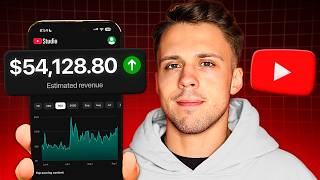
[00:00] This one YouTube short amount made me just over $3,000. That's $3,170 just from one short. And this short will undoubtedly make thousands more dollars as the months and years go on.
[00:12] Now, you might have heard that shorts only pay a couple pennies per thousand views. But that isn't true anymore. I've been making money from YouTube shorts ever since shorts ad revenue sharing came out in February 2023. Back then, they only paid a 2-4 cent RPM.
[00:26] But nowadays, shorts are paying 10-20 cents or more per thousand views. 2 cents to 20 cents is a 900% increase and it's safe to assume that number will go up over time, making YouTube Shorts even more lucrative. So I make thousands and thousands of dollars
[00:41] every single month from YouTube Shorts without ever showing my face. So in this video, I'm going to show you exactly how you can get started and turn this into a business that has the potential to bring you in over six figures a year. Step one is to find your niche. Here are three of the
[00:54] biggest things to look for when choosing a niche. Number one, it can be done without showing your face. Now, even if you find a niche that people are doing showing their face, you can still adapt it to a faceless style. For example, a niche popped up on TikTok a few months ago called their
[01:07] Don't Say the Same Thing as Me game. And then many channels on both TikTok and YouTube Shorts adapted that niche to the faceless style. And now there are multiple faceless channels in this niche on YouTube Shorts with hundreds of thousands of subscribers. And that's just one example. There
[01:21] are so many niches that can be done completely faceless. Number two, the niche must have social proof. This means it must have a large potential audience. The only way to make lots of money on shorts is by going viral. And a short is unlikely to go viral if there isn't any audience for that
[01:36] topic. Some of my most successful channels have been in the animal fax niche. Animal videos have gotten me hundreds of millions of views. And that's because mostly everyone is at least somewhat interested in animals. You want to choose a niche that has a large appeal like that. An easy way to
[01:50] determine if a niche has a large potential audience is if there are competitive channels in this niche that are getting millions of views. That is your social proof right there. Number three, it must have no risk of reused content. Reused content is a policy on YouTube that forbids you
[02:04] from just taking someone else's content and reposting it with no creative changes. This is the number one cause of demonetizations and copyright strikes. Imagine finally reaching the monetization requirement of 10 million views and you don't get accepted because your content
[02:18] is unoriginal. If you want to use other people's content, which the majority of Facebook's YouTube shorts do, you must make it very transformative and this is actually very easy to do. I'm going to go over exactly how to make transformative content that uses other people's footage,
[02:32] but first I want to go over some niches and styles of videos that are not allowed to monetize. Streamer clips or podcast clips with video game footage on the bottom and captions on the screen will not get you monetized. It's not transformative enough. So if you're just going to take an Andrew
[02:45] Tate video and put it into an AI software that makes little short videos with captions and GTA on the bottom, do not expect to get monetized. The same goes with posting movie clips with the sole addition of captions. Not transformative enough. The way to make transformative original
[03:00] content is to simply put in an AI voiceover, captions to go along with that voiceover, and a lot of edits. When you put in commentary over someone else's footage, it immediately classifies as transformative original content, especially if you have lots of edits and captions.
[03:16] This is the route to go down. Now, how do you actually find these niches? I have a bunch of niche finding methods in my school community and a whole list of hundreds of example accounts in countless different niches, but I'm going to share the best, most effective method of finding new
[03:30] niches right now. It is simply by scrolling on your short feed. Now, honestly, I don't typically like scrolling and rotting my brain but it is necessary to understand what is working on shorts and find new niches So simply cater your feed to these faceless videos with AI voiceovers You do this by liking those videos watching them in their entirety
[03:50] and then just scrolling away from the face videos. If you need to, you can even create a new channel specifically for scrolling, so that way it's even easier to create a new algorithm. And when you find channels that are posting videos that you could see yourself making,
[04:02] you can either subscribe to them, screenshot their channel, or put the link to the channel in a notes document on your phone for inspiration. You want to eventually get a list of the top players in your niche, your top competitors, and that way you can take inspiration from their most viral videos.
[04:16] So if you see that they have a viral video, you can take inspiration from certain elements of that video, like their hook, their topic, their editing style, but then you can make your video original and unique, you know, make it your own, and then you can go just as viral as they did.
[04:29] Now there are so many different niches, tons popping up all the time. There's niches where you make a script with Chatshiept, and then you find footage or create AI generated footage to go along with the script. A good amount of my channels follow that format
[04:41] or there is another style I like to call viral commentary. This is any niche of video where the footage comes first and then the commentary comes second. The commentary serves the original footage where you are basically just narrating over the original clip.
[04:54] This can be heartwarming animal videos, viral concert clips, families reuniting, stuff like that. You've probably seen tons of videos in tons of different niches that are this style. These videos go viral so damn easily. So once you've found your niche, step two is video ideation.
[05:08] Coming up with good video ideas that are relevant to your niche. For my animal channels, for each of my videos, I just need to come up with an interesting animal to focus on. I oftentimes just ask Chatupiti to give me a list of good video ideas. If you tell Chatupiti your niche, it can literally generate thousands of good video ideas.
[05:24] You'll never run out. But let's say you choose the viral commentary niche. Chatupiti can't easily give you ideas for that one, since the footage is the idea. So how do you find good clips? Reddit, Axe, Instagram, TikTok, even YouTube are all good places to find clips just by searching for relevant keywords.
[05:41] For the sake of example, I'll find a good heartwarming clip right now and then I'll make a viral worthy short out of it. So a good subreddit to find good heartwarming clips is r slash maybe smile. So I'm going to sort by top and then this year.
[05:54] Now I'm just going to scroll until I find a good clip that tells a story and maybe we'll actually choose this one. So it seems like this girl is coming out of work and then her dad just bought her a new car and she's very happy about that
[06:06] So I think this could be a good clip So I found a reddit to mp4 downloader and I'm simply gonna copy and paste the URL and download it Step three is to make your script. With lots of uses you can have ChatGPT write you a good script with a simple prompt
[06:19] That's how it works for the majority of my channels, but for the short I'm making right now I'm gonna have to write the script myself and then have ChatGPT improve it So I just wrote this script and this script alone would probably not go viral.
[06:31] It's not the most engaging script. It's like kind of half-assed it to be honest, but that's because ChatGPT is going to fix it and make it better. So I'm going to copy this script, paste it into here, and then I'm just going to write a few sentences explaining exactly what to do with it. We worked this script just a little bit to make it more engaging and more likely to go viral.
[06:48] Keep the hook the same and end with like and subscribe. Little bonus hack, if you want to get more subscribers, simply ask people to do so. And this is the perfect script, except I'm literally going to end it with like and subscribe.
[07:00] I'm not going to say, don't forget to like and subscribe, and I'm not saying that. So this right here is going to be our final script for this video. Next, step four, create an AI voiceover. Eleven Labs is by far the best offer for this.
[07:12] There's so many different, high-quality, realistic voices that you can choose, and there's lots of customization. I've left a link to it down below this video, but here's exactly how you go about making a good, high-quality AI voiceover. So we have a lot of different AI voices that we can choose from I going to use a female voice for this one and then I going to go through and I going to capitalize words that I want to emphasize And I going to add exclamation marks
[07:34] Alright, so I've edited our script a little bit in order to emphasize certain words and make it more engaging with the AI voice. So now we're going to go over to the settings over here. So we want to keep the similarity around 70 to 75%.
[07:46] We don't need to change style exaggeration. But the main thing we want to focus on is stability. So if you have this very high, it will sound more monotone and robotic. If you have a very low, it's going to have a lot more expression in its voice. So typically, I like to keep mine around 30 to 40 to get, you know, a perfect balance of, you know, expression in the voice, but not too much.
[08:04] So I'm going to put it at 33 and let's see how the script comes out. This video went viral after a girl excitedly ran out of work to find a life-changing surprise. And this is the perfect AI voiceover for our viral video.
[08:17] And now that the voiceover is ready to go, all I've got to do is edit. For simple, short form videos, the best software I can recommend is CapCut since it's free and easy to use. You definitely don't need to pay for an editing software to make videos like this.
[08:30] So I put the two things that we need into the project and then I'm simply going to drag the audio into place. So I'm just going to go through and I'm going to find the big blank spaces like right here. And then I'm just going to add a cut right here by clicking up here, split, where I can click C.
[08:43] And then I'm going to go and I'm going to do delete left once I'm hovering over where I want the next clip to start. So I'm going to click that button or I'm going to hit Q on the keyboard and then I'm going to drag it back here. And now I'm just going to repeat this process for each blank space and I'll get right back to you.
[08:57] And now that I've cut out all the blank spaces, I'm going to drag our video and put it into the timeline. And now I'm going to simply go through and cut down this video to make it correspond with what the voiceover is saying. All right, so I cut the video down, added some cuts, added some zooms.
[09:09] And I even added one spot where you can hear her speaking. And at the end here I do a trick that will make it seem like the video is on loop. So it starts with the exact same shot basically.
[09:22] So that way people will keep watching it on loop. Now all I really got to do now is add captions and add music. So if I go up here and I click text and then I go on auto captions and then generates we're going to create some auto captions.
[09:35] If I go to templates I can choose one that I like. And that one seems pretty good, so I'm just going to adjust it a little bit. But you could put a lot more effort than I'm putting into making the captions look more aesthetically pleasing. But I can adjust this to be a little bit higher up.
[09:49] I can change the font to something that might look better. And I think this is a pretty good looking font style. And then there's probably going to be certain moments where I have to fix the way the captions look. So right here it didn't have overflowed, so I'll have to go fix that right now.
[10:01] So now I got it saying overflows. And if I wanted to, I could change the font color for speaking and do all kinds of more edits to make it a little bit more engaging. I would probably want to spend a little bit more time on this, but I think you get the picture. And now you could also add in some music, so I'm going to just do that real quick.
[10:15] So you want to just drag it under the audio right here, and then you want to bring the volume of the music a little bit down by dragging this. So real quick, let's take a look at our finished product. Going to watch it in 2x speed. And yeah, that's a pretty good video, so if you put a little bit more effort into editing
[10:42] it, making it a lot more engaging with lots of caught zooms, maybe even some emojis and stuff popping up on screen like that, there would definitely be a high chance that this video would go viral, but I just rushed through the editing just so I could get the point across to you. And finally, step six will be to post.
[10:55] And then for every video you make you just repeat steps 2 to 6. And now when it comes to posting time on Shorts, I have experimented with literally every hour of the day and I've not seen too much difference or impact in the time that I post that.
[11:08] Regardless of the time that you post that it going to be pushed out to an audience Maybe a bit faster if it at a time where your target audience is online or slower and more gradual if it at a time where not a lot of people are online So if you want quicker views, it's probably a smarter idea to post at a time where there's a lot of people online,
[11:23] like maybe 11am or 5pm. But regardless, your video will be pushed out to an initial audience, and if that initial audience gives your video good metrics, then it will likely be pushed out to more ways of viewers and eventually go viral if it's worthy.
[11:35] And another question that you might be having is how often should you post on Shorts when you're first starting off? Basically, the more consistent and often that you post, the quicker you can reach the 10 million view requirement and get monetized sooner.
[11:47] So it's up to you to find the best posting schedule that works for you. I believe the best would be to post one or two Shorts a day. I've experimented with posting just a few a week, one every other day, one every day, two a day, and upwards of six times a day.
[11:59] And what I found is that posting two times a day was what worked best for me when I was starting off this channel. and it definitely led to me getting monetized quicker. Had I only been posting once a day or one every other day, it probably would have taken longer to finally get a viral video.
[12:13] Now, I would not go spamming the algorithm posting like five or six times a day or anything like that. I think one or two times a day works best. That is a good, steady, manageable pace. And then just commit to posting for at least a month or two until you even consider giving up on your channel.
[12:26] My first ever short channel took just over two months to get monetized and now it's approaching a million subscribers. If you dedicate yourself to posting 60 to 90 high quality videos, and you are continuously improving and learning how to make better videos, there is absolutely no reason why you can't succeed.
[12:42] And now, one thing that I didn't mention about that short that made me over $3,000 is that I didn't even make it myself. The creation of that short took just 2 minutes of my time, and it cost me $5 to make. That's right, I turned $5 and 2 minutes of my time into over $3,000.
[12:57] This is the sailing part of the business, when it becomes YouTube Shorts Automation. This is when you streamline the process, outsourcing more to freelancers and AI. From the beginning, I have not edited my own Facebook Shorts.
[13:09] I found an editor for just $5 a video through a mutual contact on Discord. And now I just come up with video ideas, I give him a chat GPT prompt for him to make the scripts, he makes the voiceover with 11 labs, and then he edits and I give revisions, and then I post.
[13:22] You can find editors on Discord servers or school communities, job posting sites like Fiverr, Upwork, or OnlineJobs.ph if you want to be more cost efficient. This is how you get to the point where you are running multiple channels that are making 10 or 20k a month.
[13:36] So let's say you want to reach 10k a month, but you have a Shorts channel that is making 3k a month, which is still a good amount to make from a simple YouTube Shorts channel. Well then you can start two more Shorts channels, and then you can easily reach that goal over time.
[13:48] And by outsourcing to an editor, you can make this process a lot more efficient. Running one of my channels takes less than an hour of my time a week, and that's why I'm able to run several different faceless channels on both YouTube Shorts and TikTok. Now, if you're interested in profiting off of faceless short form content, whether it be on Shorts, TikTok, or both, make sure to join my free Faceless Creator School Community.
[14:08] I actually just dropped an exclusive video in there where I show you some individual Shorts channels that are making over $10K a month, so make sure to go check that out. And if you are really serious about faceless content creation, I also have a premium school community where you can get more direct help from me in building your faceless channel.
[14:24] I have an extensive YouTube Shorts Automation course with over 40 modules and a TikTok Automation course with over 50 modules going over absolutely everything that you need to know. These courses are being updated every month with new info and I do exclusive live calls and all that.
[14:38] It is definitely the best place on the internet to learn how to profit with faceless short form content. But regardless, I will continue to post educational content regarding short form automation on this channel, so make sure to subscribe and stick around.
[14:50] My goal is to get thousands of you guys making money with faceless channels. So thank you very much for watching and I'll see you later.