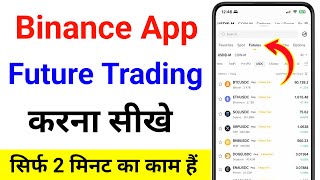

How to Start Futures Trading on Binance
37sClear step-by-step guide for beginners to deposit funds into futures wallet, a common pain point.
▶ Play Clip"Delivers exactly what the title promises — a straightforward guide to futures trading on Binance, though it could be shorter."
This video is a step-by-step tutorial in Hindi on how to execute futures trading on the Binance mobile app. The creator walks through the entire process, from depositing funds into the futures wallet to selecting a trading pair, setting leverage, placing a trade, and managing take profit and stop loss orders.
The video begins with the promise of explaining how to do futures trading on the Binance app. The first step is to open the app and deposit funds, with a reference to a separate video on how to deposit money.
After adding funds, navigate to the 'Assets' option, then select 'Futures and Options'. Use the 'Transfer' option to move money from the funding wallet to the futures wallet. Select USDT as the asset to transfer.
The creator shows that after transferring, the available balance in the futures wallet is 11.44 USDT. This confirms the transfer was successful.
Click on the small arrow to open the list of trading pairs. Select 'Futures' and then choose a coin, e.g., BTC/USDT. The creator suggests sorting by volume to find the most liquid pairs, noting that Bitcoin has high trading volume.
Choose 'Buy' or 'Sell' (long or short). Select leverage according to preference; the creator uses 20x leverage, warning it is risky. Enter the amount (e.g., 11 USDT) and note that with 20x leverage, the cost is only 5.99 USDT.
Set take profit and stop loss prices to manage the trade. The creator clicks on the profit option and enters a target price, then sets a stop loss price. Confirm the order.
After placing the trade, monitor it via the ROE (Return on Equity) and the USDT profit/loss display. The market can go up or down, so the trader must watch it.
To close the trade, go to the trade table, enter the amount, and click 'Sell' (or 'Buy' if short) to close the position.
Leverage warning
The creator explicitly warns that 20x leverage is risky, a key principle for beginners.
02:58Risk management with take profit and stop loss
Emphasizes the importance of setting take profit and stop loss orders to manage risk.
03:22Monitoring the trade
Shows how to monitor a live trade using ROE and USDT P/L, a practical skill.
04:07[00:00] दोस्तो इस वीडियो में मैं आपको बताने वाला हूँ कि आप Binance App में Future Trading कैसे कर सकते हो तो सबसे पहले क्या करना है Binance App को ओपन कर लेना है अब दोस्तो यहाँ पर Future Trading करने के लिए सबसे पहले आपको यहाँ पर पेसे डिपोजिट करने पड़ेंगे
[00:13] और पेसे कैसे deposit करते हैं दोस्तो इसके ऊपर मैंने अलग से वीडियो बनाया है वो वीडियो आप देख लेना आप देखो कुछ इस तरह के का interface आता है हमें future trading करनी है तो सबसे पहले आप पैसे एड करते हो, पैसे एड करने के बाद यहाँ पर
[00:25] एसिलिट को अप्शन मिलता है, यहाँ पर आज जाना है और आपको future and option में सबसे पहले पैसे एड करने है कैसे एड करोगे? यहाँ पर transfer को अप्शन मिलेगा, यहाँ पर पर क्लिक कर देना है, आपका पैसा funding के wallet में होता है, तो सबसे पहले आपको
[00:37] funding select कर लेना है, और हमें कौन सी wallet में पैसा डालना है, हमें future के wallet में मैं पैसा डालना है, तो यहाँ पर second वाला future select कर लेना है, आपको यहाँ पर click कर देना है, और देखो USDT, YUM, futures जो है वो
[00:49] वो select कर लेना है, और दोस्तो आपका जो पैसा USDT में होगा, उसको आपको यहाँ पर select करना है, देखो यहाँ पर Bitcoin के ऊपर click करोगे, आपके पास पैसा होगा, तो यहाँ पर USDT आ जाएगा, तो मेरे पास नहीं है wallet में, इसलिए future option click click available balance USDT trade trade close
[01:24] यहाँ पर trade को close कर दिया है मेरे और आप लोग देख सकते हो मेरे पास available balance में 11.44 USDT है ठीक है तो सबसे पहले आपका जो USDT है वो future वाले wallet में आना चाहिए ठीक है future वाले wallet में आ चुका है अब दोस्तों यहाँ पर आपको किस में trade करना है वो select करना पड़ता है तो
[01:40] देखो यहाँ पर छोटा सा arrow मिलेगा इसके ऊपर click कर देना है आपको अब देखो यहाँ पर feature का option आएगा feature के option को select कर लेना है और आप लोग देखोगे नीचे यहाँ पर bitcoin usdt आ चुका है उसके बाद यहाँ पर दूसरे भी coin आ चुके है तो सबसे पहले आपको क्या करना है यहाँ पर छोटा सा option मिलता है
[01:56] volume का. इसके ऊपर आपको click कर देना है. और देखो यहाँ पर कम volume वाले आ चुके हैं. तो हमें फिर से volume के ऊपर click करना है. तो यहाँ पर आप देख सकते हो bitcoin feature में काफी ज्यादा लोग यहाँ पर trading कर रहे है. और यहाँ
[02:08] यहाँ पर इस क्वाइल में भी काफी लगा-लग कर रहिए तो आपको क्लिट सकल करनी की साम पर वालो दो होता है तो समझ बिट़कॉइन में ज्यादा को नियुक्ति है ऊपर जाएगा अब आपको क्या करना है अब यहां पर चाहिए पड़ता
[02:40] यहाँ उपर तो बाय करना है और हमें बाई कंद्री करें और शेयर करना है। आप यहाँ पर कॉनलु नहीं करना और कुछ करना यहाँ लिवरेज ऑप्शन मिलते हैं। आपके अनुसाद लिवरेज सेलेक्ट करें, आपको 20% लिवरेज सेलेक्ट करें
[02:58] लेता हूँ और यहाँ पर confirm कर देता हूँ. तो देखो दोस्तों यह risky भी होता है 20% leverage select करना तो आप अपने हिसाब से select कर लेना उसके बाद यहाँ पर आपको trade ऊपर वाला लेना है या फिर नीचे वाला लेना है तो आप यहाँ पर select करना amount
[03:10] पाउंट आ देना देखो दोस्तों यहां पर मेरे पास 11 यूएसडीटी है लेकिन मैं यहां पर देड़ सुबह इस डिटी में ट्रेड कर सकता हूं क्योंकि मैंने 20% का लिवरेज सिलेक्ट किया है ठीक है तो जिसमें देख सकते हो कॉस्ट मेरा 5.99 डॉलर
[03:22] इंडियो थोड़ा सा और बढ़ा तो 180 ने तो यहां पर आप नहीं कहा तेक प्रॉफिट और डिलीशेज प्लिक करके तो यहां पर प्रोफिट
[03:34] जाएगा तो आपको कभी प्रॉफिट बुक करना है वह प्राइस यहां पर डालेंगे और स्टॉप लॉस में आपको कभी स्टॉप
[03:51] मिल रहा है इसके ऊपर क्लिक कर देता हूँ और यहाँ पर आपको confirm का option मिलेगा इसकी ऊपर Click कर देना है और हमारा trade है यहाँ पर हमने ले लिया है तो यहाँ पर आप नीचे आओगे तो यहाँ पर देख सकते हुआ आपका trade यहाँ पर चालू हो चुका है किया है अब आप पर आकर फिर से मार्किट चेक कर सकते हो मैं ऊपर जाना वाला है लगता है मुझे मार्किट इसलिए
[04:07] मैंने ऊपर का कल या है मार्किट मींच भी जा सकता है और मैरा थौस भी हो सकता है ठीक है तो यह आपको आपके हिसाब से देखना पड़ेगा, ठीक है, तो यहाँ पर यह ROE बताएगा, और यहाँ पर USDT में कितना आपको loss और profit हो रहा है, वो आपको यहाँ पर दिखाएगा, तो हम थोड़ा सा इंतजार करते हैं, तो दोस्तों, अभी हमारा trade चल रहा है, ना profit हो रहा है, ना जाद
[04:42] यहां पर बिनेंस में आपको चीज़िए करना है, और यहां पर उसका टेबल आ जाएगा, तो यहां पर अमांट डालना है, सेल करना होगा तो बाय पर क्लिक करके बाय करना है,
[04:57] तो दोस्तों, इस तरीके से आप बिनेंस एप में future trading कर सकते हो,
⚡ Saved you 0h 05m reading this? Transcribe any YouTube video for free — no signup needed.