
Build a Website by Just Talking to AI
60sShows a simple voice trick that saves time and provides full context, making coding accessible to everyone.
▶ Play Clip"Delivers a useful demo, but the 'Beginner' label overpromises for non-coders and the bootcamp pitch adds fluff."
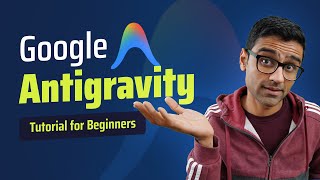
This video offers a hands-on tutorial on using Google Antigravity, an agentic development environment (ADE), to build a full-stack real estate website similar to MagicBricks. The presenter demonstrates how to install the tool, provide requirements via voice input, review AI-generated plans, and let the agent code, test, and iterate automatically. It also introduces the mental model of the human as an orchestrator in AI-first development.
The video demonstrates vibe coding with Google Antigravity by building a real estate website similar to MagicBricks, aiming to show principles that speed up development 10x.
Search Google for Antigravity and download the appropriate installer for your OS; launch it and sign in with a Google account.
Viewers in India on Reliance Jio may get 18 months of free access to premium Gemini models.
Agent Manager is an agentic development environment (ADE) where you can run multiple agents in parallel.
Instead of typing, WhisperFlow lets you speak your requirements, enabling you to provide full context like a business manager.
The presenter asks for a MagicBricks-style site with two cities (Bangalore, Mumbai), 10 mock properties each, search and budget filters, using SQLite, FastAPI, and React.
Antigravity creates a structured implementation plan that the user can review and comment on before any code is written.
The user adds a field for property type (flat or house) by leaving a comment, similar to Google Docs.
After approval, the agent writes code, creates directories, and asks permission before running commands.
You can spin off new agents (e.g., for a 3D game or stock trading app) while the current one continues.
The agent launches the app in Chrome, finds errors, fixes them, and tests features iteratively without user intervention.
The developer's role shifts to orchestrator: provide context and intent, validate output, and guide the AI tools.
Antigravity records a playback of the testing session, letting you review exactly what the agent verified.
The agent view can save code; editor mode resembles VS Code and allows manual file inspection and editing.
The presenter runs the backend with a Python venv and the frontend with npm, including killing a process occupying port 8000.
A new agent conversation implements a min budget filter with a default of 50 lakh, demonstrating iterative feature addition.
Provide business requirements, legacy hacks, architectural constraints, and coding style; validate and iterate on the LLM's code.
Linus Torvalds acknowledged using Antigravity and said AI writes code better than hand-coding, supporting the AI-first trend.
The video positions Google Antigravity as a powerful tool for AI-first development, where the human acts as an orchestrator providing context and validating output. It encourages developers to adopt these tools to build applications faster and stay relevant in the evolving IT landscape.
What does ADE stand for in the context of Antigravity?
Agentic Development Environment.
01:09
What tool is used for voice input to Antigravity?
WhisperFlow.
01:42
Which tech stack was requested for the property website?
SQLite for database, FastAPI for backend, React for frontend.
02:26
How many mock properties were requested per city?
10 properties each for Bangalore and Mumbai.
02:09
What extra field did the user add to the property table in the plan?
Property type, with possible values flat or house.
03:57
What is the human's primary role in AI-first development according to the video?
Orchestrator — providing context, intent, and validation.
08:51
What feature does Antigravity's playback provide?
A recording of the agent's testing walkthrough.
11:43
What command did the presenter use to kill a Windows process by PID?
taskkill /PID <id> /F.
17:59
What extension was installed to view the SQLite database in editor mode?
SQLite viewer.
16:01
What default min price was set for the property search?
50 lakh.
20:36
How did Linus Torvalds describe Antigravity's code quality?
He said it writes code better than what you can do by hand.
23:29
Voice input provides full context
Speaking requirements—rather than typing—lets users give complete business context, improving AI output.
02:55Review plans like Google Docs
Commenting on the AI's implementation plan before execution is a practical way to steer the agent and catch mistakes early.
04:14Developer as orchestrator
The shift from writing code to orchestrating AI agents is the core mental model for AI-first development.
08:51Automated test playback
Recording the agent's testing session creates an auditable trail of what the AI validated.
11:43LLM as a genius engineer with no context
This analogy explains why humans still need to supply business logic and constraints when working with AI.
23:01[00:01] you can do wipe coding using Google's amazing anti-gravity code editor. We will build a real estate website similar to magic bricks.com and I will show you some of the principles of doing vibe coding so that you can work 10x faster.
[00:16] Let's get started. Let's install anti-gravity by typing that in Google. You can click on download button and just download the button that suits the operating system that you have. After you have downloaded, just follow common
[00:30] launch it, it's going to look something like this. And here you can see the models that you have available. Uh by the way, I have linked it to my Google
[00:42] account. And right now, if you're watching from India, uh Reliance Jio has this uh 18 month free offer for Google Gemini where you will get all of these
[00:54] perks. Okay. So if you're recharging using Reliance Jio, you will get access to some of the premium models. We're going to work in this agent manager. So click on open agent manager. And what this is is it is like ADE, agentic
[01:09] development environment as opposed to IDE, integrated development environment. So we're going to use this and we will build a website similar to magic.com which is a property website in India. Right? So here uh you can spin off
[01:26] multiple agents by the way. So let's say I'm uh building property website then I'm building a stock trading platform. You can click on start conversation and you can have multiple agents running in parallel. Okay. So by the way when you
[01:42] uh open the agent manager first it will show you some options. So you just click next next and eventually you will land here. Okay. So let's uh build this website. And here I'm going to use this tool called whisperflow because I will
[01:57] not type everything. I'm going to talk to it. You can also use this icon. Okay. So build me a website similar to magicbricks.com
[02:09] where I can do property search uh for Indian properties. I want to include Indian properties. I want to include only two cities Bangalore and Mumbai. use mock properties uh 10 properties each in these cities. The main page will
[02:26] have search bar where I can either search for rental properties or to buy the properties. It should also have the option to specify the budget. For
[02:39] option to specify the budget. For database use SQL light for back end use fast API and for front end use react. See this is so awesome compared to writing if you use your voice uh you can provide uh full context. What I have
[02:55] seen is when people use AI uh if you have to type too much you will not provide full context. That is the downside. But when you're talking you can just talk it like as if you are a business manager. Now see right now we
[03:09] are in a planning mode. You see this here and it is uh showing all this task. structure. React is the front end. Back end is this database uh all of that as
[03:22] if you are planning a project and you are creating all these Jira stories. Okay. So these are your Jira stories and it has start working on the implementation. Okay. So implementation plan for this is this. So I can open it.
[03:38] I can see it. Let's say I'm reviewing this plan and one more uh element I want this plan and one more uh element I want to add in property table is whether this is a flat or whether this is a house. So I can say that here add one more field
[03:57] called property type. See we have a type which is buy or rent but here I'm saying property type and the possible values are flat or house. see flat or house right. So I added this comment and I
[04:14] will say submit just like Google Docs this is so amazing right in Google Docs you can add those comments similarly you are reviewing the implementation plan and you are just adding the comments. Now as a software developer or as a
[04:29] builder it is your responsibility to review the plan and not trust AI results blindly. It can make mistakes. It doesn't know full context. Okay. So as a human this is our responsibility. Now here let's verify this. See properties
[04:45] type. It added that correct. So now you can click on proceed and it is working on the plan now. So it says shifting into action. So now it is in execution
[04:59] mode and as per the requirement that we have given it will start writing the code. So see here it will create a directory make directory make directory whatever and you can say accept it will run those commands for you and it needs
[05:14] your approval. Okay I think there is a setting where you can uh skip so that it doesn't ask you for commands but here I want to be careful and I want to review all the steps which AI is performing for me. So see it has created
[05:28] me. So see it has created requirement.txt for my back end database requirement.txt for my back end database models.py Pi see comment on files. So I can also comment on files by the way. Okay. So see I open this file my model
[05:41] and let's say I want to change the name of this property once again. I comment and do it. I I really love this command feature by the way. Okay. Uh let's accept this. Uh let's review some other files as well. So CRUD. Okay. CRUD.py.
[05:58] See when I look at the code this looks pretty good like good quality code so it's running now pip install so let it run that command now on the left hand side you see a playground where it is doing its work so I have this building
[06:14] property search correct that thing is going and let's say I want to build some other app I can click on plus here and I can spin off a new agent let's say I can spin off a new agent let's say I want to build a 3D game I want to build
[06:27] a stock trading platform You can do that. So this is the beauty that you can run multiple agents. Okay, I'm going to just uh accept all this command request. Now it is running my back end. See uicon. So that's my back end. Some
[06:42] people prefer claude models. Cloud models are pretty good for programming. So based on your requirements, you can pick one or the other model. Gemini 3 is a latest flash model which is very very fast. We have selected Gemini 3 Pro. So
[06:55] let's see how it goes. Now it will use browser to run your code. Okay. And it's going to do some setup. The great thing is anti-gravity and Google Chrome both is anti-gravity and Google Chrome both are the products of Google. So they have
[07:09] browser. It will install some extension. So click on it. Add to Chrome. Okay. It's adding it right now. Add extension. Now see folks, it is running the code on Now see folks, it is running the code on its own. Okay. So it launched it. It ran
[07:25] the code on its own. It found some error. I think it's working on this error. So I I'm not doing anything right now. It's it's just running and testing things out. So see now it says agent needs your input. Okay. So I will just
[07:38] say confirm and let's see. So just like how a developer would uh test things out, the agent is testing, you know, it's Maybe there was some issue. So it just wants to check that and it is launching
[07:53] the browser as if you are a developer and you will debug things out within your browser. Aha see it fixed couple of errors and then it launched this website. Look at this. Uh this by the way it's still running it. The agent I
[08:08] think is still running it. You can see you have city drop-down where you have Bangalore and Mumbai. You can specify your budget. You have your uh property listing and look look at my hands. I'm not doing anything. It is still working
[08:22] on it. It is probably testing some features uh automatically. Let's see what's going on in the agent. See in the agent, it is still running. Okay. And when you go here, it's just doing its thing and just going into the iterative
[08:37] development of okay testing a feature, finding issues, fixing it, etc. And you can see in the logs, see navigate to this, enter Bangalorean city search. It is doing all of that capture results.
[08:51] See, it is doing all of that work that you would do as an engineer to test the features on the website. Before we move ahead, let's think about this mental ahead, let's think about this mental model. Our role as a human is going to
[09:04] be that of an orchestrator role. So, we can orchestrate with claw code, cursor, all these different tools and we can give them context, intent, business requirements and these tools will give us an output. Okay. Then we validate it
[09:19] and we just guide these tools. Okay. So our role is going to be that of an orchestrator and in future all these different roles that you see in the IT industry are going to consolidate. So today we have software developer,
[09:33] product owner, AI engineer, UX engineer. In future there will be a single person builder I don't know what they're going to call it but that same person is using now different AI tools to do the work of all these different people and AI
[09:47] engineering becomes essential because nowadays all the software products have AI features. So as a software engineer you need to know at least some AI and I have this self-paced boot camp where many of our students have requested if
[10:02] we can have live boot camp because so many of software engineers will appreciate live interaction cohort based format and we are conducting a little survey. It will be great if you can fill out the form below in the video
[10:16] description. We are conducting some survey for live boot camp. We have not done live boot camp before. So it will be amazing. It will be a huge favor if you can fill this out. Now say it is searching for in in one browser tab. It
[10:30] search for properties for Bangalore and budget this and maybe it found some budget this and maybe it found some error. So now it is trying to debug that uh allow once after some iteration it has generated new front end. See it got
[10:46] stuck at some point and I said that okay I stopped the button and I said okay restart your process again and it is doing that right now. So that's what I'm showing you. Okay it's again needs the output. It is now testing it. It's going
[11:00] to the website searching it found five properties and it is testing all these different scenarios which you can see here. See it search for this kind of property type here. So just monitor the logs you will understand what it is
[11:14] doing. Now it is doing a button click. See it is testing the things for Mumbai. So it is selecting Mumbai from the drop-down. It is selecting rent etc. And when you say confirm when you go to this UI you will see that. Okay. So let's do
[11:29] that. Confirm. And now see you see Mumbai properties it selected Mumbai. So it is doing this testing and making sure things are in a good condition. Now it is generating a report actually. See rendering playback.
[11:43] It is generating a report of what it has done so far. See playback is available. So when you say view you will see this playback. This is amazing right? See it is showing you the recording of what it has tested. So it's I don't know if you
[11:58] notice it. It first selected Mumbai and then see Bangalore and then it will you're running it on your computer, you'll be able to see see it selected Mumbai here and rant and it is saying that okay I have tested all these
[12:13] scenarios things look good. You can also click on this button if you want to explicitly uh open the browser. Okay. So this playback feature is something that I really like it and you can review the
[12:29] the walk through. See here it implemented this features automated seeding of 20 properties homepage see and it created I think the readme file and everything. Now you can click
[12:44] file and everything. Now you can click on uh review changes and you can see all the files. So let's say [snorts] if you are as a programmer you have any feedback on any file just click on comment hit submit and it will make
[12:56] those changes for you. So my code is ready. I like it. So what I did is I created this directory C code magic bricks and I want to move that code bricks and I want to move that code because it saved the code in some uh see
[13:09] this particular folder. Okay. So I just said okay save this code to this said okay save this code to this particular directory and I think it will particular directory and I think it will save it there. Ahuh see now when I open
[13:21] save it there. Ahuh see now when I open magic bricks I have both back end and the front end code. Now I would like to uh switch to editor mode. And just to summarize before we go to editor mode folks the purpose of agent view it has
[13:37] multiple purposes. See you can run multiple agents. So I can create plus and I can say create a 3D app whatever. Okay. And then in the inbox see the inbox that you have it's like your email. You will get the review of the
[13:53] agent activity. So here when I clicked on see once again let me show you. So inbox then I show this is something that I did previously. So ignore that. This is what we just did right now. So when I click on it I see the complete log of
[14:08] what agent produced for me. Okay. So that way if you have multiple agents running here you will see the multiple entries. Okay. So now we are going to switch to the editor mode. Okay. So let's switch to when I clicked on editor
[14:24] mode I got this uh let me close this one here here and in the editor mode I see my uh okay but this is that local folder which which I had right so I'm going to cancel
[14:38] which I had right so I'm going to cancel that out and I'm going to open the folder okay magic bricks so let's select the folder and this UI so let's select the folder and this UI is similar to visual studio code. Okay,
[14:53] very similar cursor. Uh it's kind of similar to that. Now let's say here you want to generate a nice readme file. So here you can go and you can say generate readme file. It should be common file between back end and front end both.
[15:11] See hit enter and it will add. I'm just now making my directory a little bit more professional. I can then check this into GitHub. It created a readme file.
[15:23] Now I'm going to just click on this button so that you can uh preview it. So let's see see project structure backend front end. Okay,
[15:35] this is how you set things up. But it has shown all the commands. See looks pretty decent actually. So I will just click on accept changes to accept the
[15:47] changes. Okay, my readme is ready. As an accountable software engineer, I would like to review my database. So in backend directory, you got this database. And here I'm not able to view it because I need to install an
[16:01] it because I need to install an extension. So here you can go and search for SQLite viewer. SQLite viewer. Install the extension. And then when you
[16:13] click on properties db, you will find this. So you can see that you have all this. So you can see that you have all these properties. Okay, let's see. So properties has title, description, the city area, type, property type, of
[16:29] the city area, type, property type, of course, the price and the image URL and so on. The readme file contains the instructions to run the back end and front end manually. So that is what I'm going to do as a next step. So let's uh
[16:44] click on this terminal. So by default this gives a powershell because I'm on Windows. I don't like PowerShell because it gives failures in certain cases. So I'm going to use a simple command prompt and I will spin off back end the first
[17:01] command prompt and then the front end in the other one. Okay. So here let's follow the instructions for back end. So here see I'm going to just read this here see I'm going to just read this instructions. CD back end create the
[17:14] virtual environment like this and since I am on Windows I will simply say dot I am on Windows I will simply say dot VN actually not dot VNV it is VNV
[17:28] VN actually not dot VNV it is VNV scripts activate and this is uh how you activate the Python virtual environment and you install all the dependencies. Now see when I run this okay it's going to use
[17:42] port 8,000 but remember that on 8,000 my back end is running from my initial agent run so you can find that process using this command and you can uh kill it okay so you can kill this process by saying task kill/p
[17:59] ID this is the process ID 1 120 so 1 2 1 2 0 okay could not be terminated / F for 2 0 okay could not be terminated / F for skill And okay, looks like I need to
[18:13] skill And okay, looks like I need to kill 4512 as well. 45412 with this command. Okay, when I try to kill this again, it says not found. So kill this again, it says not found. So assuming it's terminated. Now I can
[18:28] copy paste this command here and run. I think it's now running okay on 8,000 port. And now let's go to the other port. And now let's go to the other terminal and cd front end npm install
[18:43] and then npm rundev. Okay, so it's running it on this localhost 5174. So let's [snorts] use this browser. Click on it and type this localhost 5174
[19:01] in that browser. Anti-gravity browser control. Okay. control. Okay. So see I can test my website now. So let's say Bangalore I want to buy any properties. You can also put your
[19:13] budget. So let's say if this is your budget 250 1 2 3 4 5. This is my max budget right and see it is showing all the properties which has price less than that. Now say you want to add min budget as well.
[19:28] Let's say that's a feature you want to implement. In that case uh you can do this you can open the agent control and it is recommended you
[19:41] open a new one okay don't don't work on see these are the old ones that you had correct so when you click on this you will see all the past conversations so I want to open a new one and say that in the main search bar along with max
[19:55] the main search bar along with max budget also add min budget and there you go it is now showing me implementation plan. It has added the widgets for min price, max price. Okay, no major breaking changes will be updated to
[20:10] split budget to min budget and max budget, right? So let's say you review this and it it looks good. Let's say if you want to set a min budget, right? So manual verification. Let's say here
[20:24] Let's say here I want to set uh always set min price as 50 lakhs right in Bangalore and Mumbai generally it makes sense that you do
[20:36] generally it makes sense that you do this. Okay. So you will say review and this. Okay. So you will say review and submit. So now it is updating that particular implementation plan to set the default value of min price as 50
[20:50] the default value of min price as 50 lakh. You see it has set it. Now you can say go ahead and implement this and it will just start uh writing code for it. And folks since this is running in reload mode I didn't have to do
[21:03] anything. See in that same browser I didn't do anything. And now you see min and max budget. See so now let's say min budget is 50 lakh max budget whatever. And you will see all the homes greater than this 50
[21:20] lakh price. And you can also open the walk through. See when I open the walk through here, this is also called artifact. It will show you whatever it did. Okay. So this looks good folks. When I use anti-gravity or cursor, I
[21:35] feel like I have iron man like power. You give me any programming language, any project, I can work on it. Our role as a human in this new world of AI first development is going to be that of an orchestrator. So if you notice the
[21:51] workflow what we are doing is providing LLM with business requirements. If you are working on a bigger codebase, an existing codebase, then we have to provide legacy hacks, architectural constraints, companies coding uh style
[22:09] guidelines or any other specific nuances. So we are providing intent and nuances. So we are providing intent and context to LLM. LLM will produce a code. We will look at the code, validate it. We will also run the application and
[22:22] We will also run the application and validate it. And it will uh you know upon giving feedback it will make code changes. So this is the iterative development. So our role is that of a violin orchestrator. Okay. So here we
[22:35] are we have cloud code cursor anti-gravity and we are just anti-gravity and we are just orchestrating the show because LLM is like a genius engineer who joined the company 5 seconds ago. They know every
[22:47] they don't know business logic. They don't know legacy hack. They do not know the constraint of the environment where you're building this application. So your job is to provide that exact context. Okay? It's like finding a
[23:01] context. Okay? It's like finding a needle in a hashtag. Think about LLM as this huge brain which has all the knowledge in the world, all kind of knowledge in the world, all kind of reasoning power. You are targeting a
[23:13] specific area of that brain by providing the context. And here by prompt I mean the context. Okay. people like Lionus Torvals who wrote Linux kernel and git uh he's probably the best programmer in the world and he's also saying that okay
[23:29] he started using anti-gravity and does it write code better than what you can it write code better than what you can do with hand and he says yes so folks to conclude this is the time for doing AI first development I hope you can use
[23:42] anti-gravity and cursor those kind of tools to build application faster and in much for watching. If you have any questions, post in the comment box questions, post in the comment box below.


⚡ Saved you 0h 23m reading this? Transcribe any YouTube video for free — no signup needed.