
GPT 5.6 Gated Release: US Gov Controls Access
45sReveals shocking government control over AI access, sparking debate on freedom and regulation.
▶ Play Clip"Title accurately reflects the gated release of GPT 5.6 and the shift in AI model access."
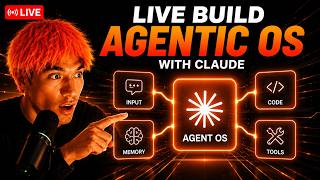
The video discusses the gated release of GPT 5.6, where the US government requires OpenAI to limit access to a small group of partners for testing before a wider rollout. The host explains how this marks a shift in AI model launches, contrasting with open-source Chinese models like GLM 5.2, and emphasizes building systems around models rather than relying on a single model. The video also covers the agent operating system, memory setup with Obsidian, local models like Ornith, and AI SEO strategies.
GPT 5.6 is released but only to select partners; US government approval is required per customer due to concerns after the Fable 5 incident. Wider release expected mid-July.
Frontier AI models in the US are now being gated, with customer-by-customer approval, breaking the tradition of instant global launches.
Chinese models like GLM 5.2 are open-source and competitive, contrasting with US gated models.
The agent operating system allows swapping models in seconds, running on any reachable model, and building systems that are model-agnostic.
A memory system using OMI, Obsidian, and agents creates a loop where chats train the vault and vault trains agents, providing persistent memory.
Ornith 1.09B is a free local model that performs well on benchmarks, runs offline, and can be used for agentic coding.
The Oracle finds trending topics, keyword engine picks winnable keywords, and content is auto-generated and deployed to WordPress, with video creation.
Includes mission control, paperclip orchestration, Hermes agent with profiles, local agent kanban, loop engine, SEO section, video agent, and more.
The key takeaway is to build systems around models rather than relying on a single model, as models get gated or pulled. The agent operating system and memory setup provide an anti-fragile workflow that adapts to any model changes.
Agent OS
tool
Obsidian
tool
OMI
tool
Ornith
tool
Claude
tool
Hermes
tool
OpenClaw
tool
Codeex
tool
GLM 5.2
tool
Sakana Fugu
tool
Fusion
tool
Paperclip
tool
LM Studio
tool
Hugging Face
tool
WordPress
tool
Google Search Console
tool
Grok
tool
Suno API
tool
Indexification
tool
AI Profit Boardroom
service
Goldie Agency
service
Sam Altman
person
Dario Amodei
person
Why is GPT 5.6 being released in a limited preview?
Due to US government requests after the Fable 5 incident, OpenAI is staggering the release to a small group of partners for testing.
What is the expected wider release date for GPT 5.6?
Mid-July.
How does the agent operating system handle model access changes?
It allows swapping models in seconds, running on any reachable model, so work continues even if a model is gated or pulled.
05:00
What are the three free tools used in the infinite context engine?
OMI, Obsidian, and the agents (e.g., Claude, Hermes).
10:00
How does the infinite context engine loop work?
OMI captures daily activities, stores them in Obsidian, agents read the vault, and every chat logs back into the vault, creating a self-improving loop.
10:00
What is the PAR system used for?
It is a method to organize markdown files in Obsidian into folders for projects, areas, resources, and archives.
12:00
What is Ornith and why is it notable?
Ornith 1.09B is a free local model that outperforms larger models like Qwen 3.5 35B on benchmarks and runs offline.
15:00
How does the AI SEO Oracle find topics?
It uses Grok to scan latest news headlines, scores them by virality, and categorizes them for content creation.
20:00
What is the purpose of the loop engine in the agent OS?
It allows a builder model and a judge model to iterate on a task until the judge passes the work, ensuring quality.
25:00
What is Fusion in the agent OS?
A system where multiple agents work together and a judge fuses their answers to achieve Fable 5 level intelligence.
28:00
GPT 5.6 Gated Launch
First major US model to require customer-by-customer approval, signaling a new era of gated AI releases.
System Over Model
Emphasizes building anti-fragile systems that work regardless of model availability, a key strategic insight.
05:00Infinite Context Engine
Introduces a self-improving memory loop that eliminates the need to retrain AI agents daily.
10:00Local Model Ornith
Demonstrates that free local models can now perform near frontier level, enabling private offline AI use.
15:00AI SEO Automation
Shows a complete automated pipeline from trend discovery to content publishing, driving significant traffic growth.
20:00[00:00] What's popping party people? We got new updates on GPT 5.6 today. You can see this tweet from Nick. Um, basically it looks like the US government will decide who gets access to GPT 5.6. So, it has been released already, but it's only going to a select number of people and it can't be launched without approvals from other agencies, which is pretty interesting. So, who knows what's going to happen there, but it looks like due to the
[00:44] Fable 5 setup, this is all going to change. And because Fable 5 got taken down, we'll now be switching to a situation where AI models, particularly Frontier ones, will be approved before people can actually use them. Now, maybe that will change when it's, you know, tested more, but basically right now we're looking at a slow, staggered roll out of GPT 5.6. Open eyes agreed to this as well due to, you know, the concerns around new frontier
[01:29] AI models, which is pretty wild when you think about it. Might mean the end of of getting access to the best models. Who knows? So, we'll see what happens next. And also, what's going to happen to Fable 5? Fable 5 probably going to go down the same route, right? I saw yesterday there were people talking about Fable 5 getting approved before you can use it as well. So you can see here another quote from Leo GPT
[02:13] 516 launched for OpenAI Enterprise Partners for testing ahead of the wide launch. So may maybe there'll be a wide launch once it's been tested. The ETA for the wide launch is around the second week of January uh sorry July. So mid July and there's also going to be a max reasoning effort introduced for the 5.6 series. Who knows what's going to happen next, but it looks like basically, you know, things are going to have to be
[02:58] approved before people get access. Who we got here? Bud Run. Let's get this show on the road. Randall, let's go. Who else is watching today? But yeah, I'm just going to start coding out some new stuff into the agent OS. Let's Sure. Sheena is here too. Welcome Sheena. Heat. Heat. Heat. Heat. Heat. Heat. Let's break this down. Let's break this down. So Burner says, "Bro, I'm confused with Hermes, Open Claw, and Claude." I mean, number one,
[03:42] if you're confused, I would just focus on one at a time. So, for example, if I had a choice between Hermes, Open Claw, and Claude, and I was feeling confused, I would just focus on Claude because it's the smoothest and easiest to figure out. And then, what's the specific problem you're facing? Let us know more details. We can help you. Yeah, I covered a tutorial on that yesterday on uh web design with Claude. But yeah, there's
[04:26] some little tweaks you can make to cla to improve its web design skills. If we check out this website, this is one that we've built out and it's pretty nice. Yeah, you should definitely check that out for sure. Heat. Heat. Um, I don't think I did. I don't think I did, but I can add a new guide on that today if you want. If that's useful for you, we can set that up. what's popping. Uh, every
[05:11] time I use codeex, he just ran out of tokens like pretty much straight away. So, I was just like, "Right, I'm not going to use that anymore." And also, it was a little bit buggy. Like, even for example, the designs that it creates just seem to all look the same. If you DM me the problems you're having or post them inside the AR profit board community, we can help you. Nice. All right, I'll get that set
[05:55] up later today. Yeah, Z code is okay. I mean, we've got GLM 5.2 can do built into the agent operating system. So if we need to build stuff, we can use the CLI over here and it can create some pretty nice stuff as you can see, right? How big is the model? Nice. We got something like that here. See? You can see it like so. We have everything in one place. It's inside the proper board if
[06:40] you want it. So, it's like uh very similar to what you're talking about. So, we've actually got uh something called Hermes Jarvis, which you can see over here. Hermes Oracle. I think you'd like that setup a lot. Uh actually, to be honest, I'd recommend, you know, if you're struggling with this, I know you said you were struggling with claw and open claw and Hermes, build something like this. Uh you can get our setup inside the aircraft.
[07:24] Thank you. Yeah. So, the way that we do SEO is we have this set up over here, the SEO section. And so what we can do is we can look at our Google search console data over the last 7 days or over the last 28 days. We analyze what's working and we analyze which keywords we're get a lot of impressions for but not really ranking for. And then we create new pages around that cuz we know
[08:08] okay Google is showing us already. We just need to create a specialized page for it. And then we can generate and deploy the content from there. And then we've got a full skill for it as well. It's all inside the AI profit boardroom if you want to get the skill and the setup for this SEO tool. It's not on GitHub. The agent OS is inside the AI profit boardroom. It's just kind of like a, you know,
[08:53] a nice little gift that we give to AI profit boardrooming members on top of the community just to help them. You can get it link in the comments description or just go to the aripitboarding.com. Go. I think just something small would work. Usually when we test something that's above above 15 GB doesn't work very nicely. Unless you think it will definitely work, but I just don't want to slow down the Mac. Let's do it. Create a
[09:37] guide on it too. Publish your latest ones. Heat. Heat. Heat up Love include screenshots, break down each framework, show examples, talk about the connection between OMI, Obsidian, and the agent OS so that all our agents and CLI plugged in there use Obsidian memory. And this helps us quickly find memories from before and also remember and organize everything. And talk about the loop we have where basically our chats log to Obsidian and then Obsidian trains all our
[10:22] agents. So it's a loop that just keeps improving. information attached on the infinite context engine was set up. I talk people through the obsidian memory galaxy too. Should be very visual as a guide. Heat. Hey Heat. Heat up Baba, if you DM me or send a message or send a screenshot inside the community, we could take a look here. Take the morning to get down. Heat. Heat. Heat. Heat. Add links to the blogs at the bottom
[11:06] so like people can easily navigate it and then also add a section at the top where people can quickly navigate back to all the articles by category etc. That way it's easier to navigate and easier to crawl. Update your skill so you remember to do this each time. Stupid. Heat. Heat. Heat. Heat. Hey, Heat. Hey, Heat. Heat. Heat. Heat. Heat. I actually didn't uh sign up for subq cuz I was like, well, if they've got nothing
[11:50] to show and if there's benchmarks but there's no proof, it's kind of like, well, why would I sign up for Uh I I kind of felt like it might be um you know like they're just trying to build the list. So that's why I didn't sign up. I looked at it and I was like well this there's no concrete behind here you know nothing concrete behind it that I could see. But as soon as it actually
[12:35] starts working and as soon as I actually see people getting results of it and showing off what they're doing then I'll I'll check it out. But for now I won't simply because it's like there's so much I can test. I might as well focus on the stuff that's actually ready to test and we can actually get access to. Thank you. Have a good day. back in a sec. going to run through the latest GPT 5.6 release
[13:19] in a second. Yeah, going to run through that in a second. Could be quite tricky. I don't know if we're entering like a new era of AI where, you know, the average person doesn't really get access to it. That's what I'm thinking. Oh wow. Onif looks pretty good. Awesome. Can you make sure uh local agent Camban runs with this nicely? and also the local engine section plus anything else that's running locally. It seems to be pretty
[14:04] good. So GPT 5.6 is here but not for everyone. And that's what I'm going to talk about today with the new release of GPT 5.6 plus what's going to happen or whether we're entering a new era where essentially you have to be approved for AI models before you can actually get access to it. So right now the US government apparently has actually asked Open eye to stagger the release of GPD 5.6 and this is obviously after
[14:48] the whole Fable 5 incident where Fable 5 literally got shut down and taken down after like 3 days of being released as powerful it was. And so what we're seeing here is an approval by customer um situation. And here's exactly what's happening right now. So essentially you can see the article here from Axios right and it says the administration Trump administration asks open eye to limit next model release which is pretty wild. So essentially what's going
[15:33] on here is there's a staggered roll out of GD 5.6. Now whether it will get rolled out to everyone eventually who knows they're also looking at a 2027 IPO as you can see in this article by Silicon Angle and essentially the roll out is going to be for people and just a small group of partners rather than for the whole public and so what's happening basically is like Washington are now reviewing frontier artificial level intelligence models
[16:17] before they actually ship widely. Um, pretty wild stuff. So, this was disclosed by CEO Sam Alman during a staff question and answer session on Wednesday as detailed in a report by the information which you can see right here. And so, essentially this means that people have to be approved. It's getting rolled out to a small group of people. And due to the Fable 5 situation, it seems like we're rolling into an era where Frontier models aren't
[17:01] available for everyone. They're basically going to go out to small partners at first and then maybe once they've been, you know, fully tested, then potentially everyone gets access. Another rumor is that maybe in the future with Frontier models, you have to apply and approve be approved to use them before you can actually get access to them. But either way, this is pretty well. Bear in mind as well, if you look at, for example, China, you got
[17:46] GLM 5.2 and Kim K 2.7 that both came out and they're both pretty powerful. I mean, especially GLM 5.2 too. It's uh it's a setup where essentially you've got a frontier level model, but the weights are open. It's an open-source project, you know, like if you have a even if you have a super powerful setup, you can actually run it locally for free, which is pretty crazy in itself. So, if you look at this situation, it's
[18:30] like, okay, well, Chinese models are open source and they're getting at the point where they're at the same level or even potentially in the future better than stuff like Claude Opus 4.8. And then in the US, you're looking at Frontier models that are being blocked or being started in terms of their roll out or just not available to everyone in the future. So, it's a weird sort of situation we're getting into. You can see in this
[19:15] tweet by Stephanie Palat Solo. for AI companies on the verge of releasing cutting edge new AI models. There's a nor a new normal in the wake of Trump's administration's showdown with Anthropic. So essentially during a Q&A session with OpenAI and CEO Sam Alman, the company would only release its model in a limited preview to a small group of partners. And this has never really happened before to be honest. Like there's been some security models that come
[19:59] out, you know, and you've seen that with Mythos as well, but this is really really interesting. There's never been a situation like this. And there's two things that have happened recently. So Fable 5 obviously got shut down after 3 days, which has never happened before. And then these models have been rolled out to just small groups of tests. It's probably security companies, I would imagine. So essentially during an open eye memo reported by Silicon Angle on
[20:43] the 25th of June, the government would be approving access custom by customer during this preview period. Now here's there is a wider roll out that's hoped for a couple of weeks later. So we could be looking at like mid July when everyone gets access to July uh to GPT 5.6, but who knows what's going to happen next. Also man, apparently he made it clear that he isn't happy about it long term. Apparently in the memo, this
[21:28] is what's being reported. This has not been confirmed by Open Eye publicly. He said the company has said this is not our preferred long-term model and that they'd work toward a more sustainable approach for future releases. So if you look at this, how a gated launch actually works is that it gets built, then it gets vetted, then it gets approved one customer at a time, and then there would be a wider release a couple of weeks
[22:12] later. And this is really the first time a US model launch has a queue. So we're used to AI launches being instant and global. A new a new model drops and within hours, everyone's testing it. That's a rhythm the whole industry has previously run on. But GP 5.6 ICS would break that rhythm. So for the first time a major US model is shipping behind a managed line. And also the bigger worry isn't really about this one
[22:57] single launch. It's really that it's a precedent, right? Because if new models are signed off on a customer byc customer basis that might become the template in the future. So for example you might be looking at the next models like that or the next one after that or from every single lab especially in the US. Someone actually uh Zach I think he mentioned thanks to Dario this is why it's happening but I don't think it's his
[23:41] decision right. I think for him personally, he probably wants to to release these models. You know, he's a CEO of Anthropic, Dario Emodi. I don't think it's it's his decision. Probably Anthropic, they want to roll out these models to everyone. But it's just a case that the there's a new way and an old way, right? And this is a new way. Also, you might say, well, this is just for enterprise stuff, but really it affects the
[24:25] timeline that you plan around. So the old assumption that the best model is just one click away the day after it launches, that is a bad assumption now. And you know, if your work or if your progress depends on the same day access to the newest model, you're relying on stuff that that you can't control. I'll talk about the best way around that in a second as well. So if we look at this situation, table five
[25:10] was taken down and then we are looking at a staggered release on the 25th of June. Mid July is when Alman's hoping for a wider release if the customer by customer review goes smoothly. So if we look at this situation, you know, you've got Anthropic Mythos that's been pulled. You got Fable 5 that is pulled as well. Nobody has access to that as far as I'm aware publicly. And then OpenI GPT uh 5.6 is now staggered,
[25:54] but you got Chinese models that being released and they're totally open. And so if you look at the trend line, it's like a year ago. Frontier models launched open to the world. Now the three newest US Frontier launches have all shipped with some kind of gate. And GPT 5.6 is the first where this has to be signed off user by user. Now, the thing I would say here is like I don't know about you, but for
[26:39] me personally, I used to really look forward to the new model drops, test them out, get started to what I've actually started doing recently is just using an agent OS system like this where basically it doesn't matter what model comes out. It doesn't matter what gets blocked, what gets deleted, what I can't access, and what does get released because as soon as something good comes out, we plug it into the agent operating system. when we build
[27:23] great systems around that. So for example with Sakana Fugu that can achieve Fable 5 level intelligence. We've already tested it relentlessly this week with 42 different tests. Really powerful stuff. And essentially this means that even if something gets pulled or we can't access the latest model, it's not a big deal, right? Because we can build systems and create automations for all the stuff I work on dayto-day without having to rely on new frontier stuff. And so
[28:07] I would say now like a gated launch like GPT 5.6 it doesn't really phase me and I wouldn't let it phase you either. So agents can run on whatever is reachable today. That's how I set this up and I can swap models in and out in seconds. So when GP 5.6 opens up I plug it in. But until now we've got amazing systems that are pretty mind-blowing in themselves anyway, right? It doesn't matter. Uh so for
[28:52] example if we need to automate SEO we've got that ready to go. If we need to automate videos, well, we can do that in one click with these really, really powerful systems as you can see right here, right? We've even, for example, built out the Hermes agent Oracle this week that can pull in the latest news, create content around it, publish blogs straight to my website about it, and that's more powerful than anything else I've seen
[29:36] like released publicly recently. So, that's the way that I look at it. And here's the way that I would recommend for you to look at it, right? The old way versus the new way. The old way is like one model, fingers crossed, and you wire every workflow to one model, wait for a launch day, hope you get access, refresh the weight list, check if your region is enabled for it, and when access changes, your work breaks
[30:21] or you know, one thing that changes, for example, like Fable 5 getting taken down can store the whole pipeline. Now, with this new system, you can build your agents on a system, not a single model. you run on whatever model is reachable right now. You swap models in seconds when access changes and you plug GPT 5.6 in the day you actually get it and so a gate on one model just means you route to another and
[31:05] the result is your work never stops gate or no gate. So that's the way that would look at it. Now, if you want a setup that survives any launch, the agent operating system inside the air profit boardroom connects Claude, Open Core, and Hermes into one dashboard with shared memory. So, your agents run on whatever model is reachable right now, and you can swap models without rebuilding anything. And for example, if GP 5.6 is gated, that's not
[31:49] going to stop your work. It just slots in when we eventually get it. And inside there you get the full agent OS zip, every prompt, the memory setup, the dashboard, four live coaching calls a week with operators running this in production, daily tutorials as launches like GT5.6 happen, and a 30-day road map to set the whole system up step by step, plus a community of 3,700 members across many different countries online 24/7 and a member map
[32:34] to connect with people near you. So let's look at uh some of the assumptions that are wrong now. So people think like the newest model is is going to get released to everyone. No, not at all anymore. Other people think, well, whoever has the best model wins. But honestly, the model you can't access doesn't help you. The operator with a working system on a good enough model beats the one waiting in line for the best one.
[33:18] And other people say, well, this is an enterprise problem, not mine. But honestly, you need great systems as well because if you don't, stuff like this is going to store your progress. And the model isn't the mo. The system is. So if you step back from GPT 5.6 for a second, strip away everything that we've heard in terms of the rumors and the memos, everything else. Models get gated. Models get pulled. Models change their pricing, their
[34:03] limits, the access rules. Sometimes overnight, sometimes in a few hours. But the thing that doesn't change is the system around the model. Your memory, your prompts, your agents, your workflows. That's the part that improves every day and it works on whatever model you point it at. So that's why I recommend having an agent OS system as you can see. And that's the whole idea behind the agent OS. It's not just use this one model. It's build
[34:47] the system once and run it on one model you can reach. So when GPT 5.6 finally does open up, you don't have to rebuild anything. You can just point your system at it and keep going. I'll show you an example. So for example, we got Hermes running here and we can use it for outreach. We can use it for lead generation. We have for example systems where we can voice activate it and it can pretty much
[35:31] automate everything that I need to anyway right then for example we have openclaw we have claude so for example when Hermes overtook openclaw we just start using Hermes instead if claude takes down fable 5 no problem we can use GLM 5.2 too. If, for example, Gemini CLI got taken down, which it did this month, no problem. We can switch to anti-gravity CLI. And so, you see how it's anti-fragile and it doesn't matter what comes out next.
[36:16] You can just easily adapt to it in minutes. So, what you now know, you know that GPT 5.6 is gated and that it won't be coming out for everyone. You know that the approval system for this is like customer by customer and it's signed off for people during the preview. you know that this may be the new normal like just be aware of that this may be the new model in the future and that anthropic actually
[37:00] got it way worse right anthropic they can't even release this to anyone let alone to the the public or like a customer by customer basis so GPT 5.6 actually have it better than anthropic in some ways. But the fix for all of this is a system. So build on an agent operating system, run on any reachable model, swap things in and out freely, and then it doesn't matter what comes out and what's not available. Models get
[37:45] gated, models get pulled, but the system around them is what's yours. So if you want to get our system, you can get that inside the AI profit boardroom. Link in the comments description or go to the arprofit.com. We also got like a memory galaxy inside here. As you can see, we've got Sakana Fugle Ultra, which achieves Fable 5 level intelligence. Anyway, we have Fusion, which is another way of getting Fable 5 level intelligence at any time
[38:29] you want. And then also, for example, if GPT 5.6 comes out, no problem. We've got codeex built in already. So, whatever comes out next, we can build our systems around it and just make sure we're improving every day either way. So, if you want to get that, it's inside the AR profitable boardroom link in the comments description or just go to the arprofit.com. Inside the community, you can ask questions, get help and support in real time.
[39:13] Inside the classroom, you can get access to all my best trainings. If you're a complete beginner, you can go from beginner to expert with this six week master class. As you can see right here, you can also direct message me and ask the community any questions you have too. Inside the daily tutorials, you get new daily tutorials and watch is actually available and I test it with a video tutorial and give you a full guide as
[39:58] well. And then inside the Asian OS section, you can see that we update this daily. We have a video tutorial on how to use it. We have the last update date and if you want the zip file to install it, you can get it inside the resources there. Plus, we have weekly coaching calls. So, four weekly coaching calls a week where you can ask questions, get help in real time, etc. And inside the map, you can
[40:42] meet people in your local area who are building with AI agents like this. So, feel free to give that link in the comments in description or just go to the aprofitborn.com. Thanks for watching. Web agency says, I see a pattern repeating itself. New models come out with marginal increases in capabilities but large increases in tokens. That's interesting. Yeah, I saw that with GT 5.6. I think it does use more tokens from everything that read about it.
[41:27] So yeah, it's a good it's a good way of looking at it. That makes sense to me. However, what I will say is if you look at GLM 5.2 and stuff like that, like wow, that that was a huge step up. Like a ridiculous step up. Can you add more interesting builds for this? And also, can you show screenshots from the agent OS using the local models and just make it way more interesting? I think the
[42:11] stuff that you built is okay, but it's too basic. It should be more interesting. I think the guide should be more interesting too. Just remember inside your guide skill that you need to generate like a hero image and also images throughout. So update your skill so you remember to do that with chat image 2.0 as well as the diagrams, right? You just want to make it look really visual and nice. So update your skill so you
[42:55] don't forget that again. If you're watching, you have any questions, by the way, feel free to ask. No, no, we're still here. Don't worry. Today I'm going to show you a powerful system combining Obsidian and Claude and all of my AI agents together to make sure that your agents never forget anything ever again. So for example, if I say what did I work on last week directly inside claude as you can see right here it basically
[43:40] breaks down what we've worked on. Now what's interesting here is if you look at the working directory and the memory inside claude directly it struggles to find that right it's not very good at remembering the details. It's not very good at understanding okay what was your broader activity outside of this conversation. However, what it can do with the system that we've set up is that day by day, it understands exactly what we've worked on because we
[44:24] have a powerful system called Obsidian and a memory galaxy that pulls this information in. And this is all updated automatically with my AI agent. So, if we have a look at this system here, every single one of the stars inside this memory galaxy is a new memory. And the stars that shine the brightest are the ones that have been updated the most recently. So, if we click on any of these stars, we can pull up the
[45:09] memories and everything that we've done recently. We can see that we have all these different guides and useful um notes here and I didn't click create any of them right now. Also, the great thing about this is you can actually use a free system to do this and I'll break down exactly how that works in a second. So if we have a look at the recap here, it breaks down day by day exactly what we worked
[45:53] on in a lot of detail because it has because it can easily pull in from the recent Obsidian notes that we have with the vault and everything else. So it's really powerful for doing this and it means that you can plug it into Claude, you could have it inside Hermes, you can get super personalized suggestions and you never need to worry about retraining your agents on context again. So, this is a powerful system that you can
[46:38] use to automate and build anything. And if you're wondering, okay, how does this work step by step? Well, this is what I call the infinite context engine. And we have our memories that are plugged inside this galaxy here. We have our goals, our daily tasks, OMI, projects, and areas. So, let me talk you through this. And basically, have one memory every agent shares. Your chats train your vault. Your vault trains your agents. And it's a loop
[47:22] that gets smarter forever as a memory system. So for example, if we open up Obsidian over here, you can see this is our Obsidian memory. And every single one of these dots is just a markdown file that's linked together naturally, colorcoordinated, tagged properly as well. And then it's all based around me. So this system knows my goals, it knows my memories, it knows what I'm working on, everything else. And that's the power of this. So how
[48:06] do we set this up step by step? Let me walk you through it. So essentially here and this is something I call the blank slate problem is that imagine you hired an assistant and every morning they woke up and remembered nothing about you. You explain your whole life again. Your name, your business, your goals, your clients every single day. That's what using AI agents is feels like without a good memory system. So your AI is a
[48:51] genius but it's got amnesia and every chat you start is from zero. Now the infinite context engine actually breaks that cycle for good. You might say as well, this sounds complicated and technical on this whole system here, but it's actually not. And I'll tell you why. Because literally what this is is a bunch of folders with different text files inside them. That's it. All Obsidian is is just markdown files connected together, organized properly, and everything is
[49:35] set up in a place where you have lists of notes together, and they're organized properly. So there's three free tools you can use with one shared brain. So most people think of these as like three separate apps. They're not. They're one memory pipeline. So number one, we've got OMI. OMI is a free app in the background. And what I've set this up to do is basically export and take notes on me daily. So we can export
[50:20] to Obsidian right here. But if we go back to our home, this basically takes notes on me dayto-day. So you can see here it's got memories. It understands exactly what I'm working on. It updates daily and it's basically a free app in the background that listens to my microphone, watches my screen, and quietly writes down what I do, say, and care about all day. And it holds about 3,000 memories, as you can see inside this system
[51:04] here. Now, step number two is store. See, you can capture with OMI. And the great thing about capturing with OMI is it's completely working in the background. I don't need to do anything. I don't need to spend any energy or time building this. It's all automatic. Then we have store. So step number two is Obsidian. And this is just a free notes app. It's a filing cabinet on your machine. So OMI exports into it. Your agents
[51:48] log into it. It's just a folder of text files. So anything can read from it. So when we're looking at this system here, you can see that this is Obsidian but visualized in the same way that agents would look at it. So it's a visual brain. It's my second brain essentially. And that is plugged into claw or open core or Hermes or anti-gravity. All of our agents that you can see are built into our agent operating
[52:33] system. And I'll come on to that in a second. So for example, if we have a look at our memories over here and we go to recent, you can see that this was just updated 13 minutes ago because we have the interaction between myself and my AI agents. And this is updated like hourly as you can see. So even for example when it runs scheduled tasks this is all set up nicely inside here too and it
[53:17] actually auto consolidates from our claud code sessions on a daily basis too which is super useful. So this links to our agent operating system. Now this is a free tool because I built it for free. You know you can build your own. You can go into claude and you can say hey like build out my you know build out a mission control dashboard link all my agents together. That's basically what I did. I mean these days
[54:02] I probably spend about 3 to four hours building new cool stuff into this but the memory system doesn't take any time at all that's just running automatically in the background and so we have claude openclaw Hermes and every CLI all pointed at the same vault from obsidian every one of them wakes up already knowing about me with one memory across every agent and you might say well this only works with one tool not all of mine
[54:46] actually no because the vault is just text files that any AI can read because any AI can read a file path with your memories. So, it's one setup and then you got Claude, openclaw, Hermes, Codeex, every tool with the same brain. And so, this is the infinite context engine that I want to walk you through with four layers and a loop. So, it's a paradigm. You stop training your AI every morning. You start letting AI train
[55:30] itself on you and it runs in four layers. And the fifth that makes it infinite. So step number one is using OMI to capture and record our thoughts daily. Step number two is you organize it. So it all becomes clean structured notes and you can just ask your agents, hey organize this, organize this and tag it properly. Use something called par which is a way of organizing notes locally so that your agents know exactly who you
[56:15] are, what you're working on, what you want to achieve, etc. and then it stores it. So, Obsidian holds the vault on your own machine. It's private. It's yours. It's local. You don't need to have cloud or subscription. You can get an MCP if you want to link it to a VPS or anything like that. But it's basically a living knowledge base about you that grows every single day and then from there deploy. So, every agent reads
[56:59] a vault and starts every conversation already knowing you. Hermes, openclaw, claude code, any CLI one file path with full context. And finally, the loop. And here's why it's infinite. Every new chat logs back into the vault. So the vault trains the agents, the agents fill the vault, and tomorrow is smarter than today. And that runs on forever, which is pretty insane. It's also just quite fun to see your memories and to look back at what you've
[57:44] worked on and see the progress that you've made over time and have it all organized in a beautiful system like this. It's is absolutely amazing. And most memories are set up one way. So you feed the AI, it reads and that stops improving the day you stop typing. But the infinite context engine is a loop. So every chat your agents have gets written back into Obsidian automatically with one file per day. So the vault doesn't just
[58:28] store what you tell it. It stores what your agents do. Then the next agent reads that and gets better and logs more. And the vault gets richer. Your work trains your vault. Your vault trains your agents round and round like a smarter loop. And that's one of the main concerns I see a lot of people say is like, you know, I'll have to update the memory manually every day. You won't touch it. So if you set
[59:12] this up, OMI captures it. The agents log it. Obsidian installs it all on their own with zero manual work after setup. That's the whole point of the loop. As you can see, it's working right here. Now if we talk about this galaxy system as you can see. So this is a memory page inside the agent operating system. And every note is a star. Every link between notes is a line of light. Mine has thousands of notes
[59:57] inside it and it grows a little every single day. And the stars that you've touched most recently glow the brightest. So you see how there's some stars that are more brighter than others. That's because they're more recent. So, it's not just pretty, it's how you can find things. And if you need a memory from like three weeks ago, you don't have to dig through folders. You just search the galaxy or follow the links from one star
[1:00:41] to the next. And your agents do the exact same thing when they answer you. So, if we actually look over here as well, we can search through our memories. And then we've got the graph over here as well with the galaxy. And this is what organized really looks like. It's not a list. It's a living map of everything you know and everything you've worked on. Now, some people say, "My notes are already a mess. This won't
[1:01:26] work." But that's the whole point. The Galaxy connects the mess for you. So, these links pull related notes together. So, you can see the threads you forgot were there. So, it's like, okay, you got OMI, you got your chats, you got your notes that goes into Obsidian, and then that plugs into Hermes, Claude, Open Claw, and every CLI you have, and everything writes in, and everything reads out. And so if you look at the old way
[1:02:10] versus the new way in terms of the system, well without a memory, you reexplain who you are every session. It might remember little bits and bobs about you, but it's not going to be super detailed in this way. It's not going to be very useful in this way either. And then the old way as well is like paste in the same context into every tool. So if I'm like if I go to chat GBT directly or
[1:02:54] to claw directly, it's not going to have the detail that my obsidian bolt has. Then you get generic answers that don't even fit your business. And each AI tool is starting from scratch and then you forget what you decided last week. That is a mess. So that's why you really need a memory system in this or you also need one that runs on a loop so you don't have to organize it yourself. And you just know
[1:03:39] that every agent wakes up already knowing you. You got one answers built on your real goals and clients. You can find any past memory in seconds and the loop makes it smarter every single day. And the cool thing about this as well is like when you're using it, you know, if you've got like clients or separate projects that you're running on, no problem because for example for us, what we have is different things going on and
[1:04:23] these are all interlin. So for example, we have Goldie agency over here. We have the AR profitable bottom over here. We have our funnel strategies over here. But it's all linked. However, it's separated by folders and notes, which is super useful. Now, you also might say, well, this this sounds expensive. No, because OMI is free. Obsidian is free. The agents are free. The only thing it costs you is the 20 minutes that you use to set
[1:05:08] up once. That's it. And that's basically the whole system. Now, if you want a 30-day road map for setting up, if you want a full video tutorial that shows you exactly how to set this up, and also our agent operating system, you can get that inside the AI profit volume link in the comments description. So you can get the infinite context engine built for you and you can basically wire this yourself with what I've shown you
[1:05:52] today or get the whole thing done inside the agent operating system with the whole setup and the memory galaxy and you can connect that all to one vault. So, you get the full agent operating system, the memory loop, the galaxy, you get OMI and Obsidian setup walkthroughs, step by step on videos, coaching calls where I set up the memory vault with you, a room of 3,800 business owners running this stack, and the prompts, S&Ps, and member
[1:06:36] map for your city. So, if you want to get the Agent OS, it's inside the classroom of the air profit boarding right here. We update it daily and we've got a zip file to quickly install it. And then also we have over here the infinite context engine. And with the infinite context engine, you get a video tutorial, a step-by-step guide, a 30-day road map on how to use it, and a really detailed map of how to
[1:07:21] basically implement that. Also, inside the community, you can ask me questions. You can ask your community any questions you have. We always have people online ready to help you 24/7. So, you get help and support whenever you need it. You can connect with awesome people inside the map as well, which is great. And then also inside the classroom you get access to all my best trainings. You get four weekly coaching calls where you can share your
[1:08:05] screen, ask questions in real time. And this is all available inside the profit boardroom link in the comments description or just go to the arprof.com. Thanks for watching. 50 character says Julian what are the best free local LLM? So it depends on your setup. So, what I've used in the past, for example, that works really well, uh, well, one thing I'm testing today is something called Ornith, and we're testing out the results. So, that that'll be
[1:08:50] interesting to see. Uh, if you've got a really good setup, then you can use something like Quen 3.6. Local models in general, not that good. I'll be 100% honest with you, but it depends on your setup. I've got a Mac Studio. Pull this up. It's a Mac Studio, M4 Max, 36 GB memory. It's not that great for running local models, but for me, you know, if you want to get around that, well, you can run like
[1:09:34] free APIs and that sort of thing Heat. Heat. Hey, hey hey. Today we are building out a new AI SEO system. We're working on using ONRIF which is a new local model and we're going to run through some of the new updates inside the agent OS today as well. I've never heard of Cascading LMS before. I'll be 100% honest with you. What is that? Now, that's interesting. MLX. What is that? I've heard of it, but I
[1:10:18] can't think where. Oh interesting. That's pretty cool. I have to try that out. Thank you. Yeah, it looks good. Just Googled it now. Heat. Heat. Ah yeah yeah yeah we've got that inside the agent OS. So basically we have a system where our agents loop together and then one can quality control the other one and they just loop around until the job is done. You can use forward/goal as well with Hermes agent. That's another way to
[1:11:03] do it or you know for/go is available I think inside claude and codeex as well. So you can use that too. Um, but yeah, if you want like multiple agents working together, you can use Hermes agent, get multiple profiles with different LLMs and different APIs and then they can work together and quality control and loop around with the work being done. Yes, that's it. So, with forward/go, you can change the API on the judge. Basically how
[1:11:47] it works is you have the agent that's doing the work and then you have the judge. So you can have a different API for the agent doing the work versus the agent that's the judge and then they can work together in a loop until the job is done. We've got tutorials on that inside the air profit. Heat. Heat. Hey everybody, What do you mean? Sorry. Heat. Heat. So today we're going to run through the latest questions
[1:12:32] I've had on the agent operating system which you can see we've built out here. This is a powerful system you can use to basically build and automate anything. Link all your agents together. You can use it for example for lead generation and outreach campaigns. You can voice control it, voice activate it with Hermes Jarvis. We even got a memory galaxy so that all of our agents here know exactly what we're working on, what we're building. We
[1:13:16] got camb boards where we can orchestrate agents. We have, for example, a local AI agent engine here where we can build and automate anything that we want locally as well. And so today, what I'm going to show you is some of the latest questions we've had on the agent operating system and then answer them because I know if people have these questions inside the AI profit boardroom, then you probably have these questions about building agent operating
[1:14:00] systems yourself. So, let's get straight into it. So first question we have was about codec. So Rob was saying, you know, brand new here, just signed up watching videos, but can you use with the agent OS your codec subscription and how can you use it? Right? And can you use it with codecs too? So we do have a codec section over here. So we have the chat and then you got the gold mode and the workspace
[1:14:45] and all your previous sessions saved as well. So it's easy to see everything that you've built. So that's one way of using it. And then you've got Hermes as well. Now with Hermes you can use GPT 5.5 with codeex login and you can use that for generating images as well. So that way you can use the power of GPT 5.5. You also get access to the studio where you could generate images, videos as well using GPT
[1:15:29] 5.5 and then you can also plug it into for example open claw or anything you want. As well as that, actually what happened recently, this is a new update that just dropped out a couple of days ago, is there's a plugin for codeex inside Claude Code, which means you can actually use codeex inside CL code to power up too. So there's like four different ways you can use it here. So just to recap, yes, you can.
[1:16:14] And welcome here. So you can use codeex in multiple ways inside the agent OS. Method number one is you can plug it into Hermes agent. Number two is you can generate images with openclaw and Hermes agent 2 using your codeex. You can also use codec inside the codeex tab of the agent OS and additionally claw just dropped a plugin where you can use codec inside claw code as well. So we have a good post here from
[1:16:58] North as well who's talking about how it's better to use systems rather than focus on prompts and this is 100% it right. So he was saying basically the real skill is building repeatable systems and improving what's already tested and having the patience to debug them properly when a new update arrives. This is 100% it. So for example like GC 5.6 just dropped but it's only available to certain people. But the good thing is it doesn't even
[1:17:43] impact any of our workflows anyway because we can swap in the models, swap them out. So for example, as well when Sakana Fugu dropped earlier this week, we could plug it straight into our systems and build some amazing stuff with it. And we could only do that because we focus on systems, not models. So I think that's the long-term play here. Razer says, "The best Julian, you have one of the best training and one of the
[1:18:27] most accessible AI experts out there, which is pretty nice. Number one, thank you so much. And I think number two, like the whole point of building this community is to share and learn and grow together. So the only reason that I've developed these amazing systems for example like the HOS is because I have a great community of people who encourage me and you know everyone who watches stuff like this they help and inspire me. So the
[1:19:11] only reason that I've achieved what I have today which is probably quite little in itself but you know we've got a great community and a fantastic group of people. The only reason that I'm here is because of all the people that that help me inside the community. It's a good question. So the question is like Quen 3.6 versus Quen Agent World. Has anyone tested it? etc. Um, I was looking at this announcement yesterday for Quen Asian
[1:19:56] World. The interesting thing is I can see a lot of people talking about it, but I can't see anyone building with it. That was pretty funny. When I saw the announcement, I was like, "This sounds amazing, but what have people actually built with it?" So, from what I've seen, I haven't seen anyone like build anything interesting with Agent World yet. So, it kind of seems more like theory than people actually building with it directly, but I
[1:20:40] know that Quinn 3.6 particularly is a really good local model if you have a great setup. Nacho was asking about how to connect codeex and claude code with a local LLM and how to do that. So there's two ways I know. I know the codecs basically have their own documentation on how to connect local models as you can see right here. So you can change the model like so and you can change the local environment from
[1:21:25] the config. ML file and you can change the model around like that. And then another option that you can have is you can use Olama. Now GM 5.2 on OAM is cloud-based but you can basically run this in one click with CL code or for example codeex as well. So there's two options there. David was talking about how GLM 5.2 is a genius and I found the same thing. I mean, he talks about a use case
[1:22:09] that he's used to do this, but I found like GM 5.2 is is really good. I mean, like it's it's definitely up there very comparable to something like Opus 4.8. 8 and we actually ranked all the models and GLM 5.2 was right up there in terms of how it performs. So you can see for example on Goldiebench like I personally test it and I show everything that I tested and host it so you can try it
[1:22:53] yourself. But some of the stuff we built with this was absolutely amazing like and when we tested it side by side versus other models for example like uh Claude Opus 4.8 it was comparable like it was it was actually really really good. So for example, if we go to the compare section on Goldiebench, you can actually compare the models side by side to see how they perform. And GM 5.2 was like if we have a look
[1:23:38] here like compared to something like Kim K27 is miles ahead. So this is for example the output from GLM 5.2. This is the output from Kim K217. And obviously Kimmy K217 wasn't anywhere near as good. So from all of my tests so far, it's right up there. And it's actually outperforming on some of my tests versus something like uh Opus 4.8. And also something to bear in mind is like if you look at the release of
[1:24:22] GPT 5.6 six, which is gated according to rumors. And also, if you look at the release of Fable 5 that got taken down, like it's amazing that GM 5.2 is open and they've published open weights for it. Whereas, for example, if you're using GPT 5.6, well, you can't get access to it or Fable 5, you could get access to it for 3 days, but now you can't again, and we don't know when it's back out. So,
[1:25:07] it's interesting to see these open models overtaking Frontier models as well. This is a good one. So Ben is talking about the agent OS. He's like, you know, thanks for the support. Your responses alone have saved me so much time on what we've done so far. But he's at a crossroads with his Hermes setup. So he said he's built so much that he can use it, but he's failing to give it to his team so that
[1:25:51] they have something they can use. Right? So there's a few ways he could organize this. So for example, he's talking about the agent OS and like how he could get give that to his team, but he doesn't know how to simplify it or to make sure that they don't get distracted or hit bugs, etc. So this is a really good question. What I would recommend is that you could create a simplified version if you don't want
[1:26:35] them to be distracted. So for example, you could have the agent OS, but you simplify it down to like the workflows your team actually needs and use and then you quality control their work just to make sure they're only using it in the right way. So for example, like you don't need to give them access to all the CLIs, you don't need to give them access to all the workflows inside the self section. You could just
[1:27:20] have like one CLI, for example, Hermes, and then you could have a couple of workflows that each of your team members focuses on, or you could say, okay, only use this section inside my agent OS and ignore everything else. The other option is that you could write an SP for them so that when they use the agent OS, they just follow those instructions and rinse and repeat those step by step. That way, they don't look or
[1:28:04] even get distracted by everything. They just focus on the step-by-step commands you've given them and you could just write up in a Google doc could be like five steps and then from there they only use that part of the agent OS and everything is simple for them when you actually set up the agent OS for your team as well. What you can do with the version you give to your team is with the agent you've used
[1:28:49] to set it up, you can say, "Okay, remove this or remove that, etc." There's actually a settings section in the top left where you can hide certain parts of it and then save it. So, for example, we can hide open claw, then click the tick button once we've changed the settings, and that will hide it and simplify the UI as well. So, I've got a good question from Stefan here. And Stefan was asking like, you know,
[1:29:33] how to make videos to promote his SAS tour. And so he has everything recorded, no problem doing the voice over, but he's like stuck on the what's the quickest way to put these together phase, right? So, for example, if it's a quick like 30 second to-do uh how to to-do section. So, there's a couple of options you could do here. Number one, you could use something like the video agent inside the agent OS. That's an option
[1:30:17] if you don't want to set that all up. And I'll just show you an example here. You can see for example if we look at this video this was fully put together with AI with the avatar with the B-roll with the script the research etc that all automates it inside the HOS. If you've got some footage you just need to put it together, you can use a skill like hyperframes and Hermes agent as well or Claude
[1:31:02] as well. So if you just want to for example edit a certain part of it, you can get Hermes or Claude with the Remotion skill which is free and open source and then you can train your agents to actually edit the videos for you and put them together. We actually have a full training right here on how to do that. And the cool thing is you can give the agent the footage that you have and then
[1:31:46] just ask it to edit the certain parts for you and put it together. So this is a good question. You know what would we use for each setting? So basically this member is asking you know I'm curious what cloud models you're currently using and which for which specific tasks. So mainly interested in setups that stay within the Olama ecosystem whenever possible. So I think if you were only using Olama, obviously that limits your options like by
[1:32:31] quite a lot. I would just focus on probably GLM 5.2, right? If I if I'm looking through all the models and I want to simplify, I'm just going with GLM 5.2 because it's the closest you have to frontier level inside the ecosystem of Volama. Miniax M3 is good, but it's older. Kim K7.7 is still good, but it's not as good as GM 5.2. So, if you have a choice out of all these, just go with GLM
[1:33:15] 5.2 if you want to stick with OAM. And I think that's probably the best model you can opt with. Then you can plug it into Hermes, into open claw, into claw, into free claw code, whatever you want. And also the good thing about this is that you get used to using that one single model. you master it and that way you get better outputs every time you use it. So we got a question from Shane here
[1:33:59] and he's basically asking like how do you keep the agent OS updated right? So we share our Asian OS system with all members inside the air profit volume but how do you keep it updated? How do you get the latest versions with the new features and everything else? So if you've got an older version, you need to update it. It's inside the zip file of the new version. So you can see the last update is 26th
[1:34:44] of June. We've got the resources right here. And basically with that, you can easily get access to this. So you can use the update MD file inside the zip whenever you want to install new features. Bear in mind like you don't need to install all of them. You can just pick and choose the ones you like. David is asking, you know, there's a skill called remember with claw. Do I use it? Personally, I actually skip this.
[1:35:28] So, what I do is I just use my obsidian vault with the memory galaxy and then I plug that into all my agents. And then for example if I ask claude something like you know what did we recently work on or what did we work on last week it can recall the dates and it recalls a lot of data because it looks for CD involved. So that's what I use instead to make sure that we give
[1:36:13] Claude a really good memory. Um, we have a full system on that inside the infinite context engine module that shows you exactly how to do it. So we got another question here which is Hermes profiles for the team right and basically Saraf is running into multiple issues whilst creating profiles in Hermes and it prompted him to create multiple gateway instances. is and he's creating a Hermes installation of his whole team and his goal is to have
[1:36:57] a shared brain for the company which all the team has access to. So, for setting up agent profiles, we have a full guide on it as well, which I'll send to you, but also what could be pretty interesting for the shared brain, you could set up obsidian and then just have a shared obsidian vault across your whole team. And that way they can all access the same notes, the same memory, the same system, but they can
[1:37:41] update and improve it for you as well. And that way you have a shared knowledge vault across your team. If you want your team to have access to it remotely, you can actually create a login with Obsidian, share it with your team, and they can all share the memory together. Another option is that you can connect it all together with an MCP so that your Hermes agent has access to the Obsidian MCP. But I think just
[1:38:26] having a login in the cloud for Obsidian would be a much simpler option. And we've got a full training on that here. And that's basically every question answered. Boom. Shakalaka. All right. So, we have answered all the questions on the agent OS to get today. If you want to be able to ask me questions like this and I answer them for you in daily video tutorials like you've seen today. I answer all the questions personally inside
[1:39:10] the AI profit boardroom. So, you can post a question there and then I'm happy to help. Inside the classroom, you get access to all of my new trainings as you can see. And we have the agent operating system with a video tutorial. uh last update date. You can get the zip file as well to install it. And that's all inside the classroom here as you can see. And then we add new daily tutorials based on what's
[1:39:55] just dropped. That's actually useful for you. And then inside the calendar, you can jump on weekly coaching calls, get help and support whenever you need to. And inside the map, you can meet people in your local area from the community who are building with AI agents and building the agent OS like you can see today. You also might be thinking, okay, this stuff sounds technical. Is it difficult? Is it easy to install? etc. So, I've set
[1:40:39] it up and I'm non-technical. Rick set up his agent operating system from the air profit boardroom in like 30 minutes. You can see, for example, browser is absolutely loving the community. And Matteo got his agent operating system set up pretty quickly. So, I know that if so many people can set up their dashboard, and I can too, then everyone can win with this. And you don't need to be technical to get this set up. So, hope
[1:41:23] to see you inside there. Link in the comments description or just go to the arprofit.com. Thanks for watching. Bye-bye. Let's see what questions we've got here for using codeex. Yeah, you can just use your existing subscription to log into Hermes or into the agent OS. You don't need to pay for the API. Is it necessary to set up Miniax for Hermes Jarvis? No, you can use whatever model you want. The main thing that you need for
[1:42:08] Hermes Jarvis is uh you want chat GPT realtime API for that, right? So it responds quickly. Is Josia a good source? as far as I know. I mean, you always want to when you get advice from anyone, you always want to critique it and think for yourself, right? So, like what I like to do is look at all the options, then analyze it based on my existing knowledge and then from there I can understand, okay, is
[1:42:52] this useful or not? So, that's what I would recommend looking at. Does the operating system community allow individuals like me? Of course. Of course. Everyone's welcome. Hope to see you inside there. Here you go. Matt says, "Good morning, sir. what we're building today. So, we are building out all sorts of cool stuff. We've already covered GPT 5.6 and we have already covered the memory galaxy and all the Q&As's from the agent operating system. And then next
[1:43:37] up, we're going to be covering AI SEO with claw code and the agent operating system or n which is a new local model and just running through the latest features that we've got inside the agent operating system as well. Is making websites with the agent OS pretty easy? Yeah, I mean you can just use claw CLI or something like that. The good thing is if you create anything then you can come back to it whenever you
[1:44:21] want. So if we look at this page that we've created with claude, we can come back to that page whenever we want and it's just ready to go. So that's another good thing about it. Coach in Tokyo, welcome here. First time posting. Good to see you. Running Hermes agent and want to vibe code with it using voice. Uh, so if you want to set up voice chat with an AI agent, I'd recommend check out the Miniax
[1:45:05] guide. This one here, we cover how to generate videos, images, and voice notes using um, Hermes agent. So, you could use that if you want. Or we also have a full setup guide on 11 Labs as well. So, there's a full guide on Hermes agent and 11 Labs. If you get if you struggle with anything, feel free to post inside the community or ask me any questions. Use Kimmy. Claude has nothing on Kimmy. Wow, big statement,
[1:45:50] but I like it. So, Obsidian, if I'm on Windows and don't have OMI, what is the best alternative? Um, do you have a struct? Yes. So, I use par for the folder structure. And then for OMI, uh, yeah, you can use, we've got a tutorial on it. Let me find it. Yeah, you can use this setup. So, that's the one that you want to and we've got a video tutorial on how to use it. But yeah,
[1:46:34] if you don't have OMI, you can use this instead or you can just get your agents to use obsidian automatically. Heat. Heat. Hey, hey hey. Heat. Hey Heat. Heat. Hey, Heat. The timing on that was beautiful. Wow. Didn't mean to do that, but that was incredible. I should be a DJ. All right, we're going to come on to local models in a sec. Yeah. See, you don't need any fancy tools. If you're using obsidian, absorbing past
[1:47:19] data, etc., You can just go to Claude, you can go to Hermes and say, "Okay, based on everything you know about me, organize it into a folder with markdown files and use par system." So, par um is a way to organize files, right? You can just Google it, P A R A system, and if you actually tell your agents, like for example, Claude or Hermes to use par, it will automatically understand what it is and how
[1:48:03] to organize it. And that's how we organized our our markdown files inside Obsidian. So this whole system right here is powered by par. And you can ask Hermes agent, hey, based on based on uh the power system, organize my Obsidian folder so that you've got every single memory and everything that's relevant into one beautiful system of files and folders. And it can do it for you. Graphify. I checked it out, but Graphi is really like just
[1:48:48] better for code, right? Like from what I saw, it you wouldn't have like a whole graphify system like this. You would have like a graphify for like a a code base or something like that. As far as I'm aware, when I tested out, it seemed more like it was for individual code bases than for like actually having a full second brain. Maybe I've got that wrong, but that's just what I saw when I was organizing it
[1:49:32] myself. It's the Asian OS. So that that's pretty much my, you know, this is where we organize everything together. We got the mission control, all our systems ready to go. So this is really what, you know, powers my homepage and everything that I come back to with all my systems in one place. So today we're going to be looking at a new local model. It's called Ornif ornif 1.09B. And I'm going to walk you through exactly
[1:50:16] what I've built with it, how it works, etc. how it performs. And this has actually been pretty good, pretty responsive so far. It's it's doing pretty well on the benchmark. So you can see it's compared against Quen 3.5. So, it's not like the newest version or the highest frontier level of AI, but for a AI model that runs locally, this is one of the best that I've seen so far. And these local models are gradually getting
[1:51:01] better. So, I'm going to walk you through the whole system. And you know, you can run this on your Mac. You can run this on your PC. I'm going to walk you through exactly how step by step. We've already plugged it into our agent operating system. So, if we go to the local section down here, we have ONIF plugged into our local engine. This means we can run AI agents for free. We can run them locally.
[1:51:45] We can orchestrate them. We can build anything that we want. And we can also preview them directly inside the chat. So if we go to the preview section here, here's something that we just literally built with on and it's pretty fast and it's pretty responsive. Now if you're wondering, okay, what's my setup? So I'm running this on a Mac Studio. Honestly, when I run like even Gemma 4, if I run Gemma 4 on a Mac Studio,
[1:52:30] not very good. This is uh much faster and much more reliable. So if you go inside the chat here um we're like okay build out a habit tracker for example like this and we can just give it a quick task. It's now going to start thinking locally using orif 9b and the cool thing about this as well that it's running locally it's free to use. It's easy to set up etc. And then what it does is
[1:53:14] it will plan it out. So you can see here it's going to start planning out the habit tracker and then it's going to start coding it out. Right? So it's going to write it in HTML. Now what we can do from there once that's finished is we'll actually be able to preview it and it will be built into my workspace. So everything that we've previously created with local models we've got inside this list. We can open
[1:53:58] them up. We can come back to them. We can open up in a full tab. We can get the HTML for each creation. We can preview new stuff here. And then we've got the build section here. And it's just building out. It seems very responsive. And it actually seems to create decent stuff which is good as well. So if we look at the benchmarks, it is out uh so it's outperforming Quen 3.5 on some benchmarks as
[1:54:43] well which is pretty impressive in itself. So if we have a look here, this is Quen 3.59B which is down here and it's nowhere near right. Then we have Quen 3.535B. Now this is a 9B model so it's a lot smaller but it's outperforming models that are 35B which is pretty impressive. is also outperforming by quite a long way gemma 4 on benchmarks. So overall this is really impressive as a model. So if you look at
[1:55:27] terminal bench or n versus quen 3.5 35b is outperforming quen 3.5 9b nowhere near gemma 41 12b which just got dropped recently nowhere near and then gemma 431b is on a similar level but still not as good and so on these benchmarks it's doing pretty well as well but I always like to test out myself and just see how it performs and you can see that it's actually doing a pretty good job. It's it's pretty fast
[1:56:12] when we use it and it's easy to use. We'll come back to what we created in a second and I'll show you what we've built. So, it's kind of like it's near Frontier level. Obviously, the newest version of Quen is 3.7, but this works really fast. It's free. It's private. It's easy to use. So, if you look at like the normal cloud way, you got your machine coding out, then it goes to the internet to their
[1:56:56] servers, and then you also pay per API. With this system, the Pocket Frontier way, which is what I'm going to show you in a second, the model lives here on your machine. nothing leaves. It works offline. So, if you don't have Wi-Fi, you're on a plane or something, you can still use it. It doesn't cost anything to use. It's free. And then it's not it's completely like sort of sandboxed inside your machine as well, which is
[1:57:40] great as well. So, we've got a 9.5 GB model building real apps locally, privately, and for free. And nothing leaves the machine. And it can run whilst the internet's off. It could run on a flight. It still works. and it's performing really well on the benchmarks. So, if we have a look as well, we've now got the preview ready to go. I also like this system because then we can come back to everything we built. We
[1:58:25] can see the full conversation history. And if you want to preview what we just built, we can open it up like so. We can add a new model here. So, test for example, and that's added inside our habits. We have a weekly completion section. It was easy to use as well. And then we can also open this up in a new tab. It's all organized. We can download the HTML and it's saved inside our workspace as
[1:59:09] well, which is pretty cool. Now, I'm not going to say like it's I mean, it's definitely not up there with like clawus 4.8 or something like that, but as a local free model that's fast and responsive and just ready to go whenever I need it, that's pretty cool. And this all plugs into our agent operating system. So for example, what I could do is I could use that local model and I could use it with paperclipip
[1:59:54] and build a whole team of agents. I could use it inside Hermes and then we could use Hermes directly with this as well. So we actually set up a separate agent profile for orif and this is basically Hermes but plugged into a local model. So we can use Hermes with ornith as a local model here as well which means that you can use it agentically and you can build cool stuff with it as well. and then
[2:00:38] you can get free access to it via hugging face. You can also use this on LM Studio too. So LM Studio is a good way to use it. But yeah, it's basically a a full family of open- source LLMs built specifically for Agentic coding. Now you have 9B dense, 31B dense, 35BOE, 397b. So it's a full parameter range. This is a tweet by round table space as you can see. and it works with Hermes directly. It's
[2:01:22] a little bit slow on Hermes, you know, because it is in the genic model running locally, but still it actually works and you can use Hermes agent for free with it. We built and tested out a bunch of stuff with it just to see what it's like. As you can see, it's pretty cool. Like, you can build some interesting things. You might also say like, does all this stuff work first time? Most of it works first
[2:02:07] time. some of it like didn't work first time when we were testing out. So that's just something to be aware of as well is like it, you know, it's with local models. Usually what you're getting is like kind of like almost like last year's model if that makes sense. So if you look at the benchmarks of like frontier level models last year, that's typically what you're getting with local models this year. So it still means you
[2:02:51] can build something good, but is it perfect? I wouldn't say so. You know, it's just something that helps you run free models and also depends on your setup as well. Now, the cool thing is with our local engine over here is it actually finds its own box. So, if we go to the local engine section and we go to the local setup here, basically when we're building out with this, it'll write the app or whatever we
[2:03:36] ask it to build with a single prompt. It will run it, find bugs, and then fix itself. So you can fix it directly inside there. And the great thing about this is if you look at the old way, you know, everything you were doing goes to a cloud. You pay per API. You get rate limits. It's not private. And if you have no internet, you can't use it. With the new way, the model lives on your
[2:04:20] machine, so nothing leaves. It's zero cost to use. There's no limits. Your data stays private, and it works with the Wi-Fi off. Now, you might say, okay, why not just use Claude for everything? Honestly, like Claude is is a great model and I still do use Claude for most things if I need speed. But if you're, for example, looking for a free way to use AI agents or for example, you prefer to run privately offline, then
[2:05:04] this is a better way, right? You can't do that with Claude. So, how does it work? Well, you just get the model as you can see. Then you can wire it inside the agent operating system. You might also say okay you know isn't local setup too technical it's just like a couple of commands right so these are the commands that you can run and you can use it with lm studio and it's free to get on
[2:05:49] hugging space as well the other cool thing is that we have a lot of systems inside the agent OS that you can plug into this. So for example you could use this with the local Hermes engine inside the Hermes tab. So we've got a separate profile for or if ready to go. Then you could also use it with the agent camban. So the agent camban is a local team of agents you can organize on a board
[2:06:33] like so. You can see what we've built out as a workspace. And this is a board of agents that just work with local models. So you can orchestrate your agents, have them working together and have them working for free. You could also use them inside the local chat section. And something else that we've set up recently is a loop engine. So what you could do with this system for example is you could use a local model
[2:07:18] like ornith as the builder and then you could have like a a free API judging the work and loop it around. So that's another way to use this as well. So you see how the local model just plugs into many different workflows inside the agent OS. Got Hermes, agent Camban, local chat, the loop judge, and even the video agent would be pretty interesting. It could write the scripts for your videos, too. You might So, I mean,
[2:08:02] some limiting beliefs to cover here that might be holding you back on this. So, number one, people believe like powerful AI has to live in the cloud. You can run this locally and it can actually build stuff. You also might think, well, free means a worse model. That depends what you're comparing it to. If you're comparing it to like Fable 5, of course, but if you want something local that runs for free, well, this is a
[2:08:46] decent option. So if you want to get my setup with the agent OS and all the systems we built around local AI, you can get that inside the AI profitable boardroom link in the comments description or just go to the aprofit.com inside the community. You can ask questions, get help and support in real time inside the classroom. You can get access to all of my best trainings. So, we've got a lot of trainings on local models
[2:09:31] and then you can get the agent OS over here with a video tutorial on how to set up a full guide and step-by-step daily tutorials. Inside the calendar, you can join weekly coaching calls, ask questions, and get help and support in real time. Inside the map, you can meet people in your local area using local AI. We actually have one member, uh, Daniel, who's, for example, like he's got a local setup. So, there's a lot of
[2:10:15] people using local AI inside the community. He actually created a full AI avatar video using local AI, which is pretty insane. So, you know, you can you can get some seriously good setups with local AI if you know how to and there's a lot of people inside the community you can learn from on how to do that. Thanks for watching. Cheers. Bye-bye. Are those HTML? Yeah. So, the previews are inside the agent OS and then anything
[2:11:00] you create will be inside the agent OS as well. Hey, hey hey. Heat. Heat. N. Hey baby. Today I'm going to show you how I rank number one in one click using AI SEO with Claude and the Aentic operating system that we've set up today. You can see for example this website is absolutely popping off. It's basically grown from zero to, let's have a look, 278 clicks per day with AI SEO. And here's another example. So,
[2:11:44] this website's basically grown from nothing all the way up to 74 clicks per day using a similar sort of system, which I'll guide you through. And then you've got another example right here. So, again, this website was at like zero clicks a few day, a few months ago, and now it's at 28 clicks per day. And that's growing. If you look at the trajectory of each of these websites, they're all growing massively since I started implementing
[2:12:28] a new system that I started working on back in April. So, let me break down exactly how it works, step by step, how to use it, and how you can use it, too. So, what we have essentially is this agent operating system and all of the workflows that I work on dayto-day are inside this system and this is all built with Claude. So every time I have a new idea or a new system or a new
[2:13:13] experiment or one to run with AI SEO, I build it into this agent operating system. So for example, recently what we actually did is we plugged in a keyword strategy where we can take any of our websites already ranking. We can look over the last 28 days. We can see what keywords we are ranking for but not getting any clicks for. And then we know okay, we need to create a separate page for that particular keyword.
[2:13:57] So if we have a look for example and we scroll down the list and we see okay what are we getting impressions for but not getting clicks for. So for example like Hermes agent change log or for example for open web UI Hermes we could actually create a new page and use that topic and then we can quickly generate content with the keyword and the case study ready to go and just generate five articles and then
[2:14:42] we can deploy them to our website as you can see right here. And it's a really powerful system. There's also a lot more that I've set up that I'll show you in a second. So something else that we've set up is something called the Oracle. And the Oracle is a powerful way to basically take the latest news headlines which are refreshed every day because we have an agent that basically scans the latest news and looks at
[2:15:26] the latest news headlines and then gives us ideas and then it consults the Oracle. Right? So this is Hermes agent and it can pull in the latest trending news that's just dropped and it actually organizes it by which topic is the most trending and the most interesting and then it categorizes it. So for example, this topic is categorized as drama. And then what we've got here is the article from Hermes. We can see when it was
[2:16:11] last updated. So it was consulted 3 hours ago. And we've got all of the published content that we've actually created for this particular website. Now for publishing the content, it's really simple. It's just a one-click process and this is all customized to me. So it actually talks about me, who I am inside the content, and it uses my case studies to come up with the content itself. So if we have a look for example and we'll
[2:16:55] write okay well if we have a look through this news and we see what's happening here, we've got for example OpenAI releasing GPT 5.5 cyber, right? And we've already published a guide on that step by step. with the news inside it directly as well. So if we go back to the latest news from the Oracle here and we're scrolling through, we've got for example a news headline on cursor training composer 3. So that could be an
[2:17:39] example of what we create here. Now also automates the angle. So again we want to create something unique and we want to talk about what we're working on and then mash that to the topic that we're going to create SEO content about. The same with for example like Sakana Fugu Ultra, right? We want to make sure that if we create any content, it's all got information gain. It's all tweaked to you and personalized to you. So
[2:18:24] when we create that content, you're not just like creating generic chat GPT fluff. You're creating something that's actually interesting, useful, and quality controlled. So if we have a look for example in this setup, what we can do is we can have a draft a social media post. But if you're doing SEO, you would just click on the publish to WordPress section here. And what this does is Hermes Oracle will log into my WordPress websites. It will
[2:19:08] write the content based on the latest topic. And it actually embed the sources inside the content so that it references the latest news headline with proof as well. So it adds internal links, external links. It's personalized to me. It publishes the content directly to WordPress. And the other good thing about this as well is like because you're using this system, you don't have to log into WordPress. And logging into WordPress, if you ever done it, is
[2:19:53] like wow, so distracting. So what I try and do is skip that process and just get my agents to do it for me. So that is method number one with the Oracle. And these are three different websites that we've got that I've showed you earlier. So they're all following the same trajectory, which is awesome. And the great thing about this is like before I was doing this and using this system ranking a site and me doing
[2:20:37] everything in order or getting the team to do it. And that means like for example hunting for a topic, checking the keywords, writing the article, formatting it, logging into each website, publishing it, linking them, submitting them for indexing, and then maybe if I had time, I could create a video. I never had time to be honest with you. And then one piece of content would take like half a day, right? So, if you're taking a lot
[2:21:21] of time creating your content, even with chat GPT, like you've got to quality control it, you've got to create the outputs, you got to remember the right prompt, personalize it all to you, and then go to your WordPress website, plug it in, and then format it. Right? That is a lot of steps. With this, we cut all that out, and we automate it, and we've got the article that we just talked about right here, ready to
[2:22:06] go, right? And it's fully set up in like one single click. Plus, that's published to three different websites and we link them together just to power them up and also to reference each other and add the external links too. All right, which is pretty cool. So, when we're doing this, we have four agents to do the steps. I just press go, the Oracle finds a trend, the keyword engine picks a winner, and we can also deploy
[2:22:50] this ready to go. And we can also automate the video, which I'll come on to in a second as well. And the great thing about this is if the oracle itself finds what to write about before anyone else. So that means we can find new trending keywords and quickly create content about it. It's always on. It can rank content in terms of the virality of that information and how many people are posting about it. So actually
[2:23:35] looks at that information. This is using Grock to find the latest trended topics and create content around it. and then it'll pick keywords that we can actually win. Now, what we can also do with the SEO section here is we can pull in our data from Google Search Console and find keywords for our SEO content pipeline right there. I think that's great because it uses my own data. It finds the quiet wins that nobody else knows
[2:24:19] about and it writes for you as you, right? We've actually got a very detailed SEO skill that we plugged into the system right here. So, step by step, we can create the content exactly how we want it. And the also the cool thing about this skill was basically the agent has to follow those steps step by step and there's 13 different steps inside the process which means when you're creating the content it's all quality controlled. It's
[2:25:03] actually good stuff. It's all personalized to you and then one click deploys it everywhere to multiple different websites as you can see. So whenever we find a good keyword we can deploy it to multiple websites. Categorizes it by the website and then shows you the URLs and when it was published. And then also this is the interesting thing. So the same article can become a unique video. So what we can do inside this section is we
[2:25:48] can type in a topic of a video we want to create for that particular keyword. Now you might say if you're doing SEO, why would you create a video? The truth is the video ranks really well with SEO. So let me show you an example. If we type in a keyword like this, you know, best AI school community, you can see that the AI profit boardroom is cited by the AI as the best community, right? Why
[2:26:32] is that? And literally, it references us here. It talks about us here. Why is that? Is because we're using video as well to help us. So, you can see us ranking right there. And then if we scroll down, we are ranking multiple times here, too. And so we can rank with our content for that particular keyword, not just with our articles, but also with our videos too, which is super powerful. And it's all unique, right? This
[2:27:17] all quality controlled. It's all good. Um, literally, if you look at the video itself, so if we take a look at this video, you can see that it's really nicely edited. It looks beautiful. Adds my AI avatar. This is not me. This is AI. And then it adds a B-roll in there, too. Now you might say as well okay like with this system is the AI content actually good and that's a right that's a right question
[2:28:01] to ask. So what we do inside every single piece of content that we create and you can replicate this too. The whole agent operating system is inside a profitable boardroom when we're creating the content we plug in case studies. So we plug in useful information based on my experiments that it uses right here. So we have unique case study data. Every article is built on something that I actually did. That could be a real test, a
[2:28:45] real result, a real dashboard like I'm showing you today. Right? Then also we have agent profiles for quality control. So inside for example Hermes, we can use quality control with multiple different agents to check the work. And that means it loops around and checks the work and make sure it's actually good before we publish the content. And also this is built for information gate. So, Google reward rewards information gain content that adds something new to the
[2:29:30] web, not the same facts repeated. So, because every piece is grounded in what I've tested and measured myself, it has information gain in there by default. And that is the opposite of bad content. And also, you might be thinking, well, how do you create so much content? So every single one of the articles that we create looks at the topic and then it looks at it from a different angle. So each article that we create is
[2:30:14] very unique and even the angle of the article is unique every time we create it. And so in one single click it runs. We've got the Oracle that finds relevant topics. We've got the keyword engine that picks the winnable keywords from my Google search console data. It can write unique content per website. It auto deploys and publishes it across my sites. And then every URL is actually submitted for fast indexing via index exceptional. And the video
[2:30:59] agents can also re uh can create a really useful video as well using this whole system. So if you want this exact machine running on your website, everything you just saw runs inside the agent operating system on claude. So it's one dashboard, one shared memory, four agents doing the SEO. And if you want to get the full zip file, the Oracle, the keyword engine, the auto deploy, the video agents, my SEO setup, a 30-day road map,
[2:31:43] four weekly coaching calls, and a room with 3,700 founders doing this and building with it right now. You can get that inside the AI profitable room link in the comments description or just go to the profit.com. We have a full section on AI SEO over here. And then also inside the new daily update section, we have the agent OS system that we update daily and you can get the zip file for installing it quickly, too. You
[2:32:27] can also ask questions inside the community. I answer them with video tutorials personally for you every single day. And then also inside here, you can get all of my best trainings inside the calendar. You can jump on weekly coaching calls, ask questions, get help and support in real time. And inside the map, you can meet people in your local area who are building with AI agents like you. So feel free to get that. Also, if you
[2:33:12] like SEO, but you don't have the time to implement it, you can hire our agency to help you. You can get a free SEO strategy session at goldie. And on that call, we're going to give you a free SEO domination plan. So, you're going to get a custom tailored link building plan so you can get more traffic to your website. You'll discover the sequence SEO link building which is based on what's working for us. You can
[2:33:56] ask any questions you have on the call and you can also learn the best strategies for your website to rank and also how to outrank your competitors based on what's working for us. So, feel free to get that at goldie. Agency. Thanks for watching. Got a question here. How many agents are you currently using and what are their tasks? So many so many things I could run through here. I'm going to do a deep dive in
[2:34:41] a second and I'll show you everything that we're doing and I'll just run you through every single element of it. Give me two minutes to work on that. Today I'm going to show you my Claude agent operating system which is a operating system I built with Claude step by step from scratch and this basically automates and creates anything that I want. So what we've got here basically is a system where I've got all of my agents
[2:35:25] plugged in to one single memory and then from there they can all build and automate anything they want. So let me talk you through exactly what we've got here, how the agents work. So we've got the mission control dashboard and what we have inside the dashboard is all of our agents connected together. We can see the status of everything. We can see the latency. We can see, you know, which agents are online, which ones are offline,
[2:36:09] how many tokens we've used, our goals, our journal, our memory, and then also a recent activity list as well, which is super useful. Then we have over here the paperclip system. Now, paperclipip is an open source project for managing your AI agents. So, if we go to the organization chart, we have a team of agents working together and they can build and automate stuff 24/7. So, if we go to the active section, you can see what's
[2:36:54] been recently built. We can also see how many tokens we've used. We can see our full dashboard and then we can see any um builds as well. So all this stuff has been things that we've created with our AI agents using the system that I'm talking you through today. So that is part number one. Then we also have uh AI agent mastermind. So basically we can have our agents talking to each other and these can be
[2:37:38] for example a group chat. I can ask them anything like give me a great idea for an SEO app. Then we have Claude, Hermes, Gemini, Codeex, Open Core, GLM 5.2 and free claw code all talking together in a group chat and they can bounce ideas off each other. Once they actually get a good idea together, they take that idea and plug it into our pipeline. Now this is our pipeline where we can go from idea to
[2:38:23] implemented in literally one click. So if we go to the gallery, you can see everything that we've built with our pipeline of ideas and this is updated automatically as we add new things in which is pretty insane in itself. So for example, this whole website that we created over here was fully automated using the system that I've just shown you. So so far we have this orchestration system. We have paperclipip, the AI agent group chat, they
[2:39:07] have the pipeline for ideas and then we also have a local agent camb. This is an offline team of agents. And the reason we have an offline team is we can run local models with this. They can create stuff 24/7. We got a workspace of everything we've built with them. And then we've got for example different agents who can be coordinated. So if we drop an idea in over here then we've got the backlog of stuff
[2:39:51] to create what's been building, what's in review and what's actually done. From there we have Claude. Now Claude is using the CLI. So you don't need to pay for APIs. You can just plug in your CLI into agent operating system. We have the workspace of everything that we built with each of these systems which is pretty cool. And then also we have artifacts and we can actually publish and share any artifacts that we create. And we
[2:40:36] also have Ultra Code so that we can have four teams of sub agents working together with Ultra Code too. And that's all with the CLA section. From here we have Hermes. Now inside the Hermes section, we have each of our agents with different agent profiles. And the great thing about this is like if you only like one element of this, you don't have to implement it all. We actually have a section here where we can hide
[2:41:20] anything we don't use. So if I'm like, right, I don't use the local agent camban section anymore. No problem. I'm going to hide it now. Click okay. And that's just hidden. and it doesn't clog up the UI, right? We can keep it as simple or as complicated as we want to. So inside the Hermes section, we can have different APIs running. So for example, like local agent profiles, we could have for example anything new that was
[2:42:05] set up here. So for example, this morning I set up or which is a free local model at Frontier level with Hermes agent and that is just ready to go whenever we want. If there's a new update from Hermes, for example, like they just released the sidekicks release this week with the the the sidekick agent over here, that's basically plugged into the system as well. Then we have the talk section, so we can talk to our
[2:42:49] agent directly. We have Hermes Jarvis, which we can voice command. Um, we can put into full screen wall mode or we can have that just running here. We can type anything or speak with it in real time. It can answer our questions. And then we have the preview over here as well of what we can build. We also have Hermes Oracle. Now Hermes Oracle basically plugs in the latest news is automatically updated using a scheduled task
[2:43:33] with Hermes and then it basically organizes the latest news in my industry so that we can draft social media content. We can see the actual tweet that it's talking about over here and it pulls in and categorizes each one. So it categorizes this as drama for example and then it scores it in terms of how important this topic is. The most important stuff is at the top. The least important stuff is at the bottom. And then
[2:44:18] you can see when it was updated. You can see whether it's trending right now and what's going on, which is pretty cool. Now over here, we can also publish content directly to WordPress. So if we go to our publish section over here, you can see all of the content, all the blogs that we've recently published to our website on those trending topics. So we can easily create SEO content and social media content using this system in
[2:45:02] like one single click and it's all personalized to me. So inside the studio we have the image, video and voice generator. So pretty standard but we can basically generate videos, voice and images over here. And then we have our sessions. So we can see you know for example our skills, our plugins, the camb board, everything that's been done recently. We've also created a lead generation section here. So this is a system where we can do email
[2:45:47] outreach. We can generate leads with uh and find leads for any industry that we're in. We can then get a list of leads to contact. It's automatically enriched. With AI, we can delete any leads that we don't want to reach out to. And then from there, we can create a campaign. We can also see what's inside our inbox and what was sent using this email system. It's basically like a full SAS tool that I've created just
[2:46:31] for Hermes agent to do email and lead generation. Over here, we have our workspace. So, we can see everything that we've built with all of our recent models, which is pretty cool. So, we can see everything that we've created, which each with each of these agents, and this is all saved inside our workspace, which is fantastic. We have an MCP section. So if you need to link anything like NA10 to our Hermes agent, we've got MCP
[2:47:16] over here. And then we have the manage section where we can see our full dashboard with all of our AI agents ready to go and we can change models or create new profiles, update the skills, whatever you want. And then we have goal mode. So goal mode is long horizon work where you can basically give your agent a task and then it just goes off and implements it. So so much you can do for this. Again,
[2:48:00] you can make this as complicated or as non-complicated as you want. Like for some people they might just use the chat feature. For some people they might just use the claw section, right? However you want to use it, it's all there. So you can customize it as much as you want. We also have this memory galaxy so that every time we use our AI agents is automatically plugged into our memory galaxy and we can see our
[2:48:44] recent memories are automatically updated over here. So it's all organized and our agents have context across this whole system. Then we have for example the camb board where we can automatically organize and orchestrate teams of agents teams of Hermes agents working together and we can see what they've built recently and also we can quality control their work and then if we want them to loop around again we can. We also have a loop engine where we
[2:49:29] can give a task a goal to an agent. We can select how many times that's going to loop around. So how many times the agent gets to complete the work before it's completed. And then also we have a judge. And so what the judge will do is quality control the work to make sure it's not you know generic fluff and basically have one builder model and one judge model and then the number of rounds they can
[2:50:13] iterate between each other. So if we type in a goal for example like build a habit track over here we can give the builder model a free API. We could give the judge a local model an API or a frontier model as well to judge the work. And if the work goes around one round and it's not good enough, no problem. the judge will give feedback to the builder and that will just loop round and round
[2:50:58] until it's actually good. So it loops until the gate passes the work and that is like an autonomous AI agent engine that can just run round and round to get stuff done. We also have the SEO section so I can look through my Google search console data, find the keywords, generate the content, add in personalized case studies and experiments from me and then deploy that content to our websites and we can see the history of everything
[2:51:42] we've created. Over here we also have a video agent. So we can type in a prompt here and generate a video on the spot and actually creates these AI avatar videos beautifully edited with B-roll in the background. The AI avatar version of me all the research done and that's all put together inside one click. If you want to see previous videos we've created we can see them over here. So for example we have a 5 minute
[2:52:26] long video that we've created using this whole system and it's super powerful. Additionally, if you ever want to create music, we've got this system here where you know, for example, we're like, right, I just need some drum and bass to listen to or whatever we need to create. We can use Hermes agent with Suno API and it can create music on the spot and we can see everything that we've created. We can also star music that
[2:53:11] we like and it gets saved to our save section. Here we have a game studio for just generating games on the spot. So, we can type in anything that we want to create as a game and then it will save it to our workspace so we can play it later. Inside this section, we can generate beautiful images and multiple different versions. So we can see which one is the best and just pick the best one. And
[2:53:55] then we have notebook plugged into our system here, which means that for example, we can generate free PDFs, free research, we can generate videos, podcasts, etc. on the spot using this whole system. From there, we also have the local agent engine. So for example, I've just plugged in or which just dropped today. It's a It's a brand new really powerful model that's on par with like Quen 3.5 but pretty small and fast. And then we can
[2:54:40] build stuff out as you can see on the spot. Now when we build things out, this is running locally. So we can open up the preview once it's done. And everything that we create is saved inside a workspace here. So if you like local models, if you want to run models offline, we've got that section. And we've also got free clawed code ready to go as well. Now, Fusion is a way of achieving Fable 5 level
[2:55:24] intelligence with AI agents, and we've got that set up inside this system. So, if we ever need to create like something super amazing, then we can plug in our prompt, build it out, and then save it to our workspace later. And this basically like a panel of agents work together, and then a judge fuses all the answers and gives us the best output based on all the answers from the other models, which is pretty cool. And
[2:56:08] we have the same thing with sakana fugu which is another way of achieving fable 5 level intelligence. And we can see everything they've created and built previously which is amazing in itself. From here we have like gro build inside there. GM 5.2 Kimmy code. And again like if you don't use the CLI no problem you can hide them anytime you want. If you want to re them you can just re them. So you can make this
[2:56:53] as complicated as you need to or as simple as you need to. We've also got an option for codeex. You can use subscription. With codeex we got chat and goal mode. We've got the sessions and the workspace ready to go over here. Anti-gravity is a free CLI we can build and automate anything with as well. So stuff that we've created with anti-gravity, we've got all ready to go over there. And that's basically the whole system broken
[2:57:37] down for you. Now you might say, okay, why would you use this? Well, if you were, for example, trying to get Hermes in the terminal or Hermes in the desktop to do this, you just wouldn't have it working on your workflows and you wouldn't have it as neatly organized as this. So, for example, if I'm like, right, okay, I need to create SEO content. I just go to the SEO section, right? If I'm like, okay, I
[2:58:22] need to use Claude, I've got it right there. Whereas, for example, imagine if you had to go to Claude here and then chat cheapy over there and then you got to open up your terminal with Hermes ready to go. Super messy, timeconuming. They don't link together. And also, even if, for example, you wanted to create a video with Hermes agent, well, it'd be super annoying because you won't be able to see what you've previously created, you
[2:59:06] wouldn't have the workflow ready to go in one single click. And so, this is just much much more faster and efficient. Again, you might say, well, I don't use all these CLIs. No problem. You just pick one, right? If you're like, okay, I only want Claud Hermes. No problem. You just go with clawing heries, right? Like, you don't need to to use all of it at once. you can just enjoy the fact that you are miles
[2:59:50] ahead of 99% of people because you've got an amazing system like this. Also, you might say, well, this sounds technical to set up. Actually, I can't code. I can't program and neither can these guys. So, for example, like Rick, he set it up in 30 minutes after joining the air profitable boarding. Uh you can see, for example, Razer is absolutely loving the community too. Amateo set it up and he's absolutely loving it. And there's loads of
[3:00:35] people like this. One of the best things about the profit boarding is like we're just sharing the dashboards that we've created or tweaked or customized and then we share what we learn and we all grow together. And I think that's a fantastic way to like filter out all the noise and then just have a great community of people who are just really focused on growing. So that's the whole point of this whole system right here. So
[3:01:19] if you want to get it, it's all inside the air profitable boarding. You could build it from scratch like me, but I literally spend like three or four hours tweaking and improving it, building this out, making it better and better every single day. So if you want to skip all that time then you can go to the classroom here and then just go to the agent OS section and you can get the video tutorial. You can
[3:02:04] see it was last updated today. You can get the zip file on the full guide and how to set up. Also add new tutorials daily based on what's actually useful and comes out today. There's always people online which means you can ask questions anytime you want to and get help and support. I personally answer the questions inside the community myself as well and answer them with video tutorials every day. So the cool thing about that is
[3:02:48] if you have questions or you get stuck somewhere, you can just reach out and ask me anything you need to. Inside the classroom, you can ask uh you can get access to all my best trainings and also inside the calendar you can jump on four weekly coaching calls where we can set up and wire it together, right? So you can jump on these coaching calls, share your screen, ask questions, meet other members and wire this stuff
[3:03:32] in live inside the map. You can meet people in your local area and this is a really good way to connect with people locally who are building with AI agents and building amazing agent operating systems as you can see. And if you want to get this all it's all inside the AI profit boardroom link in the comments description or just go to the aprofit boardroom.com. Thanks for watching. LT says I would like to get a job.
[3:04:17] Can I send my CV? Do you know I've not I I'll be honest like this year since uh and we've we've grown quite a lot but this year I haven't hired I haven't hired for months. Um and there's just no need to you know because AI is basically automating everything that I'm doing. So I literally can't remember the last time that we hired a virtual assistant or anyone on our team because it's so much faster just
[3:05:01] to have AI doing all this stuff for us. It is scary to be fair. But if you look for example, if you look at this SEO system here, we don't need a we used to have a full team of like 10 to 15 people doing SEO content and and building and getting SEO traffic for us. Now we have a more efficient system that's quality controlled every time. We just click a button and it's done. And it
[3:05:46] saves so much time plus saves so much stress managing people. So for me personally, I don't I don't hire anymore. Literally just I don't hire anymore and I don't see myself hiring more in the future because I can keep growing. I can keep saving time but I use AI automation instead. Uh also the other thing I would say is like if you do want stuff like that just post inside the profit boredom because there probably are
[3:06:30] people looking for people like you but if you post inside the profit bom community you can connect with people and you can meet people who are looking to hire or build more people into their team. All right that's it. I've answered every single question inside the community. Answered every single comment inside the chat. Thanks so much everyone for joining. I will see you on the next one. Cheers. Bye-bye.
⚡ Saved you 3h 07m reading this? Transcribe any YouTube video for free — no signup needed.