[00:04]
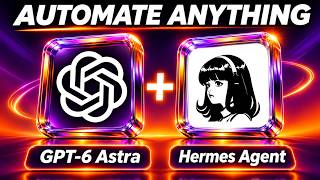
automate everything. Everyone's talking about GPT6 Astra. Almost nobody is using it like this. What if your AI kept working after you closed the tab? Not a working after you closed the tab? Not a chatbot, a real agent, and it all lives
[00:17]
in one place. Today I'm showing you GPT6 Astra plugged into Hermes agent, and we're running both of them inside Agent OS for this whole video. You can use these exact tools inside Agent OS too. Stick around because later I'll show you
[00:32]
a workflow inside Agent OS that runs on a 24-hour schedule. So what is GPT6 Astra? It's OpenAI's newest top model. It came out on September 3rd, 2026, and
[00:44]
it's built for real work. It's really good at computer use. That means things like filling out forms, doing online research, and testing software. It can also handle long, multi-step jobs and make documents, spreadsheets, and slides
[00:59]
that follow your own templates. OpenAI says it scored 72.6% says it scored 72.6% on OS World 2.0, which is a test of how well an AI can use a computer. It's in ChatGPT on the Plus, Pro, Business, and
[01:13]
Enterprise tiers, and it's inside Codex, OpenAI's coding agent. Now, what is Hermes agent? Hermes is an open-source AI agent made by Nous Research. It came out in February 2026.
[01:28]
It runs in your terminal, in a desktop app, and in chat apps like Telegram, WhatsApp, Slack, and Signal. It remembers your past chats, and it can run jobs on a schedule. When it works out how to do something new, it can save
[01:42]
that as a skill, and you can hold it for review before it gets used. It can even spin up separate sub-agents to work on different jobs at the same time. Think of it like this. Hermes is the body, Astra is the brain, and Hermes has a
[01:56]
built-in way to sign in with your ChatGPT account so it can use Astra as its brain. And you're not stuck with one brain. You can run different models side by side, and I'll show you the cleanest way to do that in a second.
[02:09]
So where does agent OS fit in? Agent OS is basically a website for all your AI. It runs on your own computer, on localhost. Hermes is in there, Codex is in there. You can flip to GPT-6 Astra for the heavy jobs. And for simple stuff
[02:24]
like basic content drafts, you can switch to a lighter model. No jumping between five different apps. And because Hermes is open source, you can add your own buttons and tools to agent OS. It's like building your own mini app.
[02:37]
Everything you see in this video runs through agent OS. So how do you connect Astra to Hermes? Once Hermes is installed, run the command Hermes model. Then pick the chat GPT or Codex option. Hermes gives you a code and a link. You
[02:52]
sign in with your chat GPT account, approve it, and pick GPT-6 Astra as your model. That's the connection done. Quick pause before I show you the next part. Inside the AI Profit boardroom, we've got a full 30-day agent OS roadmap, and
[03:08]
you get the full agent OS zip file ready to install. The roadmap takes you step-by-step from getting agent OS running to building your own workflows on top of it. There's also a full one-hour course on
[03:20]
GPT-6, Astra, and Hermes inside. Plus, there are four coaching calls every week. So if you get stuck plugging Astra into Hermes, you can jump on a call and get help live. Members are already using agent OS, and
[03:34]
we've even built a new feature into it because a member asked for it. Link in the description or go to ai profit boardroom.com. Right, a couple of setup tips. If you already use the Codex command
[03:46]
line tool, Hermes can import that login for you. And if you've set things up in Codex, like your agents file, memories, MCP servers, or skills, run Hermes migrate Codex. It shows you what it will bring over and waits for you to say yes
[04:01]
before it imports anything. Also, inside any chat, type slash model to switch models mid-session. Your memory and skills carry over. Now, don't just swap the model on your main agent. Make a new profile. A profile in Hermes is like a
[04:16]
separate agent on the same computer. Each one gets its own model, its own memory, skills, and scheduled jobs, and its own soul file, which holds its personality and instructions. You make one with Hermes profile create. Why
[04:31]
bother? New models drop all the time. Give each one its own profile, and you can switch brains in seconds without mixing anything up. Here's how Julian did it the week Astra came out. He opened Codex, made sure it was set to
[04:43]
Astra, and asked it to switch the model inside Hermes and set up a new profile for GPT-6. That was it. Now that profile shows up inside agent OS as its own Hermes bot with its own routines, its own soul file, and its own agent inbox.
[04:59]
And here's the workflow I promised. Inside agent OS, Julian built a tool called Hermes Oracle. It pulls in the latest trending topics and runs on a 24-hour schedule. Then there's a button to publish to WordPress, and one click
[05:13]
creates four SEO articles for four different websites on that topic. So why use Hermes when you've already got Codex? Codex is a great coding agent, but a few things are different. Hermes is open source under the MIT license, so
[05:28]
you can shape it however you want. With the Codex app, you can't really change how it looks. Chat apps are another difference. Hermes can answer you on Telegram, WhatsApp, Signal, Slack, and more, all through one gateway. OpenAI
[05:42]
doesn't document Telegram, WhatsApp, or Signal access for Codex. Scheduling is another one. In Hermes, you can set up scheduled jobs right from the terminal or from any chat. With Codex, scheduled tasks are managed in chat GPT, on the
[05:57]
web, or in the desktop app. And memory. In Hermes, memory is on by default and loads into every session. In Codex, local memories are off by default. The good news is, don't have to pick one. Hermes has a built-in Codex
[06:12]
skill, so it can hand coding work over to Codex when it needs to. And inside Agent OS, both sit side by side. Three quick tips before we wrap up. First, match the model to the job. Save Astra for the hard stuff, like long multi-step
[06:27]
tasks, research, or anything where it has to use a computer like a person would. Use a lighter model for quick tasks. Second, don't run two agents on the same profile at the same time. The Hermes docs warn that both will write to
[06:41]
memory and their state gets mixed up. One agent, one profile. Third, try bot mode in Hermes desktop. It turns your profiles into a set of named bots, each
[06:53]
with its own chat, role, model, memory, skills, and avatar. So you could have a research bot running on Astra and a writing bot on a lighter model and switch between them in one place. Now, there's a window right now where
[07:06]
most business owners haven't figured this out yet, and that window won't stay open forever. To get ahead on learning Astra, Hermes, and Agent OS, check out the AI Profit Boardroom. You get the full Agent OS zip
[07:20]
file ready to install, plus the 30-day roadmap that goes with it. There are daily tutorials so you can learn new AI tools as they come out. There are four coaching calls every week where you can ask questions and get help live. There's
[07:34]
a prompt library so you never start from a blank page. And there's the member map where you can find people near you building with AI agents, too. Link in the description or go to aiprofitboardroom.com.
[07:46]
If you want the full process, the SOPs, and over 100 AI use cases like this one, join the AI Success Lab. It's our free community. Links in the comments and description. You'll get all the video notes from this episode plus access to
[08:00]
95,900 members. That means you can go back over every step from today, like how to connect Hermes to your ChatGPT account and set up a new profile for Astra without rewinding this video. It's a
[08:13]
great place to ask questions and learn alongside other people. So click the alongside other people. So click the link, jump in, and I'll see you inside.