[00:02]
itself? Not someday, right now. There's an AI that just quietly grabbed the your day, move things around for you, and most people scrolling past it have because this one changes how you use your phone. Hey, if we haven't met
[00:17]
already, I'm the digital avatar of Julian Goldie, CEO of AI SEO and geo agency Goldie Agency. Whilst he's helping clients get more leads and customers, I'm here to help you get the latest AI updates. And today's update is
[00:29]
this AI isn't stuck inside a chat you already use every single day. By the end of this video, I'll show you exactly which apps it can touch, how to switch it on the safe way, and the one thing it
[00:42]
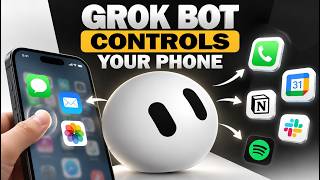
still can't do yet. Let's get into it. So, here's what just dropped. On October So, here's what just dropped. On October 22nd, the official Grokbot account posted that Grokbot can now use your calendar, your reminders, your contacts,
[00:54]
and more apps right on your phone. And it's rolling out now on both iPhone and before, you know it could already chat, answer questions, pull things off the web, but it lived in its own little box. This is different. This update lets it
[01:08]
things on your device. Think about that for a second. Up until now, your AI go and do it for you. That's a huge jump, and it puts Grokbot right up against the assistants you already know, like Siri and Google Assistant. Here's
[01:22]
are going to hear about this weeks from now. You're hearing it today, and the early are the ones who get comfortable with them before everyone else even starts. That head start is the whole thing. But before I break down every app
[01:36]
and I really want you to get why this feels so different because it's easy to scroll past and think it's just another small update. It's not. For a long time, your AI assistant could only talk. It could give you the steps, but you still
[01:49]
yourself. You were still doing all the work. This flips that. Now, it can reach into your actual apps and handle those steps for you. You ask, it does. That's the real leap here, and it's what moves an AI from a helper you chat with to an
[02:03]
assistant that actually acts. Once you see it that way, this whole update makes a lot more sense. So, let's walk through exactly what it can get into. Based on the announcement, there are six things on your phone it can connect to. First,
[02:15]
your calendar. It can see your day and add events. So, instead of tapping just tell it what you need, and it slots it in for you. Second, reminders. It can set reminders and check them. So, if you want a nudge later, you could ask once
[02:29]
and move on with your day. Third, contacts. It can find people and add new number and you don't want to stop what you're doing. Fourth, messages. It can read and send messages. So, you could have it fire off a quick text without
[02:43]
opening the app yourself. Fifth, location. It can find places near you. without typing a single thing. And sixth, the Home app. This one's wild. It can control your smart home. So, lights, locks, that kind of thing. You could ask
[02:56]
door, and it just handles it. Let me pause for one quick second. Quick pause want to actually get your hands on tools like this one instead of just watching from the sidelines, that's exactly why we built the AI Profit Boardroom.
[03:11]
roadmaps that walk you through new AI tools like this one so you're never figuring it out alone. And we run four live coaching calls every single week stuck on and get unstuck on the exact thing you're working on. So, when a tool
[03:24]
like this drops, you know how to use it fast. Link in the description or go to airprofitboardroom.com. Okay, back to it. Now, I know what some lot of access to hand over, and you're right to think about it. Here's the good
[03:37]
news. You are in full control of every bit of this. The way it works is simple. Each app has its own allow button. Nothing turns on by itself. Nothing gets touched until you tap allow for that specific app. So, if you're happy
[03:49]
letting it handle your reminders, but you don't want it anywhere near your messages, you can do exactly that. You pick and choose one app at a time. back any permission through your phone settings. So, it's never all or nothing.
[04:03]
It's your call every single step. Now, remember that one thing I said it still can't do? Here it is. Right now, it does not work with iMessage. So, those texts are off-limits for the moment. It handles messages, just not that part
[04:15]
coming to Mac, either. For now, this is a phone thing, iPhone and Android only. working? It's quick. First, update your Grok Bot app to the latest version. If you skip that, you won't even see the new stuff. Then, when you ask it to do
[04:30]
something with one of these apps, it pops up and asks for permission. You just choose which app to connect and tap allow. That's really it. And like I or remove those permissions in your settings whenever you want. Now, here's
[04:43]
This isn't a one-off. This is part of a much bigger push that's been moving really fast. Just the day before this dropped, Grok Bot was shown handling direct messages on X and even working as the default assistant on Android phones.
[04:57]
And it's been showing up in Tesla cars, too, handling multi-step tasks for you. So, what you're watching is an AI assistant quietly spreading into more going head-to-head with the big names. Apple is building out Siri. Google is
[05:10]
wiring Gemini deeper into Android. Everyone is racing to own the assistant move in that race. And here's something worth sitting with for a second. For years, the assistant on your phone could really only handle the basics. Set a
[05:23]
weather. But, the moment you ask for anything a little more involved, it kind yourself. This is a different kind of tool. It's built to take what you say, across your apps without you standing over it the whole time.
[05:39]
And that changes how you talk to your phone. Instead of tapping through menu in plain words. See my day. Remind me later. Add this person. It handles the to feel a bit strange at first. And then, really fast, it's going to feel
[05:53]
completely normal. That's usually how these things go. The stuff that feels futuristic today is the stuff everyone's using without a second thought a few months from now. So, the sooner you start getting a feel for how it listens
[06:05]
shift is going to be for you when it's everywhere. My honest take, this is genuinely useful, but go in with your eyes open. Start small. Turn on one app, calendar, and get a feel for how it behaves before you hand over anything
[06:21]
bigger. Learn the tool before you fully trust it with everything. That's always the smart way in with anything new like this because the people who get good at these tools early, while they're still fresh, are the ones who barely blink
[06:33]
trust me, the next one is never far away. And speaking of staying ahead, window. Most people haven't figured this stuff out yet, but that window won't learning these tools, the further ahead of the curve you get. That's the whole
[06:49]
point of the AI Profit Boardroom. Inside, you get daily tutorials that break down new tools like this one. You get four live coaching calls every week to get your questions answered. You get a full prompt library you can pull from
[07:01]
so you can connect with others learning the exact same things. Everything you need to keep up. Link in the description or go to aiprofitboardroom.com. And if you want the full process, the SOPs, and over 100 AI use cases like
[07:15]
this one, join the AI Success Lab. It's our free community. Links in the comments and description. You'll get all the video notes from this episode, plus access to 93,700 members. Here's what that means for you.
[07:28]
The AI Success Lab is completely free to join. The second you're in, you get the notes from this exact episode. So, every app, every permission, every step I just walked you through is right there to go back to anytime. No scribbling things
[07:40]
for you. And you'll be learning right alongside tens of thousands of people figuring out these same tools right now. So, come join us. It's free. It's growing fast, and it's the easiest first step you can take. I'll see you inside.