
AI Videos = 1.9M Views? Monetize Them!
45sHigh-view AI video example sparks curiosity about monetization, a hot topic.
▶ Play Clip"Delivers on its promise of a simple strategy, but the 'passive income' claim is a stretch when it requires daily posting and constant promotion."
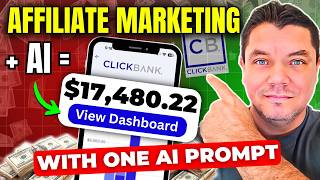
This video presents a step-by-step strategy for making money online by combining ClickBank affiliate marketing with AI-generated video content. The creator, Alan, demonstrates how to find profitable products, use AI tools like ChatGPT and InVideo AI to create promotional videos, and build an email list to maximize earnings. The approach is positioned as a way to generate passive income without showing your face on camera.
Use ChatGPT to identify top-converting niches for the year, such as health and fitness, make money online, and home and garden.
Select a product on ClickBank with a high Gravity Score (20-30+) and good average conversion per sale. The example used is Ted's Woodworking with a gravity score of 117 and $53.71 average conversion.
Use ChatGPT to generate a detailed prompt for InVideo AI, which then creates a promotional video. The video can be edited within the platform, and the free version includes a watermark.
Upload the AI-generated videos to social media platforms like TikTok, Instagram, and YouTube Shorts. Place your affiliate link in your bio to drive traffic.
Create a free opt-in page using Kit.com (formerly ConvertKit) to collect email addresses. Redirect users to the affiliate offer after they subscribe, building an email list for future promotions.
This video provides a practical, step-by-step guide to combining AI video generation with affiliate marketing. While the core strategy is sound, its success depends on consistent effort and effective promotion, making it less 'passive' than advertised.
What does the 'Gravity Score' on ClickBank indicate?
A metric on ClickBank that indicates how well a product is converting and how many affiliates are actively promoting it. A higher score suggests a more proven product.
03:17
What is the name of the example product used in the video?
Ted's Woodworking
03:04
Why does the creator recommend using an opt-in page instead of a direct affiliate link?
To create a landing page that collects email addresses before redirecting users to the affiliate offer, building an email list for future promotions.
15:26
What free tool is recommended for creating opt-in pages and collecting leads?
Kit.com (formerly ConvertKit)
16:22
What is the minimum recommended gravity score for a product to be worth promoting?
A gravity score of at least 20 to 30.
04:14
How do you create a promotional video using InVideo AI?
By using a prompt generated by ChatGPT and inputting it into InVideo AI.
07:18
Monetizing AI Video Trend
Identifies a current trend (AI videos) and provides a direct monetization strategy, which is the core value proposition of the video.
00:13Gravity Score as a Success Metric
Provides a specific, data-driven metric (Gravity Score) for evaluating product viability, moving beyond guesswork.
03:17Using ChatGPT to Generate Video Prompts
Shows a practical application of one AI tool (ChatGPT) to enhance another (InVideo), a key efficiency hack for content creators.
07:18Email List as the Ultimate Asset
Emphasizes the importance of building an email list over relying on social media algorithms, a fundamental principle of sustainable online marketing.
15:26[00:00] Hey everyone on this video today I want to show you a really simple strategy on how I use Clickbank, Affiliate Marketing and AI and how I do this to make passive income. At the moment
[00:13] we are seeing a huge explosion of AI videos hitting social media platforms. Videos like this one over here that has had 1.9 million views. Now this is all well and good and the videos are
[00:29] amazing but how do you monetize these videos so that you can make money with Clickbank and affiliate marketing the best part is creating these AI videos you don't need to show your face and you only need a simple prompt to create
[00:44] these videos and promote Clickbank products which is exactly what I'm going to show you how to do on this video let's get into it the step one in this strategy is finding the highest converting Clickbank
[00:59] products. So come over to chat.gpt and ask the top 10 highest converting ClickBank niches for 2025. As you scroll down, you're going to find here that health and fitness is obviously number one. It's
[01:11] an amazing niche that you can get into. And guys, trust me when I say things are not saturated. You just need to find an angle to promote your products, which is exactly what I'm going to show you on this video. Number two is the make money online e-business and e-marketing niche.
[01:25] account, another really great niche. Number three is home and garden craft and hobbies. This is an amazing niche guys because there are so many people that are into this stuff, looking for different things on how they're going to spend their weekend. Then you've got spirituality, you've got self
[01:40] self-help and development, another amazing niche and as you scroll down guys you're going to find a range of different types of niches, parenting and families, education languages etc. You've got green products and sustainability. So what you want to do is find a niche that you potentially
[01:54] had some interest in or any one of these is going to do remarkably well. What I'm going to do on these videos will do something a little bit different. Let's go with home and garden crafts and hobbies.
[02:08] So what we're going to do now is we're going to come straight over to ClickBank and what you want to do when you're on ClickBank is just sign up for a free account. Once you've done that, it's going to bring you over to their marketplace.
[02:20] So just click onto marketplace. Now on the left hand side over here you can see it says all. So here are all the categories and this is where you're going to find all those niches. Now for us as you saw for home and garden you want to go to crafts and hobbies and as
[02:37] you can see under here it's even giving you sub niches. So you've got woodworking, pez woodworking, gardening, DIY crafts and it also tells you why this works for. So these are the products that we want to find.
[02:50] So as we come back over to ClickBank, you want to scroll down and you want to hover over Home and Garden and then just go to Crafts and Hobbies. Once you click onto that, you're going to be able to find some of the products that were suggested on ChatGPT.
[03:04] So as you scroll down, you can see Crafts and Hobbies and the first one over here is Ted's Woodworking. Now, why is this product a good product to promote? Well, you can see here, firstly, it's the Gravity Score. It's 117.
[03:17] 117. What that means is that this product is converting and there are still people promoting it. Even though this product has been out for a very long time, it is a product that does extremely well
[03:29] because people want the plans to use to be able to create these different types of crafts, tables, chairs, etc. All this sort of woodworking stuff, okay? So as you can see here, the average conversion per sale is $53.71.
[03:44] So average the amount of money that people are making per customer is $53.71. And if you're getting a lot of views, and I'm going to show you how to find and fix these views plus an additional way that I'm making money utilizing email marketing, I'll
[04:02] show you how you can take advantage of that later on in this video. So stay tuned for that. As you scroll down, you can take a look at some of the other products as well. You can see that do extremely well as well. You can see there's some really good gravity scores as well.
[04:14] as we scroll down. So you want to look for something that has a gravity score of at least 20 to 30 and above. Ted Woodworking does extremely well. In order to promote Ted Woodworking,
[04:26] what you would need to do is click on to promote, and then you would need to get this hop link. So you'd need to enter in your affiliate ID on ClickBank. And once you enter in your affiliate nickname,
[04:39] all you need to do is click on to continue, scroll down, And now this is the hot link that you want to be using when you go to promote this product. But you don't just want to take this hot link and put it inside your social media profiles.
[04:53] You want to shorten this link or even better, create an opt-in page, which we're going to talk about later on in this video. So what you want to do now is you just want to copy this, and I'm going to show you what we're going to do with this later on in the video.
[05:07] Now, before we get into step two, and I'll show you the software that we're going to be using to create these AI videos, If you're brand new to my channel, Smart Money Tactics, my name's Alan. Welcome to the family. All I ask that you do is that you go down the bottom and you subscribe to the channel
[05:21] because I've got some more awesome content coming your way. My goal is to do everything I can in my power to help you make money online with affiliate marketing, digital marketing, and different types of strategies. And if you end up getting enjoyment and anything out of this video, make sure that you hit
[05:35] that like button in appreciation. Let's keep going with the video. Now in step two I going to show you how to use chat GPT and InVideo AI to create stunning promotional videos for ClickBank products like Tez Woodworking Guys InVideo AI is an amazing AI software that can create amazing promotional videos for you with one simple prompt And I going to show you how
[06:04] to generate these prompts using ChatGPT. InVideo AI also has its own inbuilt tool where you can put different types of commands in to create these videos, but I found that it's
[06:18] little bit easier with cat GPT because it can do a lot more research for you. Now as you scroll down you can see guys that you can create a variety of different types of videos depending on what
[06:31] style of video you want to go with. You can see that there's different types of cat videos and you're probably thinking why cat videos? Well let me show you. I came over to TikTok and I found this video of a cat in a woodworking type of environment creating different types of tables
[06:48] and chairs etc using woodworking plants so these are the different style of videos that you can literally start making utilizing in video the first thing that we need to do is obviously come
[07:01] over to in video and sign up for a free account i'm going to have a link in my description that you can sign up to from there once you've signed up to in video it's going to bring you over to a page that looks like this and this is where we need to give in video a prompt to create these
[07:18] videos for us. Let me show you some of the prompts that I've utilized to create a few videos so you can see how amazing this looks. So I came over to chat GPT and I just asked this, I want to create
[07:34] a promotional prompt to give to NVIDIA AI to create a 30 second video on a Clickbank product called Tez Woodworking. Can you give me some ideas that would be best for this type of product
[07:47] and the type of prompt I would need to use on InVideo to create these videos. And as you can see, ChatGPT has given me a few different types of styles. So all you need to do is come over here and grab one of these prompts.
[08:03] Let's just say we wanted to run with this prompt. Guys, all I need to do is copy this. Then we'll need to come straight back over to InVideo and paste that prompt in there. From there, all you need to do is click on to generate a video.
[08:19] What NVIDIA AI is now going to do is it's going to analyze the instructions that we've given it, and it's going to ask us the type of video that we want. And I'll show you what that looks like in a second. On top of that, once it creates this video, we still have options to edit this.
[08:36] But the version that it gives us initially is still absolutely amazing. Then from there, I'm going to show you how we're going to promote that product and potentially 5 and 6x our views, which is going to give us the potential to get more sales.
[08:51] Okay. So now what NVIDIA is going to do is it's going to ask you what type of audience this video is for. So you can leave it for DIY enthusiasts.
[09:05] It's going to ask you for the look and feel, so you can do bright, clean, inspirational. And then you can see you can select YouTube Shorts, Instagram. These two don't really matter too much, okay guys? As long as it's a short or a real,
[09:17] it will be in the exact same size that you need it to be. Over here you've got Generative Media, okay? Now this is if you subscribe to the paid plan on InVideo.
[09:29] Once you go down the bottom, click onto the link in my description, you can go to pricing and take a look at that. When you look at Generative Media, it's just going to make the videos look absolutely amazing and I'm gonna show you that in a second. in a second. From there, what you want to do is you want to click on to continue. Once you do that,
[09:46] NVIDIA is going to go into the think tank and create this video for us. And just like that, within a few minutes, NVIDIA AI has gone and created this video for us. I'm going to play this video to show you exactly what this looks like and sounds like. Guys, it is absolutely
[10:02] amazing. Take a look at this. Ever felt lost in a sea of sawdust and confusion? With Ted's woodworking chaos transforms into craft 16,000 easy to follow plans perfect for
[10:14] beginners from messy workbench to masterpiece in a weekend Ted's woodworking download now and start your transformation but as you can see that
[10:27] video looks absolutely amazing this is more of a promotional style video meaning that this is purely promoting the product Ted's woodworking the plans, etc. And these videos will get views, guys. Trust me when I say this, if you're
[10:43] posting consistently one video every single day or one video every two days, and especially when I show you how to five and six X's, you will get views, you will get clicks as well, and you're going to get leads, and I'll show you how to collect those leads and promote
[10:58] this in one more way as well. So now what I want to do very, very quickly is just show you how you could potentially edit these videos with NVIDIA AIO. But as you saw, these videos are amazing and there's very little work that you need to
[11:13] do. But if you wanted to change anything guys, all you need to do is come over here, you can give NVIDIA AI very simple instruction if you wanted to change any of the things. If you wanted to change the voiceover style, for example, if you wanted to use a different
[11:25] accent, all you need to do is type that in here and click on to generate and NVIDIA AIO will do that for you. The other thing you can do is you can click on to edit up here, you can see you've got media, music, script and settings. If you wanted to change any
[11:38] of the media you absolutely could but as you saw it looks absolutely amazing. If you wanted to change the music you could upload your own or look for the stock music that it has You can play around with the script guys very easy to click onto this and change the script and the voiceover will match anything that you change Then over here you
[11:56] got settings guys, any types of overlays or how loud you want the music etc. So very very simple stuff but a lot of the time the video that this creates will be the video that you can use. Now
[12:08] all you need to do guys is you need to download this video. So quite simply just come over here, Click on to download now again. I'm going to select my watermarks. I've got the paid version for this obviously for yourself If you don't have the paid version guys, you will have a watermark
[12:23] But like I said the link is in my description if you wanted to get the paid version you absolutely can so quite simply Come down here guys select what you want and then click on to continue and as you can see now this video is going to
[12:35] Download onto my computer Now in step three, what I want to do is show you how to 5x your views. More views equals more leads, which potentially equals more sales.
[12:50] At least that's what I find in my business. Very simple math, right? So what you want to do once this video has downloaded is now you want to start uploading these videos onto your own social media platforms.
[13:03] And the social media platforms that I recommend that you obviously start with are platforms like Instagram, TikTok. As you can see with TikTok, there's a whole bunch of AI videos and woodworking videos that people are putting up.
[13:16] Then you've obviously got platforms like Pinterest, Facebook. You can also do Facebook. I found this video of you, as you can see, of people putting up very, very simple AI videos. obviously yours are going to be promotional to a product which is going
[13:30] to allow you to make money with affiliate marketing not just ad revenue as an example the other platform you can obviously do this guys is with a YouTube and YouTube shorts putting up these videos now with YouTube obviously what
[13:46] you're going to need to do when you create one of these accounts is you're going to have to have your link inside the bio of your YouTube account. So what you would need to do, for example, is to say you want to start with Instagram,
[13:59] you would need to create yourself an Instagram profile, and you would need to place your link inside the bio, just like I have done with my Instagram account. The exact same thing I've done with my TikTok account.
[14:12] So if I come over to my profile on my TikTok account, you can see that I have my link over here inside my bio now with tiktok if you want to add this link prior to getting a thousand followers
[14:26] you need to create a business account on tiktok okay with instagram you don't need a certain amount of followers you can very easily place that link in here pinterest as well guys you don't need
[14:38] to have a certain amount of followers on facebook as well you don't need to have a certain amount of followers and also with youtube guys and you can see that these videos i mean this video over had 12 million views this one of you had 32 million views this one of you had 47 million
[14:53] views okay and if you create a video that's more promotional you don't need anywhere near that many views to get clicks and leads with your affiliate marketing offers okay so these are
[15:06] the different types of platforms that i would be using now keep watching this video because i'm going to show you where you can go to learn how to create all these accounts and put all this together Now in step four, what I want to do is show you what I do with my links and how I create
[15:26] opt-in pages. You see, you don't just want to go over to platforms like Instagram and put in that raw link. It's not going to look great and a lot of these platforms want you to have an opt-in
[15:38] page or a landing page, what they call a bridge page, to give people information about the the product and give them the choice as to whether or not they want to see that offer. But what you can do from there is you can also tell them that you're going to collect
[15:51] their email and then send them over to the offer. And then what you can do is that you can then go and also email them additional products or even the same product to give them more information about it to give them an informed
[16:04] decision whether or not they want to go ahead and purchase or get that product. Okay, so that's exactly what I do with my social media accounts. So in order to create an opt-in page or a landing page or a bridge page, you can use a site called kit.com.
[16:22] Okay, it used to be called ConvertKit. Okay, you can just go over to kit.com and you're going to find this. This not only allows you to create these very, very simple opt-in pages, also allows you to collect leads. And the reason why I'm telling you to start with kit is because it's absolutely free for the first 10,000 followers.
[16:41] Okay, I mean, that's not bad. When I say followers, I'm talking about leads, okay? So if I click onto pricing over here, take a look at this, guys. If we scroll down, you can see that it's $0 a month up to 10,000 subscribers or 10,000 leads that you get on a kid account.
[16:56] When you scroll down, this is what I love about it. You can see that up to 10,000 follow lead subscribers. You get unlimited landing pages, okay? So you can create multiple landing pages. You get unlimited opt-in forms, unlimited email broadcasts, which means you can email.
[17:12] these people. Now, if you've got 10,000 subscribers on your kit, guys, you could be emailing them a variety of different types of products in these, in whatever niche that you're in, potentially making yourself even more sales. So as you scroll down, you can see that you
[17:26] can also sell digital products on here, okay? So you can absolutely do that, okay? And I've got 24-7 support. So if I go over to my kit account, okay, you can see that I've gone
[17:38] over to create one of these landing pages. All you need to do guys is click on to this It going to give you a range of templates So as you scroll down just find one that you like or that resonates or you like the look
[17:55] and feel of it. So I'm just going to select this one over here, you can preview it. So once you click onto preview it's going to show you what this looks like. So you can just click onto choose over here if you want to run with this one. What this is going to do is it's now going to take us over to the editing side.
[18:10] Now this is where you can change these logos, you can very easily change all this text, you can write something like cookie or enter in your details to get Ted's woodworking, okay guys? So this is where they'll enter in their email address, they'll enter in the information,
[18:25] you can delete all this, it's very, very simple, it's all drag and drop, touch and feel guys, so you can delete all this, okay, if you don't want this, or you can put a little bit more information about Ted's woodworking, I'm going to show you in a second where you can get to get all the information for this, on how to set all this up guys.
[18:39] Now over here as you can see, you've got this subscribe section, okay, so this is where people will click onto to get access to that, you can very simply just change this and just write something like click here for access or click here to get Ted Woodworking, okay, and then all you need to do guys up top is click onto settings.
[19:00] Now this is really, really important. I want you to pay close attention to this. This is where if you go to incentive, okay, you've got this URL section. If you come straight back over to that product on ClickBank
[19:13] and you grab that link, so this is the link that's going to take people to that product. So once they enter in the name and the email address, it's going to redirect to that Ted Woods working product, okay?
[19:25] So this is where you would paste that, okay? So once they enter in the information, this is where you want to put this so redirect into that then click on to save so once you've completed this this is now going to allow you to collect leads okay and have your own ui roll okay
[19:42] so from there all you need to do is come up to the top if you click on to share you can see this is now the link that i'm going to be using to put inside my social media platform now when you
[19:55] create your own kit account what you want to do is use the name that associates to your social media account so whatever you create your Instagram account your TikTok account your YouTube shorts account make sure that you use
[20:09] that on kit so you don't have to use your full name like I've got here okay so all you need to do is copy that and this is what you're going to be using inside as a buyer of your videos
[20:21] Now in step five guys, this is a really important step. This is how you're going to put all of this together. And this involves getting a free training that can show you how to do all this.
[20:33] How to do the email marketing, how to do the content creation with various different ways. Whether you want to use AI, whether you want to show your face or don't want to show your face. It's completely up to you. There's even strategies of how you can reuse videos legally and ethically.
[20:48] So in order to get my free training guys. When I say my free training, this is a free training that has over 80 videos. You can get right now the entire course absolutely for free. We teach you everything from niche, research, equipment and software, video creation, how to use AI tools, how to link everything, how to do it on YouTube Shorts, Instagram, Facebook and TikTok.
[21:11] It's very easy then to double down and go over and do this on Pinterest. We also teach you how to do all these with email marketing, business growth and affiliate marketing. There's a lot in there about digital marketing as well.
[21:24] Like I said, you can get this course right now absolutely for free. In order to do that, all you need to do is go down the bottom in the description of this video is click on to SmartVideoTactics.com. You're also going to get two free guides absolutely for free.
[21:40] One of them is an Instagram domination guide. one is an affiliate marketing guide that I'm going to send you absolutely for free. Enter in your details, click on to get instant access. Once you do that, it's going to bring you over to a page that looks like this and as
[21:53] you can see, what you want to do here is you want to watch this video. This is going to show you exactly what we do inside our business every single day to drive organic views and traffic leads on multiple social media platforms, guys.
[22:09] And today, you can get that on $0 with a 7-day free trial. Like I said, this is for a limited time only. Click here to get the instant $0 access today.
[22:21] On top of that, what you're going to get once you sign up to this, guys, is you're going to get instant access to our private Facebook group where you will have access to myself and another 7-figure marketer
[22:33] and 2,800 like-minded people that have come over here and signed up to this where they ask us questions every single day. You can see here they post different types of videos, content that they're putting up, how they're going with the course,
[22:46] what they're up to, and we give them advice every single day. So if you want to be part of this community and you want to get this course today to learn how to put all this together, go down the bottom right now and click onto smartvideotactics.com
[22:59] and sign up for this free course today. So that was my video for today, guys, on how to use ClickBank and AI to make money online. If you enjoyed it, don't forget to smash that like button in appreciation.
[23:11] Subscribe to the channel because I've got some more awesome content coming your way. But don't go anywhere. If you want to know another amazing way that you can literally do a lot of this stuff without actually creating any of the videos,
[23:24] you don't have to do anything with AI, just simply clip other people's videos and put them up onto social media and literally get paid for it, then what you need to do right now is click onto this video of you and watch this video. I made this video the other day.
[23:37] It's absolutely amazing. I'll see you on that video. Until next time, you guys take care of yourselves and goodbye.
⚡ Saved you 0h 23m reading this? Transcribe any YouTube video for free — no signup needed.