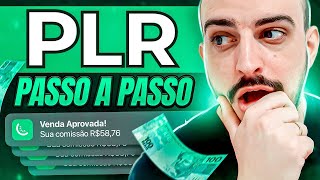

What is PLR? Make Money Explained
45sClear, beginner-friendly definition of PLR hooks viewers new to the concept, promising easy money without creating products from scratch.
▶ Play Clip"The title accurately promises an explanation of PLR and how to make money, and the video delivers a step-by-step guide."
PLR (Private Label Rights) allows you to buy the rights to a digital product and sell it as your own, earning 100% of the profit without creating anything from scratch. This video explains how to find, customize, and sell PLR products online, using platforms like Canva and Triwa (a Brazilian sales platform). It also covers pricing strategies and organic traffic methods like Pinterest.
PLR stands for Private Label Rights. It means buying the rights to a digital product (e-book, video, etc.) and selling it as your own, without needing to give credit to the original creator.
You don't need to create anything from scratch. You can take a ready-made, validated product, modify it, and sell it as yours, keeping 100% of the commission.
Search Google with 'PLR' plus a niche (e.g., 'PLR weight loss') to find websites selling PLR products. These are often in English and cost a few dollars.
To save time, buy PLR packs that are already translated into Portuguese. The creator recommends a pack with over 500 translated PLRs for a low price.
Use Canva (free design tool) to create an e-book cover and layout. Add the PLR content to make a unique product.
Triwa is a Brazilian platform to host and sell digital products. It handles payments and delivery automatically, charging a fee per sale.
For e-books, set a low price (R$19.90 to R$29.90) to encourage sales. Example: at R$19.90, you earn about R$15 per sale after fees.
In Triwa, add a module with the product file (PDF). Customers access it after purchase via a download link.
Use Pinterest organically to drive free traffic to your sales page. Create pins with images or videos linking to your product.
PLR is a viable way to start selling digital products online with minimal upfront work. Focus on one product, use low pricing, and leverage free traffic sources like Pinterest to generate sales.
What does PLR stand for?
Private Label Rights.
00:01
What is the main advantage of using PLR?
You don't need to create anything from scratch; you can buy ready-made products and sell them as your own.
02:02
How can you find PLR products?
Search Google with 'PLR' plus a niche (e.g., 'PLR weight loss').
03:48
What tool is recommended for customizing PLR e-books?
Canva.
07:02
What is the recommended price range for an e-book PLR product?
R$19.90 to R$29.90.
15:47
How much does the creator earn per sale of a R$19.90 product after fees?
Approximately R$15.
16:12
What platform is used to host and sell digital products in this video?
Triwa.
10:40
What free traffic source is recommended for marketing PLR products?
Pinterest.
24:25
What is the first step after creating a product on Triwa?
Copy the product link from the 'links' tab.
21:15
PLR Advantage
Explains the core benefit: no need to create from scratch, just modify and sell.
02:02Translated PLR Packs
Saves time by providing ready-to-use content in Portuguese.
05:41Pricing Strategy
Advises low pricing for e-books to increase sales and reduce refunds.
15:47Pinterest Marketing
Offers a free, organic way to drive traffic and sales.
24:25[00:01] for how to make money online, you've probably come across a video or page that talked about PLR. But what exactly is this PLR thing? Is it a website to earn money, or an app to earn some
[00:14] extra income? In this video, I'm going to explain how PLR works, what PLR is, and how you can start earning money using PLR today. Okay guys, in this video I want to go through everything step by step so that you
[00:29] leave this video literally understanding everything about PLR, whether it's an ideal business model for you or not. But before we begin, I want to introduce myself. If you're new here, I've landed here by chance. My name is William
[00:41] Martinelli, I've been working online since 2019 making sales every day. If you like this type of content about making money online, digital marketing, sales, and strategies, I invite you to subscribe to the channel. There are many
[00:53] interest to you, and to not miss any news from the channel, activate notifications. Okay, let's go. What is PLR? It's an acronym in English that basically means Private Label Rights, right? If we were to translate it, it
[01:07] understand it a little more simply, it's basically buying the rights to a brand to use and sell it as if it were your own, without you having to have
[01:21] own a pen brand. I created it, I took the time to create it, I even built a pen sales company for this brand. I'll basically charge a certain amount; you'll buy the rights to
[01:35] this brand and you'll sell this pen as if the whole company were yours. That's basically what pen as if the whole company were yours. That's basically what you'll see PLR is basically buying a digital product that
[01:48] made money with it. You'll basically buy that product and be able to sell it online as if it were yours, and in fact it will be yours, right? You 'll be able to sell it and earn 100% of the commission margin without having to give
[02:02] copyright to other people. You'll buy the copyright of that product and be able to sell it as if it were yours. And what's the advantage of that? The advantage is that you don't need to create absolutely anything from scratch; you already have the rights. You can take something
[02:14] ready-made, something validated, ready to go. You can perhaps just modify it, transform it, make it a little better, improve the look of the product, and you can sell it as if it were yours. You don't need to give credit to anyone. You
[02:28] the right to that PLR, that product, that product is yours. So you're not going to sell a PLR. You're going to sell a product, whether it's an e-book or a video, the format doesn't matter. A PLR is basically an action you take to buy the
[02:43] as if it were yours. So you don't sell a PLR; you acquire a product and have the it were yours. I'm being redundant so you understand. Many
[02:56] people sell it as if PLR were the solution to problems or as if it were easier to sell. In reality, you're just shortening your path, but to make money, you need to sell the product you bought. It's the
[03:09] right to resell, the right to use, to sell as if it were yours. So, just to be clear, PLR is only an employment contract; you're only buying the final product, the product the person will receive. But for that... You need to
[03:23] set up the product on the platform, you need to create an offer for that product, you need to do all the marketing work so that you can effectively make sales every day. And in this video, I want to
[03:35] explain how you can find PLR, how you can upload to the platform, sales page, and what are the fastest resources you can use so you can start in this market already as a producer receiving 100%
[03:48] commission. Or here on my computer screen, we have how most people basically go to find PLR. They basically access Google, type "PLRs"
[04:02] in English, and here in front of it is the niche. Oh, so look, it's weight loss, relationships, money, about anything, fitness, digital marketing, ketogenic diet in English, anxiety, and making babies sleep. This is what Google is
[04:17] suggesting to me, based on people's searches. So let's suppose I want to create a relationship PLR, so I'll click here, and here I'll see some ads, and here I can see websites that sell these PLRs in English, meaning you
[04:31] can buy these PLRs here for a few dollars. You can see... $37, $27 in PLRs that are much cheaper, okay? PLRs that cost
[04:43] $105, and you can buy these PLRs here, download them, and once you download them, they 'll all be in English. You need to translate this product, and by translating this product, you'll be able to actually build
[04:57] a product there. So, William, the PLR doesn't come ready-made; the content part, in this case, is in English. You would have to translate it into Portuguese, right? And bring in the national context here in Brazil because maybe the context
[05:11] within this PLR is in accordance with the culture of another country, and you need to, in a way, adapt this product to our Brazil. That way, you can sell the product itself. The content part, which is the most
[05:26] be ready; you just need to translate and contextualize it here for Brazil and using Canva, or if it's a video, you create your own videos. There's a much simpler way to do this, and that's by buying products that
[05:41] people have already translated. So, there are packs out there... PLRs that are commercially available— I'll even leave one here in the description to make it easier for you—it's one I really like, that I use a lot. It has a lot of experience, it has various
[05:54] niches, and you can choose from it. Most of them are already translated, So you just need to take the content and transform it into a product for yourself. So PLR is just the content you'll take to
[06:08] transform into your product. Some PLRs even come ready-made, ready for you to use, with a cover, a table of contents, absolutely everything, and even some PLRs with sales pages. And inside this pack there's a lot of stuff,
[06:21] that you can find there. You can click here on the link in the description to see more. That's how much PLR you can buy for a very cheap price. If you're not careful, you'd pay the same price as you'd buy a PLR
[06:36] abroad. And it's costing 27 dollars, which if you convert that to more than 100 reais. In this pack here you don't even pay R$ [Brazilian Real]. 50 will have access to more than 500, more than a thousand translated PLRs there. Okay, after you've
[06:49] found your PLR, you've already acquired it, you already have the niche you're going to work in. Now it's time to create the PLR. If you've already found a upload to the platform to sell, skip this part, just save this part,
[07:02] register soon. If you still need to adjust some things, you can open the website que eu não vou.com, which is a free design creation tool, and here you can also create
[07:15] a product in e-book format. There's a specific e-book format, and then with the content of the PLR you bought, you'll add this content here in Canva. Okay, I'm not going to do this whole step-by-step process, which is a little
[07:28] time-consuming, because I already have a video on the channel teaching step-by-step how to create an e-book in Canva. I'll leave the link above for you to go there after watching this video to see the whole step-by-step process.
[07:40] I even mention there which niche it was, one of my first products generated over R$ I didn't appear, I didn't put my and it's still selling today. Okay, so I'm not going to teach you how to create it in this
[07:53] video, but later you can go watch this other video that shows step-by-step how to create everything correctly. And then, with the PLR content plus this other video you'll combine it all, create a product with an incredible layout, completely different
[08:06] from the market, and you'll be able to build your product—a unique product that your client will receive, it will be very well structured, and they will keep that consume it, they will apply everything you teach inside your product, your
[08:20] e-book, and they will get results. So, this website here, canva.com, is worth mentioning because you will use it a lot in your work journey for things. It's very important; I use it a lot in my business, and it will
[08:34] also help you create your own things in your business after you already have your product. Okay, so you bought the PLR, you had the rights to the PLR content, you transformed it into a product, right? Whether it's a book or a video. If it's a
[08:48] video, then you'll have to think: Will you appear on camera or will you produce These are video lessons, as you can see here on the screen, several video lessons that you online course from the content of a PLR that you acquired. Okay, I've already done
[09:04] very well, it's very successful. I even prefer to sell video products nowadays, sequential step-by-step video lessons, rather than selling what you'd probably say is an e-book. But if that's what's within your reach, an e-book starts with the e-book,
[09:18] then you grow more and more, improving your product more and more customer experience. So, to register the product on the platform, I explain for those who are starting from absolute zero here in this video, we sold the
[09:34] product. Initially, we need the product, right? So we built it there, right? You'll learn in the next video that you're going to watch. We'll create the... The product inside Canva is taking the PLR content that you're going to buy.
[09:46] If you use the pack that's in the description for several PLR products, in some cases you won't even need to create anything; it will already be platform. So you'll already have the product ready, and the next step is to
[10:00] register it on a platform so that the customer receives this product. You won't have to customer, nor will they have to make a payment transfer to you. You'll register the product on the platform, this platform will generate a
[10:13] link for you, and this link is the link you'll use for marketing. Then people will access this link, they'll make the purchase, and the platform will automatically send the money to the customer, take
[10:26] the money, and transfer it to your account here on the platform. your bank account. So you'll access the Triwa link that I'll leave below; it's one of the platforms I'm using most
[10:40] at the moment. There are others, but this one is very simple and fast. You'll in the description. Click here to register this link, you'll go straight to this screen. You'll enter your email,
[10:52] repeat it, and create a password. You'll check the box below and create your account. So here I 'll enter my email, repeat it, and create a password. Choose a password you'll remember
[11:04] so you don't have future problems accessing your account, especially this account. I'll click on create account, and now it will ask if you want to sell products or if you need help with a product you bought. Leave
[11:17] the first option checked and click continue. Here you can enter your monthly revenue from digital products. If you're not yet generating revenue, then you can start by clicking continue. It will ask for your WhatsApp and your
[11:29] Instagram profile if you have one. I'll skip this part here. Okay, here we've reached the stage of creating your product. If you click on create product, this screen will appear, but I'll close it because a yellow field will open up above
[11:42] that we need to complete. So you have to do that. Don't do anything beforehand except click up here and complete. Here's your registration information, where we should send your withdrawals. Oh, if you're a company and have a
[11:55] CNPJ (Brazilian company tax ID), leave the CNPJ here. If you don't have a CNPJ, check the box below and click continue. Here you'll fill in your information: full name, CPF (Brazilian individual tax ID), date of birth, mother's name, and click continue. And then you'll complete this
[12:10] registration. Then, to put your information here, you can register, maybe you 'll fill in these steps and click continue and continue the registration. You need to complete this registration within Free Fire so that
[12:23] you can sell within the platform. There are fees, right? Platforms have fees, so for example, let's say your product costs R$39.90. R$39.90 is the a sale is made here within Free Fire automatically. You don't need to
[12:39] pay anything, you don't need to worry about it, it's all automatic. I'll explain here how much will be deposited into your Free Fire account for you to transfer to your bank to spend as you wish, R$39.90
[12:52] for example, minus here. It has an R$ 8.99 fee, minus R$8.99%, and here we also reduce it, look, here it's more, but we put minus two and 49, which we will use
[13:05] the members area, the one that makes the sale approved, so on the product that costs R$39.90 that the customer will pay, you will put in your pocket R$33.82 for each sale. Oh, but the fee is too high, man, you're using a
[13:19] resources you need, you don't need to manually send anything, nor does it send you proof of payment, nothing, automatically on the platform and all sending is automatic, you will only worry about
[13:33] doing the marketing after the product is registered, you created your sales offer, that's it, you will only worry about doing the marketing, and at the end of this video I will explain how you can do that. Let's say, look, you
[13:46] manage to make about two sales a day, that's 67 or 64, in 30 days a month, that's 67 or 64, in 30 days a month, that's around 2029 with just one product. 39.90. So look how powerful this online sales market is, and we
[14:00] 're using a product that we do n't need to create anything for. We just take the content, adapt it, and give it a face, right? In this case, if you use Canva, or if it's a ready-made product, you just put it on the platform and that's it. We
[14:13] only worry about selling. So here you register everything already have an account here, and then we 'll click on "products" and then " create a product." You've already chosen the payment type, "one-time payment,"
[14:27] and here we'll put " Arquifi Members Area." We'll click " continue." Here you'll give your product a name. So, let's say the description and you found a product there with recipes for babies, for example,
[14:41] with recipes for babies, for example, baby food. You found a PLR there for baby food, so here you'll put a description. Explain your product in at least 100 characters: "The ebook '
[14:53] at least 100 characters: "The ebook ' Recipes for Babies' is a complete guide Recipes for Babies' is a complete guide to help mothers who don't have the habit..." to help mothers who don't have the habit..." Our cooking ebook is complete and will
[15:08] help you prepare recipes for your baby. Okay, here we'll put a simple description, just to get through this step. It's a minimum of characters. Here's the sales page, you can put... I don't know, you can put... For now, you wo
[15:20] n't have a sales page. So put your Instagram here, okay? I'll have a sales page all set up, you put the price here. Let's put it at R$ 19.90 to sell this ebook. Okay, when it's an ebook like that, put it cheap. Some people
[15:34] talk about the work involved in selling it for R$97, but it doesn't sell. Because if I buy an ebook for R$97 and I don't know it's an ebook and the ebook isn't amazing, I'll ask for a refund. So, put it cheap, R$
[15:47] refund. So, put it cheap, R$ 19.90, R$29.90, around that. Don't put more than that because honestly, I don't believe an ebook can be worth more than that. Especially a PLR, you bought content that isn't
[15:59] original, there wasn't any minimum work involved in building it, there's no meant was, I'm setting a really low price just to help you unlock online sales. Don't underestimate it, a low price like this can sell a lot, okay? So,
[16:12] low price like this can sell a lot, okay? So, 19.90 - 8.99, I think, right? Both for 49, you earn 19.90 - 8.99, I think, right? Both for 49, you earn R$15 commission. With a product that costs R$15 in easily make, depending on your traffic source, about five sales a day,
[16:25] five sales a day, 75, so 2,200 a month selling a cheap product. So, keep following along, put in 19.90 and click on "create product." From this point, we have our product created. You've watched this lesson this far, so
[16:39] leave your like and activate notifications here so you don't miss sure the content here will help you a lot to make money our product created. We're on the tab here, in "edit product," and here we
[16:53] have some settings we need to make. The product image is where you'll put a cover image for the product, where the person will... See, when image. What you can do is access the Canva website, click on "
[17:08] create a design," and go to "logo." Actually, it's not the one that says 300 by 250. So you'll click on "custom size
[17:20] logo. Okay, let's create our logo. I'll put "babies online" here, where you'll find several templates you can use. Some you can't professional version, but others you can use. So look how cool! There are
[17:35] be using them. Let me see here: recipes, recipes for babies, to put baby food. Look how cool here! I've already found several things I could
[17:47] have several elements that I can change. I can remove this here. I'm deleting everything. I put the name of my product here, which is "recipes for babies." So here I would have a cover of a product, this product that I'm creating. Come
[18:01] share, download this PNG up here, click on download, it will download here. For me, this is just an example, okay? You need to dedicate more effort and put more care into it. Here's the product image. I'm going to drag this image or
[18:13] click and select it from my computer; it will load the product image for me. That's the image. You won't load the product yet. Here's the category. I'm going to look for a category that your product is about. What is it about? And
[18:26] here we're going to search for something about cooking and gastronomy, right? Since it's part ready. After you have a sales page, you're going to change the link here. Okay, if you don't know how to create a sales page, comment on this
[18:41] learn how to create a sales page." Yes, I know you're interested in this content, and I'm bringing you a video that teaches you how to create a sales page step by support method. You're going to create an email to provide support, right? If someone
[18:55] wants to contact you after buying your product, where you'll put your support email and the producer's name. I don't want to appear. William, what do I put? Put any name here: Aline, Bruna, Marcela. You can
[19:10] put any name here. Create an email for your support and click save product. We've finished our first step here. Now we're going to skip the members area for now. Let's go to settings. In settings, you
[19:22] can choose if you want to receive payment via Boleto (bank slip), Pixel (choose here). This is how it appears on the customer's card statement when the customer buys. This is how the recipes will appear here. Put " baby recipes," leave it here for payment
[19:37] in up to 12 installments, and I click save. It always saves all the changes you make. And now we're going to the members area. Let me click here, it members area, where we'll put the product we created for the
[19:53] customer to receive. Basically, here's what you'll do: you'll click add and click here, "baby recipes," click add module. After adding the module, you'll click on this plus "add content," and here in the title
[20:06] you'll put here, "access the recipes," and here below you'll write: "to download the baby recipes ebook, click on the
[20:18] baby recipes ebook, click on the file below," and here in attachments is where you'll upload the... Your PDF, which is your ebook, which is the PLR you created. Ah, upload it here. And then, when it's uploaded, you come and click on
[20:33] Create and Publish, and then it will be ready. Here, if you click on preview course, you'll automatically see how the customer will access this product. You see here? As soon as they buy, they'll receive a link to
[20:45] land here, to access and download the baby recipe ebook. this, William? It's the file you're going to add there, which is your product. There will be a file that the person clicks on, they will download, whether on their cell phone or
[21:00] computer, and they will access your product, and that's it. This is the PLR product. You bought the rights there, you received them, uploaded your product to the platform, it's ready. Ready indeed. And then you're going to start selling. So, every time you
[21:15] click here on products, it will be active here. Click on it, come here to links, and here, you can click on this link here, and when we open a new tab, it will appear here. Ready. For a person to buy, and here the
[21:28] person accesses this checkout, they will fill out this form, click and pay, and as soon as they pay, you will receive the commission here at Kirk Free Fire, okay? Here at Kirk Free Fire, you will receive the amounts, and then you have the
[21:42] graph here that you can track over the last seven days, the last 30 days. Up here you have a journey, right, where you go from zero to 10k. So, as soon as you hit 10k in sales, which is 10,000 reais in accumulated commissions
[21:55] on the platform, you receive a reward, which is a bracelet that I will send you. I have this bracelet. After 10k, you go on a journey to reach 100k, and as soon as you complete 100k, you will receive a Free Fire plaque. You
[22:09] you can click here and you can see it. You receive this bracelet that I just showed you, and when you hit 100k, you receive this plaque here for R$ 100,000 earned, 1 million. And then there are others. Prizes of
[22:23] 5 million and so on, there's even a plaque for 10 million if I'm not mistaken, and I've already reached 100k here on Carefy, it's in my account, you can look here, my journey is already at 104,500 towards a million, I hit it recently,
[22:37] even in the last few days, here, I'll put again the last 30 days, put again the last 30 days, 11 thousand reais here, so you can do this, you'll participate in this journey towards 10k so you can
[22:49] win your bracelet by selling your products. So, as you saw in this video, I taught you how you can buy PLR from abroad, right? How do you search, how do you find PLR, depending on the niche you want to
[23:02] choose, you put PLL (which is in English) and put a niche in front, also in English, so you can find websites in English, abroad, to buy PLR directly from foreigners, but remember that you will pay in
[23:16] credit card, and depending on the situation, it may not be worth it because paying $10 times $5 is R$ 50 and with the pack that I'll leave here in the description, a bunch of PLR already translated, a bunch of products already ready, some are already ready for you to sell,
[23:31] lot of cool stuff in there. And then, finding a good product, you come here to the platform, create the product, register everything step by step, and start working with it. Don't make the mistake many people make of creating a bunch of products,
[23:45] focus on just one product. Willy, but if I create several products I earn more, don't. You'll get lost because it takes work to manage a product. The secret to making many sales online is to attract as many
[23:58] people as possible to your sales page, and on your sales page there important information for you to sell your product. If you have a sales page, but you think it's not very good, comment here, teach me what a
[24:11] teach you in a future video how you can create a high-converting sales page, a sales page that will attract 50 clicks and will sell. The more clicks you want to bring to your sales page, the more
[24:25] who want to make sales every day and do n't want to invest in paid traffic—which, in capitalize quickly, the best way is paid traffic—but if you don't have use Pinterest organically. Pinterest is a platform where you can
[24:42] link an image or video, and that image or video can reach thousands of people for free, and you can receive a flood of clicks on your link to your sales page. With that, you
[24:55] can make many sales just using Pinterest. If you're interested in Pinterest, you can go there, create an account, and see how it works, or you can learn with me by clicking the link I'm leaving in
[25:07] you'll understand how you can learn step-by-step how you can use my strategies to implement in your business and make a lot of sales online. So that's it. If you're interested in
[25:19] learning other strategies, sales strategies, you can check out more videos here on the channel. There are over 80 videos currently that can help you with strategies, traffic sources, and all of that can help you. Leverage and make
[25:32] product that we created together, your PLR. All the links I mentioned in click there to check them out. Don't forget to like this video and follow me on Instagram @mfWilliams. There I always answer
[25:46] answer DMs, people call me there to business is going, and I always chat, I'm always helping as much as I can. DMs, it's a little patience, there are a lot of people there. A lot of
[26:01] people call me and sometimes Instagram blocks my request field and I can't see the messages. Even though my Instagram is small, the traffic from YouTube to Instagram is very high and people call me a lot,
[26:14] and sometimes I can't answer there in real time, it takes a couple of days, but I always answer everyone who calls me there. And what you're seeing on the screen is a video that I recommend you watch, which is the video on
[26:26] step-by-step e-book is very complete, truly step-by-step, and many people have created their are already making money online. So if I were you, I wouldn't miss this video. My name is William, I'll be signing off here, and until the next video.
⚡ Saved you 0h 26m reading this? Transcribe any YouTube video for free — no signup needed.