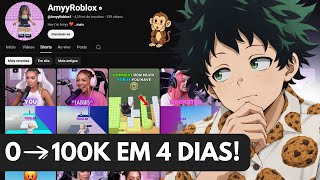
98M Views with 33 Roblox Videos
44sShocking stat about massive views with low effort grabs attention immediately.
▶ Play ClipThis video provides a step-by-step guide on creating a 'dark' Roblox YouTube channel that can quickly monetize and generate income. The creator demonstrates how to use AI tools like GPT Chat and Leonardo AI to generate characters and voiceovers, and how to combine them with copyright-free Roblox gameplay footage to produce viral videos.
A channel posting 33 Roblox videos daily gets over 98 million views, with individual videos reaching 12 million, 11 million, and 10 million views.
Use GPT Chat to generate a prompt for a character image. Take a screenshot of a desired person from a successful channel and ask GPT Chat for the prompt.
Open Leonardo AI, set custom mode to 16:9, select 'Nano Banana Pro' model, paste the prompt, and generate the image.
Ask GPT Chat to create variations of the character (e.g., different hair colors, skin tones, outfits) to have multiple options.
Upload the generated character image to GPT Chat and ask it to create a script for a Roblox video, including lines for the character to say.
Use GPT Chat to generate a voice prompt for the character's lines, then use Leonardo AI's video feature (VO3) to animate the character speaking.
Search YouTube for 'Roblox without copy' to find copyright-free gameplay videos. Record the screen to use as background footage.
Import the gameplay footage and animated character into CapCut. Adjust to 9:16 aspect ratio, trim, and overlay the character video on top.
The completed video is 11 seconds long, featuring the character speaking over gameplay. The creator claims such videos can go viral and earn money.
By following these steps, anyone can create a dark Roblox YouTube channel using AI-generated characters and free gameplay footage, potentially leading to rapid monetization and income.
"The title promises a method to monetize quickly, and the video delivers a step-by-step tutorial, though actual monetization success is not guaranteed."
How many videos per day does the example channel post?
33 videos per day.
00:01
What is the first step to create a character for the video?
Take a screenshot of a desired person from a successful channel and ask GPT Chat for the prompt.
00:57
Which AI tool is used to generate the character image?
Leonardo AI.
02:10
What model is selected in Leonardo AI for image generation?
Nano Banana Pro.
02:53
How do you get variations of the character?
Ask GPT Chat to create variations with different looks, hair colors, etc.
03:18
What is used to generate the voiceover for the character?
GPT Chat generates a voice prompt, then Leonardo AI's video feature (VO3) animates the character speaking.
07:26
Where can you find copyright-free Roblox gameplay footage?
Search YouTube for 'Roblox without copy'.
09:05
What aspect ratio is used for the final video?
9:16.
10:30
What editing software is used to combine the footage?
CapCut.
10:16
How long is the example final video?
11 seconds.
11:42
Massive Channel Views
Demonstrates the potential reach of this content strategy with concrete numbers.
00:01Using GPT Chat for Image Prompts
Shows a practical application of AI to streamline content creation.
00:57Leonardo AI for Character Generation
Highlights a specific tool and settings for creating realistic characters.
02:10Copyright-Free Gameplay Source
Provides a legal workaround for obtaining game footage without playing.
09:05Quick Video Production
Emphasizes the speed of creating content, from start to finish in minutes.
11:26[00:01] channel is getting over 98 million views by posting only 33 videos a day, and posting Roblox videos at that. As you can see, Roblox videos are reaching 12 million, 11 million, 10 million views. So stay tuned to this video because I'm going to teach you
[00:16] all the steps you need to follow to create a channel in this style. It's not just this channel; as you can see here, it has over 1 million subscribers. There isn't this channel, there's this channel too, a woman doing it. And that's the
[00:30] style I'm going to teach you. As you can see, M Roblox, this is a person who doesn't exist and is getting a lot of views here on YouTube. As you can see, any video I post is getting over 2
[00:44] million views. So, if you're already curious, if you want to learn how to create this type of content, stay tuned to this video because I'm going to teach you all the step-by-step instructions you need to follow to create content like this. The
[00:57] first step is to open your GPT chat here, open the GPT chat here. So what are this channel and you're going to take a screenshot of whichever person you like best. And if you also want to do it with a man, just tell the
[01:11] also want to do it with a man, just tell the GPT chat, it's generating an image of you teach you in a moment. But first, as you can see, I'm using GPT chat version 5.2, which is the most up-to-date GPT chat version available. And if you'd like to have
[01:25] this GPT chat on your account as well, just scroll down this video and tap the WhatsApp so I can send you the access details. And look, you're not just going to win the GPT chat, look, you're not just going to win the GPT chat, you're also going to win Capcut D V3 with
[01:39] 45,000 credits. So if you're interested, give me a call so you can find out more. So, what are you going to do here? You're going to tell the GPT chat here that you want the prompt for this image. Just say that to the GPT chat. I want the proof
[01:56] that to the GPT chat. I want the proof of this image. Relax, the information will be in the description. Then all you have to do is copy and paste. Simple as that. As you can see, the GPT chat has already generated the prompt for me here . I'm going to open
[02:10] Leonorade here so I can use the Nano Banana Pro to show you what it will look like just like that. Don't worry, I'll show you how to create other types of characters here. I opened my Leonarda account here, as you can
[02:24] see on your screen, with 85,500.00 in credit. Remember, if you want this account with 8500 credit, it's yours. I'm giving it to you for free. Message me on WhatsApp, you can comment "Roblox" and I'll send this account
[02:39] directly to your account, completely free. You won't have to pay anything at all. So, if you're interested, just tap on the first link in the pinned comments. So here's what I'm going to do, and what am I going to
[02:53] do here? I'll leave it here in custom mode, I won't leave it here, look, 16 by 9. 16 by 9, that's right . And here now I'm going to paste the finished product, but I'll come here to the template and finished product, but I'll come here to the template and leave it on the Nano Banana Pro. There are so many
[03:05] images, I'll only post one. Place only one. Now I'm going to go back here to the GPT chat, copy the prompt that the GPT chat generated for me, and paste it here. Simple as that. I'll leave it here in the best quality and that's it.
[03:18] My image will be generated here. Now I'm going to go back here to the GPT chat and ask the GPT chat to give me variations of this image, you know, of this point. But I'll put it this way: I want other looks, blonde, brunette, redhead, uh, and, and in terms of
[03:34] appearance too, everything, everything he can change so he's changing it. Basically, I'm just going to put this prompt here and that's it, I've already put the prompt and there it is prompt here and that's it, I've already put the prompt and there it is . I sent the GPT chat to generate several
[03:47] other types of women for me. Quickly here, look. Blonde woman, fair skin, white blouse. This one has light brown skin, right? It's a black blouse, a green blouse, and a black blouse
[03:59] too. There you go. Wow, look at all the decks the EPT chat sent me! Everything is ready-made, different. Now I'm going to put it this way, just like I want it with a man. Yeah, I do n't want to date a girl, right? Because a man wouldn't. Let's do it with an old man. I want to be with
[04:14] Let's do it with an old man. I want to be with an old man. An old man playing Roblox. Let's make a grandpa, he's playing Roblox here and he's looking like an old man, his hair is white, right? And a simple blouse. Let's go do it with this guy here. I'll copy it. I'll come
[04:30] here now. Listen up, did it turn out well or not? There you go. See? This image turned out really well. I'm going to generate it now. I'll come here to the GPT chat. See? It's very simple for you to be creating this type of content here. I'll get it
[04:46] here. I'll copy it. And I'll put it like this. I want to now, let's do it with two people then, playing. Oh, no. Two people, I think it's going to be weird. An elderly person, right? Elderly here, the strong expression also has an impact. Beauty.
[05:01] Wise appearance. No, that's fine. That's good enough. Here in terms of content, and here in terms of character, right? You've already learned what you should be doing. I'm going over here. This picture came out perfectly. Now it's waiting here for these two to be generated. And I'm going to
[05:17] explain to you now how you're going to animate them talking here. You'll see it's going to turn out really well. He's just waiting. No, I'll do it right here download it now. I'm the only one downloading while the others are still generating. Oh, it's already
[05:32] while the others are still generating. Oh, it's already generated here! Look how the V1 turned out. It was written down, right? I wanted it with nothing written on it. What could I be saying? I might be talking to the GPT chat; it's removing this writing here. Simple
[05:45] as that. But check out how this one turned out too. It turned out very well. You can see that it's very simple for you to create your own character. You just need to remove that word that's written there. Simple. Just speak to the GPT chat. It's removing
[05:58] any writing here, it's going to disappear. And this other one doesn't even need an explanation, right? This image turned out really great . Anyway, I'm going to do it with this green blouse that turned out really well. And now, to speak, just come back here to the
[06:13] GPT chat. I'm going to paste here the image of this woman that I just image of this woman that I just downloaded, and I'm going to talk to the GPT chat, create a line for one of my Roblox videos, and get ideas for what to say. And
[06:27] look, relax, these are people who don't exist, you see? We just created all of this, made by Iá. I'm going to put this prompt here for the GPT chat now . Basically, I just set it up like that for the GPT chat. I want you to give me ideas
[06:42] for things to say in my video. I'm going to record a Roblox video. I am a woman. If you want to do it with a man, just put "I'm a man." If you want to talk to an elderly person, I'm elderly and all that. And here it is, folks. This shouldn't exist on Roblox
[06:56] . I went into this game thinking it was normal, and that's what would happen, look . Very cool. I'll take this one. Very cool. I've already found my lines here, and if you want to add your own lines
[07:11] , you can do that too, it will sound really cool. And now I'm going to upload here the image that I just downloaded from Leonarda, come here and just downloaded from Leonarda, come here and add photo and file.
[07:26] Oh, I pasted the photo here. It's already here. Perfect. Now I'm going to talk to J GPT. I want you to... And there it is, look. I put it this way for the GPT chat; I want you to generate a voice prompt for this woman's VO3. She's going to say that. I entered this
[07:39] game thinking it was normal until this happened, and I want it in Portuguese. Okay this happened, and I want it in Portuguese. Okay , perfect. I'll copy it here. It'll be here soon, right? I'll copy it. Okay, I'm in this game. Perfect. Now I'm going back
[07:52] here to Leonard A itself, look. No Leonarde Aar. I'll be here in a video, I'll be pasting it, I just need to paste it onto the model. I'm going to go downstairs and choose go downstairs and choose VO3. Just come here, look. Where's the VO3?
[08:06] VO3. Just come here, look. Where's the VO3? Grab it here. V3 3.1. Better VO3. I'll Grab it here. V3 3.1. Better VO3. I'll leave it at 16 by 9, 8 seconds. And I'll come here to generate. But I'm going to put the image here in the start frame
[08:24] woman here, just waiting. I'm going to generate it, and I'll also generate it here in Sora so you can see how it will look. I'm going to choose here, and I'm going to choose here, Nossora 2 Pro. Let's see how it turns out. I'm not even going to post an image, nothing at
[08:37] all, I'm just going to rotate it here to see how the quality will look . And now it's just waiting to generate. Generating here. I'll show you how the video turned out in a moment. And remember, if you want to do this with the
[08:51] man, the old man, any character, just follow these steps that I'm doing. Okay, I did it. And now? And the game, how am I going to get this game? What do I do? I don't have a very good PC, I use my cell phone, and I can't
[09:05] play Roblox on it. What can I do? Simple. You can come here to YouTube and search for Roblox without copy. Just do this, Roblox without copying. And here it is, you can record the screen of this game here,
[09:21] right? And there it is. Just record the screen and you're done. You're narrating as if it were your own video. Because whoever made this video posted it as copyright-free
[09:33] posted it as copyright-free . So you can . So you can videos, just record your screen, it's that simple, no problem. So it's very easy.
[09:47] I'm going to grab a video here, record the screen, and show you how it will look. Oh, it turned out really cool, see? It turned out really cool. I've already downloaded it, the other one is spinning up here in Sora. He's just waiting. I don't know
[10:00] add an image, I just put the finished product here, but I'll be waiting here. And now all you have to do is open your caput here. Remember, all these tools that I'm using here are completely professional and available to you. So all
[10:16] you have to do is scroll down this video, tap the first link, and message me on WhatsApp so I can send you the access details. I'm going to come here and import it. I just uploaded the video here. People, put this here, drag it to the timeline. The woman's photo
[10:30] too, right? Not the photo, the video. Proportion. I'll come here in 9 by 16, which Proportion. I'll come here in 9 by 16, which is the width of TikTok or YouTube, right? And I'm going to expand on this here, look. Just do that, you see? Very simple. Then I
[10:46] 'll throw it down here. Let me see how it turned out. Listen up , I'm going to cut this beginning right now. I want to leave him jumping. I'm going to beginning right now. I want to leave him jumping. I'm going to delete it. See? Okay, step by step. And
[10:59] now all I have to do is drop this image up here turned out. Well, I went into this game thinking it was
[11:12] Well, I went into this game thinking it was normal until this happened, and now something has to happen. Just wait until something happens. wait until something happens. And there you have it, your little video is ready!
[11:26] And that's it. Check out how it turned out. Well, I went into this game thinking it was normal until this happened. There you go normal until this happened. There you go .
[11:42] And that was it, something happened. And in 11 seconds of video, just for you to be happy. And now you can do this with many other types of video. Just a reminder, I'll be sending you this Lonade as a great gift just so you can create this
[11:56] kind of content. So if you want to get access, give me a call and I'll send it to you. See? It's very simple, there's no difficulty at all. Let me see if it's generated in Sora yet . It didn't generate in Sora, but since it's generating here,
[12:10] I'll leave it in the video to show you how it turned out. Okay, so this is the video. If you enjoyed this content, you can see it's really good, leave a like and comment below. If you have any questions, feel free to comment and I'll be happy to
[12:24] help. And now all you have to do is publish this video on YouTube and you'll see it go viral and you'll earn a lot of dollars this month. And get access to Leonor A so you can create this type of content, because
[12:38] look, you won't be able to make many videos using VO3 . You have to be paying. I'm giving it to you as a gift if you want it, right? giving it to you as a gift if you want it, right? And now I'll see you in the next video. He spoke.
[12:51] And now I'll see you in the next video. He spoke. Yeah.
⚡ Saved you 0h 12m reading this? Transcribe any YouTube video for free — no signup needed.