
AI Agent That Works 24/7? Yes!
45sThe promise of a free 24/7 customer service AI agent without mistakes or bad days is a highly compelling hook that grabs attention immediately.
▶ Play Clip"The title promises a tutorial, and the video delivers a basic overview, but it's more of a teaser than a full guide."
The video demonstrates how to create an AI customer service agent using GoHighLevel's Agent Studio. It highlights the benefits of an AI agent that operates 24/7 without errors, and provides a brief walkthrough of setting up a knowledge base and configuring the agent with drag-and-drop blocks.
An AI agent can handle customer service 24/7, with no pay, no mistakes, and no bad days, making it a valuable tool for businesses.
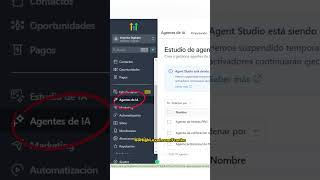
In GoHighLevel, navigate to the left menu, click on 'AI agents', then go to the 'knowledge base' section to start building your agent.
Teach the agent about your business by pasting your website URL, adding frequently asked questions, and uploading files. More information leads to better responses.
Open a blank canvas for a new agent, drag AI blocks, connect them, and write instructions for how the agent should speak and respond.
For detailed instructions, the video references another video that provides a full step-by-step guide.
GoHighLevel's Agent Studio allows businesses to quickly create a custom AI customer service agent by feeding it relevant information and configuring its behavior through a simple drag-and-drop interface.
What are the benefits of using an AI agent for customer service?
It's available 24/7, requires no pay, makes no mistakes, and has no bad days.
00:01
How do you access the AI agent feature in GoHighLevel?
Click on 'AI agents' in the left menu, then go to 'knowledge base'.
00:15
What types of information can you add to the knowledge base?
You can paste the website URL, add frequently asked questions, and upload files.
00:28
How do you configure the agent's behavior?
Drag AI blocks onto a blank canvas, connect them, and write instructions for how it should speak and respond.
00:44
AI Agent Value Proposition
Clearly articulates the core benefit of AI agents: 24/7 availability without human limitations.
00:01Knowledge Base Importance
Emphasizes that the quality of the agent's responses depends on the information provided, a key principle for AI implementation.
00:28Drag-and-Drop Configuration
Highlights the low-code approach, making AI agent creation accessible to non-technical users.
00:44[00:01] version of your customer service? Available 24 hours a day, no pay, no mistakes, no bad days. It's not science fiction, it's possible [music] thanks to agent studio, a digital employee that answers messages, follows up with
[00:15] customers, schedules appointments, and generates videos with artificial intelligence, all without you doing anything. In the left menu, click on AI agents and then on knowledge base. Here you teach people absolutely everything
[00:28] about the business. Paste the website URL , add frequently asked questions, and upload files if you have them. The more information you have, the better you can answer. that I already have several created here. You can have a different one for each business.
[00:44] agent, a blank canvas opens, you drag the AI blocks, connect them to each other, and write the instructions for how it should speak and respond. It's that simple. If you want to see the step-by-step instructions with all the details,
[00:57] the step-by-step instructions with all the details, click on this video.




⚡ Saved you 0h 01m reading this? Transcribe any YouTube video for free — no signup needed.