
Automate Backlinks with MoneyRobot!
45sDirectly addresses a common pain point (time-saving) and promises a step-by-step solution, making it highly clickable.
▶ Play Clip"The title promises a step-by-step guide, but the video is mostly a high-level overview with minimal actionable detail, padded with repetitive 'thank you' segments."
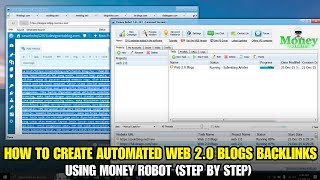
This video provides a beginner-friendly, step-by-step guide to building Web 2.0 backlinks automatically using the MoneyRobot tool. It explains what Web 2.0 backlinks are, why MoneyRobot is useful for automation, and outlines the campaign setup process, along with important tips for effective use.
The video introduces the topic of building Web 2.0 backlinks automatically using MoneyRobot, targeting beginners who want to save time and scale their SEO efforts.
Web 2.0 backlinks come from platforms like blogs, content sharing sites, and user-generated websites. Examples include blogging sites, article platforms, and profile-based websites. They help build authority, diversify backlink profiles, and support the main website.
MoneyRobot automates backlink creation, saving time and effort, building backlinks consistently, and managing multiple projects easily. It replaces manual Web 2.0 site creation.
The process involves: 1) creating a new campaign, 2) adding the Money Site URL, 3) choosing or customizing a Web 2.0 backlink diagram, 4) adding keywords and anchor text, and 5) starting the campaign to run automatically.
Avoid over-optimizing anchor text; use a mix of branded, generic, and keyword-based anchors. Run the campaign slowly to appear natural, and focus on quality content rather than just the number of backlinks.
Web 2.0 backlinks are not magic; they work best as part of a complete SEO strategy. Results may not be immediate, but consistent effort can improve rankings and website authority over time.
Automated Web 2.0 backlinks with MoneyRobot can be a valuable part of an SEO strategy when used wisely, with attention to anchor text diversity and natural pacing. The video emphasizes that automation should complement, not replace, a holistic approach to SEO.
Definition of Web 2.0 backlinks
Provides a clear, foundational definition that is essential for beginners.
00:53Benefits of automation
Highlights the core value proposition of using MoneyRobot, emphasizing efficiency and scalability.
01:19Step-by-step campaign setup
Gives a concise, actionable overview of the process, which is the main instructional content.
01:35Anchor text diversity
Offers a practical tip to avoid over-optimization, a common mistake in SEO.
02:03[00:00] Have you ever wondered how to build web 2.0 backlink automatically without doing everything manually? In this video, I'll show you how to create web 2.0 backlinks using MoneyRobot step-by-step, even if you're a beginner.
[00:16] If you want to save time, scale your SEO, and build backlinks faster, make sure you watch this video until the end. Hello everyone, welcome back to the channel and Sorry Web.
[00:28] Today, we're going to talk about how to build automated Web 2.0 backlinks using MoneyRobot. Web 2.0 backlinks are still powerful when used correctly, and with the right setup,
[00:41] MoneyRobot can help you automate the entire process. What are Web 2.0 backlinks? Before we start, let's quickly explain what Web 2.0 backlinks are.
[00:53] Web 2.0 backlinks come from platforms like blogs, content sharing sites, and user-generated websites. Examples include platforms such as blogging sites, article platforms, and profile-based websites.
[01:07] These backlinks are useful for building authority, diversifying your backlink profile, and supporting your main website. Why use Money Robot? Now, why should you use Money Robot?
[01:19] Money Robot allows you to automate backlink creation, save time and effort, build backlinks consistently, manage multiple projects easily. Instead of creating Web 2.0 sites manually, Money Robot does the work for you.
[01:35] Step-by-step overview Here's a simple overview. First, you create a new campaign in Money Robot. Second, you add your Money Site URL. Then, you choose or customize a Web 2.0 bathroom diagram.
[01:51] After that, you add your keywords and anchor text. Finally, you start the campaign and let Money Robot run automatically. Important tips. There are a few important things you should remember.
[02:03] Don't over-optimize your anchor text. Use a mix of branded, generic, and keyword-based anchors. Let your campaign run slowly to make it look natural, and always focus on quality content, not just the number of backlinks.
[02:19] Automation is powerful, but it must be used wisely. Results and Expectations Keep in mind, Web 2.0 backlinks are not magic. They work best as part of a complete SEO strategy.
[02:32] You may not see results overnight, but with consistent effort, they can help improve your rankings and website authority over time. Thank you.
[03:10] Thank you.
[03:40] I think it's a very good strategy that we're all working on, and this is really important for us. So I think that we should be able to help the community to get more involved in this and get more people involved in this. Thank you. Thank you.
[03:52] Thank you. Thank you. Thank you.
[04:05] Thank you. Thank you.
[04:39] Thank you.
[05:09] The
[05:25] Thank you.
[05:55] Thank you.
[06:25] Thank you.
[06:55] Thank you.
[07:25] Thank you.
[07:55] Thank you.
[08:25] Thank you.
[08:55] Thank you.
[09:25] Thank you.
[09:55] All right. Thank you, Dan. Thank you, Dan. So let's finish here with a number 12 out of ten. One moment please. One moment please. No, that's two. No, three, four. So thanks? No, that is five, so you can just flip them over.
[10:07] So sorry, one moment. One moment please. One moment please. One moment please. One moment please. One moment please So I guess um one more to go How many minutes left Thank you
[10:44] Thank you.
[11:14] Thank you.
[11:44] Thank you.
[12:14] Thank you.
[12:44] Thank you.
[13:14] Thank you.
[13:44] Thank you.
[14:14] Thank you.
[14:44] Thank you.
[15:14] Thank you.
[15:44] Thank you.
[16:14] Thank you.
[16:44] Thank you.
[17:14] Thank you.
[17:44] Thank you.
[18:14] Thank you.
[18:44] Thank you.
[19:14] Thank you.
[19:44] Thank you.
[20:14] Thank you
[21:02] Thank you.
[21:32] Thank you.
[22:02] Thank you.
[22:32] Thank you.
[23:02] Thank you.
[23:32] Thank you.
[24:02] Thank you.
[24:32] Thank you.
[25:02] Thank you.
[25:32] Thank you.
[26:02] Thank you.
[26:32] Thank you.
[27:02] Thank you.
[27:32] Thank you.
[28:02] Thank you.
[28:32] Thank you.
[29:02] Thank you.
[29:32] Thank you.
[30:02] Thank you.
[30:32] Thank you
[31:21] Thank you.
[31:51] Thank you.
[32:21] Thank you.
[32:51] Thank you.
[33:21] Thank you.
[33:51] Thank you.
[34:21] Thank you.
[34:51] Thank you.
[35:21] Thank you.
[35:51] Thank you.
[36:21] Thank you.
[36:51] Thank you.
[37:21] Thank you.
[37:51] Thank you.
[38:21] Thank you.
[38:51] Thank you.
[39:21] Thank you.
[39:51] Thank you.
[40:21] Thank you.
[40:51] And that's how you can create automated Web 2.0 backlinks using MoneyRobot. If you found this video helpful, don't forget to like, subscribe, and turn on notifications for more SEO and digital marketing tutorials.
[41:07] If you have any questions, feel free to leave a comment below. Thanks for watching, and I'll see you in the next video.
⚡ Saved you 0h 41m reading this? Transcribe any YouTube video for free — no signup needed.