
This Channel Made Millions from Only 5 Videos
60sViewers are hooked by the receipt-style proof that a tiny channel can earn big using simple AI videos.
▶ Play Clip"Genuinely useful AI workflow, but 'just 1 prompt' oversells it—several prompts and manual editing are still required."
This video demonstrates a complete AI-powered workflow for creating long, monetizable YouTube videos (10-15 minutes) with minimal manual effort. The creator uses a niche channel called Shadow Frame as proof-of-concept, then walks through topic discovery, script writing, bulk visual generation, AI voiceover, and editing—all using free tools like ChatGPT, Google Flow, and InShot. The core message is that AI automation can produce faceless history/disaster documentary videos at scale, but final quality depends on manual editing touches.
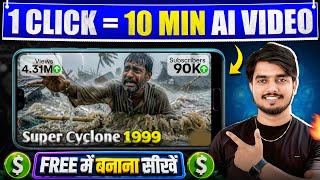
A channel called Shadow Frame uploaded only about seven videos and still gained thousands of subscribers and monetization. Each long video pulls massive views (1.7 lakh to 36 lakh), proving demand for AI-generated historical/disaster content.
The channel creates cinematic long videos about disasters and historical events. This niche drives high watch time and curiosity, which helps with YouTube monetization and retention.
A pre-made master prompt in the description is copied and pasted into ChatGPT. It automatically generates 10 viral topic ideas with high chances of working, removing the guesswork from topic selection.
A second master prompt writes a complete narration script. The user only needs to replace the topic placeholder and choose the desired video length (10-15 minutes recommended). The output is an engaging, detailed story that holds attention.
A third master prompt makes ChatGPT write 10 cinematic video prompts at a time. By typing 'next', you can generate another 10 prompts, covering 100-150 shots needed for a long video.
Google Flow is used to generate videos. After enabling the desktop site, the Agent option lets you paste up to 10 prompts at once, then run and approve. Google Flow generates 10 videos simultaneously in just 1-2 minutes.
Once generation is complete, click the three-dots menu and select 'Download Project'. All generated videos come down in a single ZIP file, making the workflow extremely efficient.
The same script is pasted into Google AI Voice Generator. You choose a speaker and voice, click run, and download a high-quality narration in seconds. Good voice quality is critical for keeping viewers engaged.
InShot is used to import all clips in sequence, remove the InShot logo via Cut > Free Remove, add the AI voice, and set voice volume to full while lowering clip volume with 'Apply to All'.
AI voices often contain silent pauses that must be split and deleted manually. Then each narration segment is matched to the relevant clip by splitting and dragging, which turns random visuals into a coherent story.
Adding text overlays for dates, locations, and key facts (e.g., '22 May 2010') plus background music and sound effects makes the final video feel polished and cinematic.
After completing all edits, export the video and upload it to a properly optimized YouTube channel. Long videos are emphasized because they perform better for monetization and watch time.
The video delivers a replicable AI automation pipeline for making long-form, faceless YouTube videos: ChatGPT for topics/scripts/prompts, Google Flow for bulk footage, Google AI Voice for narration, and InShot for editing. It emphasizes that while AI handles the heavy lifting, the creator's manual editing effort ultimately determines video quality and monetization success.
Which YouTube channel is shown as a low-video-count success example?
Shadow Frame.
00:17
How many viral topics does the ChatGPT master prompt generate?
10.
03:13
What two changes must you make in the script-writing master prompt?
Replace the placeholder with your chosen topic and set the video length/duration.
04:37
What is the recommended minimum video length for these AI videos?
10-15 minutes (don't make it less than 10).
05:04
How many video prompts does ChatGPT write each time?
10.
06:35
Which tool generates 10 videos simultaneously from 10 pasted prompts?
Google Flow, using its Agent option.
08:25
How long does Google Flow take to generate 10 videos?
About 1-2 minutes.
09:18
How do you download all generated videos in Google Flow?
Click the three-dots menu and choose 'Download Project'—it saves as a ZIP file.
09:47
What two manual editing tasks are essential for a good final AI video?
Cutting silent parts in the AI voice and aligning each clip with the narration.
13:12
Which app is used for editing the final video in the tutorial?
InShot.
11:51
Low-volume, high-engagement niche strategy
A channel with only ~7 videos can earn thousands of subscribers and millions of views, proving a focused AI-niche strategy works.
00:17Prompt frameworks remove creative guesswork
Using pre-made master prompts gives beginners a repeatable system to find viral topics and scripts without relying on inspiration.
02:20One-click bulk generation with AI agents
Pasting 10 prompts into Google Flow's Agent mode creates 10 video clips at once, massively speeding up production.
08:10Quality is won in editing
Even with AI, manually cutting silences and aligning clips to narration separates watchable videos from unwatchable ones.
11:51[00:02] But I say that brother, a lot can be done. Now I will show you a channel which has uploaded only four videos and has gained thousands of subscribers by uploading four videos. It is
[00:17] monetized and brother is also earning from YouTube. Socho Charap by uploading videos. So first of all you watch the channel here. The name of this channel is Shadow Frame. It has saw this channel, it had uploaded five videos and brother, by uploading only seven videos, it has
[00:30] and brother, by uploading only seven videos, it has each of its videos is getting so many good views that I feel that I should also below that 10 days ago he uploaded a video with 2.7 lakh views and he uploads all long
[00:45] videos. Brother, getting so many views on a long video means a lot. Look below, he uploaded the video three weeks ago and it has 36 lakh views. After that look below, the video was uploaded 1 month ago and has 1.7 lakh views. After that look below, you have
[00:57] uploaded the video 2 months ago and it has 22 lakh views. These types of views are coming. Now you content is he creating that he is getting so many good views in such a short time. So first of all makes videos. June 2013 Kedarnath Dham, nestled amidst the lofty peaks of the Himalayas, was
[01:12] [music]. The hustle and bustle at the shops. Horses and mules [MUSIC] were carrying travelers along the roads.
[01:24] Hotels and dharamshalas were almost completely full. Clouds were definitely visible in the sky above. But this was not unusual in the mountains. For most people it was a [musical] normal pilgrimage. This channel makes videos on natural disasters or
[01:38] historical events. Does if you see its earnings according to social media, it is quite shocking. You should be able to in this video I am going to teach you to make same to same type of video with the help of AI.
[01:54] channel is making and brother, this type of video will be ready for you in a very short time. The method I will tell you will generate 10 videos in one click. Meaning, you will be able to make this type of video in a very easy way and absolutely free. Just
[02:06] what do you have to do? You have to watch the video till the very end. I am watch the video till the very end. You will learn something or the other. Now first of all, to make this type of video, you will have to find a topic. The more engaging your topic is
[02:20] , the more likely it is that your video will get views. So to find the topic you do not have to use your brain much , you do not have to think much. You don't have to , how will we know whether this topic will be popular or not. For that I have prepared a master
[02:34] you will find in my description. Its link. What do you have to do? Simply copy that master program. Look, everything is written here. You don't have to do anything. prot of topic find. You simply have to copy it.
[02:47] Look at the way I'm copying. In this way you just have to copy. After doing a lot of research, we make this type of product for you. What do you have to do? Simply copy it. After that you have to go to Chat GPT. You will easily find the chat application on Play Store.
[02:59] What do you have to do? Simply go to chat here. So we leave. ? Simply paste it here. And here you don't have to do anything. click here. Just what will it do now ? He will write down 10 viral topics for you
[03:13] which have high chances of becoming popular. Look, he has started writing and has also written it. Look, he has written topic one, The Bank Dam Disaster 1975, look, after that, he has written here below, The 2011 Japan Triple Disaster, he has
[03:27] written many topics of disaster. Apart from this, if you want any other topic according to your needs, then you can suggest that also write the topic for you accordingly and will also tell you whether it has chances of working or not. Now you will be able to see it on the screen. He has written a total of 10
[03:40] topics for us. Let's assume, for example, that we Crisis. So we have the topic here. You must have understood how to find the topic. to our next step which is script writing. Let's assume you have a good
[03:54] n't get the script written well. If your script is boring, no engagement will drop. So what do you do ? I want to get a good script written from him. So you don't have to do anything for that either. I've created a master prong for that too.
[04:08] paste it here. What do you have to do? Simply go to the same page. You'll find a link to that page Look, here you will get a product of script writing. Look, it's found here. copy it. Everything is written in it. nothing to be done. You just have to make some
[04:23] changes in it. What do you have to do? Simply copy it in this manner. Now after copying it you have to go back to Chat EPD. You have to paste it here and you just have to make two changes in this print. First of all
[04:37] here you will get the option of paste topic. What do you have to do? This has to be cut. And paste it here. So what do we do? Let's cut it and paste the topic of our video here. Look at the topic of our video brother, this one is about the Halo
[04:51] air crash. So what do we do? Simply copy it and paste it here. What do you have to do with this method ? Copy it and And here you have to select the length of the video. 10 minutes is needed, 15
[05:04] minutes, 20 minutes, 25 minutes. So let's do it here for 5 minutes. For example, here you have to make a minimum 10-15 minute video. Do n't make it less than that. Let us do it here for now, just in 5 minutes. Because I just want to give you an example. So you just have to make these two
[05:16] changes and what do you have to do? Have to click. Hope you have understood how to get your script written. You just have to make two changes in it and script is completely ready and has come here. You don't have to do anything. And if you
[05:29] get a very amazing script. Meaning you will enjoy reading it. You will get so much amazing. Look, our script is here. It is written here that it was morning time on 22 May 2010. The sky was absolutely clear. Everything seemed normal.
[05:42] Air India Express flight ix812, flying from Dubai, was Meaning you will get a very engaging script here. Now let's move prawn generation. What you have to do is according to the script you have to generate the visual using
[05:57] AI that too of cinematic type means the type of visual that the channel was generating which I showed you in the beginning, you have to make the same type of visual using AI what you have to do you will have to get the print written from Chat EPT, for that also you do
[06:10] not have to do anything, you just have to enter a master print here, you will get all the prints, make all the visuals, how to do it, look carefully you have to go again on the same page you will find it in the description or you will find it on my twitter now
[06:23] you have to do with video print generation ? This master print has to be copied. Like I'm copying it. All you have to do is copy this master print. Have to go back to Chat EPD. You have to paste it here. Now this print is
[06:35] not have to do anything. All you have to do is copy and paste it here and click here. What will this do? He will write down 10 prompts for you for the video. Meaning what will it do to you? What will it do at once? 10 Q will write it down. Again just what do you have to do
[06:48] Prop Six is writing. ? I will write down a total of 10 products for you. Now what do you have to do for the next 10 problems What will it do again? The next 10 prots will be written and given to you. Just
[07:02] think how easy it is. You just have to keep writing next next here. make the video, all the proof will be given to you in writing 10-10. What will we do? We will write next here below in this manner.
[07:16] What will he do now? Again, from 11 to 20, i.e. the next 10 properties will be given to you in writing. writing next next. Now after getting all the proforma written in this manner, you have to make a video here, that too with the help of AI, for which what you have to do is simply
[07:29] go to Google Pay and write Google Flow here in this manner, Google has to be and you have to search here. Now here you have to go to the first website. You can see here we have 1000 credits added here in Google F.
[07:43] How do you get 1000 credits? If you want to learn then watch the video till the end. how you will get 1000 credits every month from here. Now watch What do you have to do? Simply click on New Product here. Now
[07:57] Now if you want to make 10 videos in one click then what should you do for that ? You have to click on the three dots and open this website on the desktop site. What do you have to do? Look, here you will get the option of desktop site. You have to tick on this.
[08:10] open in the desktop site. Now as soon as you open this website on the desktop site of Agent below. See, the agent option is available. See below what you have to do. You have to Now after clicking on the agent option, you have to go back to Chat EPD
[08:25] and here you have to copy the entire print from print one to print 10. you have to click here. In one click, all your prints i.e. from print one to print 10 will be copied completely. You have to go back to that website and Google
[08:39] Flow. And what to do here? You have to paste all the props here at once clicking on the agent option. What do you have to do after that ? You have to click on this. See, here you have to click on the run option in this way. Now as soon as you
[08:51] ask you for approval. What do you need to do to generate a video? Simply Look at it this way, as if we have clicked on the approve option here. Now as soon as you click on the approve option, it will start generating all your videos.
[09:04] That too together. This means that your 10 videos will start generating here simultaneously. What do you have to do with this method? You have to generate 10 videos each. You just have to all your videos will be generated. I wait a little bit. I will show you after that.
[09:18] Now brother, see how easy it is. In just one to two minutes, our 10 you will see it on the screen. It has created 10 videos in one click in 1 to 2 minutes. our entire video has been made and is here. Let me play a video and show you. See.
[09:32] But your video becomes of amazing quality. What do you have to do with this method make all the videos in this manner by making 10 videos each. We are currently making only 10 videos here What do you just have to do? You have to copy and paste 10 points together here. Your
[09:47] 10 at a time, all your videos will be ready in very less time. Now Look carefully. Make the entire video first. What do you have to do to download it after that option above. You will get three dots. What do you have to do ? You have to click on the three dots.
[10:02] project. All your videos will also be downloaded in one click. Meaning you What do you have to do? Click on download project. As soon as you click on Download Project, all your videos will be downloaded in a zip file.
[10:16] which is voice. This is also very important. What do you have to do? I want to create a nice AI voice. If your voice is not good then your video will not see it for long. So what to do for that ? You have to go to Chat EPD.
[10:30] script you had, you have to copy it. See what we do in one click. Let's way. After that you have to go to Google Pay and write Google AI Voice Generator here. What do you have to do? Write here Google AI voice generator. In this way,
[10:44] get very good quality voices in it. Here you have to first go to the website. Please log in here first. As soon as you log in, look here, simply have to click on this option here. In this way. As soon as you
[10:58] open like this. Here you have to click on Speaker One and select your voice. you will find many voices here. We simply select this voice. After click on the cross button here. Now whatever script you had,
[11:12] you have to paste it here. In this way as if we are pasting. After that you have to click on the run option here. Your amazing voice will be ready here in just a few seconds. our voice has been created here. Let me tell you its quality. What
[11:25] You listen. See. It was the morning of 22 May 2010. 22 May 2010. The sky was absolutely clear. everything seemed normal. What an amazing voice we have now.
[11:38] click on the download icon here. In this way, your entire voice will be downloaded here in one click. So now we have the visual here. The voice has arrived. Simple, you have to edit here. Editing is very easy but equally
[11:51] Here we use the Inshort application for editing. We go to other places. You can use any application. You can use any editor. You have to go to video, go to new and select all the videos by serial number.
[12:04] selecting here. So we only have 10 videos here right now. But you will have a lot of video because your video will be long. There will be 100-150 videos. We have selected it here. What do you have to do after that? You have to tick here.
[12:16] See, all your videos will appear here on the timeline. What do you need to do first? Look, here you will see an Inshort logo. You have to click on Cut and you have to click on Free Remove. An ad will run and your logo will be removed. You
[12:28] removed. Now what do you have to do here ? First of all, here you have to bring the AI voice that you just created. You have to go to audio. You have to go to music and bring AI voice. You have to click on the plus icon. Your voice will come. First of all
[12:43] it full. In this way, you have to make the sound of your voice full and for the sound of the video, you have to click on the video and click on Apply to All. That means whatever volume of video you have will be
[12:57] not have to do much in editing. You just have to do two things. The first thing you have to do is manually cut all the silent parts in your audio or AI voice. Let 2010 and then became silent. had time. It became silent again. It was
[13:12] absolutely clear. Everything seemed normal. what do you have to do? Have to split. I have to keep deleting it. You have to do this manually. Because whenever you generate an AI voice, a lot of your silent part comes into that AI voice. Let
[13:26] See, where you don't see the graph , that's our silent part. And our voice part. So, what do we do ? We split the part where the graph is not visible from both sides and delete it and hold it and paste it in
[13:41] ? You have to cut all your silent parts in this manner and manually throughout the video. What do you have to do with this method? Whatever silent part there is, like I am doing it. This is how you have to cut. You have to
[13:55] good. You have to work a little bit in editing. Only then will your video look video be monetized. We will remove it only this far for now. Ok? This was our sound good. Look, it was the morning of 22nd May 2010. The sky was absolutely
[14:13] this is our first step. Now you just have to do one thing here. The Meaning whatever is going on there. You just have to keep merging here. As I tell you. Look now May 22nd is right here. It was morning. The sky was
[14:28] Now here we are talking about the sky being absolutely clear. So what do we do? Here's a clip of the sky. Look at this one, the sky was completely clear. So what this way, the sky will be cut. After that, where is this talk about the sky happening brother? Let
[14:42] was the morning sky. The sky one is talking from here. So split it. And hold the sky clip and move it back. You will have to do this manually. Meaning, whatever is happening,
[14:56] cutting it manually. It is very easy. Look, it has come, look. It was morning. The sky was absolutely clear. Everything seemed normal. Air India Express flight
[15:08] Air India Express flight IX 812, flying from Dubai, was heading towards its final destination Mangaluru. Most of the people sitting in the plane are going back home. Now here we are talking about most of the people sitting in the plane, what will we do? Look, we will put this clip there. Look at this one.
[15:20] here. So you will have to do this manually. Meaning, wherever whatever is being discussed, you just have to arrange the clips by moving them forward and backward. Your complete video will be created. And if you want, you can use text here at some places.
[15:32] discussed here. Look, 22 May 2010, can write here. What that will do is create a ? Let's go to the text. Let's click on the text here and write
[15:44] 22 May 2010 here. Let's write it this way. Let's write 2010 like this. After that you will get many fonts here. Texts will come. We And what do you have to do here? Make it small and place it below. If you want, you
[15:58] ? Let's go to audio. Let's go to the music. Let's add sound effects here. In this See. It was the morning of 22 May 2010. The sky was absolutely clear. Everything seemed normal. Flying from Dubai.
[16:13] can also write Dubai here. That will also look good. So what do we do? Let's write Dubai here. And let's change the font here. Let's do this one and you can use text here. Wherever your main points are being discussed,
[16:27] feeling. Look, you listen. It you just have to edit the entire video. Your entire video will be edited. Here You just have to do two things. You can also add BGM here if you want. So what do we do
[16:41] ? Let's go to audio. Let's go to music and put a BGM here. In this You can download and install it from there also. We simply put it here in edit the entire video. Now let me play the final video for you. Just look,
[16:54] what an amazing video we have made just by teaching you. It was the morning of absolutely clear. Everything seemed normal. Air [music]
[17:06] India Express flight IX 812, flying from Dubai, was heading towards its final destination Mangaluru. Most of the people on the plane were returning home. Some were returning from vacation, [music]. No one had any idea that the next few minutes could
[17:23] prove to be the last minutes of his life. As the plane was approaching Mangaluru , passengers started looking down from the window. There was greenery everywhere. Mangaluru [music] Airport is no ordinary airport. It is built on a high plateau.
[17:35] Such airports are called table top runways. Here, at both ends of the runway, the ground suddenly drops down [MUSIC]. This means that if the plane overshoots the runway, there is So you saw how amazing our video has
[17:48] become. In this way you have to make long videos. You have to takes you two-three days to make the video, you have to make long videos. After making the entire video, you simply have to export it and upload it after creating a channel properly.
[18:00] please like our video and subscribe to our channel. bye friends. If you have any query then please comment below.
⚡ Saved you 0h 18m reading this? Transcribe any YouTube video for free — no signup needed.