[00:02]
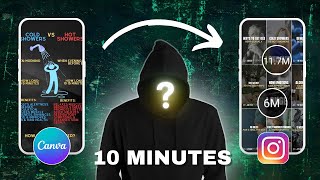
has led to 28 different rules to hit over a million views each and here's the crazy part they required no complicated time consuming video editing I made them all in minutes just using canva look I know what you're thinking there's no way
[00:16]
you can make viral reels about fancy editing software but here's the thing my very first reel using this method hit 200,000 views and my second one it exploded to 1.8 million views biggest one is still growing and this time
[00:30]
currently sitting at 30 million views I'm going to show you the exact method I use to double my following from 100,000 followers to 200,000 followers in Just 4 hours editing their rules you'll be
[00:44]
video I'll break down my simple four-step process I focus on what actually matters the best part you don't need to show your face or buy any dive [Music]
[00:57]
in there are four main background formats you can choose from one is where you just select footage of you like this video here can be footage of you just walking through the corridor or at work that's the one that isn't faceless the
[01:10]
other three are all faceless Alternatives do what stock footage like this one here sh simple Boll in the background and you can either use footage from Cana to elements type in so let's say you wanted
[01:26]
right I'm mounting like I've got there mounting got across the videos get the filters article and then you have a variety of different video options alternatively if you don't have cana pro
[01:40]
you can go to aite petals go to videos and do a similar search so let's do mountings again fck filters orientation
[01:54]
vertical then you have any of these video choices you can download you can also use memes or clips from TV programs and movies here's an example using the family guide it's good to have
[02:09]
land and finally probably the easiest one the one I use most often for one the one I use most often for consistency is using motion backgrounds consistency is using motion backgrounds so here's an
[02:23]
these backgrounds in the video description on a Google doc have all help scrolling grids fire smoke clouds got a
[02:35]
whole variety as well as a safe Zone template make sure all your text stays template make sure all your text stays in the safe Zone on social media there how many views do you think each of these videos that are relatively easy to
[02:48]
these videos that are relatively easy to make each game so this first one got 3.8 million views this is one of my first ever videos I've created using this format I think that's my second one I ever made and it got 16 million views
[03:02]
ever made and it got 16 million views this m file got 8.4 million views and this is my best performing video to date currently set at 33 million views and it only took me about 10 minutes so this goes and emphasizes the importance of
[03:17]
research and picking the running topics that have proven to go viral the next step is to find your viral video idea or concept no matter how good your editing is if you have a bad idea it's not going to do well I use
[03:33]
these five viral research methods and they've helped me to achieve 28 videos hit over 1 million views including these five videos going viral over a million
[03:45]
views across the span of nine days the five methods to on Instagram or one use the tool based on Instagram two use Tik Tok and the method I'm only use in today's video which I'll sh at the end is the outlier method another video that
[03:59]
sh goes for each of these five methods because there's too much to cover in one video so after you've had a look at this there's a link at the end check there's a link at the end check out so step three is a text or copy what
[04:13]
sells the video and the information what attracts viewers attention so using my example of my best performing video the first part is the headline or the hook which grabs a few's attention with a B headline basically hooks them into one
[04:28]
to watch the rest of the video this will helps increase your watch time which is one of the main factors for going viral and what makes the Instagram algorithm push the video out same for most social media platforms second part is the body
[04:43]
or the information this is the key information that delivers and it you the information you need to take away which was promised in the headline steps you want the video to take next so if they like the video and you want them
[04:57]
to follow you follow for more you want them to comment save share Etc in this example I wanted to increase my watch time so I asked them to read the video description and so they can find out more and again the higher the watch time
[05:10]
more likely the video is going to go viral and then I include another C action in the video description for example follow for more or share all of which will increase amount of views another ction I toally use is I'm trying
[05:25]
to go my newsletter so I will say for more information comment news to sign up comment I'll then reply with the link and they'll sign up so that has two from my newsletter they've of left a comment which is another engagement
[05:41]
metric so a nice Segway into key metrics as you can see I've got one of my videos here and proves I got 33 million views 632,000 likes 1.5000 comments and quarter of a million
[05:54]
sabes it's got me over 15,000 followers these are what's coming how or visual G so the platform Instagram particularly prioritizes shares to bring more people the platform is to get more people on the platform and keep them on as long as
[06:10]
other people it's going to bring them on to Instagram next is comments and watch time these are two similar because comments increase watch time and the again you want to keep people on the platform a good little hack I use for
[06:25]
this video is only 5 Seconds long as you can see let's got on M second watch time so people are nearly watching this twice through so that's a good little hack is to keep the video length between three and 7 Seconds long and keep as much
[06:38]
information on the screen as possible that en encourages the viewers to read the information and watch the video through more than once and if you add in an audio that Loops it's difficult for the viewer to know when the video starts
[06:51]
and ends so again that increases watch [Music] time so the final step is branding and putting it all together as you can see I've evolved I went from having different backgrounds variety of fonts
[07:04]
just playing white to now having a clear set branding so when people see my video they know exactly it's one of mine I have consistent font Styles I have my colors white and yellow I tend to have the same formats I have two or three I
[07:19]
choose from depending on the information I tend to have similar graphics and icons throughout the brand colors are linked to my logo my logo is yellow and white or gold and white save sign I create a template at this to work from
[07:32]
create a template at this to work from so I have my headline my information and my cter action all in place along with the background overlay that I use for every single video now that I've been through the four main components let's
[07:45]
create a viral video from scratch together log into Cana click create design choose mobile video so 1080 by 920 we're doing a short form video so the verical screen we then click on uploads and upload our background right
[08:03]
click set foros background you can adjust the time at the bottom by draging the CER want I do to make it about 5 Seconds the research method I'm going to use today is the YouTube outline method and
[08:15]
for that we head over to blow laabs AI we type in our keyword for this example and for my mous longevity and then shows you the most viral videos that keyword on YouTube a reminder I've created in-depth tutorial on this method and
[08:31]
after this video so we're going to look for for our video just scrolling through see which one catches my eye I like the look of this one it's not a b good thumbnail
[08:44]
full of text quite interesting hook it's got 290,000 views compared to only 13,000 views on average a relatively recent 3 monso so what I'll do now is I watch this make some notes and then create a hook and our main body an
[08:59]
aaction based on this video then we head back to canar and add in our text I search for your font or if you have a brand kit set up then you can simply click on the title if you want a tutorial on how to set up a brand kit
[09:14]
then let me know in the comments for either time I have a template set up so this is my background and my fonts included to make this sort of trans semi-transparent logo here all you do is click on the transparency icon and drag
[09:27]
it down to your level you like so for me it's 65% just to take the attention away from the name more emphasis on the hook what I'll then do is copy and paste in my notes that I created from watching the video you can change the font size
[09:44]
at the top drag it to the middle I have to keep both the same middle I have to keep both the same size drag it out so it
[10:00]
fits still too big so 55 and brand colors as my hook if my Hook's too long then I'll edit it
[10:17]
slightly to rotate the text you click on this icon here this is still too big so I make it slightly small again 50 will
[10:30]
position so you don't want it to the left you can click on this bit here bre because it's a danger I'm going to put it red and change the appline click on
[10:45]
effects outline and just change the color again outline and just change the color again I want to make that
[11:04]
for more accurate movement you can zoom in and you get better distances between
[11:18]
everything is symmetrical and evenly spaced let just zoom out again when you we can just copy and paste the information from our research
[11:35]
can space it by clicking this Icon by dragging it up and down see whatever you dragging it up and down see whatever you prefer going two to save
[11:49]
at once you can highlight it all the text you want to text you want to move group and slide it up so yeah different all all this text
[12:02]
group and click ungroup you change individual components also group and make it slightly smaller and centralize smaller and centralize it I'm going to include a cool section I
[12:16]
line and then made the small sections onne I changing the size of the fonts it's not brand colors but I like the way the green goes against the red makes it text in place the final bit is to add some Graphics to make it more visually
[12:32]
aesthetic so we click on elements type in graphic of this one drag it and put it into the right
[12:44]
area CH alarm because it's like a warning sign on short life span so death warning sign on short life span so death let's look at Grim
[12:56]
good one it's white Dr and drop it and change the color better make it the same size by overlapping one more thing we can do to emphasize certain components is we can add animations so I'm going click this
[13:11]
text for example is a good one you can change the speed by dragging
[13:24]
this cursor up and down making it slower faster we do the same for the images in the pay plan but it's well worth the investment especially if you're going to make a lot of these videos I've included a link and a discount period in the
[13:39]
description right look at that so this is our final design we've been upload this with a relevant description and then I'll check it's been a couple of weeks since I uploaded that video this video here 3
[13:54]
eras in hit sh Lo span as you can see it's got 2.1 m in views you look at the insights a good healthy dose of non followers which means we probably got some yeah 435 followers from this video
[14:12]
some yeah 435 followers from this video alone I got plenty of replays due to the short nature of the video which we plan for average watch time of 12 seconds the screen plenty of likes comments saves and there were plenty of shares
[14:26]
I'm not sure why that hasn't been picked up on here but all in all Successful video however none of this means anything unless you know which videos to create so make sure you check out this video now from myi proven research
[14:38]
video now from myi proven research methods to find viral videos