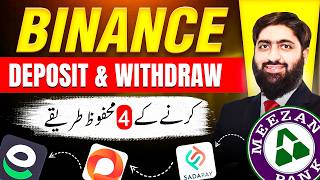

How to Deposit in Binance?
42sDirectly addresses a common pain point for new crypto users, making it highly searchable and relatable.
▶ Play Clip"The title promises a safe guide and delivers exactly that, with clear steps and warnings about scams."
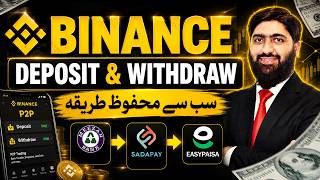
This video provides a comprehensive, step-by-step guide for Binance users, particularly those in Pakistan and the UAE, on how to safely deposit and withdraw funds. It covers four deposit methods—direct crypto transfer, Binance Pay, USD via card/bank, and P2P trading—and details the withdrawal process, emphasizing safety and scam avoidance.
The video begins by addressing the two main challenges for Binance users: depositing and withdrawing money. It promises to explain safe methods for both.
The first step is to ensure your Binance account is verified (KYC). The video mentions that verification can be completed in 10-15 minutes.
The first deposit method is direct crypto transfer. Users need to select USDT and choose a network with low fees, such as BSC or TRX. Copy the wallet address and share it with the sender.
The second method is using Binance Pay. Users can create a payment request link and share it with a friend who has Binance. The friend pays via the link, and the funds are credited.
The third method is depositing USD via bank transfer, card, or Apple Pay. This method has high fees (3.3% for cards/Apple Pay) and bank transfers can take up to 5 days.
The fourth method is P2P trading. Users can buy USDT from other users using local payment methods like EasyPaisa or NayaPay. The video emphasizes filtering for 'Pro Merchant Ads' and checking the seller's trade volume and completion rate.
For P2P, it's crucial to never confirm the order until the USDT appears in your Binance wallet. Also, verify the seller's name matches the EasyPaisa account name to avoid scams.
For withdrawals, users can use Binance Pay to send USDT to a friend, or withdraw crypto to an external wallet. When withdrawing, the network and address combination is critical to avoid losing funds.
When selling USDT via P2P, always verify the fiat payment has arrived in your app (not just SMS) before releasing your USDT.
Which stablecoin is recommended for deposits and withdrawals on Binance?
USDT
02:48
Which two networks are recommended for USDT transfers to minimize fees?
BSC and TRX
03:44
What is the fee for using Apple Pay or a Visa/MasterCard for deposits?
3.3%
05:47
Why does the video recommend using EasyPaisa or NayaPay over bank transfers for P2P?
To avoid account blocks, which are more common with banks.
07:35
What are two key safety checks to perform during a P2P purchase?
Check that the seller's name matches the EasyPaisa account name, and never confirm the order until the USDT appears in your Binance wallet.
09:43
What is the critical rule when selling USDT via P2P?
Always verify the funds have arrived in your app, not just via SMS, before releasing your USDT.
10:07
Why is it important to select the correct network when withdrawing crypto?
The combination of network and address is critical; if the network is wrong, the funds may be lost forever.
11:31
Choosing the Right Network
Selecting low-fee networks like BSC or TRX can save significant money on transfers.
03:44Verification Before Confirmation
The core safety rule for P2P trading: never confirm an order until funds are visible in your wallet.
09:43The Risk of Fake SMS
Warns that SMS confirmations can be forged, emphasizing the need to check the app directly.
10:07High Card Fees
Highlights the 3.3% fee for card deposits, explaining why many users avoid this method.
05:47[00:04] Greetings. Hope you are well. users who are just entering the crypto world, have recently created a Binance account. The most important challenge for those people in the beginning is that
[00:16] Sir, how to deposit in Binance ? And for those of my brothers and sisters who are already working on Binance, the biggest challenge for them is that sir, how to withdraw money? Deposits and Withdrawals. I will tell you these two methods today. How do
[00:32] you use them to safely deposit and safely withdraw your money? I am going to tell you these two methods today. free of cost and press the bell icon so that
[00:47] you get timely notification of every upcoming video. A small announcement here, if you have not yet signed up for Binance account, then Bhaijaan it is free of cost. Go now, I have put the video in the description. Follow the steps and
[01:00] sign up for an account, make a deposit and trade before April 25th, Binance up for an account, it will automatically start showing in front of your account. So what are you waiting for
[01:14] Go watch the video. Sign up for an account and come. Even after signing up the account, your ? So brother, without delay let's go to the screen and I will tell you how you can deposit on Binance and how you can withdraw after making profit.
[01:30] Yes, here I missed another small chunk in the middle. Deposited it. If you do I have provided its session for you also. Our community is in the description. The trading community is free. Join him. Signals come there. You
[01:44] follow those signals. Make a deposit. Follow the signals, make profits. I will also cover that in today's video, Insha Allah. So let's not waste time and move towards the screen. Yes. So we have come to the screen and first of all there are
[01:57] three lines on the top left side. You have to go over them. The first thing you have to not. If it is not verified then there is no problem. In the account sign up video that I have posted in the description, I have also taught you how to do KYC i.e.
[02:11] verification. You will watch the entire video. You will get your account verified within 10 to 15 minutes. It is watch the entire video. You will get your account verified within 10 to 15 minutes. It is account has been verified. Now we have to make our first deposit. We come back to the back.
[02:23] Now Assets is written at the bottom here. is an option to add funds. As soon as you come to Add Fund. Now here we have four methods coming up.
[02:35] four methods here. If you are in Pakistan, less than four will come to UAE. Because you cannot deposit directly with a credit card or debit card. Well, let me tell you one thing here that many people will ask, Sir, what do you mean by deposit?
[02:48] Shall we deposit PKR? Shall we deposit US dollars? Brother, both of these will not be deposited. The stable coin we have for buying and selling crypto is called USDT. This is the one that will be used the most. So
[03:01] we have to deposit USDT. Now the challenge is to deposit USDT. Basically. Now I will tell you all the four ways of doing this one by one. ? USDT deposits to be made. Ok? Now there are four methods first deposit
[03:17] crypto or you are already trading crypto. from there then you will come to Deposit Crypto. How will you come? Simply click on it. Here it will ask which currency to start with, so we need USDT.
[03:31] After USDT, here comes an important thing. Whenever you have to take USDT from someone or from a friend or from any other exchange, the important thing there is the network. You have to select the network which has the lowest fees.
[03:44] Look here, the arrival time is also coming here. Deposit limit is also coming. Now the person sending the fee has to read it. Whenever he does it, there is no issue. But you should try BSE and TRX, these are two good networks. Now you are here.
[03:56] You have this copy button. You have to click on this. Copy to clipboard done. You have to send this address to your friend or if you are bringing it from someone else's wallet then you have to paste this address there and also tell the network what will
[04:11] happen with this, BSC, they will transfer the money to you and your first deposit will be done, okay, this is a very simple method which we have to do on chain, okay, for this we need an address which I have told you, plus we have to tell the
[04:25] network, okay, now let's see the second method, receive or on Binance, in this if you have a friend from whom you are buying, say friend, get me the first deposit, take this, deposit ₹10,000 from me for me USDT. Ok? Then
[04:38] what will happen? If he is already a Binance user then he can do it through Binance Pay. Simply click on Binance. You will tell him that friend, I want $20, $10, whatever. From here you will click on the payment link and here you have to pay the amount. Ok
[04:52] yes sir, how much amount is it? For example, you tell him, friend, I want $20. Ok ? I need $50 here. You want to do it as per your budget. You have to click on the share request link. Ok? This will become a link here. Ok?
[05:07] From here, if you click on WhatsApp, you will send it on WhatsApp. You can also copy it by clicking on the peacock. For example, I clicked on copy it from here. Now if I copy this and send it to him through message,
[05:19] send it through Telegram, send it on Facebook, send it anywhere, it is done from here. ok sir. Simply, when you send him the link, he will click on that link and you will receive that $50. There is also another method of deposit. Look how easy the methods are. It's
[05:34] not difficult. Now comes the third method, Deposit USD. Meaning you will do it through USD. Ok? I will show you this by clicking here. this feature has not yet come to Pakistan but it will come in the future. Now look, here it can
[05:47] also be done through bank transfer. It can also be done through card and through Apple Pay. Ok? But these are a bit expensive methods. Apple Pay also has a 3.3% fee. But the money will come at the same time. It takes 5 days for bank transfer
[05:59] After that, if you do it through MasterCard or Visa card then it is 3.3%. This is the reason why people do not deposit from here. Well, there is an option for deposit as well as [nasal sound] you can take bank transfer. Zero to Three Days will
[06:13] come. Its fee is $25 brother. Ok? This is the reason why people are not using it much right now. ok sir. Good sir. The fourth method is GP2P, which has a lot of scams and is also very risky, but if you have small
[06:27] amounts then you can avoid it. How to escape ? Yes, simply the buy option is coming above P to P and what do you have to do simply by coming here ? Have to apply the filter. friend, you have to try to send me the money within 15 minutes. Ok?
[06:41] Apart from this, you have many features coming here above. Pro Merchant Ads Only. From here you can decide that I only want good merchants. Ok For example, I say I want to pay 1000 Dhahms. Well, I'm doing this
[06:55] in Dahm. You have to do the same work in PKR also. It should be in PKR also. Now see, all the sellers who are coming in front of me are coming for 15 minutes each. ok sir. And I want bank transfer, I selected bank transfer from here.
[07:08] Let me also show you what options are available in Pakistan by doing AD in PKR from above. When you come to Buy Pay, again here you are getting this, USDT is running at 291 at this time. 291.7 291.75
[07:22] All these are coming. ok sir. All bank transfer options are available here. But you say, friend, I want the one for 15 minutes and I want the one for ₹10,000 and I just need to see the options here. You are getting the option of simple pay.
[07:35] New pay option is coming. Easy money option is coming. I will always recommend Easy Paisa Naya Pay within Pakistan. Work on simple things. Do n't involve banks. Often such a problem occurs that the account gets blocked. Ok?
[07:47] So if there has to be a blockage, then it will be easy money blockage. What will be the new pay? Sada Pay will be blocked. You can take this much risk. ok sir. And anyway, easy money So from here you simply click on this, confirm and only those sellers will
[08:01] appear here who use Easy Paisa. So simply you have to click on buy. For is another factor to consider here. Now here you have to select people who have done a lot of trades and whose completion rate is also close to 100%.
[08:17] Now for example the top verified merchant. How many trades has this guy made ? Has done 47,000 trades. Ok? And this is also coming within our limits. This will give us up to Rs 10,000. Ok? Which is
[08:33] available with 566. Simply we will click on buy. As soon as you click on buy, We said brother we need 10,000 PKR. Easy money is here. After that we will place the order. Now when you click on Place Order, I will not do it right now
[08:48] As soon as you place the order, the Easy Paisa number that your brother has given will start showing in front of you here. You have to make easy money for it
[09:05] take a screenshot and upload it. After that, brother, whatever US dollars you earn in return, which is written here as 34.17 USDT, will
[09:17] start showing in your Binance wallet. Do not confirm or close your order until the shows start. He will keep telling you, brother, do it later. Now close this order. If you close it, Binance will think that the money has come
[09:31] and if you close it, they will cheat you and leave. He will take 10,000 from you and run away. These are scams. These are frauds. ok sir? There are more. But these are the benefits of such a small amount. Ok? So here
[09:43] you have to take care of this thing. Apart from this, there is no third party payment. You have to take care of one thing. The person to whom you are giving the money, whose Easy Paisa transfer you are making, you have to check his name here and the name you have to check there should be the same.
[09:55] Same formula, when you make profit, may Allah bless you to make profit quickly and when you have to sell your USDT, now you will be on sale. You have to keep the same criteria on sale also. I want to see a good merchant. Now the calculation will be reversed here.
[10:07] First he will transfer you PKR and then you will release your USDT from here. You have to do it only when you go to the mobile app and are fully satisfied. Do n't just rely on SMS. SMS can also be fake. You have to go to the app and confirm
[10:23] whether it has really been bought or sold. I have received the money. Then you have to close this transaction. Otherwise Binance will not be responsible. A small disclaimer here: this is the riskiest part, the P to P one. Try it, nowadays every second person is
[10:36] One of your friends can deposit it for you or you can get it through Binance Pay. So this is the best. Okay, this is how we have explained the withdraw, there is a method to withdraw. We click on send and
[10:49] here also the method we usually use is P to P. At the bottom is the Binance user. Now here also You ask any of your friends, friend, if you want 10 USDT then
[11:03] give it to me in PKR. So I will send it to you via Binance Pay to your Binance account. Even then you can withdraw it from here Otherwise withdraw crypto again using the same method as we did while buying.
[11:17] example, if we want to do USDT, we will click on USDT. The same address will appear here as I taught you in the beginning. Whose address will come here to address saying, friend, this is my wallet address. You will paste that here.
[11:31] After pasting it, you have to select the network also. Now the network will also tell you that brother, this address belongs to this network. If you write the network wrong here, then who knows where your money will go. Ok? And those who leave will never
[11:45] come back. So the combination of network and address is very important. Ok? Whoever you want to send it to has to confirm it again and again that brother, please confirm to me on which network this address is. When it is done, whatever amount you have to write here, it is saying that
[12:00] you cannot write it less than minimum Rs 10. Okay, you can send it here by doing G10. You will click on Withdraw It will go from your Binance wallet and will be received by whoever you sent it to. What do you have to do ? After that he will give it to you in PKR.
[12:16] Or if you are in Dubai, they will give it to you here in dim. So this was the method of buying and selling. How to trade? If you do not know how to trade then for that, if I show you here, then our discard is created here.
[12:31] you look here now, this is the premium for Forex commodities. This BTC is made of Ethereum. This crypto is made up of ATS. Signals keep coming here. cost, then Bhaijaan I will give you the link in the description below.
[12:46] Simply you have to follow that link and create your account. Please let me know any questions in the comment section. Inshallah, I will meet you in the next video. Take great care of yourself. Long live Pakistan.


⚡ Saved you 0h 12m reading this? Transcribe any YouTube video for free — no signup needed.