
AI Turns Blurry Cat into 4K Masterpiece
45sThe dramatic before-and-after transformation of a blurry cat photo into sharp detail is visually stunning and highly shareable.
▶ Play Clip"The title accurately promises AI tools for video upscaling, denoising, and enhancement, as demonstrated in the transcript."
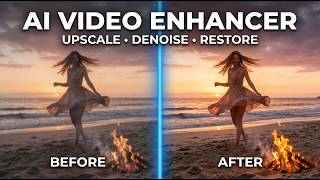
This video demonstrates how AI-powered software, Video Proc Converter AI, can transform low-quality images and videos into high-resolution, clean, and professional-grade content with one-click tools, saving time and effort. The presenter showcases enhancements like upscaling, denoising, stabilization, frame interpolation, and audio separation, emphasizing the tool's speed and ease of use.
Blurry cat photo sharpened to high-resolution with restored details; low-resolution childhood portrait restored with natural facial details; face spots corrected automatically in a model photo shoot, eliminating manual editing.
Noisy video of Big Ben transformed to clean detailed footage; low-frame-rate video converted to smooth high FPS; shaky skiing footage stabilized without wobble; old black-and-white photos colorized with realistic colors.
Vocals or instruments separated for karaoke; background noise removed for cleaner audio quality; all enhancements possible with one-click in Video Proc Converter AI.
Super Resolution v3 offers 40-80% speed boost; AI frame interpolation generates new frames for up to 480 FPS; video stabilization minimizes shakes; image AI upscales, denoises, and restores details; audio AI for vocal/instrument removal and noise suppression.
Blurry, low-resolution cat image enhanced automatically; default settings produce sharp focus with clear fur details preserving original colors. Portrait AI models: Rebuild reconstructs missing details, Fidelity preserves original features, with face selection option.
Low-resolution child photo with pixelated face and hazy hair intelligently reconstructed using Rebuild AI even for hair covering eye. Fidelity AI removed spots while preserving fine details without artificial look; original facial features intact.
Noisy, grainy video upscaled to 4K with Super Resolution; most grain removed but video remains natural without artificial smoothing; facial features and hair details sharper.
12 FPS choppy video increased to 48 FPS with 4x interpolation, smooth without jitter or artifacts. Shaky skiing footage stabilized with 'best stability' mode produces impressively steady video without jelly/wobble effects.
Monochrome photographs colorized preserving original tone. Audio AI separates vocal and instrument tracks with single click; noise suppression parameters adjustable.
Lifetime one PC license $40, five PC family plan $60; include free lifetime updates and bonus tools. Download link in video description.
Video Proc Converter AI by Digiarty is a powerful, affordable all-in-one tool that leverages AI to dramatically enhance images, videos, and audio with minimal effort, making professional-grade improvements accessible to everyone.
How much faster is the new Super Resolution version 3 model compared to previous versions?
40% to 80% speed boost.
01:34
What frame rates can AI frame interpolation achieve?
Up to 480 FPS or even higher.
01:47
What are the three stabilization modes available for video?
The transcript mentions three modes, with one example being 'best stability'.
06:52
How much faster is the optimized level 3 hardware acceleration in Video Proc Converter AI?
Up to 47 times faster processing and rendering speeds.
02:29
What AI models are available for face restoration in Image AI?
Rebuild, Fidelity, and Gradient overlay with precise recognition.
03:54
What is the price of the lifetime one PC license for Video Proc Converter AI?
$40.
08:22
What are the two parameters available for noise suppression in audio AI?
Noise attenuation limit and post-filter threshold.
07:35
Cat Photo Enhancement
Demonstrates instant dramatic improvement of a blurry, low-resolution image to sharp, detailed with AI.
47x Speed Acceleration
Highlights the tool's efficiency with optimized hardware acceleration, a key selling point.
02:298K Portrait Restoration
Shows removal of facial spots while preserving natural details, avoiding the typical artificial look.
05:07Skiing Stabilization Success
Handheld shaky footage stabilized without jelly/wobble effects, a common challenge in video stabilization.
06:52[00:00] What used to take hours of editing can now be achieved in seconds with the power of AI. A blurry cat photo transformed into a sharp, high-resolution image with every whisker and fur detail restored.
[00:12] A low-resolution faded childhood portrait restored into a smooth, high-quality image, with natural facial details brought back to life. Face spots and uneven skin tones automatically corrected in a model photo shoot, eliminating
[00:26] the need for manual photo editing. A noisy, evening landscape image of Big Ben transformed into a clean, detailed photograph that looks like it was captured with a professional DSLR and low-light lens.
[00:38] A noisy video enhanced into a clean, detailed HD and 4K video suitable for professional work and social media. A low-frame rate video with noticeable frame drops converted into smooth, high-FPS footage,
[00:51] perfect for slow-motion playback. A shaky hand-held skiing video transformed into smooth, stabilized footage without wobble or distracting camera shake. An old black and white photograph restored with realistic colors, giving new life to cherished
[01:06] memories, vocals or instruments separated with a click for karaoke tracks, remixes, and more flexible audio editing. Background noise removed from audio recordings for cleaner, clearer, and more professional sound
[01:20] quality. And the best part? All of these enhancements can now be done with a one-click AI tool called Video Proc Converter AI. Before I show you how to use this software, let's take a quick look at this all-in-one AI
[01:34] video and image enhancer and converter. It's from a company called Digiarty, and you can download and try it for free. Their new Super Resolution version 3 model boasts a 40% to 80% speed boost.
[01:47] Their AI frame interpolation uses AI motion estimation algorithms to generate new frames, making it easy to create 480 FPS videos or even higher. The new video stabilization feature helps minimize shakes, jitters, and wobbles in footage
[02:02] captured on action cameras and smartphones, delivering smoother and more polished results. Their image AI models can upscale, denoise, de blur, and restore natural details, making
[02:14] images suitable for fine printing and professional work. Video AI offers powerful tools for audio editing and works on songs, vlogs, interviews, and more. One of the biggest strengths of Video Proc Converter AI is its optimized level 3 hardware
[02:29] acceleration, providing up to 47 times faster processing and rendering speeds. After downloading and installing the application, you'll be welcomed by a clean interface with all the tools clearly laid out for easy understanding.
[02:43] Let's start with Image AI. Simply import your image and let the AI get to work. This photo of the cat is very blurry and also quite low in resolution. As soon as I drag and drop the image here, the enhancement process begins automatically
[02:57] using the default settings. It takes about a minute or two to render the enhanced image. And there you go. The reconstructed picture is exactly what we wanted. The cat is now in sharp focus with clear for details, while preserving the original colors
[03:11] and brightness, all without introducing visible artifacts. Fixing images really is this easy with Video Proc AI. There are several AI models available, but for the best balance of quality and speed, I would
[03:25] recommend their new Gen Detail V3 model. Before importing the next image, we can choose to upscale it by 2X, 3X, or 4X. We can also set a custom target resolution all the way up to an incredible 8K, or simply
[03:38] enhance the image without increasing its resolution. For portraits, face restoration places special focus on facial details, and there are 3 AI models to choose from. AI rebuild focuses on reconstructing missing or damaged facial details using AI-generated
[03:54] estimation, making it ideal for heavily degraded, blurry, or low resolution faces. Fidelity prioritizes preserving the original facial features and identity, making more conservative
[04:06] enhancements for a natural and authentic result. You can even select specific faces in a photo for the AI to focus on. Gradient overlay preserves the original appearance through natural blending, while precise recognition
[04:19] AI reconstructs facial features more aggressively to recover maximum detail from heavily degraded photos. Now, let's look at this low resolution photo of a child. The face is heavily pixelated, the hair lacks detail, and the overall image appears hazy.
[04:35] After processing, the photo looks dramatically improved. In fact, even the strands of hair covering the eye have been intelligently reconstructed when using the rebuild AI model. For the next image, I've set the output resolution to 8K and switched to the Fidelity AI model.
[04:52] Notice how the spots on the face are removed while preserving fine details. At the same time, the image doesn't look overly smooth or artificial, like many AI processed photos. It would normally take hours of professional photo editing, can now be completed in
[05:07] about a minute, saving both time and money. Most importantly, the original facial features and identity remain intact. Not all of us own high-end cameras, and even if we do, we don't always carry them with
[05:21] us. These days, we rely heavily on our phones, but low-light photography often suffers from excessive noise and loss of detail. With VideoProk AI, we can transform a noisy sunset landscape into a clean, professional
[05:35] grade image packed with detail. The noise is gone, the textures are sharp, and those precious memories are preserved in far better quality. Next, let's try Video Enhancement with Super Resolution.
[05:48] We'll use the High Quality mode, and the video can be upscaled by up to 4x. I've set the output resolution to 4K. The original footage is noticeably noisy and grainy, with a loss of detail and sharpness.
[06:02] Now look at this frame, most of the grain has been removed, yet the video still looks natural without any artificial smoothing. The facial features remain intact, and even the hair details are much sharper.
[06:14] Old, low-resolution archived videos can now be restored and made ready for sharing on social media with VideoProk AI. Next, we have this 12 FPS video. It looks choppy, mainly because of the slow motion effect.
[06:27] With frame interpolation, AI generates entirely new frames, increasing the frame rate by up to 5x. Let's set it to 4x and run the process.
[06:39] And here is the result. The video is now running smoothly at 48 FPS with no noticeable jitter and no visible artifacts. Similarly, let's stabilize this skiing footage, which is naturally shaky because it was
[06:52] captured handheld. The software offers three stabilization modes, and depending on the level of smoothness you choose, the video will be cropped accordingly to apply the effect. For this test, I'll select best stability.
[07:07] The result is impressively steady footage. Often stabilization can introduce unwanted jelly or wobble effects, but in this case, the video remains smooth and natural. With Image AI, we can also colorize monochrome photographs.
[07:20] The colors are added in a way that preserves the original tone and character of the image, bringing old family photographs back to life. Lastly, let's check out audio AI.
[07:35] You can remove vocals or instruments from songs with a single click. For noise suppression, there are two parameters available. Noise attenuation limit and post-filter threshold. You can also increase or decrease the volume by adjusting the gain value.
[07:50] It's processed the audio, so this is the track with only the vocals.
[08:06] And this is the version containing only the instruments. After all, video proc AI is a powerful tool for both professional and personal use.
[08:22] As for pricing, there is a mega discount. A lifetime one PC license is just $40, while the five PC family plan is $60. Both include free lifetime updates and bonus tools.
[08:36] You can find the direct download link for video proc AI in the video description. That's all for today. You are watching Gizmo Journal.
⚡ Saved you 0h 08m reading this? Transcribe any YouTube video for free — no signup needed.