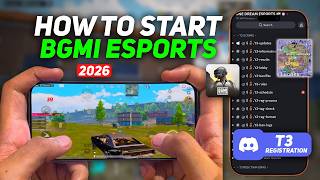

2920 Days Wasted? Switch to E-Sports Now!
40sHigh emotional impact challenging casual gamers to reconsider their time investment, with a direct call to action.
▶ Play Clip"Title accurately promises a guide to enter e-sports, and the video delivers exactly that with detailed steps."
This video provides a step-by-step guide on how to enter the BGMI e-sports scene, from forming a team to registering for Tier 3 tournaments via Discord. The creator emphasizes that e-sports is a growing field and offers a clear pathway for aspiring players to turn their gaming passion into a career.
If you spent 8 years (2920 days) playing games without earning, recognition, or skill growth, you could have been earning lakhs per month by creating content or playing e-sports.
Many underdogs have turned their passion into a career. Content creation for BGMI is saturated, but e-sports is growing consistently and is at its peak.
The video covers initial steps: forming a team (4-6 players), T3 registration, progressing to T2 and T1, and eventually official BGMI tournaments.
First step: create a team with minimum 4 and maximum 6 players. You can create your own team or join an existing one.
Download the Discord app on your phone (Play Store or App Store) and log in. Use the link in the description to join the 'One Dream E Sports' server.
Any one person from the team can register. All four members must be in the server. The leader or a teammate can complete the registration.
The server has channels for T3 updates, tournament info, weekly performance, rules, schedules, tag checks, support, and promotion to T2.
Go to the tag-checked channel, paste the format with team name and player details (character ID and Discord tag). Get a green tick to confirm.
Registration opens exactly at a specific time before the match (e.g., register at 11:00 for a 12:00 match). Slots are limited to 25 teams.
To avoid daily registration, you can buy a subscription (weekly/monthly) for paid slots. Otherwise, register daily for free slots.
BGMI posts tutorials on its YouTube channel for official tournament registration. The process is simpler than T3.
The video provides a practical roadmap for entering BGMI e-sports, emphasizing that with consistent effort and the right steps, players can turn their gaming hobby into a professional career.
What is the minimum and maximum number of players required to form a team for BGMI e-sports?
Minimum 4 players, maximum 6 players.
01:38
Which app is used for registering in T3 tournaments?
Discord.
02:31
What is the name of the Discord server recommended for T3 registration?
One Dream E Sports.
02:55
How many teams can register for a single match slot?
25 teams.
06:39
What must you do to confirm your team's registration after pasting the format?
Get a green tick from the tag-check channel.
05:20
When does the registration channel open for a match scheduled at 12:00?
At 11:00.
05:46
What alternative to daily registration is offered for paid slots?
A weekly or monthly subscription.
07:33
Missed Opportunity Cost
Highlights the potential financial loss of not pursuing e-sports or content creation seriously.
00:02E-sports as a Growing Field
Positions e-sports as a viable career path, contrasting with saturated content creation.
00:29Team Formation Requirement
Establishes the foundational step for entering e-sports.
01:38Discord as Registration Platform
Introduces the primary tool used for T3 tournament registration.
02:31Timed Registration Windows
Explains the competitive nature of slot registration, requiring precise timing.
05:46[00:02] to 6 hours. But have you guys got anything from him till date? Neither did you earn , nor was anyone recognized, nor did your skills grow. If a player has been your skills grow. If a player has been
[00:15] And if you had spent these 2920 days in creating content or in e-sports, then today you would have been earning lakhs per month while enjoying the game. And it's not just thinking. These things actually happen. There are many
[00:29] underdogs who turned their passion, their hobby into their career. Now there are many such of content creation and many examples of e-sports. You know about content creation, at present if you create content for BGM, it is already saturated and maybe you
[00:42] people might have tried it also. Butt is one thing that is growing consistently and is at its peak right now. That is e-sports. Now, if you play e-sports games in the 3-4 hours you normally play in a day, it will
[00:55] and it is not that you cannot start it in 2026. E-sports is can start it today. There is no long process. Just after this video you will be able to go and register yourself for esports. And in this video
[01:08] that what are the initial steps to do this thing. Specifically, there are tell you about later. Now how to go to Tier 3 registration Tier 2? How to get to T1? And what is the procedure for India to reach the official tournaments of BGMI in which
[01:23] start this video. But if you have n't subscribed yet, where will you start and where will you end? Because people officially there is no such method where BGMI itself tells you to
[01:38] first step to enter into e-sports and the basic step is that you have to create your team and the team should have minimum four players and maximum six players. Now you can create your own team or join someone else's team. If you don't have a team,
[01:52] in the first step you have to create your team. In the second step you have to do T3 registration. What is T3 basically? Here you will practice in a proper e-sports environment. Like this will be a lobby where there will be initial stage e-
[02:05] , make your strategies and gradually move forward. Once you start doing well in T3, you will be promoted to T2. And then if you do well in T2 then you will be promoted to T1. And when you perform well in T1 also,
[02:18] And if you do well in the official exam also, then first of all you will start getting Organizations will take you there. You can also play internationally. This is just a normal flow. You have to do T3 registration in the stage you are in now. I will teach you that.
[02:31] Now first of all download the Discord application on your phone. Available on both Play Store and App Store and log in to DC application. After that, in the description of this video, I have given you the link of a Discord server.
[02:43] click here, you will accept the invite and be redirected to the Discord application. From here there will be an option to join the server again. Click on that. Take your roles as per your convenience. Now as soon as you get the role, you have to
[02:55] you will see an option to edit profile. You have to go to this and if you go down then there you will get an option by tagging a server. Click on it and click on the option called One Dream E Sports. Click on it and click on the option called One Dream E Sports.
[03:07] n't understand, please look at it again. And you have to get the same steps done by your teammate also. Those other three members will also have to join this server. you can send the link of the Discord server and simply ask them to join the server. Teammates
[03:20] just have to join and the actual registration has to be done by the leader or the teammate can also do it. This means that any one person from your team can register. The only thing is that there should be four people in the server. Now you have to
[03:32] just click on the name written above and here you will see an option called Show All Channels. You have to enable this. Now, tournaments keep happening in this Wonderm E Sports. There are Now, tournaments keep happening in this Wonderm E Sports. There are
[03:45] and weekly matches where you also get a prize pool. And ? Because I have been watching it for the last two years. It is working properly. T3's points table, proper management and if any issue arises, it is also solved.
[03:58] So I recommended this to you. Now if you see something like T3 screens and there are many channels here in which different types of things are written. Like T3 updates. Now if any update related to T3
[04:11] comes in this server then they inform you here. Apart from that, if there is any tournament or weekly match, then the information of T3 will be shown to you here. come, they also show you how your team performed weekly. Let us
[04:25] rules of T3 are also written here. Please read these before registering. After that you will get the schedule of matches here. There are a lot of matches throughout the day. Whenever you get time, if you are studying in school or college, you
[04:38] can play in the evening or whenever you get time, you can register your match as per the schedule. He has given the video link for the rest of the registration process. You can see this also. Apart from that there is a channel to check tags. There is a channel for support. If you want to get promoted from T3 to T2, there
[04:52] is a channel for that. If you have booked a slot and want to cancel it, you can they have also shown how the points are distributed. There to T3 registration format. Here you will see a format in a text.
[05:07] you have to come to the tag checked channel. And then paste that format and write the name of your team and enter the details of Player One. You have to enter the character ID and whatever tag it has in Discord. And you will get this tag only
[05:20] when your teammates join the server. So in this way you have to it has to be sent only on the tag check channel. When you send it, you will get a green tick from there and when you get it, you have to copy that format and if you are not able to get it then
[05:33] talk to the support team once. You just have to copy that format and you want to keep it because you will have to use it daily. Now comes the main step where you have to actually register. Now in that schedule, you will find the
[05:46] written along with it. You have to see that and the rest is already written here. Like if you want to play the match at 12:00 then you will have to register at 11:00. And if you want to play the match at 12:40 then you will have to register at 11:04. The
[05:59] timings are clearly written here. This change keeps happening. But you will understand from here. Now suppose I have to register for the match at 12:00, then I will not getting the option to paste it anywhere. And do not click on this arrow that is showing here.
[06:12] Here you just have to wait. That text box will appear only when the actual time comes. Like the this channel will open exactly at 11:00. And only here you will be
[06:25] able to paste your format. So let's wait a little here. And as soon as this channel opens, I will paste the format that I have copied here. It opened as soon as it was 11:00. The text box option will appear here. Just
[06:39] send it quickly. Because if 20 teams have registered before you, then your registration will not be done. Now as soon as everyone sends it, 25 teams will be fully filled. and you will get your slot. Your team name and slot number will be written.
[06:52] If your team's name is appearing then your registration has been done successfully registration is done, if you look at the channels, So just 10-15 minutes before the math, you will get the ID pass on that channel
[07:05] and go to the game and join the room by entering the ID and password just like you join the room is very simple. I have registered a game and shown it to you. If you want to play three or four games a day, you will have to register for each
[07:20] game and it is not necessary that you get a slot every time and the process is a bit lengthy and sometimes difficult to understand. So it is simple, if you do not want to do so much not want to register daily. All you want is that once your team name is registered and
[07:33] you play the game daily, you can buy a subscription for it or you can buy a subscription for it or you buy slots, it comes at a very low price or you
[07:45] can also take weekly monthly subscription in which you will not have to register, otherwise if you told you the method and if you do not want to spend so much time in registration, after the registration is over you will get an ID there itself on which you
[07:58] can DM and get paid slots, this is the only step, you will keep playing T3 for a week or two, after that when you get proper practice then you can go to T2, there can directly talk to the support team. After that you can also go to T1. And then the
[08:12] official tournaments are even simpler. BGMI posts tutorials on its YouTube channel teaches you how to register. So just register your team in it. Then there they will tell you the flow as to how you will move forward and
[08:25] start. Now you must have known how to join e-sports. if you play daily games then you can try scrims etc. instead of normal.
[08:37] Where you can try e-sports. If your skills are good then you can move ahead. So just try it for a year or two. If you see some growth then you can continue further. If it is not visible then you can try something else. So that's all there was
[08:49] liked the video then please like it. Subscribe if you are new to the channel. I will meet you in the next video. For now, bye bye.
⚡ Saved you 0h 08m reading this? Transcribe any YouTube video for free — no signup needed.