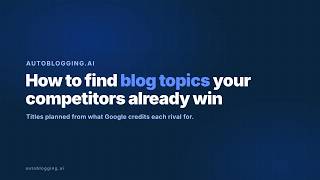

Stop Guessing Content: Use AI Overviews
45sReveals a counterintuitive strategy to source blog topics from competitors' AI overviews, saving hours of brainstorming.
▶ Play Clip"The title promises a solution to content planning, and the video delivers a practical walkthrough, though it's a bit dry and could be more concise."
This video demonstrates a content planning workflow that uses competitor research reports to generate blog post titles. It shows how to create a structured content plan based on the jobs Google's AI overviews credit to competitors, with options for brand positioning, target keywords, and batch generation.
Every content calendar starts with the question 'What should we write next?' The title planner answers this from a competitor research report, using topics from jobs Google's AI overviews credit to rivals.
On a report without a plan, the form requires a brand to feature as number one. Brand facts and writing style drive the titles, so listicles and alternatives are planned from your side instead of neutral roundups.
Target keywords are optional. Add use cases you actually sell, one per line, and the plan is built against them. Leaving it blank plans from the report alone, replacing a morning of keyword research.
The plan for tasks.bot shows the angle at the top, titles grouped by search type. Feature listicles target specific job posts built around jobs AI overviews credit rivals for, with each row carrying the feature and competitors to compare against.
Every title is an editable box, allowing you to tighten wording to your own voice. Alternatives posts target people searching for a rival by name, which are high-intent topics.
QuickPix selects a batch spread across the types you tick, e.g., 10, so the first week isn't all one format. This removes the busy work of balancing by hand in a spreadsheet.
Generation settings apply to every article queued from the plan. Variate titles rewrites each selected title, keeping brands and meaning, so a second run for another platform doesn't repeat the first one word for word.
Copy the titles, add them to the brand's content calendar, or send them to bulk. A plan tells you what to write, not how well. Pick titles you can answer better than the page ranking now, and skip the rest.
The video presents a systematic approach to content planning that leverages competitor research to generate targeted blog post titles, with tools for customization and batch processing. The key takeaway is to focus on topics where you can outperform current rankings.
Data-Driven Topic Generation
Shows a concrete method to replace blank-page brainstorming with competitor-based insights.
Efficiency Gain
Highlights how the tool saves time by automating keyword research.
00:43High-Intent Opportunities
Explains why alternatives posts are valuable for capturing ready-to-buy searchers.
01:25Strategic Selection
Emphasizes the importance of choosing topics where you can outperform, not just any topic.
02:21[00:00] Every content calendar starts with the same question. What should we write next? The title planner answers it from a competitor research report. So the topics come from the jobs Google's
[00:15] AI overviews already credit your rivals for, not from a blank page. On a report without a plan, this is the form you get. First, the brand to feature as number one. Its brand facts and
[00:27] writing style drive the titles. So listicles and alternatives are planned from your side instead of as neutral roundups. That's why a brand is required. Target keywords are optional. Add the use cases you actually sell, one per line, and the plan is built against them. Leave it blank
[00:43] and it plans from the report alone. This is the part that replaces a morning of keyword research for blog posts. The cost is on the button and the plan is saved with the report. So opening it again costs nothing. I won't plan this one again. Here's the plan that already ran on this report.
[01:02] This is the save plan for tasks.bot. The line at the top is the angle, how the brand is positioned across every title. Below it, the titles are grouped by the kind of search they target. Feature listicles are the best tools for specific job posts built around the jobs the AI overviews credit rivals for Each row carries the feature it targets and the competitors to compare against so the brief is already written
[01:25] before the article is. Every title is an editable box, so tighten the wording to your own voice before it goes anywhere. Alternatives posts target people already searching for a rival by name. That searcher is comparing options right now, which makes these some of the highest intent
[01:40] topics in any market. Direct brand info covers reviews and the questions people ask about the brand itself, planned from its brand facts so the details stay right. You don't write all of it at
[01:53] once. QuickPix selects a batch spread across the types you tick. Here 10, so the first week isn't all one format. Doing that balance by hand in a spreadsheet is exactly the busy work this removes.
[02:05] Generation settings apply to every article you queue from the plan. Use variate titles rewrites each selected title, keeping the brands and the meaning, so a second run for another platform doesn't repeat the first one word for word. Then the handoff. Copy the titles, add them to the
[02:21] brand's content calendar, or send them to bulk. That's the step that usually lives in a spreadsheet. One honest word. A plan tells you what to write, not how well. Pick the titles you can answer better than the page's ranking now, and skip the rest.
⚡ Saved you 0h 02m reading this? Transcribe any YouTube video for free — no signup needed.